Enterprise content management (ECM) is the set of strategies, methods and tools an organization uses to capture, manage, store, preserve and deliver its documents and other content throughout their life, from creation to disposal. The definition and its five components come from AIIM, the industry association; the software is now usually sold as content services or document management platforms.
Checked 2 October 2026 against AIIM’s ECM glossary, the ISO records management committee (TC 46/SC 11), the OASIS CMIS 1.1 specification, US federal records memo M-23-07, DoD Manual 8180.01, Federal Rule of Civil Procedure 37(e), Microsoft’s Purview records documentation, announcements from OpenText, Hyland, IBM, Microsoft and Box, and the CISA Known Exploited Vulnerabilities catalog.
What is Enterprise Content Management?
AIIM, the Association for Intelligent Information Management, describes ECM this way in its glossary:
Neither a single technology nor a methodology nor a process, it is a dynamic combination of strategies, methods, and tools used to capture, manage, store, preserve, and deliver information supporting key organizational processes through its entire lifecycle.
AIIM, Enterprise Content Management glossary entry
In practice ECM is about unstructured content: office documents, PDFs, scanned paper, email, drawings, images and video, the material that does not fit in the rows of a database. A well-run ECM program means each item has one authoritative copy, carries metadata that says what it is, is visible only to the people who should see it, and is kept exactly as long as it must be.
The discipline grew out of the document imaging, document management and workflow systems of the 1980s and 1990s. As AIIM puts it, “Document management eventually was subsumed into content management”, as email, the web and other sources multiplied the volume of material organizations had to control.
How is ECM different from document management, records management and a web CMS?
These terms are often used interchangeably, and they should not be. The difference matters when you buy software:
| Term | What it does | Relationship to ECM |
|---|---|---|
| Document management system (DMS) | Stores, versions and secures documents, with check-in and check-out, metadata and search | One part of ECM’s manage component |
| Records management | Declares items as records, applies retention schedules and legal holds, and disposes of them with proof | The governance part of ECM; principles in ISO 15489-1:2016 |
| Web content management (web CMS) | Creates and publishes pages on a public website, such as WordPress or Adobe Experience Manager | Listed in AIIM’s model, but a separate market; website concerns such as SEO belong here, not in ECM |
| Digital asset management (DAM) | Manages rich media such as brand images and video for marketing | A specialist neighbor of ECM |
| Enterprise content management | Covers the whole lifecycle of an organization’s content, across all of the above | The umbrella discipline |
Is ECM still the right name?
The discipline is the same, but the labels have moved twice. AIIM records that in 2017 Gartner declared ECM dead as a market name and replaced it with content services, and AIIM itself now talks about intelligent information management (IIM). Gartner later moved again: in December 2024 it published a new Magic Quadrant for Document Management, and the latest edition is dated 28 April 2026. Vendors add their own labels; Box, for example, calls its product Intelligent Content Management.
For a buyer, the practical point is that “ECM software”, “content services platform” and “document management platform” describe overlapping products, so compare them on the five components below rather than on the label.
What is Enterprise Video Content Management?
Enterprise video content management helps organizations manage their videos and other digital information. It lets people capture, process, store, find, and share the media in a secure place. This is for both internal and external use.
Enterprise video content management may also include associated network services like Video Content Delivery Networks, which help to deliver videos to collaborative spaces.
Enterprise video management helps companies show videos to co-workers and customers. It also helps employees share videos within the company.
In addition, enterprise firms use it for video conferencing, training, and events. That is why enterprise video management has grown a lot in popularity.
Components of ECM
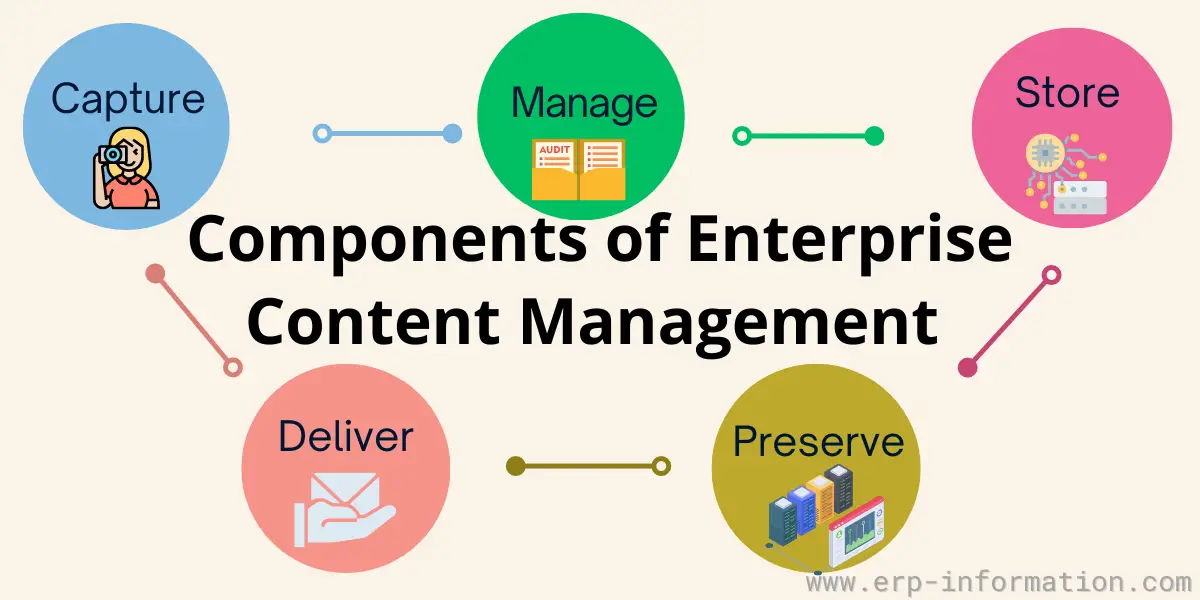
AIIM divides ECM into five components: capture, manage, store, preserve and deliver. Every ECM platform covers them, though vendors group and name them differently. In short:
| Component | AIIM’s description | Typical technology |
|---|---|---|
| Capture | “Capture boils down to entering content into the system.” | Scanning, OCR and intelligent document processing, e-forms, email and file import |
| Manage | “Manage is what you do next to it, so it can be found and used by whomever it is intended for.” | Document management, collaboration, workflow, records management |
| Store | “Storing it means finding it an appropriate home in your infrastructure” | Repositories, library services (versioning, check-in and check-out), storage |
| Preserve | “Preserve refers to long-term care” | Archives, long-term formats such as PDF/A, retention and disposition |
| Deliver | “deliver is all about putting the information in the right people’s hands right when they need it to be there” | Rendering, permissions and redaction, portals, integrations with other systems |
Capture
Capture brings content into the system and describes it on the way in. Paper is scanned and read with OCR or intelligent document processing; electronic forms, email and files that were born digital are imported directly. The most valuable work happens here: classifying each item and recording its metadata (document type, customer, date, owner) when it arrives, because content captured without metadata is hard to find and impossible to govern later.
Managing the documents
Manage is what makes content usable once it is inside. It typically covers:
- Document management: versioning, check-in and check-out, metadata and search
- Collaboration: shared editing, comments and team workspaces
- Web content management: publishing approved content to websites and intranets
- Records management: declaring records, retention schedules, legal holds and disposition
- Email management: classifying and keeping email under the same rules as any other document
- Workflow and business process management (BPM): routing content through approvals and business steps, such as invoice approval
Store documents
Store is where content lives while it is in use: the repositories (a content store, a metadata database and a full-text index), the library services that control versions and access, and the storage technology underneath, whether on premises or in the cloud. Store is the working home for content in active use; preserve, the next component, is long-term care.
Neither store nor preserve is the same as backup. A backup protects against losing data; store and preserve are about where content is kept, who can reach it and for how long. An ECM system needs both.
Preserve
Preserve keeps content that must be retained readable and unchanged for as long as required, which for some records is decades. That means archival storage, file formats designed to outlast today’s software, such as PDF/A (ISO 19005; the latest part, PDF/A-4, is based on PDF 2.0), and a records process that applies the retention schedule, suspends deletion when a legal hold applies, and disposes of content with proof when its time is up. ISO’s ISO/TS 7538:2024 gives functional requirements for that last step.
Deliver
Deliver puts content in front of the people and systems that need it, in the right form. It includes transformation (for example rendering a document to PDF), security (permissions, redaction and watermarks applied on the way out) and distribution through portals, email, mobile apps, and integrations with ERP, CRM and collaboration tools.
What does an enterprise content management architecture look like?
An ECM architecture is the set of layers that carry content from capture to delivery. Vendors draw it differently, but most platforms can be read as seven layers:
| Layer | What it does | Typical parts and standards |
|---|---|---|
| 1. Capture and ingestion | Brings content in and classifies it | Scanners, OCR and document processing, email and file connectors |
| 2. Repository | Stores content, metadata and the search index | Content store, metadata database, full-text index, on premises or cloud storage |
| 3. Content services and APIs | Versioning, check-in and check-out, search and access control, exposed to other software | REST APIs; CMIS 1.1, the vendor-neutral standard (OASIS Standard, 2013) |
| 4. Process and workflow | Moves content through approvals, cases and business rules | Workflow and BPM engine, case management |
| 5. Governance | Records declaration, retention, legal hold, audit trail and disposition | Records management module; ISO 15489-1:2016, ISO/TS 7538:2024 |
| 6. Delivery and integration | Puts content inside the tools people already use | Portals, Microsoft 365 and Teams, connectors to ERP and CRM, enterprise application integration |
| 7. Security and AI services | Identity, permissions, encryption, monitoring, and AI assistants that classify, redact and answer questions over content | Single sign-on, patching, AI features such as OpenText Content Aviator or IBM Content Cortex agents |
Two design choices shape the rest. The first is one central repository or manage in place: moving content into a single repository makes governance simpler, while leaving it in file shares, Microsoft 365 or ERP systems and governing it from one place avoids a big migration but depends on good connectors. The second is deployment: on premises, cloud or a hybrid, which decides who patches the servers and where data is stored. Whatever the choice, AI assistants must see only what the asking user is allowed to see, so the permission model in layer 3 has to be right before AI is switched on.
How do you build an enterprise content management strategy?
An ECM strategy is a written plan for which content the organization keeps, where it lives, who can use it, how long it is kept and how it is disposed of, plus the platform and people to run it. A workable plan has eight steps, each with a deliverable and an owner:
| Step | Deliverable | Usually owned by |
|---|---|---|
| 1. Inventory the content | List of content types, volumes, systems, processes and owners | Records or information manager, with each department |
| 2. Set goals | Three to five measurable goals, such as retiring file shares or cutting retrieval time | Executive sponsor |
| 3. Write the retention schedule | Record classes, retention periods, the legal basis for each and the disposal method | Records manager and legal counsel |
| 4. Design the taxonomy and metadata | Content types, required metadata fields and naming rules | Information architect |
| 5. Define the access model | Groups, permissions and rules for sensitive content | IT security |
| 6. Choose the platform and integrations | Requirements covering the five components, APIs and connectors to ERP and CRM | IT, with procurement |
| 7. Plan the migration | What moves, what is disposed of, how metadata, versions and permissions map, and how chain of custody is kept | Project team |
| 8. Roll out and review | Training, adoption measures, scheduled disposition runs and an annual review | Content owners and the ECM administrator |
Audit the content
Start by listing every type of content the organization creates or receives, the business process it belongs to, where it lives today (file shares, email, Microsoft 365, ERP attachments, paper) and who is responsible for it. The inventory shows what is duplicated, what is missing from any system and what is being kept with no reason, and it is the input to the retention schedule.
Define the organization’s goals
Goals keep the program from becoming a storage project. Typical ones are reducing dependence on paper, retiring file shares, shortening the time to find a document, meeting retention rules, and giving customers faster answers. Make each one measurable so the review step has something to check.
Plan retention and legal hold from the start
The retention schedule decides what the system keeps and what it deletes, so write it before migrating anything. Build in a legal hold that stops deletion when litigation is expected. In US courts, Federal Rule of Civil Procedure 37(e) sets out what happens when electronic evidence is lost:
If electronically stored information that should have been preserved in the anticipation or conduct of litigation is lost because a party failed to take reasonable steps to preserve it, and it cannot be restored or replaced through additional discovery, the court: (1) upon finding prejudice to another party from loss of the information, may order measures no greater than necessary to cure the prejudice
Federal Rules of Civil Procedure, Rule 37(e)
Where a party acted with intent to deprive the other side of the information, the same rule lets the court “dismiss the action or enter a default judgment.” For US federal agencies there is also a hard deadline. OMB and NARA memo M-23-07 states: “By June 30, 2024, Federal agencies must manage all permanent records in an electronic format.” Since then the National Archives no longer accepts new transfers of analog records unless it has granted an exception.
Review the progress
Roll out in phases, one department or process at a time, and review progress with stakeholders every few weeks. Phasing exposes problems with metadata, permissions and user habits while they are still cheap to fix.
Update continuously
ECM is never finished. Run disposition on schedule, update the retention schedule when laws or business lines change, retire metadata fields nobody uses, and assign a named owner for the system. One practitioner put the difference plainly:
The only company I worked for where DMS was really successful, there was someone in charge of managing it full time.
A practitioner on Hacker News, February 2023
Importance of ECM
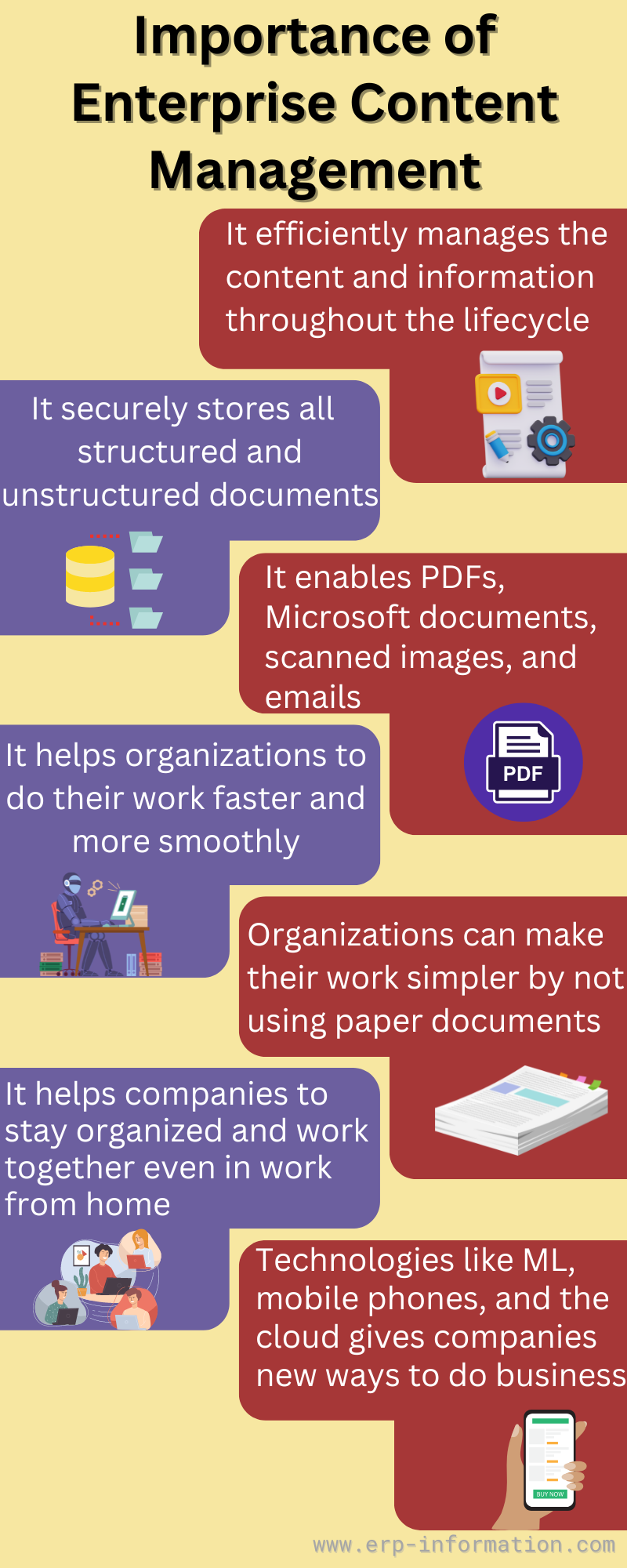
- It manages content and information throughout its lifecycle, from capture to disposal.
- It brings unstructured content, such as PDFs, Microsoft Office documents, scanned images and email, under the same control as structured data.
- It stores structured and unstructured documents securely, in one place.
- It helps organizations work faster and more smoothly, with less paper.
- It helps people stay organized and work together, including when they work from home.
- Technology such as machine learning, mobile devices and the cloud gives companies new ways to use their content.
Benefits
Minimizes the business risk
Retention schedules, legal holds, audit trails and records declaration let an organization show what it kept, why, and when it was disposed of. Microsoft’s records documentation describes what declaring a record does in its Purview service:
When an item is declared a record by using a retention label: Restrictions are placed on the item in terms of what actions are allowed or blocked. Additional activities about the item are logged. You have proof of disposition when the item is deleted at the end of their retention period.
Microsoft Learn, Learn about records management
Secure place to store content
Content kept in one governed repository, with permissions and version control, gives everyone the same approved copy instead of conflicting versions in email and file shares, a single source of truth for documents.
Cost reduction
ECM reduces paper, printing, physical storage and postage, and automates manual steps such as routing invoices for approval. Disposing of content on schedule also shrinks storage and the volume that must be searched when litigation arrives. How much it saves depends on the starting point; vendors’ return-on-investment figures are not independent, so measure your own before and after.
Business continuity
Because content lives in managed repositories rather than on individual laptops and desks, it can be backed up, replicated and recovered after an outage or disaster. Remember that backup is a separate control from preservation: both are needed.
More productivity, less paperwork
Metadata, full-text search and workflow let people find documents and move them through processes without hunting through folders or retyping information, and replace paper forms and filing.
Better customer experience and content accessibility
Customer service staff can see the right documents while they are talking to a customer, and customers can be given self-service access to their own documents through a portal.
Where is ECM used in organizations?
| Area | How ECM is used |
|---|---|
| Accounts payable | Captures invoice data and automates purchase order and invoice matching and approval |
| Customer service | Gives agents and customers online access to the documents they need, at any time |
| Human resources | Keeps employee files and onboarding paperwork, with retention rules for each record type |
| Legal and contracts | Stores contracts with their metadata, tracks obligations and renewals, and applies legal holds |
| Engineering and quality | Controls drawings, specifications and procedures with versions and approvals |
| Compliance and security | Applies retention, access control and audit trails to regulated content |
| Remote and hybrid work | Makes governed content available wherever people work |
Examples of enterprise content management systems
The platforms below are among the most widely used, listed with their current names, which have changed often:
| Platform | Vendor | What to know (October 2026) |
|---|---|---|
| OpenText Content Management and OpenText Documentum Content Management | OpenText | Content Management is the product formerly called Extended ECM; release 26.2 in June 2026 added agentic features to OpenText Content Aviator |
| OnBase and Hyland Alfresco | Hyland | Hyland acquired Alfresco on 22 October 2020 and Nuxeo on 8 April 2021, and took over the Perceptive Content portfolio in July 2017 |
| SharePoint with Microsoft Purview | Microsoft | SharePoint stores and shares documents; records retention and declaration are handled by Purview records management |
| IBM FileNet Content Manager and IBM Content Cortex | IBM | IBM released Content Cortex 26.0 in June 2026 and made its Premium edition generally available on 30 September 2026; IBM says “FileNet Content Manager investments carry forward directly by entitlement” |
| Box | Box | Cloud content platform that Box markets as Intelligent Content Management |
For a ranked comparison of ten more platforms, including Laserfiche, M-Files, Newgen and DocuWare, with pricing where vendors publish it, see our guide to the best enterprise content management software.
Which standards apply to ECM?
| Standard or rule | What it covers | Status on 2 October 2026 |
|---|---|---|
| ISO 15489-1:2016 | Records management concepts and principles | Current. First published in 2001 and revised in 2016; ISO says it has been adopted in over 50 countries |
| ISO/TS 7538:2024 | Functional requirements for records disposition | Published 23 September 2024 |
| ISO 19005 (PDF/A) | PDF formats for long-term archiving | Current; the latest part, PDF/A-4, is based on PDF 2.0 |
| OASIS CMIS 1.1 | A vendor-neutral API for reading and writing content repositories | OASIS Standard, 23 May 2013; errata 01 approved 19 September 2015 |
| DoD 5015.02-STD | US Department of Defense design criteria for records management software | Cancelled. DoD Manual 8180.01 replaced it with effect from 4 August 2023 |
| OMB and NARA M-23-07 | US federal transition to electronic records | In force: permanent records must be managed electronically since 30 June 2024 |
| Federal Rule of Civil Procedure 37(e) | Consequences of losing electronic evidence in US civil litigation | In force |
Many records management products were once marketed as “DoD 5015.2 certified”. That standard has been cancelled, so treat the claim as history rather than as evidence of current compliance, and ask the vendor how the product meets your own retention and disposition requirements.
Challenges of ECM
- Getting people to use it. If saving to the ECM system is harder than saving to a file share or attaching to an email, people work around it. Integration with the tools they already use, and a named owner, matter more than features.
- Metadata quality. Search and retention both depend on content being classified correctly at capture. Automatic classification helps, but someone has to check it.
- Migration from legacy systems. Moving content out of an old ECM or file shares means carrying across metadata, versions, permissions and audit history, and proving nothing was lost on the way.
- Actually disposing of content. Keeping everything forever feels safe but increases storage cost, risk and the volume to search in litigation. Disposition has to run on schedule, with legal holds respected.
- Security. A content repository concentrates an organization’s most sensitive documents, which makes it a target. The CISA Known Exploited Vulnerabilities catalog lists 16 exploited vulnerabilities in Microsoft SharePoint alone; 8 of them were added in 2026 and 8 are known to have been used in ransomware campaigns. Self-hosted servers must be patched promptly.
- Integration. ECM delivers most value when content is linked to ERP, CRM and line-of-business systems, which takes connectors or integration work. Without it, content stays in data silos.
- Cost. Most vendors do not publish prices, and licenses are only part of the bill: migration, configuration, administration and training often cost as much again. Get quotes that cover all of them.
FAQs
What are the objectives of ECM?
To make sure an organization’s documents and other content can be found and used by the right people, are kept for as long as the law and the business require, and are disposed of safely afterwards. In AIIM’s model that means capturing, managing, storing, preserving and delivering content across its whole lifecycle.
What is an enterprise content management strategy?
A written plan for which content the organization keeps, where it lives, who can use it, how long it is kept and how it is disposed of, plus the platform, integrations and people that make it work. A practical plan starts with a content inventory and a retention schedule, then sets the taxonomy, access model, platform, migration plan and rollout, each with a named owner.
What are the five components of ECM?
Capture, manage, store, preserve and deliver, as defined by AIIM. Capture brings content in; manage makes it findable and usable through document management, collaboration, workflow and records management; store gives it a home in the infrastructure; preserve keeps it safe for the long term; and deliver puts it in front of the people and systems that need it.
What is the difference between ECM and a document management system?
A document management system is one part of ECM. It stores, versions and secures documents. ECM covers the whole lifecycle around it, including capture, workflow, records retention and legal hold, long-term preservation and delivery to other systems.
Is ECM the same as content services?
Largely, yes. AIIM says Gartner dropped ECM as a market name in 2017 in favor of content services, and Gartner’s current Magic Quadrant for this market, published on 28 April 2026, is titled Document Management. The discipline AIIM defined as ECM has not changed; the product labels have.
What is the difference between ECM and records management?
Records management is the part of ECM that handles content an organization must keep as evidence. Declaring an item a record restricts what can be done to it, logs activity on it and applies a retention period, at the end of which it is disposed of with proof. ISO 15489-1:2016 sets out the principles.
How we checked this page
On 1 and 2 October 2026 we read AIIM’s ECM glossary entry and its what-is-ECM page; the ISO TC 46/SC 11 pages for ISO 15489 and ISO/TS 7538; the OASIS CMIS 1.1 specification; the PDF Association’s ISO 19005 page; DoD Manual 8180.01; OMB and NARA memo M-23-07; Federal Rule of Civil Procedure 37 on Cornell’s Legal Information Institute; Microsoft’s Purview records management documentation; Gartner Magic Quadrant announcements from OpenText (December 2024) and Microsoft (April 2026); the product pages and announcements of OpenText, Hyland, IBM and Box; and the CISA Known Exploited Vulnerabilities catalog, version 2026.09.30. We counted the SharePoint entries in that catalog ourselves. We did not use market-size estimates, because analyst firms define the market differently and their figures disagree.
Conclusion
Enterprise content management is still the best description of the job: capture, manage, store, preserve and deliver an organization’s content from creation to disposal, even if vendors now sell it as content services or document management. The technology is the easy part. The programs that work start with a content inventory and a retention schedule, give every step an owner, build in legal hold, and treat migration, adoption and patching as part of the project rather than afterthoughts. To compare platforms, see our enterprise content management software guide.
References
- AIIM: Enterprise Content Management glossary entry and What is ECM?
- ISO TC 46/SC 11: ISO 15489 Records management and ISO/TS 7538:2024 announcement
- OASIS: Content Management Interoperability Services (CMIS) Version 1.1 Plus Errata 01
- PDF Association: ISO 19005 (PDF/A)
- DoD Manual 8180.01, Information Technology Planning for Electronic Records Management, 4 August 2023
- OMB and NARA M-23-07, Update to Transition to Electronic Records, 23 December 2022
- Federal Rules of Civil Procedure, Rule 37
- Microsoft Learn: Learn about records management
- OpenText: Gartner Magic Quadrant for Document Management, December 2024 and Microsoft: 2026 Gartner Magic Quadrant for Document Management
- OpenText: What’s new in OpenText Content Management, Hyland: acquisitions, IBM: Content Cortex Premium announcement and Box: overview
- CISA Known Exploited Vulnerabilities catalog
Using Google Search? Add erp-information.com as a preferred source.