Enterprise Resource Planning (ERP) systems are essential for businesses of all sizes. They allow companies to manage their resources and operations more effectively and efficiently.
Business Intelligence (BI) is a critical component of an ERP system.
Business Intelligence in ERP provides users with valuable insights into their business data.
In this blog post, we will explore the role of BI in ERP systems. We will also look at the benefits of using BI in ERP systems and some examples of integration of both.
An infographic on Data Lake demonstrates a complete overview of enterprise data.
Finally, we will discuss new trends and their future in BI in ERP systems.
What is Business Intelligence (BI)?
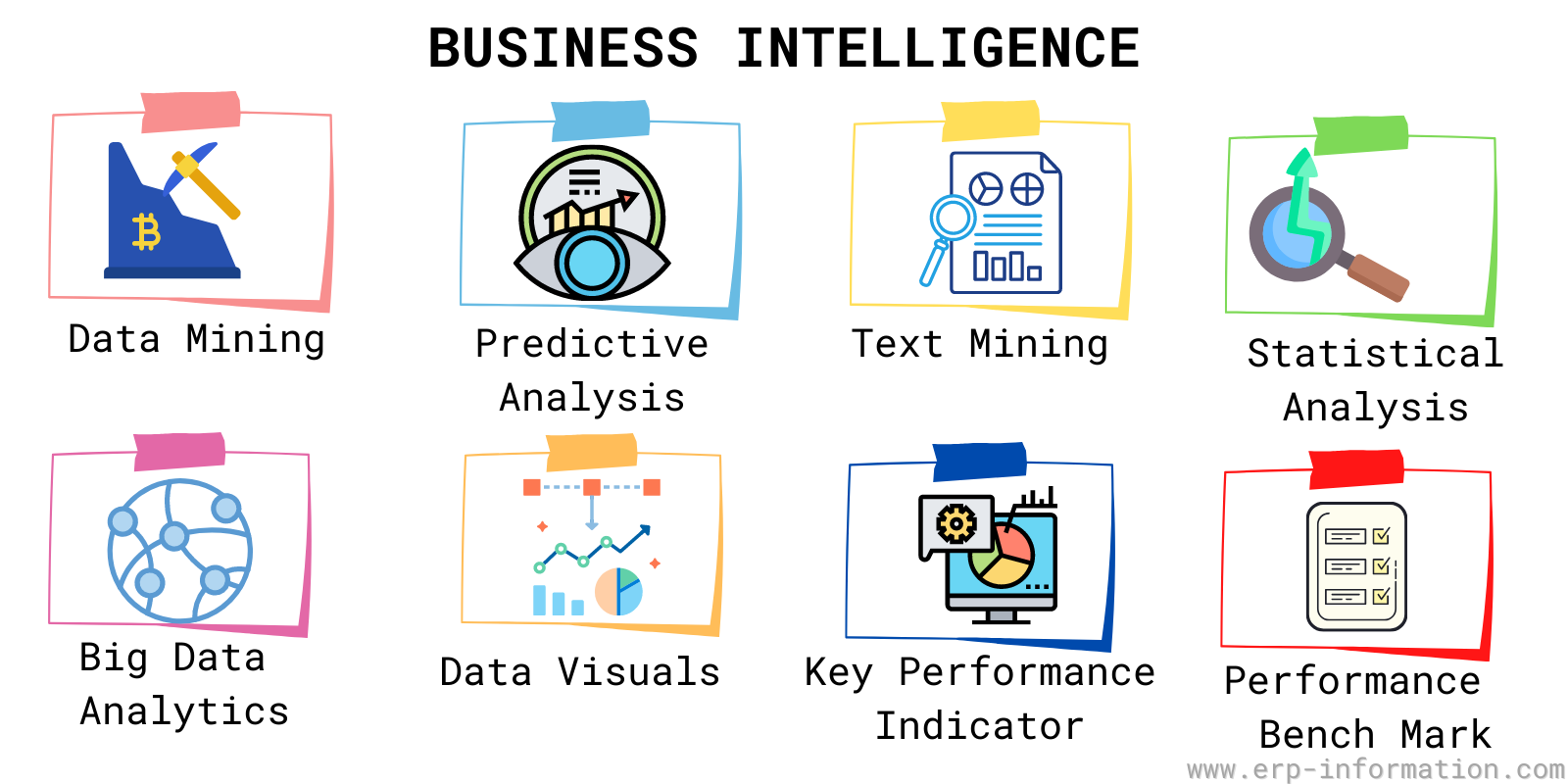
Business Intelligence refers to the process of turning data into insights. BI tools allow users to analyze their business data points and find trends and patterns. This can help them make better decisions about their business. BI can be used in all aspects of business, from marketing to finance to operations.
BI in ERP helps analyze human resources productivity and satisfaction with work and helps take corrective measures. All these factors help in increasing the efficiency of an organization.
BI is not only used for decision-making but also for performance monitoring. BI aims to help an organization make better decisions, improve its performance, and get a competitive edge over other businesses.
ERP vs business intelligence: what is the difference?
ERP and BI are often compared, but they do different jobs and work best together. ERP is the system of record that runs and captures daily operations. BI is the layer of insight that reads that data, often straight from the ERP, and turns it into analysis for decisions.
| ERP | Business Intelligence (BI) | |
|---|---|---|
| Main purpose | Run and record daily operations | Analyze data to support decisions |
| Role | System of record for transactions | System of insight for reporting and analytics |
| Data | Creates and stores operational data | Reads and analyzes data, often from the ERP |
| Question it answers | What is happening, and what did we do | Why it happened, and what to do next |
| Typical users | Operational staff across departments | Analysts, managers, and executives |
| Examples | SAP, Oracle, NetSuite, Dynamics | Power BI, Tableau, SAP BusinessObjects, Cognos |
In short, ERP generates the data and BI makes sense of it. Most modern ERP suites now embed BI tools so the two run as one system rather than as competitors.
Do you actually need separate BI, or is your ERP’s reporting enough?
Every modern ERP ships with reporting, and a good deal of BI spending goes on capability the buyer already owned. Before comparing tools, it is worth establishing which side of the line you are on. The following are the signals that your ERP’s built-in reporting has genuinely run out, rather than simply being unfamiliar:
- You need data your ERP does not hold. The single most common legitimate trigger. If the question requires ERP data joined to CRM, a web analytics feed, a payroll system or a spreadsheet a department maintains, no amount of ERP reporting will answer it, because the data is not there.
- Reporting is slowing the live system. Heavy queries against a transactional database compete with the people entering orders. This is the OLTP and OLAP distinction described above showing up as a practical problem rather than a theoretical one.
- You need history your ERP overwrites. Many ERP records show current state, not what a value was at each month end. If you want to trend something the system updates in place, you need somewhere to keep the snapshots.
- Non-finance staff cannot self-serve. If every question routes through two people who know the report writer, the constraint is real, though the fix may be training rather than a purchase.
And the signals that point the other way, where a BI purchase tends to disappoint: the requirement is standard financial statements the ERP already produces; the underlying complaint is data quality rather than presentation, which a BI tool will render faster but not fix; or nobody has yet agreed what the numbers should mean, in which case a new tool simply produces conflicting dashboards more quickly.
How the data actually gets across
If you do need separate BI, the integration route is the decision that determines both cost and how much the finance team ends up trusting the result. There are three, in rough order of effort:
- Direct connection to the ERP database or its API. Quickest to stand up and the usual starting point. Watch the load it places on the live system, and expect to rebuild the ERP’s business logic yourself, since raw tables rarely mean what the screens mean.
- A vendor’s own connector or embedded analytics. The ERP supplier’s BI product, which is why the vendors listed below tend to pair with particular ERPs. Least integration work, least flexibility, and it usually stops at the boundary of that vendor’s data.
- A data warehouse in between. ERP data is extracted, modelled once, and the BI tool reads from that. The most work up front and the only option that scales cleanly to several source systems. It is also what makes the definition of a metric survive a change of reporting tool.
Whichever route you take, settle the definitions before the technology. Most disputes about a dashboard turn out to be disagreements about what counts as revenue, or which date a sale belongs to, and no reporting tool can adjudicate that for you.
Why Business Intelligence is practical in ERP systems?
The role of Business intelligence in ERP systems is becoming increasingly important. With the vast amounts of data now being processed by ERP systems, it is essential to have a tool to help process and make sense of all this ERP data.
ERP systems contain a great deal of data that can be used for Business Intelligence purposes. The data can include sales, inventory, production, customer orders, and more. By using BI tools, organizations can analyze this raw data to understand better what is happening in their business. This can help them make better decisions about allocating resources, improving operations, and more.
Companies can use these tools with core business processes to provide a complete business view. In many cases, business intelligence and ERP systems together can access and view data quickly.
The benefits of using Business Intelligence in ERP
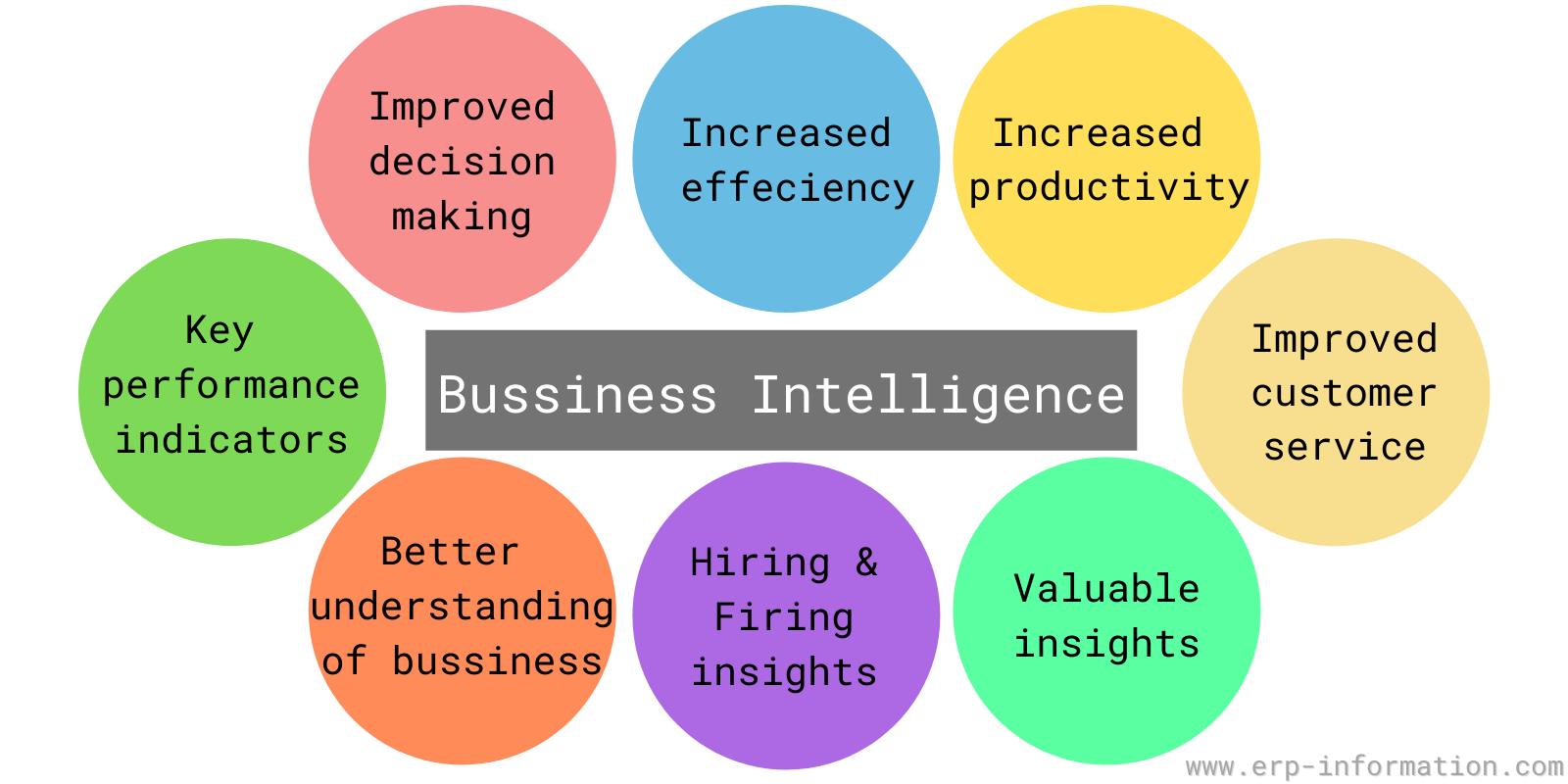
Below are some benefits of Business Intelligence in ERP :
Improved decision-making
It can help organizations make better decisions by providing relevant and timely information. BI can also help organizations spot trends and patterns that may not be detectable through manual data analysis.
A better understanding of business performance
It can help organizations track the performance of their business over time. This can help them identify areas where they need to improve their performance.
Increased efficiency and productivity
It can help employees be more productive by providing information that helps them do their jobs better.
BI can also help organizations identify areas where they need to make changes to improve the efficiency of their operations.
Improved customer service
It can help organizations better understand their customers and what they want.
This can help customer relationship management systems to provide the best possible customer service.
Access to valuable insights into business data
Businesses can use the data processed by ERP systems for Business Intelligence purposes. By using the BI software system, organizations can analyze this data to understand better what is happening in their business.
This can help them make better decisions about allocating resources, improving operations, and more.
Hiring and firing decisions
Companies can also use it to help with hiring and firing decisions. By analyzing data about employee performance, organizations can make better decisions about who to hire and who to fire.
In addition, it helps in avoiding biases and office politics while making decisions.
Measuring key performance indicators (KPI)
Some key performance indicators that are typically measured using BI in ERP systems include:
- Sales growth
- Productivity
- Profitability
- Customer satisfaction
- Employee satisfaction
- Business processes performance metrics.
These are just a few examples, and the list of KPIs that can be measured using BI in the ERP system is virtually endless.
By understanding which KPIs are most important to your business, you can use BI software to understand better your company’s performance and where the business can improve.
Integration of business intelligence in ERP
BI systems in ERP help businesses in different ways. ERP is a process management software that helps with manufacturing, inventory, financials, and supply chain.
This system pulls data from different parts of the company so that people can make better decisions. BI also helps businesses to understand data, but it goes a step further by creating visualizations (like charts and graphs) to make the information easier to understand.
ERP systems are most helpful at the operational level, while BI is most helpful at the strategic level.
An OLTP(Online Transaction Processing) system is a data processing system used by enterprises to record transactions. An example of an OLTP system is ERP. Business intelligence uses an OLAP system, which offers multidimensional analytical capabilities.
In this way, integration of BI and ERP enables enhanced reporting capabilities, more efficient analytics solutions, and better overall visibility across the company’s activities. In addition, BI in ERP gives companies invaluable insight into how resources are being used and how decisions affect performance, allowing them to effectively manage their operations for success.
Example of ERP Software with BI integration
We can find ERP with Business Intelligence integration in our day-to-day lives. One such example is the Coca-Cola company. The Coca-Cola Company uses BI solutions to help it make better decisions about its business.
For instance, the company uses data analysis to track sales and inventory levels. This allows them to ensure that they have enough stock to meet customer demand.
The company also uses historical data to track sales data on a regional level. This helps them identify which regions are performing well and which ones need improvement.
Popular BI system in ERP
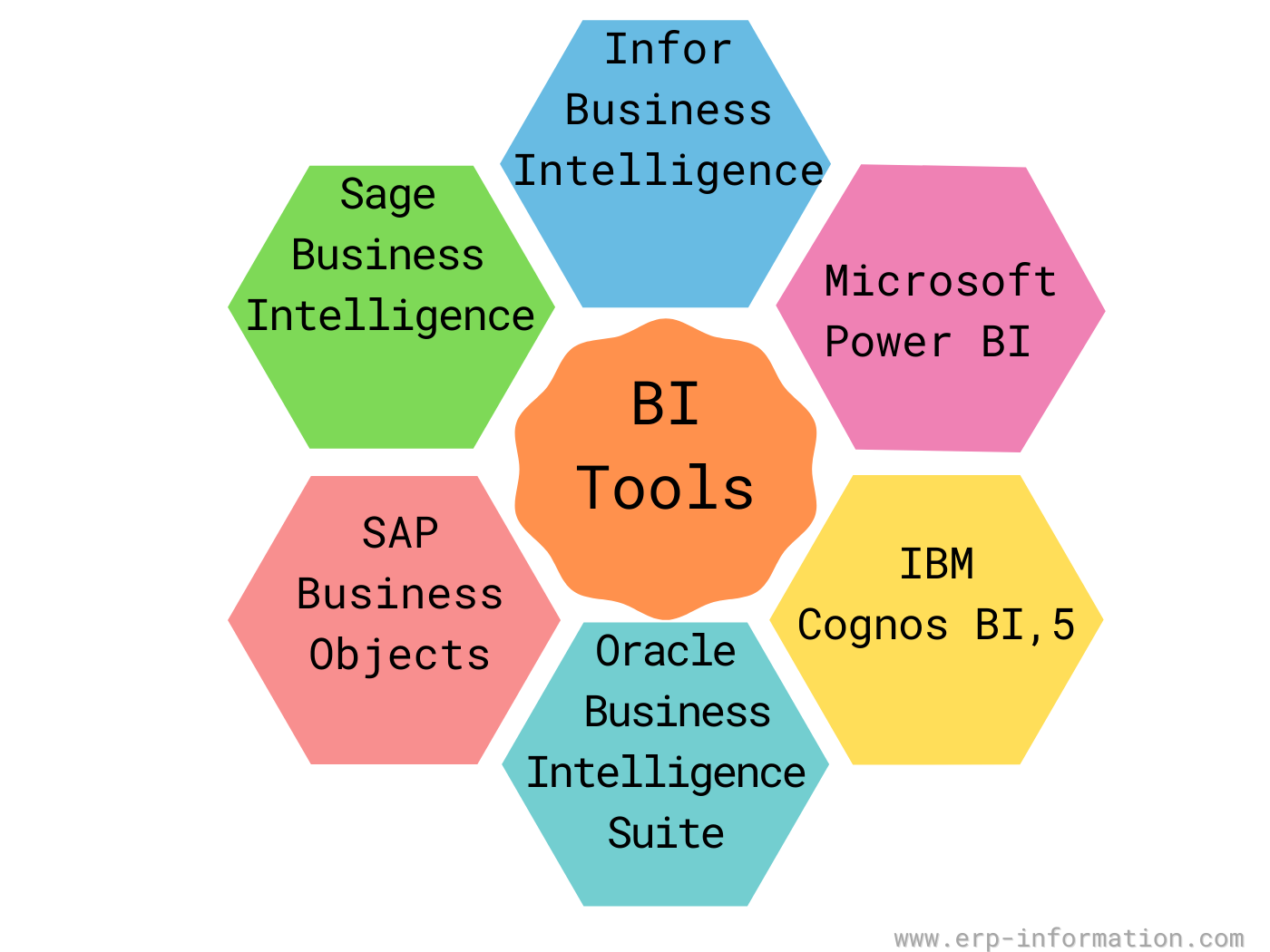
Following are some popular Business Intelligence systems that are used in ERP systems:
Sage Data & Analytics and Sage Intelligence
There is no single Sage product called Sage Business Intelligence, and the distinction matters when you go looking for it. There are two, aimed at different jobs:
- Sage Data & Analytics is the cloud platform. It pulls data out of Sage ERP and other systems into a central store, so it handles operational as well as financial reporting. Available for Sage Intacct and Sage 100.
- Sage Intelligence is the older, narrower option: financial reporting driven through Excel. If your reporting need is essentially management accounts, this is often enough, and it is a much smaller commitment.
Sage Intacct also includes reporting and dashboards in the core product, so check what you already own before buying either.
SAP BusinessObjects and SAP Analytics Cloud
SAP BusinessObjects (one word, and frequently written SAP BO) is the long-established reporting suite, best known for Web Intelligence and Crystal Reports. It is still very widely deployed against SAP ERP.
What has changed is where SAP is investing. SAP Analytics Cloud (SAC) is now positioned as SAP’s strategic analytics platform, and new analytics work is generally steered there. That is not the same as BusinessObjects being retired, and it is worth being precise about the difference, because a good deal of writing on this subject overstates it: SAP has committed to further BusinessObjects releases and has published maintenance commitments running into the 2030s for the newer versions. If you already run BusinessObjects you are not facing a forced migration; if you are starting fresh on SAP, SAC is the direction of travel.
Oracle Business Intelligence Suite
Oracle’s analytics line-up has been renamed and re-based, so the names you meet depend on how old the material is. The current products are Oracle Analytics Cloud (OAC) and, for organisations that must stay on their own infrastructure, Oracle Analytics Server (OAS).
Business Intelligence Enterprise Edition (OBIEE) is the previous generation. Oracle Analytics Server is its on-premises successor, and moving off OBIEE 12c is a replacement project rather than a version upgrade, so plan it as one. Check the current dates on Oracle’s Lifetime Support Policy before committing to any timeline, because OBIEE 12c is inside its support wind-down. Oracle Data Integrator remains a current, separately sold product.
One name to disregard if you find it on older comparison pages: Oracle Endeca Information Discovery reached end of life years ago and should not appear on a 2026 shortlist.
IBM Cognos Analytics
The current product is IBM Cognos Analytics. IBM Cognos Business Intelligence, usually shortened to Cognos BI, is the older platform it replaced, and IBM publishes a functionality mapping between the two for anyone moving across. If a supplier or an article is still quoting Cognos BI, they are describing the previous generation. Cognos Analytics covers:
- Data exploration and visualization
- Report creation
- Dashboard design
- Collaborative analysis
Microsoft Power BI
Power BI connects to a wide range of sources, from Excel files and SQL Server through to Azure services, and it is the most commonly encountered BI tool alongside mid-market ERP simply because so many finance teams already have Microsoft licensing.
Two things to know before budgeting for it. Power BI now sits inside Microsoft Fabric, Microsoft’s unified data platform, and the old Power BI Premium capacity licences have been superseded by Fabric capacity. Separately, per-user pricing rose in April 2025, the first increase since launch: Power BI Pro moved from $10 to $14 per user per month and Premium Per User from $20 to $24. Older comparisons understate it by 40%.
Infor Birst
Infor’s analytics product has a name worth using when you search for it: Birst. Infor acquired the company in 2017 and Birst remains its primary analytics platform, sold as Infor Birst and built to connect to Infor’s own applications. Its distinguishing idea is a networked approach, where central IT governs a shared data model while individual teams build their own views on top of it, which is aimed squarely at the usual argument between governed reporting and self-service.
Each significant ERP provider has its business intelligence suite integrated with the ERP software system.
For example, Sage Data & Analytics is built around Sage ERP, and SAP BusinessObjects and SAP Analytics Cloud around SAP. That pairing is the main advantage of a vendor’s own tool, and also its main limitation, since the fit weakens as soon as you need data from systems that vendor does not supply.
The business intelligence suites offer data mining and reporting features to dashboards and predictive analytics.
New trends in enterprise business intelligence
Following are the new trends in Business processes:
The move toward self-service BI
Business users are increasingly taking on the role of data analysts, and they want tools that allow them to do their analysis. As a result, we see a move towards self-service BI software that gives business users more control over their data.
What is self-service BI software?
The self-service BI software allows business users to access and analyze data independently. They typically include various features, from the graphical view of data to reporting to dashboards. As a result, business users can use the self-service BI tool to get insights into their data and make better decisions about their business.
Increased emphasis on data visualization
Visual presentation of statistics is becoming increasingly important as businesses try to make sense of ever-larger amounts of data. As a result, the BI tool incorporates more features that allow users to create visualizations easily.
What is Data visualization?
It is the process of transforming data into a graphical representation that is easy to understand. It involves creating charts, graphs, and other visual data graphics to be easily understood. Business users can use diagrams to get insights into their data and make better decisions about their business.
Expansion of BI to include big data and analytics
Big data and analytics are becoming more important as businesses try to get actionable insights into their growing data warehouse. As a result, BI tools are expanding to include features that allow users to work with big data, which is likely to continue in the future.
The growing use of artificial intelligence and machine learning in BI
Artificial intelligence(AI) and machine learning are becoming more critical as businesses seek hidden insights into their data. The BI tool incorporates features that allow users to use these technologies.
What is AI?
AI is a computer science branch that designs and develops intelligent computer systems. These systems can perform tasks that usually require human intelligence, such as understanding natural language and recognizing objects. As a result, businesses can use AI to get insights into their data and make informed decisions about their business.
What is machine learning?
Machine learning is an AI that allows computers to learn from facts without being explicitly programmed. Businesses can use machine learning to get insights into their statistics and make better decisions about their business.
The increasing importance of BI governance
BI systems become more powerful. It is increasingly important to have proper governance to ensure that data is adequately managed and accessed by authorized users. As a result, the BI solutions incorporate features that allow businesses to implement strong governance policies.
What is BI governance?
Bi-governance is the process of ensuring that information is appropriately managed and accessed by authorized users. It involves setting up policies and procedures for managing and accessing data and enforcing them. Businesses can use BI governance to ensure that their information is handled correctly and used effectively.
The rise of the data scientist
Data scientists are becoming increasingly important as businesses seek to make sense of their data.
A data scientist is a person who specializes in analyzing and interpreting facts. In addition, they typically have strong math and statistics visualization skills and machine learning. As a result, businesses can use data scientists to get insights into their statistics and make better decisions about their business.
Data lakes, and what came after them
Data lakes are no longer an emerging idea; they have been standard in large organisations for years, and the honest summary is that the early promise was oversold. Storing everything cheaply turned out to be the easy part, and governing it well the hard one.
The direction since has been to close the gap between the lake and the warehouse rather than to choose between them, which is what the industry means when it talks about a lakehouse, and to put a governed semantic layer over the top so that two teams asking the same question get the same number. For an ERP-centred business the practical lesson is narrower and more useful: a lake is not a prerequisite for reporting on your ERP data, and treating it as one is a common way to turn a reporting project into a data-platform project.
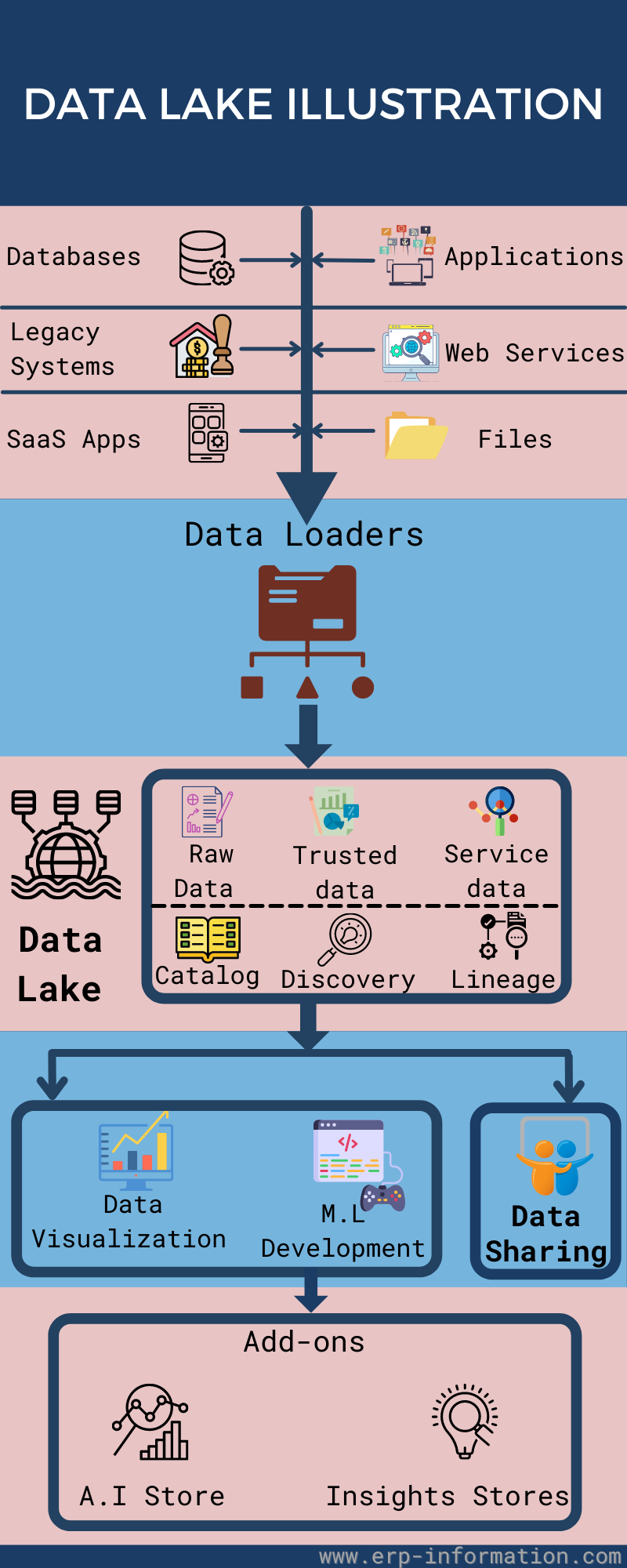
What is a data lake?
A data lake is a large repository for storing all data types, including structured and unstructured data. Businesses can use data lakes to store and analyze all that input.
The following infographics illustrate the role of a data lake in an enterprise.
The future of Business Intelligence in enterprise resource planning
The future of Business Intelligence in ERP systems is bright. Intelligent systems will continue to evolve and provide users with even more valuable insights into their business figures.
As businesses become increasingly data-driven, they will need deep analytical tools to help them make sense of all the data they are collecting. As a result, BI in ERP will allow businesses to optimize their operations and cost savings, improve their bottom line, and compete more effectively in the global economy.
In the future, BI will be an essential part of the ERP system and help businesses achieve even greater success.
Conclusion
Business Intelligence in ERP is a valuable tool that can lead to better decision-making, increased efficiency and productivity, improved customer service, and access to valuable insights into business data.
We hope you have found this blog post helpful.