Choosing the best HVAC software can be difficult, especially if you’re unsure what to look for.
Not all systems are created equal. Out of many options, it can be hard to know which is right.
This blog post will look at 12 of the best HVAC software programs available today. Then, we will compare and contrast each program and help you find the right one for your business.
What is HVAC software?
HVAC software is a computer program designed, simulates, and manages HVAC systems. It can help you calculate your projects’ loads, sizing, and pricing.
It can be used to model the performance of a building’s heating, ventilation, and air conditioning system. This software also helps to design new systems or to troubleshoot existing ones.
Here is the list of the best HVAC solution software.
1. Jobber
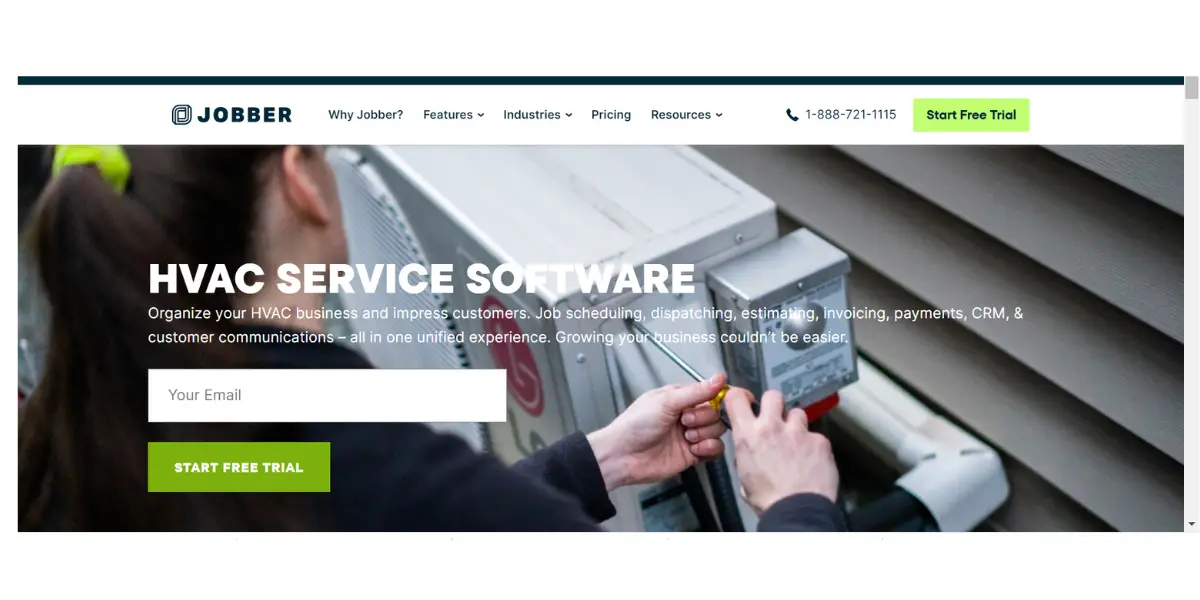
Jobber is a cloud-based field service management software that helps businesses manage their operations more effectively. It provides the best software tools for HVAC businesses.
It automates invoicing, allowing you to get paid up to 4 times faster. It can easily manage quoting, scheduling, invoicing, and payments all in one convenient place.
Features
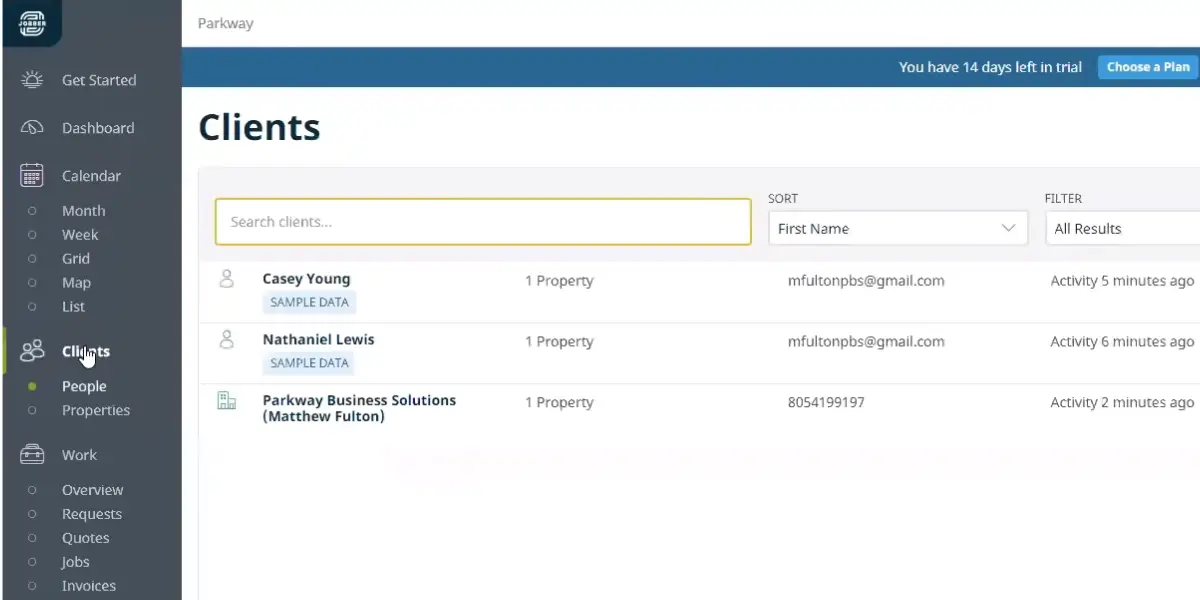
- Client management – Jobber helps you track your client’s contact information, service history, and payments in one place.
- Scheduling and dispatching – Schedule and dispatch your team more efficiently with Jobber’s drag-and-drop scheduling features.
- Invoicing and follow-ups – Get paid faster with Jobber’s online invoicing, professional template, and automatic payment reminders.
- Mobile apps – Stay connected to your business on the go with Jobber’s mobile app for iOS and Android.
- Customer communications – Keep your customers updated with automatic appointment reminders and text messaging in CRM.
- Online booking – Make it easy for customers to book appointments online with Jobber’s online booking system.
- Client hub – Helps customers to approve quotes, view information, and pay invoices.
- Job forms – You can create checklists and custom forms to share with your team.
- Quoting and follow-ups – You can send automated reminders and customize templates.
- Email and postcard marketing – helps you to send automated emails and postcards to promote your business.
- Credit card processing – allows customers to pay invoices by using credit cards.
- Reporting – gives you insights into your business with over 20 built-in reports.
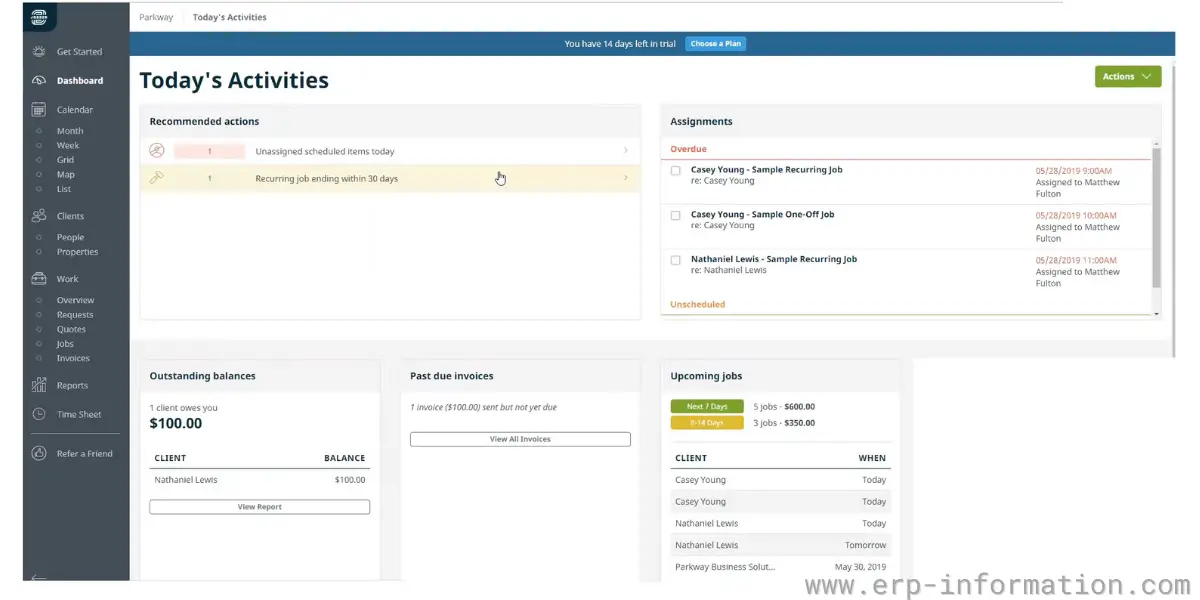
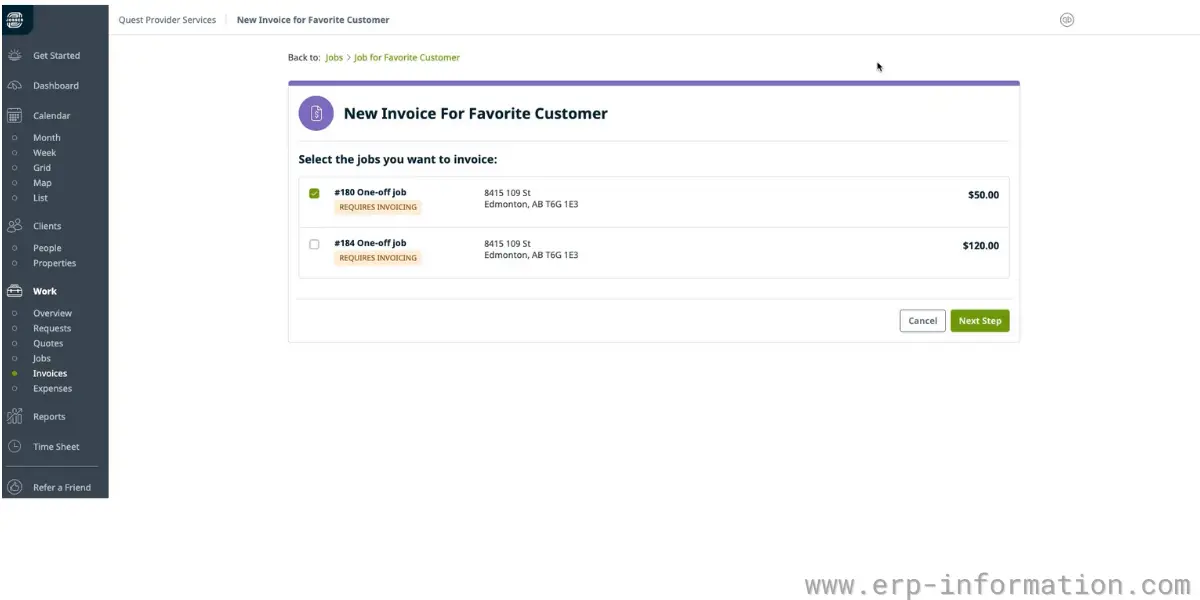
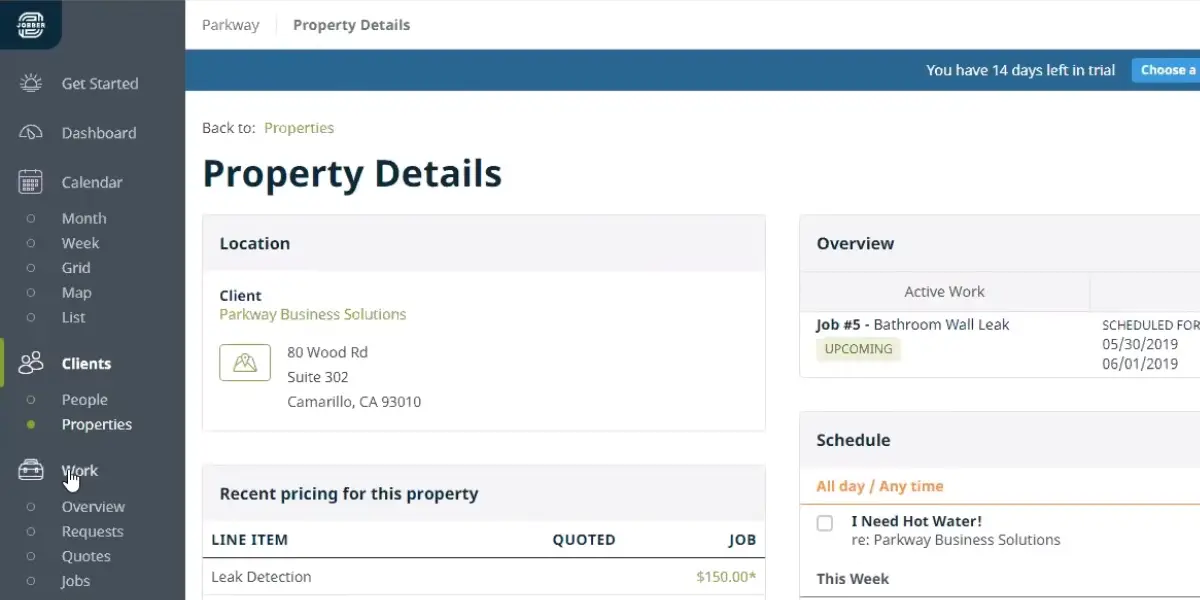
Some screenshots of Jobber
Pricing
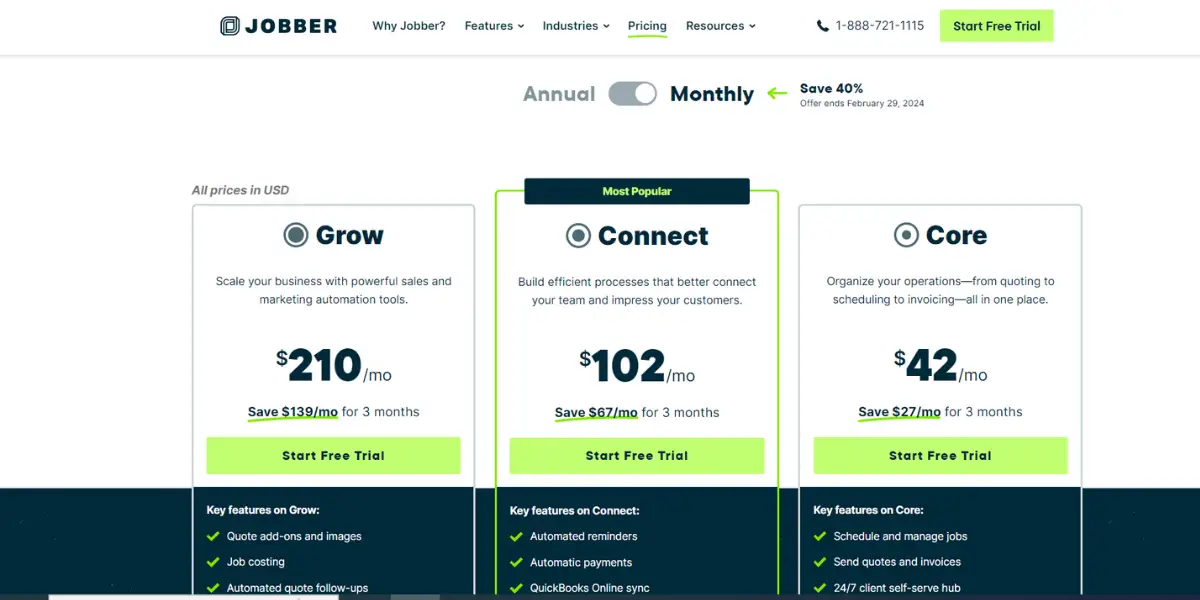
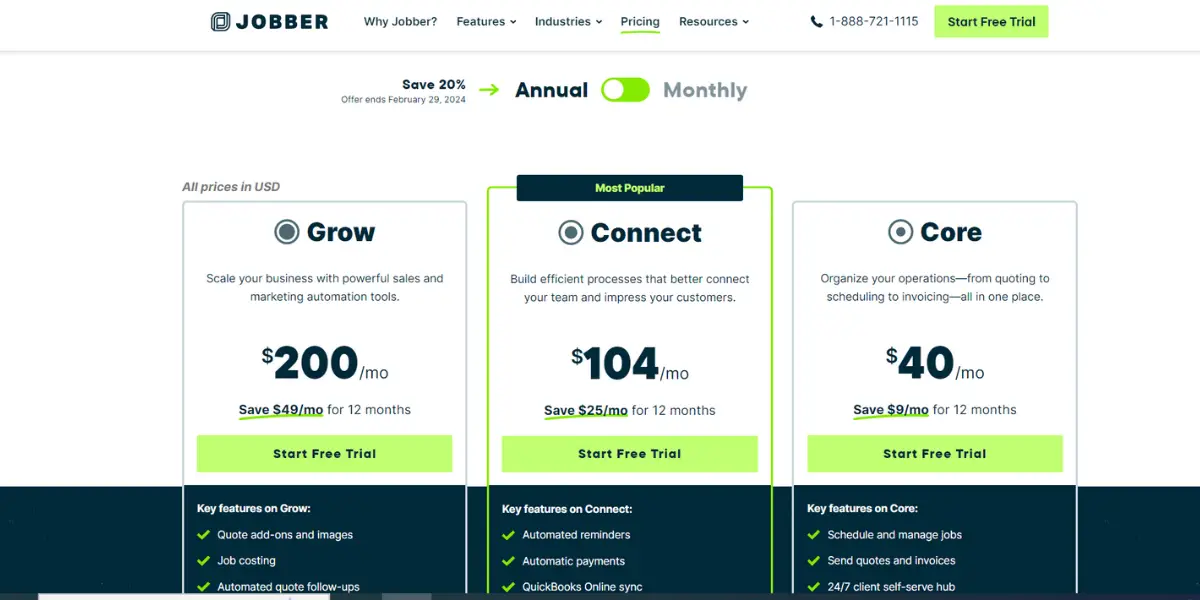
Jobber sells three tiers, Core, Connect and Grow, and discounts heavily for annual billing.
The figures previously published here have been withdrawn because they could not be right: they showed Connect at $104 per month billed annually against $102 billed monthly, which would make the annual commitment more expensive than paying month to month. They also implied an annual saving of about 5 percent when Jobber’s actual discount is far larger.
Jobber’s own pricing page blocks automated access from here, so rather than restate a number we cannot check against the vendor, here is the position as independent listings recorded it in August 2026: Core around $39 per month, Connect around $119 and Grow around $199 when billed monthly, with roughly 30 to 40 percent off those rates on annual billing, and a 14-day free trial. Treat those as indicative and confirm the current figure on Jobber’s pricing page before you budget, because the tier you need is usually decided by user count rather than by headline price.
Likes
- Features like invoicing, quoting, and scheduling are beneficial and easy to use
- Easy to deploy and integrate with Quickbooks
- It is well organized
- Good customer support
- Good time tracking
- Provides detailed reports
- Timesheets are neat and clean
Dislikes
- Unavailability of automatic charges for credit card processing
- The mobile app is not intuitive
- Expensive
- Clumsy design
- Third-party integration issues
- Poor customization capability, as it is rigid in processing
- Poor route optimization
- Limited color choices to differentiate the process
Supported industries
- Pressure washing
- Window cleaning
- Lawn care
- Landscaping
- Handyman
- Electrical
Other details
| Deployment | Cloud, SaaS, Web-Based |
| Supported device | Mac, Linux, Windows, Android, iPhone,iPad |
| Supported languages | English |
| Support | Email/Help Desk, FAQs/Forum, Knowledge Base, Phone Support, Chat |
| Training | In-person, Live Online, Webinars, Documentation, Videos |
| Customer ratings | Capterra: 4.5 (651+ reviews), G2: 4.4 (212+reviews) |
User opinion
Jobber software is an excellent choice for businesses in the HVAC industry. It offers a variety of features that make managing and servicing customers more manageable than ever. In addition, the software is easy to use, making it a great choice for businesses of any size.
It can effortlessly manage the team and ensure jobs are completed on time. The mobile app allows you to run the business from anywhere. It can stay connected and keep things running smoothly. Sometimes, you will face issues while doing third-party integration.
2. Housecall pro
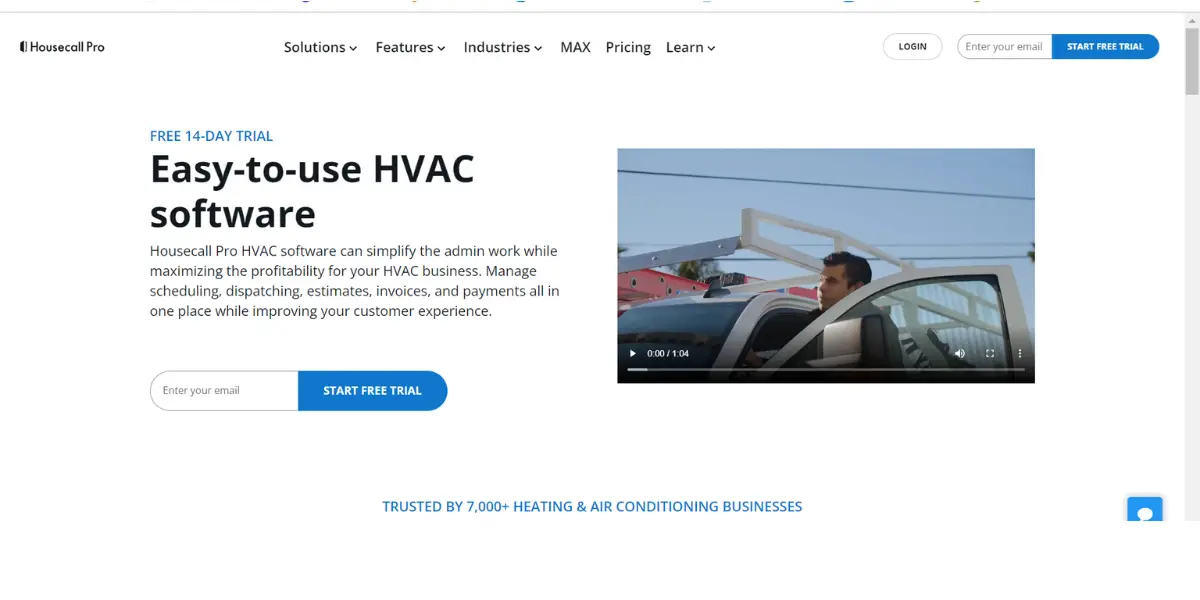
Housecall Pro is one of the best HVAC software programs on the market. It’s easy to use and has many features to make your business run smoothly.
It offers a range of digital tools that simplify and streamline various aspects of running a home service business. Professionals can easily schedule and dispatch jobs, manage payments, automate marketing efforts, and more.
Features
- Scheduling
- Dispatching
- Estimates
- Invoicing
- Online booking
- Reporting
- Payments
- Card reader
- Customer management
- Review management
- Automated marketing
- Call tracking
- In-app chat
- Checklists
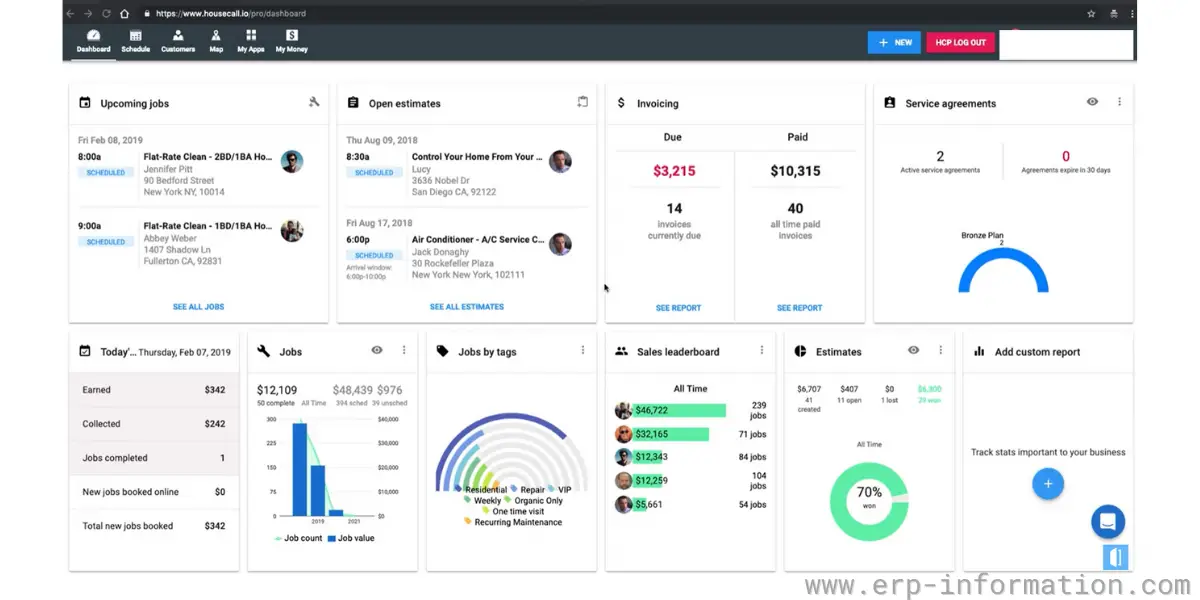
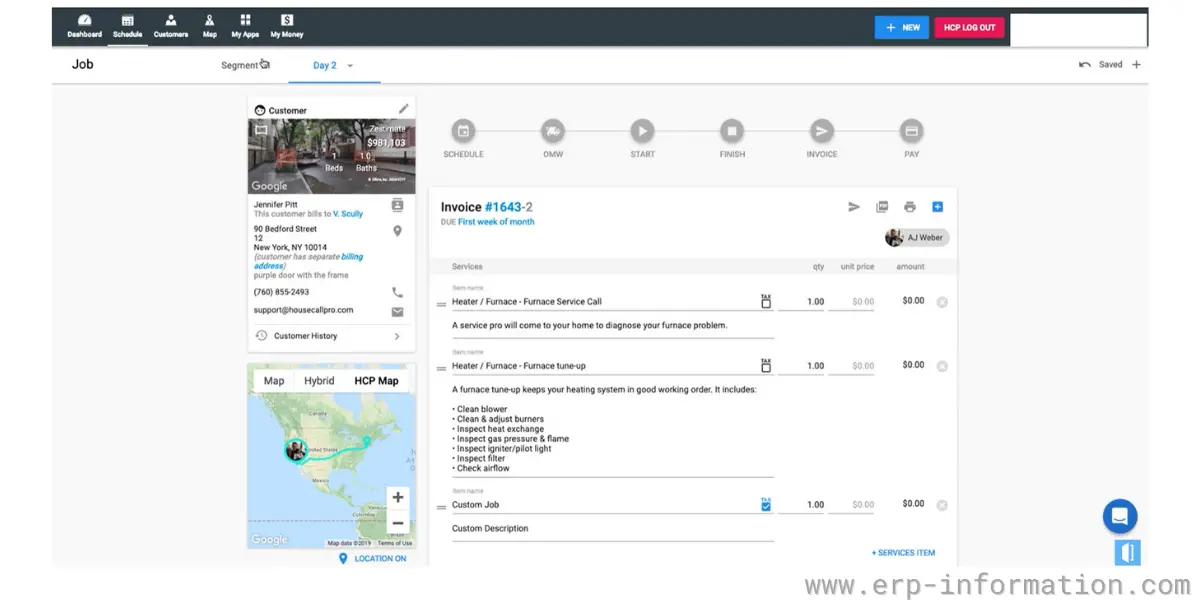
Some screenshots of HousecallPro
Pricing
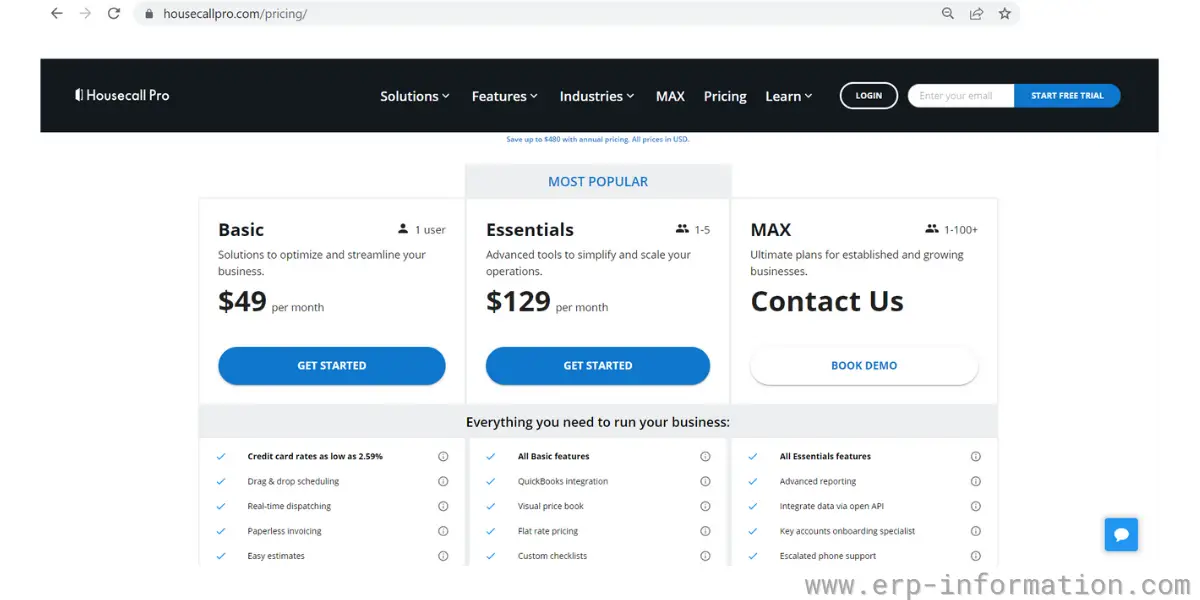
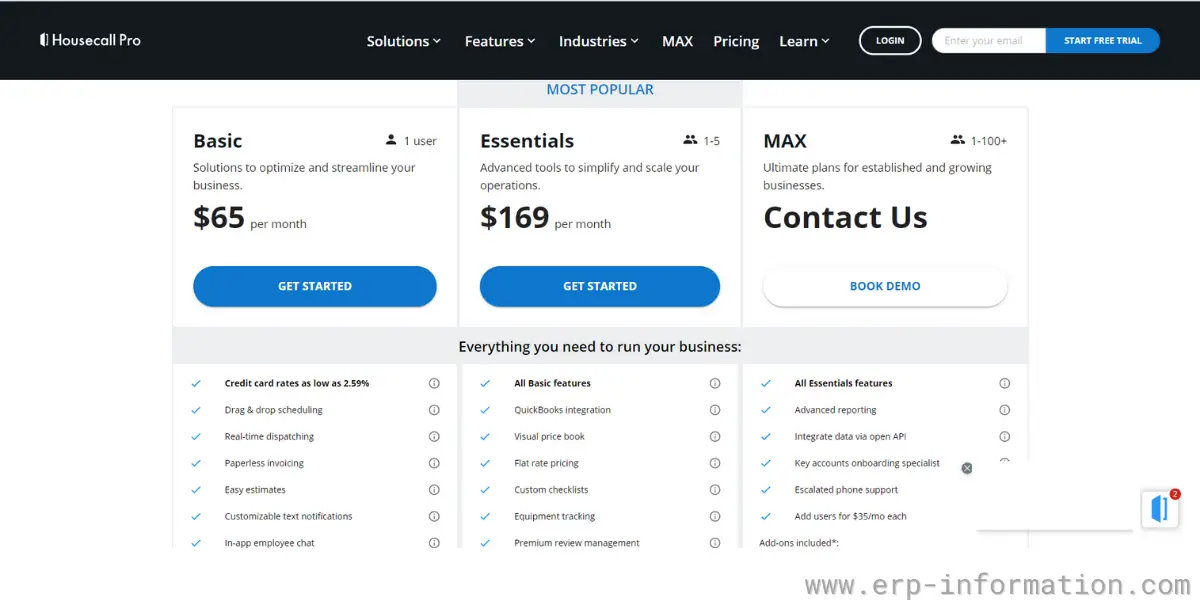
It provides three types of pricing models.
- Basic – $59 per month billed annually, or $79 per month billed monthly.
- Essentials – $149 per month billed annually, or $189 per month billed monthly.
- Max – $299 per month billed annually, or $329 per month billed monthly. Housecall Pro now publishes a figure for this tier rather than quoting it.
- Prices are chosen by the number of users you select, so the tier names no longer map to fixed user counts the way this review previously described. Figures read from Housecall Pro’s pricing page on 14 August 2026; every tier is higher than the figures shown here before.
- It offers a 14-day free trial.
Likes
- Provides a flexible pricing model
- User-friendly and easy to navigate
- Good customer service
- It so easy to schedule and track work and money
- Good messaging and expense card management feature
Dislikes
- It takes more time to fix the bugs
- Provides poor customer interaction spaces
- Poor customization ability for features
- The phone app dashboard is clumsy
- Poor live chat experience
- Often occurs interruptions
- Limiting essential calls on products
- It responds slowly while large orders are running
Supported industries
- Plumbing
- Electrical
- Garage door
- Carpet Cleaning
- Window cleaning
- Handyman
Other details
| Deployment | Cloud, SaaS, Web-Based |
| Supported device | Mac, Linux, Windows, Android, iPhone,iPad |
| Supported languages | English |
| Support | Email/Help Desk, FAQs/Forum, Knowledge Base, Phone Support, Chat |
| Training | Live Online, Webinars, Documentation, Videos |
| Customer ratings | Capterra: 4.7 (2685+ reviews), G2: 4.2 (102+reviews) |
User opinion
Housecall Pro is a great solution for businesses. It has all the features you need to manage your business, from estimating and invoicing to scheduling and dispatching. In addition, it’s easy to use and helps you keep track of your business performance.
It is fully integrated with the Housecall consumer booking app, providing professionals access to a wider customer base and increasing their visibility in the market.
It ensures optimal resource utilization and timely completion of tasks. The downside of the software is the customization of features.
3. Service Fusion
Service Fusion software is field service management software that enables companies to manage and coordinate service technicians’ work in the field. It has been owned by EverCommerce since 4 December 2020, when EverCommerce bought it from Five Elms Capital, and it sits in that group’s EverPro portfolio of home-services products.
It allows businesses to track the status of jobs, schedule appointments, and assign tasks to individual technicians or teams. Service fusion software can also help companies invoice customers for services rendered and manage payments.
Features
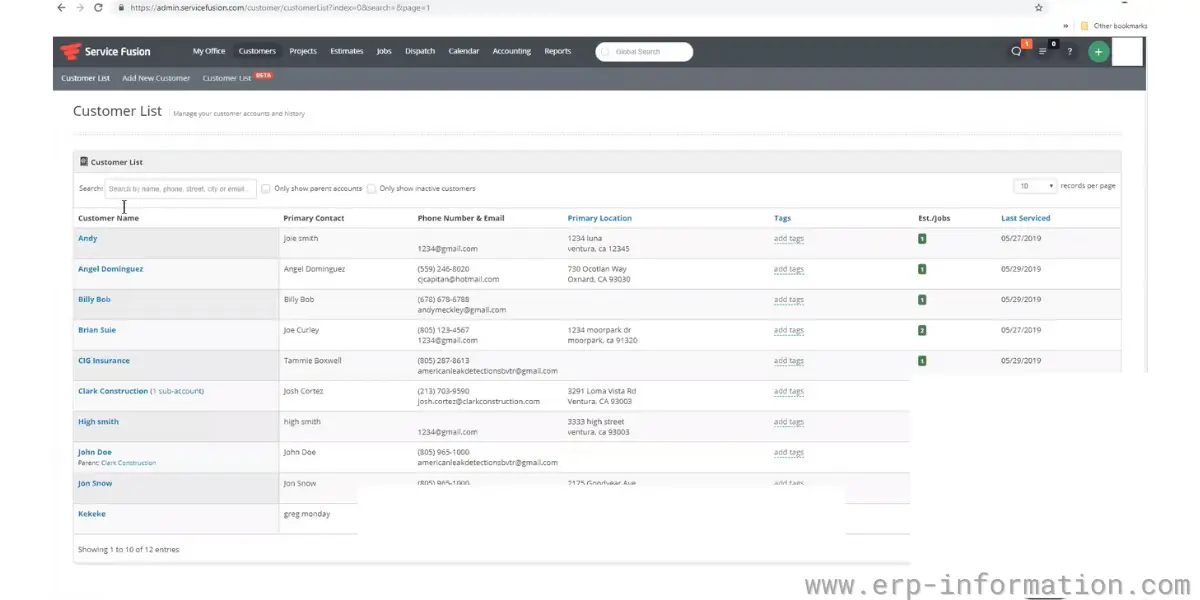
- Customer management
- Estimates
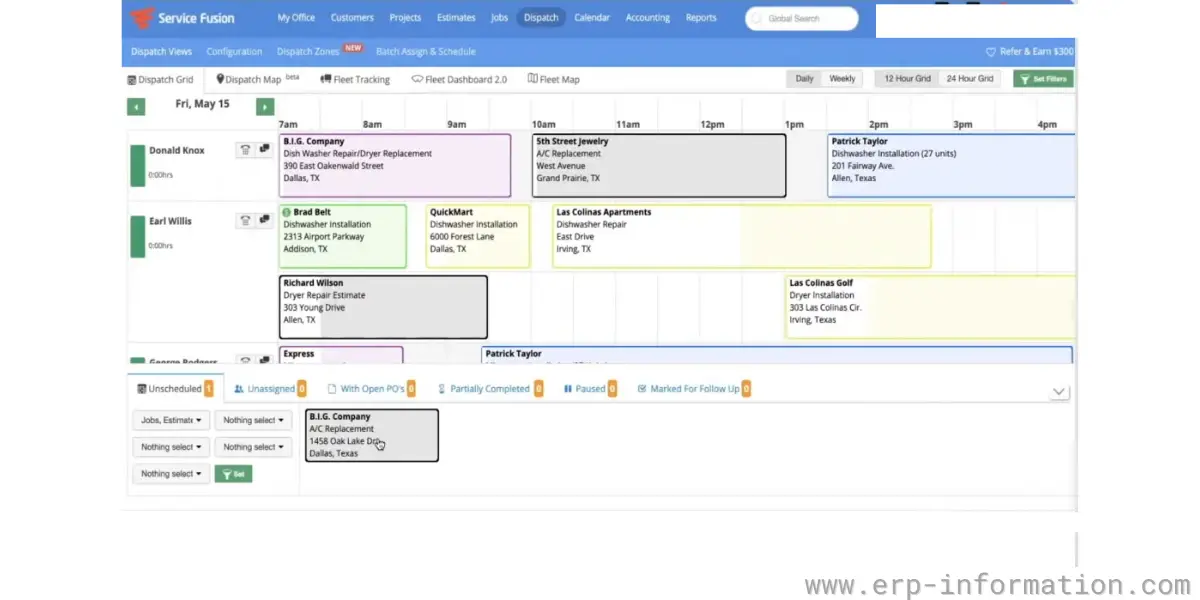
- Easy scheduling and dispatching
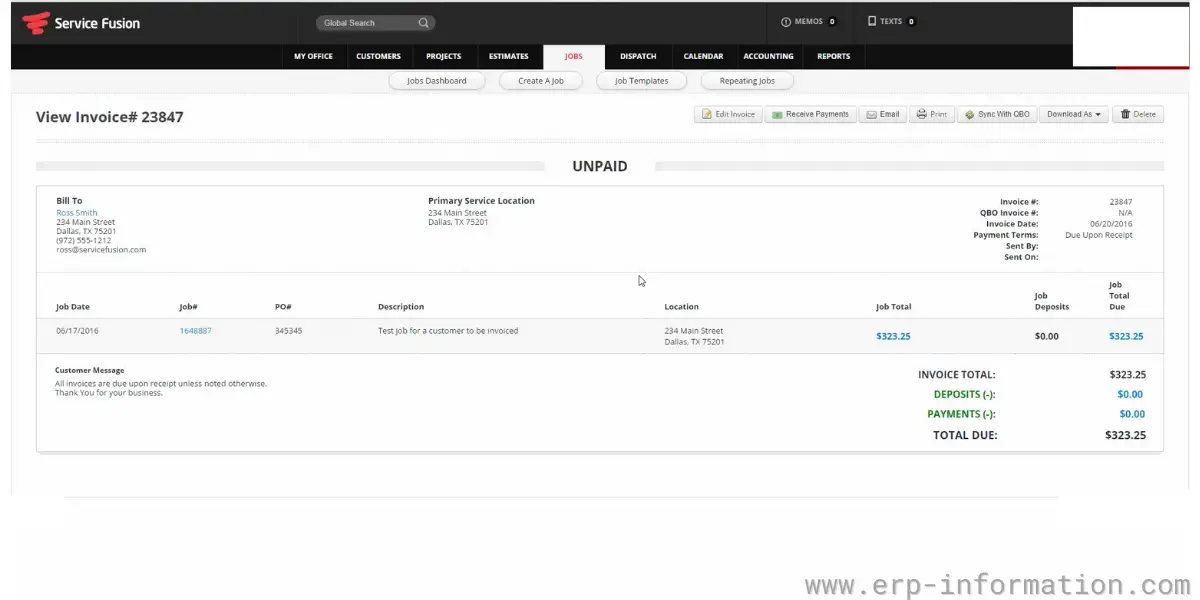
- Online invoicing and payments
- Text message notification
- Field technician mobile app
- Quickbooks integration
- Contactless e-sign solutions
- Invoicing
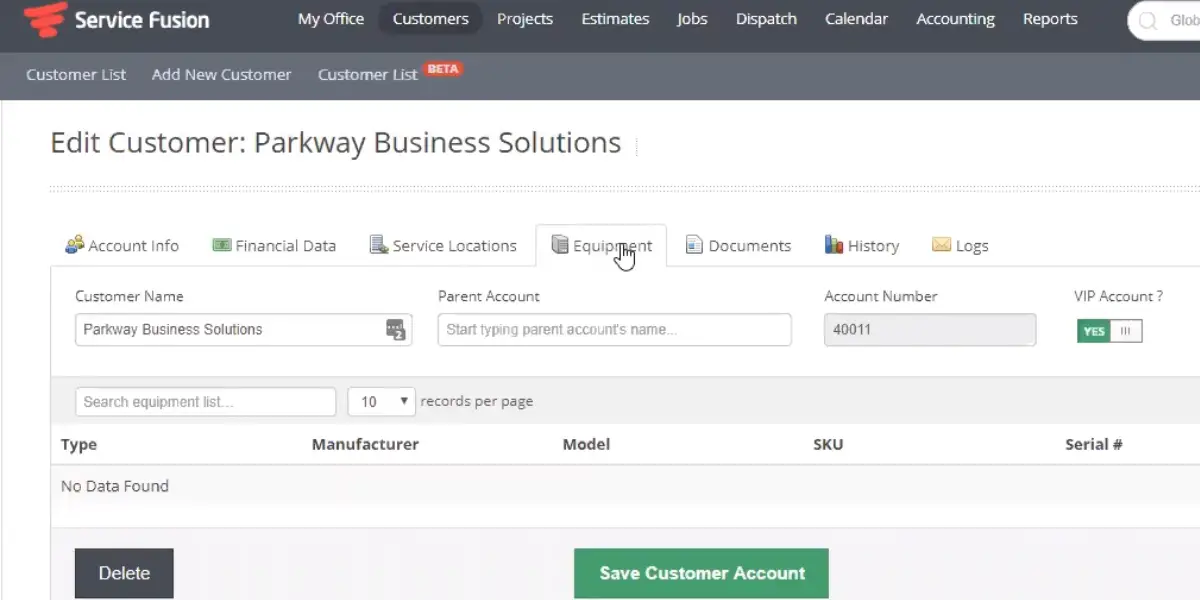
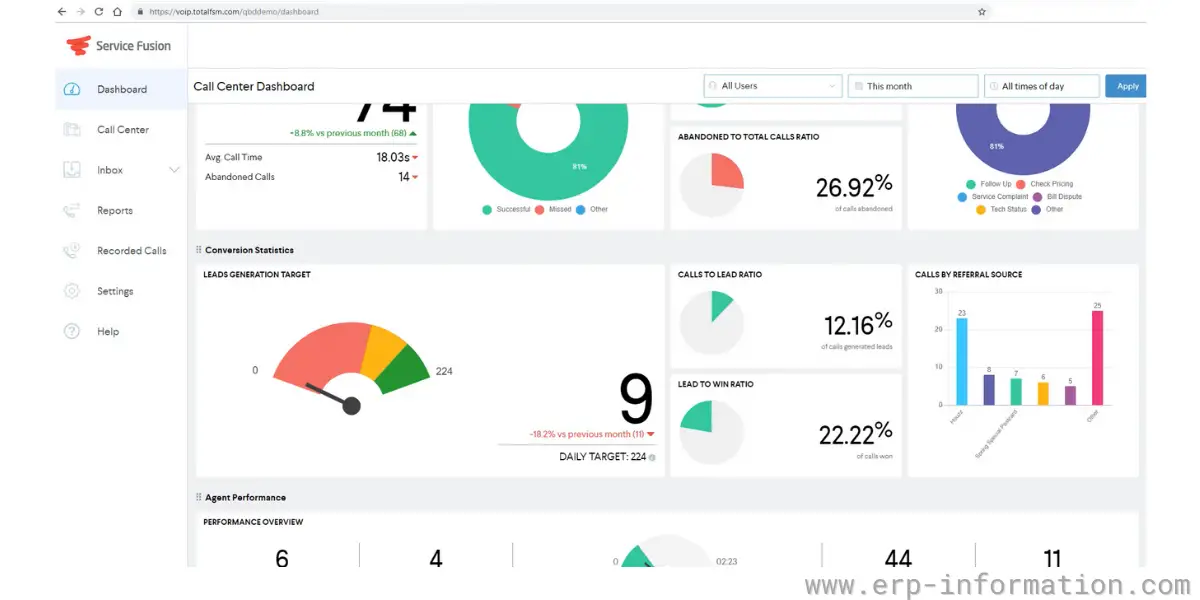
Some screenshots of Service Fusion
Pricing
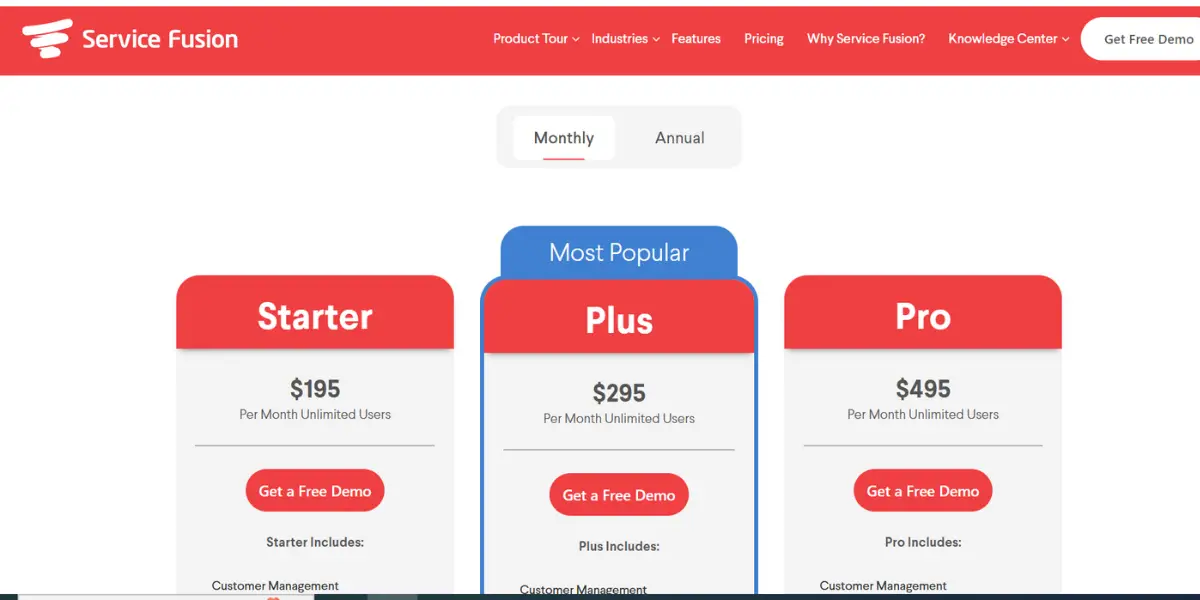
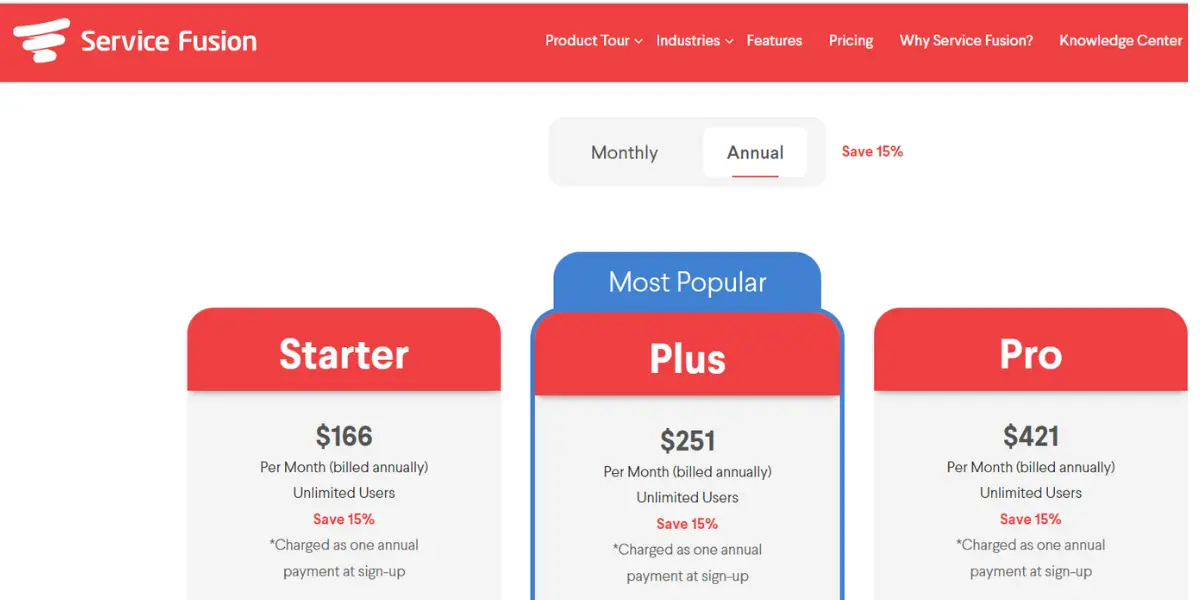
It offers three plans.
- Starter – $208 per month billed annually, or $245 per month billed monthly, for unlimited users.
- Plus – the most popular plan, $325 per month billed annually, or $382 per month billed monthly, for unlimited users.
- Pro – $533 per month billed annually, or $627 per month billed monthly, for unlimited users.
- Annual billing saves 15 percent, and there is no contract. Figures read from Service Fusion’s pricing page on 14 August 2026; all three tiers have risen since this review was written. The unlimited-user model is the thing to weigh: Service Fusion costs the same for three office staff or thirty, which makes it cheaper than per-user rivals at scale and more expensive for a two-person shop.
Likes
- Hidden fees are not there
- User-friendly
- It provides more tools
- Easy GPS Integration for routing agents
- Easy to schedule
- Efficient and easy to use
Dislikes
- A free trial is not available
- Difficult to get all needful reports
- Limited integrations
- High learning curve
- Complicated access permission
- Expensive
- Poor field application for technicians
- The server constantly goes down, crippling the business
Supported industries
- Plumbing
- Electrical
- Appliance repair
- Overhead and garage door
User opinion
Service Fusion is one of the top HVAC software for small businesses also. It is incredibly user-friendly, making it easy to learn and use, even for those who are not very tech-savvy.
The program is also comprehensive, providing users with all the tools they need to run their businesses efficiently. Overall, Service Fusion is an excellent choice for any HVAC business.
Other details
| Deployment | Cloud, SaaS, Web-Based |
| Supported device | Linux, Android, iPhone,iPad |
| Supported languages | English |
| Support | Email/Help Desk, FAQs/Forum, Knowledge Base, Phone Support, Chat |
| Training | Live Online, Webinars, Documentation, Videos |
| Customer ratings | Capterra: 4.3 (166+ reviews), G2: 4.2 (105+reviews) |
4. FieldEdge
FieldEdge is a comprehensive HVAC service software solution that helps businesses streamline operations, improve customer service, and boost profits.
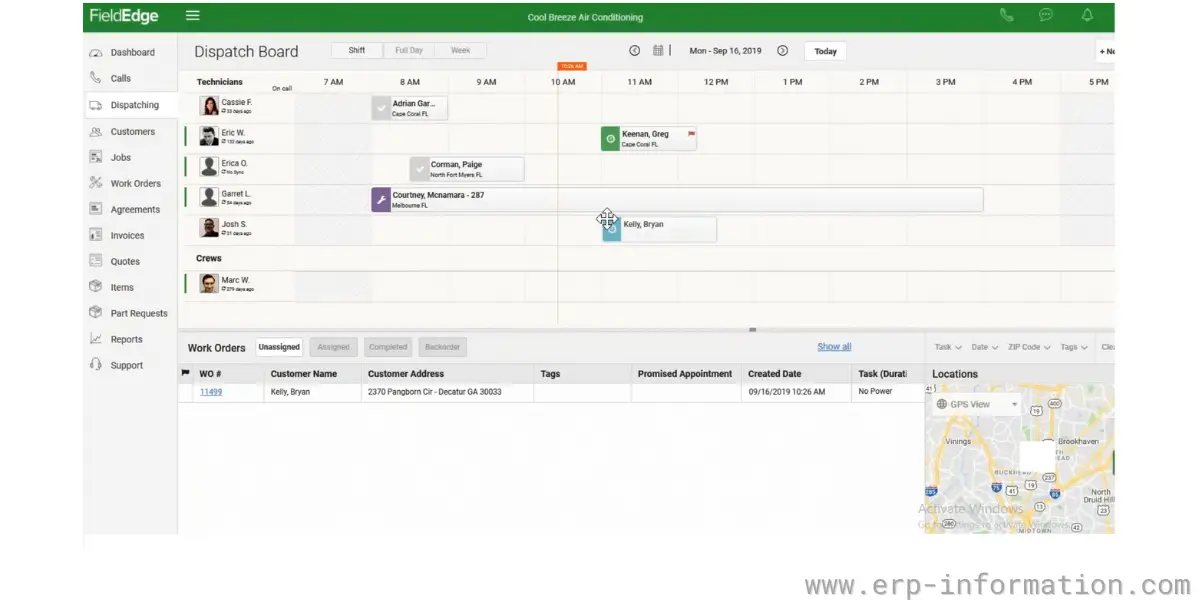
It offers various features and benefits to help businesses maximize efficiency and provide exceptional customer service. The software enables seamless communication and coordination between the office and field teams.
Features
- Scheduling and dispatching
- Performance dashboards
- Customer management
- Quickbooks integration
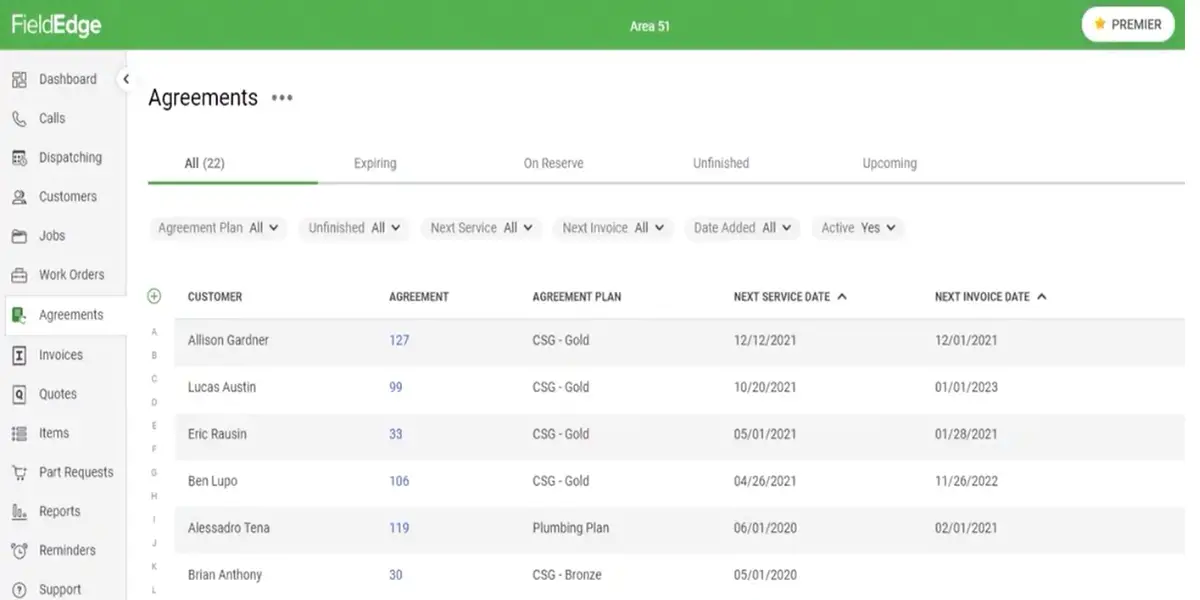
- Service agreements
- Price presentation
- Quotes and invoicing
- Mobile CRM
Some screenshots of FieldEdge
Pricing
FieldEdge does not publish figures, and that was still true when re-checked on 14 August 2026. It does now name three tiers, Select, Premier and Elite, with the price depending on which add-ons you take, so ask for the quote against a written feature list rather than a tier name. FieldEdge is owned by Xplor Technologies and is branded FieldEdge by Xplor.
Likes
- Easy to use
- It has good integration features
- Affordable
- Easy to customize
- Easy to integrate
- Good customer service
- The ease of the learning curve on basic functions was very manageable
Dislikes
- Software lags when we synchronize with several devices
- GPS or route optimization features are not available
- Reporting tools are complex
- Outdated features
- Clumsy dashboard
- It does not allow detailed considerations of the companies
- There is no testing database for customers
Supported industries
- Plumbing
- Electrical
- Locksmith software
- Appliance repair software
Other details
| Deployment | Cloud, SaaS, Web-Based |
| Supported device | Mac, Windows, Linux, Android, iPhone,iPad |
| Supported languages | English |
| Support | Email/Help Desk, FAQs/Forum, Knowledge Base, Phone Support, Chat |
| Training | In-person, Live Online, Webinars, Documentation, Videos |
| Customer ratings | Capterra: 4.2 (290+ reviews), G2: 4.2 (78+reviews) |
User opinion
FieldEdge software is an excellent choice for HVAC businesses of all sizes. It is packed with features that make billing, scheduling, and other tasks much easier.
In addition, the customer service is excellent, and the software is continually updated with the latest features and improvements.
5. Verizon Connect
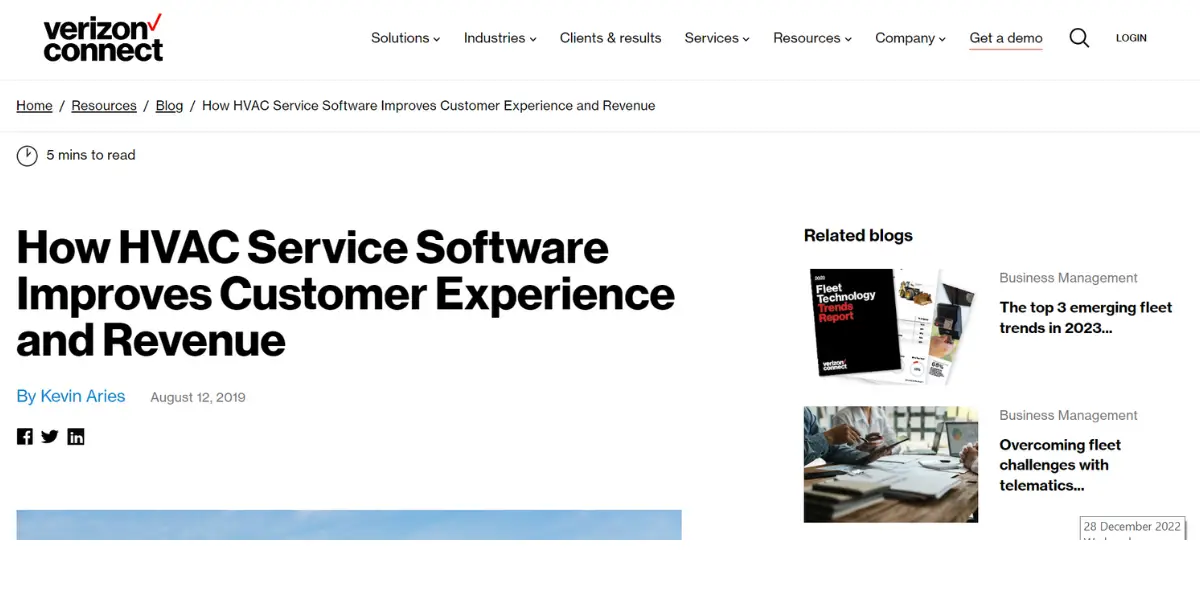
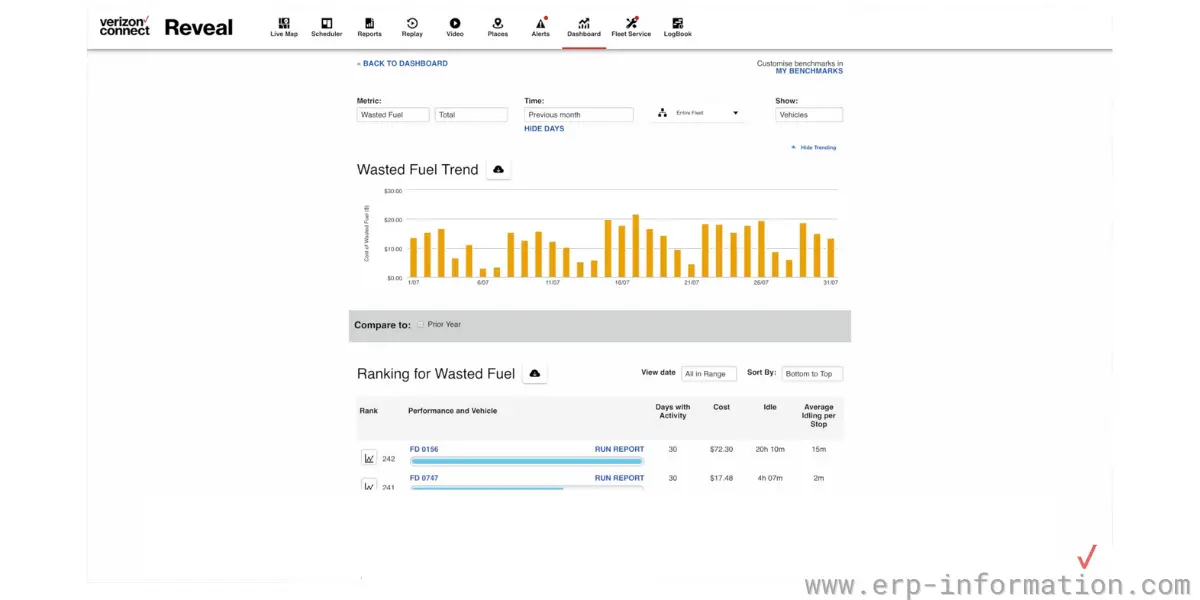
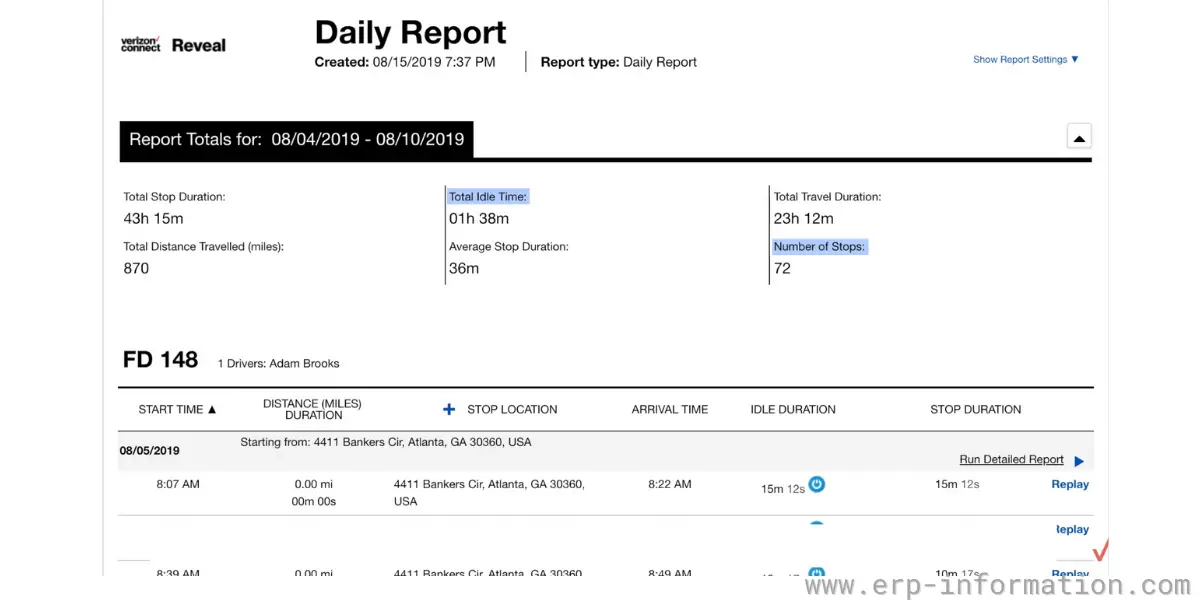
Verizon Connect is a cloud-based fleet management and telematics provider. It is worth being clear about what it is and is not: its strength is vehicle tracking, driver safety and routing, so it fits an HVAC company whose problem is a fleet of vans rather than one whose problem is dispatch boards, price books and maintenance agreements. Several of the other products on this list do the field service side better, and some HVAC firms run Verizon Connect alongside one of them rather than instead of one.
It is designed to help businesses optimize operations and drive growth. It offers valuable insights and intelligence that enable businesses to make informed decisions.
Features
- Tracking of vehicles
- GPS tracking
- Analytics report
- CRM tools
- Mobile apps for technicians
- Live Map
Some screenshots of Verizon Connect
Pricing
Pricing is not published; you request a demo. Re-checked 14 August 2026 and still quote-based.
One thing to check before you shortlist it, and it depends on where you operate. On 1 October 2025 Geotab acquired the commercial operations of Verizon Connect’s telematics business across Australia, the United Kingdom, Ireland, Italy, France, Portugal, Poland, the Netherlands and Germany, taking on more than 400 staff. Verizon kept the product and engineering teams, and the United States was not part of the deal. If you are buying outside the US you are now dealing with Geotab’s commercial organisation, so confirm who holds the contract and who supports it.
Likes
- Good customer service
- Easy to use
- A stellar support option is available
- Easy job management
- Good real-time tracking
- Good reporting skills
Dislikes
- It is quite expensive
- Poor access to the field
- Poor billing service
- Poor customer service
Supported industries
- Transportation and logistics
- Oil, gas, and mining
- Utilities
- Farming
- Distribution
Other details
| Deployment | Cloud, SaaS, Web-Based |
| Supported device | Mac, Windows, Linux, Android, iPhone,iPad |
| Supported languages | English |
| Support | Email/Help Desk, FAQs/Forum, Knowledge Base, Phone Support, Chat |
| Training | In-person, Live Online, Webinars, Documentation, Videos |
| Customer ratings | Capterra: 4.2 (290+ reviews), G2: 4.2 (72+reviews) |
User opinion
Overall, Verizon Connect is an excellent option for businesses of all sizes. The program is easy to use and provides a wide range of features to help businesses manage their operations more efficiently.
Additionally, the customer service team at Verizon is very responsive and helpful, which is always appreciated.
6. ServicePower
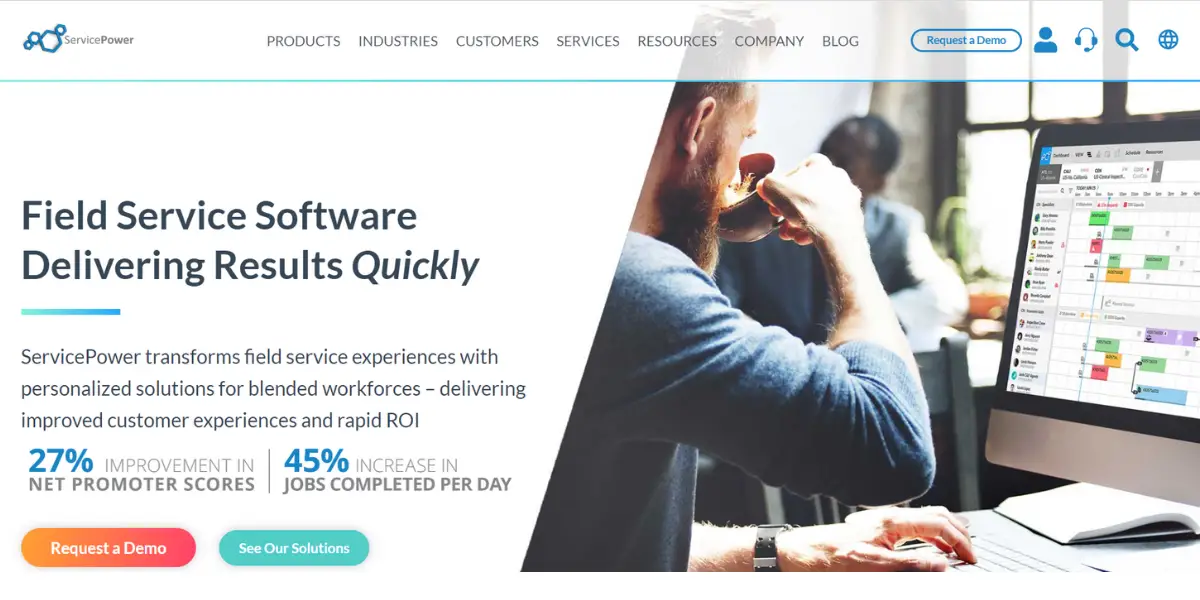
ServicePower is both an on-site and cloud-based field service platform. It is suitable for small, medium, and large enterprises working in various areas like HVAC, transportation, IT, and services.
Many North American manufacturers, retailers, and third-party administrators widely use advanced technology.
Features
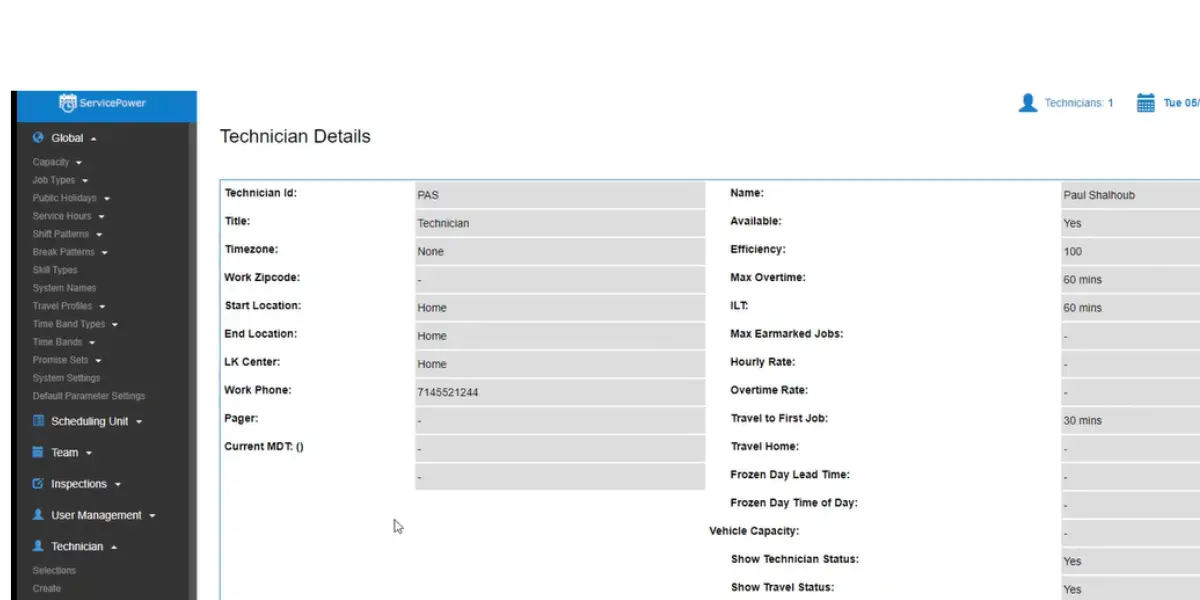
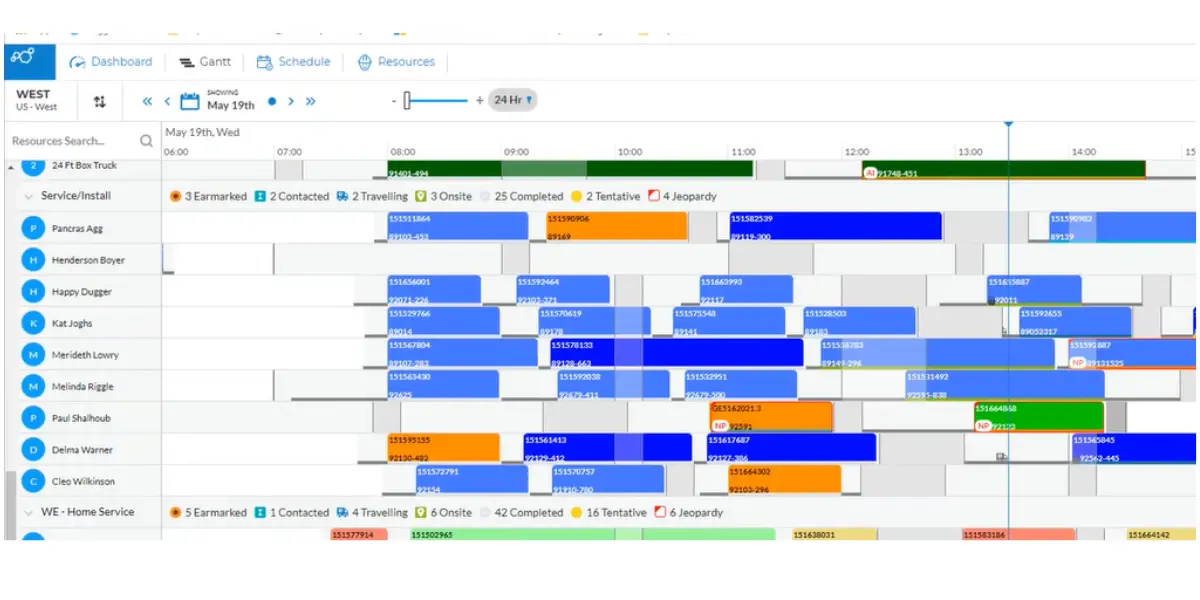
- Work order management
- Scheduling
- Asset management
- Contractor management
- Claims management
- Mobility
Some screenshots of ServicePower
Pricing
ServicePower does not publish pricing, and that was still true when re-checked on 14 August 2026. Contact the company for a quote.
Note who it is built for. ServicePower sells mainly to enterprises and to OEM warranty networks that dispatch a mix of employed and contracted engineers, so a small residential HVAC firm will usually find it heavier than it needs. The company has been expanding: it acquired Inveniam, a French AI computer-vision business used to automate quality checks on field work, in a deal that closed on 6 May 2025, and PlusOne Solutions, which handles contractor background screening and compliance, closing on 6 June 2025.
Likes
- Easy to set up
- It can be integrated with pre-existing networks.
- Good support
- Good invoicing capabilities
- Easy to use
- Good customer service
Dislikes
- Upgradation problem
- Signal fall occurs for operators
- Access to the platform is difficult for the route technicians
- Poor documentation
Industries support
- Appliances and electronics
- Building technologies
- Power and utilities
- Property management
- Telecommunications
- insurance
Other details
| Deployment | Cloud, SaaS, Web-Based |
| Supported device | Mac, Windows, On-Promise Linux Android, iPhone,iPad |
| Supported languages | German, English, French, Dutch |
| Support | Email/Help Desk,24/7 (Live Rep), Phone Support, Chat |
| Customer ratings | Capterra: 4.3 (7+ reviews), G2: 4.0 (8+reviews) |
User opinion
Service power provides customized solutions for HVAC and more… This platform helps enterprises direct third-party workforces and service technicians to carry out their work easily.
Tools to track workforce and assets and study the operations are made available. Assigning jobs and routes and monitoring all these tasks in real-time is made possible. They aim to provide the best customer satisfaction.
7. GorillaDesk
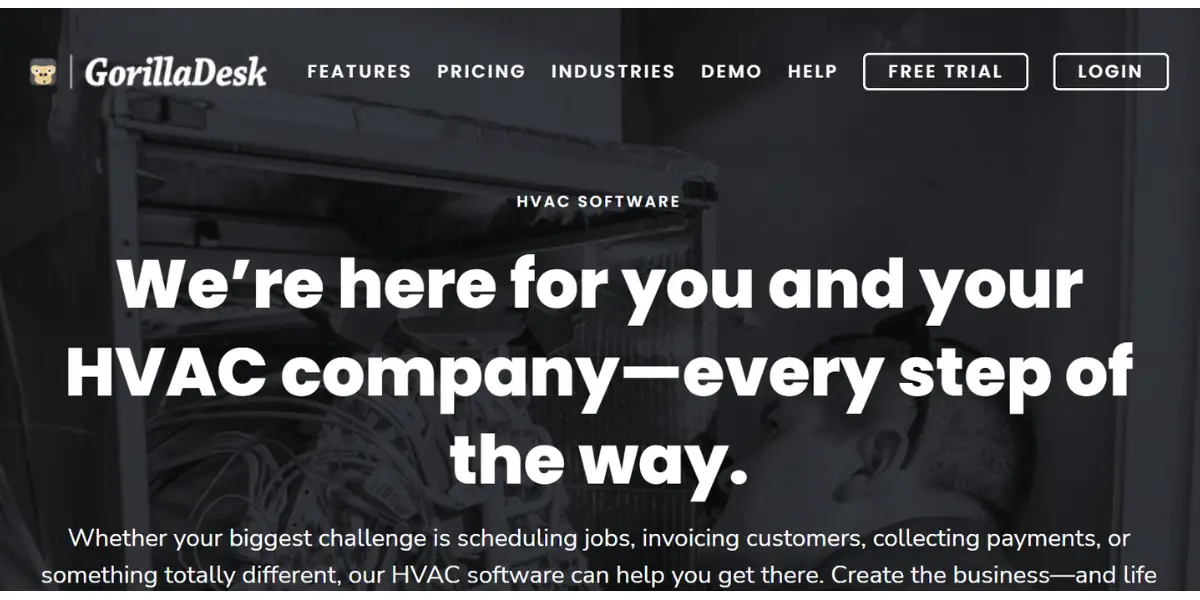
GorillaDesk is a capable cloud-based field service platform, but be aware of who it is built for before you trial it. GorillaDesk’s own site lists the trades it serves as pest control, wildlife, mosquito and termite control, lawn care, landscaping, tree care, irrigation, snow removal, cleaning and janitorial, pool service, fire safety, handyman work, holiday lighting and painting. HVAC is not among them. The scheduling, routing and invoicing are genuinely strong and a small HVAC shop can run on them, but you will not find equipment history, refrigerant records or maintenance-agreement handling built for this trade, and its route-based pricing is designed around repeat visits to the same addresses.
It provides users with a tracking mechanism for their devices by giving barcodes. In addition, it is creating job sheets, designating tasks for teams, and acquiring customer data from multiple devices.
Features
- Scheduling
- Dispatch management
- Push notifications
- Observe progress
- Billing and invoicing
- Mobile applications
Pricing
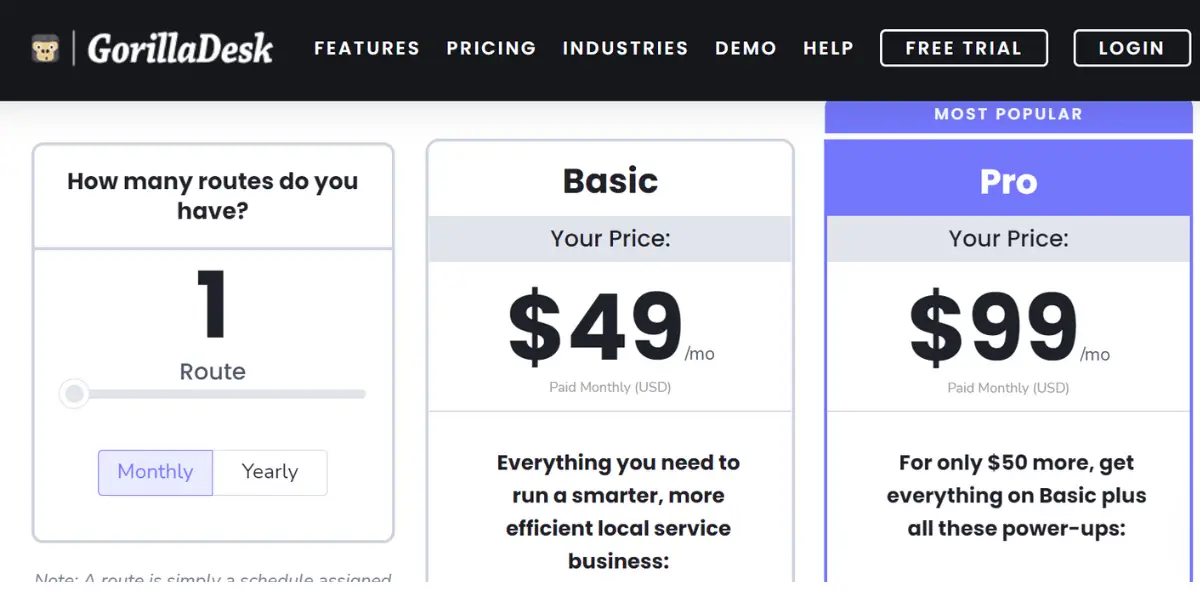
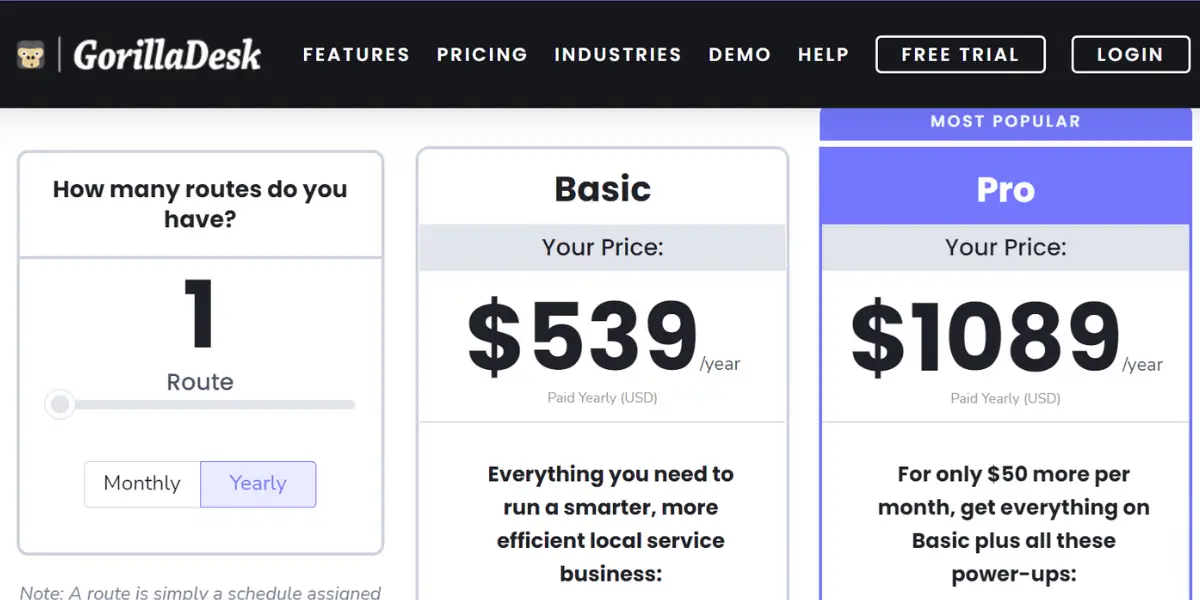
GorillaDesk sells three plans, priced per route or schedule rather than per user. Admin users and mobile devices are unlimited on every plan; you only pay for the people assigned to a schedule. Figures verified against GorillaDesk’s pricing page on 14 August 2026.
- Basic – $49 per month, or $539 per year. Routing is limited to 25 stops.
- Pro – $99 per month, or $1,089 per year.
- Growth – $149 per month, or $1,639 per year. This tier was missing from this review, which described GorillaDesk as having two plans.
- Text messaging is a paid add-on at $5 per month plus credits, sold at $50 for 1,000 texts, $100 for 2,500 and $200 for 8,000. Budget for it, because appointment reminders are the main reason field firms buy this kind of software.
Likes
- Mobile app
- Invoicing and scheduling
- Dispatching
- Easy to use
- User-friendly
- Minimal learning curve
- Good customer service
Dislikes
- Pricing is more
- Booking features
- Loss of information
- Limited features
Supported industries
- Electrician
- Plumbing
- Handyman
- Pool service
- Lawn care
- Pest control
Other details
| Deployment | Cloud, SaaS, Web-Based |
| Supported device | Mac, Windows, Chromebook, Android, iPhone,iPad |
| Supported languages | English |
| Support | Email/Help Desk, FAQs/Forum, Knowledge Base, Phone Support, Chat |
| Training | Live Online, Webinars, Documentation, Videos |
| Customer ratings | Capterra: 4.8 (254+ reviews), G2: 4.9 (38+reviews) |
User opinion
Overall, Gorilladesk is an apt platform for smaller and medium enterprises. They promise to provide well-organized scheduling, monitoring, and efficient billing and invoice services.
The push button and drag and drop features are one of the best provided by them. In addition, they can support integrations with Quickbooks, Amazon web services, and others.
8. Workwave
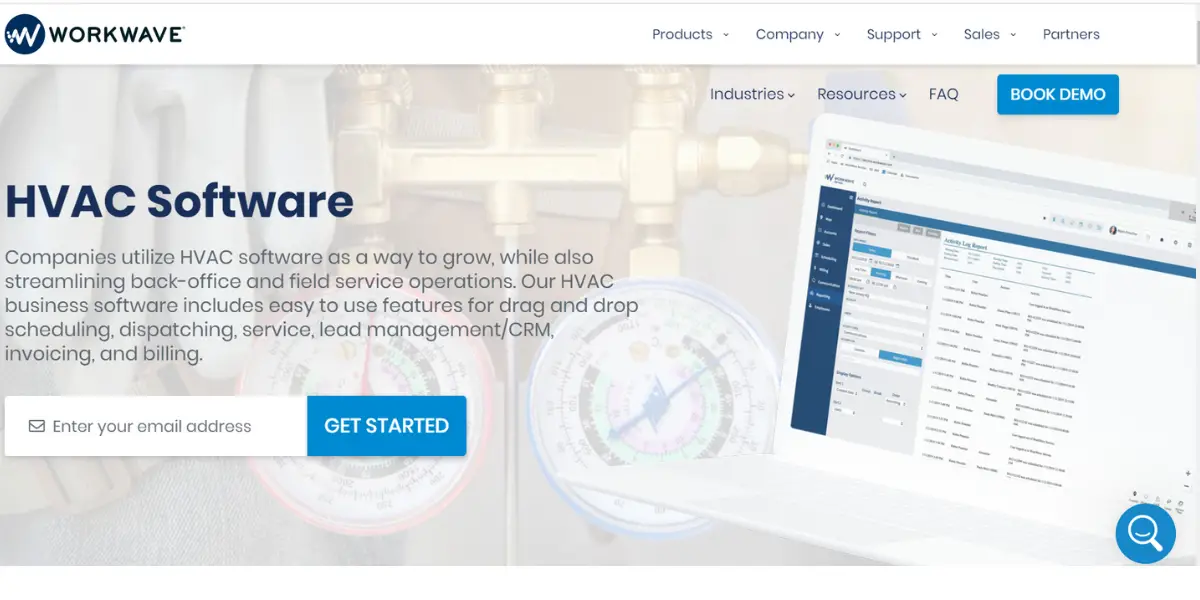
Workwave’s HVAC platform caters to both commercial and residential establishments. As a result, they can meet customer requirements and achieve efficiency in all their operations.
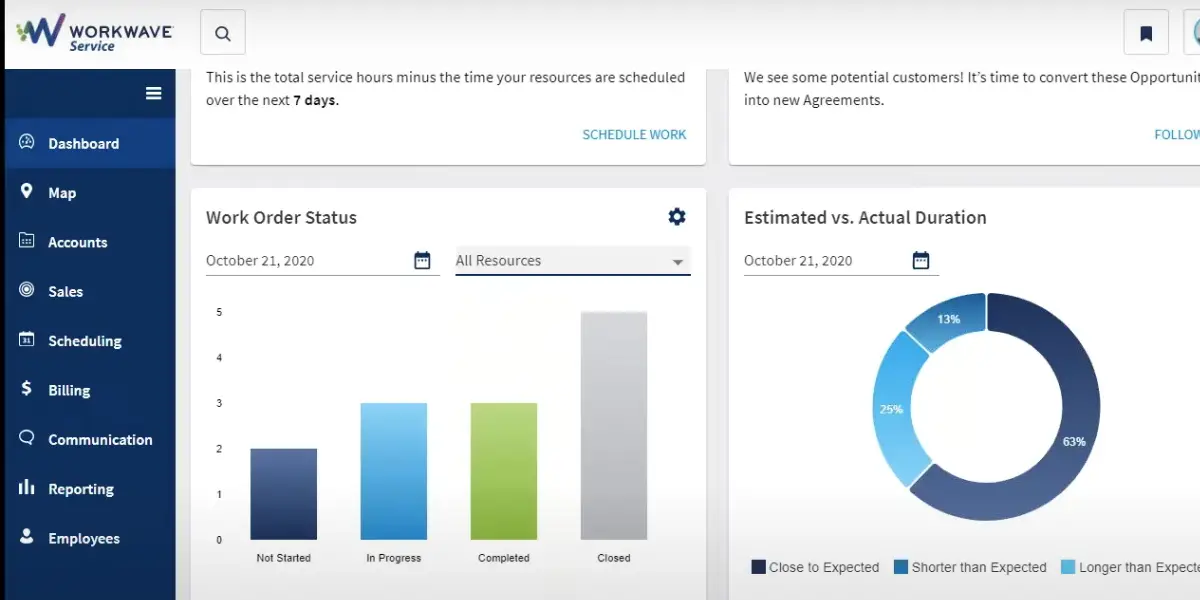
It can easily manage all aspects of the operations from a single interface. It simplifies the day-to-day task and also enhances the overall efficiency of the business.
Features
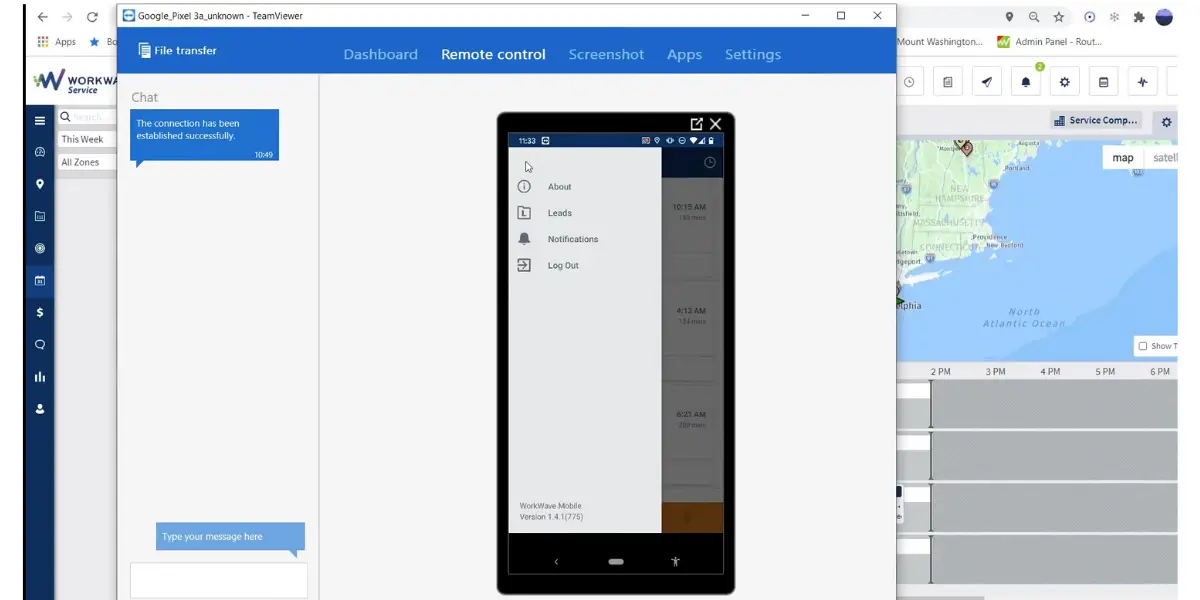
- Scheduling and dispatch management
- HVAC Job management
- Mobile app
- Estimation and billing services
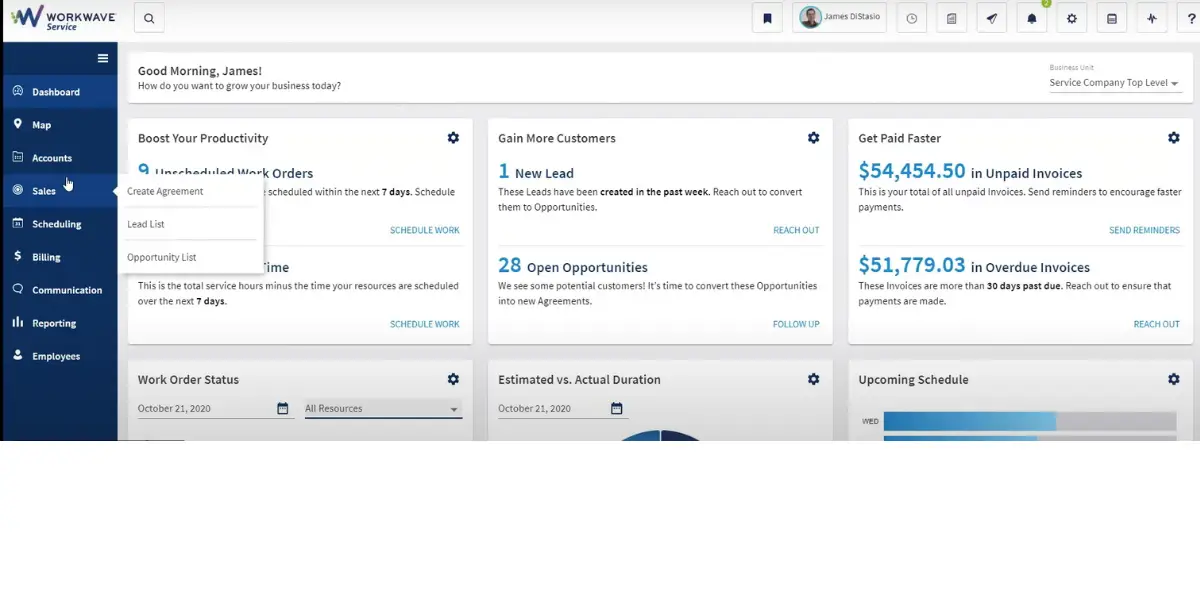
Some screenshots of Workwave
Pricing
WorkWave does not publish pricing for its service products. Its pricing page routes to a phone number and a demo booking, and that was still the case when re-checked on 14 August 2026.
Likes
- Provides marketing features to attract new customers
- Mobile options
- Ease of use
- User-friendly interface
- Easy to streamline the business
- Easy to lean
- Good customer service
Dislikes
- Integration with other systems is limited
- No provision for managing inventory
- Limited customization
- Lack of notification of text messages being received
- The mobile app does not work properly
Industries supported
- Security guard
- Landscaping
- Handyman
- Plumbing
- Residential cleaning
- Courier delivery
Other details
| Deployment | Cloud, SaaS, Web-Based |
| Supported device | Mac, Windows, Linux, Chromebook, Android, iPhone,iPad |
| Supported languages | English |
| Support | Email/Help Desk, FAQs/Forum, Knowledge Base, Phone Support, Chat |
| Training | In-person, Live Online, Webinars, Documentation, Videos |
| Customer ratings | Capterra: 3.2 (50+ reviews), G2: 4.1(91+reviews) |
User opinion
Workwave provides a robust platform for the smooth functioning of back office and field service applications.
Their HVAC software provides convenient features for drag-and-drop scheduling, dispatching, servicing, invoicing, billing, and more. In addition, they aim at growth by heeding all the requirements of their customers to meet demand. software
9. Service Titan
Service Titan is a forerunner in comprehensive software for HVAC services for commercial and residential needs. It helps an HVAC business function in a streamlined manner and be profitable.
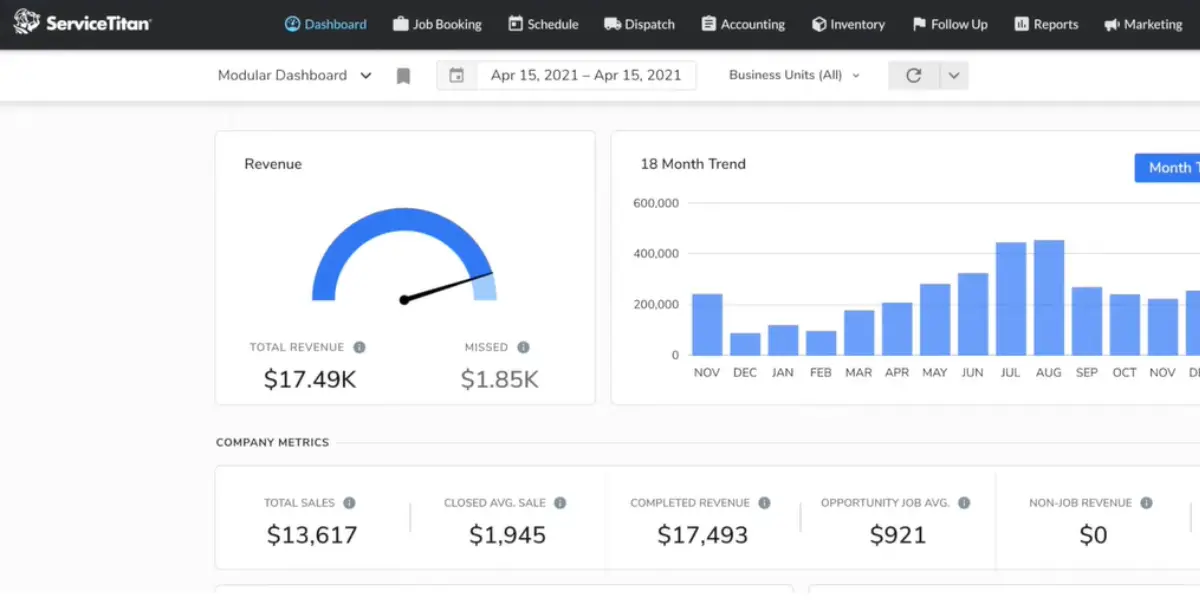
In addition, it provides various robust tools to execute and run the entire process. It also offers advanced reporting capabilities, call recording and tracking, paperless invoicing, and incredible visual sales tools.
Features
- Dispatching
- Marketing
- Maintenance
- Financing and quotations
- Bidding and proposals
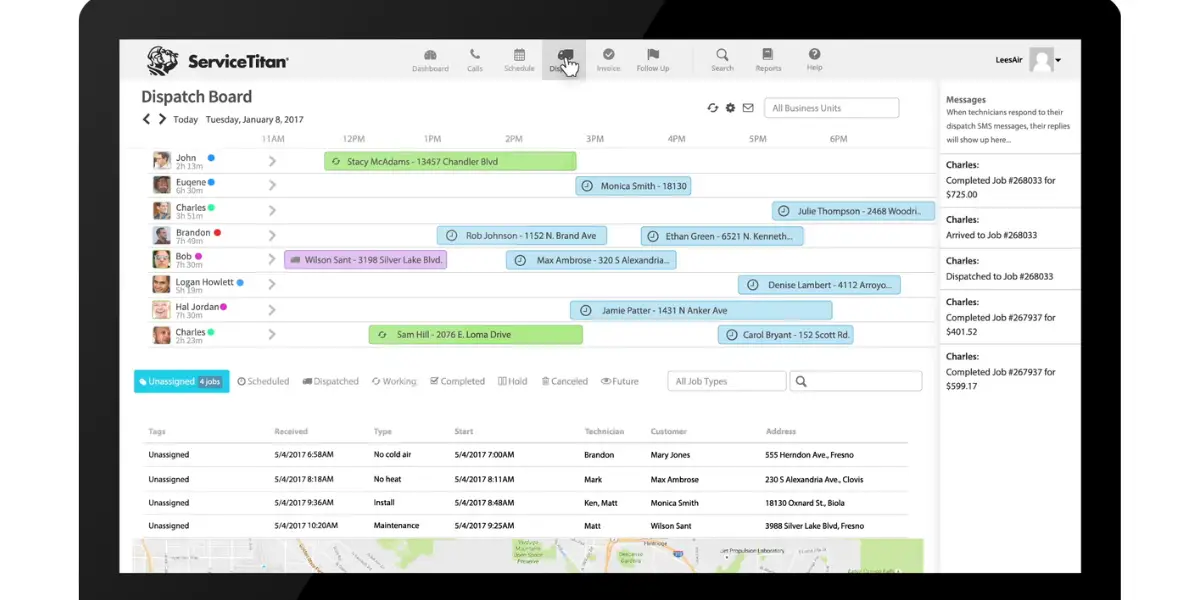
Some screenshots of ServiceTitan
Pricing
ServiceTitan does not publish figures, which was still true on 14 August 2026. It does name three tiers, Starter, Essentials and The Works, and the important detail is the billing unit: ServiceTitan is priced per technician, so the bill scales with the size of your field crew rather than with office headcount. Ask for the quote per technician per month and for what happens when you add one.
ServiceTitan is also the only company on this list whose finances you can read. It listed on the Nasdaq on 12 December 2024 under the ticker TTAN, pricing its offering at $71 per share and closing its first day at $101, which valued it at roughly $8.9 billion and raised about $625 million. For a contractor signing a long contract, a public filer is a different risk proposition from a private one, and its results are now a matter of public record.
Likes
- Booking and dispatch notifications
- Good customer experience
- Time management features
- Accessibility
- Easy to use
Dislikes
- Updates are needed for a few features
- Customizing not provided
- Found bugs often
- High learning curve
- The onboarding process is long and tedious
- Poor integration
- Reporting is not so good
Industries supported
- Plumbing software
- Garage door
- Pool service
- Water treatment
- Electrical software
- Chimney sweep
Other details
| Deployment | Cloud, SaaS, Web-Based |
| Supported device | Mac, Windows, Linux, Android, iPhone, iPad |
| Supported languages | English |
| Support | Email/Help Desk, FAQs/Forum, Knowledge Base, Phone Support, Chat |
| Training | In-person, Live Online, Webinars, Documentation, Videos |
| Customer ratings | Capterra: 3.2 (50+ reviews), G2: 4.4(144+reviews) |
User opinion
Service Titan uses powerful tools to help an HVAC company track clients and systematize the scheduling of jobs and technicians. It also provides simple templates for quotations and billing.
As a result, it ensures efficiency and promises to increase profits. ServiceTitan combines scheduling, dispatch, invoicing, sales, marketing, reporting, and more into one mobile.
10. Thermogrid
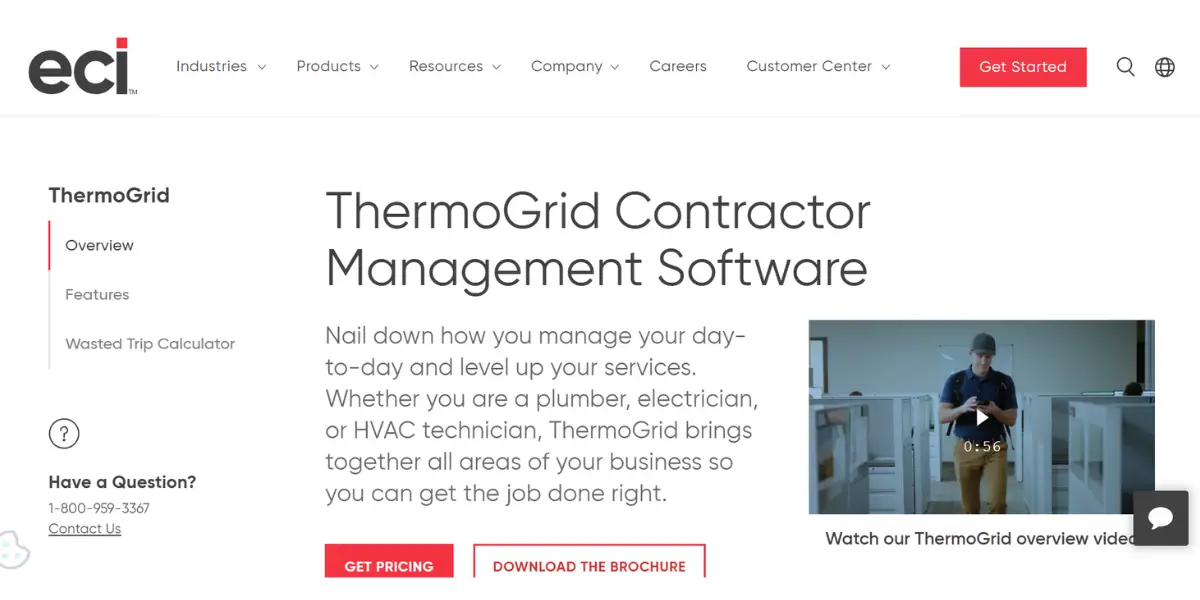
ThermoGrid is a cloud-based field service system for small and mid-sized residential contractors, covering HVAC, plumbing and electrical, and it pairs automated daily operations with service management.
Its ownership has moved and this review previously named the wrong company. ECI Software Solutions acquired ThermoGRID in a deal that closed on 1 September 2020, which is where the earlier description came from. Today thermogrid.com redirects to GridMaster Technologies, whose site sells ThermoGrid and whose president is the product’s original developer, and sales enquiries still use a thermogrid.com address. We could not confirm from ECI’s own site how or when the product left its portfolio, because that site blocks automated access, so treat the current vendor relationship as something to confirm on the call rather than as settled here.
The innovative tool optimizes the scheduling process by efficiently assigning jobs to the right technicians based on their skills, location, and availability.
Features
- Smart dispatching
- Scheduling
- Client database
- Invoicing options
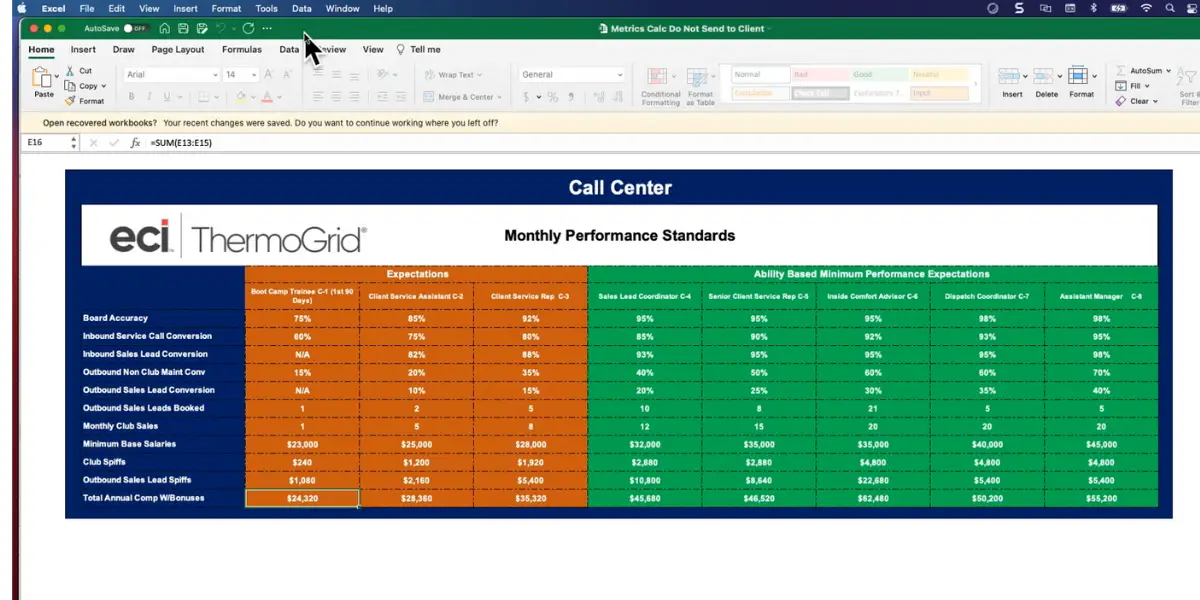
Screenshot of call center page view of Thermogrid
Pricing
ThermoGrid does not publish pricing, and that was still true on 14 August 2026. Third-party sites quote wildly different figures for it, from $35 per month to several hundred, and none of them agrees with another, so no number is repeated here. Ask the vendor directly and get the implementation fee in writing as well as the monthly rate.
Likes
- Automation of day-to-day tasks
- Easy to use
- Customization options
- Effective integration with QuickBooks
Dislikes
- Slow software update
- Platform set-up problems
- Pricing details are not mentioned
- Difficult to make documents
- It takes long time to upload pictures in the field
- It is not able to search by the keywords
- Job documents are not integrated electronically
Supported industries
- Discrete manufactures
- Process manufactures
- Building suppliers
Other details
| Deployment | Cloud, SaaS, Web-Based |
| Supported device | Mac, Windows, Linux, Android, iPhone, iPad |
| Supported languages | English |
| Support | Email/Help Desk, Phone Support, Chat |
| Training | In-person, Live Online, Webinars, Documentation, Videos |
| Customer ratings | Capterra: 4.4(68+ reviews) |
User opinion
Thermogrid is a service management platform and mobile app that helps private HVAC firms provide customer service, equip technicians like yours to engage customers, orchestrate service, and empower technicians, to carry out all the necessary assignments for the present-day business.
11. HoneyBook
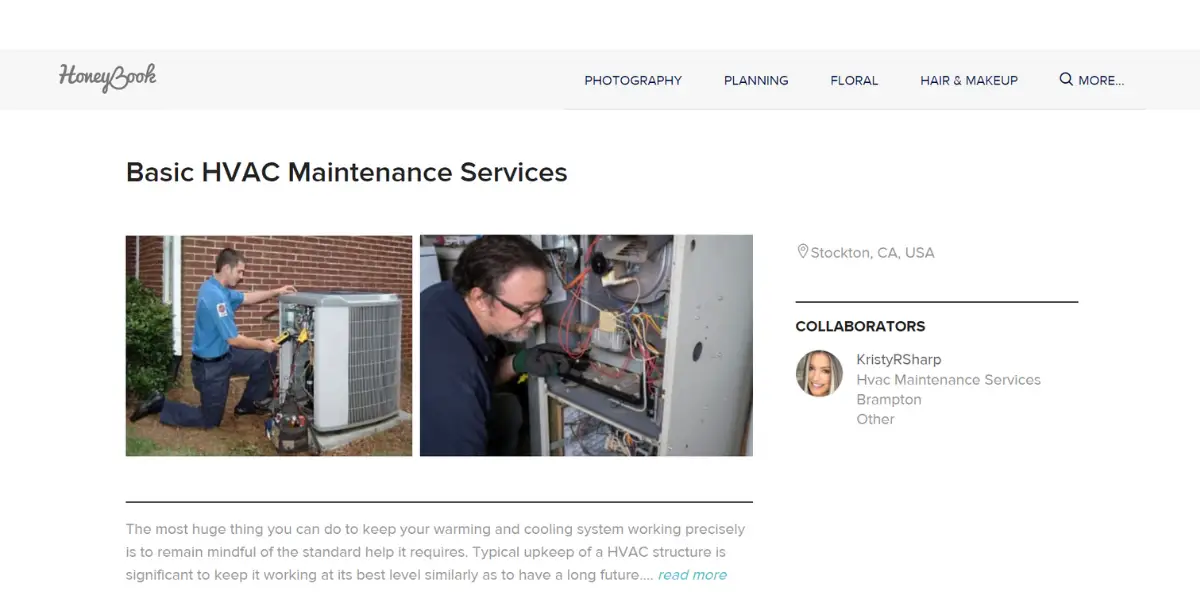
HoneyBook is not HVAC software, and it is the one entry on this list we would steer most HVAC readers away from. HoneyBook describes itself as a client relationship platform and a CRM for small businesses, and the customers it names on its own site are event planners, photographers and videographers, marketing consultants, coaches, doulas, dog walkers, interior designers and stagers. Trades and field service are not on that list.
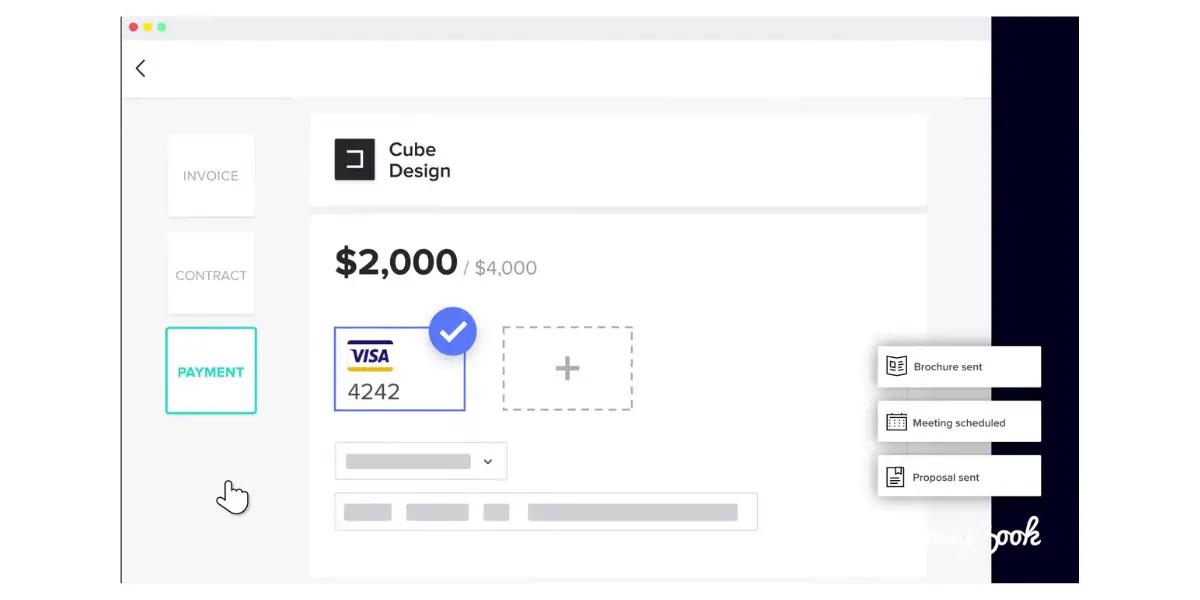
What it genuinely does well is the paperwork around winning work: proposals, contracts with e-signature, invoicing and getting paid. There is no dispatch board, no technician scheduling against a service territory, no work orders, no equipment history and no maintenance agreements. A one-person outfit that sells installs on quotes and does little recurring service could reasonably run its front office on HoneyBook and nothing else. Any firm running vans and a dispatcher needs one of the field service systems above instead, and the entry is kept here only so the comparison is explicit.
It can streamline business processes and provide a seamless experience for your clients. It simplifies the client booking process, allowing you to easily manage inquiries, send proposals, and get contracts signed. It Keeps track of all the projects in one place. It helps to stay organized and on top of deadlines.
Features
- Invoices
- Proposals
- Scheduling
- Contracts
- Automation
- Integration
- Smart files
- Project management
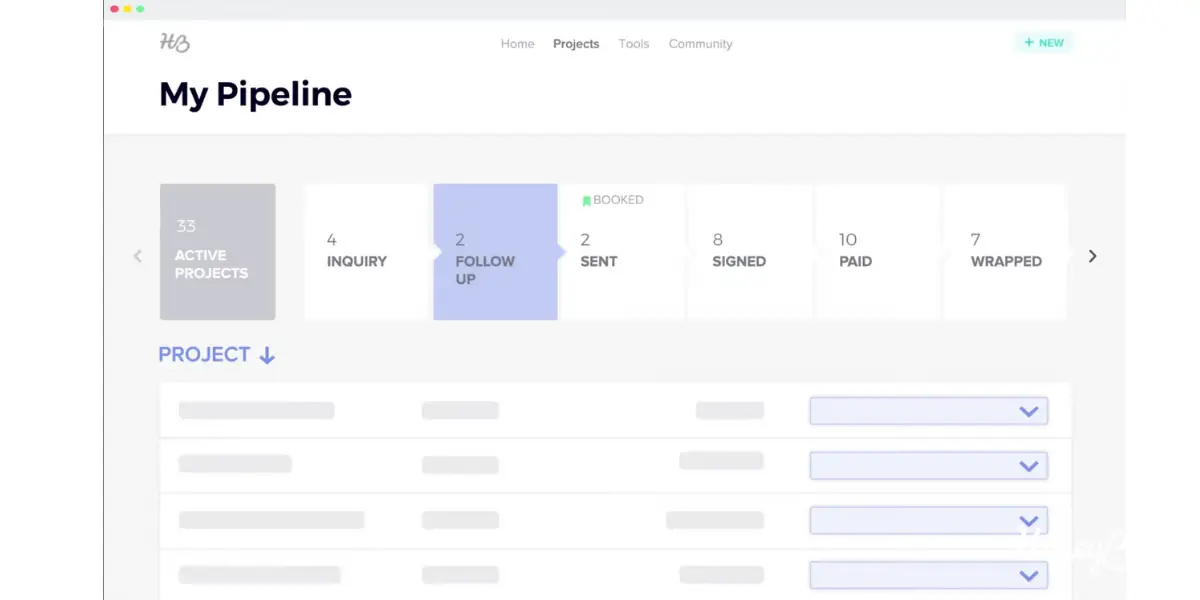
Some screenshots of HoneyBook
Pricing
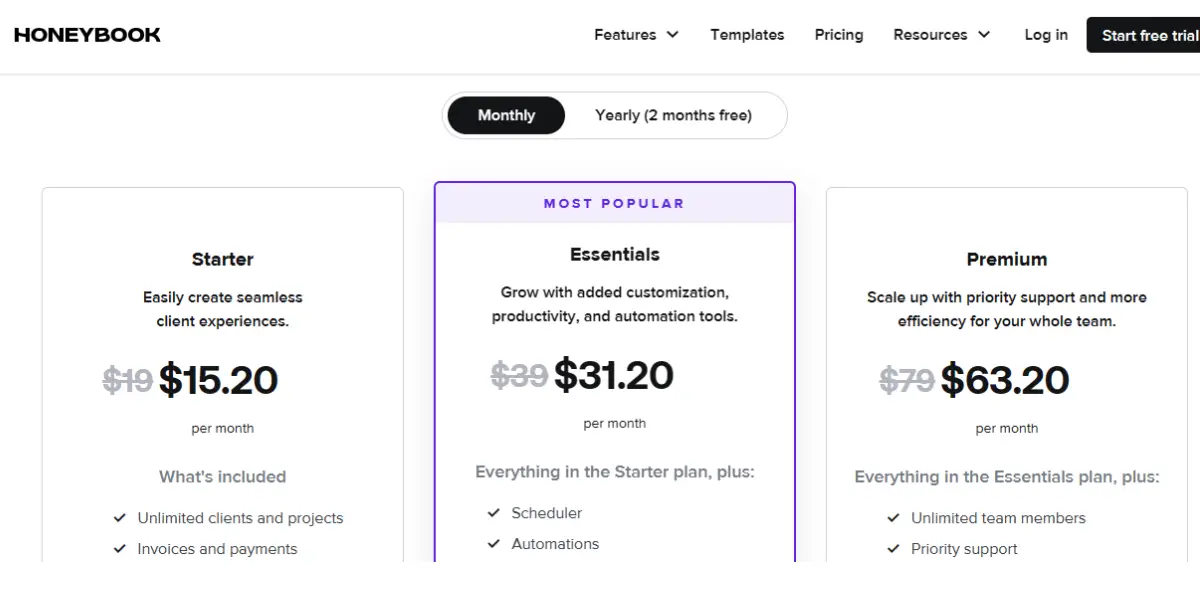
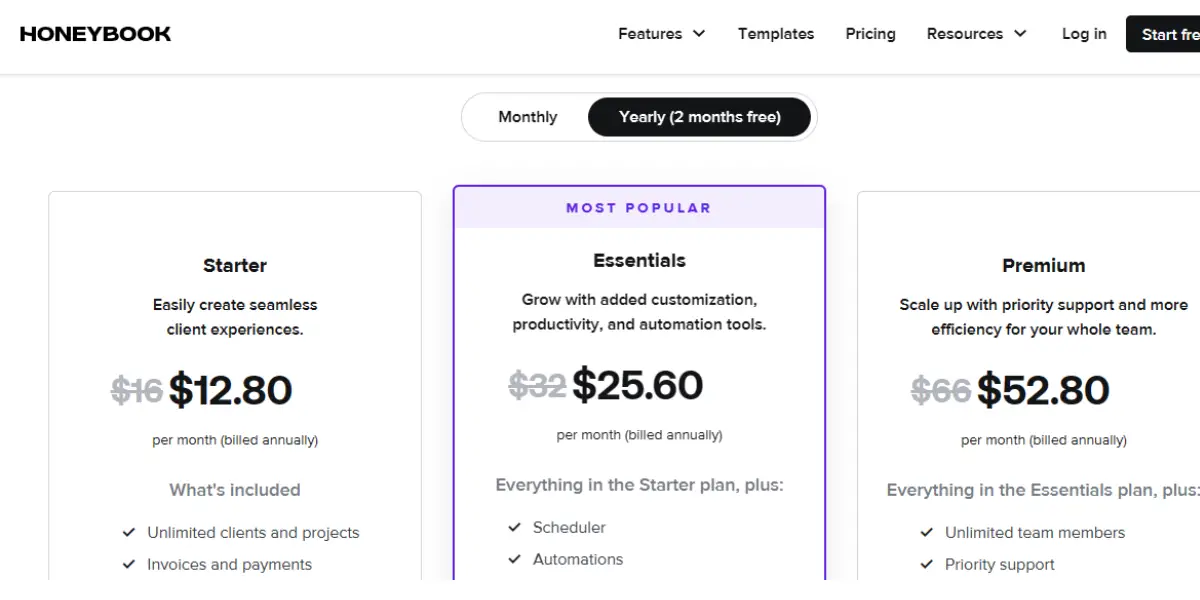
It offers two plans
- Started – It starts from $15.20/month and $12.80/month (billed annually)
- Essentials – It starts from $31.20/month and $25.60/month (billed annually)
- Premium – It starts from $63.20/month and $52.80/month (billed annually)
Likes
- Easy to use
- Great customer service
- Specific contract templates
Dislikes
- The E-mail signature option is not there.
- It takes time to deposit the payments
- Sends unwanted notifications to clients
- The calendar feature is not good
- Difficult to delete the default messages
- Expensive for solo entrepreneurs
- Steep learning curve
- Payments take much longer to deposit
- Its reporting and analytics functionality is clumsy
User opinion
Overall, HoneyBook is good for small businesses. It offers good customer relationship management so that you can easily manage your clients and get paid immediately. It also integrates with QuickBooks, Gmail, Google Calendar, and Zaiper, which makes your professional life easy.
Other details
| Deployment | Cloud, SaaS, Web-Based |
| Supported device | Mac, Windows, Linux, Chromebook, Mobile – Android, iPhone |
| Supported languages | English |
| Support | Email/Help Desk, Knowledge Base, Phone Support, Chat |
| Training | Live Online, Webinars, Documentation, Videos |
| Customer ratings | Capterra: 4.8(560+ reviews), G2: 4.5 (106+reviews) |
12. Jobprogress
Jobprogress is the HVAC software built for home improvement contractors. This business management software provides many easy-to-use tools for contractors to schedule, organize, and control their business operations.
Its unified platform, contractors of all sizes can efficiently manage customer interactions, track project progress, and automate the sales process. It is an agile business productivity platform that caters to the needs of home improvement contractors.
It provides tools and features to streamline various aspects of contractor businesses, including project management, communication, scheduling, invoicing, and more.
Features
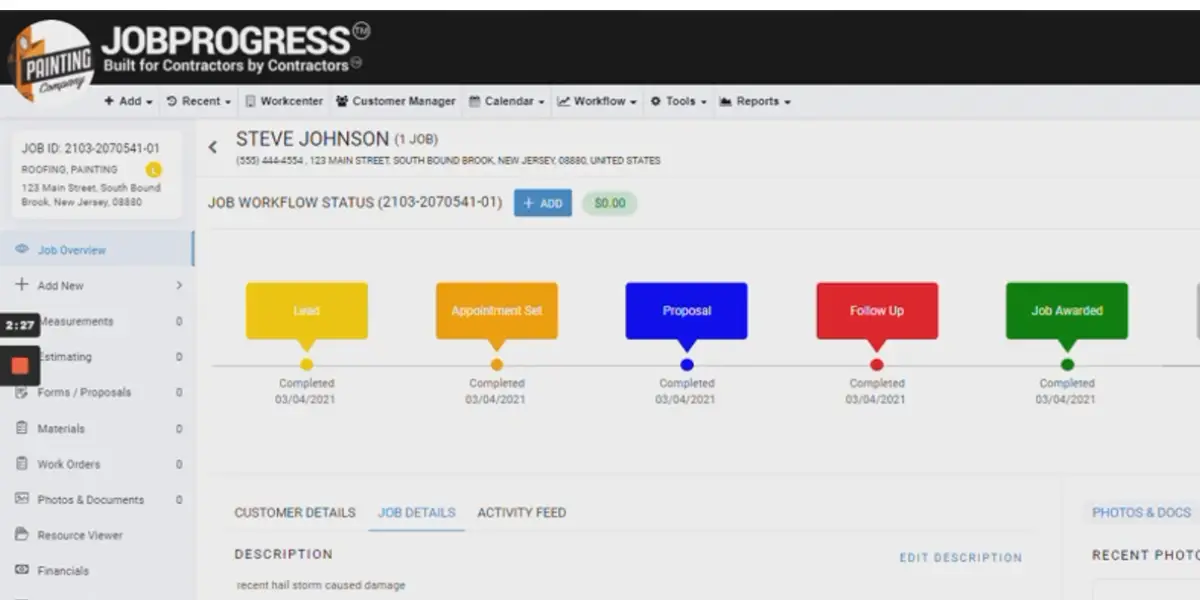
- Fully customized job
- Workflow management
- Paperless Mobile App
- Customer relationship management
- Online Sales & Marketing
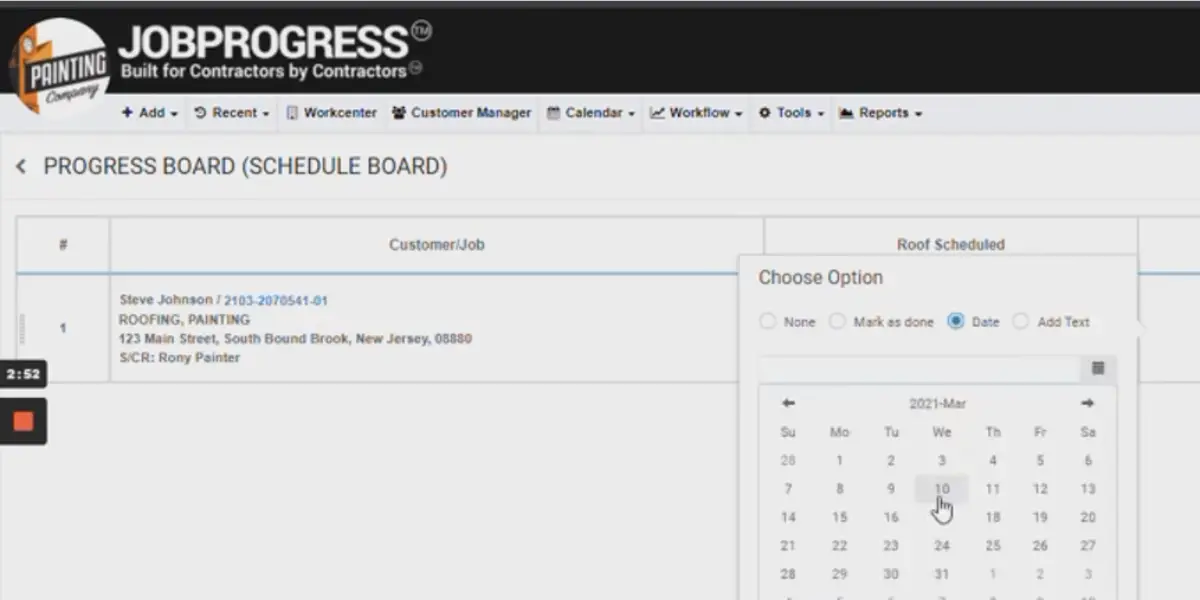
- Quick Estimating, Quoting & Scheduling
- Remote business control
- Dashboard Workcenters
- Safe Cloud Storage & Access
- Employee And Subcontractor Management
- Instant Proposals And Contracts
- Office, Field & Operations Management
Some screenshots of Jobprogress
Pricing
JobProgress has withdrawn its published pricing: the pricing page on its own site now returns a 404 while the rest of the site is live, which is the usual sign that figures have been taken down rather than changed. Checked 14 August 2026.
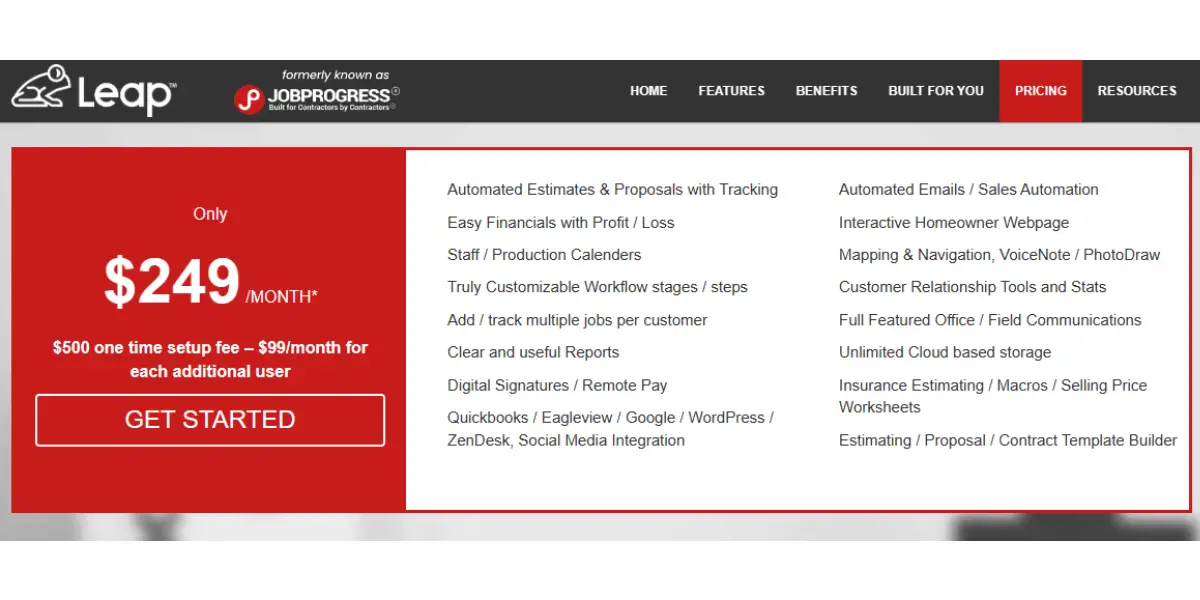
The figures this review carried are kept below because they are what JobProgress published at the time, and they still show the shape of the deal, which is a platform fee plus a per-user charge plus a one-off setup cost. Treat them as dated and get a current quote covering all three parts.
As previously published: from $249 per month, plus a one-time setup fee of $500, plus $99 per user per month. Note that this is the structure to ask about, because a five-user shop paying the per-user rate lands close to $750 a month, not $249.
Likes
- Good for field service management
- Good customer service
- User friendly
Dislikes
- The customer webpage could be more professional.
- Uploading more photos ( more than 50) of the job will be a hard process.
- Sometimes, reports will not be accurate.
- Estimating features is not much intuitive.
- Accounting integration with Quickbooks will not be working properly
- Limited features
- Reporting is not accurate
Other details
| Deployment | Cloud, SaaS, Web-Based |
| Supported device | Windows, Linux, Android, iPhone, iPad |
| Support | Email/Help Desk, Phone Support |
| Training | In-person, Live Online, Webinars, Documentation, Videos |
| Customer ratings | Capterra: 4.4 (353+ reviews), G2: 3.8 (5+reviews) |
User opinion
Jobprogress is a business management tool that enables contractors to look after all processes of their business. It allows them to track multiple jobs per customer, have unlimited cloud storage, and get clear and real-time reports.
It provides automated emails and voice notes and also integrates with Quickbooks, Eagleview, Google, WordPress, and ZenDesk.
What HVAC firms should judge this software on
Most field service platforms handle scheduling, invoicing and a mobile app competently, so those are rarely what separates them. The features below are the ones that decide whether a system fits an HVAC business specifically, and they are worth putting on the demo agenda.
Maintenance agreements. Planned maintenance contracts are the steadiest revenue an HVAC company has, and they are the single biggest difference between products here. Ask how the system stores an agreement, whether it generates the visit schedule automatically for the life of the contract, whether it bills monthly or annually against it, and what it does when a customer sells the property. A platform that treats a maintenance plan as a recurring calendar entry is not the same as one that treats it as a contract with revenue recognised against it.
Flat-rate pricing and the price book. Most residential HVAC work is sold at a flat rate from a price book rather than by hourly time and materials, so the technician needs to build an option sheet at the kitchen table and present good, better and best. Ask whether the system carries a maintained price book, whether it can present tiered options on the tablet, and whether it updates when equipment costs move.
Equipment history at the address. HVAC service is tied to a specific furnace, heat pump, boiler or rooftop unit rather than to a customer. The system should hold make, model and serial number, installation date, warranty expiry and every visit against that unit, so the technician arriving in year six knows what is there before opening the van.
Warranty and refrigerant records. Warranty claims against manufacturers are real money and are lost when the paperwork is late, so check how claims are tracked. Refrigerant handling carries record-keeping obligations, and technicians must hold EPA Section 608 certification to work with it in the United States; if you want cylinder and recovery records in the same system rather than on paper, ask specifically, because most of these platforms do not do it natively.
Seasonality and emergency calls. HVAC demand spikes in the first heatwave and the first hard freeze, when the same system has to absorb a day of emergency no-heat calls, protect maintenance-agreement customers who expect priority, and dispatch on-call technicians at overtime rates. Ask what the dispatch board looks like on the busiest day of the year, not on an average Tuesday, and whether after-hours rates apply automatically.
Permits, financing and the back office. Equipment replacements often need a permit and an inspection, and many are sold with consumer financing, so check that both can be attached to the job rather than tracked separately. Then confirm the accounting link: nearly every product here integrates with QuickBooks, but the depth varies, and a shallow integration means someone re-keys invoices every week.
FAQs
What is HVAC?
HVAC means heating, ventilation, and air conditioning. It is a system that regulates the temperature and humidity of a building or room.
What is the purpose of HVAC?
HVAC systems are constructed to provide thermal comfort and acceptable indoor air quality in buildings. The primary function of heating, ventilation, and air-conditioning (HVAC) systems is to extract heat, moisture, and contaminants from an occupied space’s interior and discharge the resulting polluted air outdoors.
What are the benefits of HVAC software?
Standard benefits are,
Increased efficiency, Easier communication with clients, More accurate estimates,- Better project management
Conclusion
The 12 best HVAC software of 2026 are listed and described in this blog post. HVAC software featured here can help you with everything from load calculation to dispatching service calls.
So if you’re looking for an absolute solution to manage your HVAC business, one of these programs is sure to fit the bill.
Reference
- HVAC installation checklist – Jobber
- ebooks of Housecall pro
- Managing field service operations – Whitepaper of Service Fusion
- Overcoming technician shortages in field service management – whitepaper of Service Power
- GPS fleet tracking – ebook of Verizon Connect
- Field service software buyer’s guide – PDF of Workwave
- Software buyer’s guide for commercial contractors – Guide of ServiceTitan