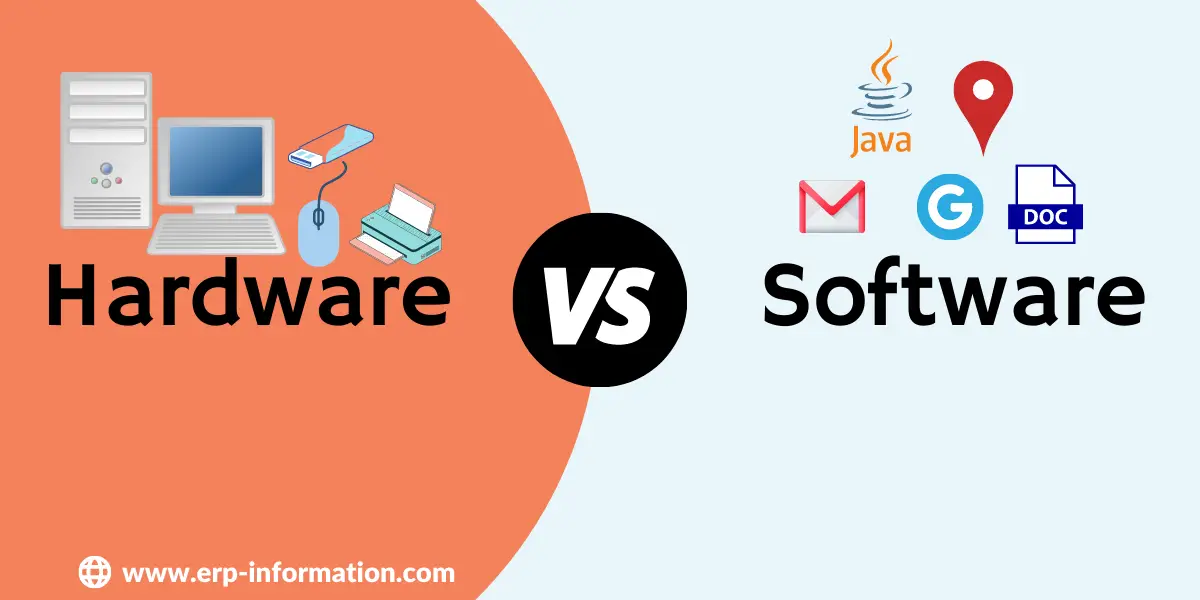
Hardware is the physical machinery of a computer, the parts you can touch. Software is the set of instructions that tells that machinery what to do. A keyboard, a processor and a hard drive are hardware. Windows, Chrome and the app you are reading this in are software.
Neither is worth anything on its own. Hardware with no software is an inert box of components, and software with no hardware is a text file nothing can execute. The useful question is not which one matters more, it is where the line between them actually falls, and that turns out to be less obvious than most explanations admit.
Below: what each one is, the standard types of both, a side by side comparison, and the part most guides leave out entirely, which is the firmware and driver layer that sits between them and blurs the boundary.
What is Hardware?
Hardware is the physical, electronic and mechanical part of a computer system: everything with a shape, a weight and a serial number. Some of it sits inside the case, such as the processor, memory and drives. The rest connects from outside as peripherals, plugging into ports or communicating wirelessly.
These components work together to perform computing tasks and provide users with an interface for interacting with the digital world.
Examples of Hardware
- CPUs
- Motherboards
- RAM
- Hard drives
- Solid state drives
- Video cards
- Sound cards
- Input devices (keyboards, mouse, Etc.)
- Output devices (monitors, printers, Etc.)
- Networking components (modems, routers, Etc.)
Features of Hardware
The characteristics that define hardware, as distinct from the tasks it performs:
- Tangible. It occupies space and can be touched, seen and physically moved.
- Wears out. It degrades physically over time through heat, mechanical wear and component ageing, and eventually fails whether or not anyone uses it badly.
- Manufactured, not copied. Producing another unit costs materials and factory time. This is the single biggest practical difference from software, and it drives almost every other one.
- Fixed function once built. Its capabilities are set at manufacture. You can add or replace parts, but you cannot patch a processor into being faster.
- Understands only machine code. The circuitry responds to binary signals, so every high level instruction must be translated down before it can run.
- Immune to software viruses in itself. Malware cannot corrode a circuit, though it can damage hardware indirectly by rewriting firmware or disabling safety limits.
What is Software?
Software is the set of coded instructions that tells hardware what to do. It has no physical form of its own; it is stored as patterns on a drive or in memory and only does anything when a processor executes it.
It also refers to instructions or programs that tell a computer what to do. It is a general term encompassing all computer programs, including applications, utilities, and operating systems.
The software can be broadly categorized into two types.
System software: This is the software that runs the computer’s hardware and manages system resources. This includes operating systems, device drivers, firmware, and utility programs. Examples of system software include Microsoft Windows, macOS, Linux, and Unix.
Application software: This is designed to perform specific user tasks or applications. This includes word processors, spreadsheets, web browsers, photo and video editing, and gaming software. For example, it includes Microsoft Office, Adobe Photoshop, Google Chrome, and Minecraft.
Examples of the Software
- Operating systems (Windows, macOS, Linux, Etc.)
- Application programs (Word processors, web browsers, Etc.)
- Programming tools (compilers, code editors, debuggers)
Features of Software
The characteristics that define software as a category, mirroring the hardware list above:
- Intangible. It has no physical substance. What you can touch is the medium it happens to be stored on, not the software itself.
- Copied at effectively zero cost. The thousandth copy costs no more to produce than the first, which is why software is licensed rather than sold by the unit.
- Does not wear out, but does rot. The code is identical after ten years. What decays is its fit with the world around it, as operating systems, hardware, file formats and security expectations move on.
- Changeable after release. Behaviour can be altered by a patch without touching the machine, which is exactly what makes it both flexible and a security liability.
- Fails by design defect, not by wear. A bug was present from the moment it was written, and simply had not been reached yet.
- Portable within limits. It can be moved or reinstalled anywhere, provided the target hardware and operating system meet its requirements.
Types of Hardware and Software
Types of Hardware
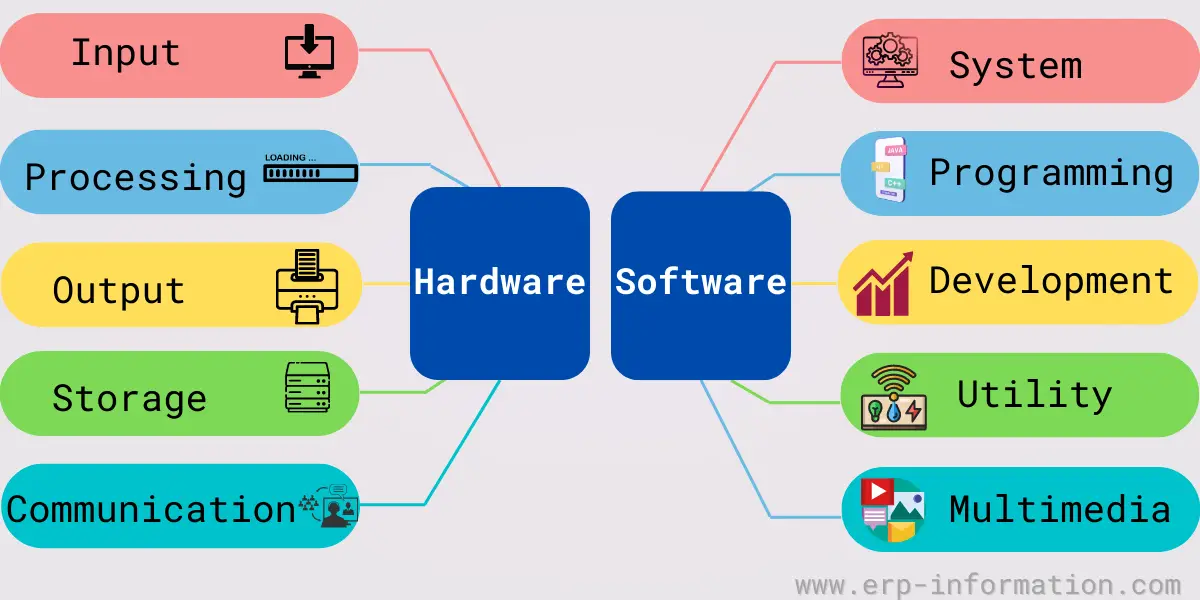
Computing hardware can generally be divided into five types: input, processing, output, storage, and communication.
Input
Input devices allow a user to provide information to the computer systems. The common input device is the keyboard. Other input devices include the mouse, trackball, joystick, scanner, and digital camera.
Processing
Processing circuitry transforms data into information that the computer can use. Central processing units (CPUs), called microprocessors, are the primary type of processing circuitry. Some computers also include graphics or video processors to enhance images on the screen.
Output
Output devices present information to a user in a usable form. The most common output device is the monitor or display screen. Output devices also include printers, plotters, and Braille output devices.
Storage
Storage devices hold data and programs when the power is off. Today that means solid state drives (SSDs), including the faster NVMe drives fitted to most new machines, traditional spinning hard disk drives (HDDs) where bulk capacity matters more than speed, USB flash drives and memory cards, and increasingly remote storage reached over a network. Optical discs and floppy disks belong to the same category but are effectively obsolete in current machines.
| Type | What it does | Examples |
|---|---|---|
| Input | Gets data into the machine | Keyboard, mouse, touchscreen, scanner, microphone, camera |
| Processing | Executes instructions on that data | CPU, GPU, motherboard, RAM |
| Output | Presents results in human usable form | Monitor, printer, speakers, headset |
| Storage | Keeps data when the power is off | SSD, NVMe drive, HDD, USB flash drive, memory card |
| Communication | Moves data between machines | Network interface card, router, switch, modem |
One caution about this classification: it sorts devices by function, not by appearance, so a single physical device can occupy more than one row. A touchscreen is both input and output. A network attached drive is both storage and communication.
Communication
Communication devices enable computers to exchange information with other computers or devices. Communication devices include modems, network cards, and bridges.
Types of Software
Software is conventionally divided into three categories, by who the software is for and what it acts on. Lists that put utility software or multimedia software alongside system and application software are mixing levels: those are subcategories, not siblings.
| Category | Who it serves | Includes |
|---|---|---|
| System software | The machine itself | Operating systems, device drivers, firmware, utility programs, language translators |
| Application software | The end user | Word processors, browsers, spreadsheets, multimedia editors, games, business systems |
| Programming software | The developer | Compilers, interpreters, code editors and IDEs, debuggers, version control |
System software
System software runs the machine and gives everything else a platform to run on. The operating system is the obvious member, such as Windows, macOS, Linux or Android, but the category is wider than that. It also covers device drivers, which teach the operating system how to talk to a specific piece of hardware; firmware, which is built into the hardware itself; utility programs such as disk tools, backup software and virus scanners; and language translators, the compilers and interpreters that turn source code into machine code.
Application software
Application software does the work the user actually bought the computer for. It is by far the largest category and covers general purpose tools such as word processors, spreadsheets and browsers; multimedia software for images, audio and video, such as Adobe Photoshop; communication tools; and specialised business systems including ERP and accounting software. Applications sit on top of system software and cannot run without it.
Programming software
Programming software, also called development software, is the toolset used to build the other two categories. It includes code editors and integrated development environments such as Visual Studio Code and Xcode, compilers and interpreters, debuggers and testing tools, and version control systems such as Git. These are ordinary applications in one sense; they are grouped separately because their output is more software.
Hardware vs Software
| Hardware | Software | |
|---|---|---|
| Definition | It is a physical component of a computer system | It is a set of instructions that informs the hardware what to do. |
| Virus attack | Viruses cannot infect hardware. | A virus is malware that can replicate itself and spread to other computers. |
| Building | It is designed using schematics and circuits. | It is developed using programming languages. |
| Recovery | Hardware that is damaged or lost cannot be recovered. | If software becomes corrupt or lost, it can usually be recovered from backups or reinstalled. |
| Durability | It is durable and can last for many years. | It may become outdated or need to be upgraded regularly. |
| Transfer | It must be physically moved. | It can be transferred to another computer by copying it. |
| Language type | It can understand only low-level language (zeros and ones). | It is written in high-level programming languages. |
| The reason for failure | It can fail due to physical damage or wear and tear. | It can fail due to bugs, errors, or vulnerabilities. |
| What problems occur | Problems can consist of malfunction, physical damage, or obsolescence. | Problems can include crashes, errors, or vulnerabilities. |
| The complexity of fixing the problem | It can be more difficult to fix and may require replacement parts. | It can usually be fixed by patching the code or reinstalling the program. |
| Dependency | Useless without software. A machine with no instructions to execute does nothing at all. | Cannot run without hardware, and usually depends on other software too, such as an operating system and drivers. |
| Tangible | Tangible, meaning it can be touched and seen. | It is intangible. |
| Fixing cost | It can be expensive to replace or upgrade. | It is often much less costly to fix the issue or upgrade. |
| Flexibility | It is specific to the type of software it can run. | Many types of software can run on the same hardware. |
| Damage | Physical forces can damage it. | It is not as vulnerable to physical damage. |
How do you choose the right hardware?
Work in this order, because each answer narrows the next.
- Start with the software you have to run, not the hardware. The application sets the floor for processor, memory and storage, and its published system requirements are the only specification that is not guesswork. Buying the machine first and hoping it copes is the most common and most expensive mistake here.
- Pick the form factor. Desktop for the most performance per unit of cost and the easiest upgrades, laptop where portability wins, tablet or thin client where the real work happens on a server.
- Size the three components that actually bind. Memory limits how much you can have open at once, storage type governs how responsive the machine feels day to day, and the processor matters most for sustained work such as compiling, rendering or large spreadsheets.
- Decide what has to be upgradable. Memory and storage are often soldered in thin laptops, which turns a cheap future upgrade into a whole new machine. This is a purchase decision, not a technical detail.
- Add the peripherals last, once the machine is fixed: monitor, keyboard, mouse and any specialist input the job needs.
How do you choose the right software?
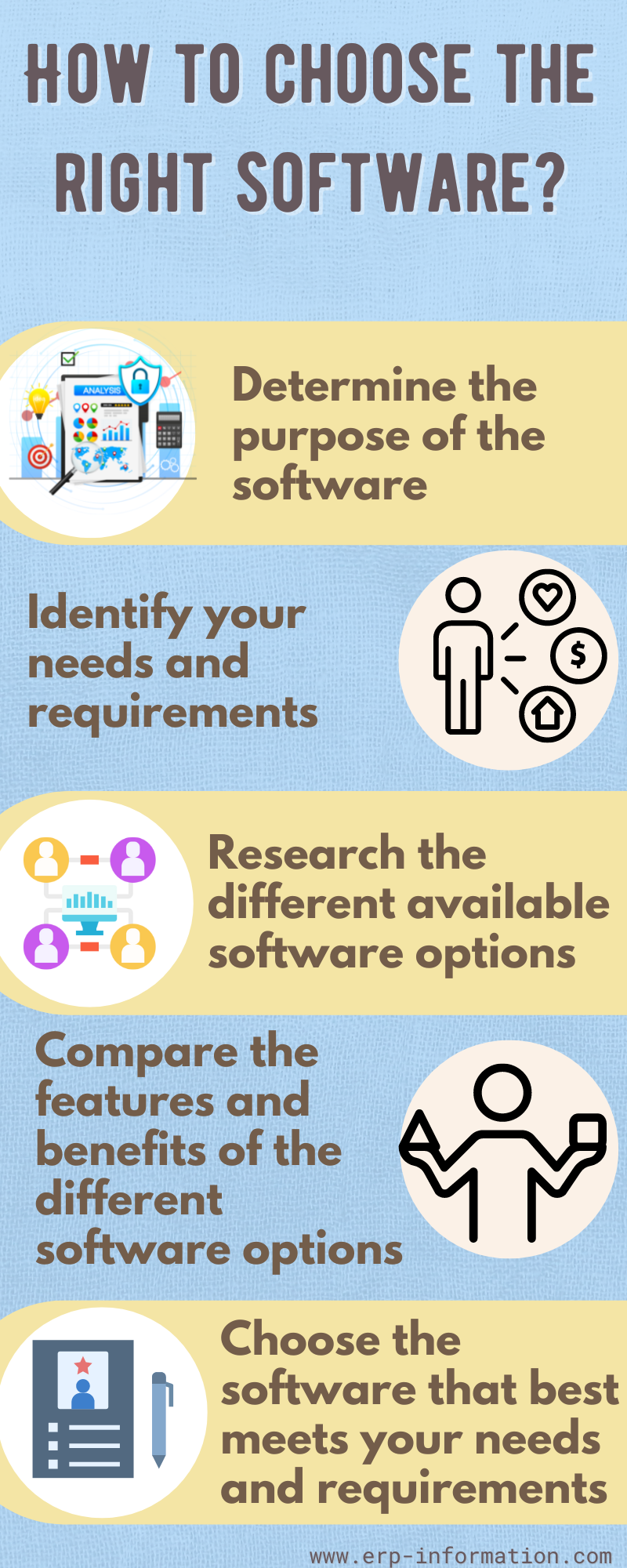
- Write down the job before you look at any product. State what has to come out of it and what has to go into it. Vendors are very good at selling features against a requirement you never had.
- Check it runs on what you own. Operating system, version, memory and disk. This is where the hardware decision and the software decision meet, and it is the cheapest constraint to discover early.
- Check what it has to talk to. Software that cannot exchange data with the systems around it creates manual re-keying, which usually costs more than the licence.
- Look at the total cost, not the sticker price. Licensing model, per user or per device, renewal, training, migration and support. A cheaper licence with a costly migration is not cheaper.
- Ask how you would get your data out. Export formats and account portability matter most at the point you want to leave, which is exactly when you have least leverage.
- Trial it with real work, not the vendor’s demo data, and check the support and update record before committing.
FAQs
What is the main connection between hardware and software?
Hardware and software are interdependent. Software cannot run without hardware to execute it, and hardware does nothing without software instructions telling it what to do. The connection is made concrete by two layers of system software: firmware, which is stored on the hardware itself and starts it up, and device drivers, which translate the operating system’s general requests into the specific signals a given device understands.
What are the types of hardware and software?
Hardware is usually grouped by function into five types: input, processing, output, storage and communication devices. Software is conventionally grouped into three: system software, which runs the machine and includes operating systems, drivers, firmware and utilities; application software, which does the user’s work; and programming software, which developers use to build the other two. Utility software and multimedia software are subcategories rather than separate top level types.
What are the features of hardware?
Hardware is tangible, wears out physically over time, must be manufactured rather than copied, has a function fixed at the point of manufacture, and responds only to machine code. It cannot be infected by a virus in the way software can, although malware can damage hardware indirectly by rewriting its firmware.
Is firmware hardware or software?
Firmware is software. It is program code, and it can be rewritten by a firmware update. It is called firmware because it is stored on the device itself in non volatile memory and changes far less often than ordinary software, which puts it partway between the two in everyday use but firmly on the software side by definition.
Can hardware work without software?
Not in any useful sense. Powered hardware with no instructions performs no task. Even a device with no visible operating system, such as a calculator or a washing machine controller, is running firmware. The apparent exception is a purely mechanical or analogue device, which is not a computer system at all.
What is the difference between hardware and software with examples?
Hardware is the physical machinery you can touch, such as a keyboard, monitor, processor, RAM or a solid state drive. Software is the coded instructions that run on it, such as Windows, macOS, Google Chrome, Microsoft Word or Photoshop. The practical test is whether it would still be there if the power were off and you opened the case: hardware would, software would not.
Firmware and Drivers: the Layer Between Hardware and Software
Most explanations stop at “physical versus instructions” and leave the interesting part out. Hardware and software do not meet directly. Two kinds of system software sit between them, and they are where nearly every real confusion about the boundary comes from.
Firmware is program code stored on the hardware itself, in memory that survives a power cut. It is what runs the moment you press the power button, before any operating system exists: it checks the components are present and working and then hands control over. Printers, routers, drives, cameras and washing machines all contain firmware. It is unambiguously software, because it is code and it can be updated, but it ships as part of the device and changes rarely, which is why it feels like part of the hardware.
Device drivers solve a different problem. An operating system cannot know the electrical particulars of every device ever built, so it issues a general instruction such as “print this page” and the driver translates it into the exact signals that specific model expects. This is why a new printer needs a driver, and why a device can stop working perfectly after an operating system upgrade while the hardware itself is untouched.
| Where it lives | What it does | How it changes | |
|---|---|---|---|
| Firmware | On the device, in non volatile memory | Starts the device and controls its basic behaviour | Firmware update, rarely |
| Device driver | Installed in the operating system | Translates general OS requests into device specific commands | Driver update, with OS or device changes |
The wider point is that the hardware and software distinction is a spectrum rather than a clean binary. Firmware is software living inside hardware. Microcode sits inside the processor translating instructions into still lower level operations. A field programmable gate array is physical circuitry whose wiring is defined by a file, so the same chip becomes different hardware when you load a different design onto it. The two categories are genuinely useful, and the edge cases are where the engineering actually happens.
Conclusion
The short version: hardware is the machine, software is the instructions, and the difference that drives all the others is that hardware has to be manufactured while software can be copied for nothing. That one fact explains why hardware is repaired by replacement and software by a patch, why hardware wears out and software instead falls out of step with the world around it, and why a fault in one is diagnosed so differently from a fault in the other.
When something stops working, the question worth asking first is which side of that line the problem sits on. If the device is not detected at all, suspect hardware or its driver. If it is detected but misbehaves, suspect software. And if it worked yesterday and nothing physical changed, something was updated.