The best software for a small plumbing business is the one priced for your crew size. On prices checked 7 October 2026, a solo plumber can run Jobber Core from $29 a month billed annually or ServiceM8’s free plan, a three to five person shop pays $149 a month for Housecall Pro Essentials or Jobber Connect, and ServiceTitan and Simpro publish no prices at all.
Most of the field service tools here do the same core jobs (booking, dispatch, quotes, invoices and card payments), so the real differences are the billing unit, what the entry plan leaves out, the card processing rate and which accounting package it syncs with. This page compares all four.
How we checked (7 October 2026): every price on this page was read from the vendor’s own pricing page on that date, in US dollars unless another currency is shown. We recorded the billing unit (per user, per technician, per job or flat), what each plan includes, and whether the figure needs an annual commitment. Promotional prices are not quoted as list prices. Ownership was checked against SEC filings, and UK tax rules against GOV.UK. Where a vendor publishes no price, we say so instead of estimating one. The customer ratings in each vendor table were recorded in our earlier review and have not been re-checked.
What software does a small plumbing business actually need?
A small plumbing business needs field service management (FSM) software to book, schedule and dispatch jobs and to quote, invoice and take payment on site, plus accounting software to keep the books and prepare tax figures. Only a contractor who bids new-construction work from drawings also needs takeoff and estimating software. The ten tools below fall into four groups, and they are not interchangeable:
| Type of software | What it does | Tools on this page |
|---|---|---|
| Field service management (FSM) | Books and dispatches service calls, sends quotes and invoices, takes card payments in the field | ServiceTitan, Housecall Pro, Simpro, ServiceM8, Kickserv, SkyBoss (see status note); also Jobber, Fergus, Tradify, Service Fusion |
| FSM for commercial contractors | Adds projects, contracts, change orders and Gantt scheduling for multi-month jobs | Dataforma |
| Takeoff and estimating | Measures pipe runs and counts fittings and fixtures on digital plans to price a bid | STACK |
| Invoicing and accounting | Invoices, expenses and bookkeeping; no dispatch board or technician app | FreshBooks, InvoiceBerry |
A service plumber who only answers call-outs can stop at FSM plus accounting. FreshBooks and InvoiceBerry can replace the accounting half for a one-person business, but they cannot schedule or dispatch, so they do not replace the FSM half.
Plumbing software prices compared (checked 7 October 2026)
The table lists what each vendor publishes on its own pricing page. “Billed annually” prices are monthly equivalents that require a 12 month commitment; month-to-month billing costs more where shown.
| Tool | Pricing unit | Entry price | Free plan or trial | Card rate published |
|---|---|---|---|---|
| ServiceTitan | Per technician (vendor’s description) | Not published; packages are Starter, Essentials and The Works | Demo only | Not on pricing page |
| SkyBoss | Not available | Website now redirects to Housecall Pro | Not available | Not available |
| Housecall Pro | Plan with users included (1, 5 or 8) | $59/month billed annually ($79 monthly), 1 user | 14-day trial | As low as 2.59% |
| Simpro | Quote, plus an initial setup fee | Not published | Guided demo, no self-serve trial | Not on pricing page |
| STACK | Per user | Takeoff and Estimate as low as $299/user/month | Free account | Not applicable |
| ServiceM8 | New jobs per month; paid plans include unlimited users | Free (1 user, 30 jobs); Starter $29/month (50 jobs) | Free plan and 14-day trial | Not on pricing page |
| FreshBooks | Plan by number of billable clients, plus $11/month per team member | Lite $23/month (5 billable clients) | Free trial; 30-day money-back guarantee | Not on pricing page |
| InvoiceBerry | Plan by clients and users | Solo $15/month (35 clients, 2 users) | 14-day trial | Not on pricing page |
| Kickserv | Plan with users included (5, 10 or 20) | $60/month billed annually ($75 monthly), 5 users | 30-day trial | Not on pricing page |
| Dataforma | Quote | Not published | Demo | Not on pricing page |
What a 1, 3 and 8 person plumbing business would pay each month
Headline prices are not comparable on their own because the billing units differ: Housecall Pro and Kickserv bundle a set number of users, Tradify charges per user, Service Fusion is flat with unlimited users, and ServiceM8 charges by the number of new jobs. The table applies each vendor’s published price to the same three crew sizes, using the cheapest plan whose included users (or job allowance) covers the crew.
| Tool and plan used | 1 person | 3 people | 8 people |
|---|---|---|---|
| Jobber (Core for 1, Connect above) | $29 | $149 (Connect, 5 users) | $229 (Connect, 10 users) |
| Housecall Pro | $59 (Basic) | $149 (Essentials, 5 users) | $299 (MAX, 8 users) |
| Kickserv | $60 (Start, 5 users) | $60 (Start, 5 users) | $119 (Run, 10 users) |
| ServiceM8 (by job volume, see note) | $79 (Growing, 150 jobs) | $149 (Premium, 500 jobs) | $349 (Premium Plus, 1,500 jobs) |
| Tradify (Pro, per user) | $51 | $153 | $408 |
| Service Fusion (Starter, unlimited users) | $208 | $208 | $208 |
| ServiceTitan, Simpro, Dataforma | Quote only | Quote only | Quote only |
Assumptions, so you can redo the sums: ServiceM8 is priced by new jobs, so we assumed 4 jobs per person per working day over 21 working days, about 84 jobs per person per month. A solo plumber doing fewer than 30 jobs a month fits the free plan, and one doing under 50 fits Starter at $29. Jobber Core is cheapest for one person but, according to Jobber’s plan list, QuickBooks Online sync starts at Connect. Jobber also lets you add users for $29 a month each, so Core plus two added users ($87) undercuts Connect for three people if you do not need Connect’s automations or QuickBooks sync.
Jobber defines who counts: “A user is anyone who accesses your account at the office or in the field to view or manage the team’s schedule.” Under that definition an office manager who views the schedule counts as a user, so ask each vendor how it counts before you size a plan.
Card processing fees can cost more than the software
Once card volume grows, the largest software-related cost is the fee on every card payment taken through the tool, not the subscription. Only three of the vendors we checked print their rate on the pricing page:
| Vendor | Published card rate | Notes |
|---|---|---|
| Jobber | Online 2.9% + 30¢; in person 2.7% + 30¢ | Bank (ACH) payments 1% in the US; instant payout adds 1% |
| Housecall Pro | As low as 2.59% | “As low as” is the floor, not a guaranteed rate |
| Fergus | US 2.95% + $0.30; Australia 1.95% + A$0.30; UK 1.6% + £0.20 | Rates differ by country |
Worked example: a shop that takes $30,000 a month across 100 online card payments at Jobber’s published online rate pays $870 (2.9%) plus $30 (100 x 30¢), or $900 a month in processing. That is about six times the $149 it pays for Jobber Connect with five users. A 0.3 percentage point difference in rate on the same volume is worth $90 a month, the same as the jump from Housecall Pro Basic ($59) to Essentials ($149). Ask every vendor for its rate in writing, including the rate for bank transfers and for cards taken on site.
Accounting software for plumbers: QuickBooks, Xero or MYOB?
Plumbing software creates the quotes, invoices and payments; accounting software holds the general ledger your accountant and tax return work from. The usual set-up is one of each, with the field service tool syncing invoices and payments across, so the accounting package you already use narrows the list:
| Field service tool | Accounting sync it lists | Where we read it |
|---|---|---|
| Jobber | QuickBooks Online (Connect plan and above) | Jobber pricing |
| Housecall Pro | QuickBooks Online (listed with Essentials) | Housecall Pro pricing |
| ServiceM8 | Xero, QuickBooks Online and MYOB | ServiceM8 pricing |
| Kickserv | QuickBooks Online (Start); QuickBooks Desktop for $50/month extra (Run) | Kickserv pricing |
| Simpro | QuickBooks, Xero and MYOB | Simpro pricing FAQ |
| Tradify | Xero and QuickBooks Online | Tradify pricing |
| Fergus (Australia) | Xero or MYOB | Fergus AU pricing |
UK plumbers: Making Tax Digital and CIS
Two UK rules decide which software a sole-trader plumber needs. First, Making Tax Digital for Income Tax: GOV.UK says that if your qualifying income was over £50,000 for the 2024 to 2025 tax year you should have started using it from 6 April 2026; the threshold falls to £30,000 (from 6 April 2027) and £20,000 (from 6 April 2028). HMRC defines the measure plainly: “Qualifying income is your total income from self-employment and property. This is the amount before expenses (also known as turnover).” So a plumber who turned over £52,000 in the 2024 to 2025 tax year is in scope even if profit was far lower. In scope, you must use compatible software to keep digital records and send quarterly updates to HMRC (GOV.UK: when you need to use Making Tax Digital, qualifying income, what you must do).
Second, the Construction Industry Scheme. CIS covers “installing systems for heating, lighting, power, water and ventilation” when you work for a construction contractor, and GOV.UK states: “Under CIS, a contractor must deduct 20% from your payments and pass it to HM Revenue and Customs (HMRC).” The deduction is 30% if you are not registered (GOV.UK: CIS, CIS subcontractors). A plumber who does both domestic call-outs and subcontract work therefore needs invoices and accounting that show CIS deductions separately; check that your accounting package handles CIS before you choose the field service tool that feeds it.
Common features of plumbing software
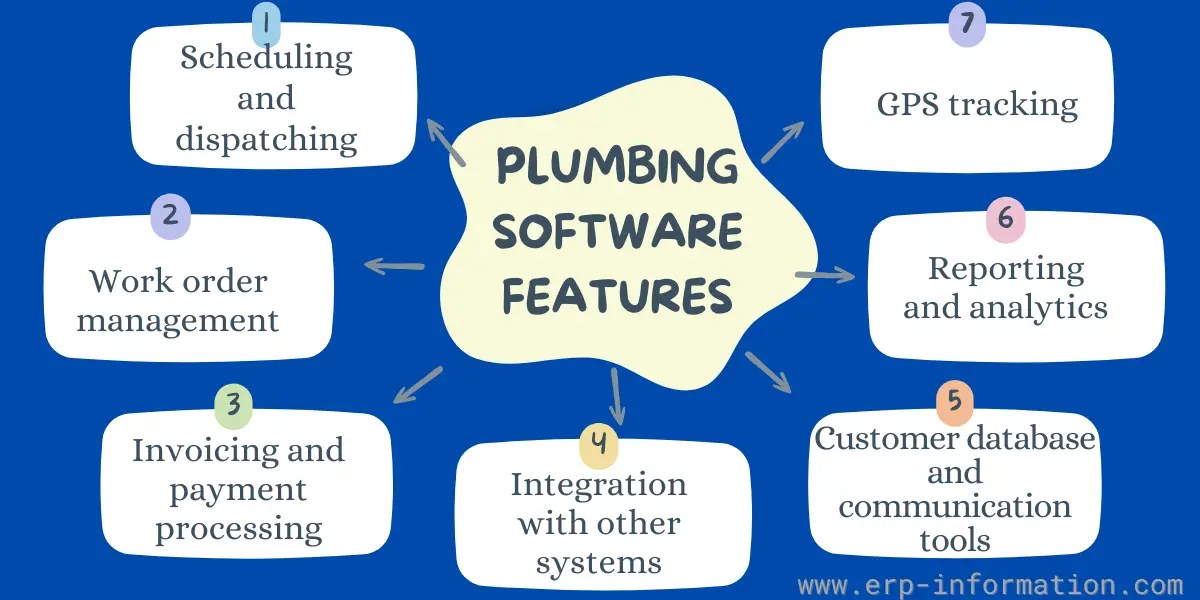
Scheduling and dispatching
This feature allows you to easily plan and dispatch jobs to your technicians, taking into account their availability and skills. It should also allow you to track the progress of jobs in real-time and make adjustments as needed.
Work order management
This feature helps you to create and manage work orders efficiently. It should include the ability to track costs, materials, and labor time. It should also allow you to attach photos and documents to work orders and generate reports.
Invoicing and payment processing
This feature allows you to create and send invoices to customers, trace payments, and accept online payments. It should also be integrated with your accounting software so that you can keep your financial records up to date.
Integration with other systems
This feature allows you to integrate the plumbing software with other systems that you use, such as your accounting software, CRM system, or website.
Customer database and communication tools
This feature allows you to easily manage your database and communicate with customers. It should include the ability to track customer contact information, service history, and preferences. It should also allow you to send email and SMS notifications to customers.
Reporting and analytics
These features allow you to create reports on different aspects of your business expenses, such as sales, revenue, and customer satisfaction. This information can help you to make informed decisions about your business.
GPS tracking
This feature allows you to trace the location of your technicians and vehicles in real-time. That can help you to optimize routing and improve customer service.
10 Software for Small Plumbing Businesses
1. ServiceTitan
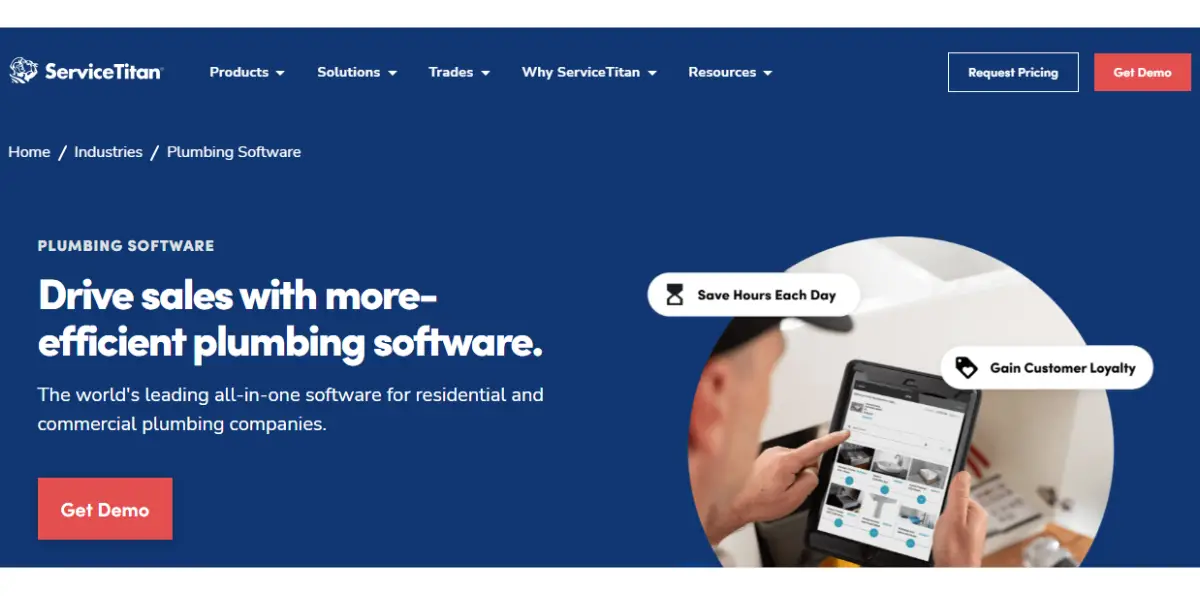
ServiceTitan is field service management software for residential and commercial contractors, including plumbers, sold by ServiceTitan, Inc., which files with the SEC under the ticker TTAN. Like Simpro and Dataforma, it publishes neither a price nor a self-serve free trial.
Features
- Dispatching
- Scheduling
- Payroll
- Timesheets
- Reporting
- Quickbooks
- Mobile
- Customer experience
- Property data
- Financing
- Contracts
- Marketing
- Call booking
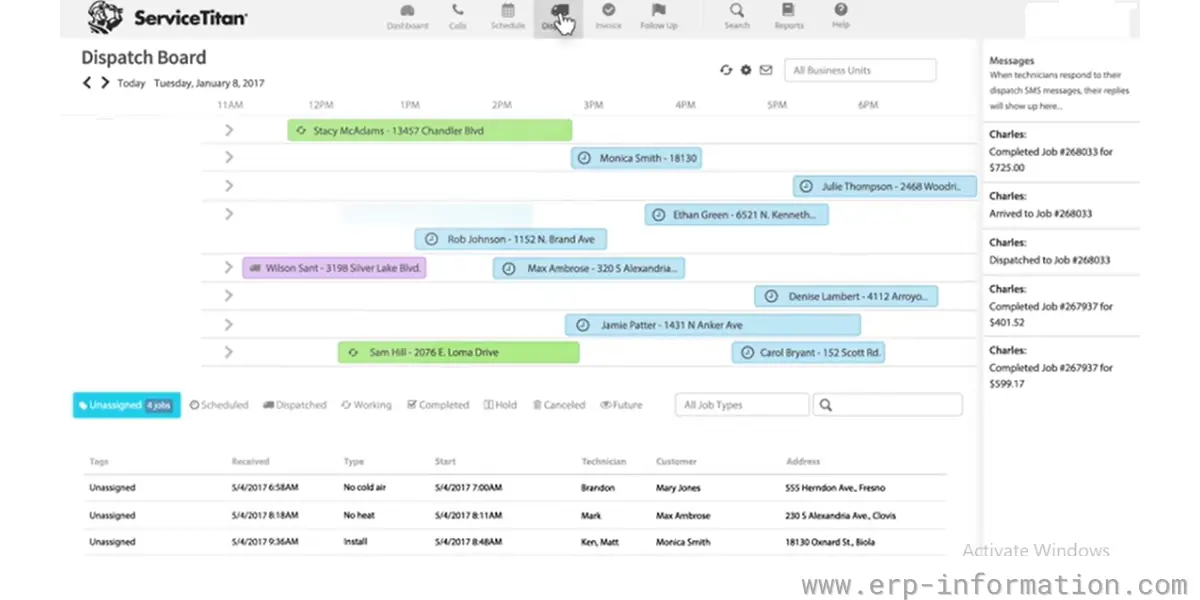
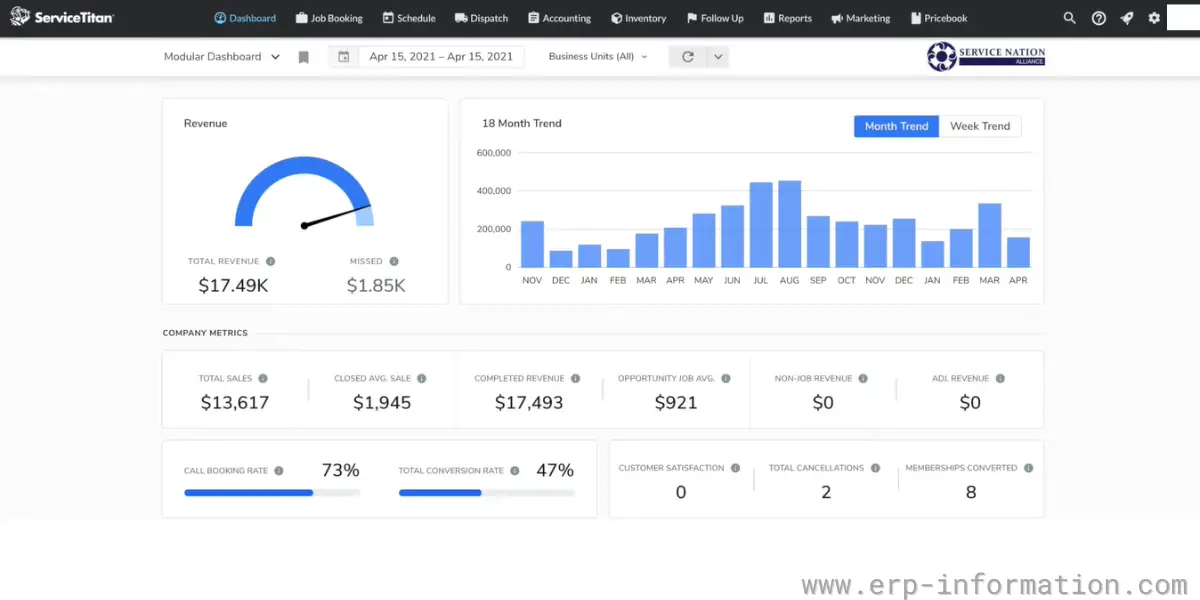
Some screenshots of ServiceTitan
Pricing
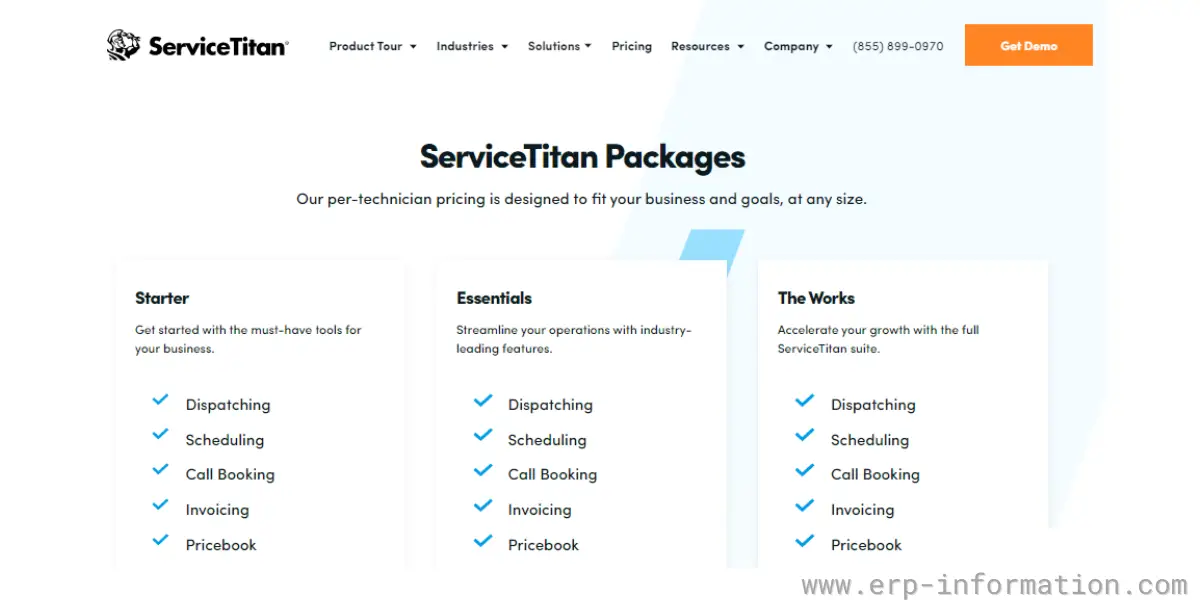
ServiceTitan sells three packages and describes its pricing as “per-technician”:
- Starter
- Essentials
- The Works
No figures are published. Each package has a “Request Pricing” button and the page offers a demo rather than a free trial (ServiceTitan pricing, checked 7 October 2026). The package names in our 2022 screenshot below are still the current ones.
Likes
- As the Service Titan plumbing software is deployed in the cloud, you can access it anywhere
- Good communication strategy
- It helps consolidate other cloud solution
- Easy to use
Dislikes
- Bugs are more
- It is expensive
- It will not allow customers to prefer more than one tech
- UI is not good
- The only drawback is that, over time, you may need to switch advisors, and individuals relocate.
- Lack of customer support
- The Initial setup process is difficult
Supported industries
- Irrigation
- Water treatment
- Roofing
- Pest control
- Commercial food equipment
- Audiovisual
Other details
| Deployment | Cloud, SaaS, Web-Based |
| Supported device | Mac, Linux, Windows, Android, iPhone, iPad |
| Supported language | English |
| Support | Email/Help Desk, FAQs/Forum, Knowledge Base, Phone Support, Chat |
| Training | In-person, Live Online, Webinars, Documentation, Videos |
| Customer ratings (from our earlier review, not re-checked in 2026) | Capterra: 4.4 (196+ reviews), G2: 4.4 (144+ reviews) |
User opinion
ServiceTitan is a comprehensive and innovative field management software for the plumbing industry. It offers essential features for efficient business management, from scheduling and billing to field service and customer management.
Overall, ServiceTitan is an excellent choice for plumbing businesses looking for a comprehensive and effective solution to manage their operations.
2. SkyBoss (website now redirects to Housecall Pro)
Status check, 7 October 2026: skyboss.com, the website SkyBoss lists for itself, now returns a permanent redirect (HTTP 301) to housecallpro.com, which is entry 3 on this list, and the app.skyboss.com sign-in host did not respond. We found no public announcement explaining the change, so we do not claim that Housecall Pro acquired SkyBoss. Treat SkyBoss as unavailable to new customers unless SkyBoss confirms otherwise; existing users should confirm their account status and export their data. The details below are kept as a record of what SkyBoss offered.
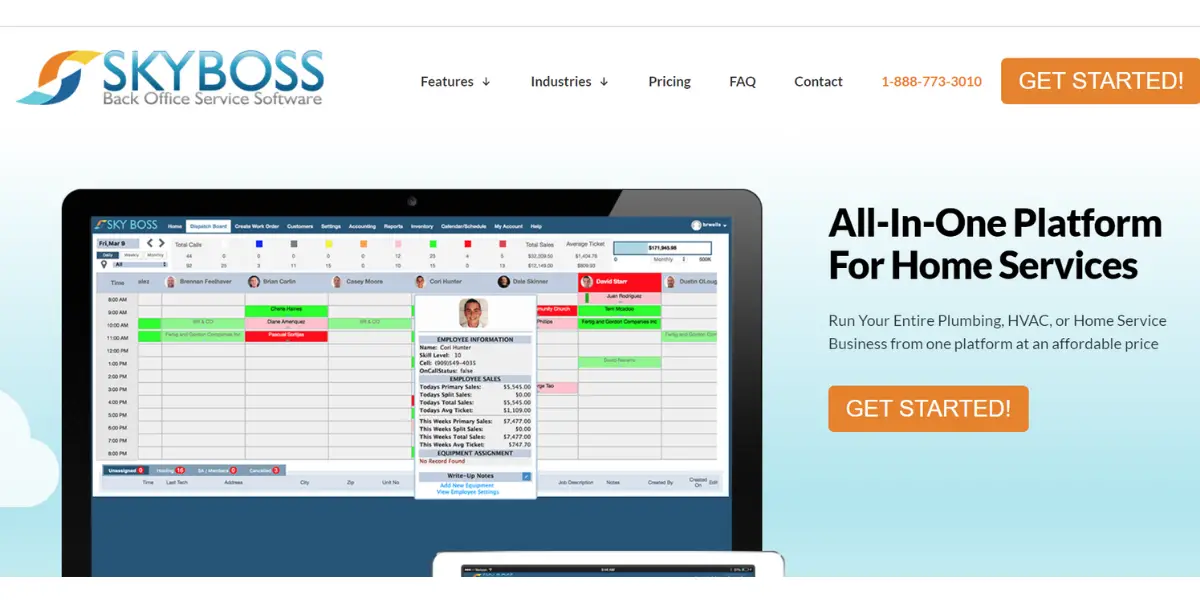
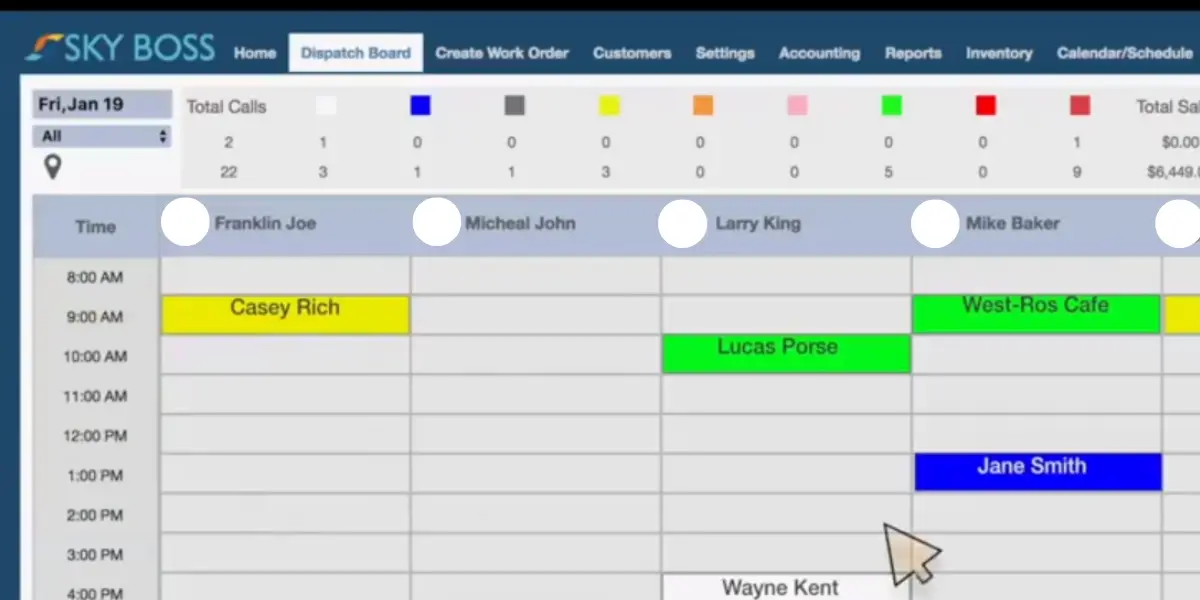
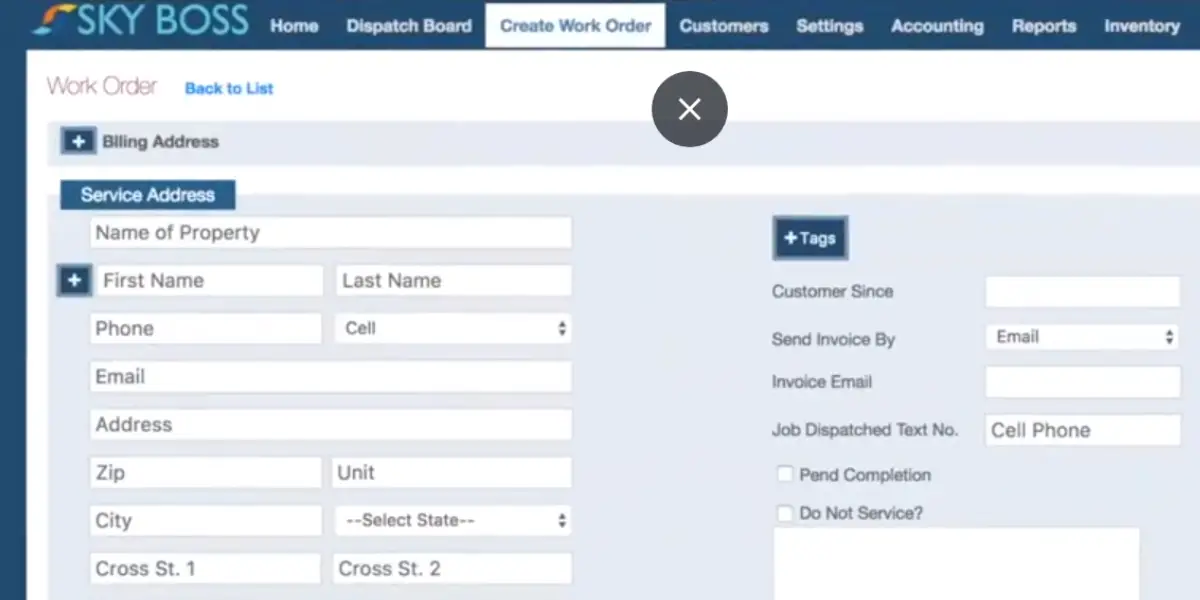
SkyBoss is field-service software that is created specifically for small plumbing businesses. It offers a simple and easy-to-use interface that helps you manage your business with scheduling, estimating, invoicing, etc.
Features
- Scheduling
- Invoicing and payments
- Customer management
- Technician tracking
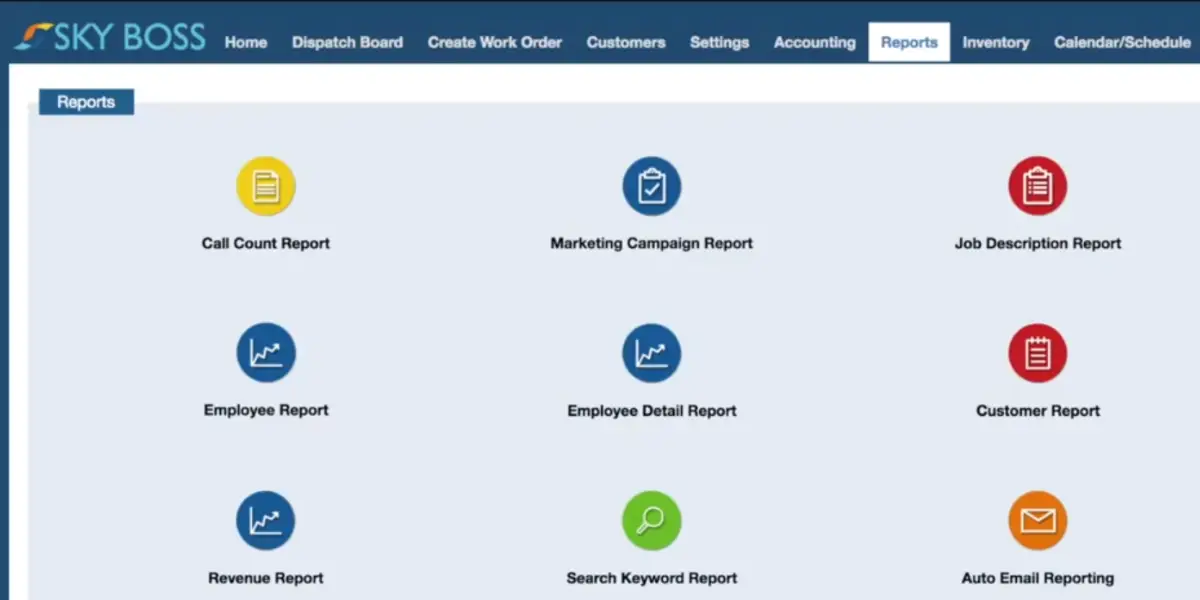
- Reporting
- Estimating
- Task management
- Accounting
- Service agreement management
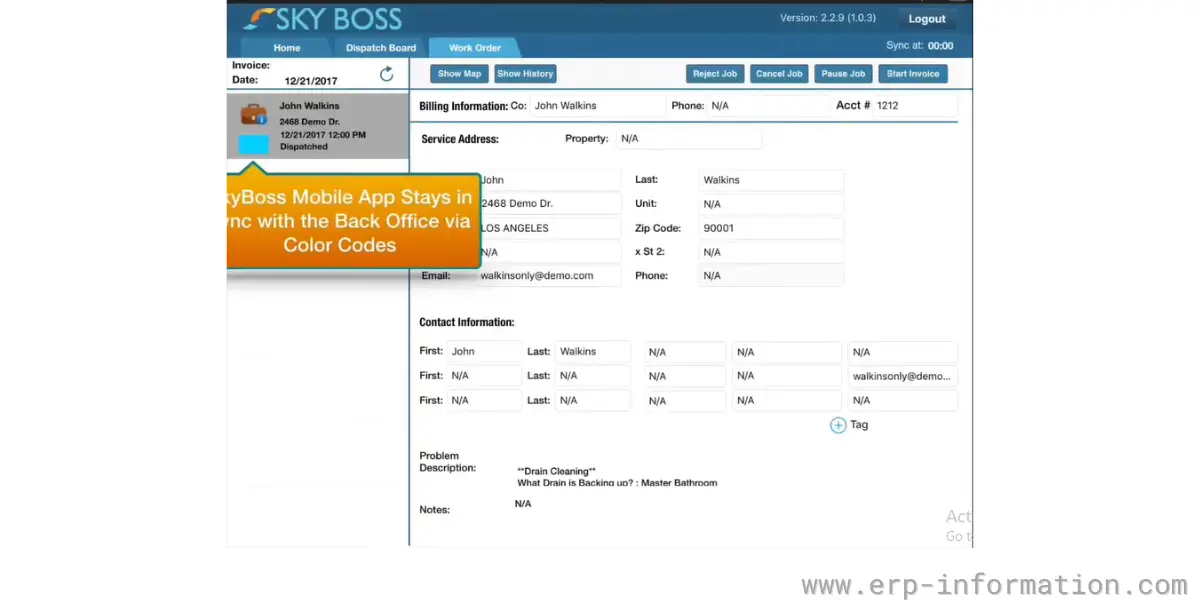
Screenshots of Sky Boss
Pricing
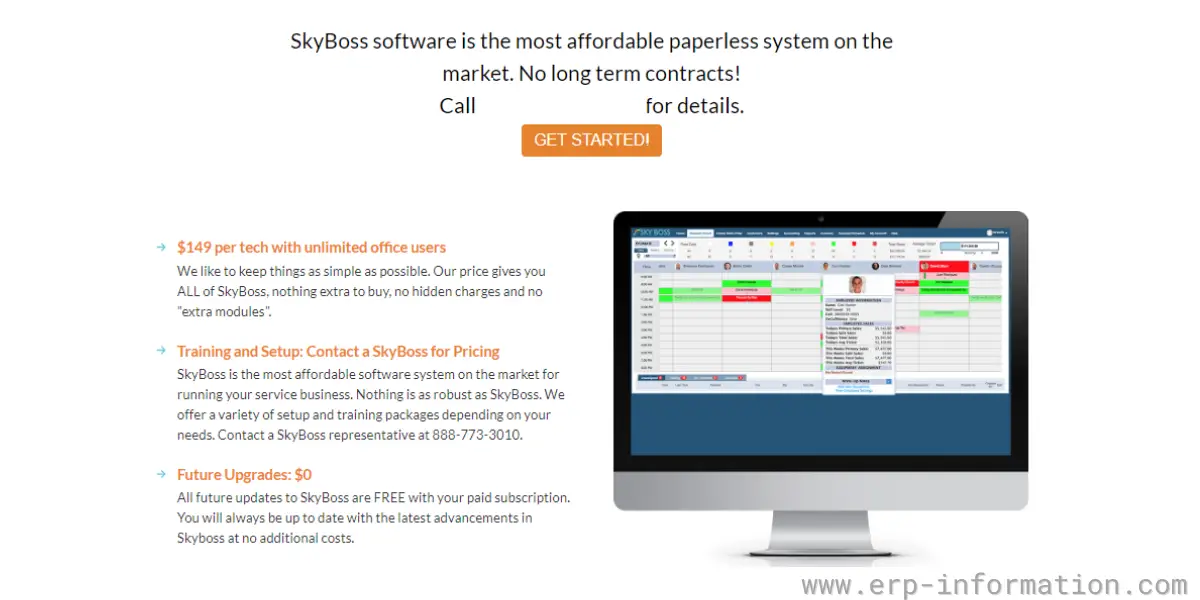
Historical only (recorded 2022): $149 per technician per month with unlimited office users. This price could not be re-checked in 2026 because the SkyBoss website no longer serves its own pages.
It does not offer a contract and is a month-to-month service.
For further details, you need to contact the vendor.
Likes
- SkyBoss plumbing software allows the business to track its clients with its CRM module.
- Provides GPS tracking
Dislikes
- Plumbing software is only partially finished being developed.
- Difficult to send an estimate and then delete non-purchased items for invoicing.
Other details
| Deployment | Cloud, SaaS, Web-Based |
| Supported device | Chromebook, Linux, Windows, Mac, Android, iPad, iPhone, |
| Support | Email/Help Desk, FAQs/Forum, Knowledge Base, Phone Support, Chat |
| Training | In-person, Live Online, Webinars, Documentation, Videos |
| Customer ratings (from our earlier review, not re-checked in 2026) | Capterra: 4.6 (22+Reviews) |
User opinion
SkyBoss Software is an excellent back-office service software for plumbing businesses. It provides GPS tracking for its users and manages customers with a customer management solution.
3. Housecall Pro
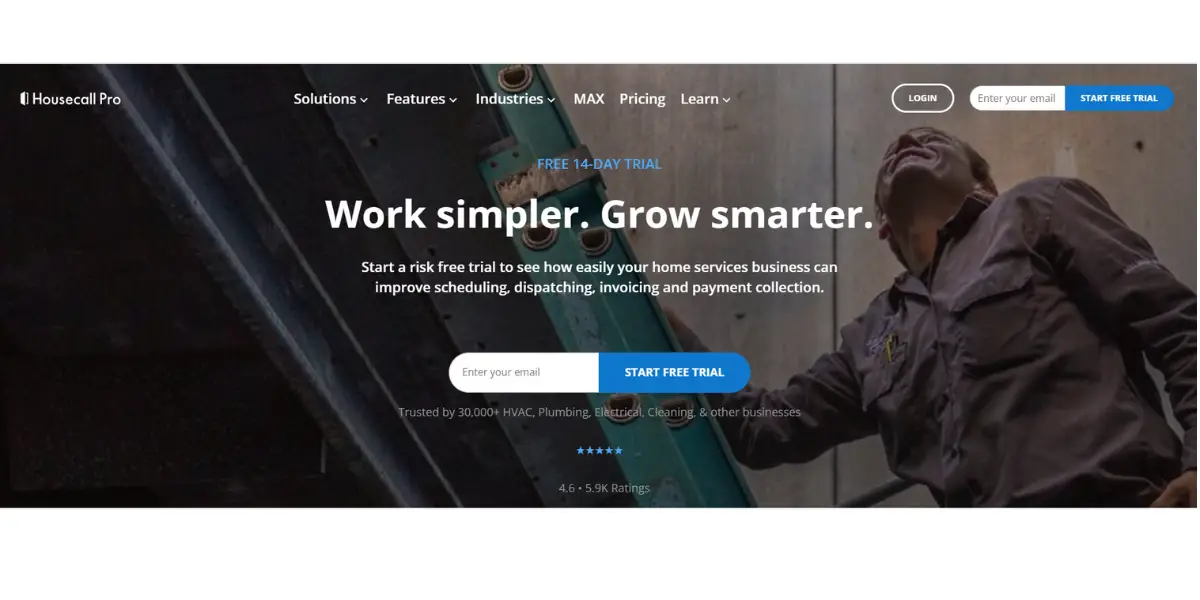
Housecall Pro is one of the top plumbing service software for home services. It covers scheduling, dispatching, estimates, invoicing and payments. It’s a great tool to enhance your business. In addition, it is easily understandable by both owners and operators.
Features
- Scheduling
- Dispatching
- Invoicing
- Payments
- Estimates
- Employees GPS tracking
- Email and automated marketing
- Google local services
- Customer management
- Review management
- Checklists
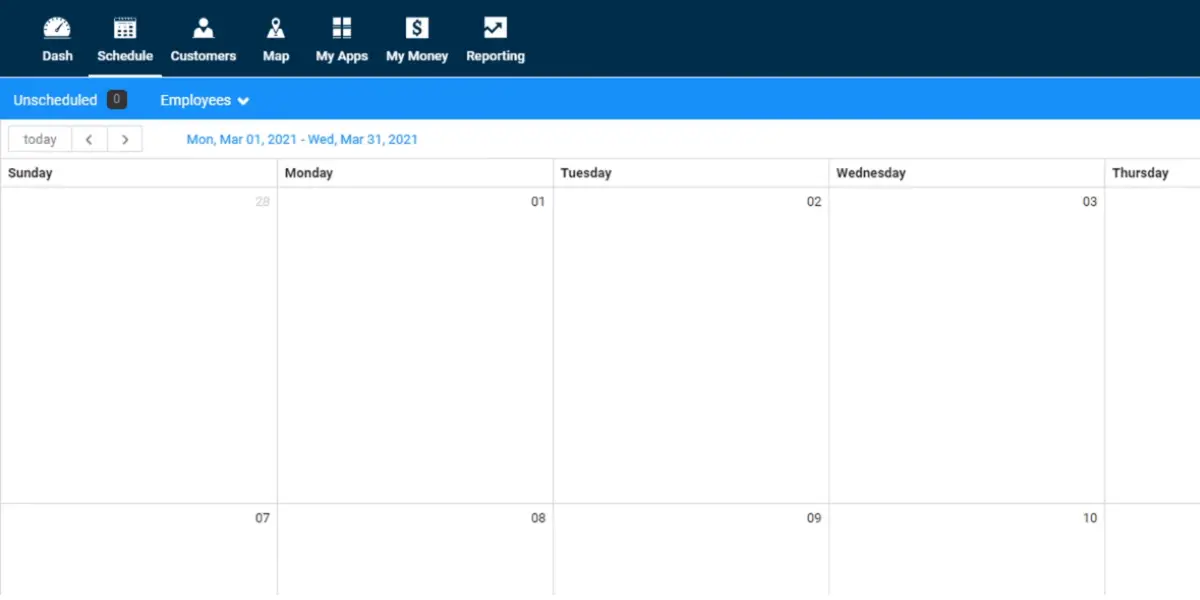
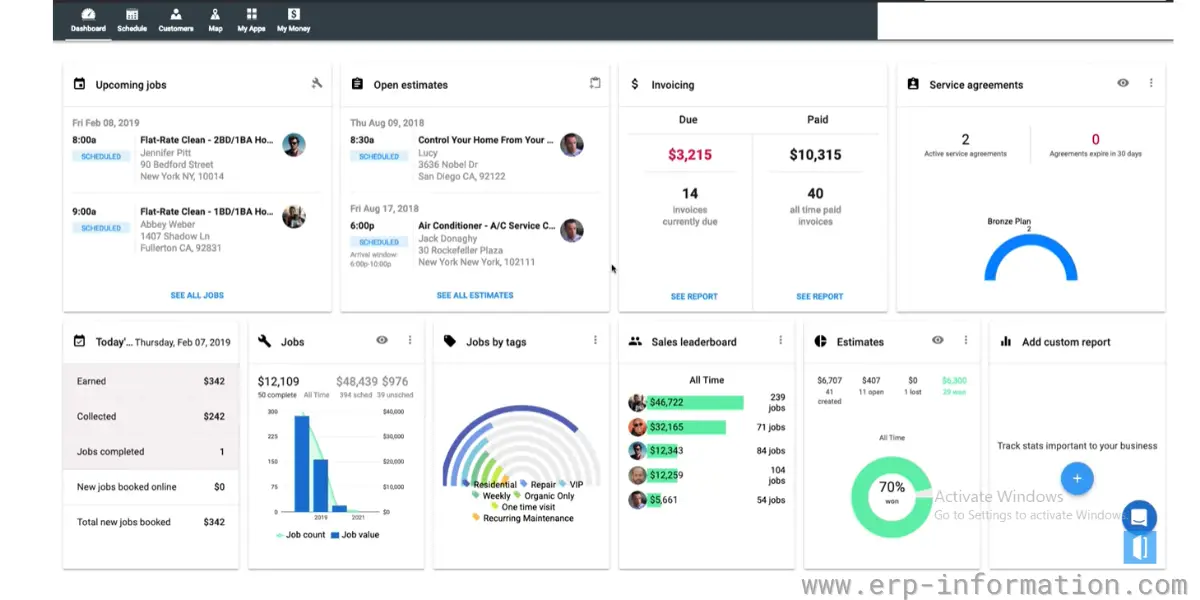
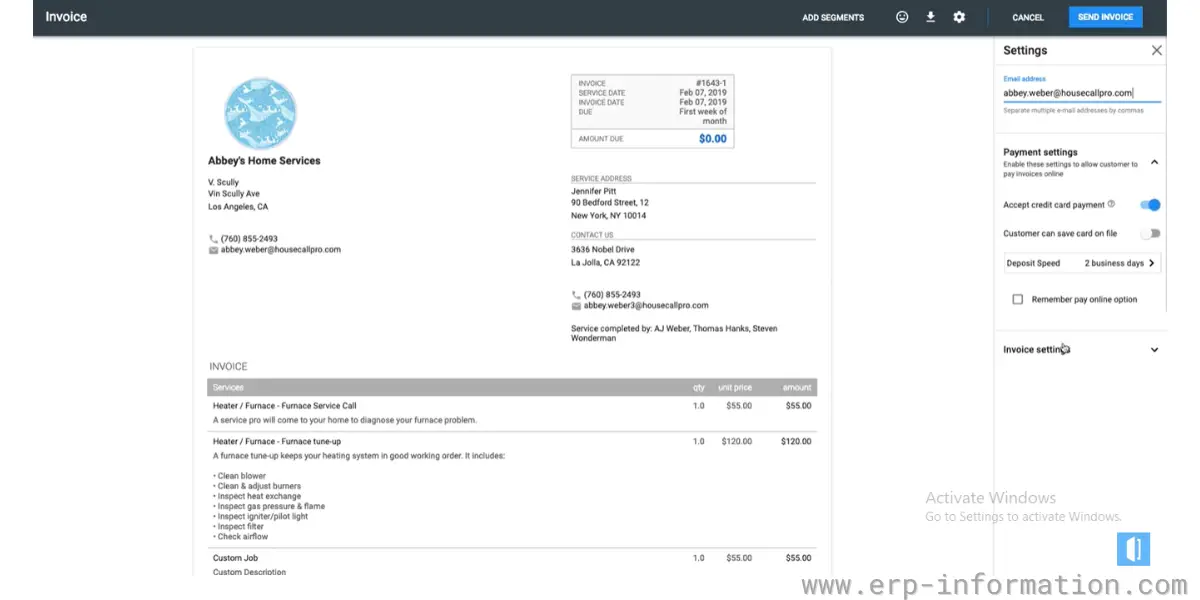
Some screenshots of Housecall Pro
Pricing
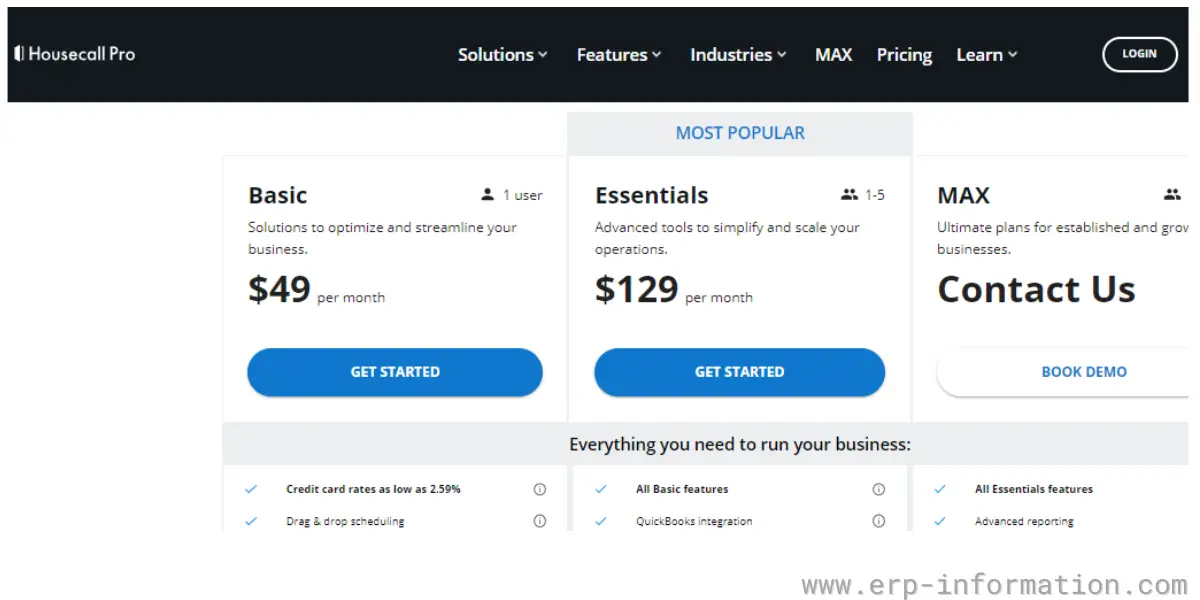
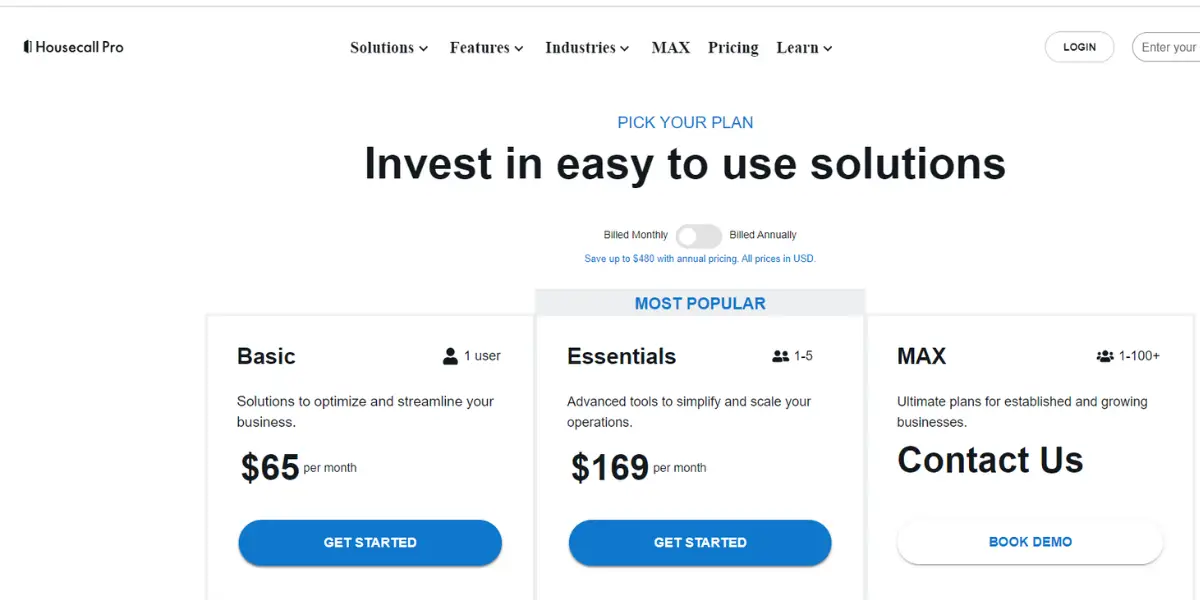
Housecall Pro offers a 14-day free trial with no credit card and three plans (Housecall Pro pricing, checked 7 October 2026; prices in USD, excluding sales tax). Our 2022 screenshot below shows the older, lower prices.
- Basic: $59/month billed annually or $79/month billed monthly, 1 user.
- Essentials: $149/month billed annually or $189/month billed monthly, 5 users. Adds routes, flat-rate pricing, checklists and QuickBooks Online sync.
- MAX: $299/month billed annually or $329/month billed monthly, 8 users, then $35/month for each additional user. Adds recurring service plans and a sales proposal tool.
Card processing is quoted “as low as 2.59%”, and every plan includes access to business and consumer financing.
Likes
- Housecall Pro lets you keep in touch with team members in real time.
- Helps to manage time, location, and job details
Dislikes
- The direct online booking feature is not good
- Very few customization options
- Customer Support is not good
- The functionality related to reporting, billing, and QuickBooks integration is lacking
- As the workforce expands, the pricing also goes up.
Supported industries
- HVAC
- Electrical
- Garage door
- Landscaping & lawn
- Appliance
- Carpet cleaning
Other details
| Deployment | Cloud, SaaS, Web-Based |
| Supported device | Mac, Linux, Windows, Android, iPhone, iPad |
| Supported languages | English |
| Support | Email/Help Desk, FAQs/Forum, Knowledge Base, Phone Support, Chat |
| Training | Live Online, Webinars, Documentation, Videos |
| Customer ratings (from our earlier review, not re-checked in 2026) | Capterra: 4.7 (2671+ reviews), G2: 4.2 (107+ reviews) |
User opinion
Housecall Pro is a great tool for small plumbing businesses with affordable pricing. It makes scheduling and billing customers much easier, and Housecall Pro plumbing software also provides helpful tools for tracking inventory and estimating jobs.
Overall, we would recommend this software to anyone in the plumbing business!
4. simPRO
simPRO is end-to-end field service management software. That is used to streamline the workflows and manage the business operations of a plumbing company.
Features
- Estimating and quoting
- Scheduling and dispatching
- Invoicing and payments
- Accounting integration
- Fleet tracking
- Job management
- Project management
- Business reporting
- Field service management
- Asset maintenance
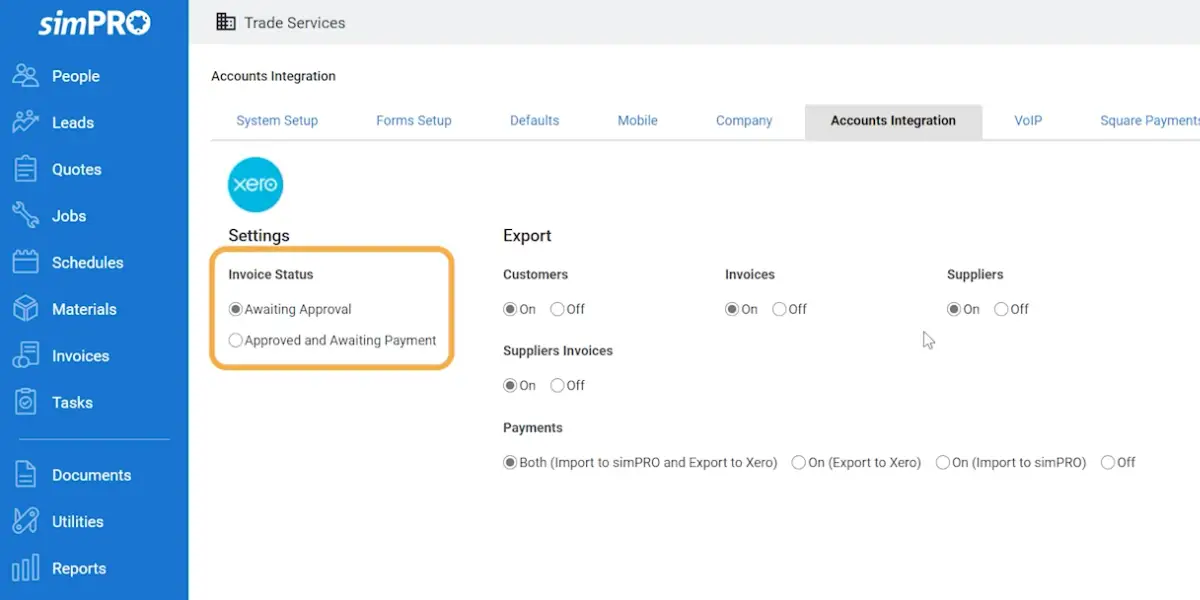
Some screenshots of simPRO
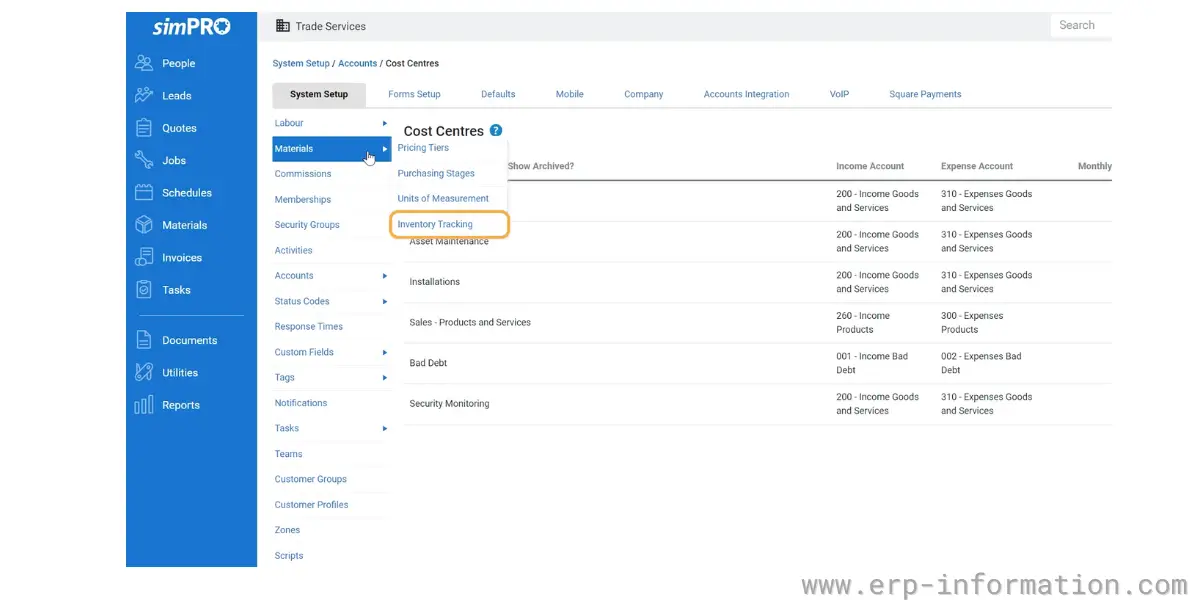
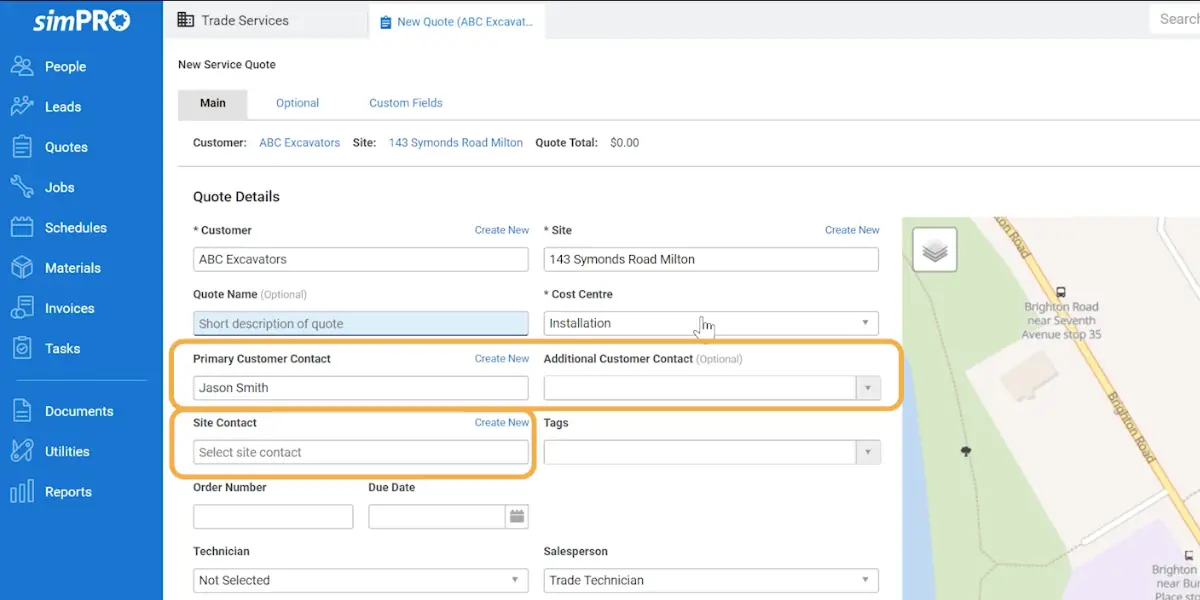
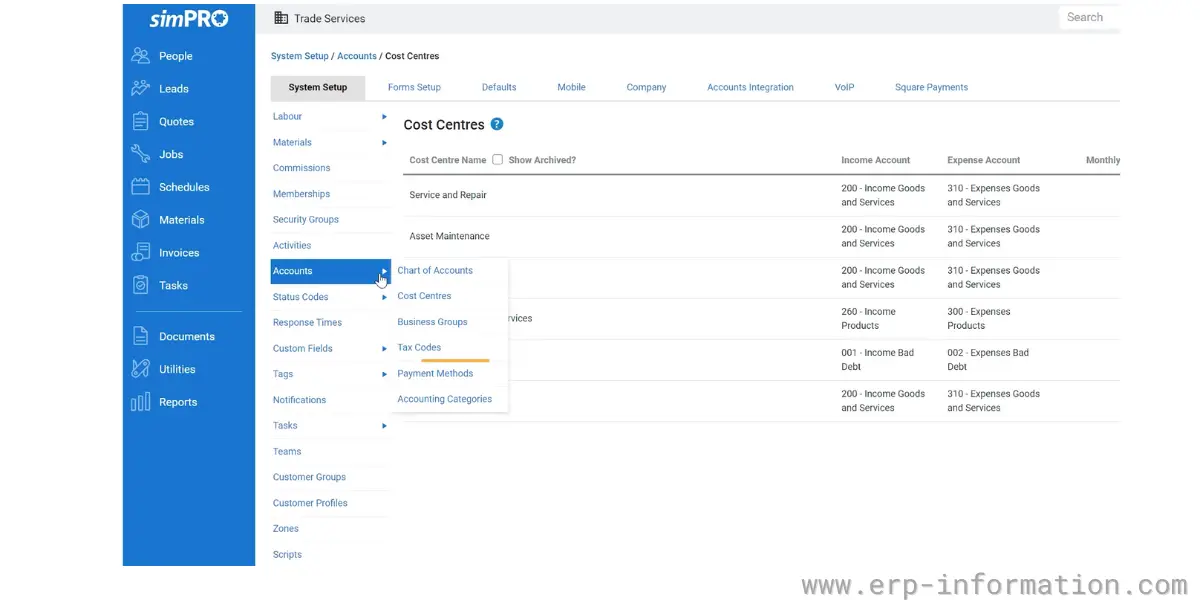
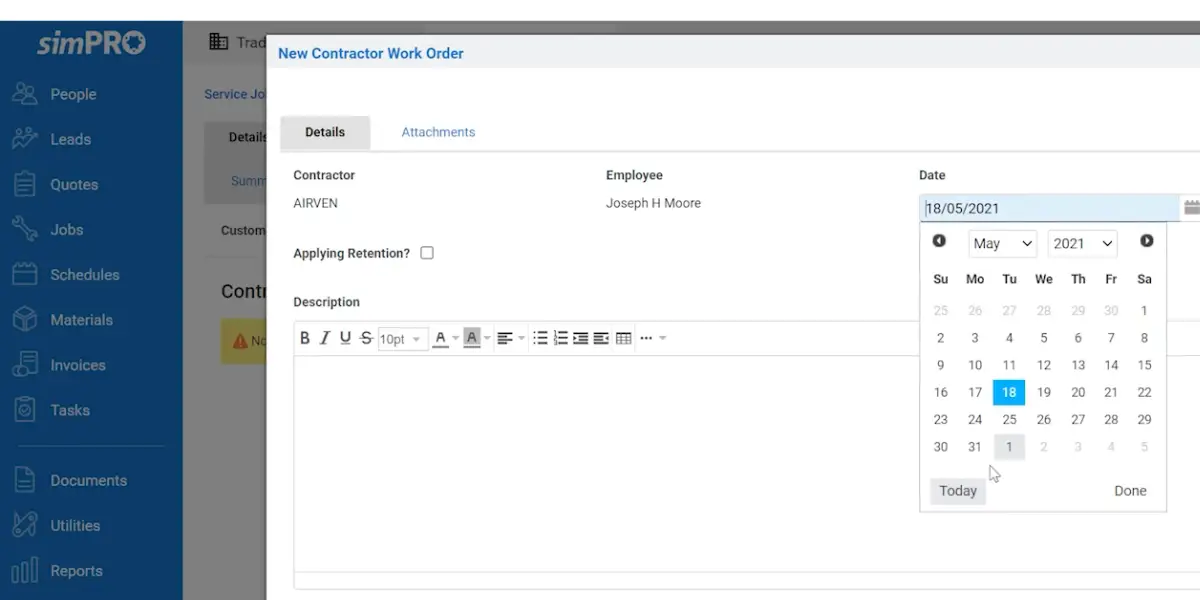
Pricing
Simpro (the company now writes its name this way) publishes no prices. Its US pricing page shows one base plan plus paid add-ons such as Digital Forms, Data Feed, Maintenance Planner and Takeoffs, and its pricing FAQ says: “Yes, there’s an initial setup fee to cover onboarding, training, and data migration.” Billing can be monthly or annual, and there is no self-serve trial; Simpro offers a guided demo instead (Simpro pricing, checked 7 October 2026).
Likes
- It provides good customer support
- Helps to track field personnel time
- It has AutoSaving Feature
- You can Track all Your profit and loss easily
Dislikes
- You need to spend more time learning the software
- Asset management tool is not very transparent
- Cost centers should be accessible for modification even after they have been invoiced if required
- Once customer data is accidentally merged, reversing the action might be impossible.
- Inability to modify a task once it has been forwarded to the invoicing stage.
Supported industries
- Electrical
- HVAC
- Security
- Fire protection
- Agricultural
- Gas
- Construction
Other details
| Deployment | Cloud, SaaS, Web-Based |
| Supported device | Mac, Windows, Android, iPad, iPhone |
| Supported languages | English |
| Support | Email/Help Desk, FAQs/Forum, Knowledge Base, Phone Support, Chat |
| Training | In-person, Live Online, Webinars, Documentation, Videos |
| Customer ratings (from our earlier review, not re-checked in 2026) | Capterra: 4.2 (120+ reviews), G2: 4.1 (225+ reviews) |
User opinion
simPRO is one of the best plumbing software solutions. It is very user-friendly and helps with dispatch, billing, and scheduling. As a result, it makes running a plumbing business much easier and more efficient.
5. Stack
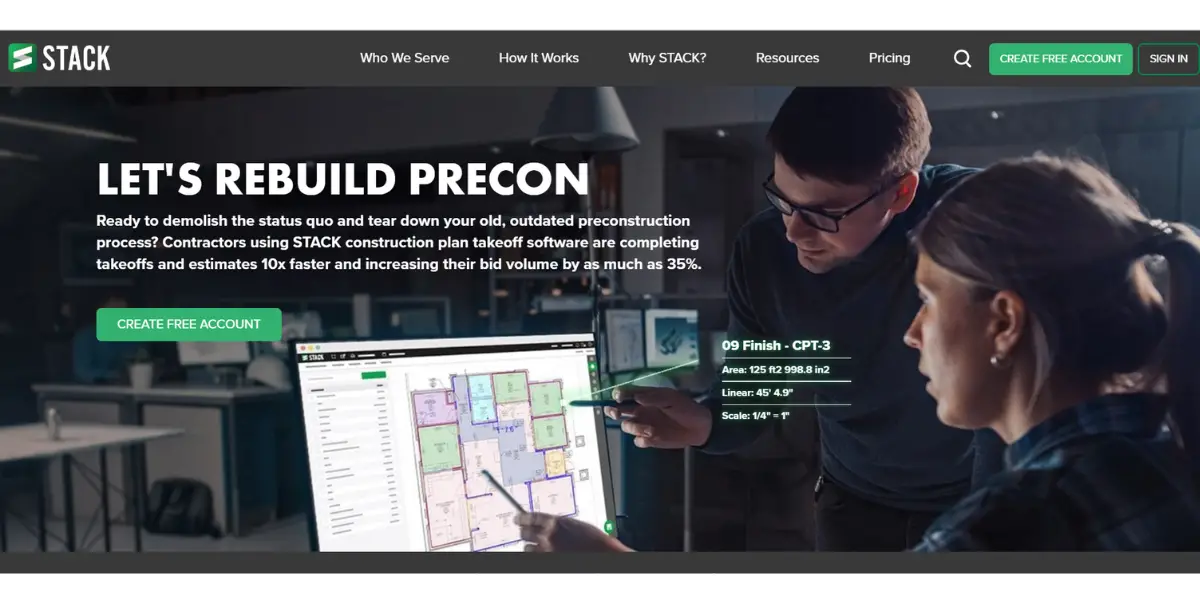
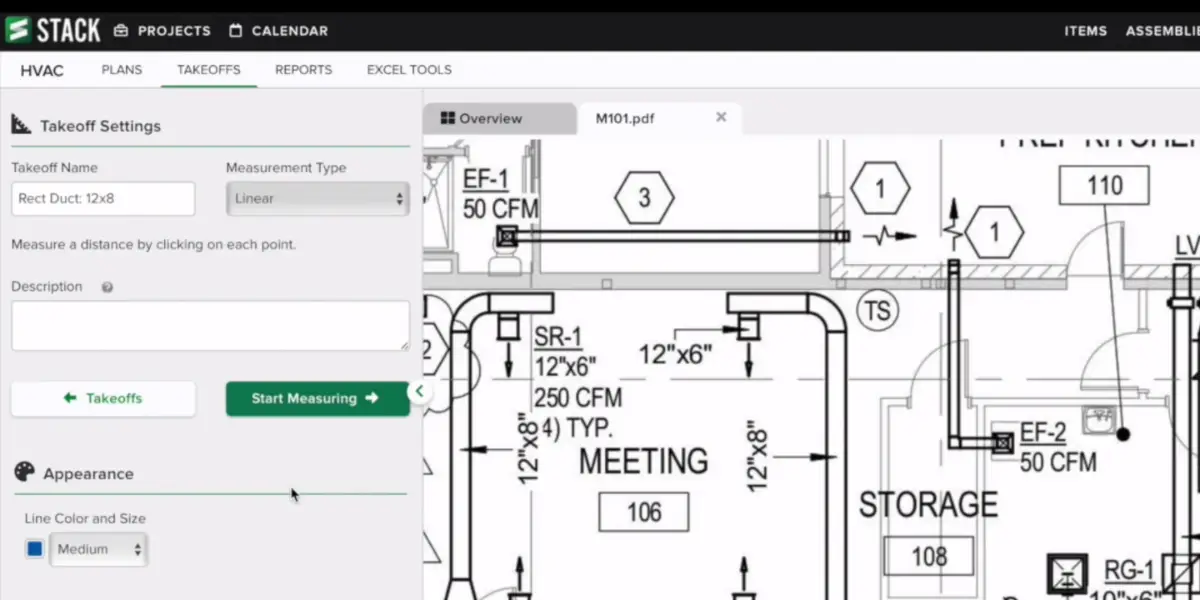
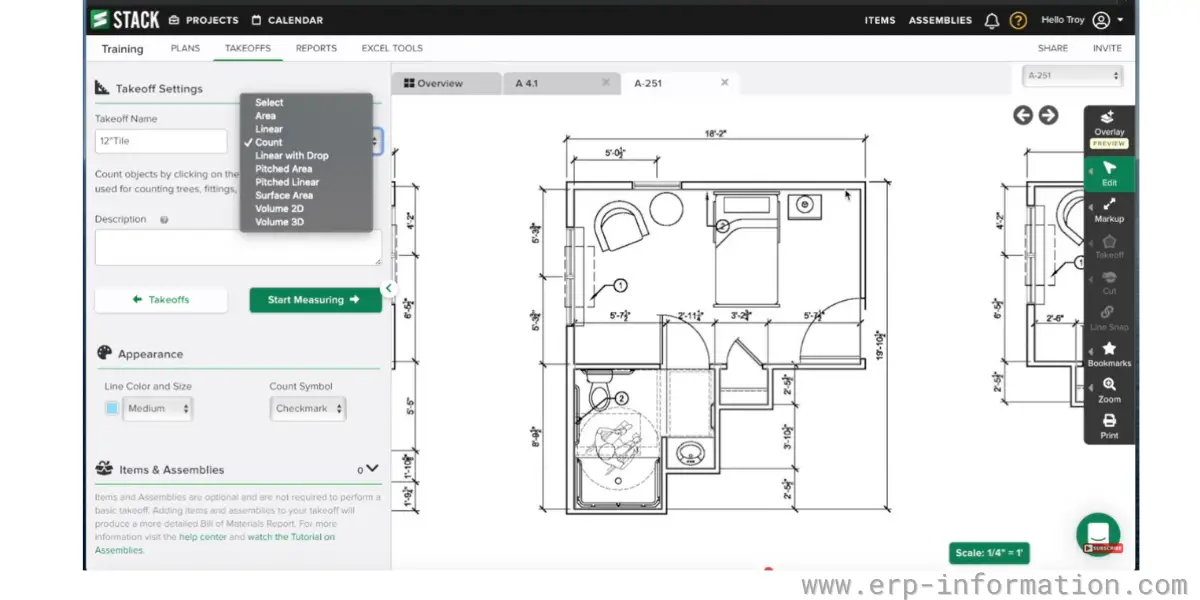
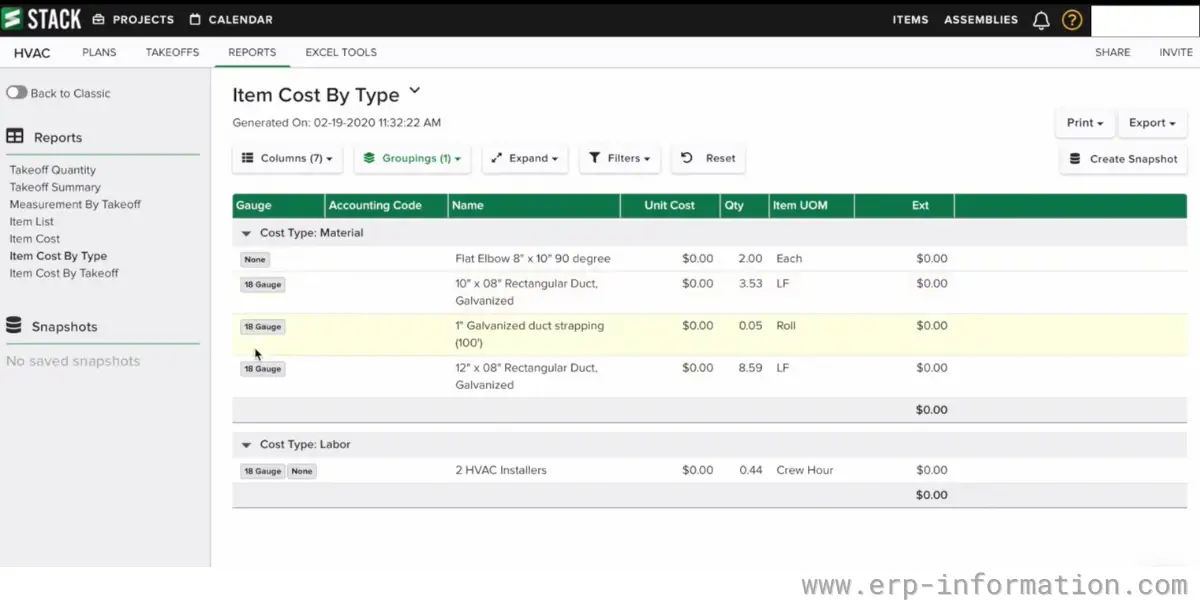
STACK is construction takeoff and estimating software. Plumbing contractors who bid new-construction or commercial work use it to measure pipe runs and count fittings and fixtures on digital plans, then price the bid (STACK plumbing estimating). It does not book service calls or dispatch technicians, so a service plumber would use it alongside one of the field service tools on this list, not instead of one.
Features
- Bid management
- Billing and invoicing
- Assembly takeoff
- Cost Estimating
- Electrical Estimating
- Document management
Some screenshots of Stack
Pricing
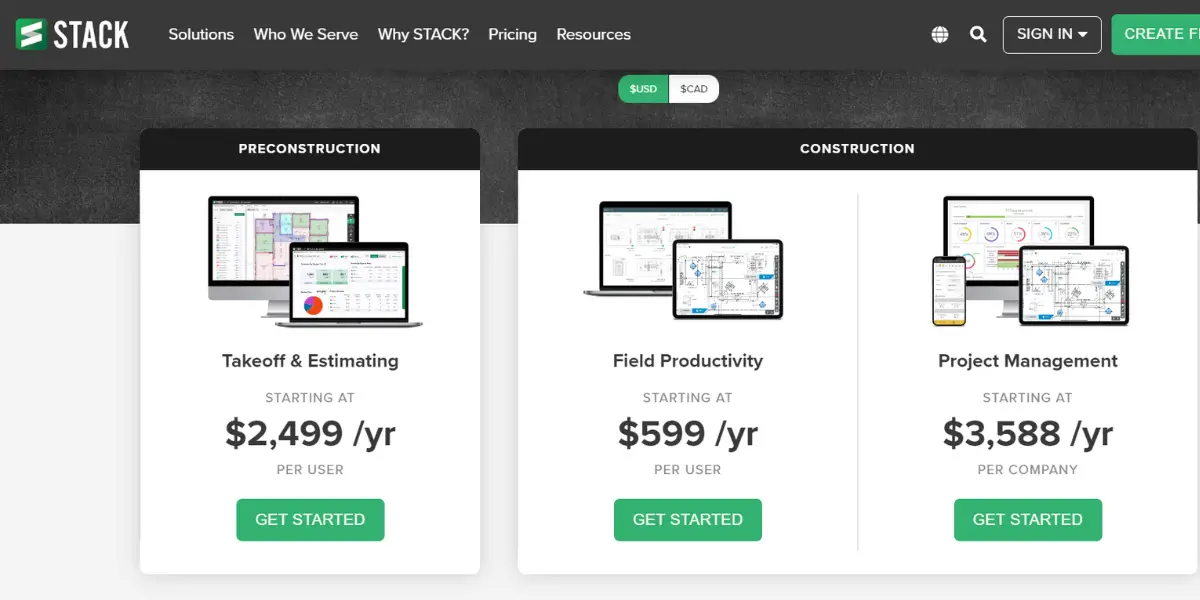
STACK lists three options, each “as low as” a per-user monthly price (STACK pricing, checked 7 October 2026): Takeoff and Estimate $299 per user per month, Build and Operate (field and project management) $49 per user per month, and the full STACK platform $348 per user per month. STACK also offers a free account. The plan structure below and our 2023 screenshot show the older annual prices and are kept for reference.
- Preconstruction
- Takeoff & Estimating – formerly from $2,499/year/user (older price, replaced by the monthly prices above)
- Construction
- Field productivity – formerly from $599/year/user (older price)
- Project management – formerly from $3,588/year/company (older price)
Likes
- It is easy to use and powerful tool
- Integrates with dropbox and google drive
Dislikes
- Customization is a little difficult
- The undo option is not available
- When searching for takeoffs using the sidebar list, it often doesn’t directly lead you to the page where the specific takeoff is located.
- After closing the page, it can be difficult to locate a specific takeoff.
Other details
| Deployment | Cloud, SaaS, Web-Based |
| Supported device | Mac, Windows, Linux |
| Supported languages | English, Spanish |
| Support | Email/Help Desk, FAQs/Forum, Knowledge Base, Phone Support, Chat |
| Training | In-person, Live Online, Webinars, Documentation, Videos |
| Customer ratings (from our earlier review, not re-checked in 2026) | Capterra: 4.5 (1262+ reviews), G2: 3.8 (12+ reviews) |
User opinion
STACK suits a plumbing contractor whose work is won by bidding from drawings, where an accurate takeoff of pipe, fittings and fixtures decides the margin. It is not scheduling, billing or inventory software, so a service and repair plumber gets little from it.
6. ServiceM8
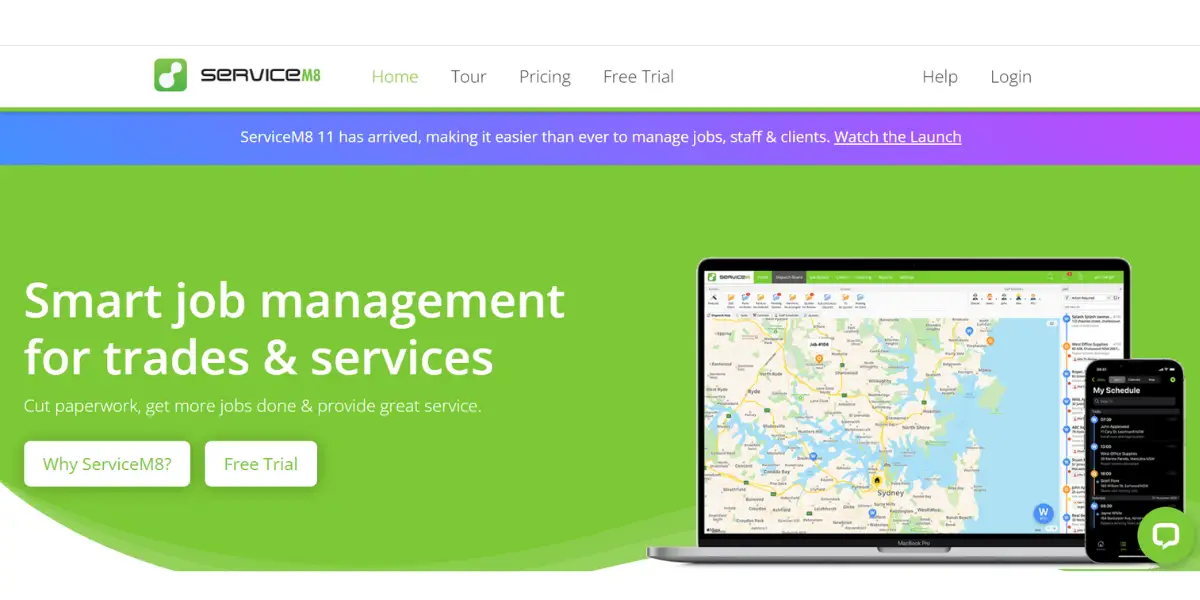
ServiceM8 is a cloud-based software that allows plumbing service companies to manage their business operations, including scheduling, dispatch, billing, and invoicing.
Features
- PDF forms and reports
- Job checklists
- Real-time plumber status
- Job history
- Automated client communication
- Billing and invoicing
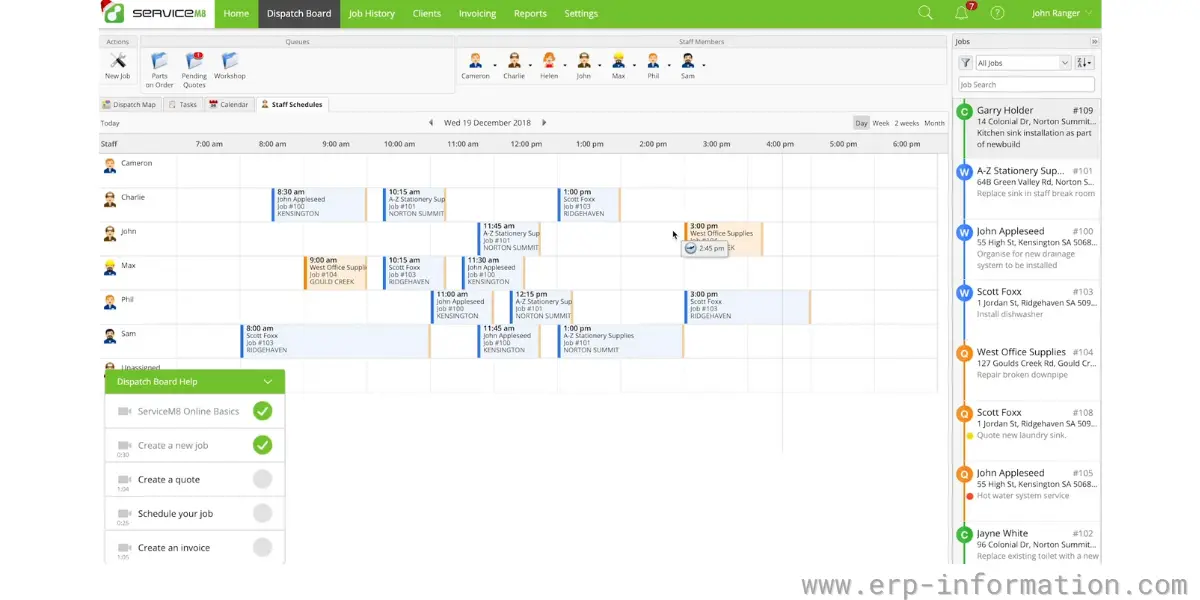
- Dispatch management
- GPS tracking
- Mobile access
- Electronic signature
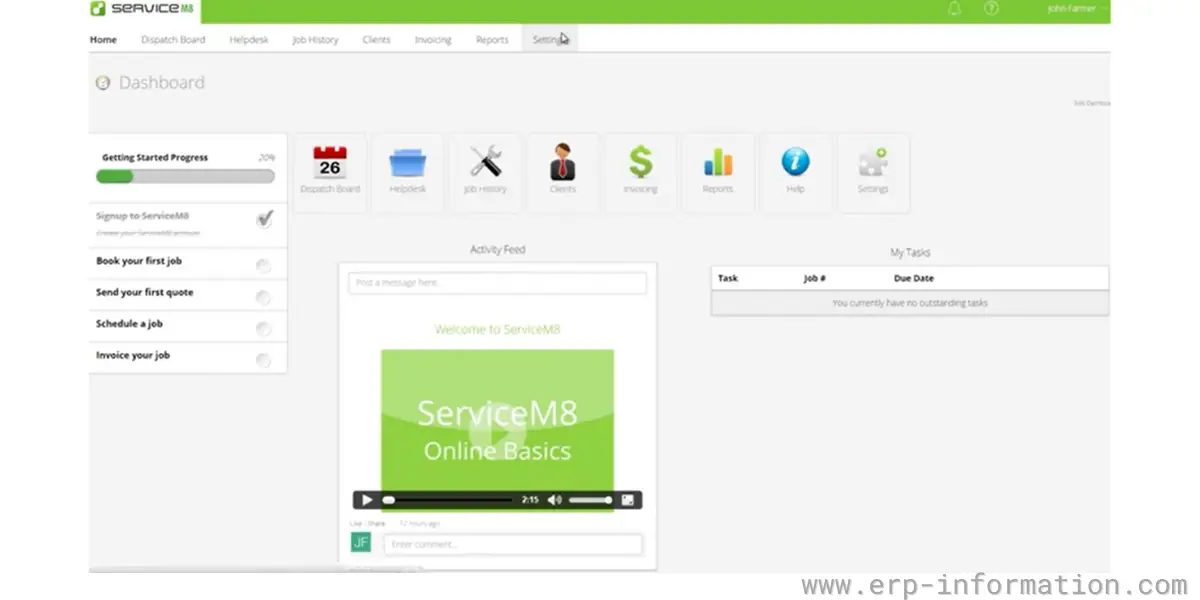
Some screenshots of the ServiceM8
Pricing
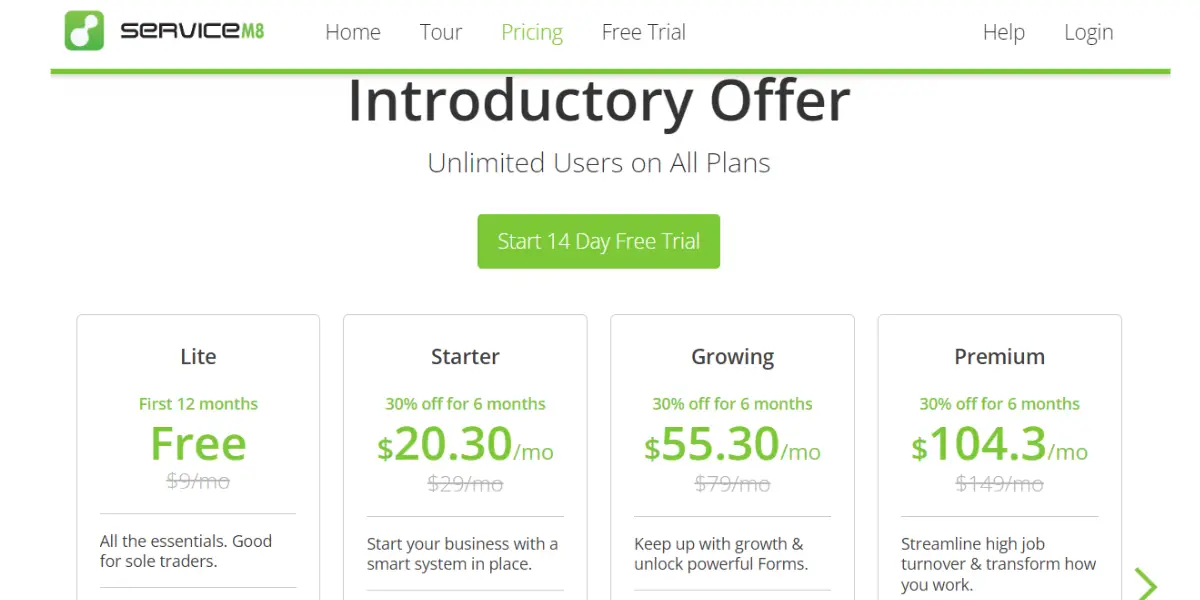
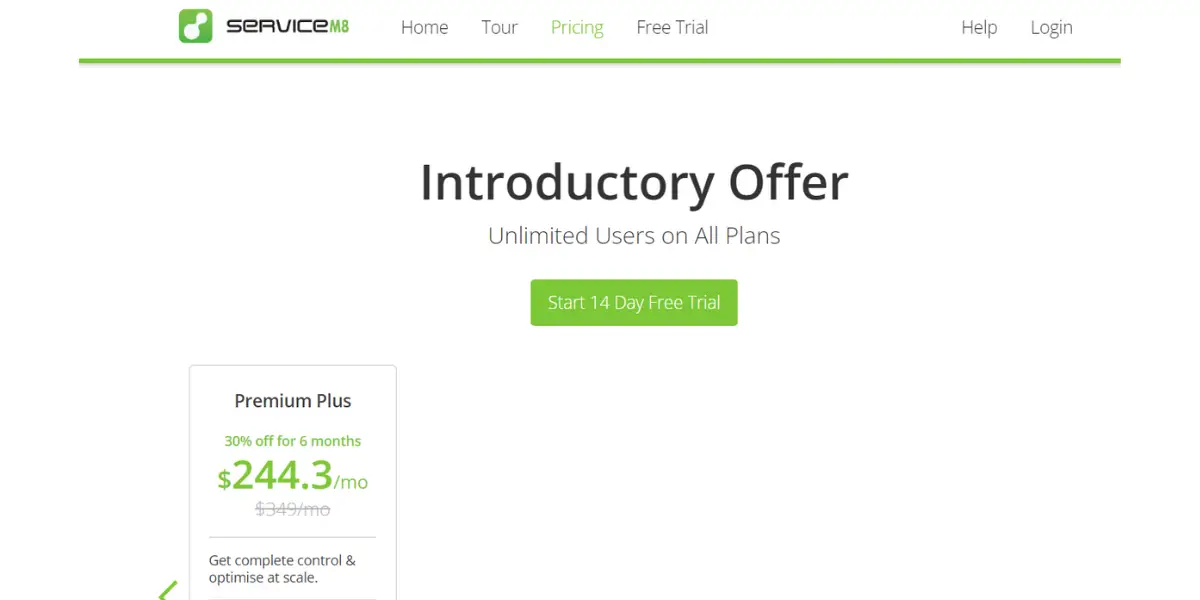
ServiceM8 prices by the number of new jobs a month, not by user: every paid plan includes unlimited users. It offers a 14-day free trial and five plans (ServiceM8 US pricing, checked 7 October 2026, USD). The figures in our 2023 screenshot were discounted promotional prices, not list prices.
- Free: $0, 1 user, 30 jobs per month
- Starter: $29 per month, 50 jobs
- Growing: $79 per month, 150 jobs
- Premium: $149 per month, 500 jobs
- Premium Plus: $349 per month, 1,500 jobs, then 20¢ per additional job
Likes
- You can customize email templates easily
- Eliminates the paperwork
- You can view the schedule and receive the notification anywhere
- Easy to schedule tasks
Dislikes
- Customer service is not good
- Hard to integrate with other software
- The invoicing feature needs to be improved
- API is difficult to handle
Other details
| Deployment | Cloud, SaaS, Web-Based |
| Supported device | iPhone and Android apps; office access on Mac and Windows |
| Supported languages | English, Spanish |
| Support | Email/Help Desk, FAQs/Forum, Knowledge Base, 24/7 (Live Rep), Chat |
| Training | In-person, Live Online, Webinars, Documentation, Videos |
| Customer ratings (from our earlier review, not re-checked in 2026) | Capterra: 4.6 out of 5 (293+reviews), G2: 3.9 out of 5(14+reviews) |
User opinion
Overall, ServiceM8 is the perfect software for plumbing business management software. It provides all the features such as job history, job checklist, and plumbing status in real-time that businesses are looking for and is easy to use.
7. FreshBooks
FreshBooks is cloud accounting and invoicing software for small service businesses, including trades. It handles invoicing, time tracking, expenses and bookkeeping, but it has no dispatch board or technician scheduling, so for a plumbing business it is the accounting half of the stack rather than a field service tool.
Plumbers can use FreshBooks to track their income and expenses, invoice their clients, and keep track of their time worked. This can help plumbers stay organized and efficient, making it easier to manage their business.

Features
- Accounting
- Mobile
- AppStore
- Payments
- Bookkeeping
- Payroll
- Clients
- Projects
- Estimates
- Proposals
- Expenses & Receipts
- Reports
- Invoicing
- Time Tracking
- Mileage Tracking
Pricing
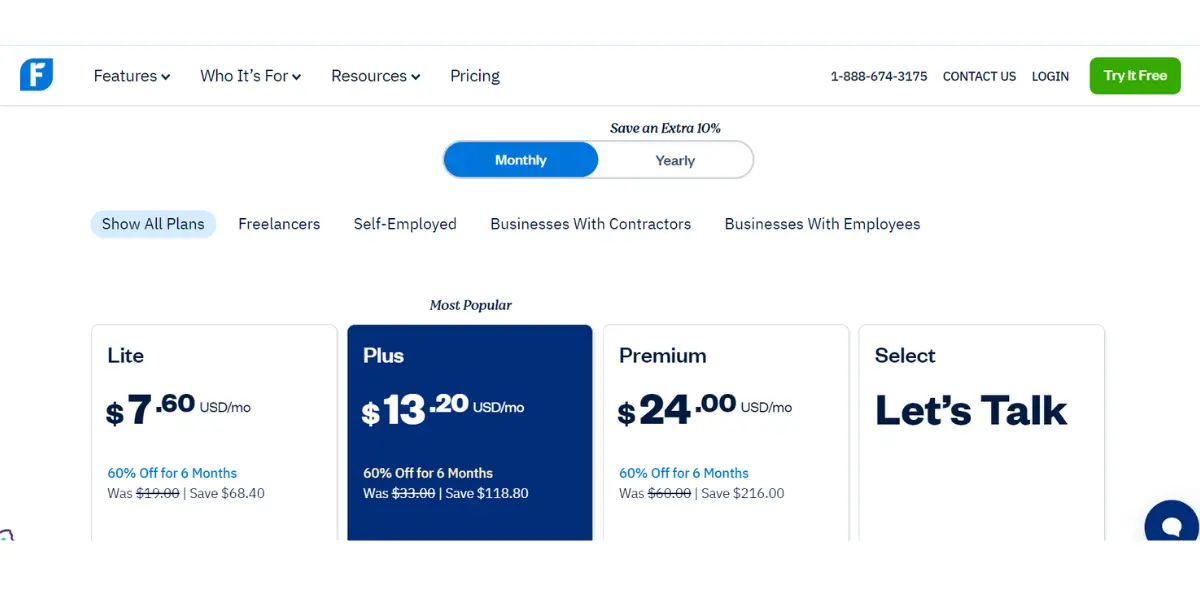
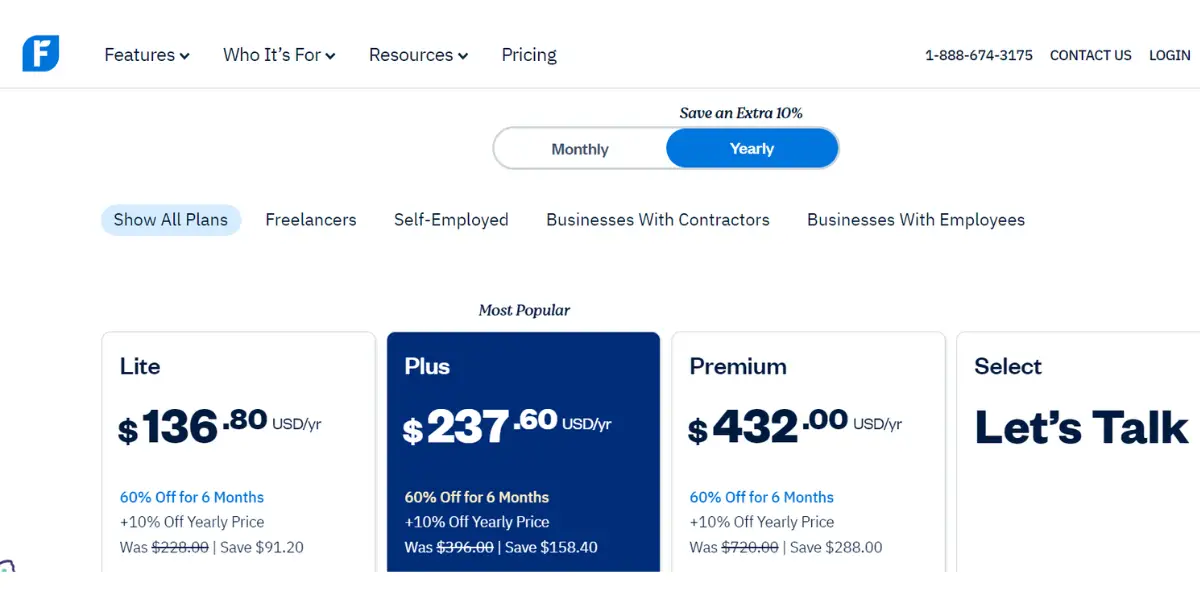
FreshBooks list prices, billed monthly in USD (FreshBooks pricing, checked 7 October 2026). Yearly billing takes a further 10% off. FreshBooks is currently advertising introductory discounts (80% off Plus or Premium for three months); the figures in our 2024 screenshot below were promotional prices too, not list prices.
- Lite: $23 per month, invoices to 5 billable clients
- Plus: $43 per month, 50 billable clients
- Premium: $70 per month, unlimited billable clients
- Select: priced by quote
- Add-ons: team members $11 per user per month; FreshBooks Payroll $40 per month plus $6 per person
Likes
- Easy-to-use interface with a variety of template
- Easy to create invoices, track and monitor its progress
- Easily combine with other applications.
- It is easy to access and upload information
Dislikes
- Pricing plans are a bit confusing.
- Some users dislike the new formatting.
- Not suitable for large companies
- Occasionally, we need our IT department to fix problems on our server.
- Unable to create a QuickBooks invoice.
- If you connect with external software using a plug-in, make sure you have the latest version for it to function correctly.
Supported industries
- Marketing and agencies
- Creatives
- Construction and trade
- Consulting
- IT & Technology
- Legal
- Business
Other details
| Deployment | Cloud, SaaS, Web-Based |
| Supported device | Mac, Windows, Android, iPhone, iPad |
| Supported language | English |
| Support | Email/Help Desk, FAQs/Forum, Knowledge Base, Phone Support, Chat |
| Training | Live Online, Webinars, Documentation, Videos |
| Customer ratings (from our earlier review, not re-checked in 2026) | Capterra: 4.5 out of 5(3928+reviews), G2: 4.5 out of 5(656+reviews) |
User opinion
Overall, FreshBooks for plumbers is an all-inclusive platform with easy integration into customers’ books, enhanced by the ability to include team members in its layout.
In addition, its Application Programming Interfaces make this software a one-stop shop of convenience for users of any skill level – allowing anyone and everyone to navigate their way around its simple design.
8. InvoiceBerry
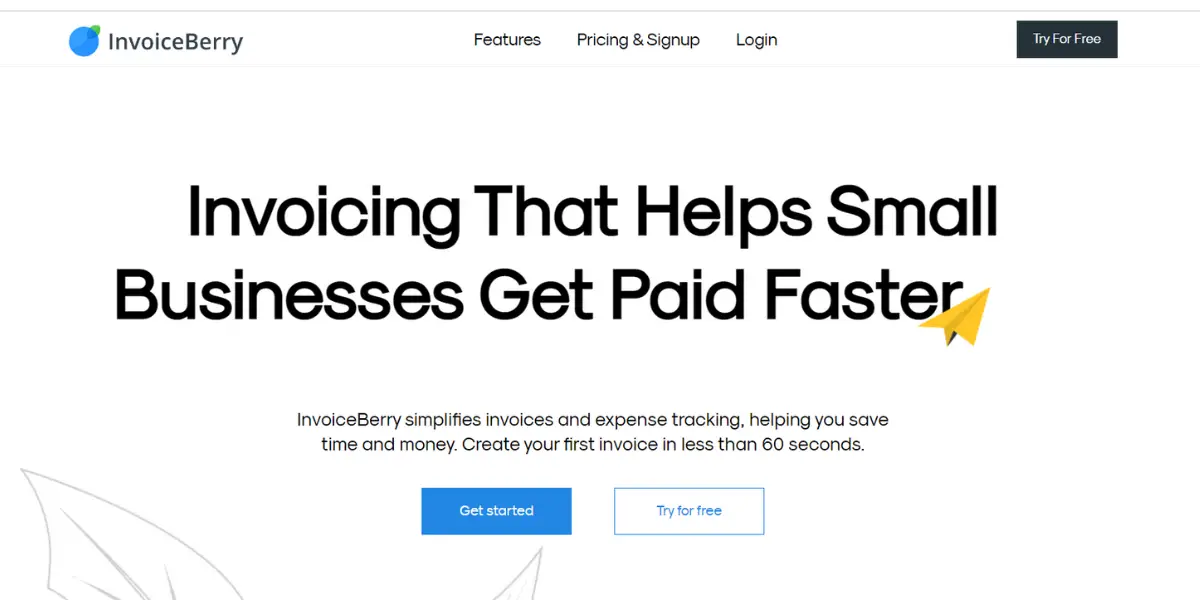
InvoiceBerry is a cloud-based invoicing software for plumbers.
It allows you to create professional invoices, track expenses, and manage your finances. This plumbing invoice software is designed to faster online payments, track expenses and income, bank transactions, and real-time updates.
Features
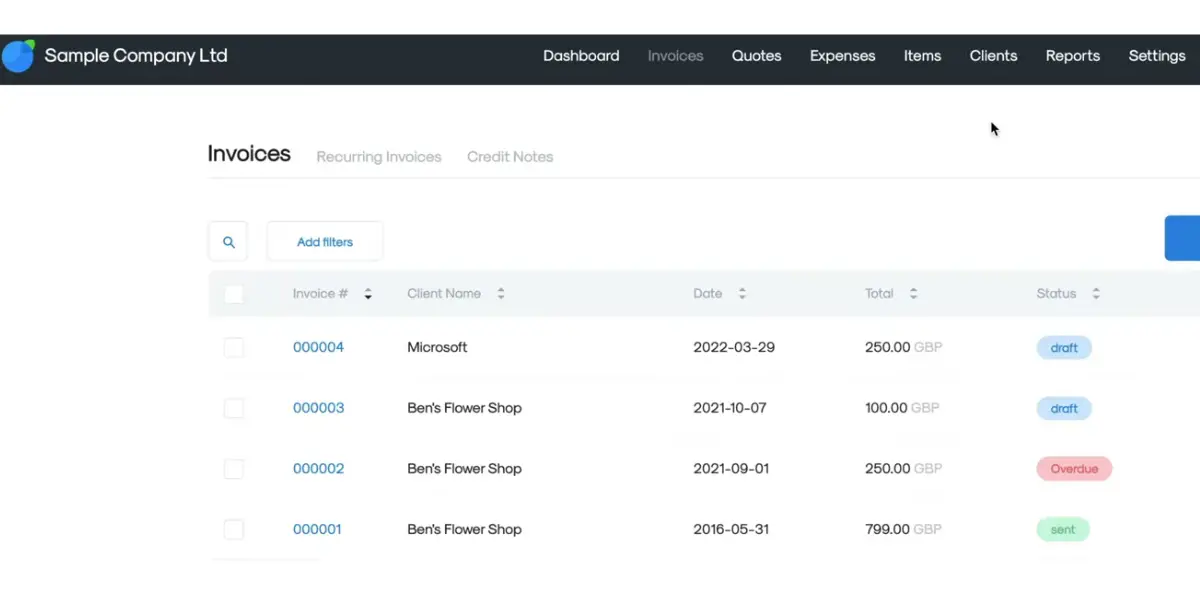
- Invoices
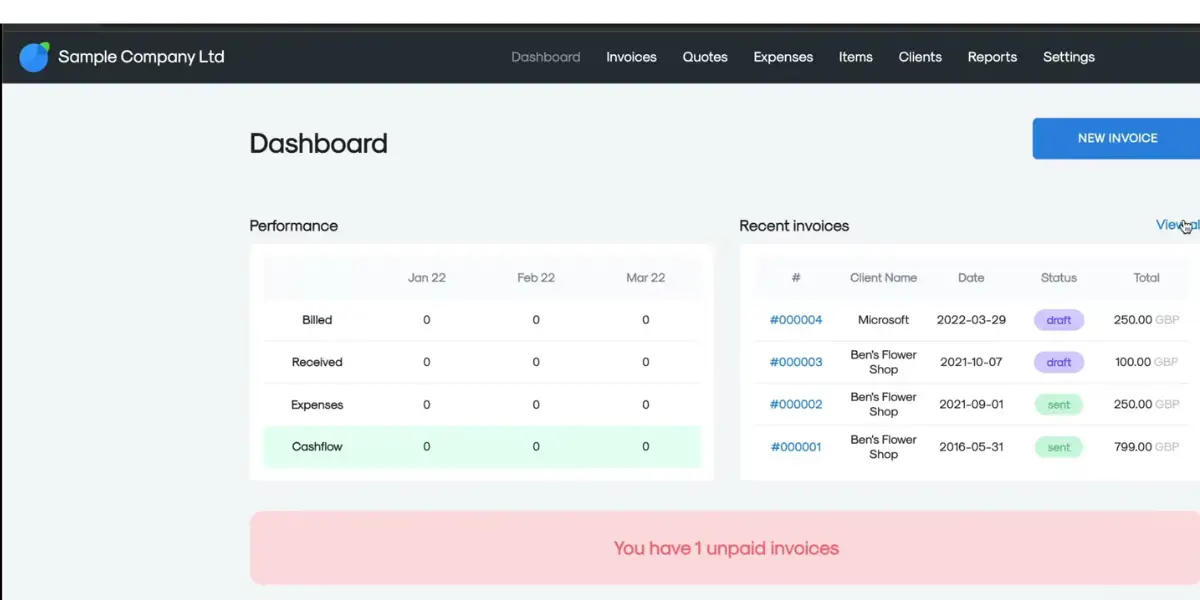
- Dashboard
- Clients and items
- Expenses
- Reports
- Multiple Users
Some screenshots of InvoiceBerry
Pricing
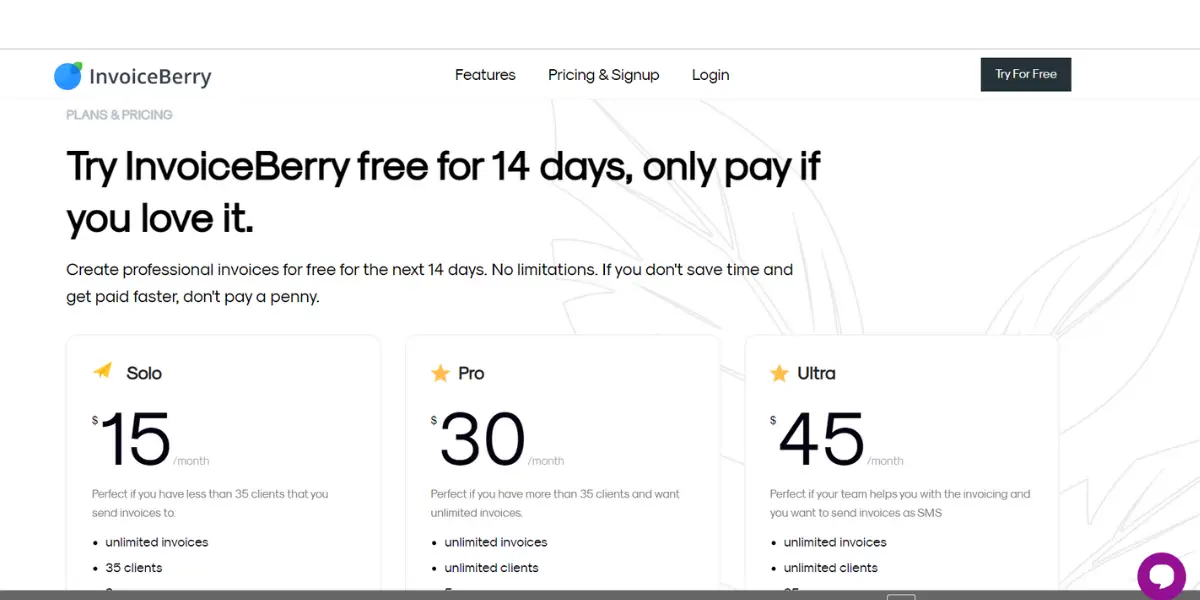
InvoiceBerry offers a 14-day free trial and three plans. We re-checked these prices on 7 October 2026 and they are unchanged (InvoiceBerry pricing).
- Solo: $15 per month (Unlimited invoices, 35 clients, and 2 users)
- Pro: $30 per month (Unlimited invoices, unlimited clients, and 5 users)
- Ultra: $45 per month (Unlimited invoices, unlimited clients, and 25 users)
Likes
- Able to connect more users
- Easy to use and time saver
- Best software for automated billing and calculation process
- Provides different configuration
Dislikes
- Cant be used offline
- No free version is allowed with more clients
- Customer support response is a little slow
Other details
| Deployment | Cloud, SaaS, Web-Based |
| Supported device | Mac, Windows, Linux |
| Supported language | English |
| Support | FAQs/Forum, 24/7 (Live Rep), Chat |
| Training | Live online, Documentation, Videos |
| Customer ratings (from our earlier review, not re-checked in 2026) | Capterra: 4.9(13+reviews), G2: 4.5(6+reviews) |
User opinion
Overall, Invoiceberry is a good invoicing and accounting solution for small businesses and plumbing companies, offering automatic billing calculations and fully customizable options to meet individual needs. Streamline your finances with this software.
9. Kickserv
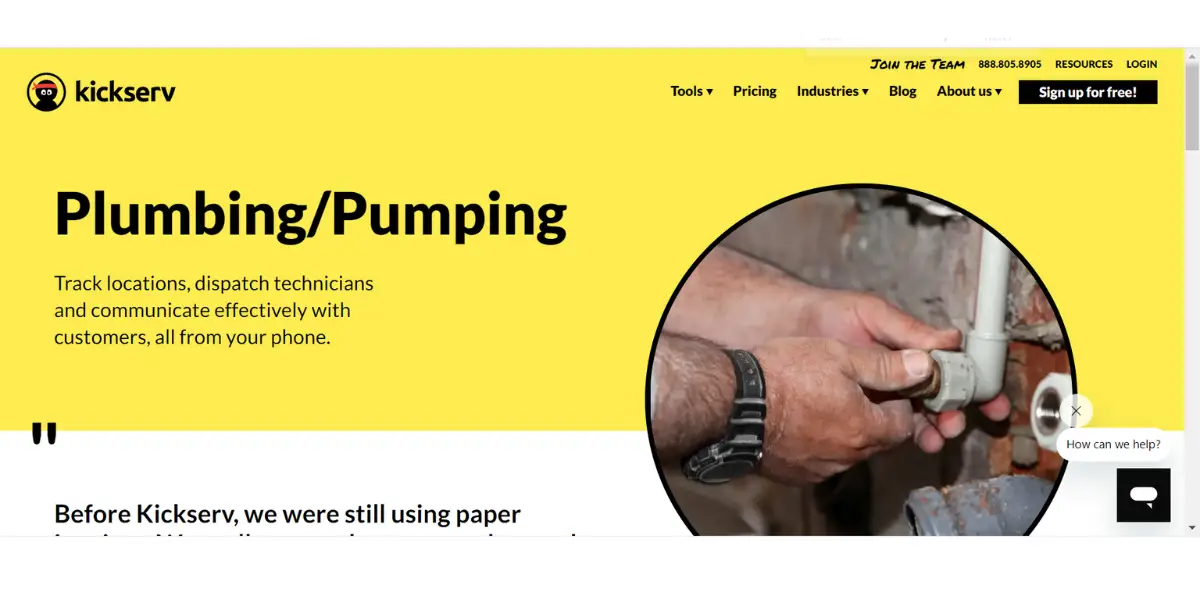
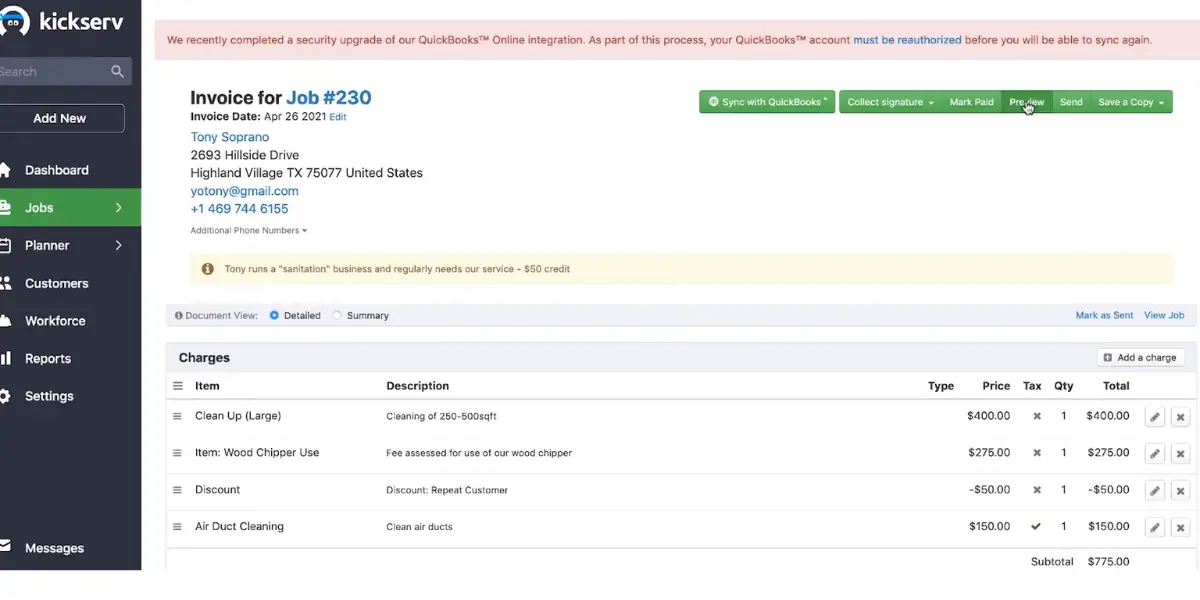
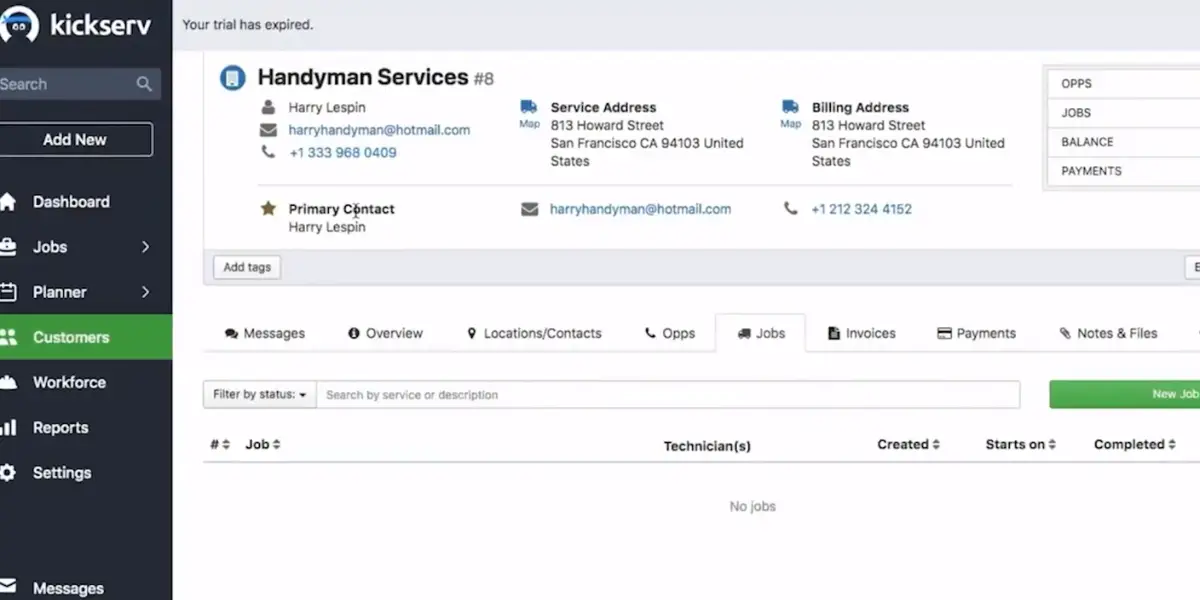
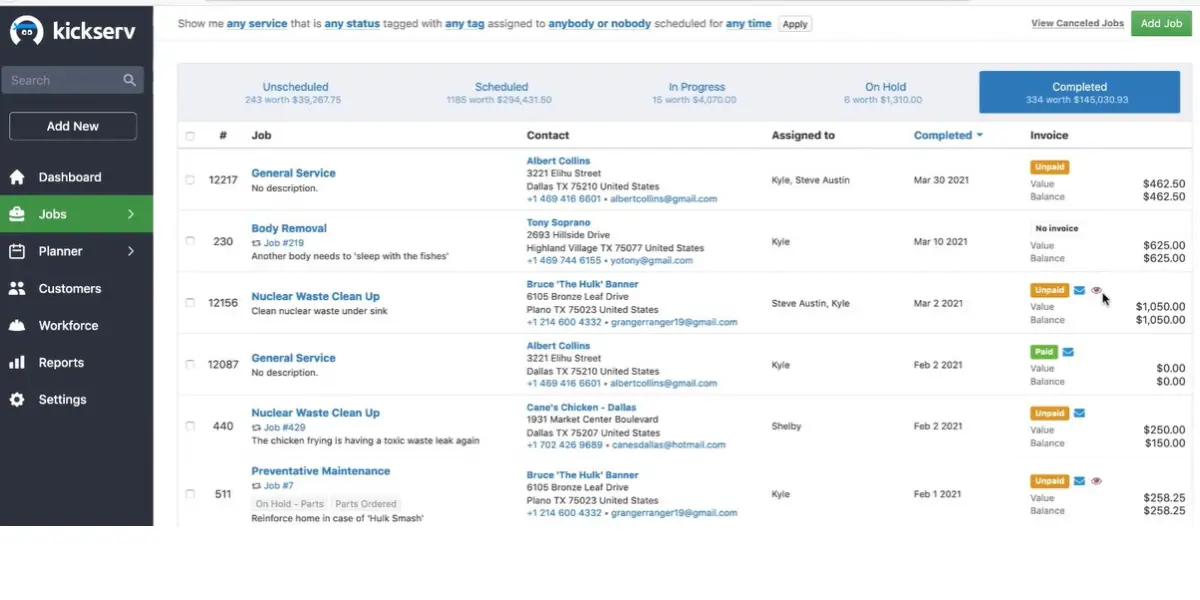
Kickserv plumbing software is a cloud-based platform for field service management, such as small plumbing services. It helps plumbers and service providers manage clients, schedule work orders and billing, and more.
Features
- Manage customers
- Tasks
- Provide quotations
- Invoicing
- Can take integrations
Some screenshots of Kickserv
Pricing
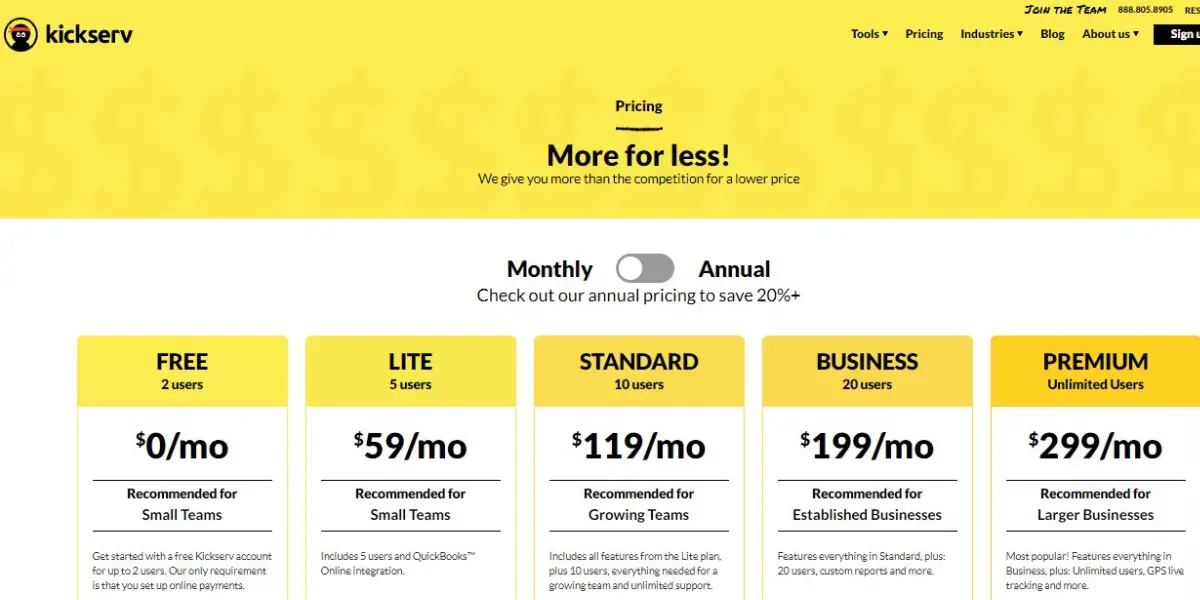
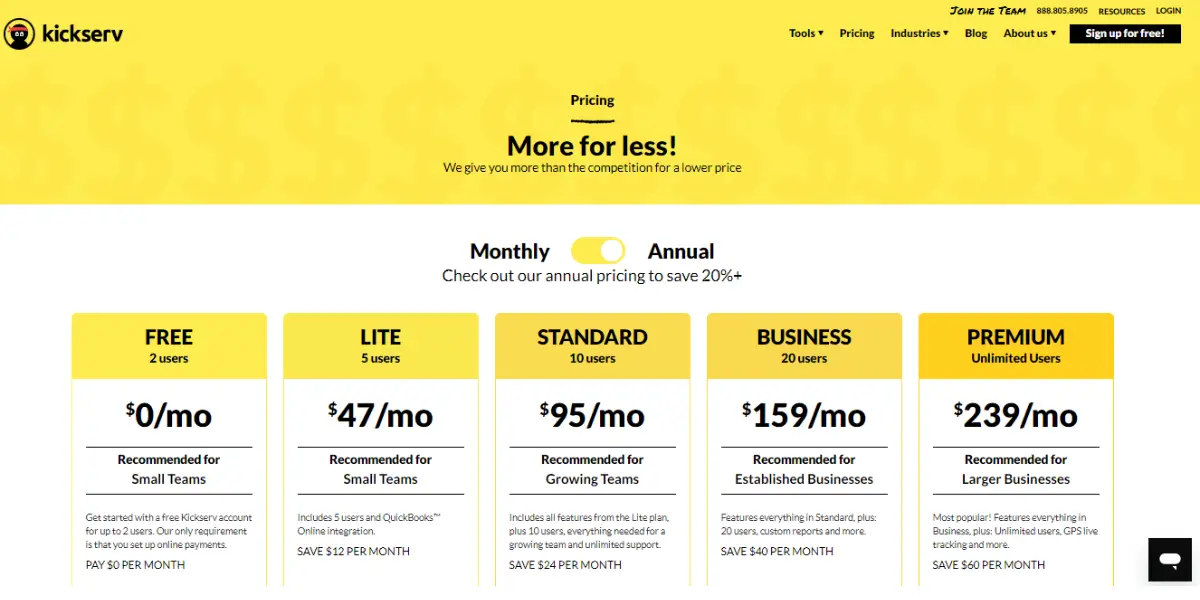
Kickserv renamed its plans and no longer lists a free plan; it offers a 30-day free trial instead (Kickserv pricing, checked 7 October 2026, USD). Annual billing saves 20%. The 2022 screenshots below show the old Free, Lite, Standard, Business and Premium line-up.
- Start: $75 per month billed monthly or $60 per month billed annually, 5 users, includes QuickBooks Online integration
- Run: $149 per month billed monthly or $119 per month billed annually, 10 users, adds dispatch mapping and GPS check-ins; QuickBooks Desktop integration costs $50 per month extra
- Scale: $249 per month billed monthly or $199 per month billed annually, 20 users
Kickserv also discounts the subscription by 5% if you process a monthly minimum in online payments through it ($1,000 on Start, $2,000 on Run, $3,000 on Scale).
Likes
- Annual billing saves 20% on every plan
- Quick reschedule and work updates
- Adaptability
- Integrates with Quickbooks
- Connectivity of all the data
Dislikes
- There is no provision to print reports and search results
- No inventory management feature is available
- No provision for automated calls and emails
- Limited features
- The Font is too small
- The reports could be easier for users to navigate and understand.
Supported industries
- HVAC
- Construction
- Landscaping
- Cleaning
Other details
| Deployment | Cloud, SaaS, Web-Based |
| Supported device | Mac, Windows, Chromebook, Android, iPhone, iPad |
| Supported language | English |
| Support | Email/Help Desk, FAQs/Forum, Knowledge Base, Phone Support, Chat |
| Training | Live online, Webinars, Documentation, Videos |
| Customer ratings (from our earlier review, not re-checked in 2026) | Capterra: 4.4(362+reviews), G2: 4.3(107+reviews) |
User opinion
Kickserv offers small-time plumbing services and a customer interface that allows them to check their workflow, chalk up invoices, monitor field technician status, and more. Kickserv is owned by EverCommerce, whose annual reports list it as a subsidiary under the name Norman’s Dojo, Inc. d/b/a Kickserv (EverCommerce subsidiaries, 10-K filed March 2026).
It also has mobile apps for iOS and Android devices that help plumbers and technicians send automated job updates and comments to the office. In addition, it offers services monthly, including customer support over the phone, email, and other online mediums.
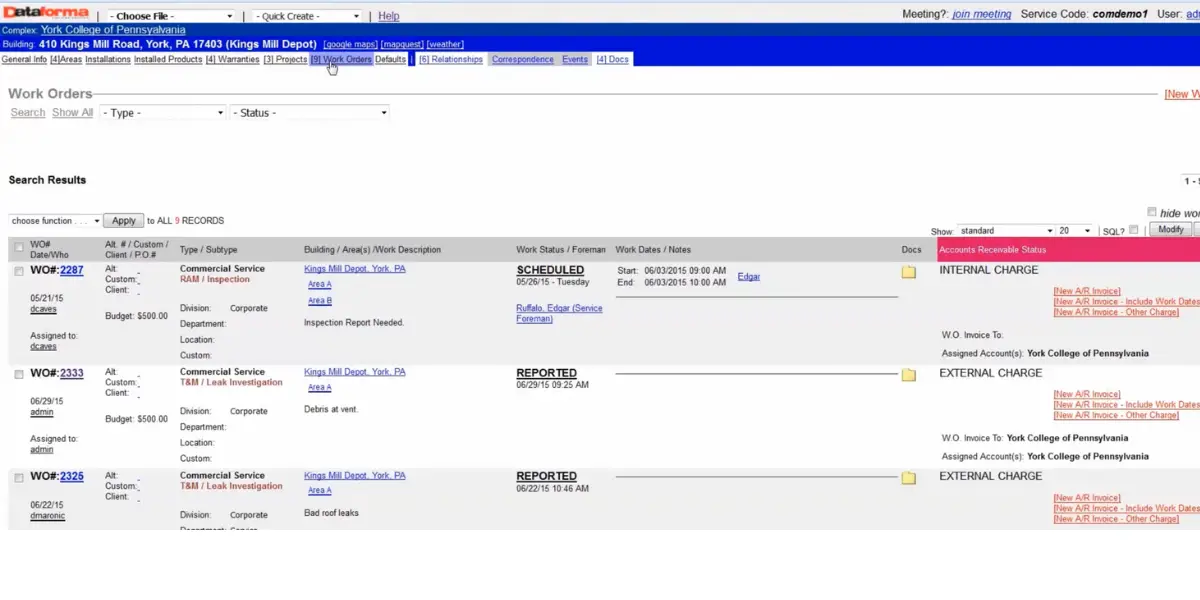
10. Dataforma
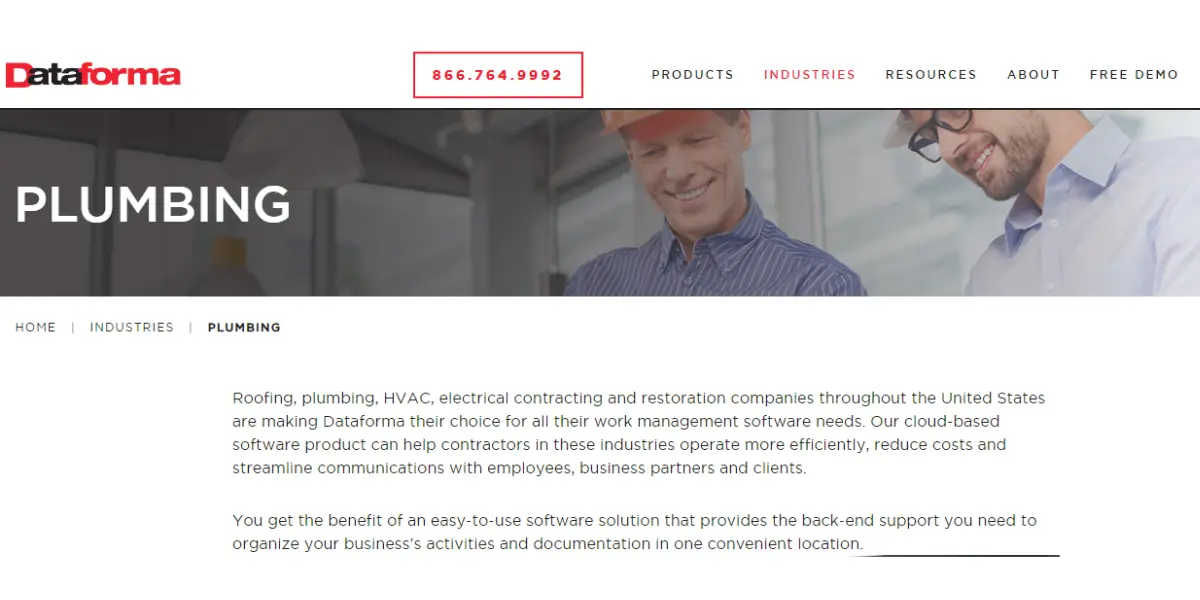
Dataforma is field service and project management software built for commercial contractors, and its plumbing page names general service, steam fitting, sprinkler and septic tank installation work (Dataforma plumbing). Its projects module adds proposals, contracts, change orders and Gantt charts, which a residential call-out plumber rarely needs. The service software aids in performing many major business operations effectively.
Features
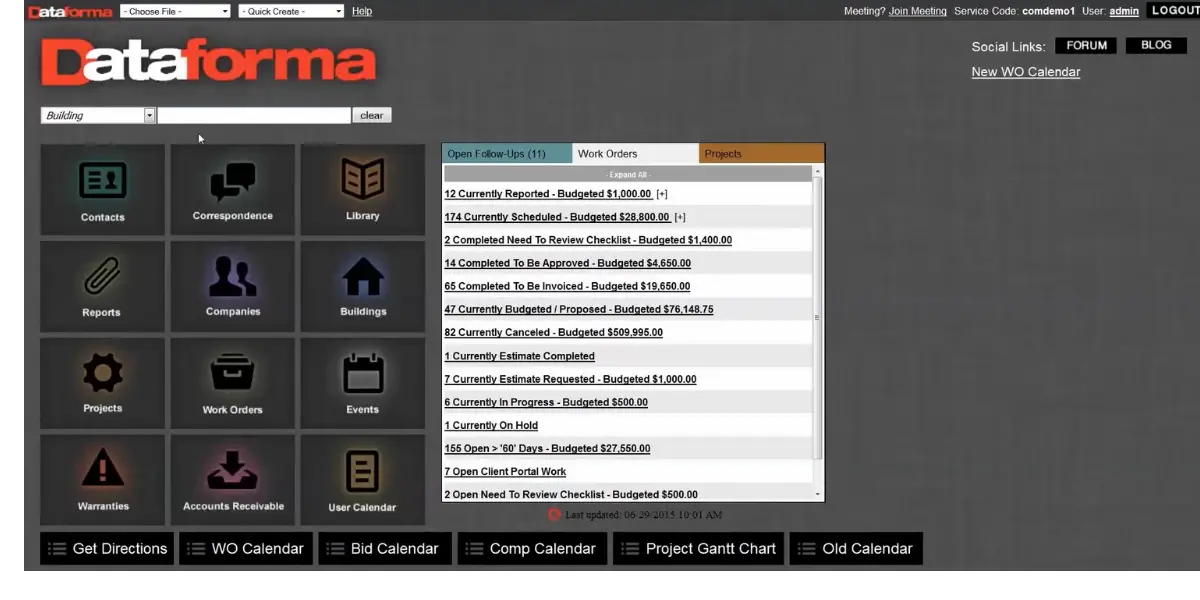
- Bid tracking
- Scheduling
- Internal reporting
- Dispatching
Screenshots of Dataforma
Pricing
Dataforma still publishes no prices; its site asks you to request a demo or a quote (checked 7 October 2026).
Likes
- Ease of use
- Good customer service
- Good tracking ability
- Customized templates
Dislikes
- Time card feature
- Pricing
- Complex software to understand
- Lacks a few necessary features as compared to its competitors
Supported industries
- Roofing
- HVAC
- Electrical
- Plumbing
- Solar
Other details
| Deployment | Cloud, SaaS, Web-Based |
| Supported device | Android, iPhone, iPad |
| Supported language | English |
| Support | Email/Help Desk, FAQs/Forum, Knowledge Base, Phone Support, 24/7 (Live Rep) |
| Training | In-person, Live Online, Videos |
| Customer ratings (from our earlier review, not re-checked in 2026) | Capterra: 4.3 out of 5(105+reviews), G2: 3.2 out of 5(5+reviews) |
User opinion
Dataforma is a web-based management system used for managing projects, chalking proposals, and some more features needed by the plumbing services and others too.
This plumbing software offers a customer portal, allowing plumbers and their customers to get real-time access and execute their work with ease and efficiency. It also provides scheduling and reporting of the jobs.
Also worth shortlisting: Jobber, Fergus, Tradify and Service Fusion
Four tools that small plumbing businesses commonly compare were missing from the list above. They are not ranked against the ten; this is what each publishes on its own pricing page (checked 7 October 2026).
| Tool | Pricing unit | Published prices | Worth knowing |
|---|---|---|---|
| Jobber | Plan by team size; extra users $29/month each | Core $29 (1 user); Connect $99 (1 user) or $149 (5 users); Grow $149 (1 user) or $229 (5 users); Plus from $399 (5 users). Monthly equivalents billed annually, USD | No commitment costs more (Core $49, Connect for 5 users $199). Card rates 2.9% + 30¢ online, 2.7% + 30¢ in person. QuickBooks Online sync from Connect. |
| Fergus (AU, UK, US) | Monthly plan, priced by country | Australia: Essentials from A$53, Professional from A$77. UK: from £39 and £45. US: from $31 and $44 | Contractor users are charged per day (A$4, £2, US$2.50). Card rates differ by country (see the card fee table). Syncs with Xero or MYOB in Australia. |
| Tradify | Per user per month, USD | Lite $47, Pro $51, Plus $61; Custom by request | 14-day free trial; syncs with Xero and QuickBooks Online. |
| Service Fusion | Flat price, unlimited users | Starter $208, Plus $325, Pro $533 a month billed annually ($245, $382 and $627 billed monthly) | Owned by EverCommerce, which also owns Kickserv (entry 9), so the two are sister products rather than independent alternatives (EverCommerce 10-Q, subsidiary list). |
Fergus currently advertises a deep first-months discount; the figures above are its base prices, not the promotion.
FAQs
How much does plumbing software cost per month?
List prices checked on 7 October 2026 run from free to several hundred dollars a month. ServiceM8 has a free plan for one user and 30 jobs a month, Jobber Core costs $29 a month billed annually for one user, and Housecall Pro Basic costs $59 a month billed annually. ServiceTitan, Simpro and Dataforma publish no prices. Card fees matter as much as the subscription: published US rates run from 2.59% to 2.95% per payment, and 2.9% of $5,000 a month in card payments is $145, about the price of a five-user plan.
What is the best software for a one-person plumbing business?
For a solo plumber the deciding cost is usually the entry plan. On 7 October 2026 the cheapest published options were ServiceM8 Free (one user, 30 jobs a month), Jobber Core ($29 a month billed annually, one user, without QuickBooks Online sync) and Housecall Pro Basic ($59 a month billed annually, one user). If your books are already in Xero or MYOB, ServiceM8 syncs with both.
Do I still need accounting software if I use plumbing software?
Usually yes. Field service tools such as Jobber, Housecall Pro and ServiceM8 create quotes and invoices and take payments, then sync them to accounting software such as QuickBooks Online, Xero or MYOB, which holds the ledger your tax return is built from. In the UK, sole traders whose qualifying income was over 50,000 pounds in the 2024 to 2025 tax year must use Making Tax Digital compatible software from 6 April 2026.
Is ServiceTitan suitable for a small plumbing business?
ServiceTitan sells three packages (Starter, Essentials and The Works), describes its pricing as per technician and publishes no figures, so a small shop cannot compare it on price without a sales call. Its pricing page offers a demo rather than a free trial. A shop that wants a published price and a trial it can start today will find both at Jobber, Housecall Pro, ServiceM8 and Kickserv.
What happened to SkyBoss plumbing software?
On 7 October 2026, skyboss.com, the website SkyBoss listed for itself, permanently redirected to housecallpro.com, and the SkyBoss app host did not respond. We found no public announcement explaining the change, so we do not say Housecall Pro acquired SkyBoss. Existing SkyBoss customers should confirm the status of their account and export their data.
Conclusion
Choose by crew size and by how you get paid, not by feature lists, because every field service tool here books, quotes and invoices. A solo plumber can start free on ServiceM8 or for $29 a month on Jobber Core. A three to five person shop pays about $149 a month for Jobber Connect or Housecall Pro Essentials on annual billing. At eight people, published prices run from $119 (Kickserv Run) to $408 (Tradify Pro), and card processing on a busy month will cost more than any of them.
Two checks before you sign: confirm the tool syncs with the accounting package you already use (QuickBooks Online, Xero or MYOB), and get the payment processing rate in writing. In the UK, also confirm that the accounting side is Making Tax Digital compatible and handles CIS deductions.
Reference
- Guides of Service Titan
- ebooks of Housecall Pro
- ebooks of SimPro
- Guide of Stack
- Guide for Kickserv-New pipes
Primary sources checked 7 October 2026
- Jobber pricing
- Housecall Pro pricing
- ServiceTitan pricing
- Simpro pricing and FAQ
- STACK pricing
- ServiceM8 US pricing
- FreshBooks pricing
- InvoiceBerry pricing
- Kickserv pricing
- Dataforma FAQ
- Fergus pricing (Australia)
- Tradify pricing
- Service Fusion pricing
- EverCommerce Inc., list of subsidiaries (SEC, 2026)
- GOV.UK: Making Tax Digital for Income Tax
- GOV.UK: Construction Industry Scheme
Using Google Search? Add erp-information.com as a preferred source.