Start with the name, because it causes more confusion than anything else about this product. Sage 100cloud no longer exists as a name. On 22 April 2024 Sage removed every mention of “100cloud” and “100c” from its plan structure, and the product is now simply Sage 100.
The second thing worth knowing follows from the first. Despite what that retired name implied, Sage 100 is not cloud-native software. It is a Windows server application with cloud-connected features, and it can be hosted for you, which is a genuinely different thing from a browser-native ERP. Plenty of pages still get this wrong.
This review covers what Sage 100 actually is, how it is and is not cloud software, the real edition names, current pricing for both subscription and perpetual licensing, what you give up by staying perpetual, a Windows 11 requirement that lands this year, and honest drawbacks.
Current release: Sage 100 2026, version 7.5, released 16 April 2026
Naming: Sage 100c became Sage 100cloud in March 2018; both names were retired on 22 April 2024 in favour of Sage 100
What is Sage 100?
Sage 100 is a business management and ERP system for small and mid-sized companies, strongest in wholesale distribution and light manufacturing. It covers core financials, inventory, purchasing, sales order processing, light manufacturing and reporting, and it has a long lineage: it is the product that used to be called MAS 90 and MAS 200.
That heritage explains both its strengths and its complaints. The accounting is mature and well understood by a large pool of accountants and resellers. The interface carries two decades of accumulated design decisions, which is the most common criticism users make of it. The product lineage from MAS 90 onward is unusually well documented for a mid-market ERP.

Is Sage 100 cloud software?
Not in the way the retired “Sage 100cloud” name suggested. This is the single most misunderstood point about the product, so it is worth being exact.
Sage 100 is installed software that runs on Windows servers. It is described as cloud-connected, meaning it integrates with Sage’s cloud services and with third-party web applications, but the core application is not browser-native and your data is not automatically held in a web infrastructure. Renaming it never changed the architecture.
You have three practical options:
- On premises. Installed on your own servers, the traditional deployment.
- Hosted through Sage Partner Cloud. SPC is a Sage programme that lets on-premises customers move their system to a hosted environment run by a certified provider. Note what this is: your same installed Sage 100, running on somebody else’s infrastructure.
- Hosted by an independent provider. Same principle, arranged with a hosting partner directly.
The distinction matters commercially. Hosting gives you remote access and takes server maintenance off your hands, but you are still paying for infrastructure and you still carry upgrade projects. If you want a true multi-tenant SaaS ERP with no servers anywhere, Sage 100 is not that product, and Sage would point you at Sage Intacct instead.
Sage 100 editions
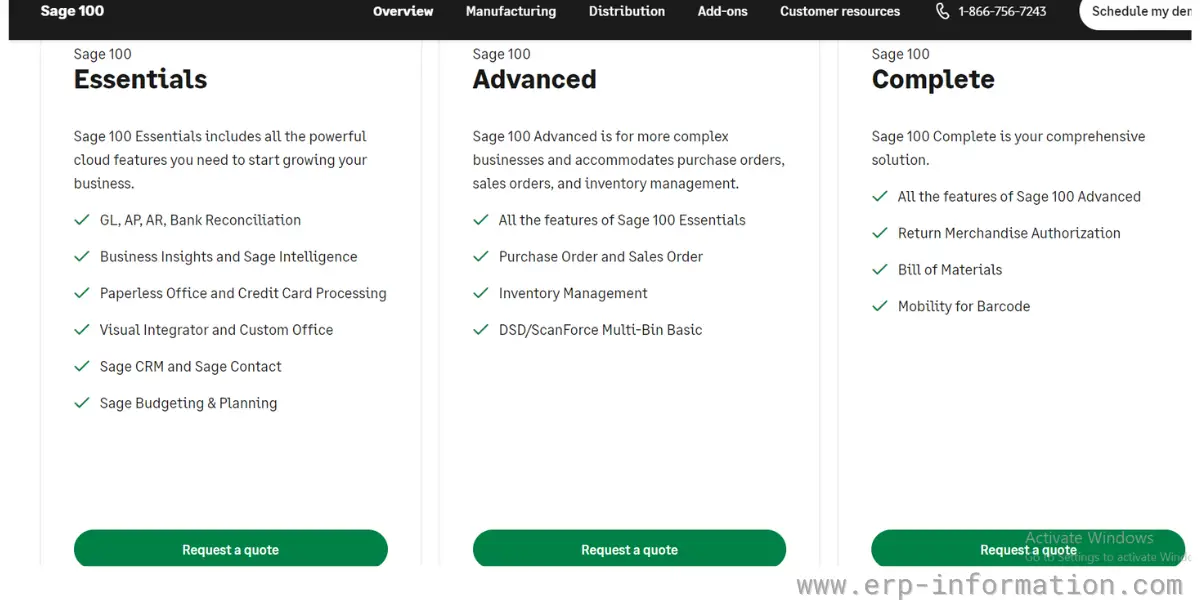
Sage 100 comes in three installs, and the April 2024 restructure renamed them. These are not feature bundles in the way software tiers usually are. They differ primarily by the underlying database and technology, which then determines scale and some capability.
| Current name | Formerly | What distinguishes it |
| Sage 100 Standard Install | Standard | Entry level, single-location installs, ProvideX database |
| Sage 100 Advanced PVX Install | Advanced | Client-server architecture on ProvideX, better for multiple sites and higher user counts |
| Sage 100 Premium SQL Install | Premium | Runs on Microsoft SQL Server, the option for larger data volumes and SQL-based reporting or integration |
If you see “Essentials”, “Advanced” and “Complete” quoted as Sage 100 tiers, that is out of date. Ask your reseller which install you are being quoted, because moving from ProvideX to SQL later is a migration project rather than a switch you flip.
Sage 100 pricing
Sage does not publish a list price and sells through resellers, so the figures below come from third-party advisory and reseller guidance. Treat them as a sanity check on a quote rather than a price list. Be sceptical of the wilder numbers circulating: some aggregators quote several hundred to over a thousand dollars per user per month for Sage 100, which is far outside this product’s market.
| Cost line | Typical figure |
| Subscription licence | Roughly $50 to $150 per user per month, depending on modules and install |
| Perpetual licence | Around $3,000 to $5,000 per user as a one-off |
| Annual maintenance on perpetual | Approximately 18% to 22% of licence value each year |
| Implementation | From about $15,000 to $120,000 depending on modules and customisation |
Run the arithmetic before choosing a model. At roughly $4,000 per user perpetual plus 20% maintenance, versus subscription at the middle of its range, the crossover typically lands somewhere around the three to four year mark. That calculation used to settle the question. It no longer does, for the reason in the next section.
Subscription versus perpetual, and what perpetual now costs you
Sage 100 is still sold both ways, and Sage has not announced an end to perpetual licensing. But the two are no longer equivalent products with different payment terms, and this is the fact most buyers miss.
New capability flows to subscription licences. Perpetual licences receive maintenance and compliance updates only. Tax table updates, regulatory changes and fixes continue. New features increasingly do not.
Staying perpetual is not dangerous in itself and nothing breaks. What happens instead is slower and easier to ignore: functionality arrives for everyone else while your system stays where it is, and the gap compounds each release. If you are weighing the two, price the divergence, not just the licence. A perpetual licence that stops gaining capability is a depreciating asset in a way it was not five years ago.
A Windows 11 requirement that lands this year
Worth flagging because it has a hard deadline attached and is easy to miss. From the April 2026 release, Sage 100 is certified only on Windows 11. Microsoft ended support for Windows 10 on 14 October 2025, a date confirmed in the Microsoft product lifecycle.
If any part of your estate is still on Windows 10, your Sage 100 upgrade path and your desktop refresh are now the same project. Find that out during planning rather than during an upgrade weekend.
Support and services
- Phone and chat support during business hours, Monday to Friday
- Sage Business Care plans, which determine your level of support entitlement
- Sage University for structured training, plus webinars, videos and documentation
- An online knowledgebase and an active reseller community
As with most Sage products, day-to-day support in practice comes from your reseller rather than from Sage directly, so who you buy from matters as much as what you buy.
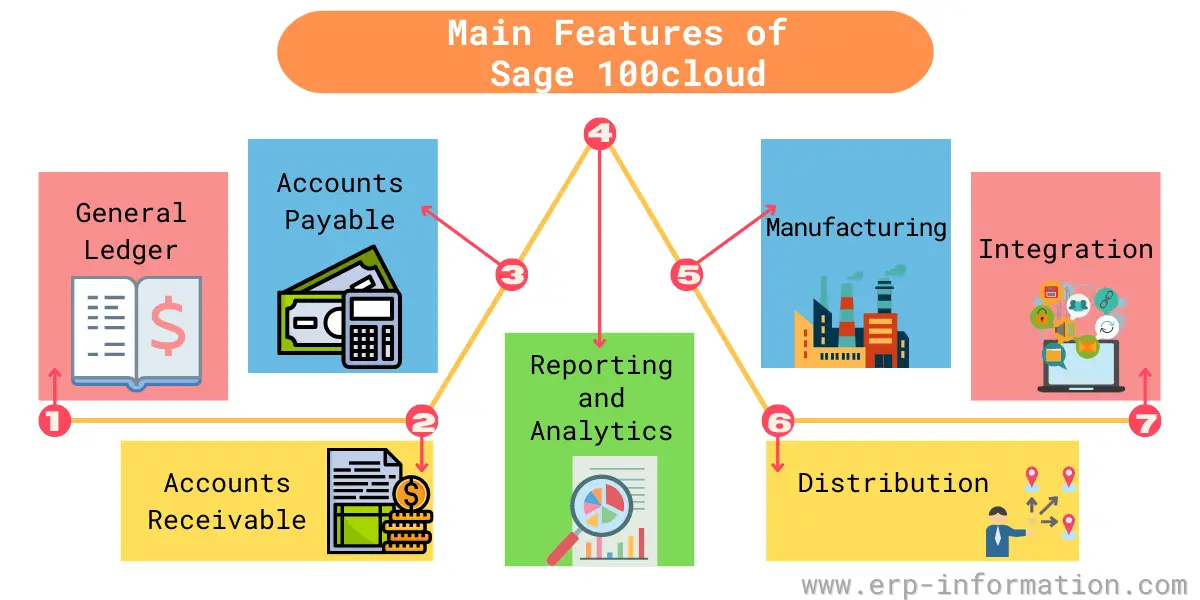
What are the main features of Sage 100?
General Ledger
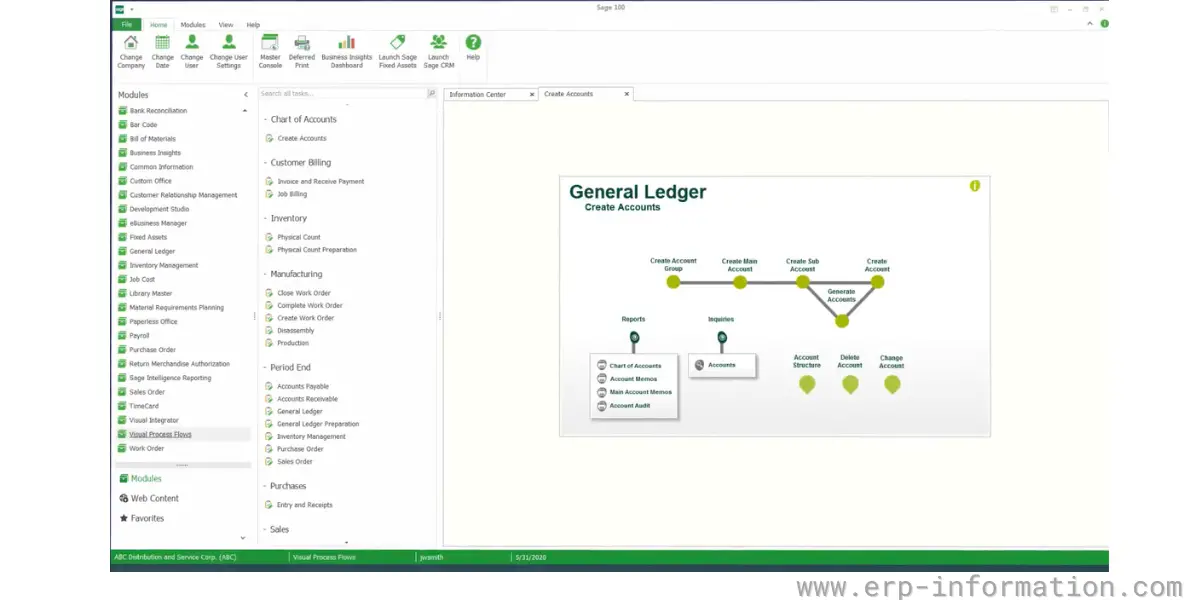
The financial core: chart of accounts, journal entries, multi-company and multi-currency handling, period close and financial statement production.
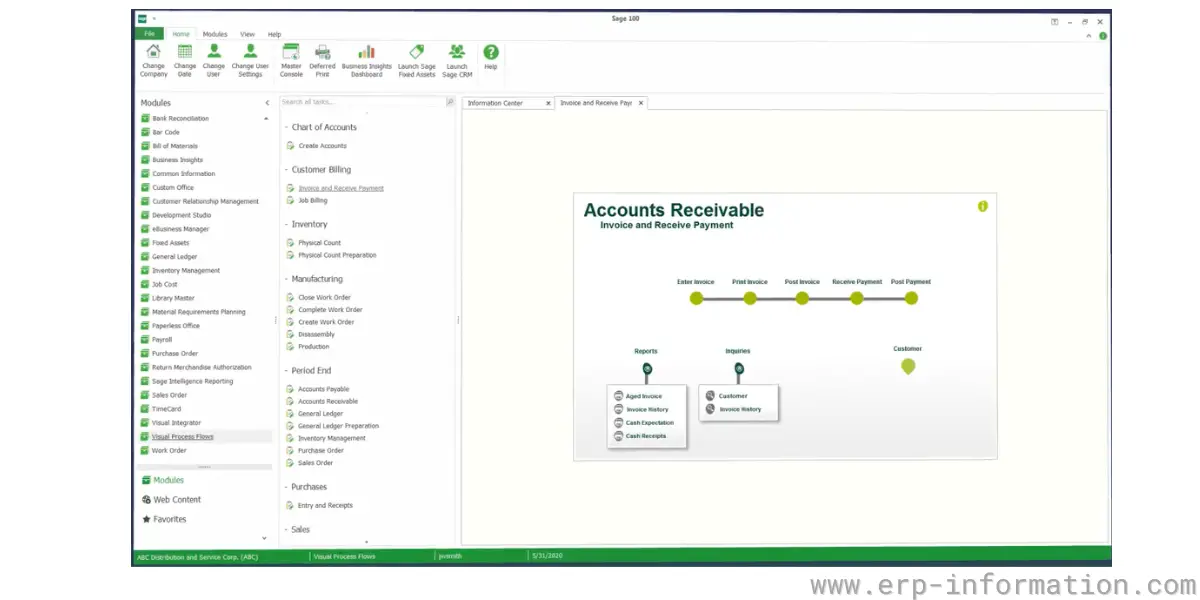
Accounts Receivable
Customer invoicing, cash application, credit management, statements and collections follow-up, with aging analysis feeding the financials.
Accounts Payable
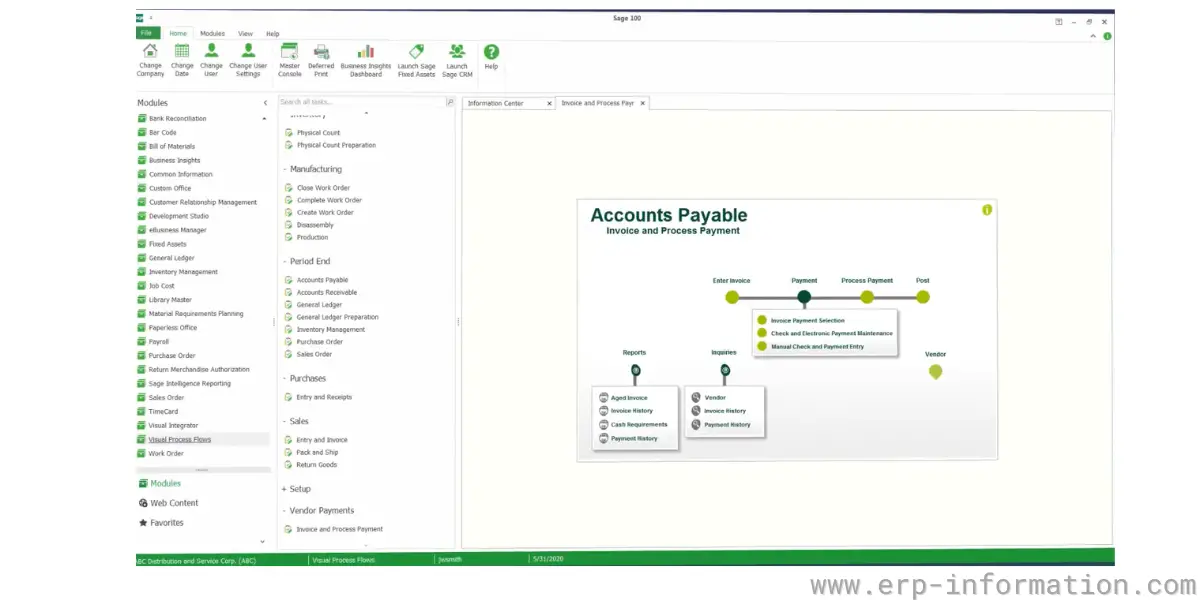
Vendor management, invoice entry and approval, payment runs, and expense tracking against the general ledger.
Reporting and analytics
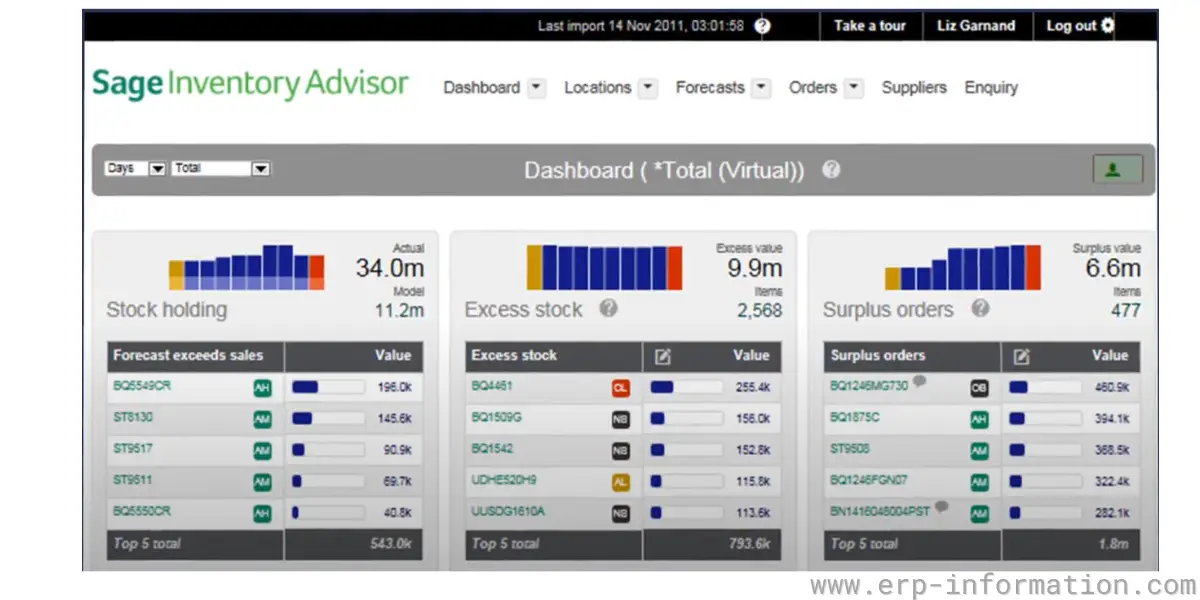
Standard financial reports, Business Insights dashboards and Crystal Reports for custom output. Reporting is one of the areas where the Premium SQL install earns its price, because SQL makes external reporting tools considerably easier to point at your data.
Manufacturing
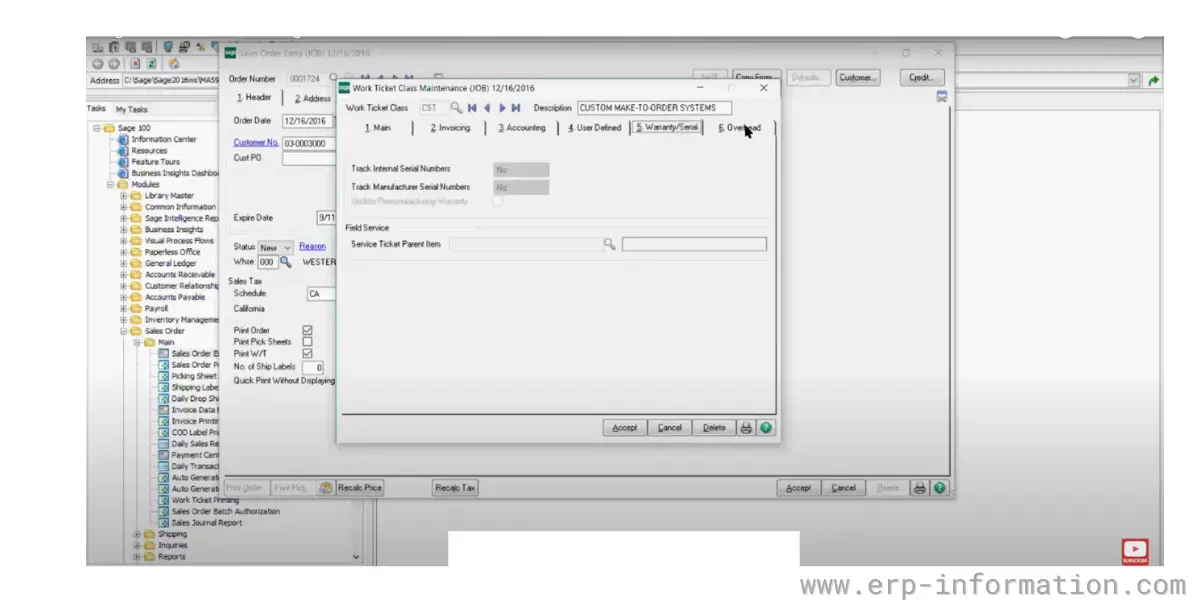
Light manufacturing rather than full shop-floor control. Bills of material, production management, work orders and inventory requirements planning. It suits assembly and light production; complex scheduling, capacity planning or process manufacturing will push you toward a different product.
- Production Management
- Bills of material and routings
- Inventory Requirements Planning
- Custom Office and custom scripting for tailoring screens and logic
Distribution
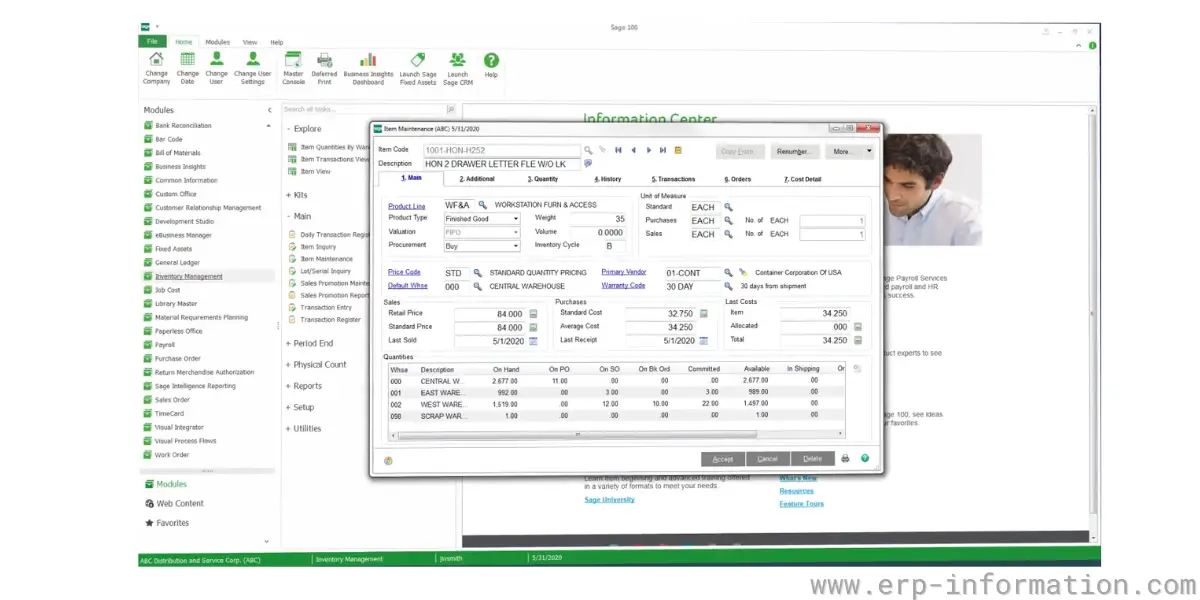
The strongest part of the product and the reason most Sage 100 sites buy it. Inventory management, sales order processing, purchase order management, multi-warehouse handling and business alerts.
Integration
Connects to other Sage applications and to third-party add-ons through the Sage Marketplace, with a substantial independent ecosystem covering e-commerce, shipping, EDI, warehouse management and payroll. That ecosystem is a genuine strength, and it is also the honest answer to several capability gaps: the fix is frequently a third-party module rather than something in the core product.
Supported industries
- Wholesale distribution, the core market
- Light manufacturing and assembly
- Construction, though Sage sells a separate product, Sage 100 Contractor, for that market
- Food and beverage and chemicals, usually with a third-party module for lot traceability
- Professional services and nonprofits
- Retail, typically alongside a point-of-sale or e-commerce integration
Note the Sage 100 Contractor point. It is a different product with a different codebase, not an edition of Sage 100, and the two get conflated constantly in search results.
Benefits
- Mature distribution and accounting. Decades of refinement in inventory, order processing and core financials, which is why it retains a large installed base.
- A deep add-on ecosystem. An unusually large catalogue of third-party modules and integrations, so niche requirements often have an off-the-shelf answer.
- Plenty of people know it. A wide reseller network and a large pool of accountants and consultants familiar with the product, which lowers hiring and support risk.
- You can still own your licence. Perpetual licensing remains available, which matters to businesses that prefer capital expenditure and control over their upgrade timing.
- Customisable. Custom Office and scripting allow real tailoring of screens and logic without leaving the product.
Drawbacks
- It is not cloud-native, whatever the old name suggested. Browser-native access and true multi-tenant SaaS are not what this product does. Hosting is a workaround with real merit, not the same thing.
- Perpetual licences are drifting behind. New capability goes to subscription; perpetual gets maintenance and compliance updates only, and the gap widens each release.
- The interface shows its age. The most consistent user complaint. The lineage back to MAS 90 is visible, and new users generally need real training rather than an afternoon.
- No published pricing. Every figure requires a reseller conversation, which makes early budgeting harder than it should be.
- Reporting usually needs work. Standard reports rarely match what a business wants, and customisation via Crystal Reports is a skill you either have in-house or pay for.
- Capability gaps get filled by third parties. The strong add-on ecosystem is partly a consequence of gaps in the core product. Each add-on is another vendor, another cost line and another upgrade dependency.
- A Windows 11 dependency from the April 2026 release. Covered above, and a scheduling constraint if your desktops are behind.
Sage 100 alternatives
- Sage Intacct: Sage’s own cloud-native financial management product, and the usual destination for a Sage 100 customer who genuinely wants SaaS. Stronger financials, less distribution and manufacturing depth.
- Acumatica: cloud-native, and priced on transaction volume rather than per user, which suits distributors with many light users.
- NetSuite: the most common cloud replacement, broader and generally more expensive.
- Microsoft Dynamics 365 Business Central: natural fit for Microsoft-committed businesses of a similar size.
- Sage X3: Sage’s larger ERP, for companies outgrowing Sage 100 that want to stay with Sage.
- Fishbowl and Blue Link ERP: inventory-led options worth considering for distribution-first requirements.
One clarification, since the comparison comes up constantly: QuickBooks is not really an alternative to Sage 100 so much as the thing companies outgrow before they buy it. If you are choosing between the two, the question is whether you have outstripped simple accounting, not which product is better.
FAQs
Is Sage 100cloud the same as Sage 100?
Yes, and the Sage 100cloud name has been retired. Sage 100c was renamed Sage 100cloud in March 2018, and on 22 April 2024 Sage removed all mentions of 100cloud and 100c from its plan structure, leaving Sage 100 as the product name. If you see Sage 100cloud referenced today, it is describing the same product under a name Sage no longer uses.
Is Sage 100 cloud-based software?
No, not in the cloud-native sense. Sage 100 is installed software that runs on Windows servers and is described as cloud-connected because it integrates with Sage cloud services and third-party web applications. You can run it on premises, host it through Sage Partner Cloud with a certified provider, or use an independent hosting partner, but the core application is not browser-native multi-tenant SaaS. Sage Intacct is Sage’s cloud-native product.
What is the latest version of Sage 100?
Sage 100 2026, version 7.5, which was released on 16 April 2026. Note that from the April 2026 release Sage 100 is certified only on Windows 11, and Microsoft ended support for Windows 10 on 14 October 2025, so an upgrade may require a desktop refresh alongside it.
How much does Sage 100 cost?
Sage publishes no list price and sells through resellers. Third-party guidance puts subscription licensing at roughly 50 to 150 dollars per user per month, perpetual licences at around 3,000 to 5,000 dollars per user one-off plus 18 to 22 percent annual maintenance, and implementation between about 15,000 and 120,000 dollars depending on modules and customisation. Be sceptical of aggregator figures quoting several hundred dollars or more per user per month, which are far outside this product’s market.
What are the Sage 100 editions?
Three installs, renamed in April 2024: Sage 100 Standard Install, Sage 100 Advanced PVX Install, and Sage 100 Premium SQL Install. They differ mainly by underlying database and architecture rather than by feature bundle, with Standard and Advanced on the ProvideX database and Premium running on Microsoft SQL Server. Tier names such as Essentials, Advanced and Complete are out of date.
Should I stay on a perpetual Sage 100 licence?
Perpetual licensing is still available and nothing stops working, but the two licence types are no longer equivalent. New capability now flows to subscription licences, while perpetual licences receive maintenance and compliance updates such as tax and regulatory changes only. The practical effect is gradual: features arrive for subscription customers while a perpetual system stays where it is, and the gap compounds with each release, so price that divergence rather than comparing licence cost alone.
Conclusion
Sage 100 remains a solid choice for a wholesale distributor or light manufacturer that wants mature inventory and order processing, a large add-on ecosystem, and the option of owning its licence. Those are real advantages and they explain the size of the installed base.
Go in with clear eyes on three things, though. It is not cloud-native and no amount of renaming made it so. Perpetual licences now receive compliance updates rather than new capability, which changes the old buy-versus-rent arithmetic. And the April 2026 release ties you to Windows 11. If what you actually want is browser-native SaaS with no servers, look at Sage Intacct, Acumatica or NetSuite instead, and treat Sage 100 as the strong on-premises option it genuinely is rather than the cloud product its old name implied.
References:
- Sage Knowledgebase: difference between Sage 100 and Sage 100cloud
- Sage 100 official documentation library
- Sage 100 and Sage 100cloud name changes, April 2024
- Sage 100 2026 release feature guide
Using Google Search? Add erp-information.com as a preferred source.