A queue management system organises the people waiting for service at a physical place, a bank branch, a clinic, a DMV office, a phone shop, a campus registrar, and replaces the paper ticket and the ragged line with a tracked queue. Customers check in at a kiosk, on their own phone or at reception, receive a place in line, wait wherever they like, and get called by SMS or on a display when a counter frees up.
It is worth separating this from the virtual waiting room that holds back traffic to a busy website during a ticket sale or a product drop. That is a different category with different vendors, and every product reviewed on this page manages in-person service instead.
In addition, these platforms provide fast and productive functioning, such as predictive analytics and automated customer flow based on the acquired customer data.
Some places where this digital queueing system helps are Education, Retail, Healthcare, Transport, Banks, and others.
This blog explores a comprehensive list of queue management software solutions, uncovers their standout features, dissects pricing structures, and examines their pros and cons. But it’s not just about understanding the software. It’s about unleashing the potential to enhance your customer’s journey.
What is Queue Management System?
The queue management system is an application that effectively manages queues by increasing productivity and reducing customer waiting periods.
A queue management system (QMS) is a technology-driven solution used in organizations to efficiently manage customer queues and reduce wait times. It works by enabling customers to check in, receive queue positions, and get notified when it’s their turn for service.
QMS also collects data for analysis and helps improve customer service and resource allocation. It enhances the overall customer experience by minimizing wait times and streamlining operations.
This digital system replaces the take-a-ticket system wherein one can join a queue from any digital online mode anywhere in the world.
Uses of the Queue Management System
- Provides a good customer experience and retains them
- Efficiently manages traffic flow.
- Reducing waiting periods for faster service
- Cost-effective for the business
- Highly productive
- Both customer and employee satisfaction
List of some best queue management software in the market.
1. Qminder
It is a cloud-based standalone queue management software that aids enterprises in creating decisive waiting experiences for their customers.
Qminder queue management software directs the queuing up of the customers with the help of their mobiles to eventually receive text notifications.
In addition, it helps provide customized services with the help of customer information gathered from self-check-ins. They have a large customer base worldwide, like AT&T, Sprint, Verizon, Uber, and World Bank.
Features
- Understanding customer flow, waiting, and servicing periods.
- Customized waiting experiences
- Provides self-check-in for waiting in lines using smart devices
- Waiting room TV- Real-time updating of the waiting list
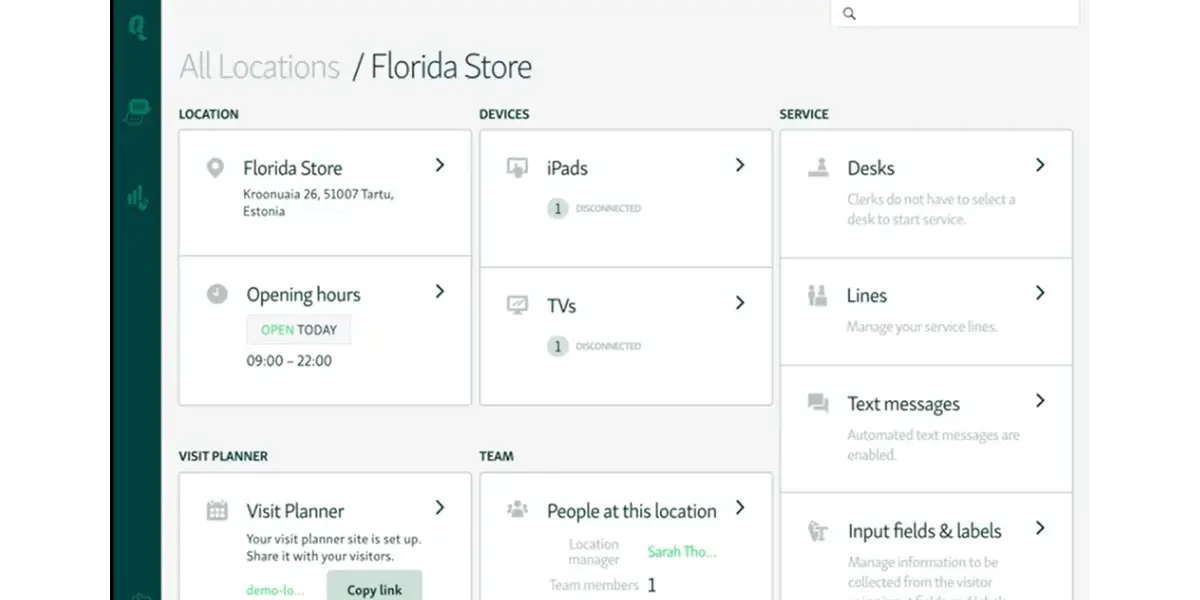
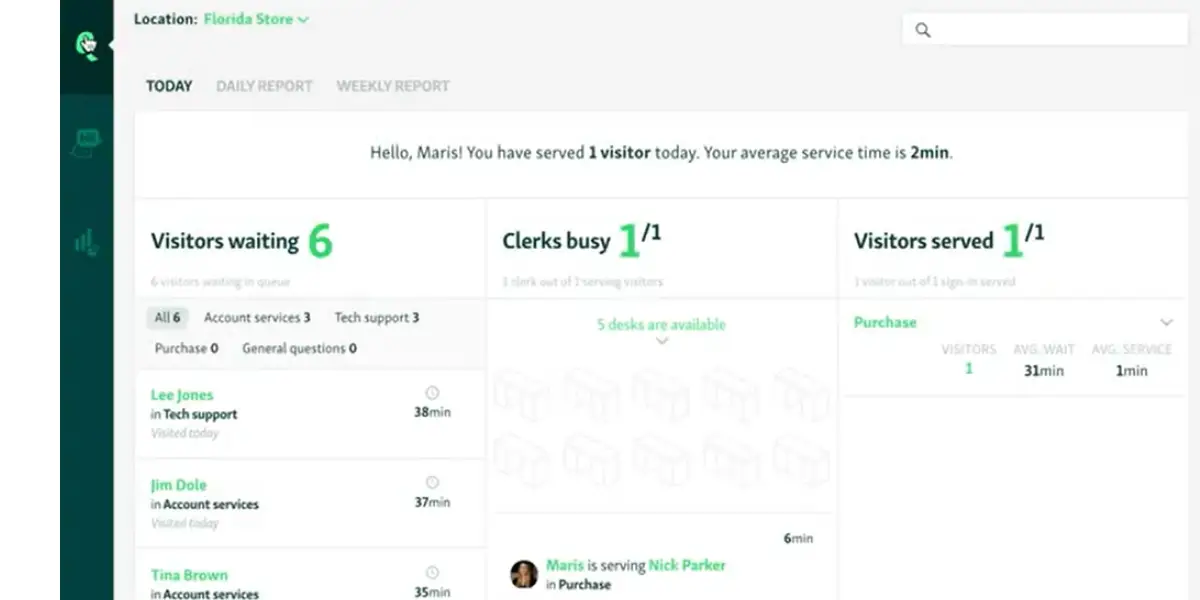
- Service dashboard – Grouping of customers and service lines, text notifications, and chat via SMS
- Service analytics – Utilizing time and resources efficiently
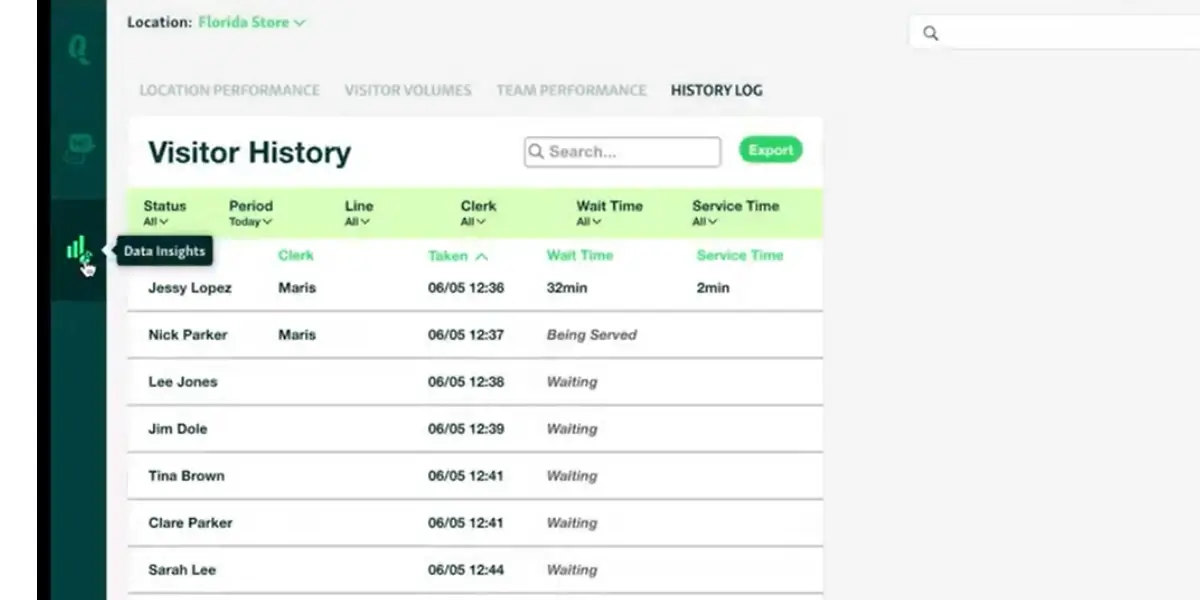
Screenshots of Qminder
Pricing
Qminder publishes two standard tiers plus a quoted one. Figures below were read from Qminder’s own pricing page on 14 August 2026.
- Business: $869 per month, or $9,468 per year when billed annually (roughly a 10 percent saving). Includes 25 users, with unlimited locations, visitors and service lines.
- Premium: $1,149 per month, or $12,588 per year billed annually. Includes 50 users.
- Enterprise: quoted individually. The Appointments and Service Analyst suites are priced separately as add-ons.
- A 14-day free trial covers the full feature set.
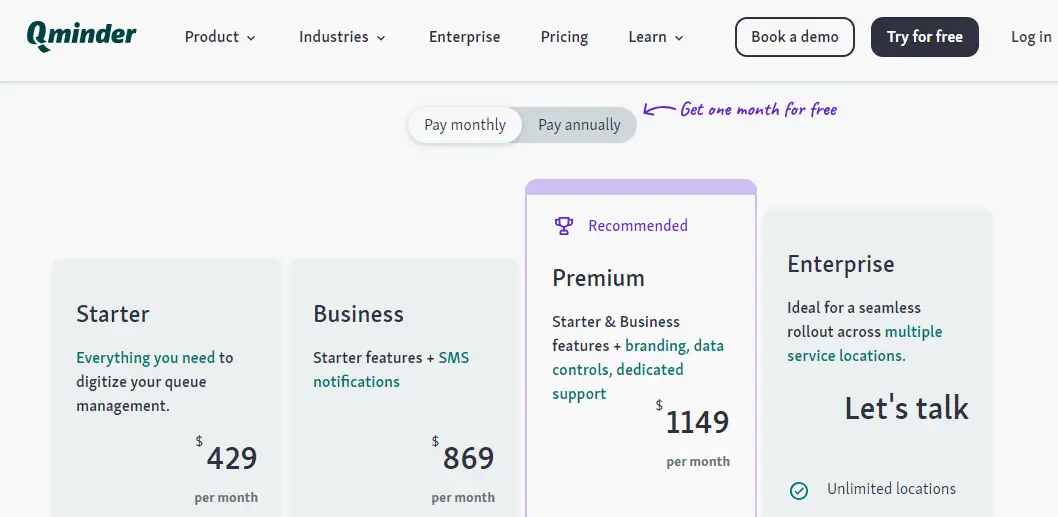
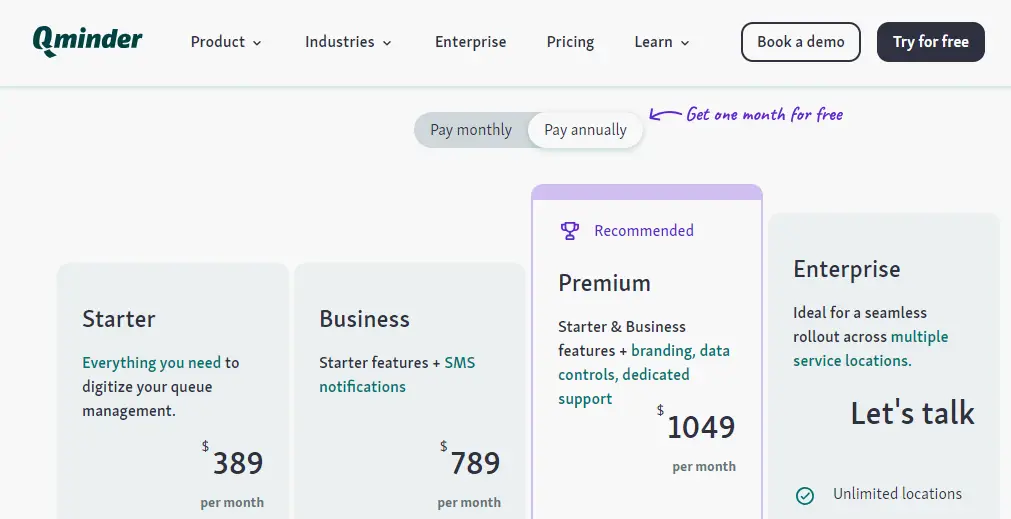
Two corrections matter here for anyone budgeting. The Starter tier at $429 per month that this review previously listed is no longer sold, so Business is now the entry point. And the annual figures are per month, not per year: at $789 per month billed annually the yearly commitment is $9,468, not $789. The screenshots below were captured when this review was first written and show the older tiers.
Likes
- Easily operated
- Conversion of disorganized traffic into a seamless flow
- Value for money
Dislikes
- Limited access to data for future analysis
- No provision to revise service time
- Extra cost for test messages
- Mild glitches experienced by some customers
Supported industries
- Healthcare
- Education
- Finance
- Government
- Retail
Other details
| Deployment | Cloud, SaaS, Web-Based |
| Supported device | iPhone, iPad |
| Supported languages | English |
| Support | Email/Help Desk, Knowledge Base, Phone Support, 24/7 (Live Rep), Chat |
| Training | Live online, Documentation |
| Customer ratings | Capterra: 4.8 out of 5 (33+reviews), G2: 4.5 out of 5 (58+reviews) |
User opinion
Qminder helps businesses to increase efficiency, reduce wait times and improve customer experience. It offers real-time monitoring of service locations and uses data to make sound business decisions.
This QMS is trusted by major companies such as Lyft, Uber, Taxify, AT&T, Verizon, and many others.
2. Waitwhile
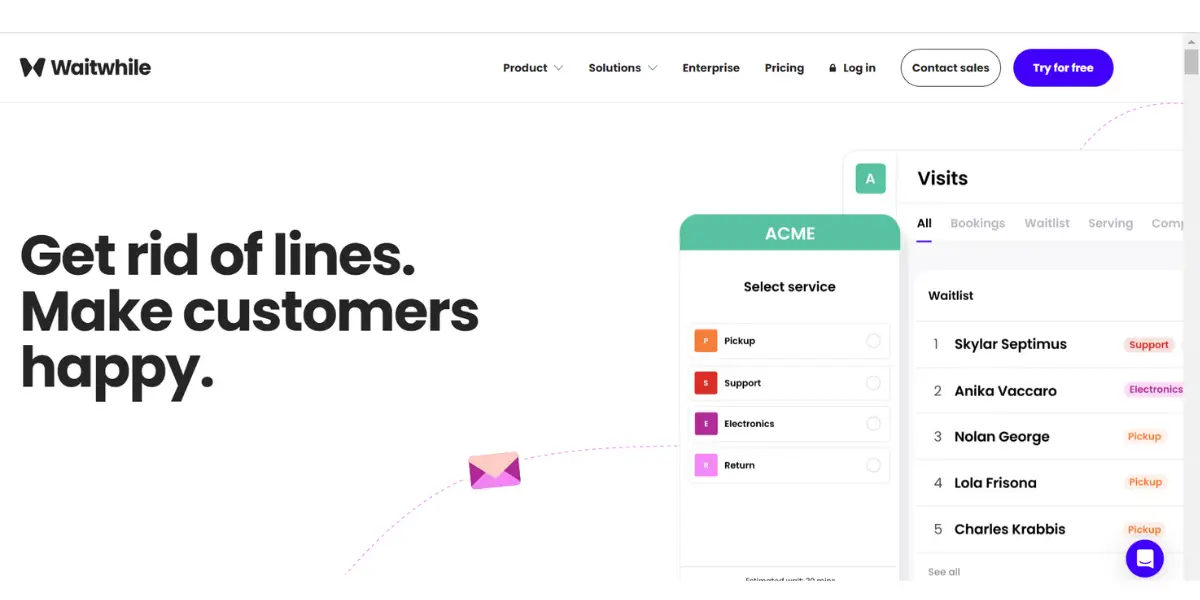
Waitwhile is a virtual QMS app that can be applied for any enterprise to manage their trade accordingly. It manages the customers through a virtual waitlist and sends notification texts on their mobiles concerning their turns.
This platform has helped many customers, saved time, and served companies like Best Buy, Louis Vuitton, Lululemon, and many others.
Features
- Personalized waitlist
- Automatic management of waiting for lines
- Perceptive tools for better consumer flow
- Operational data and insights
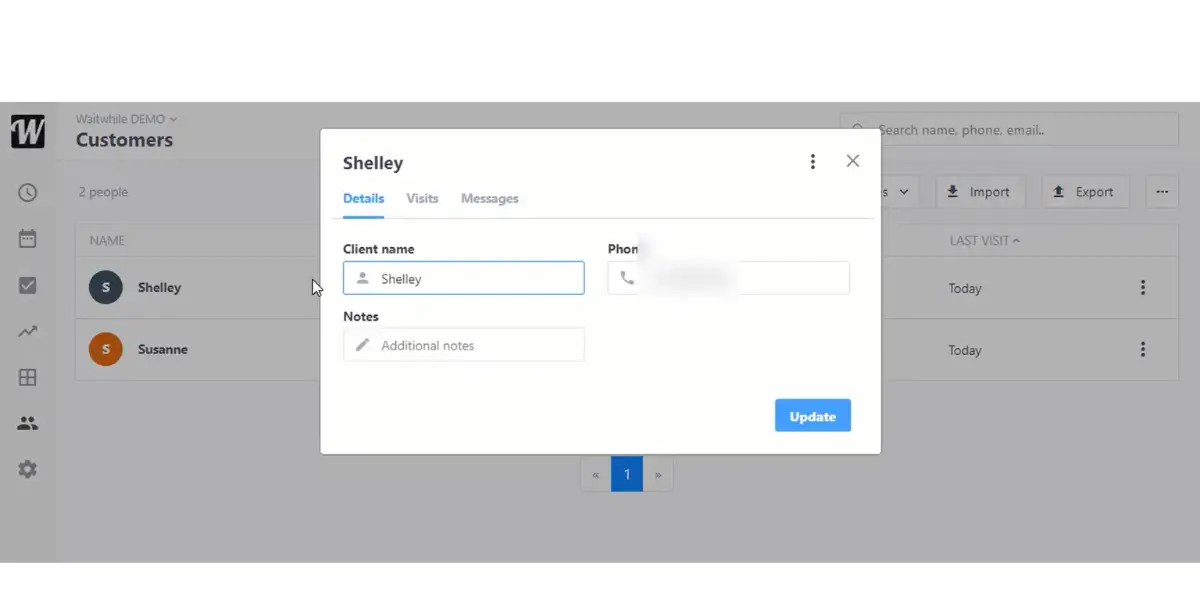
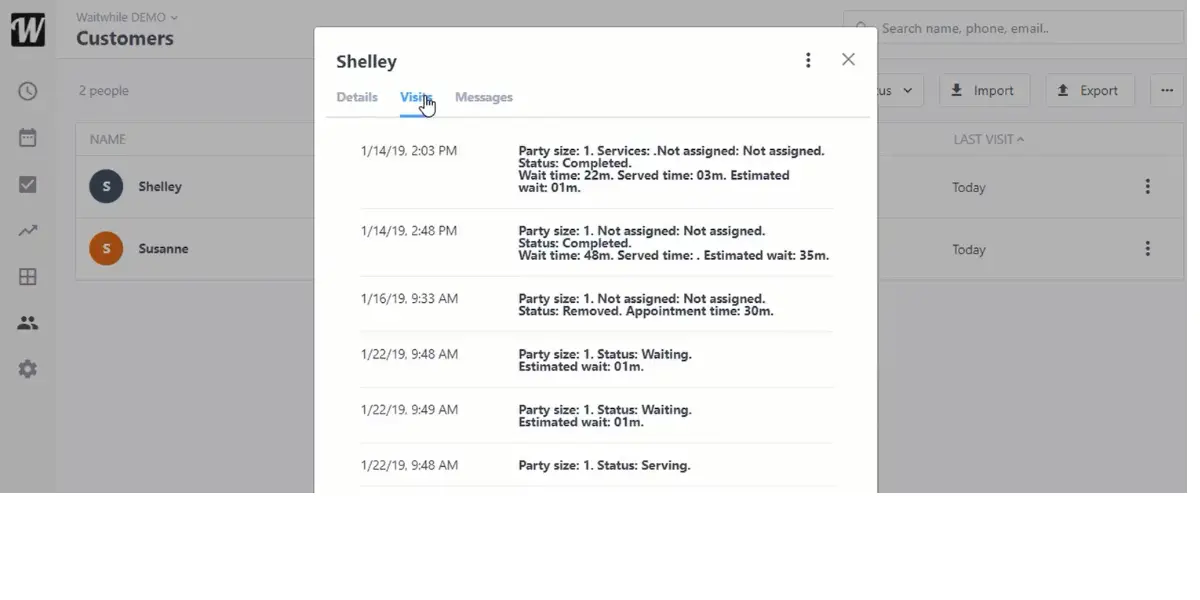
Screenshots of Waitwhile
Pricing
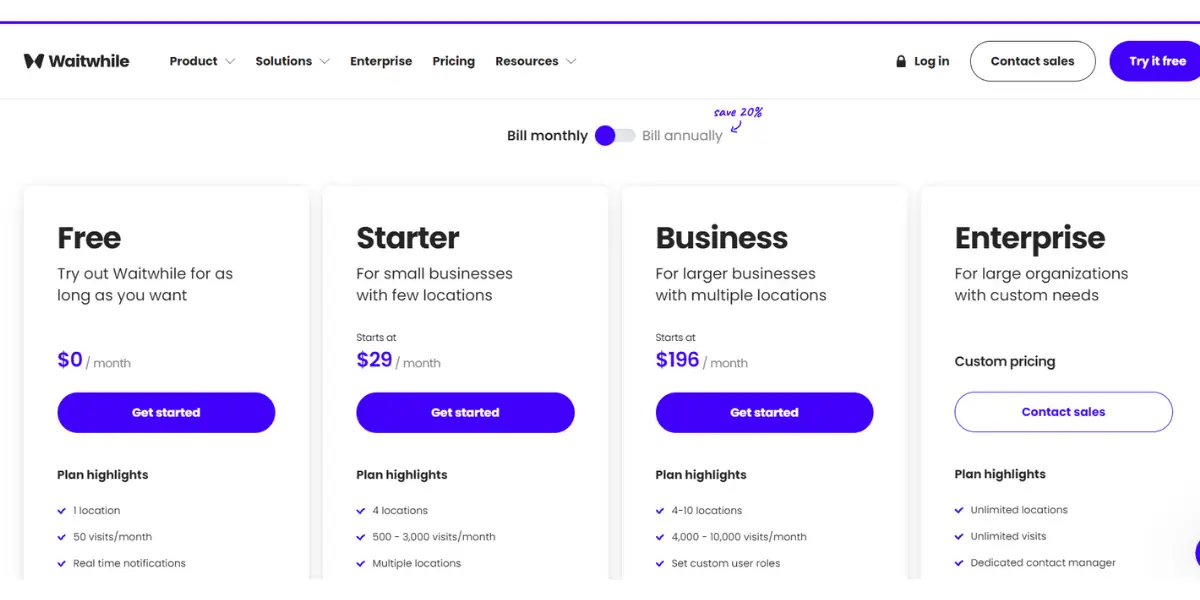
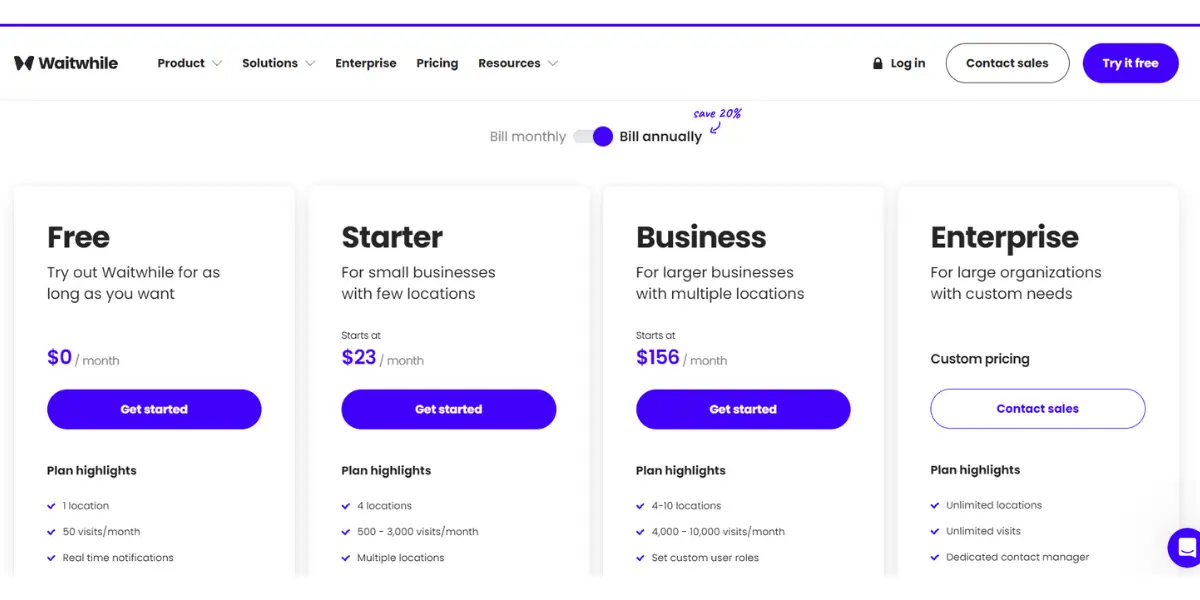
Waitwhile offers four packages. Figures below were read from Waitwhile’s own pricing page on 14 August 2026, and annual billing takes 20 percent off.
- Free: $0 per month, permanently. Covers 1 location and 50 visits per month, with two-way customer messaging and basic branding. This is a free plan rather than a time-limited trial.
- Starter: from $31 per month. Up to 10 locations and 2,500 visits per month, with customisable customer messages and basic multi-location analytics.
- Business: from $55 per month. Up to 10 locations and 5,000 visits per month, adding API and webhook access, custom user roles, synchronised waitlist and bookings, and SMS team notifications.
- Enterprise: quoted individually, adding SAML single sign-on, white-label design, a report builder and a dedicated success manager.
Note the correction if you costed this from an earlier version of this page: Waitwhile’s Business plan starts at $55 per month, not the $196 previously shown here, and the free tier allows 50 visits per month rather than 100. The screenshots below predate the current price list.
Likes
- User friendly
- Trouble-free set up
- Reliable working
- Streamlined waiting lines
Dislikes
- Screen freezes
- The trouble with browser-based applications on older tabs
- The buttons on the UI are convenient
- It does not support multiple users with a single ID.
Supported industries
- Retail
- Healthcare
- Education
- Financial services
- Events
Other details
| Deployment | Cloud, SaaS, Web-Based |
| Supported languages | English |
| Support | Email/Help Desk, FAQs/Forum, Knowledge Base, Chat |
| Training | Live Online, Webinars, Documentation, Videos |
| Customer ratings | Capterra: 4.7 out of 5 (61+reviews), G2: 4.9 out of 5 (151+reviews) |
User opinion
Waitwhile is an advanced waitlist and scheduling platform that helps organizations manage their queues efficiently. It has many capabilities, such as online check-ins, real-time wait times, notifications via SMS and email, and an API to integrate.
Waitwhile’s solution is designed to provide guests with great experiences and streamline processes for organizations.
3. Leyline
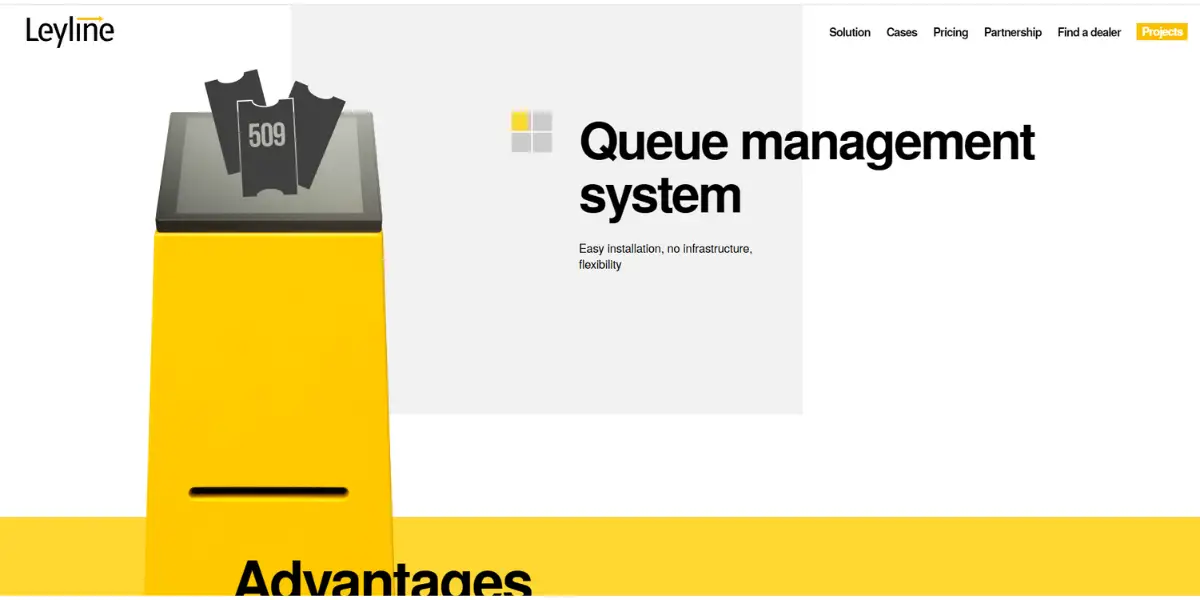
Leyline’s patented queue management software provides the customer with a hassle-free and pleasurable experience of booking a visit to the branch with the help of their choice of gadget and further guides them through the branch through a user interface at the kiosk.
The platform requires no framework, transparent licensing, tailored statistics, operative management, or notifications.
Features
- Different Kiosk setups to suit your requirements.
- Personalized digital signage, interactive widgets, and Interface for customers
- Ticketing
- Appointment booking
- Portable solutions are also available
Pricing
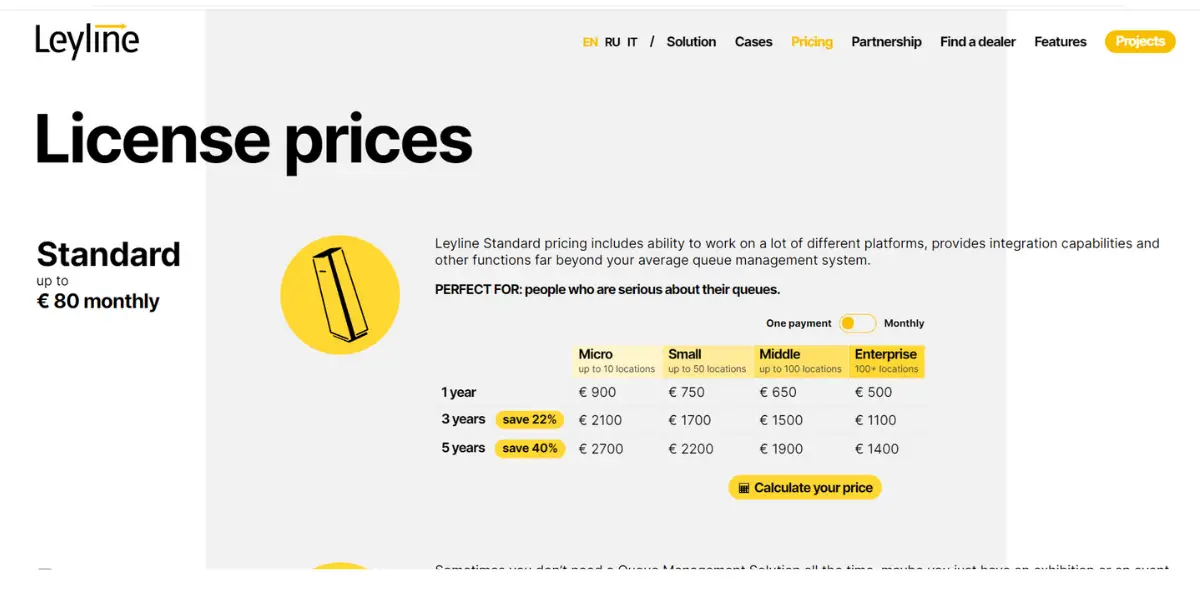
Leyline is based in Liechtenstein and sells the software alongside its own hardware, including barriers, access control and signage. It no longer publishes a price list: the pricing page that carried the table below now returns a 404, and no figures appear anywhere else on the site. The table is kept here for reference because it reflects what Leyline published when this review was written, but treat every figure in it as dated and unverifiable today, and ask the vendor for a current quote. Pricing varied by platform and integration scope even when it was published.
| Micro (Up to 10 locations) | Small (Up to 50 locations) | Middle setups Up to 100 locations) | Enterprise (Up to 100 locations) | |
| One year | Euro 900 | Euro 750 | Euro 650 | Euro 500 |
| Three year | Euro 2100 | Euro 1700 | Euro 1500 | Euro 1100 |
| 5 year | Euro 2700 | Euro 2200 | Euro 1900 | Euro 1400 |
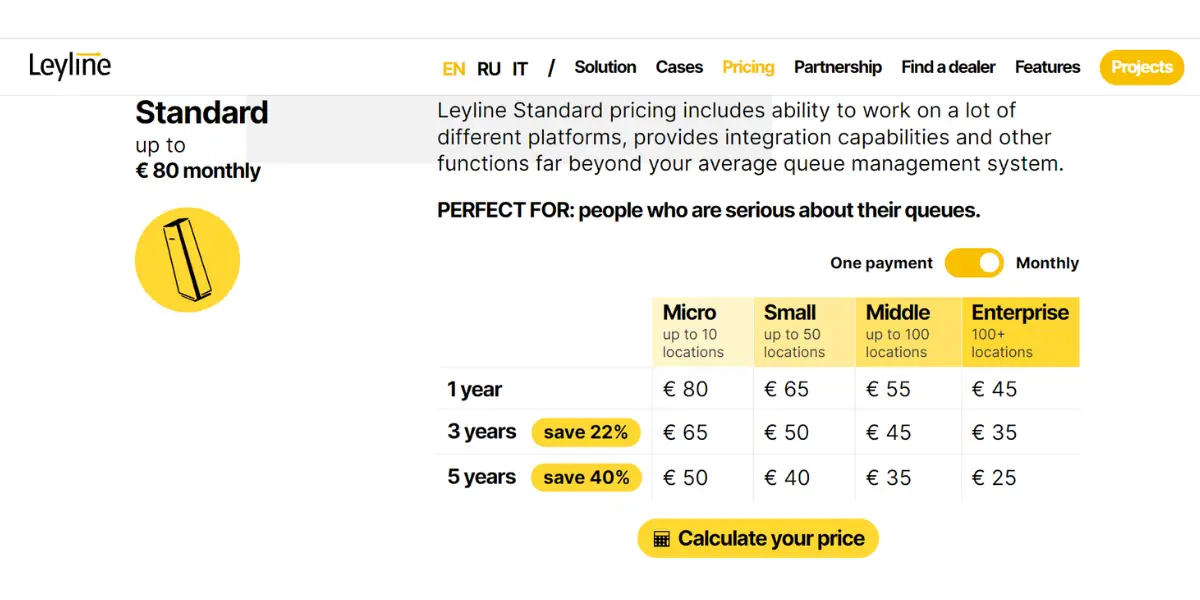
It offers pricing on a monthly basis also for micro, small, middle, and enterprise.
| Micro | Small | Middle setups | Enterprise | |
| One year | Euro 80 | Euro 65 | Euro 55 | Euro 45 |
| Three year | Euro 65 | Euro 50 | Euro 45 | Euro 35 |
| Five year | Euro 50 | Euro 40 | Euro 35 | Euro 25 |
Likes
- Effortless functioning
- Good customer support
- Adaptable platform and allows single tickets throughout the entire course
Dislikes
- Frequent updates
- Signage media caching is problematic
Other details
| Supported languages | Danish, English, Estonian, Georgian, Latvian, Lithuanian, Norwegian, Russian, Swedish, Chinese (Traditional) |
| Customer ratings | G2: 4.8 out of 5 (3+reviews) |
User opinion
Leyline is a QMS platform with a simple setup and can be installed on any 3rd party device. It offers various user-friendly kiosk setups that can be customized.
It can provide personalized digital signage, API, and widgets to enhance the ticketing and appointment booking experience and also portable solutions.
4. Wavetec
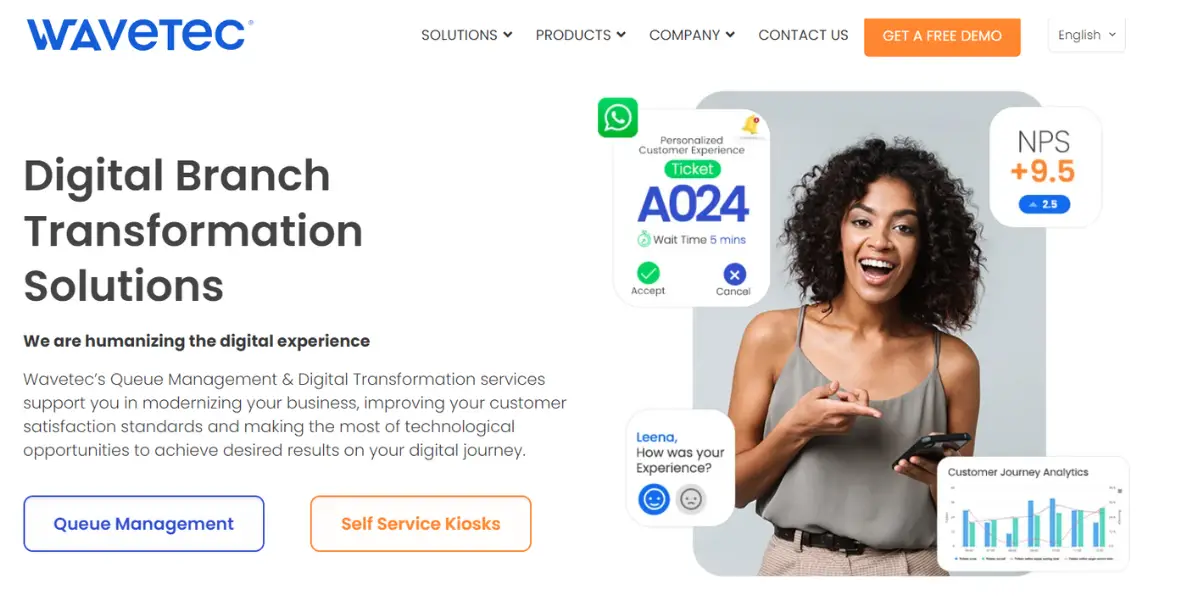
Wavetec queue management system applies virtual queuing and WhatsApp management solutions to handle the customer flow in banks, capital markets, healthcare, retail stores, and others to enhance customer experience.
They are established in Barcelona, Dubai, Mexico, Karachi, Nairobi, Riyadh, Santiago, and Peru.
Features
- Queuing based on QR code
- Real-time status and notifications via WhatsApp
- Waiting for line news through digital signage
- Contact free queuing
- Live feedback mechanism
- Evaluation of customer waiting period and average service period
- Insights and analysis
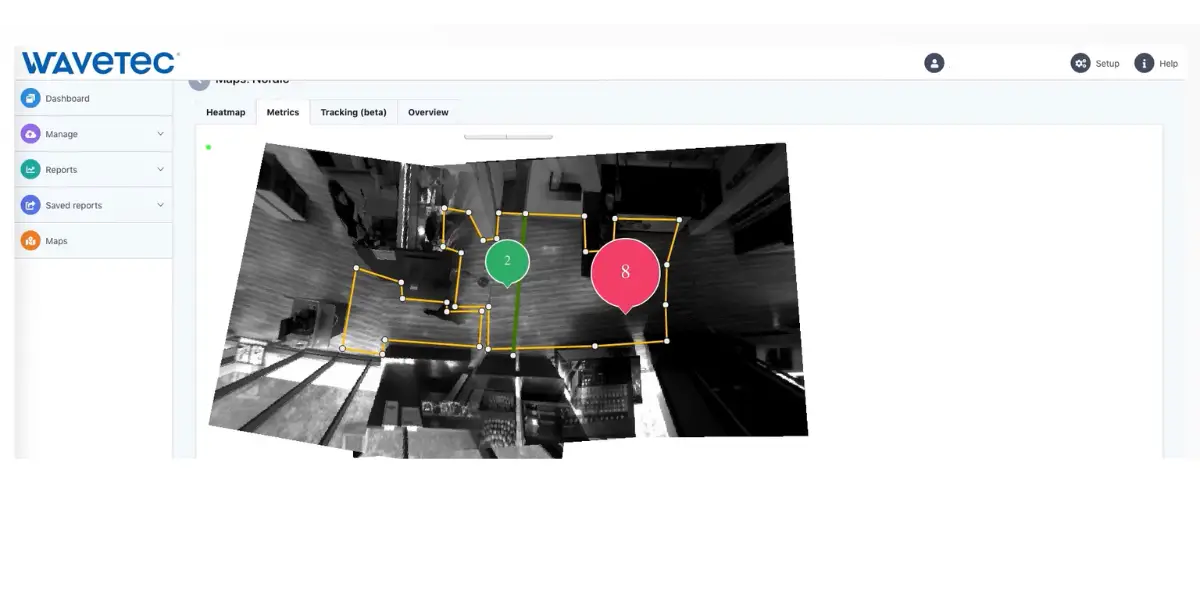
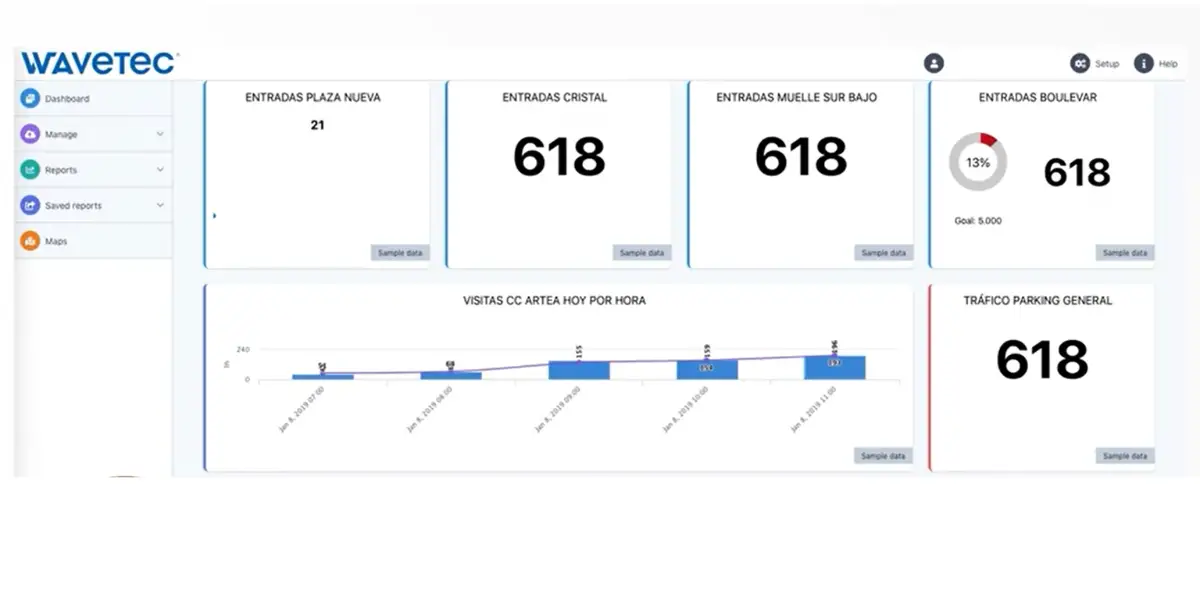
Screenshots of Wavetec
Pricing
Contact the company directly for pricing details.
Likes
- Excellent customer support
- Smooth processing
- Wide range of features to cater to different industries
Dislikes
- The user interface can be improved
- Cost on the higher side
Supported industries
- Banking
- Telecom
- Government
- Healthcare
- Retail
- Education
Other details
| Deployment | Cloud, SaaS, Web-Based |
| Supported device | Android, iPhone, iPad |
| Supported languages | Afrikaans, Arabic, Azerbaijani, Bengali, German, English, French, Hebrew, Italian, Portuguese, Russian, Spanish, Tajik |
| Training | Live Online, In-person, Documentation |
| Customer ratings | Capterra: 4.7 out of 5 (61+reviews), G2: 4.9 out of 5 (14+reviews) |
User opinion
Wavetec is a leader in the Queue Management System (QMS) world, offering an enterprise Solution with modern design and extensive information systems to create an optimal customer journey.
It provides customers with convenient options to join a queue using their mobile app, appointment, or ticket kiosk physically and virtually.
5. Qtrac
Qtrac is by Lavi Industry with over four decades of service in queue management; it is dedicated to virtual queue management for strategically managing the customer flow for businesses at various levels by giving attention to how people interact with a business.
Expert handling of schedules and appointments, thus, reducing waiting, improving trade, and creating a good consumer experience.
Government offices, educational institutions, retail stores, financial organizations, healthcare, DMV offices in North America, and companies like Ace Hardware, San Diego State University, U.S. Cellular, and Lufthansa Airlines also rely on this.
Features
- Enhanced staff productivity
- Good standards of service by understanding the customer
- Improve sales
- Custom-made solutions for customer experience
- Well-organized scheduling of appointments
- Necessary for clients to have proprietary hardware to use the software.
- Updates on waiting for lines (progress in the queue)
Pricing
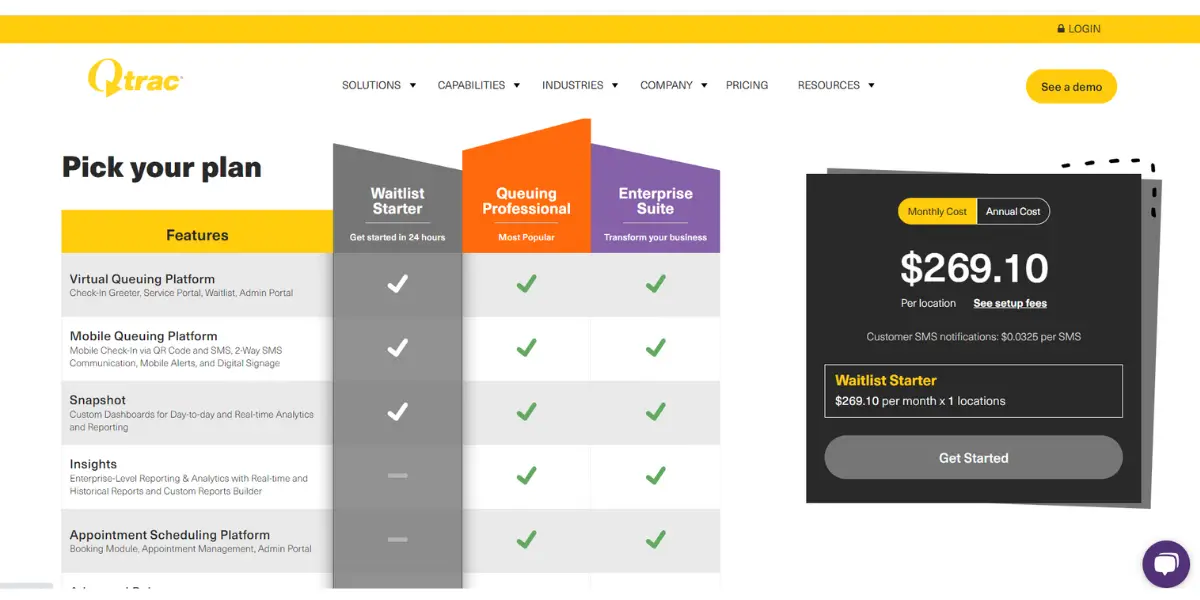
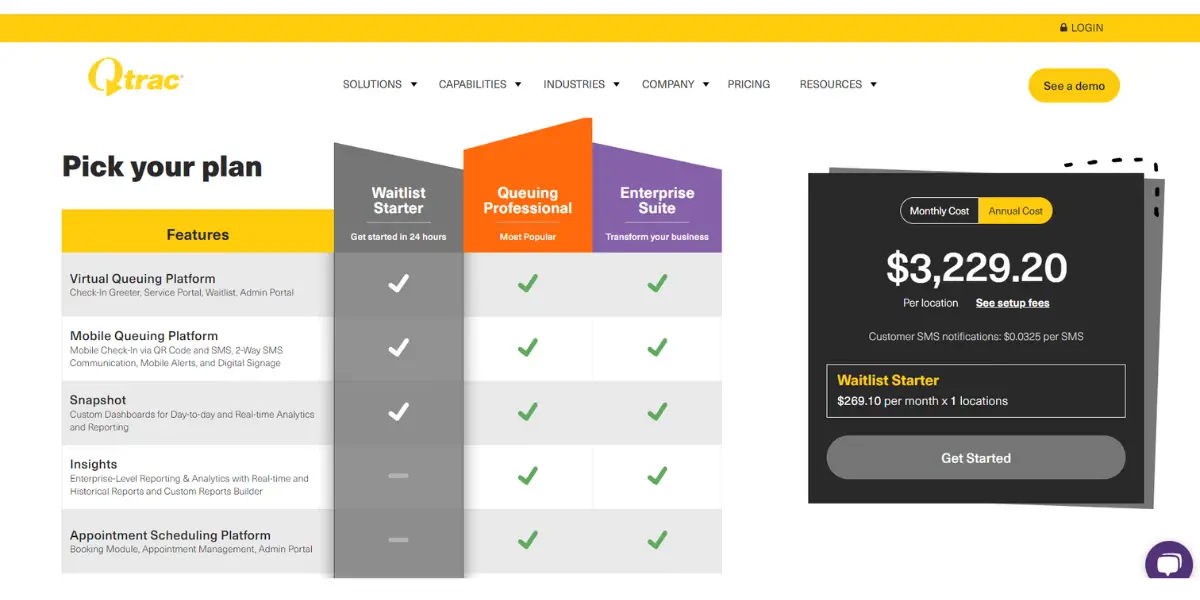
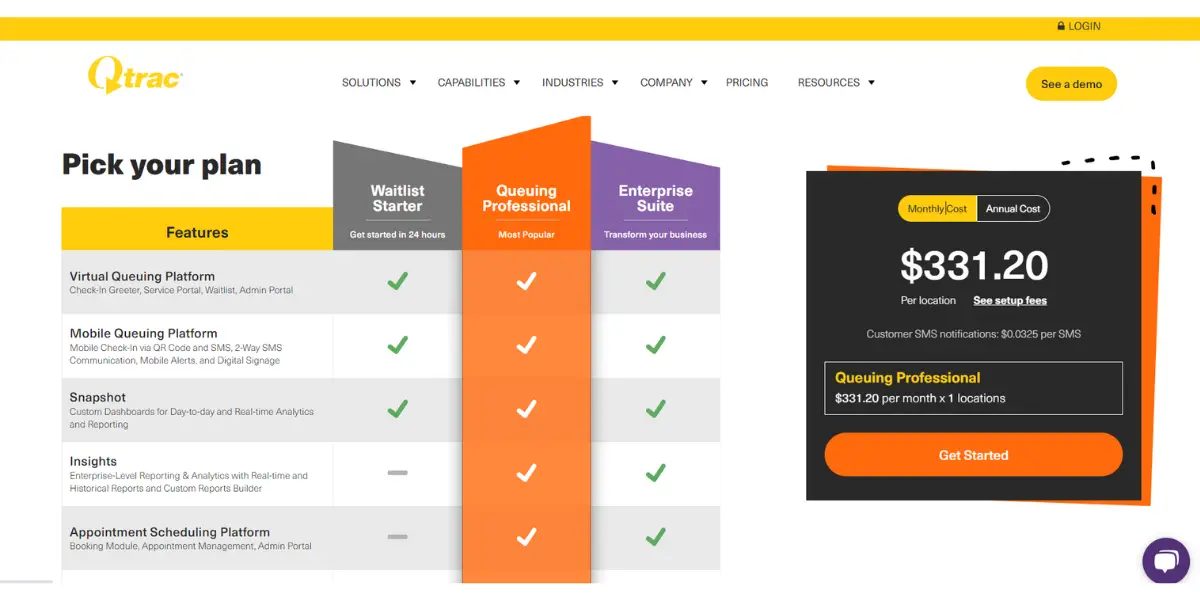
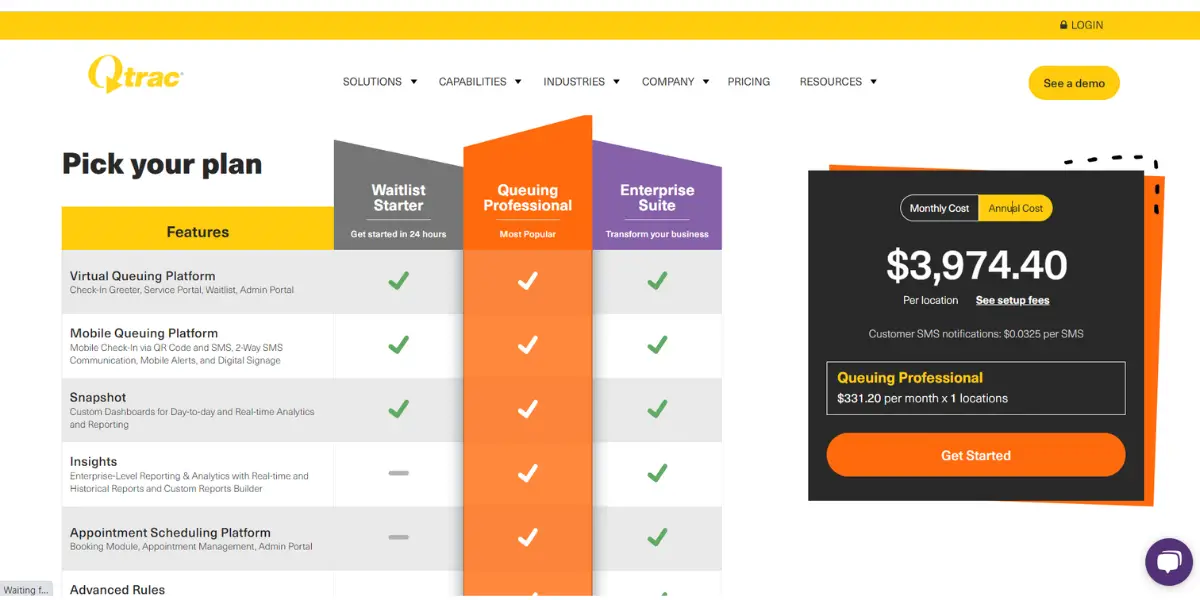
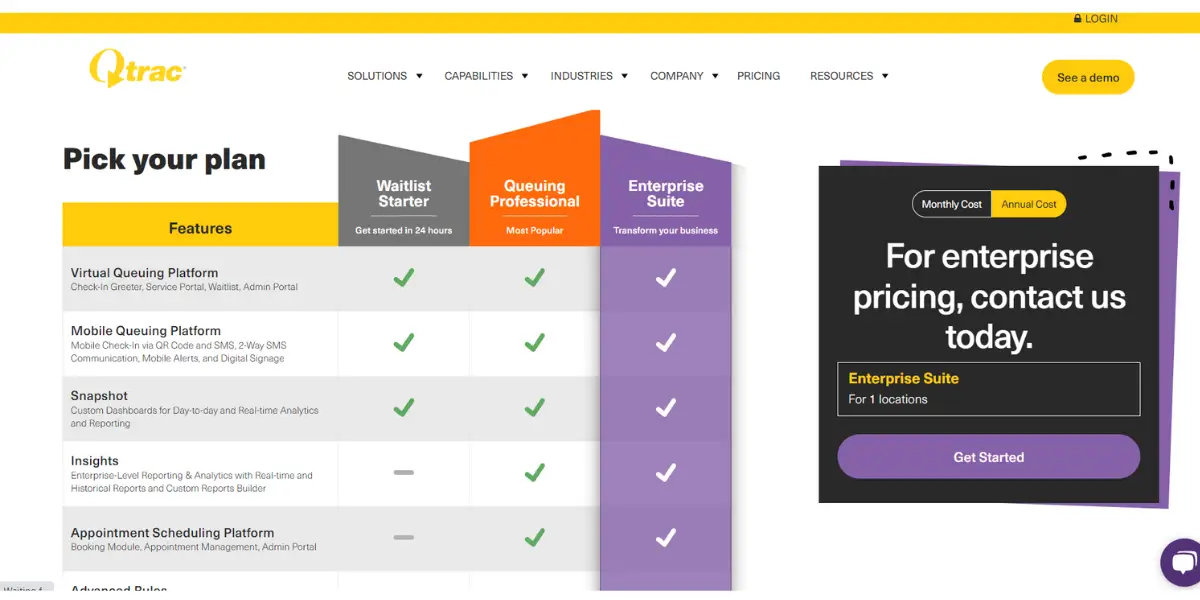
Qtrac is owned by Lavi Industries, the company long known for physical queue barriers and stanchions, and it sells the Qtrac Core platform with add-ons for support, training, SMS and RCS messaging, an API hub and appointment scheduling.
Qtrac no longer publishes figures. Its pricing page carries feature descriptions and a contact form rather than a price list, so a quote is the only way to get a number today. The tiers below are kept because they are what Qtrac published when this review was written, and they still give a rough sense of the entry point for a single location, but they are dated and should be confirmed with the vendor rather than budgeted from.
- Waitlist Starter: $269.10 per month, or $3,229.20 per year (previously published, for one location)
- Queuing Professional: $331.20 per month, or $3,974.40 per year (previously published, for one location)
- Enterprise Suite: quoted individually
Likes
- Real-time updates of schedules and appointment
- Report and analyze – Customer data and location-based performance reports
- Customers can view the queue with the help of digital signage.
Dislikes
- High priced subscription
- Payment process not integrated
- It does not provide alternate notification channels other than SMS and emails.
- UI is not very convenient for customers to upload information.
Supported industries
- Telecom
- Banking
- Healthcare
- Education
- Public sector
Other details
| Deployment | Cloud, SaaS, Web-Based |
| Supported languages | German, English, French, Hebrew, Spanish, Chinese (Simplified) |
| Customer ratings | G2: 4.7 out of 5 (30+reviews) |
User opinion
Qtrac is dedicated to providing customers with the best possible experience when interacting with physical stores.
Their solutions focus on enhancing customer journeys, scheduling appointments more efficiently, eliminating lines and queues, promoting sales growth, and helping you develop data-driven strategies.
6. Engageware
Engageware’s Queue management tool is to engage customers in better ways. They are employing simpler and more efficient solutions for businesses to provide customer engagement solutions to handle on-site traffic to provide better customer service.
Lend services to retail banking, consumer retail, higher education, and healthcare.
Features
- Farsighted preparation of employees to cater to the customers
- Provide estimated wait times to customers based on real-time data
- Transparency concerning waiting periods
- Improve response rates through a valuable feedback mechanism post-appointment.
- Flexibility to log from any place and device
- Appointment activity tracker to improve in-house performance
Pricing
Engageware is quote-based. It publishes no price list and no named tiers, so the Starter, Professional and Enterprise plans this review previously listed are not something the vendor offers by those names; a conversation with sales is the only route to a figure.
Worth knowing before you shortlist it: Engageware is the former TimeTrade SilverCloud, renamed on 28 July 2021 after TimeTrade acquired SilverCloud, and it is a portfolio company of Clearhaven Partners. Queue management sits inside its Appointment Management line as Lobby Management, alongside appointment scheduling and a Salesforce-native scheduler, so it suits buyers who want scheduling first and in-branch queueing second.
Likes
- Improves customer satisfaction
- Maximizes efficiency of the system
- Increases business profits
- Hassle-free personalized customer experience
Dislikes
- Admin dashboard GUI needs improvement
- Glitches in syncing with the client’s calendar
Other details
| Deployment | Cloud, SaaS, Web-Based |
| Supported languages | English |
| Support | Email/Help Desk, FAQs/Forum, Knowledge Base, Phone Support, Chat |
| Training | Live Online, Webinars, Documentation |
| Customer ratings | Capterra: 4.8 out of 5 (68+reviews) G2: 4.4 out of 5 (119+reviews) |
User opinion
This advanced QMS platform helps organizations engage their customers in a better manner. It simplifies and makes the process of appointment scheduling and knowledge management effective by providing quality customer experiences.
In addition, it can provide automotive and customizable appointment bookings, configurable rules, customized notification settings, and more.
7. Qwaiting
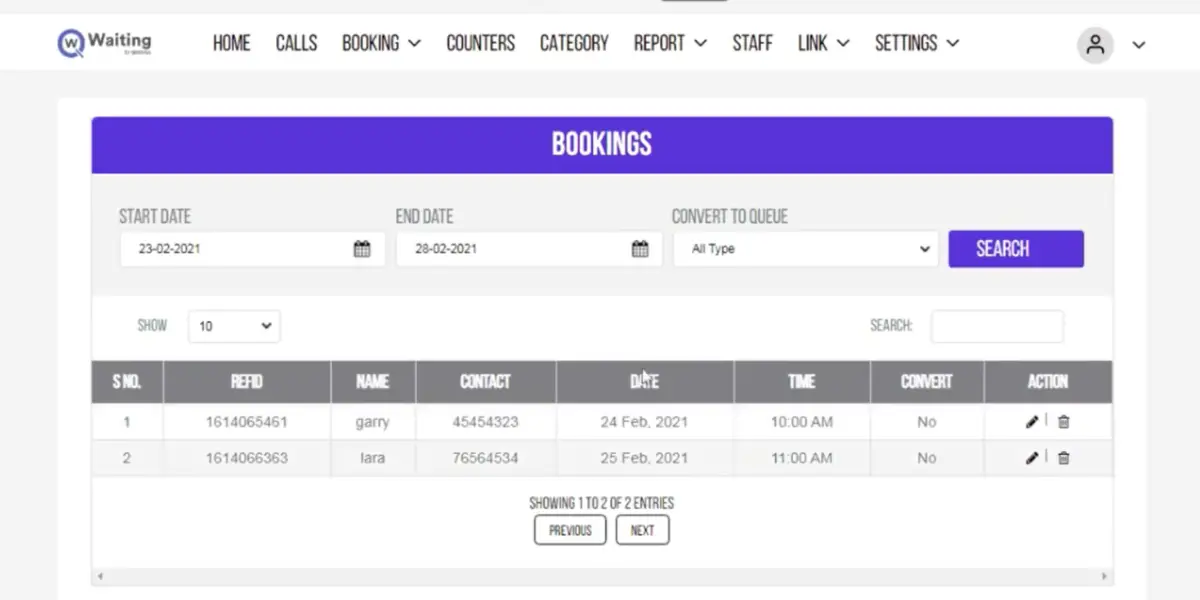
Qwaiting is a popular SaaS, cloud-based queue management service providing an efficient, user-friendly queue waiting-for platform to cater to small, medium, and big enterprises. Here customers are instructed through audio-visual means and user interface to check into a queue.
Further, follow-up calls and suitable tools are used to track service levels and provide performance statistics. Qwaiting believes in giving the ultimate client service by boosting communication and queue control systems.
Features
- It uses cloud technology and can integrate into any technology
- Simple web page booking
- Provides self-check-ins and smart systems
- QR code enables an automated waiting list
- Centralized dashboard for uninterrupted service
- Personalized experience
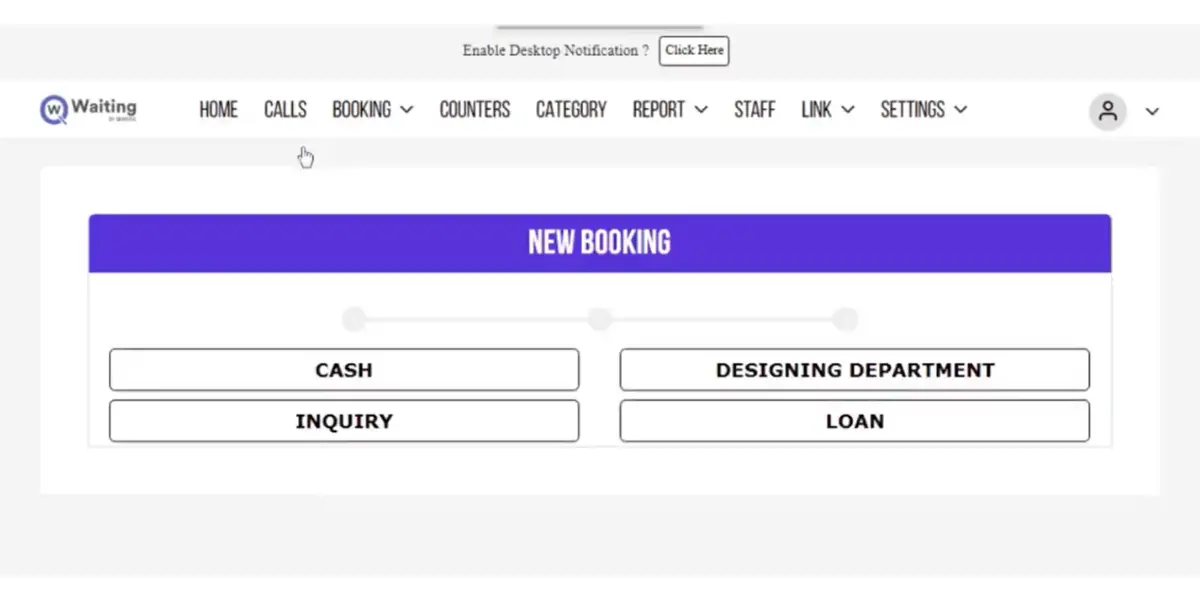
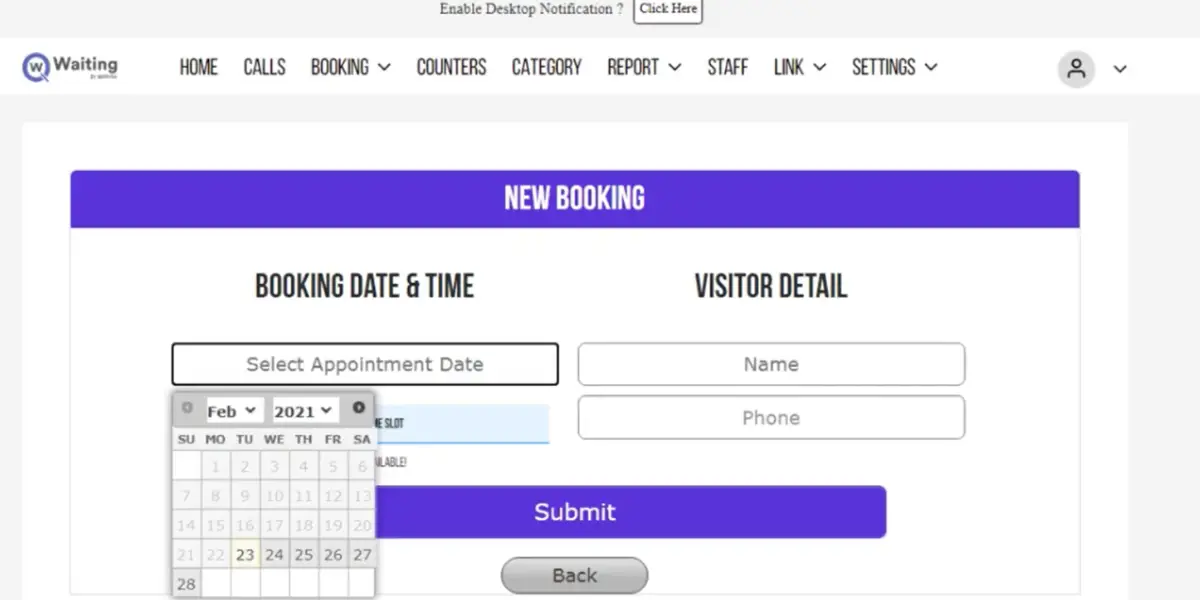
Screenshots of Qwaiting
Pricing
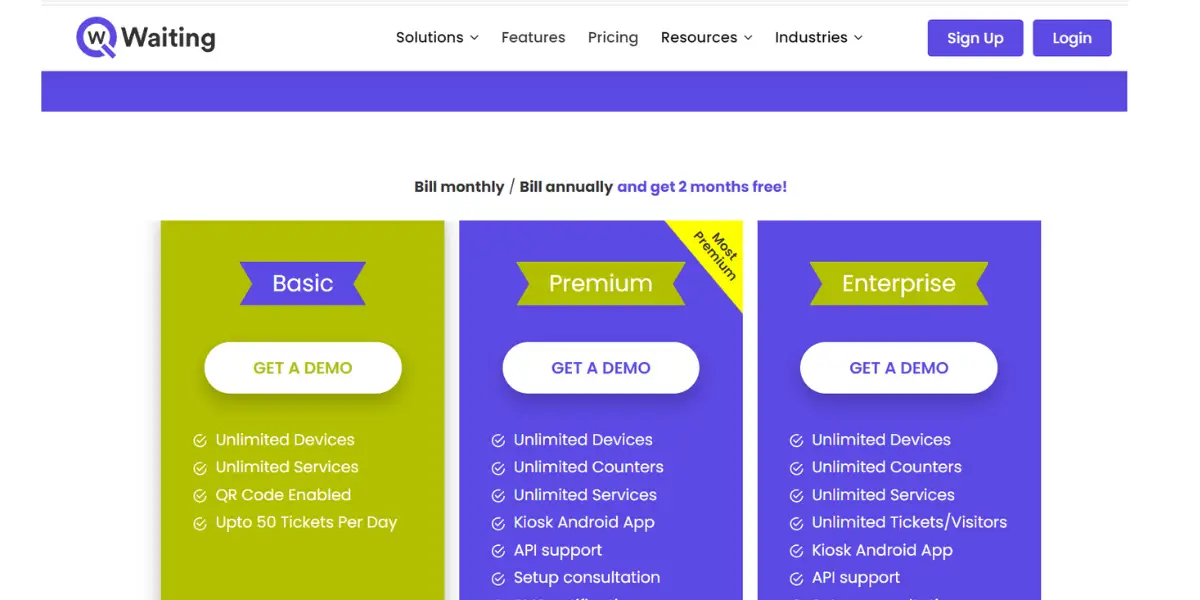
Qwaiting publishes its prices in full, which is unusual in this category. It sells four tiers, not three, and the plan names are Starter, Business, Enterprise and Custom. Figures below were read from Qwaiting’s own pricing page on 14 August 2026; annual billing works out at two months free.
- Starter: $249 per month, or $2,490 per year. 5 staff logins, with chat and email support.
- Business: $349 per month, or $3,490 per year. 10 staff logins, adding analytics and customisable design.
- Enterprise: $399 per month, or $3,990 per year. 20 staff logins, adding API access, daily backups and an account manager.
- Custom: $649 per month, or $6,490 per year. 50 staff logins, adding audit logging, data controls, white-label design and SSO or SAML.
Because Qwaiting charges per staff login rather than per location or per visit, it costs the same whether a branch handles fifty visitors a day or five hundred, which makes it worth comparing directly against Waitwhile’s visit-capped plans. The screenshot below was captured when this review was first written and shows the older three-tier line-up.
Likes
- Simple operation
- Remote management
- User-friendly features
- Efficiently manages queues
Dislikes
- API support is not available in the basic plan
- The SMS notification facility is not there for basic plan users.
Supported Industries
- Banking
- Public sector
- Retail
- Government
- Hospital
- Education
Other details
| Deployment | Cloud, SaaS, Web-Based |
| Supported languages | English |
| Supported Device | Mac, Windows, Linux, Android, iPhone, iPad |
| Support | Email/Help Desk, FAQs/Forum, Knowledge Base, Phone Support, 24/7 (Live Rep), Chat |
| Training | In-Person, Live Online, Webinars, Documentation, Videos |
| Customer ratings | Capterra: 5.0 out of 5 (2+ reviews) G2: 5.0 out of 5 (2+reviews) |
User opinion
Qwaiting is a queue management platform designed to ease the queue management process for businesses and increase customer satisfaction.
It helps reduce waiting times, minimizes walkaways, provides outstanding customer experiences, and generates real-time insights to aid data-driven decisions.
In addition, it allows for more personalized communication with customers and can be accessed from PCs, laptops, and mobile devices. With Qwaiting, businesses are assured of industry-leading performance service that will bring unparalleled success.
8. Qudini, now Verint Appointment and Queuing
Qudini no longer exists as an independent vendor. Verint acquired Qudini Limited on 13 January 2023, and the product is sold today as Verint Appointment and Queuing, previously badged Verint Retail Choreography. If you are searching for Qudini you will land on Verint, and the buying process is Verint’s enterprise one rather than the smaller-vendor experience the name suggests.
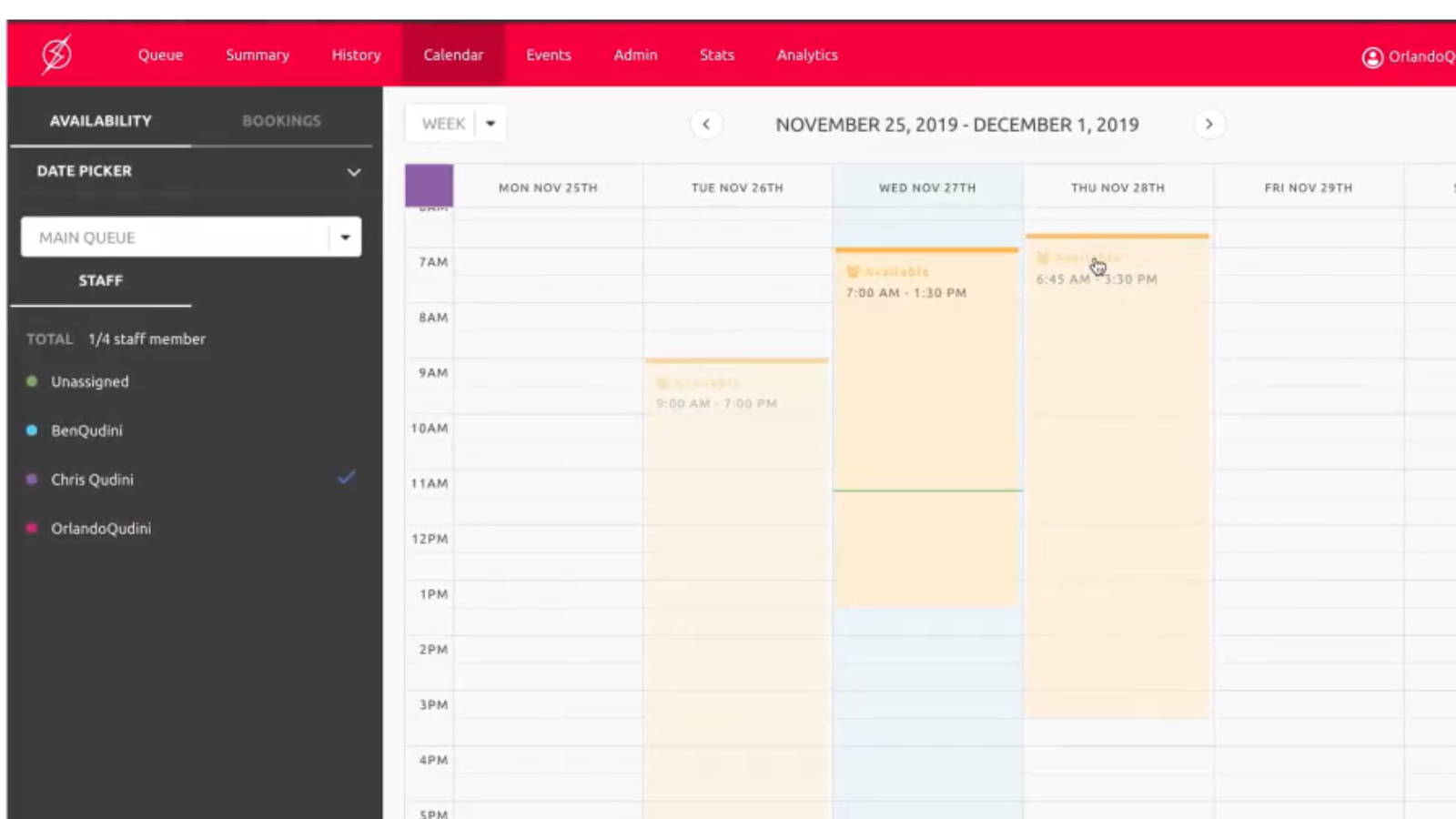
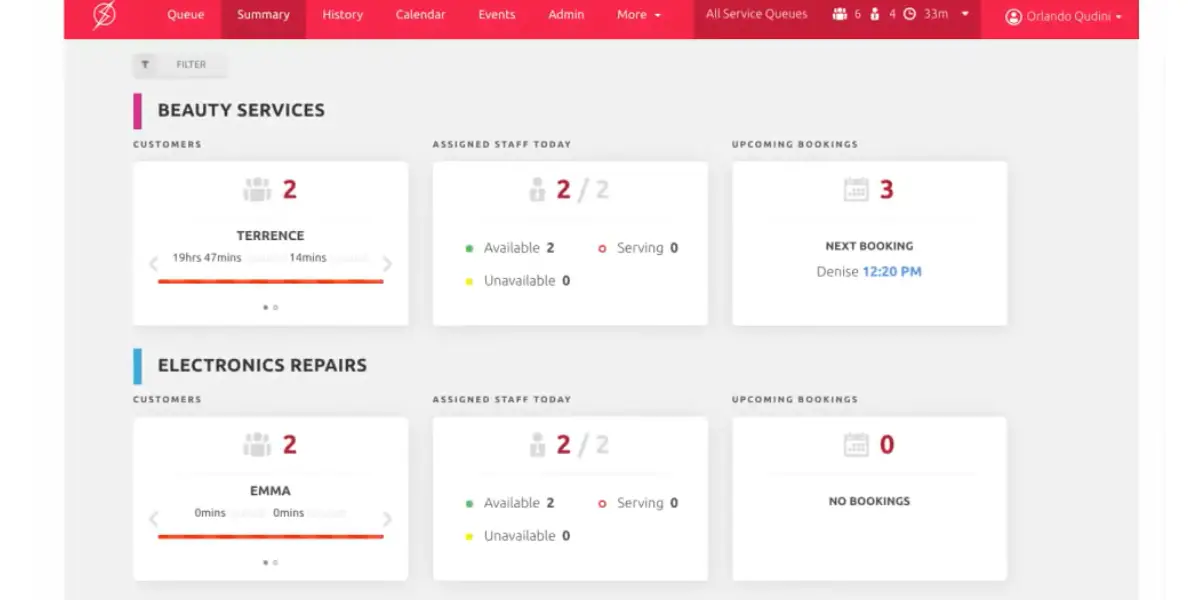
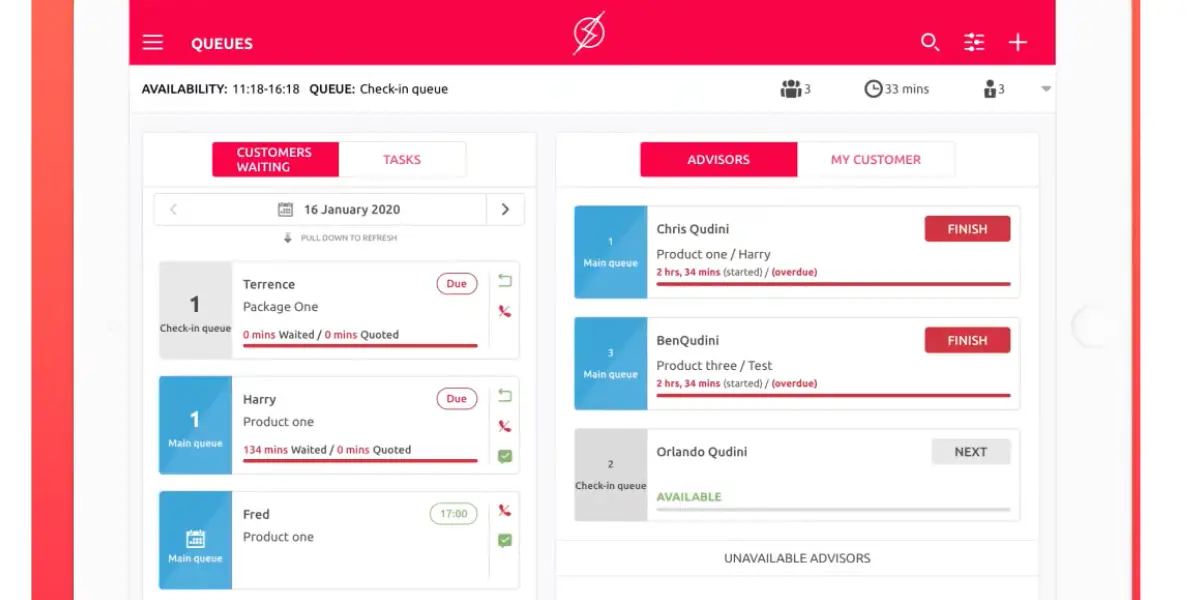
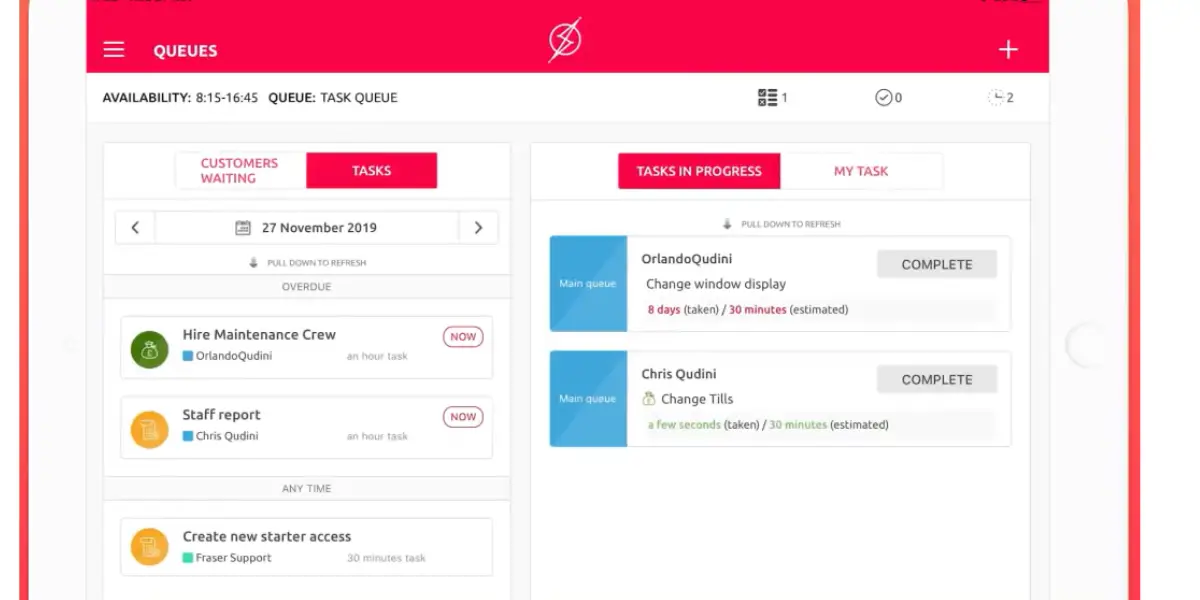
The platform covers appointment scheduling, virtual queuing, event management, click-and-collect check-in and task management, now grouped into three modules: Appointment Booking, Queue Management and Event Management.
It helps clients to transform their business functioning, analytics, and consumer experience. It facilitates an enterprise to be more productive, make profits, retain customers, store traffic, and be purposeful.
Features
- Appointment booking
- Customer engagement
- Activity management
- Insights
- AI prediction engine
Screenshots of Qudini
Pricing
It offers quote-based plans. For details, contact the company directly.
Likes
- Simple set up
- Smooth operation
- Good customer service
- User-friendly Interface
Dislikes
- Pricing structure confusing
- App hangs and lags with multiple users
Supported industries
- Grocery
- Beauty
- Electronics
- Sports and outdoor
- Jewelry
- Fashion
Other details
| Deployment | Cloud, SaaS, Web-Based |
| Supported languages | Arabic, Danish, German, English, French, Italian, Japanese, Korean, Dutch, Polish, Russian, Spanish, Swedish, Chinese (Simplified), Chinese (Traditional) |
| Supported Device | Mac, Windows, Linux, Android, iPhone, iPad, Chromebooks |
| Support | Email/Help Desk, FAQs/Forum, Knowledge Base, Phone Support, 24/7 (Live Rep), Chat |
| Training | In-Person, Live Online, Webinars, Documentation, Videos |
| Customer ratings | Capterra: 4.7 out of 5 (10+ reviews) G2: 4.5 out of 5 (11+reviews) |
User opinion
Qudini is a QMS platform to aid retailers and banks in optimizing the customer experience, improving store team productivity, and generating more profit. This software is intuitive and convenient to operate. It is scalable and offers many integration options.
The features include appointment scheduling (both in-store and online), virtual queue management, clienteling services, event booking, click-and-collect check-in, task management, store team communications, and shop floor management.
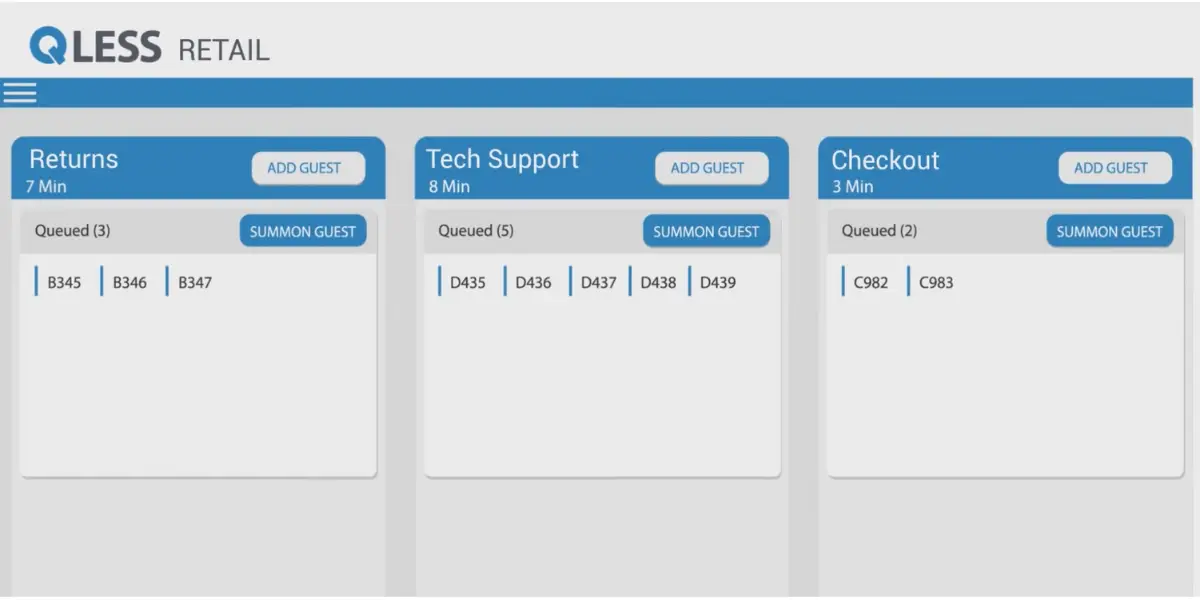
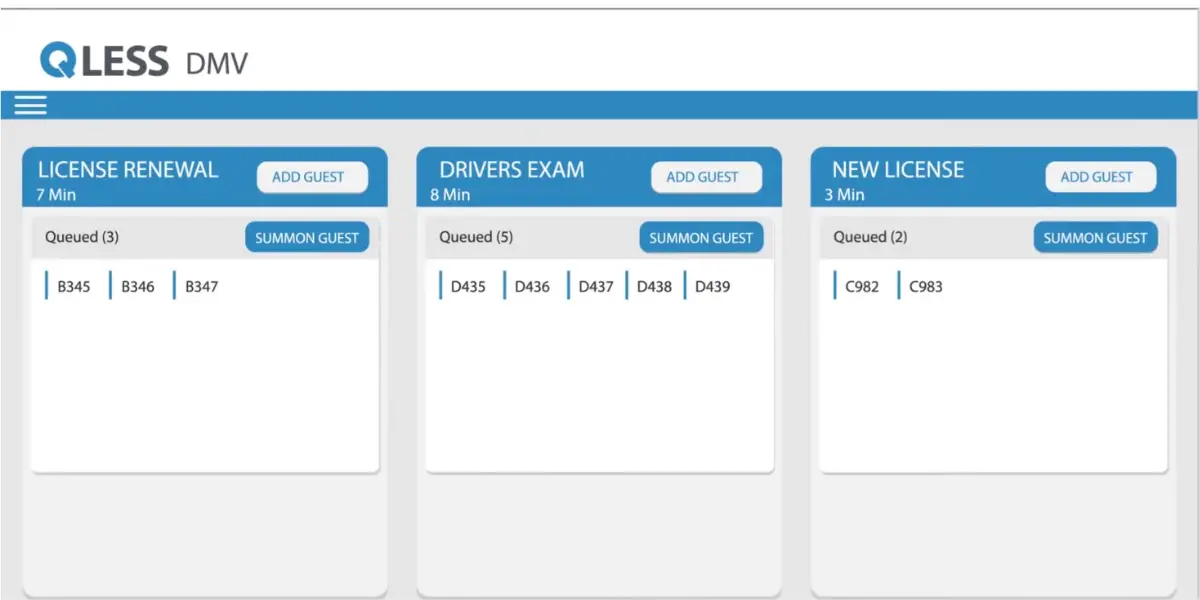
9. Qless
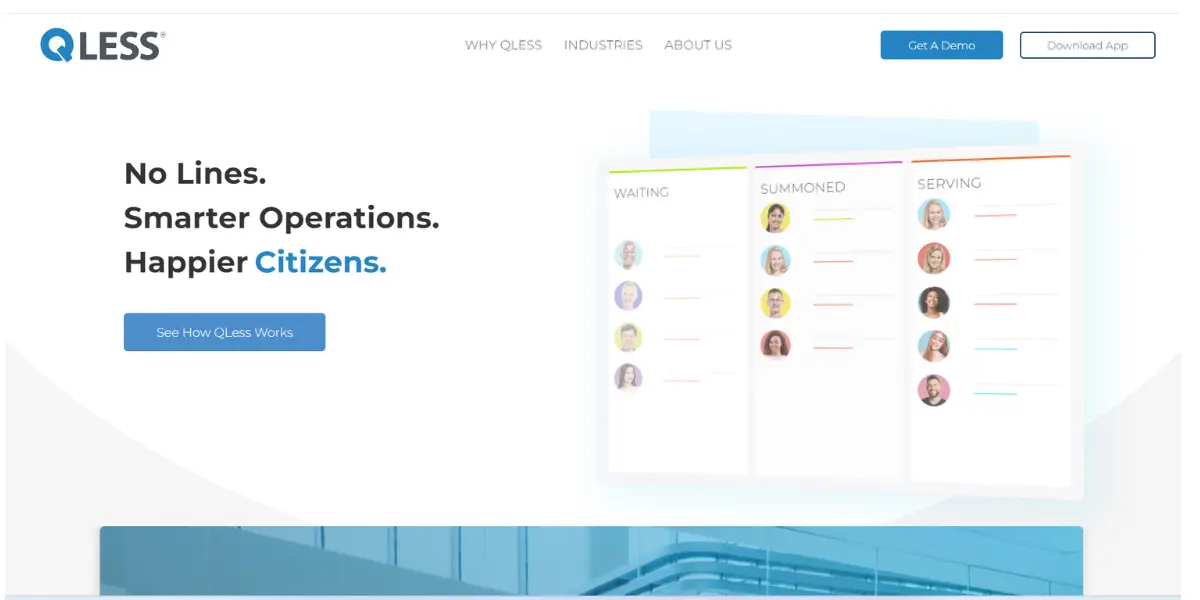
This is software for queue management and appointment scheduling, aimed at managing customer flow in organisations, and it is strongest in government, DMV, healthcare and higher education, which are the four verticals QLess leads with.
One piece of due diligence belongs with this entry. QLess filed for Subchapter V bankruptcy protection in Delaware in June 2024, carrying about $9.1 million in annualised recurring revenue against roughly $5 million of projected operating losses for that year, and emerged with its plan confirmed and the case closed in March 2025. It has been majority-owned by Palisades Growth Capital since November 2021 and continues to trade. None of that makes the product a bad fit, and a restructuring that closed in ninety days is a comparatively clean one, but a buyer signing a multi-year public-sector contract should ask about it directly rather than discover it later.
The automatic wait experiences are customized using analytics to provide a flexible platform for customers to wait according to their needs and preferences.
This cloud-based system helps businesses better their functioning and operations with efficacy to cater to customer needs by reducing the waiting period.
Features
- Cloud technology enables easy access from mobile
- Integration abilities
- Real-time monitoring and processing( visibility)
- Personalized interactions
- Tracking and reporting
Screenshots of Qless
Pricing
It offers quote-based plans. For pricing details, contact the vendor directly.
Likes
- User-friendly platform for booking and scheduling
- Customization for a wide range of industries
- Faster elimination of waiting for lines
Dislikes
- It may be costlier for small-time users
- Improvement in tracking and accessing history and individual user data
Supported industries
- Retail
- Healthcare
- Event
- Education
- Logistics
Other details
| Deployment | Cloud, SaaS, Web-Based |
| Supported Device | Mac, Windows, Android, iPhone, iPad |
| Support | 24/7 (Live Rep), Chat |
| Training | In-Person, Live Online, Webinars, Documentation |
| Customer ratings | Capterra: 4.8 out of 5 (4+ reviews) G2: 4.4 out of 5(10+reviews) |
User opinion
Qless QMS makes it easy for customers to join a virtual queue and book appointments, eliminating the need for long waiting periods. In addition, it provides improved operations, increased staff productivity, and higher customer satisfaction.
This cloud-based platform offers easy mobile access, integrations, live monitoring, and processing (visibility) personalized interactions, tracking, and reporting.
10. Qticket
This app allows customers to book appointments or queue anywhere using any online mode. This product is UX-driven and can be retrofitted to an existing framework to improve and upgrade existing queue management systems without any extra expenditure at the same time. The end-user app is free of charge.
Features
- Systematic and secure customer flow
- Optimized in-house facilities
- Good customer experience and fewer customer complaints
- Inbuilt automatic notifications for canceling and rescheduling, enabling self-serve outside working hours
- Provides data insights with auto-generated reports and instant feedback and others for analysis
Pricing
Contact the company directly for pricing details.
Likes
- Accessibility from anywhere by using the app
- Easy transition to online mode
- Real-time bookings
- Priority lines
Dislike
- App functioning is slow.
Other details
| Deployment | Cloud, SaaS, Web-Based |
User opinion
This QMS is a UX-driven customer flow management system providing virtual queuing and online booking.
This platform can be installed onto an existing technical system to upgrade and automate existing queue management and booking systems without additional investments. Customers use any smart device to queue or book appointments remotely for free.
Some top features are optimized customer flow, superior user experience with fewer complaints, and automatic notifications for rescheduling. It also provides actionable data insights with auto-generated reports and instant feedback.
How a queue management system actually works
Most of these products do the same five things, and the differences that matter on a shortlist are usually in the detail rather than the feature list.
Check-in. A visitor arrives and joins the queue at a kiosk, by scanning a QR code, through a link sent in advance, or at a reception desk. Walk-ins and booked appointments land in the same queue, and how a system merges the two is the single biggest practical difference between vendors. A branch that runs mostly appointments wants the booked customer to keep their slot when a walk-in queue builds; a DMV or a phone shop usually wants strict arrival order with a few priority lanes.
The ticket or token. The old paper roll is now a number on a phone, though most vendors still print tokens for visitors who want one, and the counter or service point calls the next number when it frees up. Systems differ in whether a token is tied to a service (new accounts, returns, technical support) or to a specific member of staff, which is what decides whether you can route a customer to the one person qualified to help them.
Waiting and being called. Once in the queue the visitor is free to leave the room. Notifications go out by SMS, WhatsApp or push, usually with a position in line and an estimated wait, and the call itself appears on a display or digital signage above the counters. The estimate is the part worth testing during a trial: a good one uses the actual service times your branch is recording, a poor one divides the queue length by an average and is wrong all afternoon.
No-shows and abandonment. Two numbers decide whether the deployment works. Abandonment is the share of visitors who join the queue and leave before being served, and no-shows are booked appointments that never arrive. A callback or recall rule, which gives a missed number one more chance before it is dropped, is a small feature that quietly protects both. If a vendor cannot show you abandonment as a reported figure, you will not be able to prove the system paid for itself.
What the reporting has to answer. Beyond the queue itself, the useful reports are average waiting time, average handling time per service and per staff member, footfall by hour and day, and the same figures compared across branches. Those are what turn a queue system into a staff scheduling tool: once you know that Tuesday at 11am needs five counters open and Thursday at 3pm needs two, the rota follows from the data rather than from habit. For multi-branch estates, check that the reporting rolls up centrally rather than living in each site.
Compliance. These systems collect names, phone numbers and visit reasons, which is personal data. If you operate in Europe or serve European customers, confirm where the data is hosted and how long it is retained under GDPR. In healthcare, a queue that displays patient names or reasons for the visit on a public screen is a HIPAA problem, so check that the vendor can call by number or initials, and ask about a business associate agreement before signing.
What this list does not cover
The ten products above are aimed mostly at small and mid-sized deployments, and several of the largest vendors in this category are not among them. Anyone running a formal procurement should look at least at Qmatic, which is the volume leader worldwide and reports more than two billion customer journeys a year across over 65,000 installed systems in more than 120 countries, along with Nemo-Q, Q-nomy, SEDCO, ESII and ACF Technologies. These are the names that tend to appear on bank and government tenders, they usually sell hardware and software together, and they are quoted rather than priced from a web page.
Ownership in this market has also been moving. Qmatic was acquired by Valsoft Corporation on 3 March 2025, having been held by Altor Equity Partners since 2007, and has itself been buying regional leaders. Verint bought Qudini in 2023, and QLess has come through a restructuring under Palisades Growth Capital. If you are signing a multi-year contract, ask who owns the vendor today and what the support commitment looks like after the deal, because that answer has changed for three of the products discussed on this page within the last three years.
FAQs
what are the benefits of queue management systems in organizations?
Shorter Waits: Reduces customer wait times, making people happier.
Efficient Staffing: Helps allocate staff better, saving money.
Improved Experience: Makes customers feel valued and cared for.
Data-Driven Decisions: Provides insights for smarter operational choices.
Faster Service: Streamlines processes, serving more people quickly.
Less Chaos: Creates organized, orderly queues for everyone’s benefit.
What is the purpose of Queue Management?
Queue management software informs customers about their queue status, effectively reducing perceived wait times. This system enables customers to utilize their time more efficiently, thereby enhancing their overall experience. Additionally, it collects real-time data regarding service, wait times, and customer interactions
Conclusion
Every enterprise aims to serve its customers with the utmost care. The queue management software enables this by providing a seamless journey in booking schedules and appointments and through waiting lines.
Also, additional features like real-time updates, analytics, and flexibility ensure an efficient process for both the customer and employees, ensuring satisfaction on both ends.
Furthermore, queue management software is also flexible, making it adaptable to businesses of all sizes.
If you’re looking for a system to improve your business’s customer service, consider implementing a queue management system.
Reference
- Documentation guide of Qtrac
- Ebook of Engageware
- The ultimate guide of Qwaiting
- Ebook of Qless