Robotic Process Automation (RPA) is an application that uses software robots or artificial intelligence to automate manual, repetitive tasks. Many software is available to provide robotic automation to your organization.
This blog post provides brief information on the best robotic process automation software with its unique features, pricing, likes, and dislikes.
Let us learn what robotic process automation software is.
What is Robotic Process Automation Software?
Robotic Process Automation software or RPA software is a technology that utilizes software robots or digital workers to automate repetitive, rule-based tasks in business processes. RPA software is designed to mimic human actions and can interact with various systems and applications like an employee would.
The primary goal of RPA software is to increase efficiency, accuracy, and productivity while reducing the need for manual labor in performing mundane and repetitive tasks.
Best Robotic Process Automation Software
1. UiPath
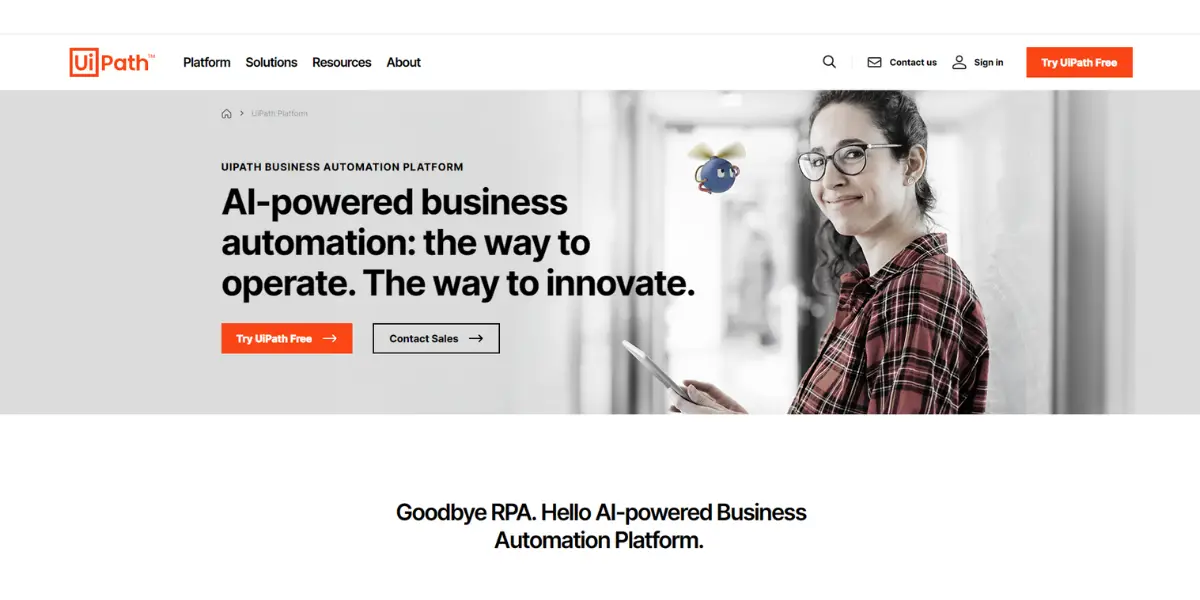
AI-powered UiPath Business Automation Platform combines top robotic process automation (RPA) with a full set of capabilities. It is led by a commitment to bring digital-era skills to millions of people around the world.
Features
- Process mining
- Task mining
- Communication mining
- Automation hub
- Market place
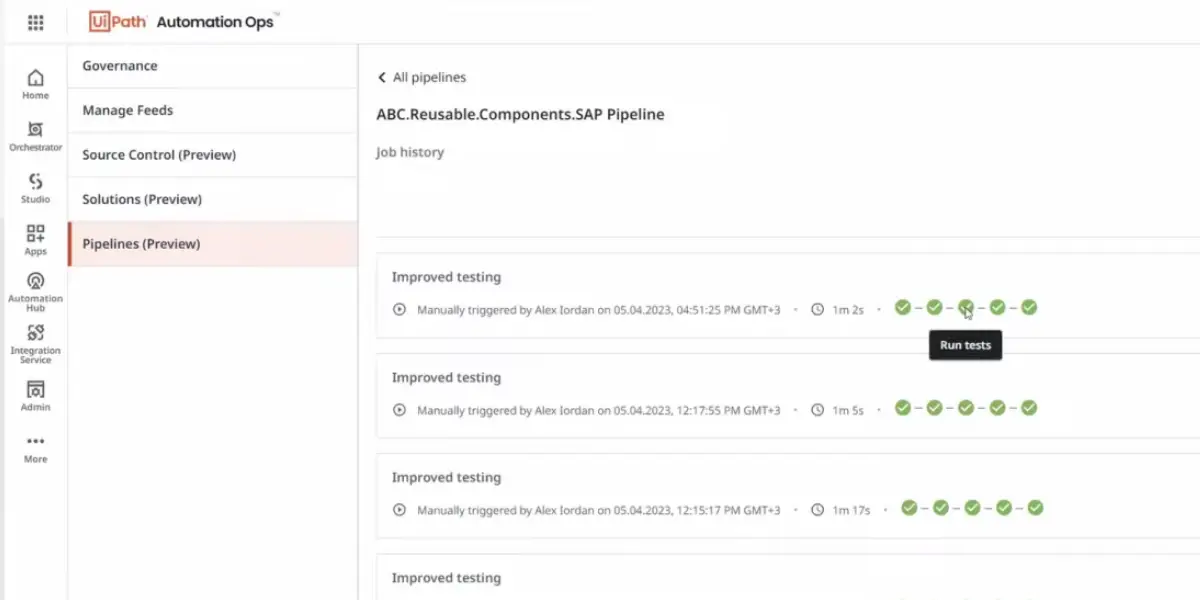
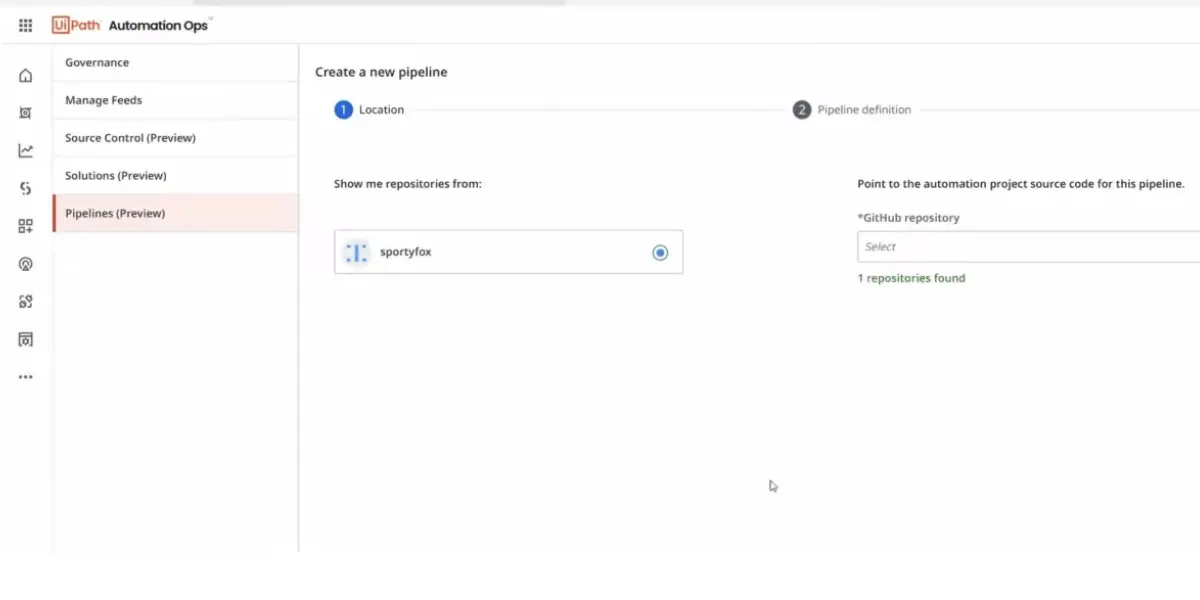
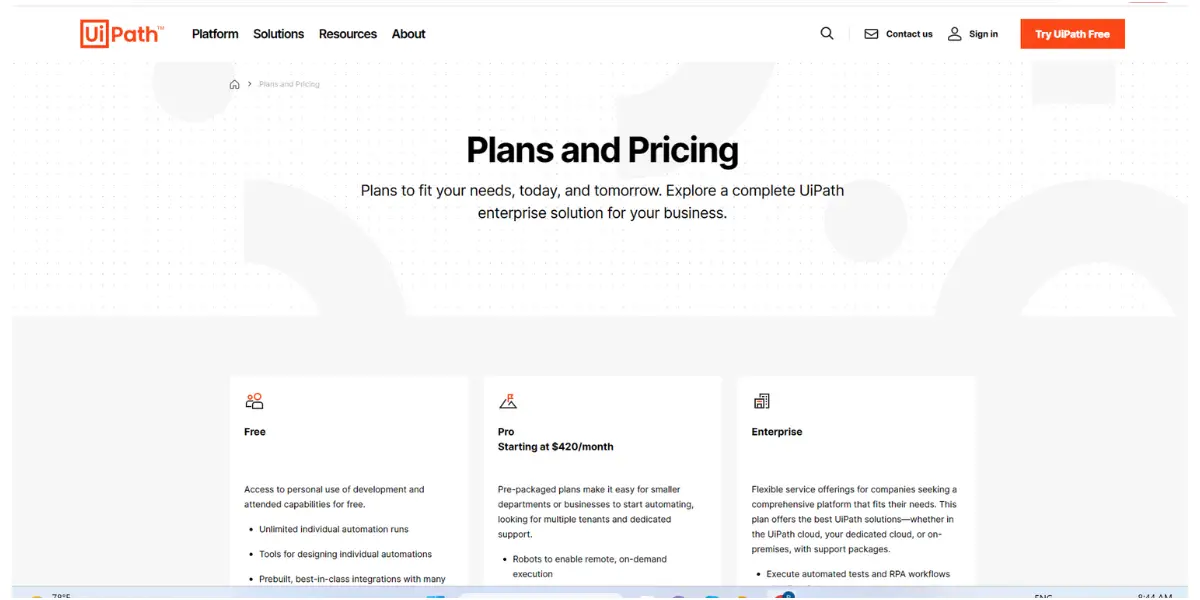
Some screenshots of UiPath
Pricing
UiPath publishes one entry price and quotes the rest. Automation Cloud is sold in three tiers:
- Basic: starts at $25 per month, aimed at individuals and small teams.
- Standard: contact sales. For a business running a managed automation programme.
- Enterprise: contact sales. Company-wide deployment with the advanced security controls.
The older free tier and the $420 per month Pro tier are no longer on UiPath’s price list. The product itself has also moved: UiPath launched its platform for agentic automation on 30 April 2025, adding an orchestration layer called Maestro that coordinates AI agents, software robots and people across one process rather than running each bot on its own.
 Likes
Likes
- Screen recording is available.
- You can easily retrieve data from Excel files.
- UiPath integrates with multiple technologies so that you can save a lot of time.
- Here scheduler tool is valuable because one can slow or speed up run times during peak use.
 Dislikes
- More sufficient and proper documentation on many of the newer features must be provided.
- UiPath currently provides support only to enterprise-level customers.
- Its costs are higher compared to other competitors.
Supported industries
Other details
| Deployment | Cloud, SaaS, Web-Based |
| Support | Email/Help Desk, FAQs/Forum, Knowledge Base, Phone Support, Chat |
| Supported device | Desktop – Windows, On-Premise – Windows, Linux, Android,iPhone,iPad |
| Supported languages | English, French, Japanese, Russian |
| Training | In-Person, Live Online, Webinars, Documentation |
| Customer Ratings | Capterra: 4.6 out of 5 (701+reviews), G2: 4.6 out of 5 (6505+reviews) |
User opinion
It is a user-friendly software for a beginner. UiPath is a totally automated process that will assist you in getting started with RPA. Compared to its competitors, the cost is high, but it provides some basic tools also, like recorders, for getting started. Free global training is available for developers and project managers.
2. Automation Anywhere-RPA
Automation anywhere is a cloud RPA that discovers, automates, and analyzes processes. Using this software, you can automate all your strategy to use your workforce to create and innovate new things. In addition, it supports all industries in building digital workspace.
Features
- Cash flow
- Live and virtual agents to resolve cases
- Accelerating workflow
- Greater accuracy
- Code-free interface (Integration across all platforms)
- Offload repetitive task
- Speedy procure-to-pay process
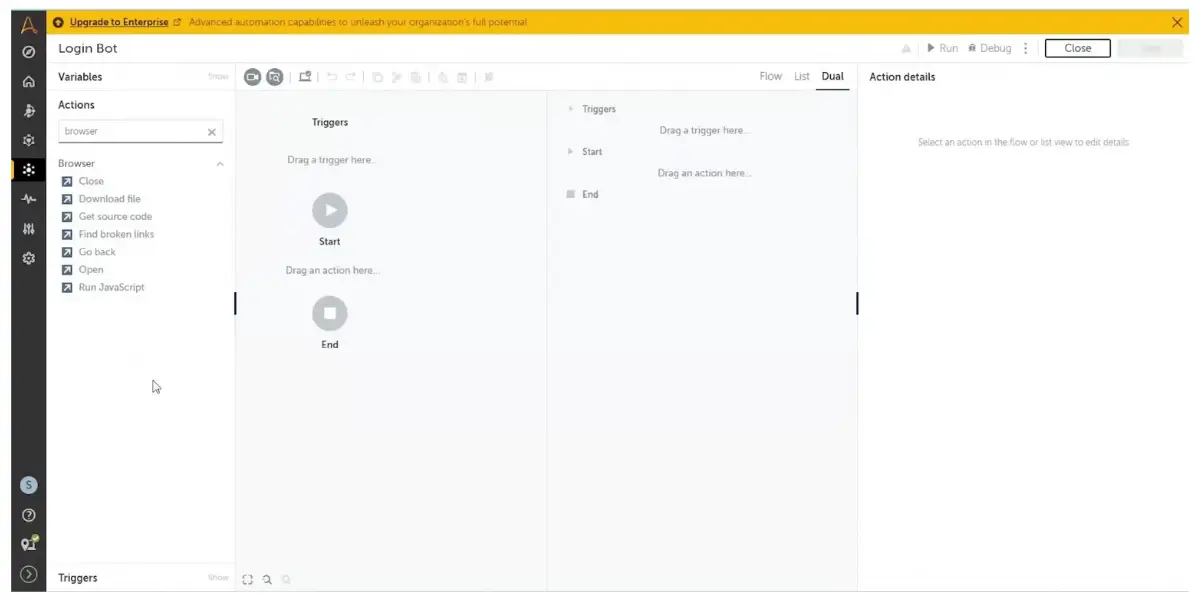
Some screenshots of automation Anywhere
Dual triggers
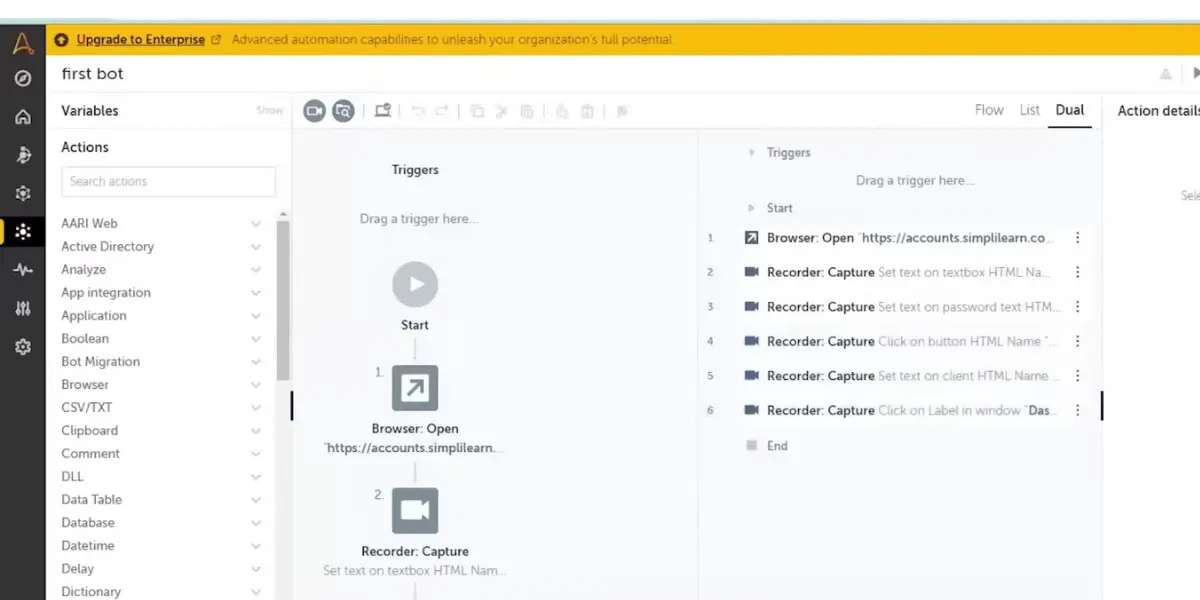
Dual actions view
Pricing
Automation Anywhere still does not publish a list price. Bot mix, deployment size and contract term all move the figure, so the number comes from sales rather than from the website.
Two things it does publish are worth knowing first. There is a free Community Edition, which is enough to build and run real bots while you evaluate the platform. And the product has been renamed: what was sold as Automation 360 is now the Agentic Process Automation System, and the old Automation 360 product URL redirects to it.
Likes
- It provides a cloud-based IDE & multiple packages.
- With simple logic, you can build automation bots for automating any kind of application.
- It provides the latest features and versions.
- It has easy-to-use drag-and-drop commands.
Dislikes
- Setting up the system is painful, and too much URL whitelisting port opening of firewalls and other security software.
- The initial setup is complex and cumbersome.
- This product’s pricing is high.
- Document automation is a complex process.
Supported industries
- Healthcare
- Financial Services
- Manufacturing
- Life Sciences
Other details
| Deployment | Cloud, SaaS, Web-Based |
| Support | Email/Help Desk, FAQs/Forum, Knowledge Base, Phone Support, Chat, 24/7 (Live Rep) |
| Supported device | Windows, Mobile – Android,iPhone,iPad |
| Supported languages | German, French, Italian, Japanese, Korean, Portuguese, Russian, Spanish, Chinese (Simplified), Chinese (Traditional) |
| Training | In-Person, Live Online, Webinars, Documentation, Videos |
| Customer Ratings | Capterra: 4.4 out of 5 (182+reviews), G2: 5.0 out of 5 (1+reviews) |
User opinion
Automation Anywhere software helps users save manual labor by combining RPA AI and machine learning analytics. However, at the time working, robots deployed in local machines will not allow users to work on different tasks.
3. IBM Robotic Process Automation
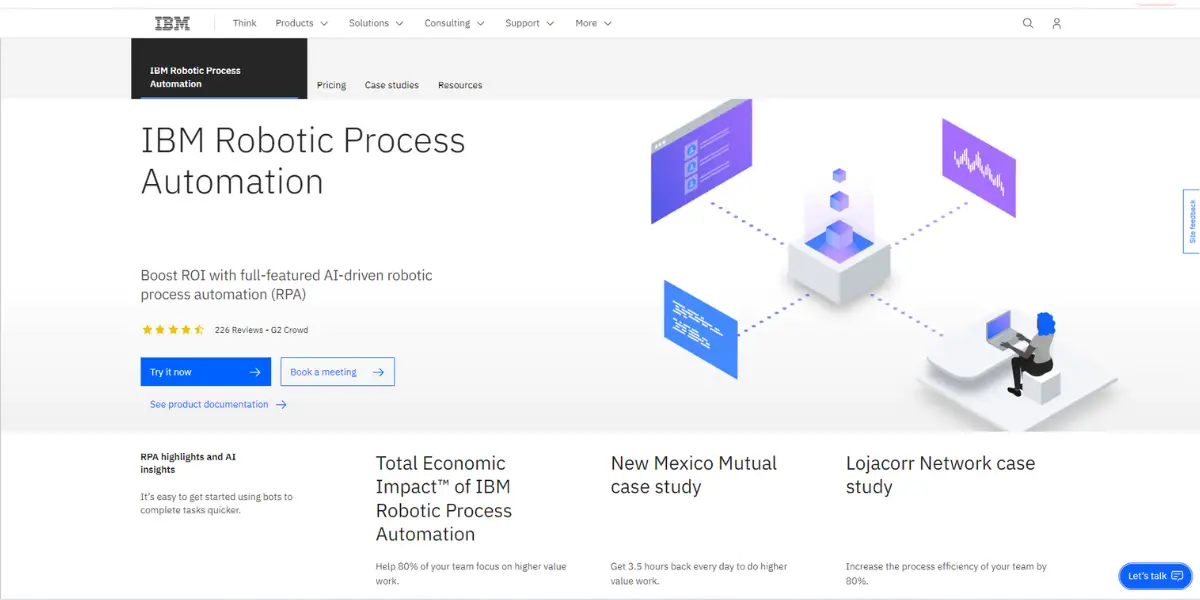
IBM Brings all the necessary technology and services together to help its clients to solve their problems. Users can easily get started using bots to complete their tasks on time. This adoption will provide 80% of team’s focus to increase process efficiency.
Features
- Unattended bots
- Attended bots
- Intelligent chatbots
- Workload management
- Scheduling
- Low-code authoring tools
- Different deployment option
- Concurrent bot execution
- Credential vault
Pricing
IBM sells RPA in two deployment shapes and prices both from USD 981.00 per month, with a no-cost 30-day trial to start on.
Treat the two tables below as a guide to how IBM structures the product by environment count and robot count, not as a live quote. IBM’s pricing page now publishes only that starting figure and sends buyers to a price estimator for the rest, so the per-tier figures are no longer confirmable against it. All prices exclude tax and vary by country.
- SaaS deployment
- On-Premise
Pricing plans for SaaS deployment models are as follows.
| No. of environments | No. of unattended robots | No. of attended robots | Price | |
| Small | 1 | 2 | 10 | USD 2446.9 |
| Medium | 2 | 10 | 50 | USD 11093.22 |
| Large | 3 | 50 | 250 | USD 47413.1 |
| Custom | 1 | 1 | 2 | USD 981 |
Pricing plans for on-premises deployment models are as follows.
| No. of environments | No. of unattended robots | No. of attended robots | Price | |
| Small | 1 | 2 | 10 | USD 2308.65 |
| Medium | 2 | 10 | 50 | USD 10397.97 |
| Large | 3 | 50 | 250 | USD 44026.45 |
| Custom | 1 | 1 | 2 | USD 981 |
Likes
- Helps to improve the process.
- The automation tools decrease human effort as well as save time.
- Creating an automation or test application is very quick and easy.
Dislikes
- Documentation is still not developed enough to find answers easily.
- Need to induce more artificial intelligence.
Other details
| Deployment | Cloud, SaaS, Web-Based |
| Supported languages | German, English, French, Japanese, Korean, Portuguese, Spanish, Chinese (Simplified) |
| Customer ratings | Capterra: 4.0 out of 5 (13+ reviews), G2: 4.7 out of 5 (235+ reviews) |
User opinion
IBM RPA is user-friendly and simple, even for inexperienced users. These software robots, or bots, can act on AI insights to complete tasks without lag time. In addition, it offers simple licensing and deployment procedures.
4. akaBot
akaBot comes with the vision that everyone can automate from anywhere. This AI technology will allow you to automate all your billing processes faster. In addition, this bot is capable of performing various tasks and is useful for compiling audit files. akaBot invoice’s user-friendly interface does not need a technical background to generate it.
Features
- Fast try
- Smart implementation
- Agile optimization
- Mass application
Pricing
Pricing details are not available on their website. Contact the vendor directly for the details.
Likes
- It also handles high volumes of invoices, promoting rapid, hassle-free processes.
- The solution’s advanced algorithms can automatically validate the information on invoices received through email or scanned by you.
- Downloading e-invoices ability is quick and automatic.
- Auditing invoice is easy with this software.
Dislikes
- It has difficulty recognizing certain emails from your company’s inboxes.
- Initially, it is challenging to handle new users, and only experts can handle them.
- The deployment procedure takes more time.
- Flexible structures are not available for invoice processing.
Supported industries
- Banking and Finance
- Manufacturing
- Retail
- Health care
- Tele communication
- Services
- Media and communication
- Insurance
- Logistics
Other details
| Deployment | Cloud, SaaS, Web-Based |
| Supported languages | English, Japanese, Vietnamese |
| Customer Ratings | G2: 4.6 out of 5 (199+ reviews) |
User opinion
Adopting akaBot may be challenging initially because of its complex deployment process. akaBot invoice brings the ability to draw insights and conclusions and also helps to conduct reports and analyses. It you are an accountant, you can make maximum use of this RPA tool.
5. SS&C Blue Prism Intelligent Automation Platform
SS&C is a leading way towards technology and services. It provides specific solutions in many departments, like space, healthcare, and wealth management. It creates and uses technology to create digital processes. It has users worldwide and allows business people to do automation.
Features
- Life cycle management automation
- SAP ERP automation
- Process mining and task mining integration
- Process assessment tool
- Desktop automation
- Document automation
Pricing
The vendor does not provide pricing details. Contact the vendor directly for the details.
Likes
- It allows you to execute the method without IT help.
- It automatically creates process documents and supports seamless integration into third-party tools.
- It is suitable for enterprise-grade operations.
Dislikes
- Here browser extension issue is there. You can not automate modern browser-based applications.
- Memory management needs to be improved.
- Its user interface still lacks filters for the filtering process.
Other details
| Deployment | Cloud, SaaS, Web-Based |
| Supported device | Windows |
| Support | Email/Help Desk, FAQs/Forum, Knowledge Base, Phone Support |
| Supported languages | German, English, French, Japanese, Portuguese, Spanish, Chinese (Simplified) |
| Training | Live Online, Webinars, Videos |
| Customer Ratings | G2: 4.0 out of 5 (321+ reviews) |
User opinion
SS&C software empowers the organization to deliver the desired outcome with their RPA process & management solution. It enables the user to make complex decisions. You can create scalable automation securely for your business need.
6. Microsoft Power Automate
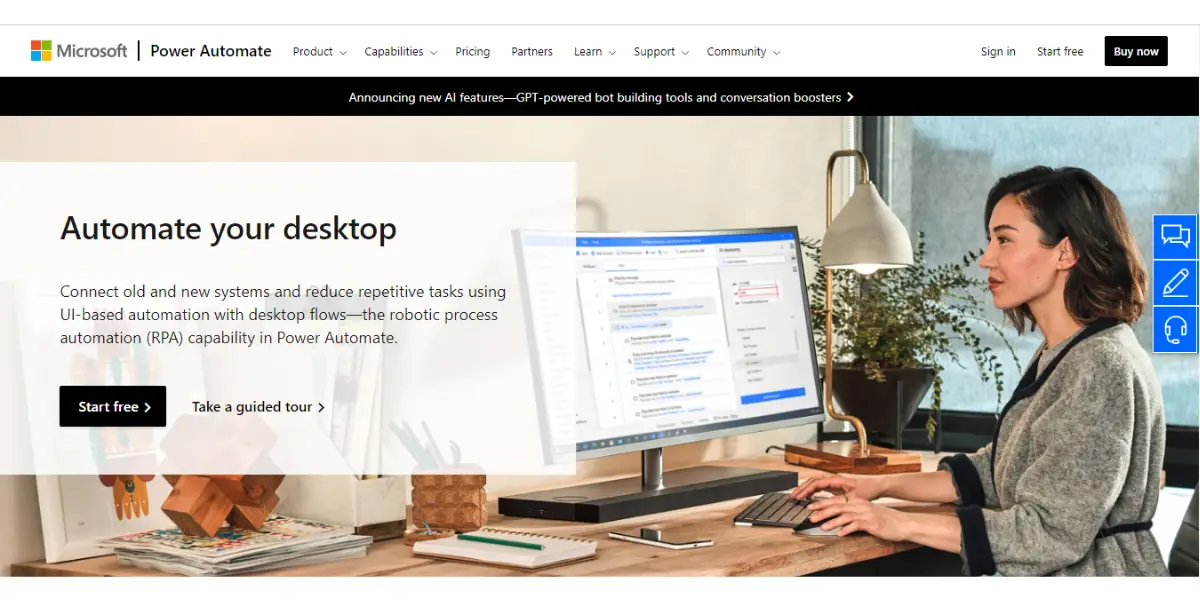
Microsoft Automate software streamlines repetitive tasks so that you can increase the level of efficiency and also reduce the cost. If you have complex Microsoft enterprise systems connected to each other, you can automate lots of manual tasks with this tool.
Features
- Free trail
- Attended RPA
- Unattended RPA
- Hosted RPA
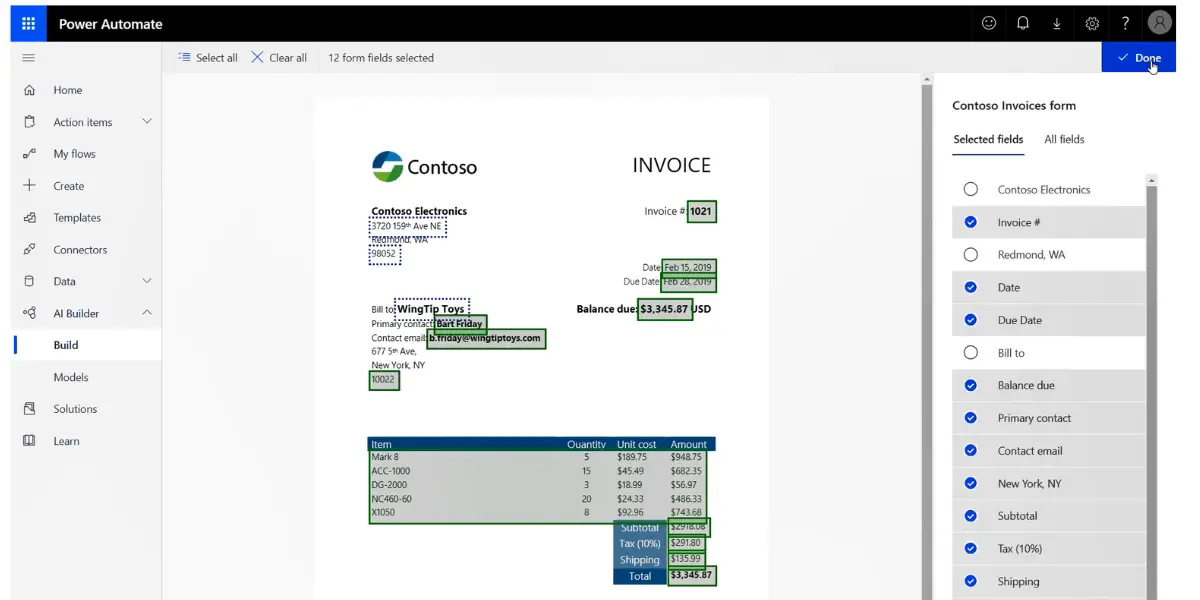
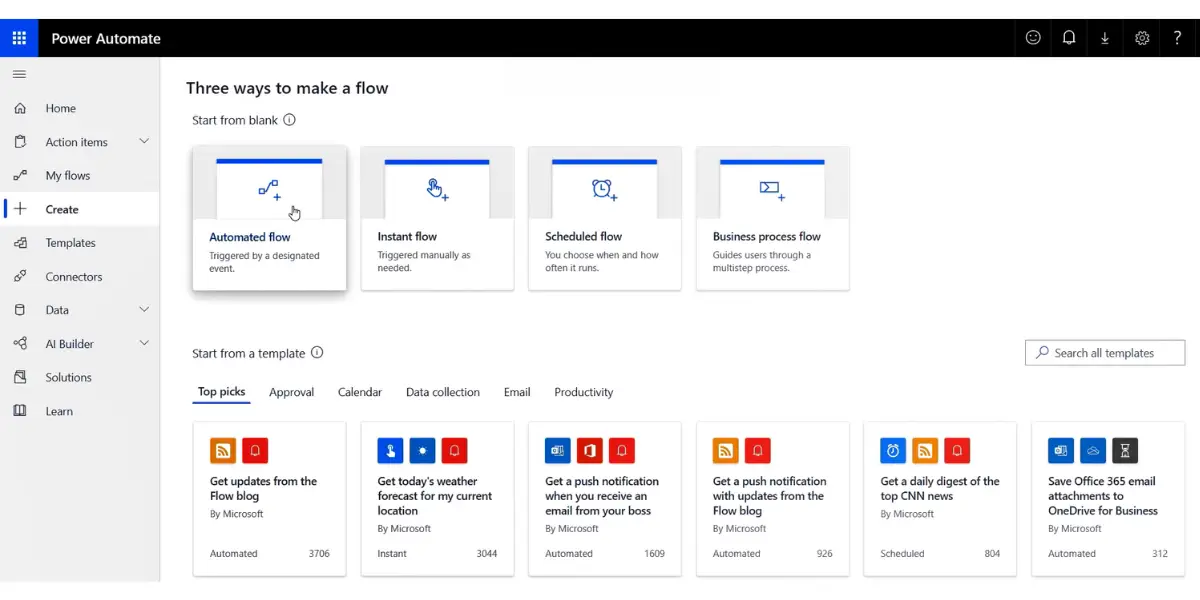
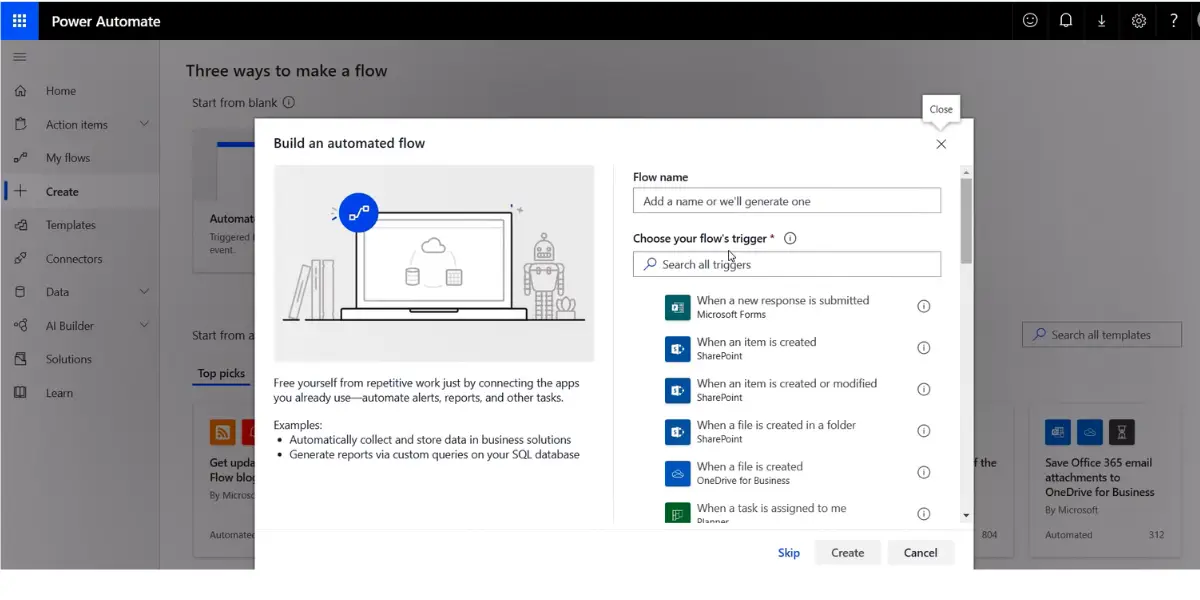
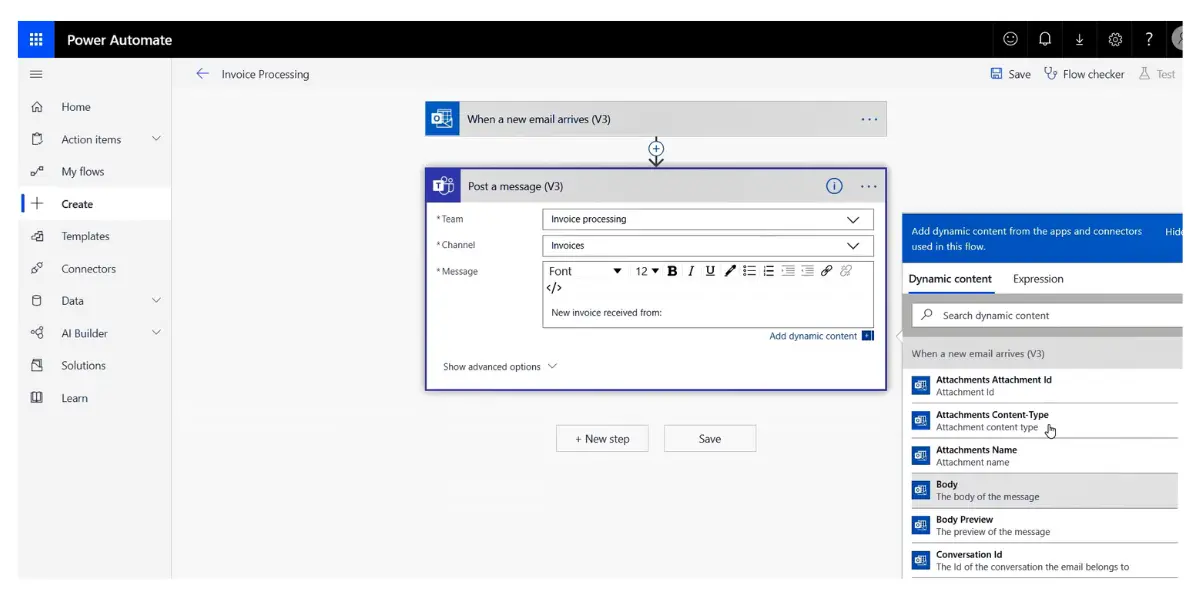
Some screenshots of Microsoft Power Automate
Invoice build of Power Automate
Create three ways to make a flow
Build an automated flow
Invoice processing
Pricing
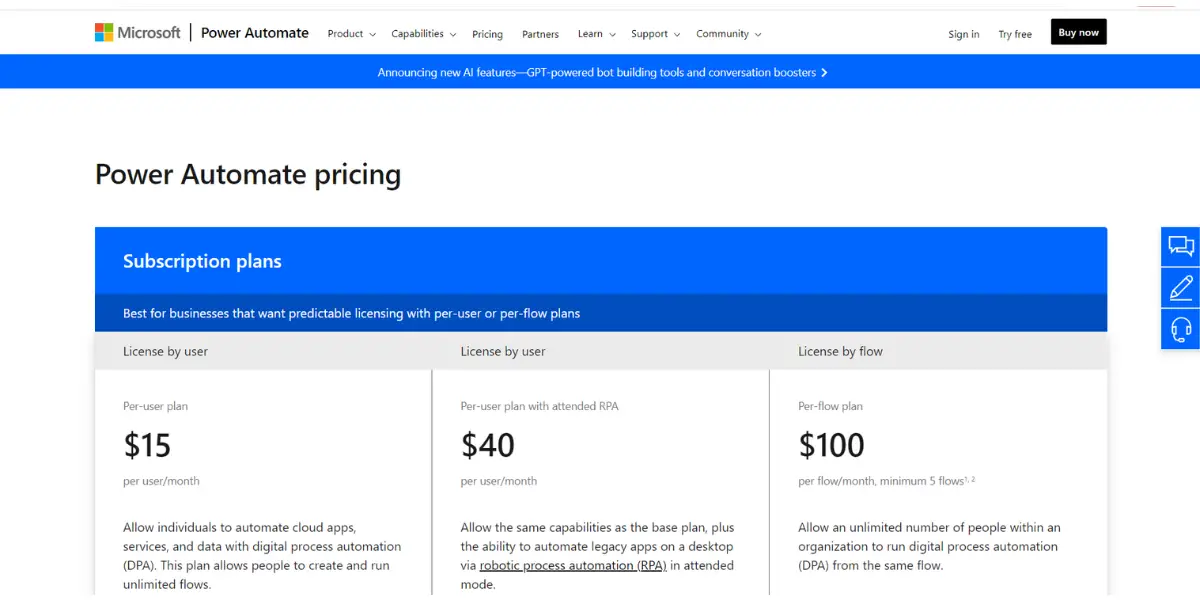
Microsoft has restructured this licensing, and attended RPA now sits inside the main paid plan instead of costing extra. The published prices, all billed yearly:
- Power Automate Premium: $15.00 per user per month, and this is the tier that includes attended desktop flows.
- Power Automate Process: $150.00 per bot per month, for unattended desktop flows.
- Power Automate Hosted Process: $215.00 per bot per month, the same thing on a virtual machine Microsoft runs for you.
- Power Automate Process Mining: $5,000.00 per tenant per month, sold only as an add-on to Premium.
The old shape, a $15 per-user plan with a separate $40 attended-RPA tier and a $100 per-flow plan, has gone. If you are costing a project, the change that matters is that unattended automation is now charged per bot at $150 rather than per flow at $100, so the sum depends on how many robots you run rather than how many processes you build.
Likes
- You can create workflows without having coding knowledge.
- With the help of Smartsheet, you can automate and schedule data whenever needed.
- It provides a template that is great for the new users.
Dislikes
- The mobile application is not fully optimized.
- More explanation is needed to understand its features.
- Running history is more challenging for developers.
Other details
| Deployment | Cloud, SaaS, Web-Based |
| Supported device | Windows, Android, iPhone |
| Support | Email/Help Desk, FAQs/Forum, Knowledge Base, Phone Support, 24/7 (Live Rep), Chat |
| Training | In-Person, Live Online, Webinars, Documentation, Videos |
| Customer ratings | G2: 4.6 out of 5 ( 144+ reviews), Capterra: 4.5 out of 5 ( 72+ reviews) |
User opinion
You can learn the software easily with basic knowledge and also implement powerful tools. This software creates various reports and PPT presentations from available data. Improvisation is needed in the case of customer management.
7. Robocorp (now part of Sema4.ai)
Robcorp has Python-based API built locally, operates from the cloud, and you can run your robot anywhere. It has more specialized features for the cold room, automation studio, developer tools, etc. By using this tool company can cut down its infrastructure burden.
Features
- Access from anywhere
- Consumption-based pricing
- Unified automation management
- Robust deployment options
- Custom data residency
- Advanced access control
- Low-code RPA editor
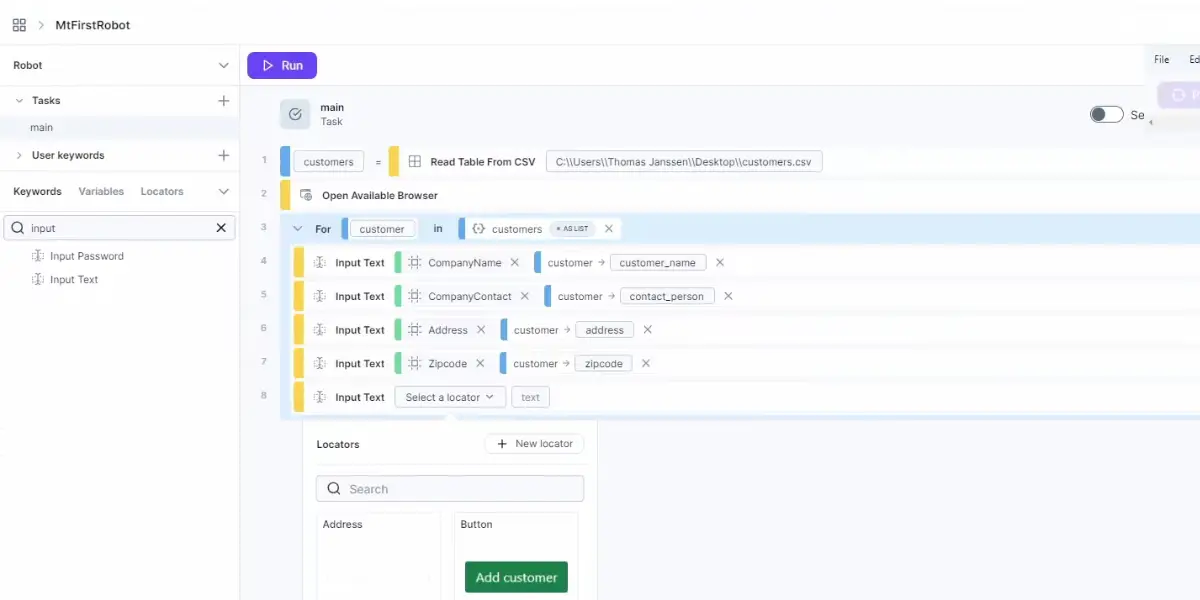
Screenshot of Runpage of Robocorp
Pricing
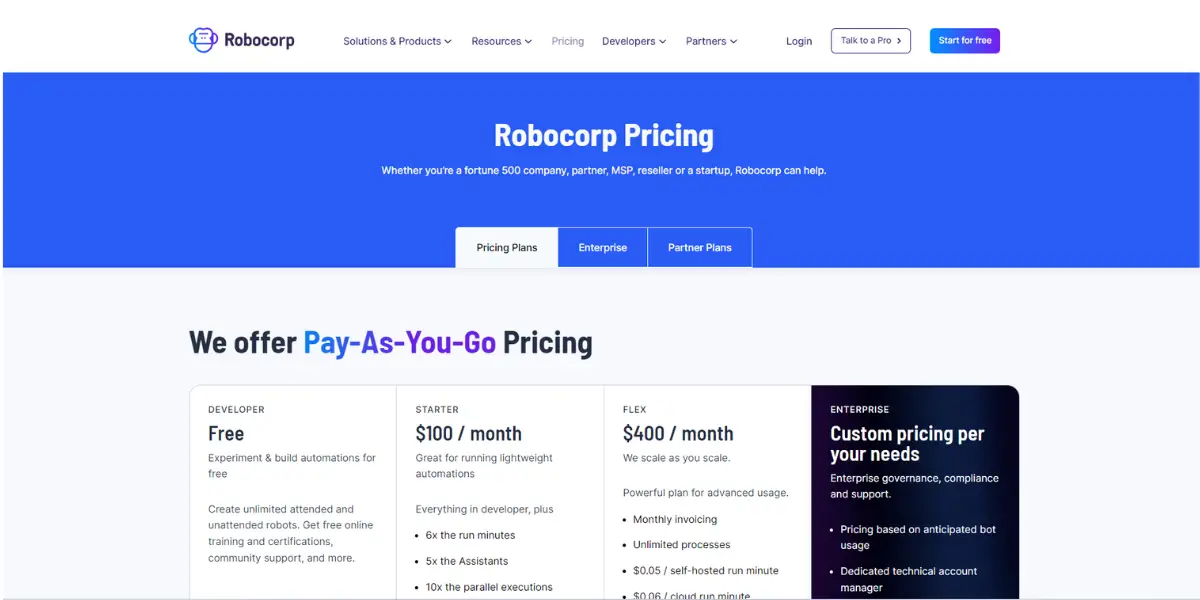
Robocorp was acquired by Sema4.ai in January 2024, and robocorp.com now redirects to sema4.ai. The tooling was rebranded with it: the VS Code extension and Action Server carry the Sema4.ai name, the documentation sits on sema4.ai, and the Control Room is now the Sema4.ai Control Room. Existing automations were not cut off, but the name you will be buying under is Sema4.ai.
The old Developer, Starter at $100 per month and Flex at $400 per month line-up is no longer published. The vendor’s current pricing page could not be read at the time of writing, so no replacement figure is quoted here rather than guessed at; check sema4.ai before you budget. The open-source Python automation libraries this platform is built on remain free to use, which is what the original open-source description was pointing at.
Likes
- It is simple to learn and helps automate your processes.
- You can use Python to create projects and automation studios.
Dislikes
- Those who don’t have Python knowledge are not able to work properly.
- This software can be a little buggy at times and requires a reboot.
Other details
| Deployment | Cloud, SaaS, Web-Based |
| Supported device | Windows, Android, iPhone |
| Supported languages | English |
| Support | Email/Help Desk, FAQs/Forum, Knowledge Base |
| Training | Live Online, Documentation, Videos |
| Customer ratings | G2: 4.6 out of 5 (164+ reviews), Capterra: 5 out of 5 (1+ reviews) |
User opinion
Robocorp software is an open-source development tool that has a consumption-based pricing model. It uses a robot framework and Python to connect any technology. These robot scripts are very fast and easy to develop. Here, customers can automate three times faster at one-third the cost of Gen1 RPA solutions.
8. ROCKETBOT
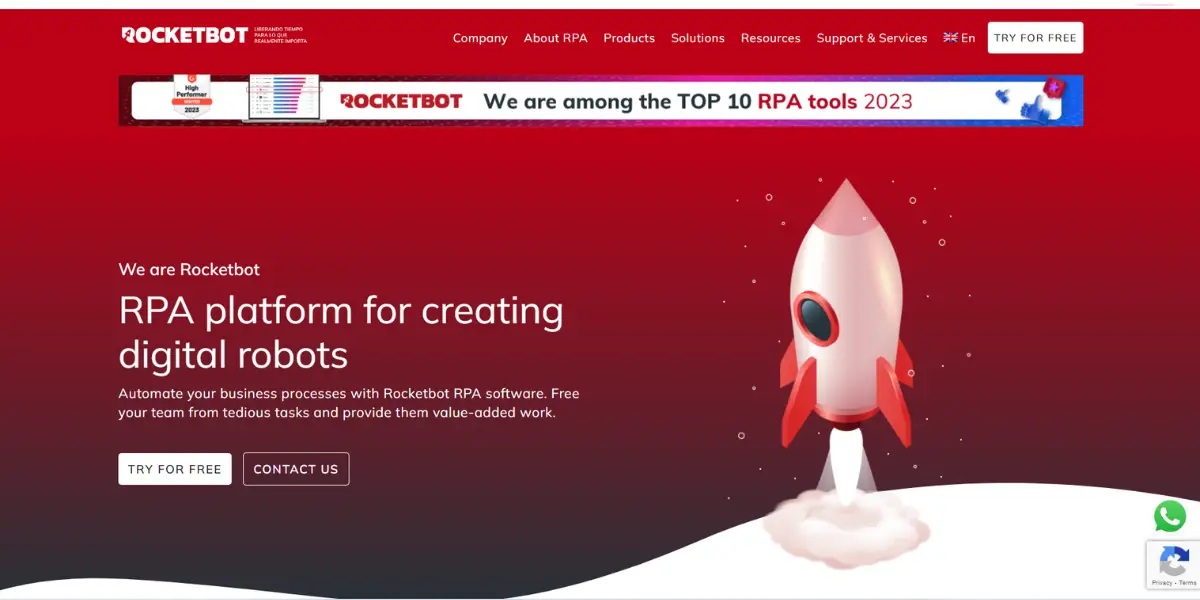
Rocketbot RPA is software to automate your business processes. With Rocketbot, you can create digital robots that are agile, flexible, and scalable, making it easy to free up your team’s time for more value-added work.
Key features
- Fast ROI
- Minimum initial investment
- Interaction with pre-existing system
- Scalable and enterprise-ready
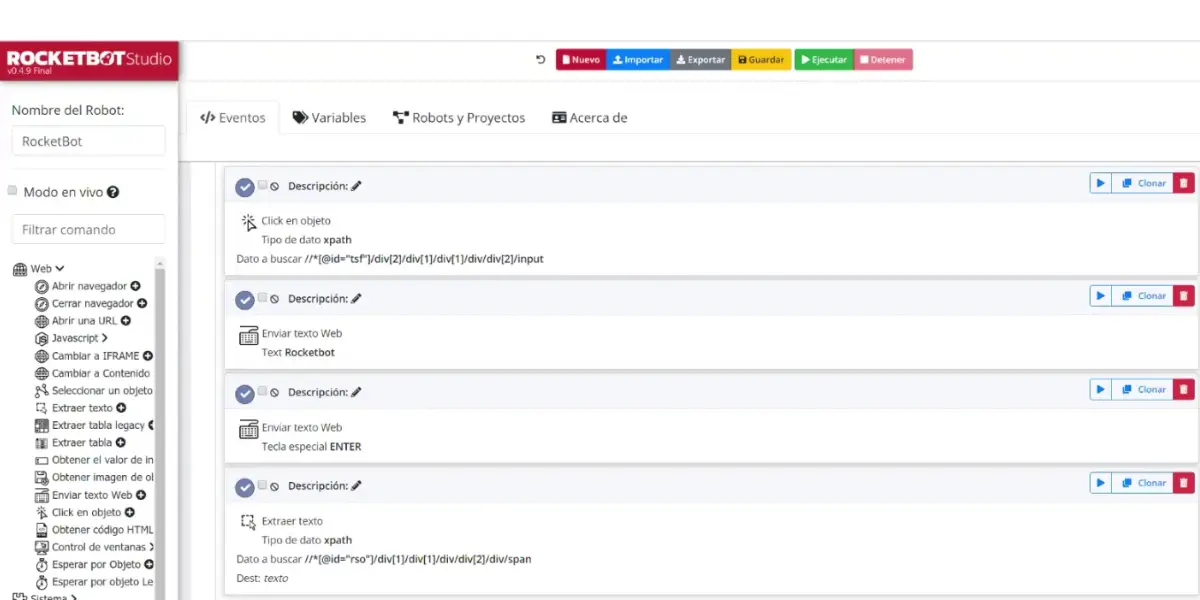
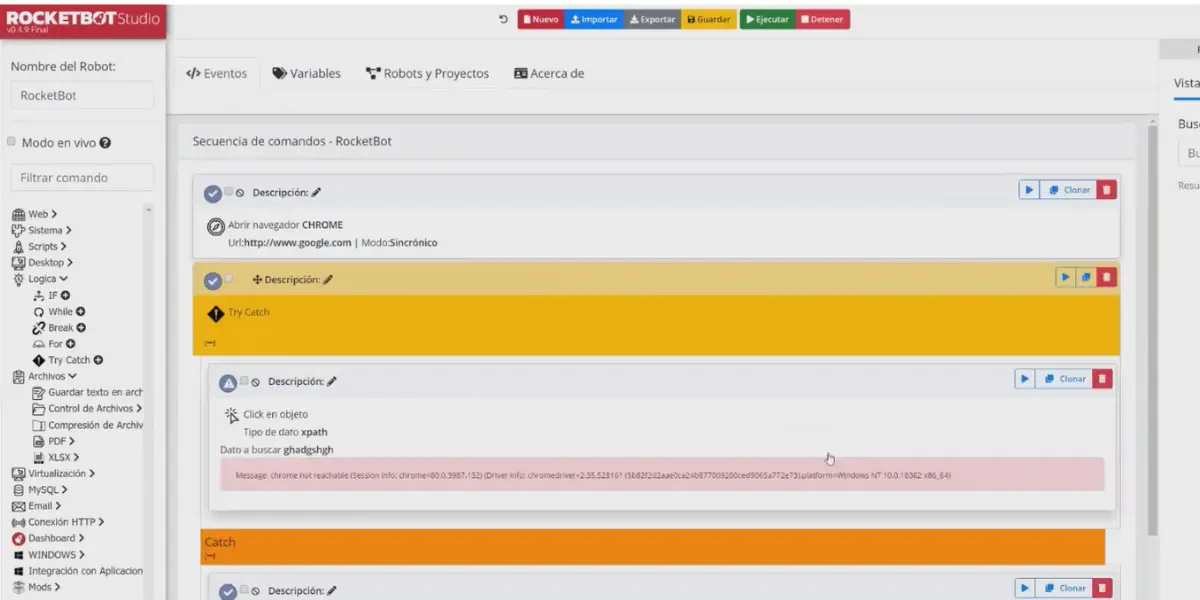
Some screenshots of ROCKETBOT
Browser view
Commandos page
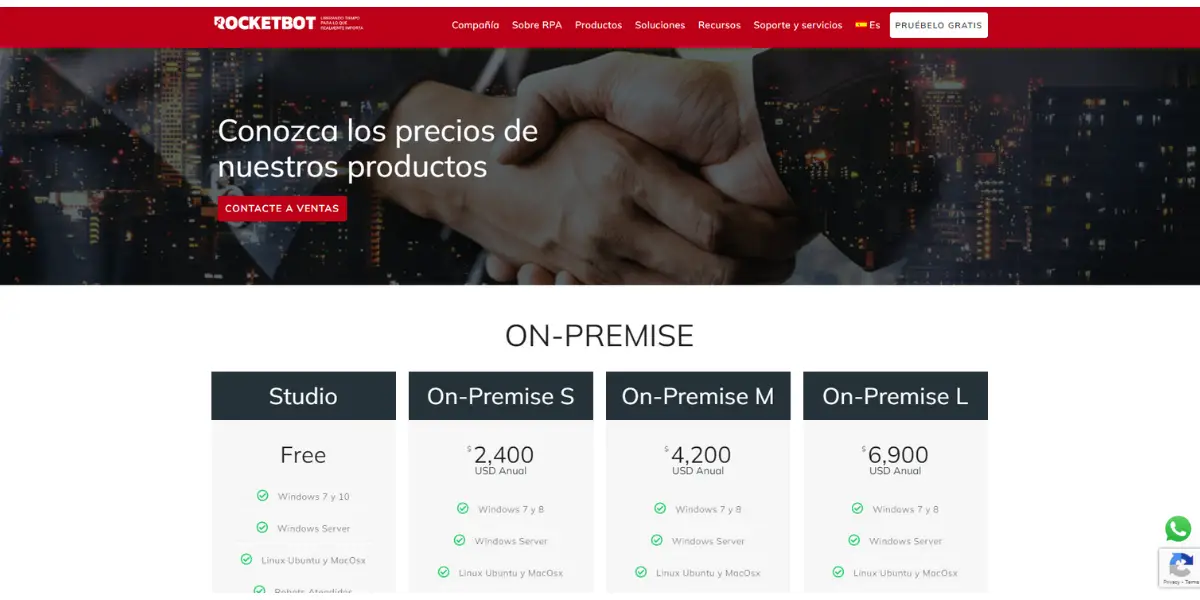
Pricing
Rocketbot publishes four plans, and every one of them carries the whole suite: RPA Studio, the orchestrator, AI Studio and the Nexus application layer. What changes between them is execution capacity, user limits and the security and support terms. Prices are annual and exclude local taxes:
- Entry: USD 7,990 per year. 5 automations running in parallel, 2 development licences, 25M AI Studio credits.
- Standard: USD 14,990 per year. 20 in parallel, 3 development licences, 50M credits.
- Enterprise: USD 24,990 per year. 50 in parallel, 5 development licences, 100M credits.
- Corporate: USD 49,990 per year. 200 in parallel and 1,000 managed processes, 200M credits.
The earlier Studio and on-premises S, M and L line-up has been replaced. The difference matters for planning: entry is USD 7,990 a year, not the USD 2,400 the old small tier implied, and the credits and development licences quoted for each plan are totals rather than amounts added to the tier below.
Likes
- It is quite an extensive RPA tool.
- It concerns all the modules that can differentiate native and non-native applications.
- It has a lot of reach and potential.
Dislikes
- There found some bugs with the GUI.
- The appearance of the main menu can be improved.
- A lack of stability is found on the interface.
- The automatic creation of projects can be more accurate.
- The user interface can be more friendly for users who have the minimum knowledge.
Supported industries
- Financial services
- Retail and E-commerce
- Logistics
- Healthcare
- Insurance
Other details
| Supported languages | English, Portuguese, Spanish |
| Customer reviews | G2: 4.6 out of 5 (325+reviews) |
User opinion
The software streamlines your business processes and reduces errors, increasing efficiency and productivity. Plus, Rocketbot is easy to use, allowing you to create and deploy digital robots quickly and effortlessly. In addition, it uses advanced technology to automate processes such as data extraction, data entry, and more. It means that your team can focus on tasks that require human intelligence, such as decision-making, problem-solving, and customer interaction.
9. Automate Robotic Process Automation
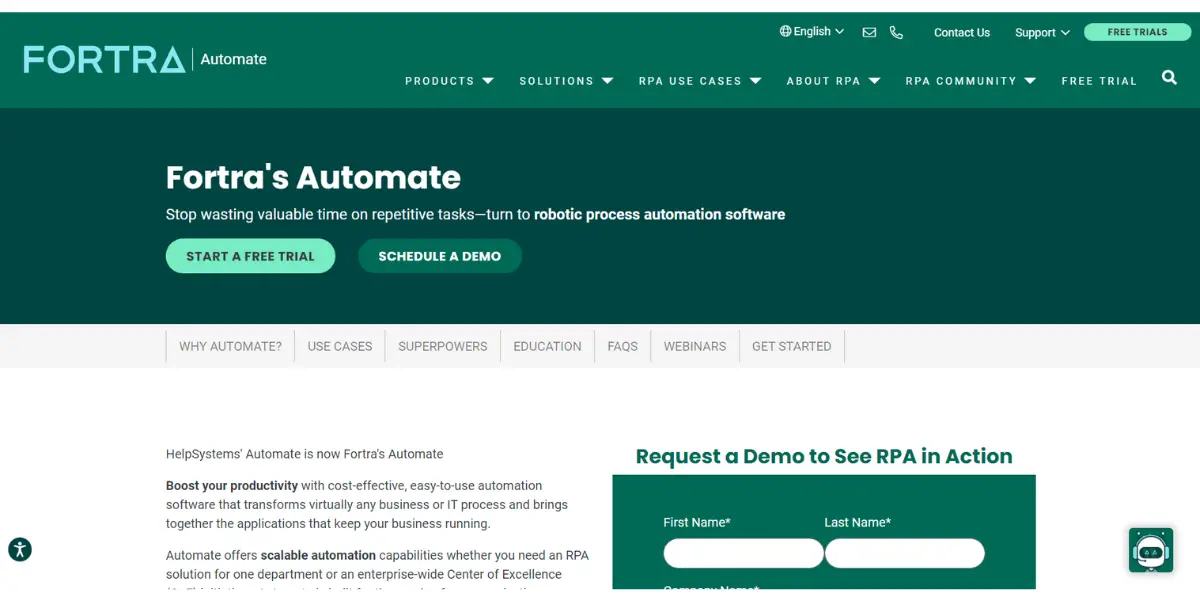
Fortra Automate is the ultimate automation software. It is a powerful platform designed to solve real problems, deliver value faster, and help you achieve automation success, all within a single solution.
Key features
- API integration kit
- UI automation
- Native action
- Machine learning and artificial intelligence
- Digital workspace
- Automate integration
Pricing
Request quote for pricing to directly vendor.
Likes
- It is very easy to use.
- It simplifies congested automation.
- It is a time saver software for the process.
- The processes are well monitored and in self-correction.
- It does not require programming experience to begin automating repetitive tasks.
Dislikes
- There found bugs when the process is running.
- It’s very difficult to create folders.
- Sometimes it won’t allow updating ODBC.
- The customer service is very poor.
- It is difficult to handle if more desks open and hang frequently.
- Lack of reporting and documentation skills in the meta docs.
- The manual effort is more for the folder-to-folder listing.
- The migration from version to version is very expensive.
Other details
| Supported lanuage | English |
| Customer reviews | G2: 4.6 out of 5 ( 325+reviews) |
User opinion
The software has superior flexibility and scalability; automation allows you to start small with basic automated tasks, and then grow seamlessly to full enterprise-level deployment. Automate can focus on what matters most – growing your business and achieving your goals.
Fortra offers integrated and scalable solutions that can help streamline operations. The API integration kit and UI automation tools address your many challenges in managing complex processes. The Automate Recorder simplifies the building, updating, and deployment of robust.
It can be deployed as attended or unattended, with no restrictions on concurrent task execution.
10. NICE Robotic Process Automation (NEVA)
NICE ensures a quality customer experience with this RPA solution. Bots Act as an extended workforce and also help to solve customer problems. It has all the components needed to succeed with RPA; you can meet your customer where they truly begin their journey. You can customize your contact center with apps by a large community.
Features
- Multiple workspaces
- Embedded OCR
- In-built integration into multiple AI solutions
- Automation discovery
- Free trial
Pricing
NICE does not publish a price for this product; it is quoted per deployment, and the RPA piece is normally sold alongside the contact-centre platform rather than on its own. The attended bot is branded NEVA, short for NICE Employee Virtual Attendant, and the range around it includes NEVA Discover for finding processes worth automating and NEVA Studio for building them, so a quote usually covers more than one component.
Likes
- This automation is good for better performance.
- The product house is very supportive.
- It supports multi-instance, reacts to scenarios, and has global support.
- It automatically develops the recommended processes.
- Desktop applications and web applications can be automated easily.
Dislikes
- Improvement is needed in the user interface.
- Infrastructure setup is also not appreciable.
- Here you have a lack of AI modules.
- It has so many issues while implementing.
- The interaction between the tool and applications seems difficult.
Other details
| Deployment | Cloud, SaaS, Web-Based |
| Supported device | Windows |
| Customer rating | G2: 4.5 out of 5 (25+ reviews), Capterra: 5 out 5 (1+reviews) |
User opinion
NICE Virtual workforce leverages desktop analytics and machine learning to complete the process accurately. It could be more capable of doing AI and ML Processes. This software eases all your built tasks and also helps to duplicate & store the data. Their community isn’t as big as other platforms.
What actually separates one RPA platform from another
Feature lists in this category converge fast. Every product above records a workflow, clicks through a user interface and runs on a schedule. The differences that decide whether a programme survives its second year sit below the feature list, so they are worth naming before you shortlist.
Attended, unattended, and why the split drives the bill
An attended robot runs on a person’s desktop and starts when they start it, which suits call handling and any task where a human stays in the loop. An unattended robot runs on a server against a queue of work with nobody watching. That distinction is the main axis vendors price on, and it is why two quotes for “the same” project can differ several times over. Microsoft is the clearest illustration: attended automation is bundled into the $15 per-user Premium plan, while unattended automation is a separate $150 per-bot line.
The orchestrator is the part you actually operate
The design studio gets the demo, but the orchestrator, called Control Room, Orchestrator or Control Tower depending on the vendor, is where the programme is run day to day. It schedules jobs, distributes them across available robots, holds credentials in a vault so passwords are not sitting in scripts, retries failures, and keeps the audit trail of what ran and what it touched. When someone says an RPA rollout stalled, the cause is more often weak orchestration and queue management than a robot that could not click a button.
Exception handling separates a demo from production
A recorded process works on the path the recorder walked. Production throws the rest: a duplicate invoice, a field that arrives blank, a session that times out mid-transaction. What matters is whether the platform can queue the item, retry it, park it for a human decision and resume without reprocessing the work already done. Ask to see a failed transaction handled, not a successful one.
How it reaches the application matters more than it sounds
Automating a modern web app is straightforward. The work that pays for an RPA programme is usually against the systems nobody will replace: a mainframe green screen, a thick client published through Citrix, a desktop application with no API. Those are reached by screen position or image recognition rather than by a stable selector, and they break when a screen is redesigned. If your target systems look like this, test against them during the trial, because this is where products genuinely differ.
Documents, and the limits of rule-based bots
Plain RPA follows rules, so a supplier invoice in an unpredictable layout defeats it. Intelligent document processing, the OCR and machine-learning layer most of these vendors now sell alongside the robot, is what closes that gap, and it is frequently a separate line on the quote. Confirm whether document handling is included or priced on top before comparing two figures.
Governance, and who is allowed to build
Low-code tooling invites people outside IT to automate their own work, which is where the value is and also where the risk is. The controls worth checking are ordinary ones: version control, a route from development to production, role-based permissions, credential storage, and a log that shows which robot changed which record. Most organisations that run more than a handful of processes end up with a small central team setting those standards, whatever they call it.
The agentic shift, and what it changes for a buyer
The category is repositioning around AI agents. UiPath launched its agentic automation platform in April 2025 with Maestro as the orchestration layer, Automation Anywhere now sells its platform as the Agentic Process Automation System, and akaBot describes itself as an agentic automation ecosystem. The useful distinction underneath the marketing is that a rule-based robot repeats a fixed sequence, while an agent decides what to do next within limits you set. That is genuinely better for exception-heavy work and genuinely harder to audit, so the governance questions above get more important rather than less. For a buyer today the practical advice is unglamorous: buy for the processes you can describe now, and treat agentic capability as something to pilot rather than the reason to choose a platform.
FAQs
What are the things that need to be considered while selecting robotic automation process software?
* The first thing is to see how easy to implement
* Compare how fast RAP works with human
* Advanced technical features to be compared with other software
* Finally, architectural advancement needs to be taken into consideration
What are the common challenges of RPA implementation?
* Lack of Information Technology support
* Employee resistance
* Implementation cost
* Executives support for implementation
* Difficulty in process fragmentation
Conclusion
This blog post has given you a detailed overview of robotic process automation software and its features, which help companies reduce costs and improve efficiency.
However, despite the many benefits this type of software can offer, certain drawbacks need to be considered when implementing this technology, such as programming challenges that can arise with more complex operations and higher upfront costs for initial installation.
We hope this article helped you compare the software and choose the best one for you.