SAP Business One is SAP’s ERP system for small and midsize companies. It is a separate product from S/4HANA, built on a different codebase, sold only through partners, and priced per user rather than through an enterprise agreement. It has been on the market since 2002 and now runs in more than 170 countries.
Most of what is written about it is either partner marketing or a feature list. This review concentrates on the two questions buyers actually ask and rarely get a straight answer to: what it costs across three years once maintenance and implementation are counted, and where the product stands in its support lifecycle right now.
Current release: SAP Business One 10.0 at feature package 2608 (August 2026). SAP’s road map lists support package 2611 next.
Status: actively sold and actively developed. SAP’s product page puts the customer base at over 85,000 (checked 9 October 2026), up from the 83,000 it reported in December 2025, when it also cited around 3,000 net-new customers a year.
Prices on this page: the partners’ own published lists for Germany, the UK, the US and Australia, checked 9 October 2026. SAP publishes none.
What is SAP Business One ERP?
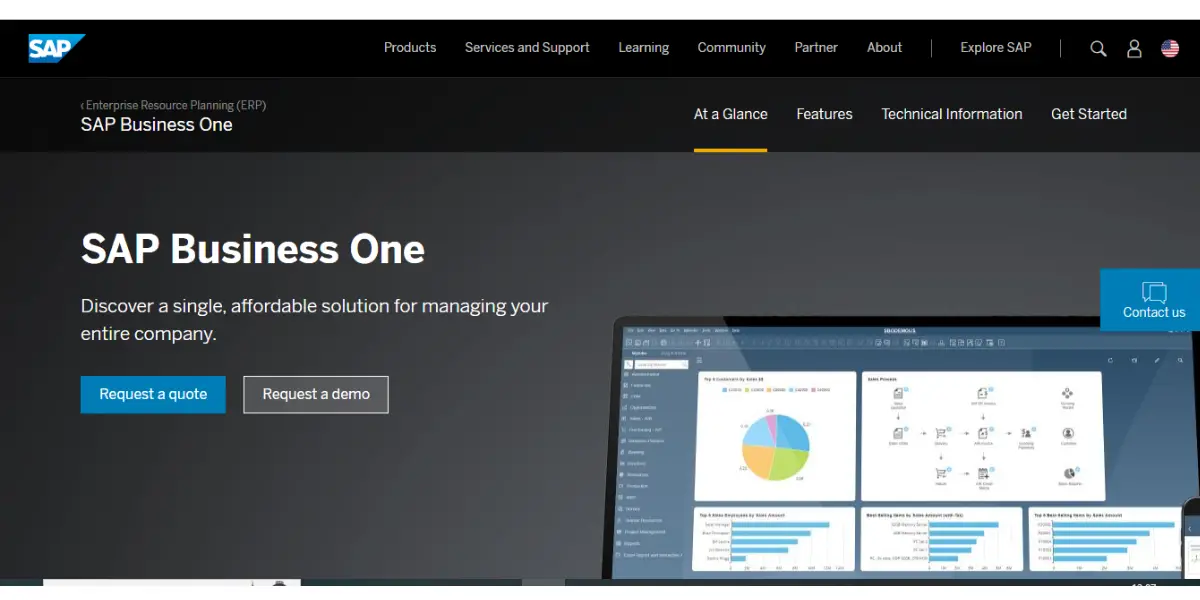
SAP Business One is an ERP software solution for small and medium-sized businesses. The software was designed to simplify business processes and give organizations real-time insights into their business.
It consolidates all your data into one system so that you can make better decisions faster. The software includes financials, CRM, inventory management, and reporting features.
It runs on either Microsoft SQL Server or SAP HANA, and the choice matters: the HANA version carries a separately licensed runtime but brings in-memory analytics and full-text search that the SQL build does not.
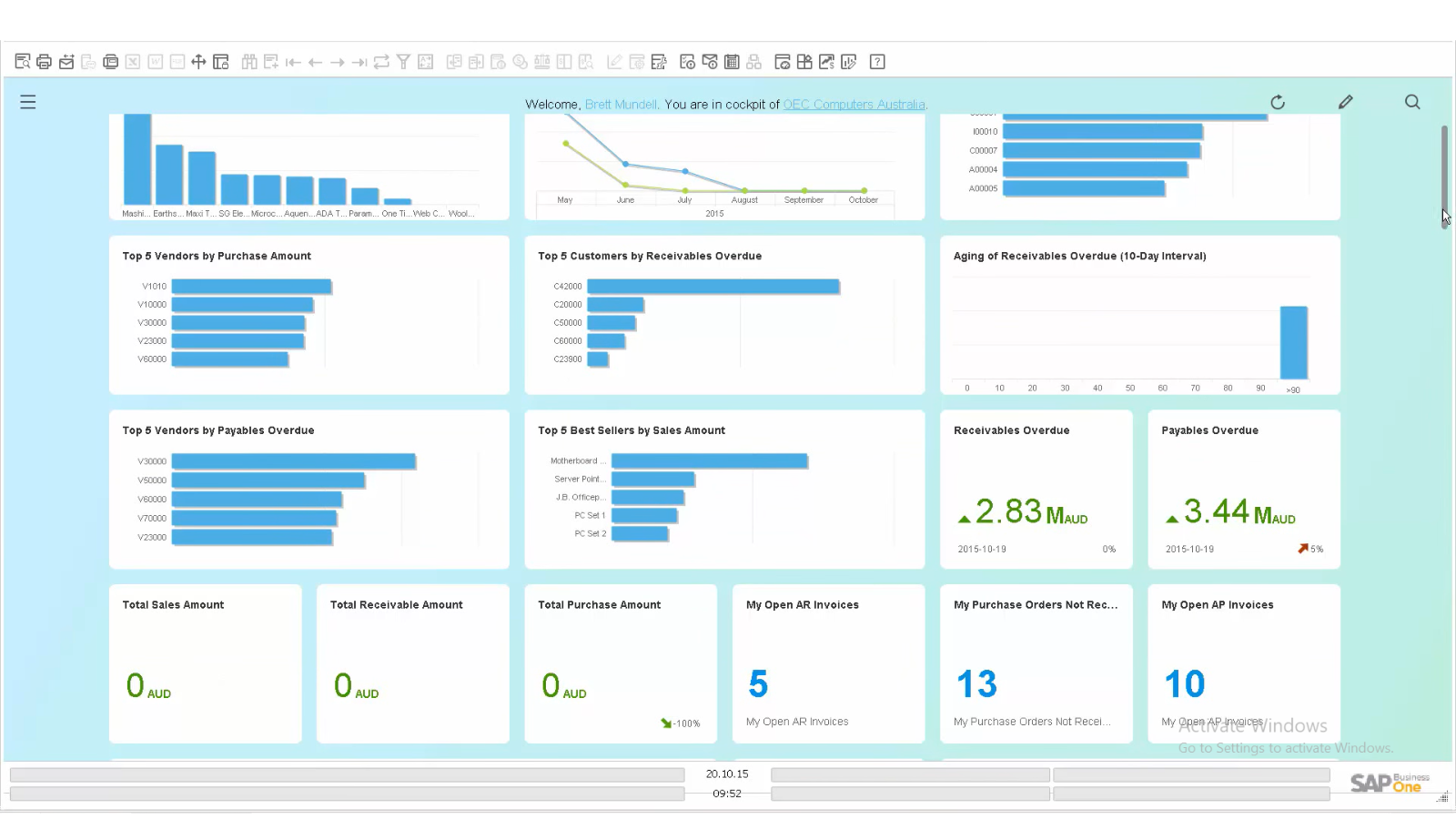
Dashboard
SAP Business One pricing in 2026
SAP does not publish a public price list for Business One, and it does not sell the product directly. Every licence is bought through an authorised SAP partner, and each partner sets its own margin, hosting fee and support rate. That is why two quotes for the same ten users can differ by thousands of dollars, and why the numbers you find online rarely agree.
The licence price turns out to be the predictable part. Three partners publish per-user prices for four markets, and all of them are the same euro price list converted at a fixed rate. Thinc’s UK prices are the euro figures multiplied by 0.841; Ingold’s US prices are multiplied by 1.19 and its Australian prices by 1.402, on every licence line. init, the German partner that publishes the euro list, credits it to SAP SE. What differs between quotes is hosting, implementation and the maintenance rate, not the licence.
Licence prices per user, by country
| Perpetual | EUR | GBP | USD | AUD |
|---|---|---|---|---|
| Professional | 2,700 | 2,271 | 3,213 | 3,786 |
| Limited | 1,400 | 1,178 | 1,666 | 1,963 |
| Starter | 1,140 | 959 | 1,357 | 1,599 |
| Per month | EUR | GBP | USD | AUD |
|---|---|---|---|---|
| Professional | 91 | 77 | 108 | 128 |
| Limited | 47 | 40 | 56 | 66 |
| Starter | 38 | 32 | 45 | 53 |
Those are the three licence types partners price. SAP’s licence comparison chart (August 2025) lists eight user types in all. Professional has full access to every module. Limited CRM, Limited Logistics and Limited Financials are each confined to one area. Then come the Starter Package user, two mobile users (Sales and Service) for SAP’s mobile apps of the same names, and an Indirect Access user for people who reach Business One only through add-ons or integrations. SAP’s licence guide notes that Professional, Limited and Starter users already include indirect access rights.
What partner hosting adds
A licence is not a running system. Ingold also publishes a hosted price: the same licence plus hosting on Microsoft Azure, with a one-year minimum contract and a step up after the first year.
| User licence | US | Australia |
|---|---|---|
| Professional | $122, then $132 | A$142, then A$152 |
| Limited | $64, then $74 | A$74, then A$84 |
| Starter Package | $52, then $62 | A$60, then A$70 |
One range you will meet in search results, “$95 to $250 per user per month”, comes from a comparison site that does not say where its figures come from. Ask for the source of any number before you rely on it.
Annual maintenance: the line item most quotes leave out
If you buy perpetual licences, the one-time fee is not the end of it. Updates, patches and SAP support come with an annual maintenance contract, which the partner prices as a share of the licence value: Ingold publishes 19% of the contract value per year, and Thinc “around 20%”. On the $21,301 licence purchase below, 19% is $4,047 a year for as long as you want updates. Ingold’s subscription prices already include maintenance.
What ten users actually costs over three years
Here is the arithmetic for a common small-business configuration: ten users, three of them Professional (finance and admin) and seven Limited (sales and warehouse), at Ingold’s published US prices. Every figure can be redone from the tables above.
| Licence only | With hosting | Perpetual | |
|---|---|---|---|
| Up-front | None | None | $21,301 |
| Running cost | $716 a month | $814 a month, then $914 | $4,047 a year |
| 3 years | $25,776 | $31,704 | $33,442 |
| Excludes | Servers | Nothing for hosting | Servers, database, backup, admin |
- Licence only: (3 × $108) + (7 × $56) = $716 a month, and 36 × $716 = $25,776.
- With hosting: (3 × $122) + (7 × $64) = $814 a month for 12 months, then (3 × $132) + (7 × $74) = $914 a month for 24 months: $9,768 + $21,936 = $31,704.
- Perpetual: (3 × $3,213) + (7 × $1,666) = $21,301 up front, plus maintenance at 19%, $4,047 a year: $21,301 + (3 × $4,047) = $33,442. Servers, the database licence (SQL Server or SAP HANA), backup and admin time are on top.
Two things fall out of that arithmetic. First, on published prices the subscription is the cheaper route over three years, not the dearer one: $25,776 against $33,442 on licences alone. The perpetual licence only pays back in the fifth year: around month 56 if you spread maintenance monthly, month 59 if you pay it annually in advance. Because every partner converts the same list, the answer barely moves with currency: in pounds, at Thinc’s 20% maintenance, it is month 58 to 59.
Second, the hosted subscription ($31,704) looks closer to perpetual ($33,442) than it is, because the hosted price includes the servers and the perpetual column does not. Against the hosted price, perpetual draws level after about 40 to 43 months on licence cost alone. But you still have to buy, run and back up the infrastructure, which Thinc puts at £5,000 to £15,000 in the first year for a typical SME, before staff time. The honest summary: like for like, subscription is cheaper for the first four and a half to five years and simpler to run; perpetual wins on a longer horizon, mainly if you already have the infrastructure and someone to look after it.
Implementation and minimum commitments
Implementation is quoted separately by the partner and covers configuration, data migration, integration and training. Two partners publish real numbers. Ingold sells fixed-price US setup packages from $600 to $5,100, covering installation, setup of the standard modules, a few hours of training and go-live support. init publishes three project examples for fuller rollouts, and in them consulting costs about as much as the licences:
| init example | Licence fees | Consulting |
|---|---|---|
| Service company: 30 employees, 25 workstations | €26,500 | €24,000 |
| Wholesaler: 50 employees, 8 workstations | €14,750 | €12,000 |
| Manufacturer: 80 employees, 15 workstations | €47,500 | €52,500 |
init’s other examples give the timescale: about a week for a four-user service company (about €15,000 for licences and implementation together), 3 to 4 weeks for an eight-user wholesaler (€30,000 to €40,000), and about three months for a 20-user manufacturer with integrations (€60,000 to €80,000).
There is no minimum company size. SAP’s product page says so directly, and SAP’s head of partner solution enablement for Business One said in December 2025 that organisations “can begin with just a single user”. The contract term is set by the partner: Ingold’s hosted subscription has a one-year minimum. Starter is the one licence with a ceiling: five users at most, and SAP’s licence guide rules out combining it with other licence types. When you outgrow it, Starter users are upgraded to full licences (Thinc says this can be done “at any time”). Ask what that upgrade costs before you sign.
Deployment and implementation
This offers two types of deployment: cloud and on-premise.
You cannot buy Business One from SAP directly. An authorised partner sells the licences, scopes the project, configures the system, migrates your data and provides first-line support afterwards, so the partner you pick shapes the outcome at least as much as the software does.
How long a rollout takes depends on scope: init’s published examples run from about a week for a four-user service company to about three months for a 20-user manufacturer with integrations. SAP maintains a public help portal covering configuration, upgrades and the extension framework, which is worth reading before you commit, because it shows honestly how much of the system is configuration work rather than something that arrives switched on.
Support and services
You will get the following support if you have a valid maintenance contract.
- 24/7 support for critical issues
- Support through support launchpad
- Proactive and automation support tools
- Upgrades to new feature and support packages at no extra licence cost
Is SAP Business One still supported in 2026?
Searches for Business One turn up a steady supply of “SAP Business One discontinuation” articles. They are misleading. They generally take the end of mainstream maintenance for one release family and present it as the end of the product, which are different things.
The product itself is not being retired. In December 2025 SAP put the installed base at more than 83,000 customers and 1.2 million users across 170-plus countries, supported by 850 partners, and said around 3,000 net-new customers pick the product each year, roughly ten a day. By October 2026 its product page said over 85,000. SAP’s chief partner officer stated at the same time that “SAP continues to invest in the future of SAP Business One.”
What does move is the release family underneath you. Since version 10.0 shipped in April 2020, SAP has delivered Business One as feature and support packages rather than as annually numbered releases. The naming is a plain year-month code, so FP 2608 is August 2026 and SP 2605 was May 2026. Since 2025 the rhythm has been two feature packages a year, in February and August, and two support packages, in May and November; before that, feature packages came out in May (FP 2305, FP 2405). There is no version 10.1, the number stays at 10.0 and the packages accumulate.
Each release family carries a defined mainstream maintenance window. For version 10.0 that window runs to 31 December 2028, and SAP marks its own dates as subject to change. They have moved before: from 2020 until at least March 2023, the same SAP page gave 30 June 2025, which is why older articles quote a date that has since lapsed. One thing that does not change: SAP does not offer paid extended maintenance for Business One releases, so there is no equivalent of the ECC extension to fall back on. SAP’s March 2026 road map has version 11 following version 10 in 2027, and SAP states the point directly on its support pages: “the end of mainstream maintenance refers to the version and not to the overall product.”
The practical implication for a buyer is narrow but real: your maintenance obligations and upgrade timing are tied to the release family, not to the contract date, so ask the partner which family you are being placed on and what the upgrade path off it looks like before you sign. Confirm current dates against SAP’s own maintenance documentation rather than a partner blog, since these dates have been extended before.
SAP Business One Modules
Here are some popular modules and their features.
Financial Management
- Accounting
- Controlling
- Fixed asset management
- Banking and reconciliation
- Financial reporting and analysis
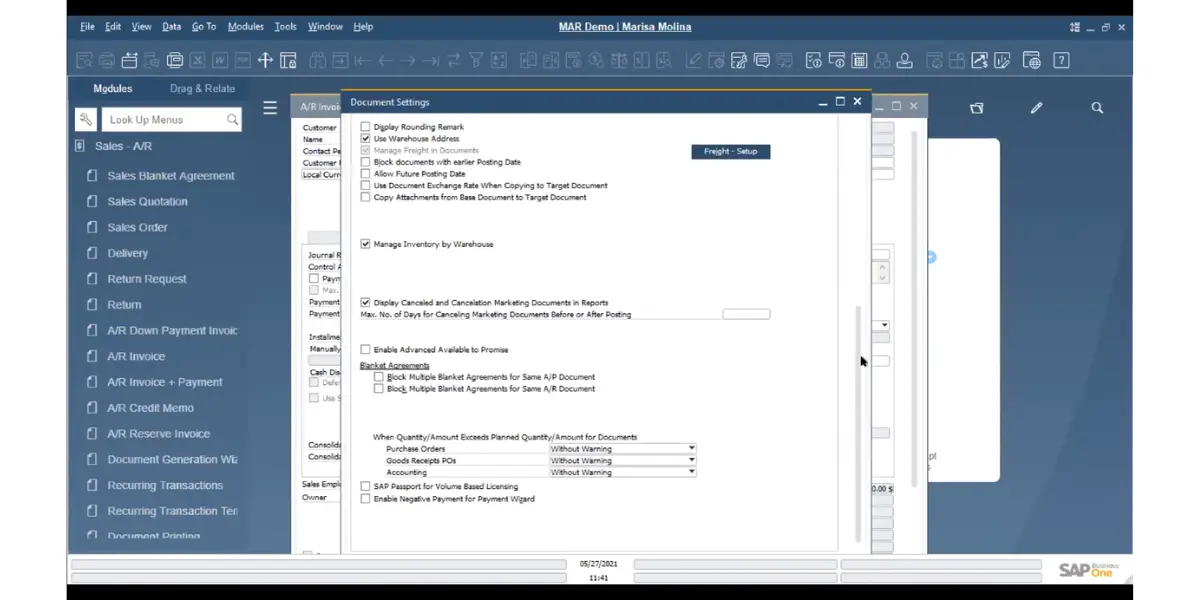
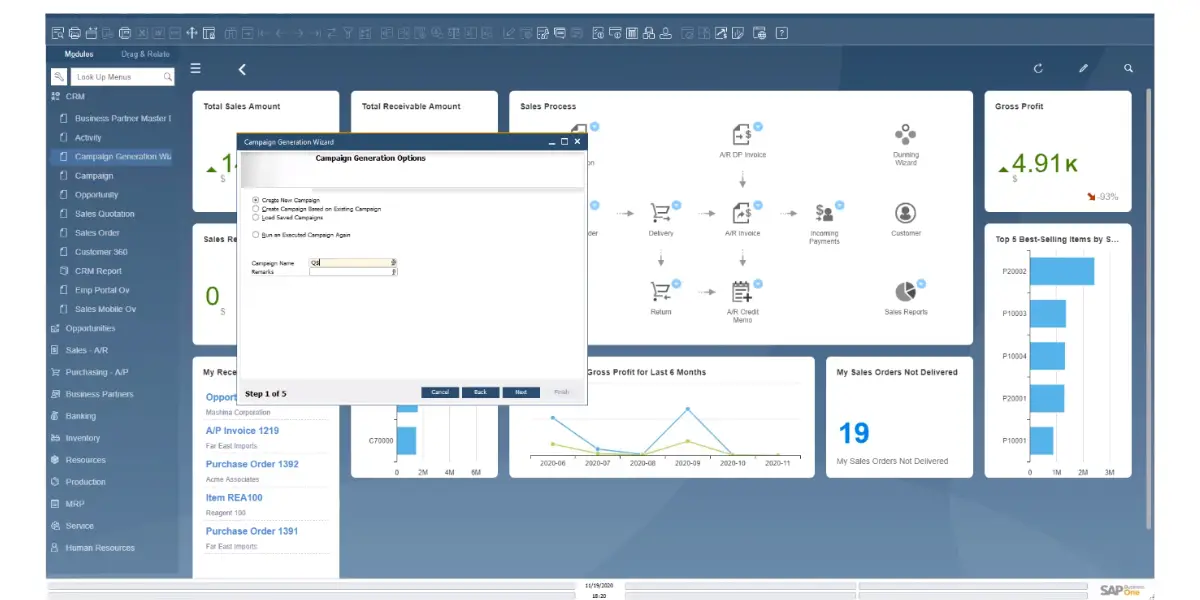
Sales and Customer Management
- Sales and opportunity management
- Marketing campaign management
- Customer management
- Service management
- Reporting and analysis
- Mobile sales
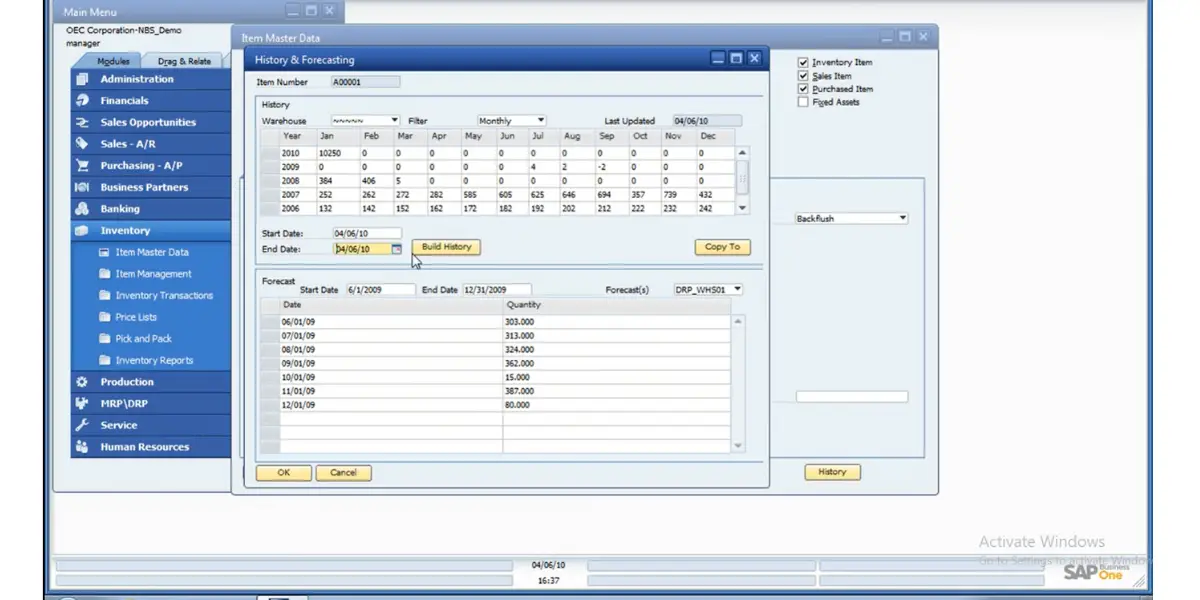
Purchasing and Inventory Control
- Procurement
- Master data management
- Warehouse and accounting integration
- Accounts payable
- Reporting
Business Intelligence
- Report creation and customization
- Interactive analysis
- Intuitive tools
- Analytics with predefined metrics
- Powerful data visualization
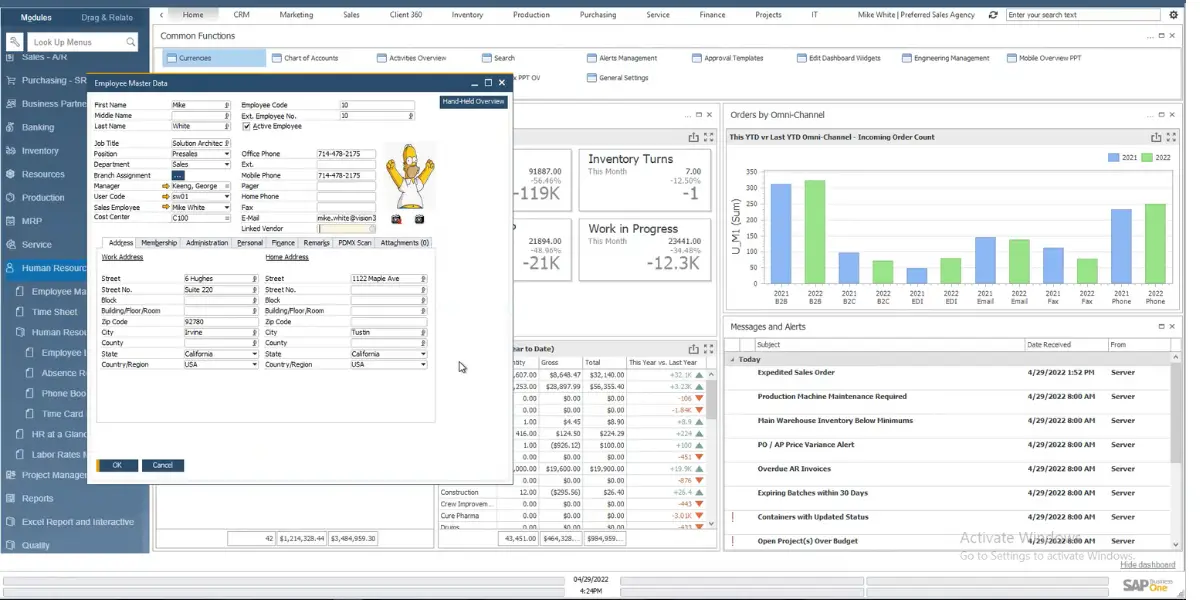
Analytics and Reporting
- Dashboards and reports
- Real-time analytics
Other Features
- Mobile apps
- Web client
- In-memory platform
SAP Business One advantages
One database, no inter-module sync
Financials, stock, purchasing and sales share a single transactional database, so a goods receipt updates inventory valuation and the accounts payable position in the same posting. There is no overnight batch to reconcile and no integration layer between finance and operations to maintain, which is the specific pain most companies are trying to escape when they leave a bookkeeping package plus spreadsheets.
A large partner and add-on ecosystem
SAP counts 850 partners and more than 500 industry and country-specific extensions built on Business One. For a niche requirement, such as batch traceability for food, service contract billing, a local e-invoicing mandate, there is usually an existing add-on rather than a custom development. With 28 languages and 50 country localisations, statutory reporting in a new market is generally a configuration exercise, which matters if you trade across borders.
A perpetual licence is still on the table
Several competitors in this segment, NetSuite among them, sell subscriptions only. Business One partners still sell perpetual licences, which turns ERP from an indefinite operating cost into a capital purchase with a maintenance line. On the published prices above it pays back in the fifth year, so it suits a company that expects to stay on the product well beyond that.
Scales within the small and midsize range
Business One handles growth well inside the segment it was designed for. SAP describes it as built for small and midsize businesses, “from companies just starting out to those managing rapid growth”, with no minimum size, and the licence mix lets you add Limited users cheaply as headcount grows without moving everyone onto Professional.
What it does not do is scale beyond that band, and this is worth stating plainly because a lot of pages claim otherwise: Business One is not an ERP for organisations of any size. It assumes a single-company database, a modest user count and a functional footprint that stops well short of a large multinational’s requirements. If you outgrow it the path is a migration to a different SAP product line, which is a re-implementation rather than a licence upgrade.
SAP Business One disadvantages
You are buying a partner as much as a product
This is the single biggest risk and it is structural, not a flaw you can configure around. SAP does not sell, implement or first-line support Business One itself. Everything reaches you through a reseller whose capability, industry knowledge and staff turnover you cannot see from outside, and delivery quality across that network varies far more than the software does. Changing partner mid-implementation is expensive and sometimes means redoing configuration work. Take references from customers in your own industry and of your own size before signing, and establish who specifically will be on your project rather than who is in the sales meeting.
The real cost is hard to see up front
No price list from SAP means the per-user figure is only a starting point. Partners publish licence prices, but implementation, hosting and maintenance are where quotes differ. In init’s published examples consulting is about the size of the licence bill (€12,000 against €14,750 for an eight-workstation wholesaler, €52,500 against €47,500 for a 15-workstation manufacturer). Perpetual buyers add annual maintenance, 19% a year at Ingold and about 20% at Thinc. The SAP HANA version needs its own HANA licence key, and on-premise deployments still need server, database and backup infrastructure plus someone to administer it. Insist on a three-year total that names every line rather than a monthly per-user number.
There is a functional ceiling, and hitting it means re-implementing
Business One is built for a single company with a modest user count. Complex multi-entity consolidation, heavy international group reporting or large-scale process manufacturing sit outside what it was designed to do, and intercompany work needs an add-on rather than being native. Outgrowing it means moving to a different SAP product line, a fresh implementation with fresh data migration, not a licence upgrade. If you genuinely expect to multiply in size or add several international subsidiaries inside the contract term, price that migration in now.
The interface shows its age
The product dates from 2002 and parts of it look and behave like it. SAP has invested in the browser-based Web Client, which now covers a good share of day-to-day work, but the full functional surface still lives in the Windows desktop client. Users arriving from cloud-native tools generally find it dense and unintuitive at first, which lengthens training and is worth budgeting for honestly rather than discovering after go-live.
Industries Supported by SAP Business One
It supports many sectors, such as
- Consumer products
- Manufacturing
- Retail
- Professional services
- Wholesale distribution
SAP Business One alternatives
The realistic shortlist for a company evaluating Business One, using current product names, several competitors have been renamed or withdrawn in recent years and are still listed under dead names elsewhere:
- NetSuite: the closest like-for-like competitor. Cloud-only, with stronger multi-entity and multi-currency consolidation; usually the better choice if you run several legal entities.
- Acumatica: licensed by resource consumption rather than per named user, which changes the economics substantially if you have many occasional users.
- Microsoft Dynamics 365 Business Central: the direct Microsoft equivalent in this segment, and the stated migration target for the retired Dynamics GP and NAV lines. Worth weighing if you are already committed to Microsoft 365.
- Epicor Kinetic: the product formerly sold as Epicor ERP. Manufacturing-oriented and generally aimed at larger operations than Business One.
- Odoo: open-source core with paid applications. Materially cheaper on licences, with more of the cost and risk shifted into implementation and in-house capability.
- Sage 100 and Sage Intacct: Sage 100 (sold as Sage 100cloud until the “cloud” suffix was dropped) for distribution and light manufacturing; Sage Intacct where financial management matters more than operations.
- SYSPRO: narrower than the others but deep in manufacturing and distribution.
Two names that still circulate on competitor lists but no longer belong there: Microsoft Dynamics GP, closed to all new customers since April 2026 and now in wind-down, and Epicor ERP, which has been called Kinetic since 2021.
Who uses SAP Business One
SAP reported more than 83,000 Business One customers and 1.2 million users in December 2025, spread across 170-plus countries and served by 850 partners, with 28 languages and 50 country localisations available. Its product page now puts the customer count at over 85,000.
SAP describes Business One as its ERP for “small businesses and the lower midmarket” and says there is no minimum size. The published project examples above give a feel for the range, from a four-user service company to a 20-user manufacturer with about €20 million in revenue. SAP names wholesale distribution, light manufacturing, retail and professional services as the main industries among its customers.
Frequently asked questions
How much does SAP Business One cost?
SAP publishes no price list; partners do, and they all convert the same euro list. In the US, Ingold lists a Professional user at $108 a month on subscription, or $3,213 one-time plus 19% a year maintenance. In the UK, Thinc lists £77 a month or £2,271; in Germany, init lists €91 or €2,700. For ten users (three Professional, seven Limited) at Ingold’s prices, three years costs $25,776 on subscription or $33,442 in perpetual licences and maintenance, before hosting and implementation.
Is SAP Business One being discontinued?
No. The confusion comes from mixing up a release family with the product. Version 10.0 is in mainstream maintenance until 31 December 2028, after which version 11, already on SAP’s road map for 2027, takes over. SAP’s own wording is that “the end of mainstream maintenance refers to the version and not to the overall product”. SAP’s product page puts the customer base at over 85,000, up from 83,000 in December 2025.
Can you still buy SAP Business One with a perpetual licence?
Yes. Partners still list perpetual licences in 2026 alongside subscriptions: init lists €2,700 for a Professional user, Thinc £2,271 and Ingold $3,213. Updates and support then need an annual maintenance contract, priced by the partner: 19% of contract value a year at Ingold, around 20% at Thinc.
What is the difference between the Professional, Limited and Starter licences?
Professional gives full access to every module and is the most expensive tier. Limited confines a user to one area, CRM, Logistics or Financials, and is sold per area. Starter is capped at five users with a reduced feature set and cannot be mixed with other licence types; when you outgrow it, Starter users are upgraded to full licences. SAP also licenses Mobile users for its Sales and Service apps, and an Indirect Access user for access through add-ons and integrations.
Is SAP Business One cheaper than NetSuite?
SAP publishes no Business One price list, so compare written quotes for the same users rather than list prices. The structural difference is clear: Business One partners still sell perpetual licences, which on published prices pay back in the fifth year against a subscription, while NetSuite is sold as a subscription only. NetSuite tends to be the stronger fit once you need consolidated reporting across several legal entities.
Is SAP Business One worth it?
Business One earns a place on the shortlist when you want SAP’s data model at small-business scale, you run one legal entity or a handful, and you have, or can find, a partner you trust, because you will depend on them for the life of the system. The perpetual option is a real advantage over subscription-only competitors if you expect to run it well beyond five years.
The arguments against are equally concrete. In the published examples implementation costs about as much as the licences, and it is the same whichever licence model you pick. Everything reaches you through a partner, so delivery quality varies more than the software does. And the functional ceiling is real: companies that expect fast growth into several countries tend to reach it and face a migration to a different SAP product rather than an upgrade.
References:
- SAP: SAP Business One product page
- SAP Help Portal: SAP Business One documentation
- SAP Support: SAP Business One maintenance and release families
- SAP News: installed base, partner network and investment statement (December 2025)
- SAP Help Portal: What’s New in SAP Business One 10.0 (FP 2608 and earlier packages)
- SAP: License Comparison Chart for SAP Business One (August 2025)
- SAP: License Guide for SAP Business One 10.0
- Internet Archive: SAP Business One maintenance page as of March 2023
- init: SAP Business One prices and costs (Germany, EUR)
- Thinc: SAP Business One pricing (UK, GBP)
- Ingold Solutions: SAP Business One prices and costs (US, USD)
- Ingold Solutions: SAP Business One prices and costs (Australia, AUD)
Using Google Search? Add erp-information.com as a preferred source.