Microsoft SQL Server is Microsoft’s relational database management system for Windows and Linux. The current release is SQL Server 2025 (version 17.x), generally available since 18 November 2025. Its list prices did not change from SQL Server 2022: Enterprise costs $15,123 and Standard $3,945 per two-core pack, and the Express and Developer editions are free.
Checked 1 October 2026 against Microsoft’s SQL Server 2025 price list, its SQL Server licensing guidance, the edition and what’s-new documentation on Microsoft Learn, and the Microsoft Lifecycle site. The latest updates at that date were Cumulative Update 9 for SQL Server 2025 (build 17.0.5005.3) and Cumulative Update 27 for SQL Server 2022 (16.0.4295.3), both released on 15 September 2026.
More about Microsoft SQL Server
SQL Server stores data in tables, lets applications read and change it with Transact-SQL (T-SQL), and adds tools for high availability, security, integration and reporting around that core engine. It runs on Windows Server and, since SQL Server 2017, on Red Hat Enterprise Linux and Ubuntu, in containers, and on Azure virtual machines.
Which SQL Server version is current, and which are still supported?
SQL Server 2025 is the current release. Under Microsoft’s Fixed Lifecycle Policy, a version gets security and non-security fixes during mainstream support, security fixes only during extended support, and nothing after that unless the customer pays for Extended Security Updates (ESU). The dates for every version still in use:
| Version (build number) | Released | Mainstream support ends | Extended support ends | Status on 1 October 2026 |
|---|---|---|---|---|
| SQL Server 2025 (17.x) | 18 Nov 2025 | 6 Jan 2031 | 6 Jan 2036 | Current release |
| SQL Server 2022 (16.x) | 16 Nov 2022 | 11 Jan 2028 | 11 Jan 2033 | Mainstream support |
| SQL Server 2019 (15.x) | 4 Nov 2019 | 28 Feb 2025 | 8 Jan 2030 | Extended support: security fixes only |
| SQL Server 2017 (14.x) | 29 Sep 2017 | 11 Oct 2022 | 12 Oct 2027 | Extended support: security fixes only |
| SQL Server 2016 (13.x) | 1 Jun 2016 | 13 Jul 2021 | 14 Jul 2026 | Out of support; paid ESU available until July 2029 |
| SQL Server 2014 (12.x) | 5 Jun 2014 | 9 Jul 2019 | 9 Jul 2024 | Out of support; final year of paid ESU runs to July 2027 |
If you run SQL Server 2016, it left extended support in July 2026. SQL Server 2017 follows in October 2027, so an upgrade planned today should go straight to 2022 or 2025.
Which SQL Server flaws are being exploited?
Two SQL Server vulnerabilities are on the US Cybersecurity and Infrastructure Security Agency’s (CISA) catalog of flaws exploited in the wild. Microsoft fixed both years ago, so they hit servers that missed those updates, which is most likely on versions that no longer get fixes:
| CVE | What it is | Microsoft fix | Added to CISA catalog |
|---|---|---|---|
| CVE-2019-1068 | Remote code execution in the Database Engine, running as the SQL Server service account | 9 Jul 2019, for SQL Server 2014 SP2 and SP3, 2016 SP1 and SP2, and 2017 | 26 Aug 2026 |
| CVE-2020-0618 | Remote code execution in Reporting Services by an authenticated user; CISA records known use in ransomware campaigns | 11 Feb 2020, for SQL Server 2012 SP4, 2014 SP3 and 2016 SP2 | 18 Sep 2024 |
If you still run SQL Server 2014 or 2016, confirm that at least these fixes are installed, and treat the move to 2022 or 2025 as a security project rather than an optional upgrade.
Features of Microsoft SQL Server
The core of every edition is the same Database Engine, with Transact-SQL, stored procedures, indexing, backup and restore, and security features such as Microsoft Entra authentication. What changes between releases is what is added on top. The main additions in SQL Server 2025, from Microsoft’s own list:
| Area | New in SQL Server 2025 |
|---|---|
| AI | A vector data type for storing embeddings and running similarity search, and GitHub Copilot inside SQL Server Management Studio |
| Developer | A native JSON data type and regular-expression functions for matching, replacing and validating text |
| Performance | Optimized locking, which reduces blocking and lock memory and avoids lock escalation; tempdb space resource governance |
| Backup | The ZSTD backup compression algorithm, faster and more effective than the previous one |
| Analytics | Mirroring of SQL Server databases into Microsoft Fabric |
Some components went the other way. Starting with SQL Server 2025, on-premises reporting is consolidated under Power BI Report Server, and Microsoft discontinued Data Quality Services, Master Data Services and Synapse Link in this version (it recommends Fabric mirroring instead of Synapse Link). If you depend on any of them, stay on SQL Server 2022, which still supports them, until you have a replacement.
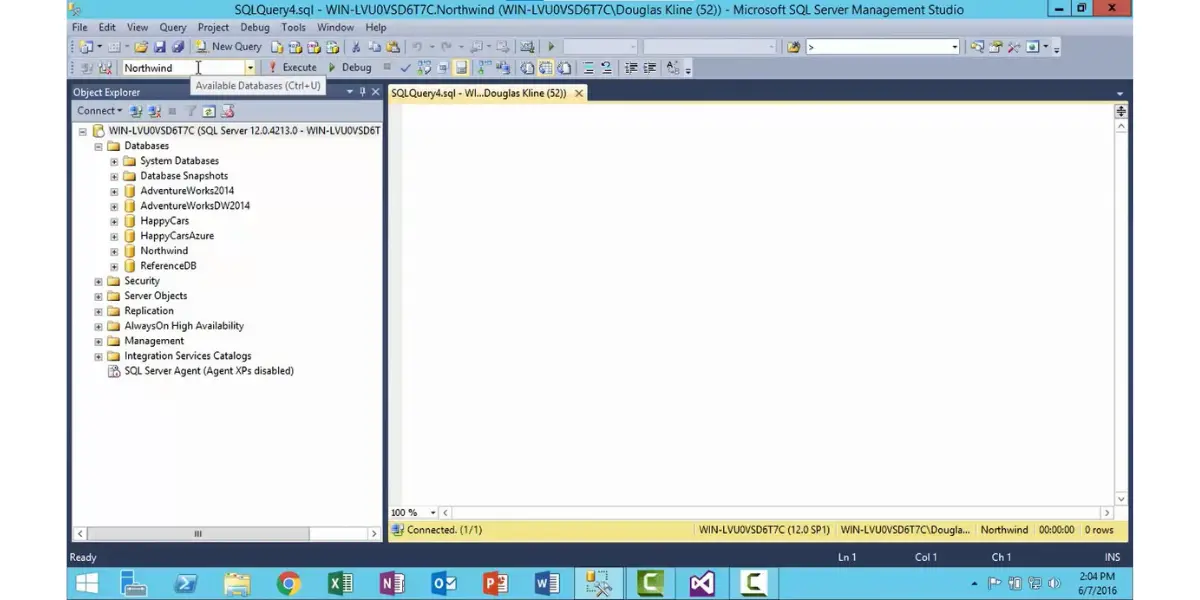
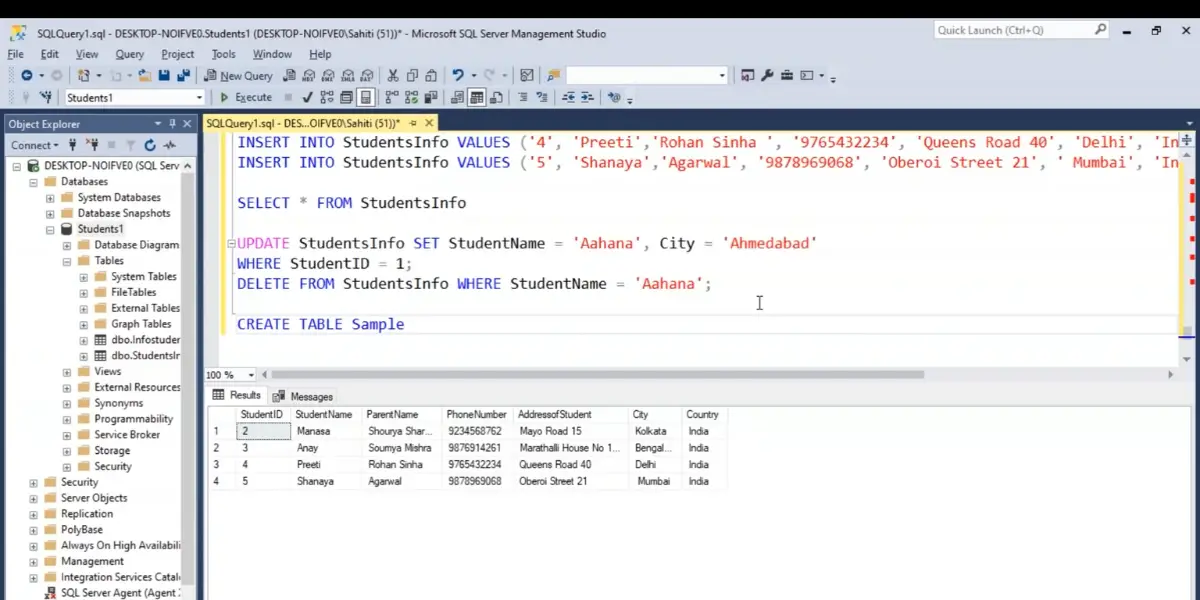
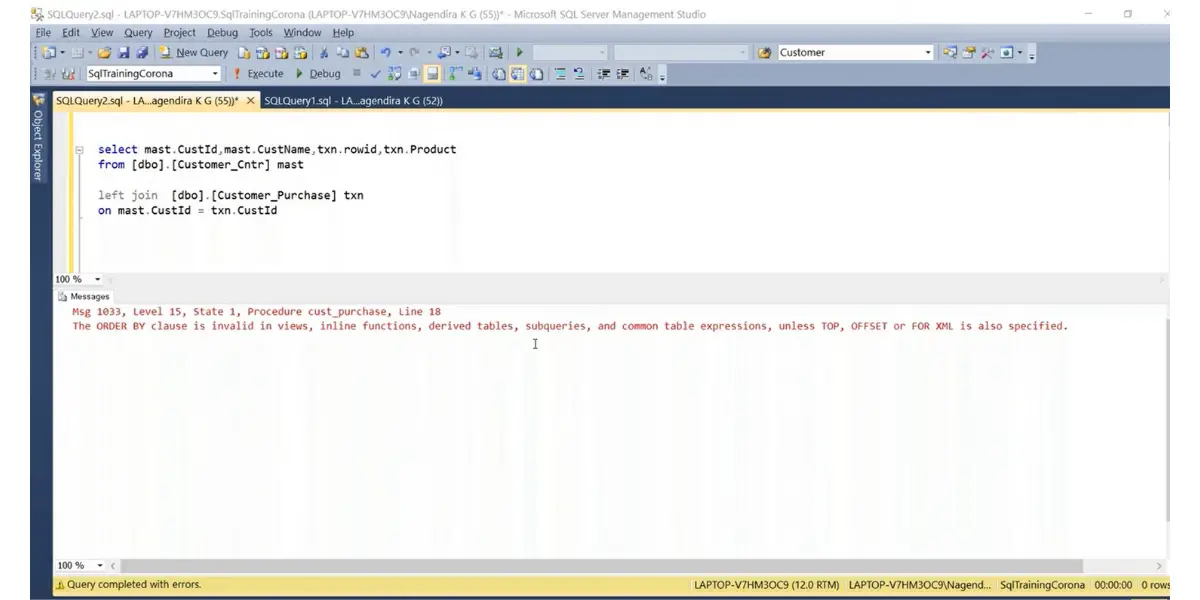
Some screenshots of Microsoft SQL Server features
Microsoft SQL Server Pricing and Licensing
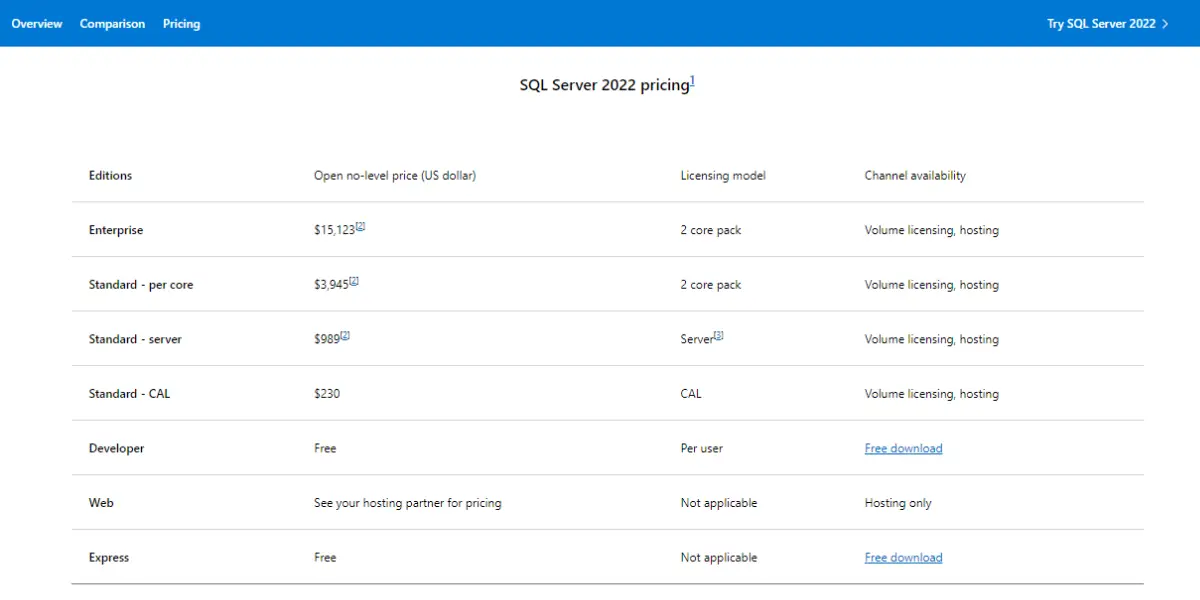
SQL Server is sold per core or per server plus client access licenses (CALs). Microsoft’s SQL Server 2025 list prices are identical to SQL Server 2022’s:
SQL server pricing
| Edition | List price (US dollars) | Licensing model |
|---|---|---|
| Enterprise | $15,123 | Per 2-core pack |
| Standard, per core | $3,945 | Per 2-core pack |
| Standard, server | $989 | Per server, plus a CAL for every user or device |
| Standard, CAL | $230 | Per user or device |
| Developer (Standard and Enterprise) | Free | Development and testing only |
| Express | Free | Not applicable |
Pay-as-you-go pricing
Azure Arc-enabled SQL Server can be billed monthly through Azure instead of bought: Enterprise $274 and Standard $73 per core per month ($0.375 and $0.100 per hour). Server + CAL licensing is not available with pay-as-you-go billing.
Subscriptions and add-ons
Subscriptions cost $5,434 a year for Enterprise and $1,418 a year for Standard, per two-core pack. These are open no-level estimated retail prices; Microsoft tells buyers to get their actual price from a reseller.
Licensing rules that change the bill
- Per-core licenses are sold in two-core packs, with a minimum of four core licenses per physical processor, or per virtual machine when you license by VM. Licensing by VM requires Software Assurance or a subscription.
- Standard edition’s 32-core limit counts hardware threads, so a VM whose virtual cores map to multiple threads reaches it sooner.
- Server + CAL is available only for Standard. Every user or device that reaches the server needs a CAL, even indirectly; pooling connections or using middleware does not reduce the count.
- Under per-core licensing, no CALs are needed, however many users connect.
SQL Server licensing cost: worked examples
These examples use Microsoft’s list prices, before Software Assurance and reseller discounts. They show where the cheaper option flips:
| Scenario | Calculation | List cost |
|---|---|---|
| Small VM, 4 cores, Standard per core | 2 packs x $3,945 | $7,890 once |
| Same VM on subscription | 2 packs x $1,418 | $2,836 a year |
| Same VM on pay-as-you-go | 4 cores x $73 x 12 | $3,504 a year |
| 8-core server, Standard per core | 4 packs x $3,945 | $15,780 once |
| 8-core server, Enterprise | 4 packs x $15,123 | $60,492 once |
| Standard Server + CAL for 25 users | $989 + 25 x $230 | $6,739 once |
When Server + CAL is cheaper. One server license plus CALs beats per-core Standard licensing below about 30 users or devices on a 4-core server, about 64 on 8 cores and about 132 on 16 cores. Above those numbers per-core is cheaper, and when you cannot count the users, as with a public website, per-core is the practical choice.
Subscription or perpetual. A perpetual license costs about 2.8 years of subscription at list price, for both Standard and Enterprise. Pay-as-you-go costs more per year than a subscription for a machine that runs all year, so it suits workloads that run part of the year or for a few months.
Standard or Enterprise. Enterprise costs about 3.8 times as much per core. With Standard now allowed 32 cores and 256 GB of memory, buy Enterprise for the features Standard lacks, or for instances larger than that, rather than for size alone.
SQL Server 2025 editions compared
SQL Server 2025 has four editions you can run, two of them free, plus a 180-day Evaluation edition with all Enterprise features. The scale limits per instance, from Microsoft’s edition documentation:
| Edition | Compute per instance | Buffer pool memory | Maximum database size | Price |
|---|---|---|---|---|
| Enterprise | Operating system maximum | Operating system maximum | 524 PB | $15,123 per 2 cores |
| Standard | Lesser of 4 sockets or 32 cores | 256 GB | 524 PB | $3,945 per 2 cores, or Server + CAL |
| Express | Lesser of 1 socket or 4 cores | 1,410 MB | 50 GB | Free |
| Developer (Standard or Enterprise) | As the matching edition | As the matching edition | As the matching edition | Free, development and test only |
What changed from SQL Server 2022
| Limit | SQL Server 2022 | SQL Server 2025 |
|---|---|---|
| Standard compute | Lesser of 4 sockets or 24 cores | Lesser of 4 sockets or 32 cores |
| Standard buffer pool memory | 128 GB | 256 GB |
| Express maximum database size | 10 GB | 50 GB |
| Developer editions | One, with Enterprise features | Two: Standard Developer and Enterprise Developer |
| Web edition | Sold through hosting providers | Not in the 2025 price list |
| Power BI Report Server rights | Enterprise with Software Assurance or a subscription only | Included with Enterprise and Standard, even without Software Assurance |
| List prices | Enterprise $15,123, Standard $3,945 per 2 cores | Unchanged |
The SQL Server 2022 edition page and the 2025 page are the sources for each pair. The practical effect is that Standard edition gets twice the memory, a third more cores and reporting rights for the same price, and Express becomes usable for databases up to 50 GB.
Capabilities
- High availability and disaster recovery: log shipping in Standard and Enterprise, and passive failover servers, including in Azure, as a Software Assurance benefit.
- Hybrid connection to Azure: the Azure extension for SQL Server, the link feature for Azure SQL Managed Instance and pay-as-you-go billing are available on Enterprise and Standard, not Express.
- Security: Microsoft Entra integration is available in every edition, including Express.
- Integration and analytics: Integration Services for moving data, Analysis Services for models, and mirroring into Microsoft Fabric.
Architecture
SQL Server has a client-server design. The Database Engine runs as a service; applications connect to it over the network, usually through TCP/IP, using Microsoft’s Tabular Data Stream (TDS) protocol, and send it Transact-SQL. SQL Server Agent runs scheduled jobs alongside the engine, and optional services handle the rest: Integration Services for data movement, Analysis Services for analytical models and, from 2025, Power BI Report Server for reports.
SQL Server BI
For reporting, SQL Server 2025 moves on-premises reports to Power BI Report Server and, for the first time, gives Standard as well as Enterprise customers the right to run it. Microsoft’s licensing guidance puts it this way:
Previously, Power BI Report Server was available only with SQL Server Enterprise Edition when purchased with Software Assurance or through a subscription. With the release of SQL Server 2025, Power BI Report Server use rights are now included with both Enterprise and Standard Editions…
Microsoft, SQL Server 2025 licensing guidance
The same sentence adds that this applies even without Software Assurance.
Analysis Services provides the semantic models behind those reports. Under Standard it is limited to 16 physical cores (32 with simultaneous multithreading) and to 16 GB of memory for tabular models or 64 GB for multidimensional ones.
Pros and Cons of Microsoft SQL Server
Pros
- Free editions for small applications (Express, up to 50 GB per database) and for development (Standard and Enterprise Developer).
- Standard edition in SQL Server 2025 handles up to 32 cores and 256 GB of memory at an unchanged price.
- Runs on Windows, on Red Hat Enterprise Linux and Ubuntu, in containers and on Azure virtual machines.
- Long, published support dates: SQL Server 2025 is supported until January 2036.
- Flexible payment: perpetual licenses, annual subscriptions or monthly pay-as-you-go.
Cons
- Enterprise is expensive: $60,492 at list price for an 8-core server.
- Licensing is genuinely complex: per core or per CAL, minimum core counts, hardware threads, and VM rules that depend on Software Assurance.
- Upgrades can remove features: SQL Server 2025 dropped Data Quality Services, Master Data Services and Synapse Link.
- SUSE Linux Enterprise Server is not supported for SQL Server 2025.
- Microsoft’s public price list does not include Software Assurance, so the full cost of a perpetual license needs a reseller quote.
FAQs
Why is the Microsoft SQL server used?
To store and query an organization’s relational data, from small desktop and departmental applications on the free Express edition to large transaction-processing and analytics systems on Enterprise. Applications query it with Transact-SQL, and the same database engine runs on Windows and, since SQL Server 2017, on Linux.
How much does SQL Server 2025 cost?
Microsoft’s list price is $15,123 per two-core pack for Enterprise and $3,945 per two-core pack for Standard, or $989 per server plus $230 per user or device under the Server + CAL model. Subscriptions cost $5,434 and $1,418 a year per two-core pack, and pay-as-you-go through Azure Arc is $274 and $73 per core per month. These are the same list prices as SQL Server 2022.
Is SQL Server 2016 still supported?
No. Extended support for SQL Server 2016 ended on 14 July 2026, so it now receives security fixes only through Microsoft’s paid Extended Security Updates program, which runs until July 2029. SQL Server 2017 is next: its extended support ends on 12 October 2027.
What is the difference between SQL Server Standard and Enterprise?
Scale and price. In SQL Server 2025 a Standard instance can use the lesser of 4 sockets or 32 cores and 256 GB of buffer pool memory, while Enterprise is limited only by the operating system. Enterprise costs $15,123 per two-core pack against $3,945 for Standard, about 3.8 times as much.
Is SQL Server Express free?
Yes. SQL Server 2025 Express is a free download for desktop and small server applications, limited to the lesser of 1 socket or 4 cores, 1,410 MB of buffer pool memory and 50 GB per database, up from 10 GB in SQL Server 2022. The two free Developer editions have all the features of Standard or Enterprise but are licensed for development and testing only.
Does SQL Server run on Linux?
Yes, since SQL Server 2017. SQL Server 2025 is supported on Red Hat Enterprise Linux and Ubuntu, and in containers, but not on SUSE Linux Enterprise Server, which only supports SQL Server 2017, 2019 and 2022.
How we checked this page
On 1 October 2026 we took the prices from Microsoft’s SQL Server 2025 price list (PDF) and its SQL Server 2022 pricing page, the licensing rules from Microsoft’s SQL Server licensing guidance, the edition limits from the SQL Server 2025 and 2022 edition pages on Microsoft Learn, the new and discontinued features from Microsoft’s what’s-new page, and the support dates from the Microsoft Lifecycle site. The worked examples are our own arithmetic on those list prices; we did not obtain reseller quotes.
Conclusion
SQL Server 2025 is the version to buy or upgrade to in 2026. It costs the same as SQL Server 2022, while Standard edition gets twice the memory and more cores and Express grows to 50 GB per database. Count your cores and users before choosing a licensing model: Server + CAL wins only for small, countable user bases, and Enterprise is worth its 3.8 times price only for features or scale that Standard cannot provide. If you are still on SQL Server 2016, its support has ended. For storing data at larger scale, see our guide to large-scale data storage systems.
References
- Microsoft: SQL Server 2025 pricing (PDF) and SQL Server 2022 pricing page
- Microsoft: SQL Server licensing guidance
- Microsoft Learn: Editions and supported features of SQL Server 2025 and SQL Server 2022
- Microsoft Learn: What’s new in SQL Server 2025
- Microsoft Learn: What is SQL Server on Linux?
- Microsoft Learn: Latest updates and version history for SQL Server
- Microsoft Lifecycle: Fixed Lifecycle Policy and the product pages for SQL Server 2025, SQL Server 2022, SQL Server 2019, SQL Server 2017, SQL Server 2016, SQL Server 2014