NetSuite WMS is the warehouse management module built natively into Oracle NetSuite, not a bolt-on add-on. That distinction matters more than most reviews of it explain: because it runs on NetSuite’s own database, a pick, a putaway, or a cycle count updates inventory, financials, and order management in the same transaction, with no nightly sync and no separate database to reconcile.
This article covers how NetSuite WMS actually works end to end, its real feature set, how it differs from RF-SMART (the most common third-party alternative for NetSuite users), what it costs, who it fits, and the current NetSuite-specific alternatives worth comparing it against.
What is NetSuite WMS?
NetSuite WMS is the cloud warehouse management functionality inside NetSuite’s Advanced Order Management suite. It runs directed putaway and picking strategies, cycle counting, task management, mobile RF barcode scanning, and returns processing directly against NetSuite’s live inventory and order records.
Because it is native rather than integrated, there is no middleware layer translating data between two systems. That is the main advantage NetSuite highlights over bolt-on warehouse software, and it is real: fewer integration points means fewer places for inventory counts to drift out of sync. The tradeoff, covered below, is that native NetSuite WMS is less configurable for unusual warehouse workflows than a dedicated third-party WMS built specifically around picking and packing.
NetSuite WMS workflow
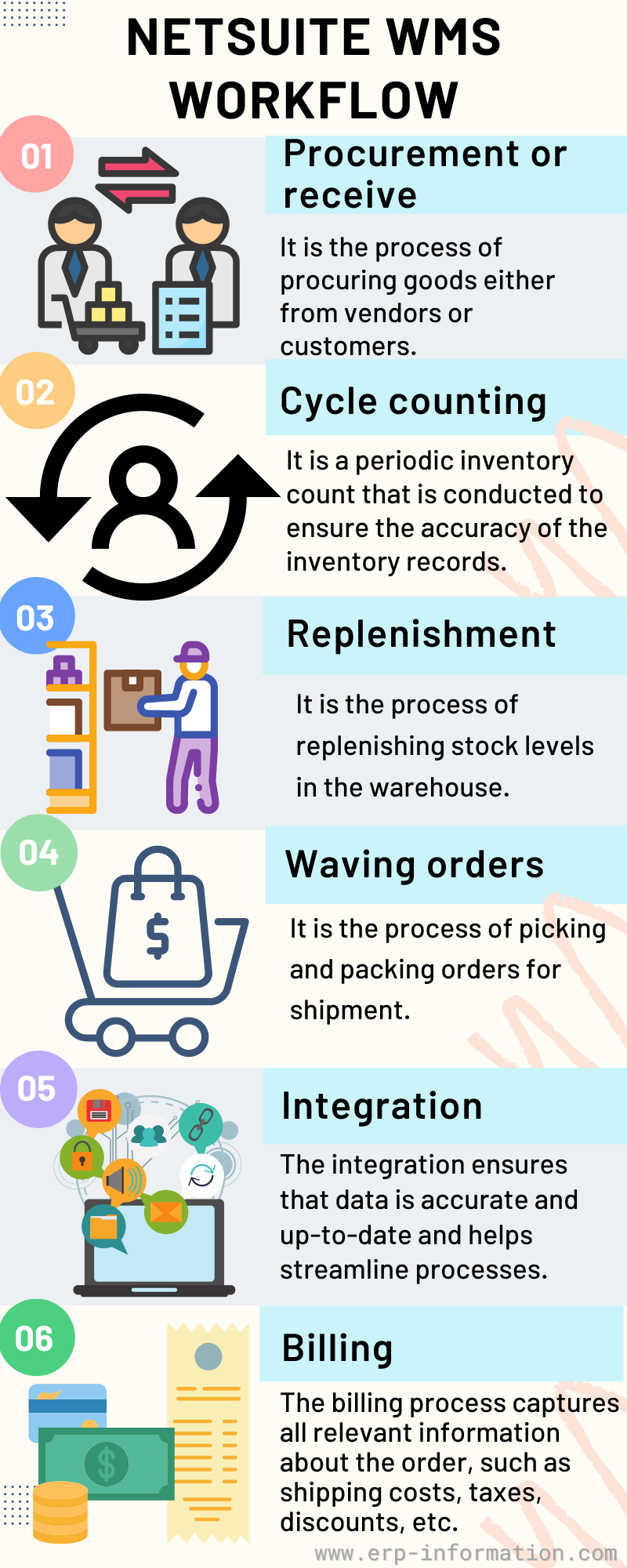
Receiving
Goods arriving from a purchase order or a customer return are checked in against the expected shipment, and the system captures quantity, quality, lot or serial number, and supplier information at the dock before anything is put away.
Cycle counting
NetSuite WMS uses periodic inventory counts on a rotating schedule rather than a full annual shutdown count. Cycle counting checks a subset of bin locations continuously, which surfaces discrepancies faster and with far less disruption than counting the whole warehouse at once.
Replenishment
When a pick bin runs low, stock moves up from bulk storage to the active picking location, either automatically against a minimum threshold or manually when a supervisor flags it.
Wave and zone picking
Rather than picking each order the moment it arrives, NetSuite WMS can batch open orders into picking waves grouped by shipping deadline, carrier, or pick zone, then generate a pick list sequenced to minimize travel distance through the warehouse. In larger facilities, zone picking splits a wave further so each picker works one zone and hands the order to the next zone rather than walking the whole floor.
Integration
Because the warehouse functions run inside NetSuite’s ERP rather than a separate system, a completed pick or pack updates inventory availability, order status, and the general ledger in the same record, with no batch job needed to reconcile the warehouse against the books.
Billing
Once an order ships, NetSuite generates the customer invoice from the same transaction, carrying shipping cost, tax, and any discounts through automatically rather than requiring a separate billing pass.
Features
Inventory management
Real-time visibility into on-hand quantity by bin location, so a picker or a customer service rep can see exactly what is in stock and precisely where it sits, rather than an end-of-day snapshot.
Order management
Orders are tracked from the moment they are placed through picking, packing, and shipment, with status visible in real time. Combined with automated wave picking, this is what lets a warehouse fulfill orders without a supervisor manually assigning each one.
Mobile RF scanning
NetSuite’s mobile application runs receiving, putaway, picking, and packing on handheld Android or iOS devices with barcode scanning at each step, so a count or a pick is confirmed against the system in real time instead of being written on paper and keyed in later.
3PL management
For businesses that outsource fulfillment to a third-party logistics provider, NetSuite WMS gives visibility into 3PL performance from inside the same system used to manage in-house inventory, rather than switching to the 3PL’s own portal to check order status.
Accuracy controls
NetSuite combines cycle counting, task management, and mobile RF scanning with automatically generated ASNs (advance shipping notices) and their associated EDI transactions, which cuts the manual data entry that is the usual source of inventory count drift.
Yard management
Tracks trailers and dock appointments in the yard outside the warehouse, so inbound and outbound loads are scheduled and visible before they ever reach the dock door.
Lot rotation and expiration control
For businesses handling perishable or date-sensitive stock, NetSuite WMS supports first-expired-first-out (FEFO) picking logic, directing pickers to the lot closest to expiration rather than the one closest to the door, so stock is far less likely to be sold or shipped past its expiration date.
Label printing
Product and shipping labels print automatically at receiving and at pack-out, and can be reprinted on demand if a label is damaged or a shipment is repacked.
Returns management
- Runs quality checks on items coming back through a return order.
- Splits a single return into multiple dispositions (restock, scrap, repair).
- Flags which returned items are resalable versus which need to go through reverse logistics.
Reporting
Standard reports cover inventory levels, stock movement history, and shipping schedules, and because the data lives in NetSuite rather than a bolt-on system, it can be combined with financial and sales reporting in the same saved search or dashboard.
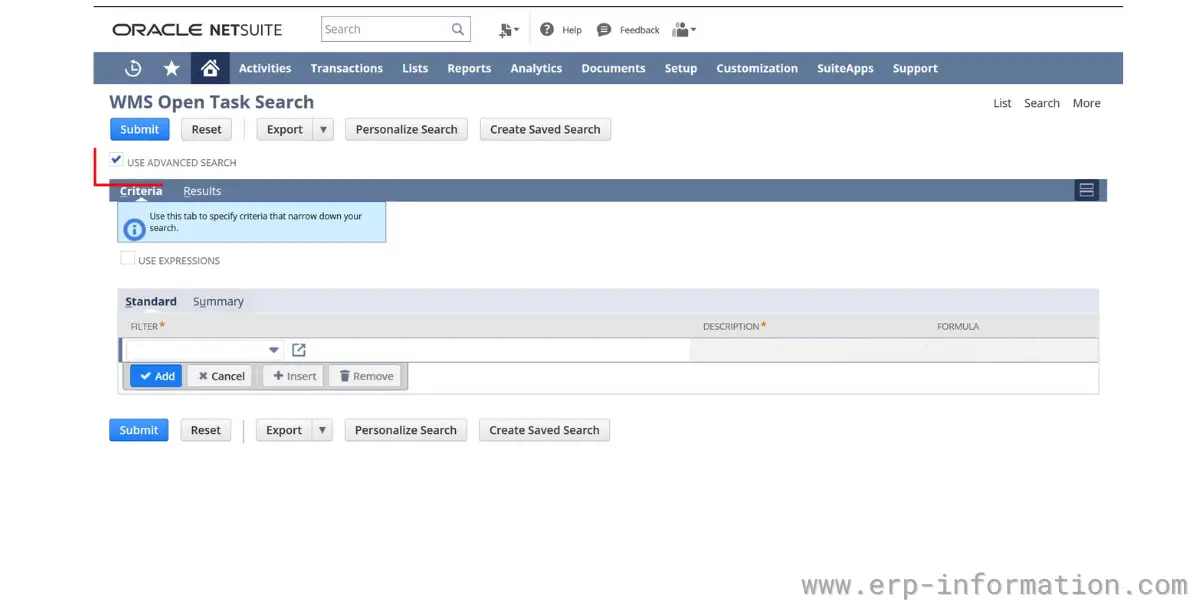
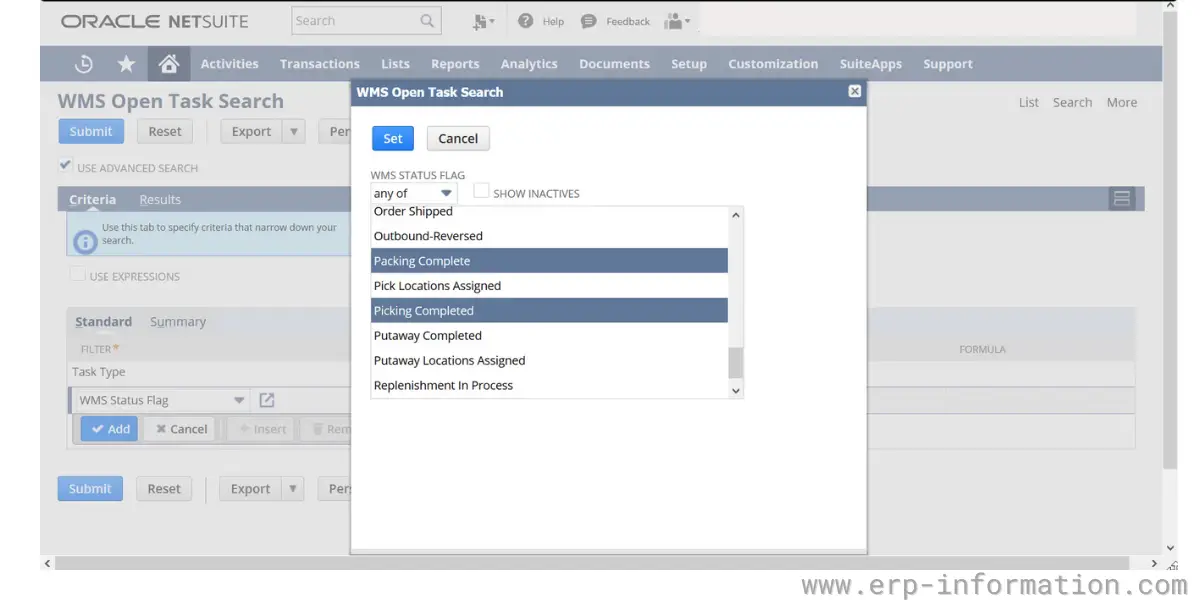
Screenshots
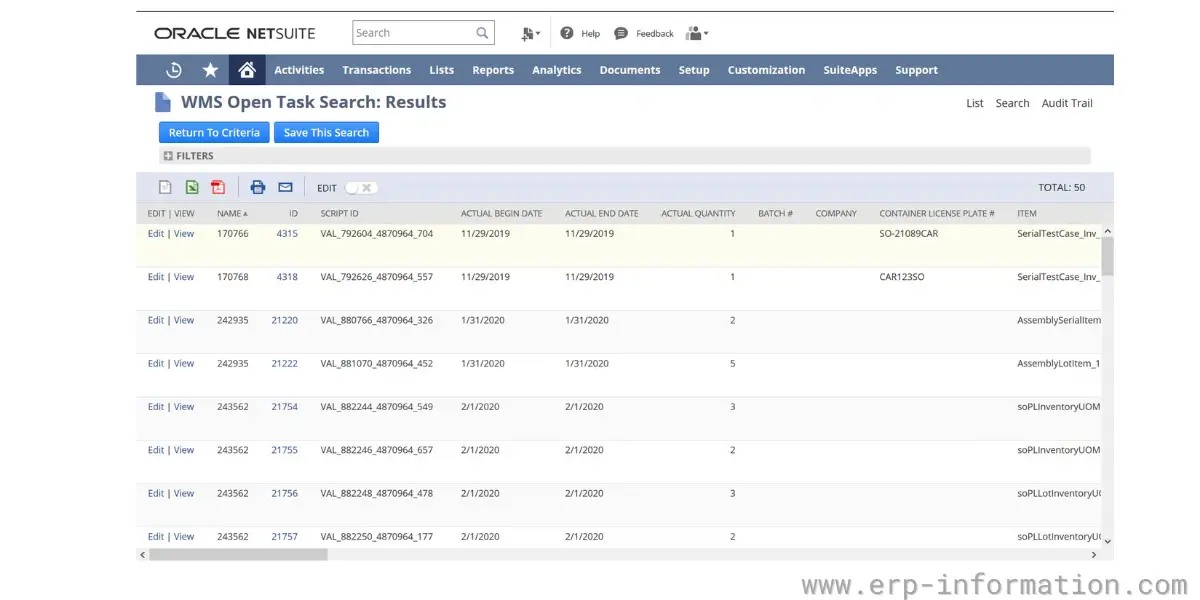
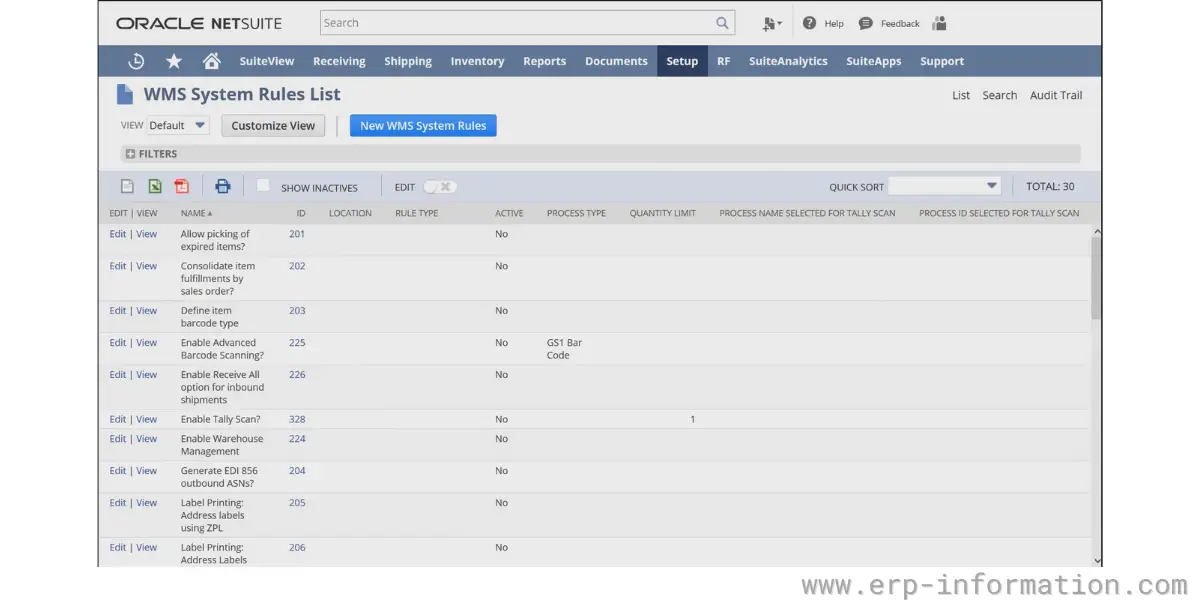
NetSuite WMS vs. RF-SMART
The question that comes up in nearly every NetSuite warehouse project is whether to use the native WMS module or RF-SMART, the most widely deployed third-party WMS built for NetSuite. Both write directly to NetSuite records rather than syncing through middleware, so the usual “native versus bolt-on data lag” concern does not really apply here; the real differences are elsewhere.
- Scope: native NetSuite WMS covers the full warehouse workflow, including wave and zone picking, yard management, and labor task assignment. RF-SMART concentrates specifically on mobile data collection, barcode scanning, and pick, pack, and ship accuracy, and generally implements faster because its scope is narrower.
- Fit: businesses that want fewer moving parts and can work within NetSuite’s standard warehouse workflows tend to prefer the native module. Businesses with more specific picking, packing, or labor-tracking requirements, or that outgrow the native module’s flexibility, more often land on RF-SMART.
- Track record: RF-SMART reports thousands of NetSuite implementations and is generally regarded as the default choice once a warehouse is picking at meaningful volume, while the native module is often the starting point for smaller or simpler operations.
What NetSuite WMS costs
NetSuite does not publish list pricing for any module, WMS included; every quote is negotiated based on user count, modules, and deployment size. Based on published implementation-partner estimates rather than an official price list, the WMS module itself typically runs somewhere in the low thousands of dollars per month, on top of the NetSuite platform’s own base subscription (roughly $999 to $5,000 a month depending on edition) and per-user licensing (full users are commonly quoted in the $129 to $199 per user, per month range). Treat any specific figure you see, including this one, as a starting point for a conversation with a NetSuite partner, not a quote.
Strengths and limitations
Where it holds up well
- Inventory, order, and financial data stay in one system, so there is no reconciliation between a warehouse system and the general ledger.
- Wave and zone picking scale reasonably well once volume grows beyond single-order picking.
- Mobile RF scanning and automated ASN/EDI generation meaningfully cut manual data entry, which is where most inventory accuracy problems originate.
- Bin, lot, and expiration tracking, including FEFO picking, are built in rather than requiring a separate add-on.
Where it runs into limits
- Configuration is less flexible than a dedicated WMS for unusual picking, packing, or labor workflows, which is the main reason growing operations move to RF-SMART or another third-party option.
- It carries a real learning curve for warehouse staff coming from paper-based or simpler systems.
- Pricing is quote-only and scales with users and modules, which makes it harder to budget for up front than a per-seat SaaS product.
- There is no free trial; evaluating it requires a sales conversation and typically a demo environment.
Other essential aspects
| Training | Videos, documentation, webinars, in-person support, and third-party implementation partners are available. |
| Support | Support tickets are submitted through the NetSuite customer portal and handled in priority order. |
| Platform | Cloud-based, native to NetSuite (no separate database or middleware). |
| Business size | Small to mid-market, though large operations more often pair NetSuite with RF-SMART for warehouse-specific needs. |
| Suitable for | Wholesale distribution, manufacturing, and retail fulfillment. |
| Current NetSuite-specific alternatives | RF-SMART (most widely deployed), Deposco (DTC ecommerce), Da Vinci WMS, Logiwa (3PL/multi-client), Infios (mid-market), SuiteWorks Tech WMS Mobile Lite (fastest deployment, no extra user licenses). |
Conclusion
NetSuite WMS is the right starting point for a NetSuite shop that wants warehouse operations running inside the same system as finance and order management, without adding a second platform to maintain. It fits wholesale, manufacturing, and retail fulfillment operations of small to mid-market size reasonably well.
Where it runs into limits is scale and configurability: operations picking at high volume, running complex labor management, or needing warehouse workflows the native module was not built around tend to outgrow it and move to RF-SMART or one of the other NetSuite-specific alternatives above. Either way, the decision is worth making deliberately rather than defaulting to the native module simply because it shipped with the ERP.
References: