Enterprise content management is the discipline of controlling a document from the moment it arrives to the moment it is lawfully destroyed. That means capture and OCR, metadata and taxonomy, version control with check-in and check-out, granular permissions, an audit trail, a retention schedule and defensible disposition. File storage keeps a copy. ECM keeps a record you can stand behind in an audit.
That distinction decides most purchases. If the problem is that nobody can find last year’s signed contract, a metadata-driven system fixes it. If the problem is that a regulator will ask who approved an invoice, when, and whether the prior version still exists, you need records lifecycle management and a legal hold. Those two capabilities are usually sold in a higher tier than the headline per-user price suggests, which is the single most common surprise in an ECM quote.
This page reviews ten enterprise content management and document management products: what each is actually built for, who owns it, and what it costs where the vendor publishes a figure. Every price below was re-checked against the vendor’s own pricing page in August 2026, and where a vendor does not publish one, we say so instead of estimating.
What to check before you shortlist
Most enterprise content management demos look alike, because every product can show you a folder tree and a search box. These are the capabilities that separate a records system from a shared drive, and the ones worth forcing into the demo script.
- Capture and OCR. How documents get in: scanner, email, mobile photo, ERP export. Ask whether OCR and field extraction are included or metered separately, because capture volume is a common line item in the second-year invoice.
- Metadata and taxonomy. Whether a document is found by where somebody filed it or by what it is. Metadata-driven products survive reorganisations; folder-driven ones inherit whatever filing habit the last team had.
- Version control, check-in and check-out. Two people editing the same contract should not produce two contracts.
- Audit trail. An immutable log of who viewed, edited, approved and deleted. This is the capability auditors actually test, and the one a file server cannot fake.
- Retention schedules and disposition. Rules that keep a record for its required life and then destroy it on schedule. Keeping everything forever is a liability, not caution.
- Legal hold and e-discovery. The ability to freeze a set of records the moment litigation is foreseeable, overriding the retention rule that would otherwise delete them.
- Redaction and classification. Necessary anywhere personal data leaves the building under a records request or a subject access request.
- Certification, if you are in the public sector. Defence, federal and many state bodies require records management certified against a published standard such as DoD 5015.2. Ask for the certificate, not the claim.
One practical warning that applies to every product below: quote-based ECM pricing is normally per named user with a floor, and implementation, migration and capture volume are quoted separately. Ask for a written quote broken out by licences, add-on modules, storage and professional services before comparing two vendors on a per-user figure.
How this list is organised, and what it leaves out
Nine of the ten entries below are document management or content services platforms you buy and run. One, PrizmDoc, is a developer component rather than a platform, and it is marked as such in its own section rather than quietly listed alongside the others.
This list is weighted towards the mid-market. If you are shortlisting for a large enterprise, the names analysts most often place at the top of this category are not here and belong on your list too: OpenText, Hyland (OnBase, Alfresco and Nuxeo), IBM FileNet, Microsoft SharePoint and Microsoft 365, Box, iManage in legal, and SER Doxis in Europe. Saying so is more useful than pretending a ten-item list is the whole market.
| Product | Owned by | Published price (Aug 2026) | Built for |
|---|---|---|---|
| Laserfiche | Independent | $73 to $93 per user per month, billed annually | Records management and governance |
| NewgenONE | Newgen Software | Not published | Process automation at scale |
| Document Locator | ColumbiaSoft | Not published, quote only | Windows-native document management |
| R2 Docuo | Independent (Spain) | From 12 euros per month per app | Contract and invoice workflows |
| DocuWare | Ricoh | Not published | Invoice processing and AP automation |
| Xerox DocuShare | Xerox | Not published | Scan-heavy departmental content |
| M-Files | Independent, PE backed | From 65 euros per seat per month | Metadata-driven document finding |
| Rocket Content Services (Mobius) | Rocket Software | Not published | High-volume enterprise archive |
| PrizmDoc | Accusoft | From $18 per 200 transactions | Embedding viewing into your own app |
| Contentverse | Computhink | Not published, quote only | Small and mid-size document management |
1. Laserfiche
Laserfiche is one of the software tools for intelligent content management and process automation. It is innovating with cloud, machine learning, and AI to enhance organizations’ content management systems.
Key features
- Intelligent data capture
- Document and records management
- Integrations
- Process automation
- Information governance
- Solution templates
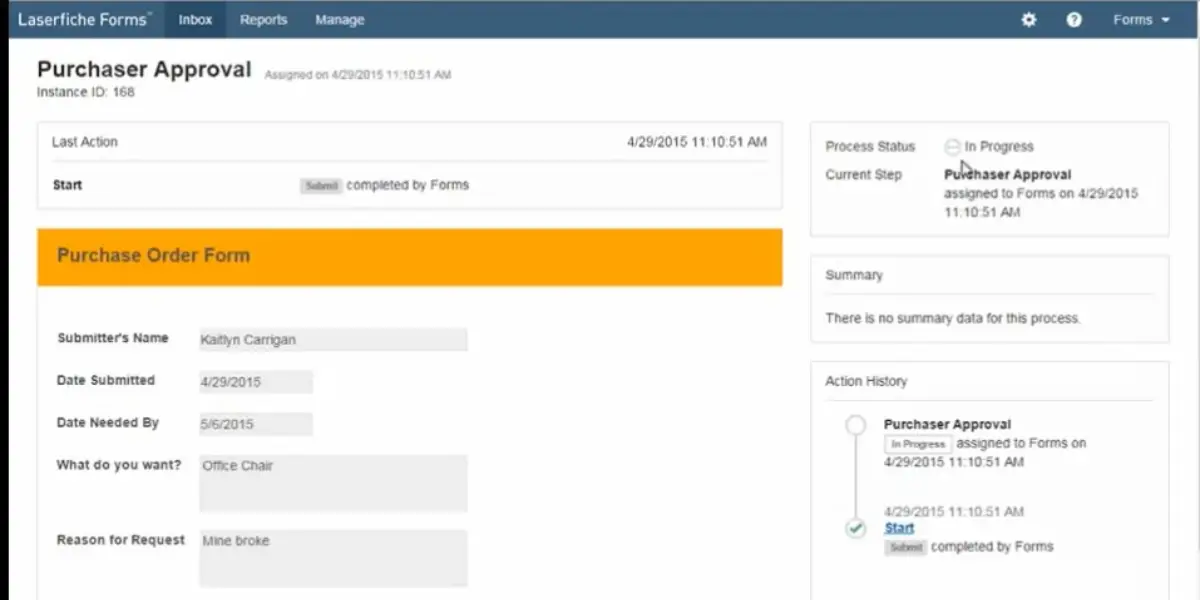
Screenshots of Laserfiche
Purchaser approval of Laserfiche
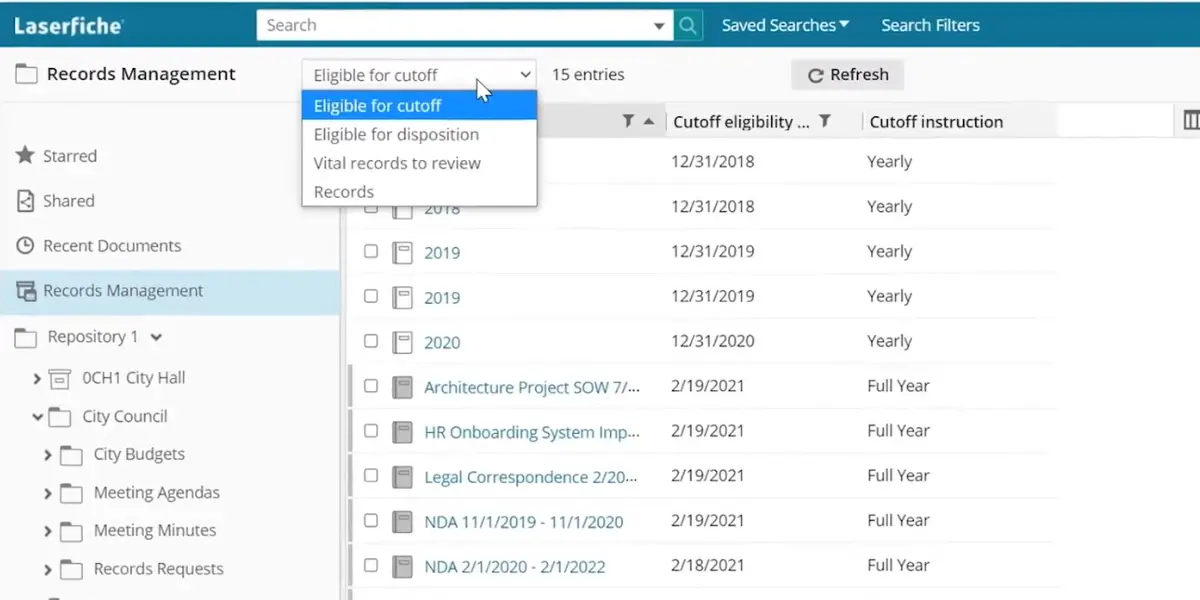
Records management of Laserfiche
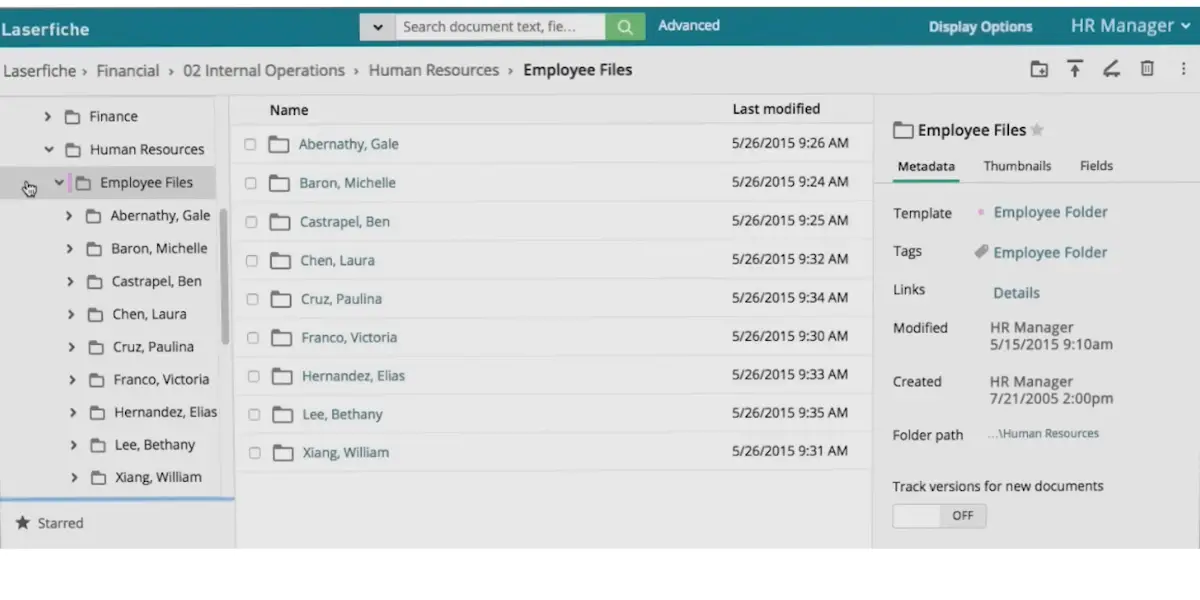
Employee files of Laserfiche
Pricing
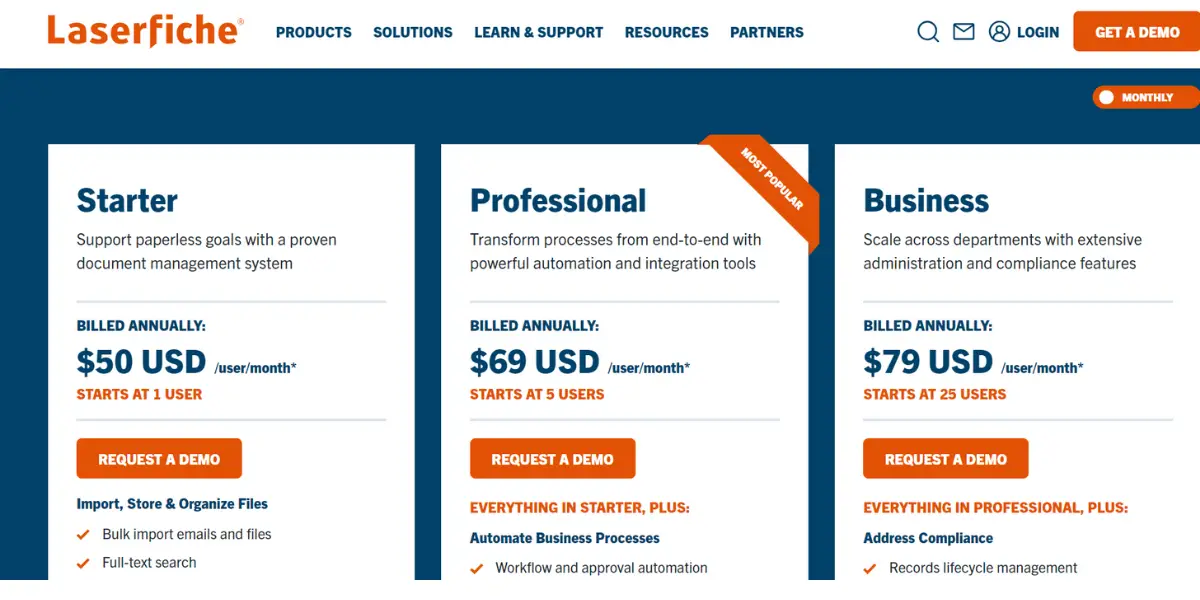
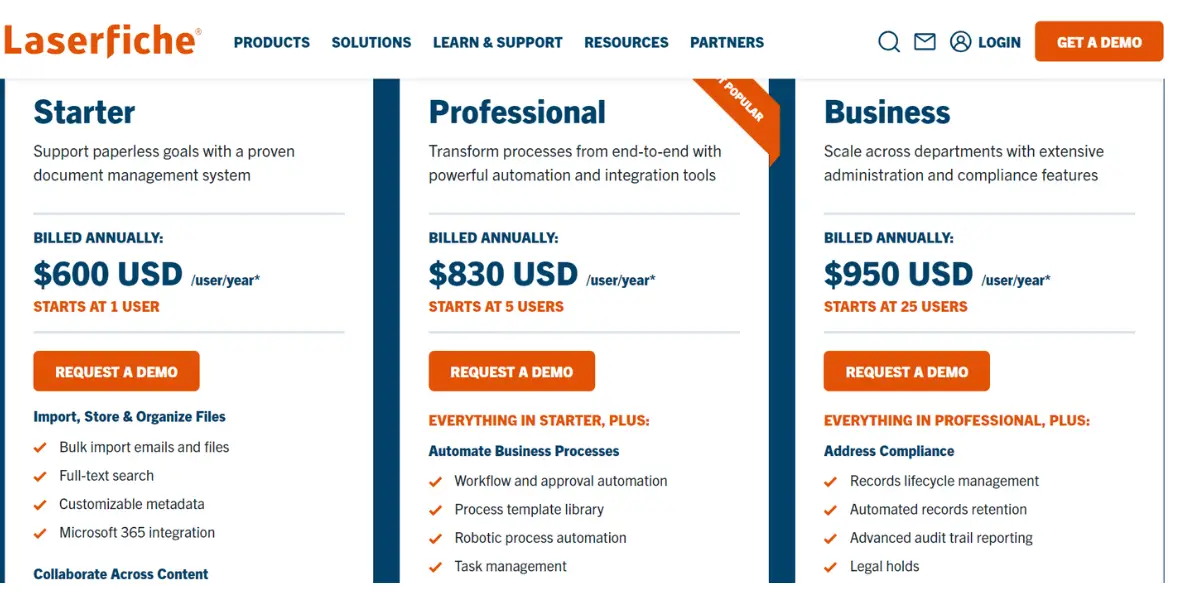
Laserfiche publishes cloud pricing, and it restructured its tiers since the screenshots below were taken. The plan formerly called Enterprise is now Business+, and it is the cheapest per seat because it only opens at 500 users. Figures below are from Laserfiche’s own pricing page, billed annually, as of August 2026.
- Professional – $73 per user per month, or $875 per user per year. Starts at 5 users.
- Business – $93 per user per month, or $1,115 per user per year. Starts at 25 users.
- Business+ – $42 per user per month, or $500 per user per year. Starts at 500 users, and adds multi-region failover and expanded security monitoring.
- Cloud Starter and self-hosted Laserfiche 12 are still sold, but Laserfiche no longer publishes a price for either. Both are demo-and-quote.
Two things the per-user figure hides. Records Lifecycle Management, SSO and SCIM provisioning start at the Business tier, so if retention scheduling is the reason you are buying ECM at all, your real entry point is $93 per user per month with a 25-user floor, not the cheapest line on the page. And Laserfiche states plainly that pricing excludes professional services and implementation fees.
Likes
- It helps in document control and access
- It helps to store all documents in digital format
- It is very easy to add and rename the docs
Dislikes
- It’s hard to maintain consistency
- It’s not fully operational
- It’s not able to store native files
- It seems slow and lags while running
Supported industries
- Education
- Healthcare
- Financial service
- Manufacturing
- Government
- Logistics
Other details
| Deployment | Cloud, SaaS, Web-Based |
| Supported device | Mac, Desktop – Windows, On-Premise – Windows, On-Premise – Linux, Mobile – Android, Mobile – iPhone, Mobile – iPad |
| Support | Email/Help Desk, FAQs/Forum, Knowledge Base, Phone Support, 24/7 (Live Rep), Chat |
| Training | In-person, Live Online, Webinars, Documentation, Videos |
| Customer ratings | G2: 4.7 out of 5 (588+reviews), Capterra: 4.5 out of 5 (out of 63+reviews) |
User opinion
Laserfiche can enable work efficiently. It can help to manage the business processes and streamline the team’s workflows.
You can trust its process automation and enterprise content management solution platform. It offers a low-code design that allows anyone in the organization to easily create automated workflows.
2. NewgenONE
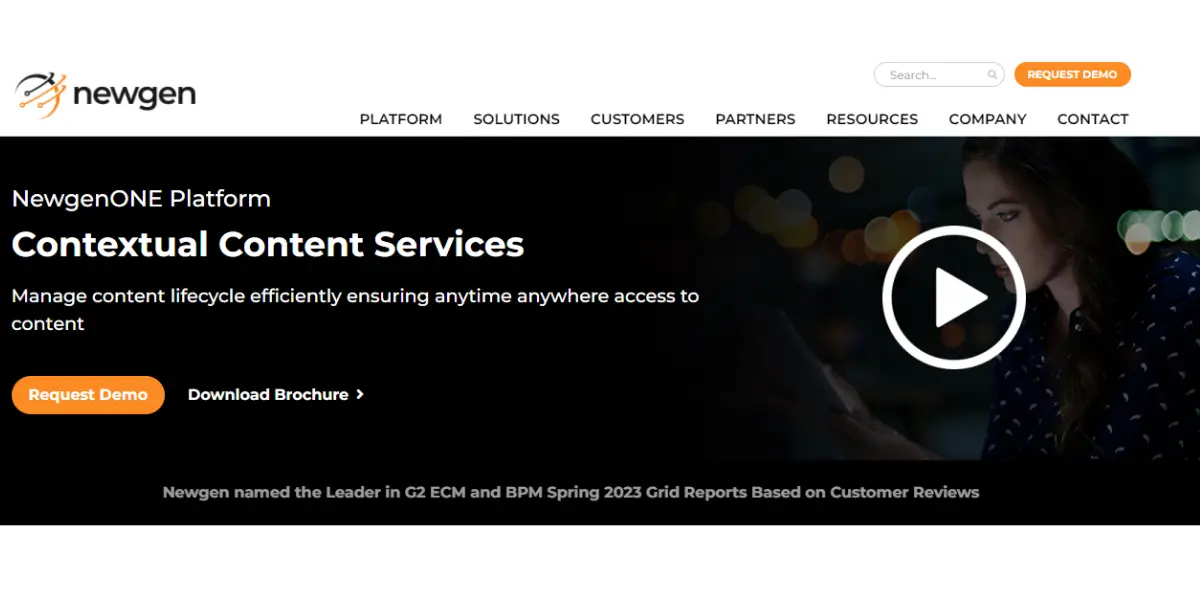
It is a cloud-based platform for automating processes and managing content through a robust ecosystem. It thoroughly manages content and communications, backed by AI-based cognitive capabilities.
Key features
- Intelligent process automation
- Contextual content services
- Governance and security
- Integration Ecosystem
- AI and data science
- Low-code application development
Pricing
Pricing details are not mentioned on their official website.
Likes
- It’s easy to handle and classify docs
- It is easy to track the workflow
- It consumes less manual effort
- It is easy to transform the business needs
Dislikes
- There are fewer ground resources.
- It consumes more time to run the process.
- Lack of UI enhancement.
- The user interface is too clingy.
- Always occurs big bug while working with this software.
Other details
| Deployment | Cloud, SaaS, Web-Based |
| Supported device | Mac, Desktop – Windows, Desktop – Linux, Desktop – Chromebook, On-Premise – Windows, On-Premise – Linux, Mobile – Android, Mobile – iPhone, Mobile – iPad. |
| Support | Email/Help Desk, FAQs/Forum, Knowledge Base, Phone Support. |
| Training | In-Person, Live Online, Webinars, Documentation, Videos |
| Customer ratings | G2 4.4 out of 5 (69+reviews) |
User opinion
The software can easily manage complex, content-driven business needs with multiple platforms. The unified solution automates end-to-end processes and effectively manages content and communications.
In addition, the NewgenOne platform is designed to be intelligent, allowing for rapid innovation and quick responsiveness. This can optimize the end-to-end customer journeys and achieve operational efficiency.
3. Document Locator
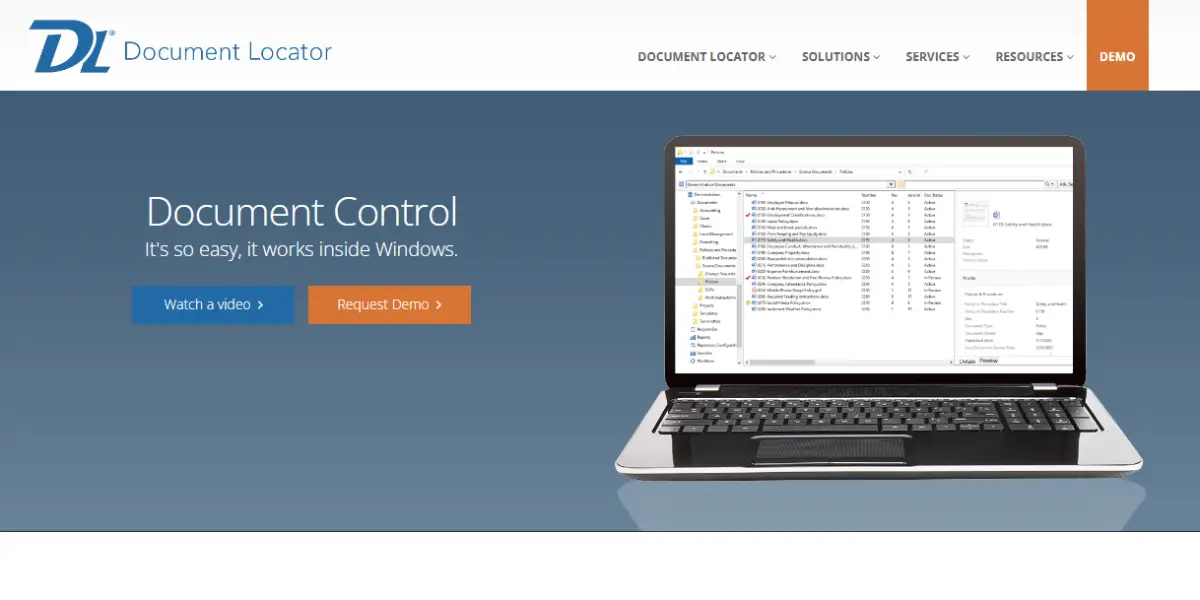
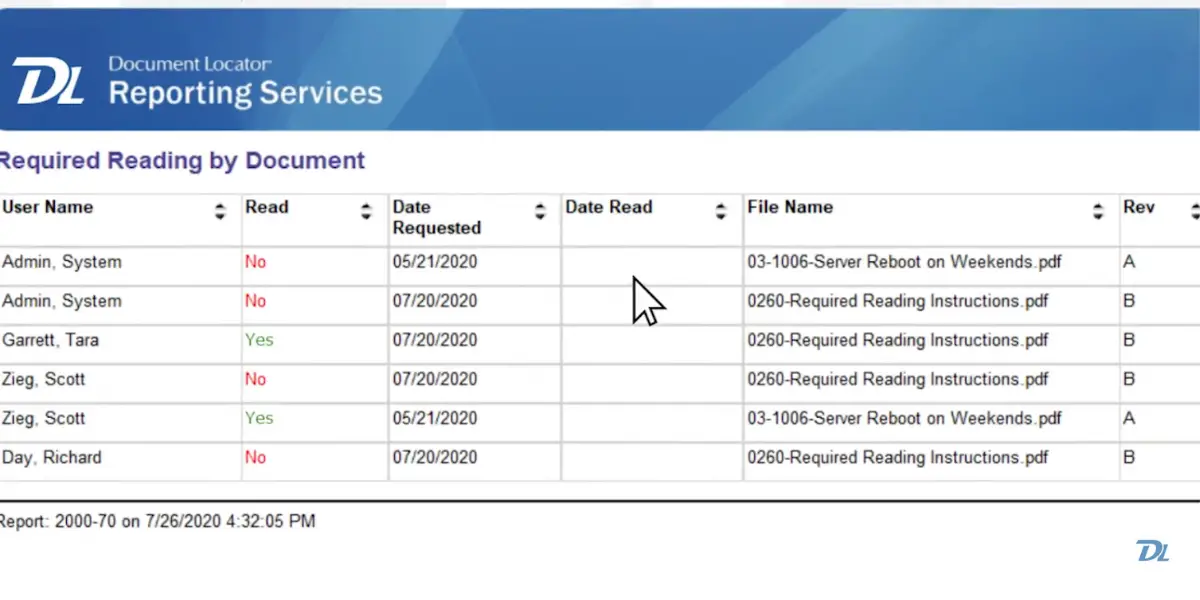
It is a powerful tool for document management systems. It records all activities, and reporting provides insight into business intelligence.
Key features
- Document importing
- Scanning and imaging
- Automated workflow
- Full-text indexing
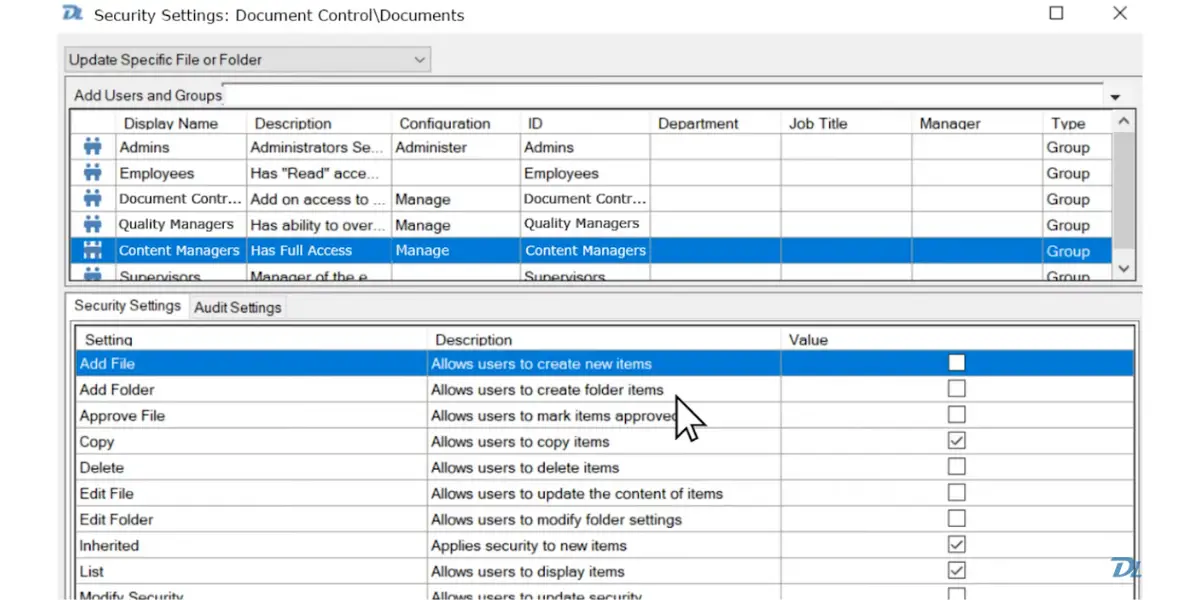
Security settings page of Document Locator
Reporting service of Document Locator
Pricing
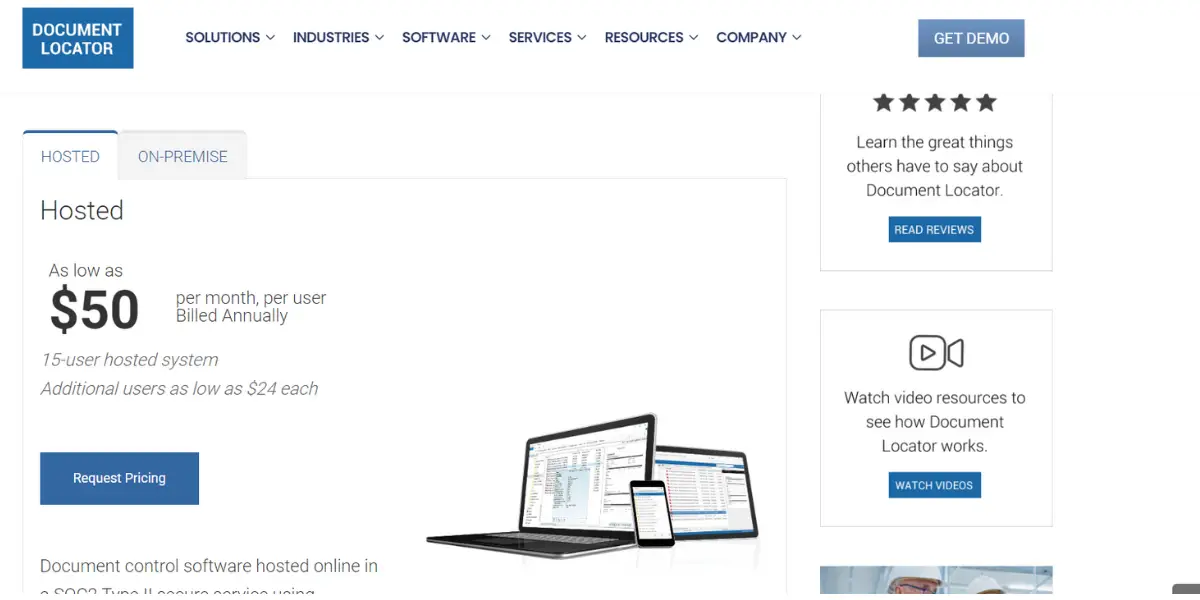
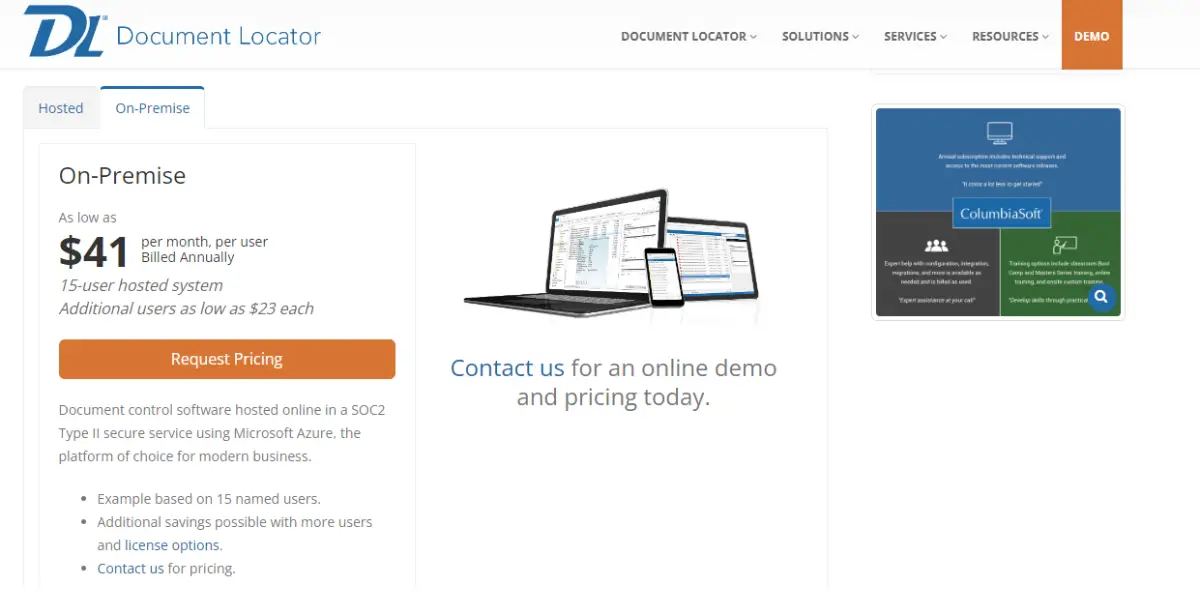
ColumbiaSoft has withdrawn published pricing for Document Locator. The rates in the screenshots below, roughly $50 per user per month hosted and $41 per user per month on-premises, were on the vendor’s site when we captured them and are kept here for reference, but they are no longer quoted publicly and should not be used to budget.
Document Locator is now quote-only. ColumbiaSoft says the figure depends on user count, deployment type (cloud on SOC 2 Type II Microsoft Azure, or installed on your own infrastructure) and integration requirements. Both deployment models are still offered, so the choice itself has not gone away, only the list price.
Likes
- It is good for searching abilities
- It provides great customer service
- It gives easy access to docs
- It is a user-friendly software, and the user interface is simple to navigate.
Dislikes
- There are very few security options
- It is a bit slow while running the workflow
- Inability to link folders in the software
Other details
| Deployment | Cloud, SaaS, Web-Based |
| Supported device | Windows, On-Premise – Windows, Mobile – Android, Mobile – iPhone, Mobile – iPad |
| Supported languages | English |
| Support | Email/Help Desk, FAQs/Forum, Knowledge Base, Phone Support, Chat |
| Training | In-Person, Live Online, Webinars, Documentation, Videos |
| Customer ratings | G2: 4.4 out of 5 (10+reviews), Capteraa: 4.5 out of 5 (31+reviews) |
User opinion
It is the ultimate Windows-based policy management system for compliance. Whether it is starting from scratch or already having existing files in use, the powerful platform makes it quick to get started with new policies using customizable templates.
4. R2 Docuo
It is a cloud-based document management software. It is powerful and unique in process automation. It can store and share documents and control usual workflows.
Key features
- Document management
- Workflow management
- Document automation
Pricing
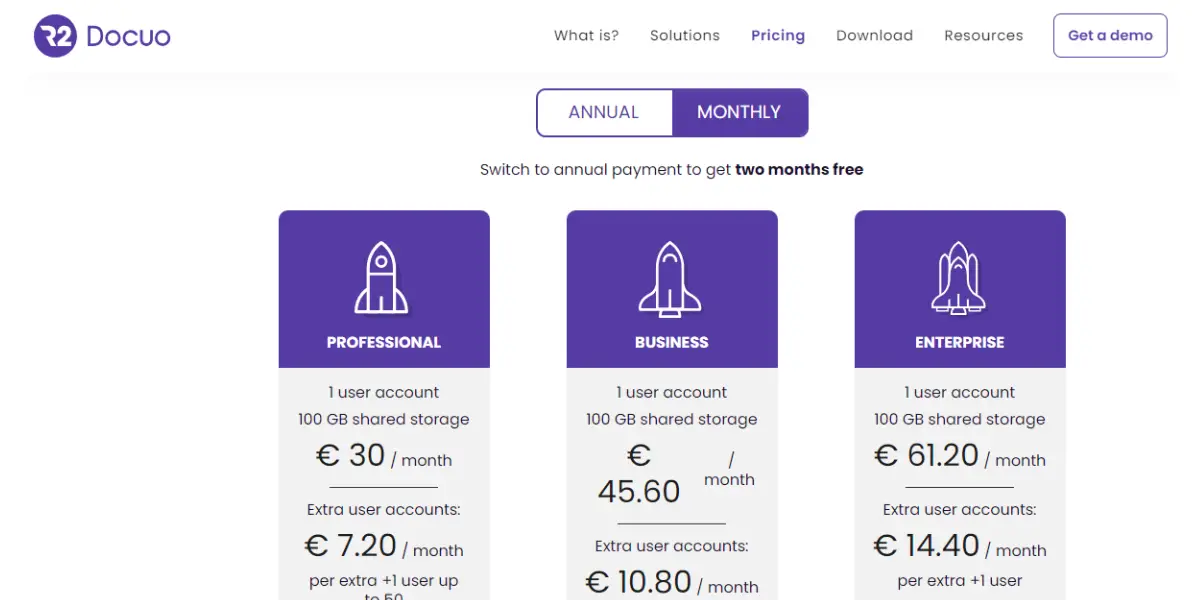
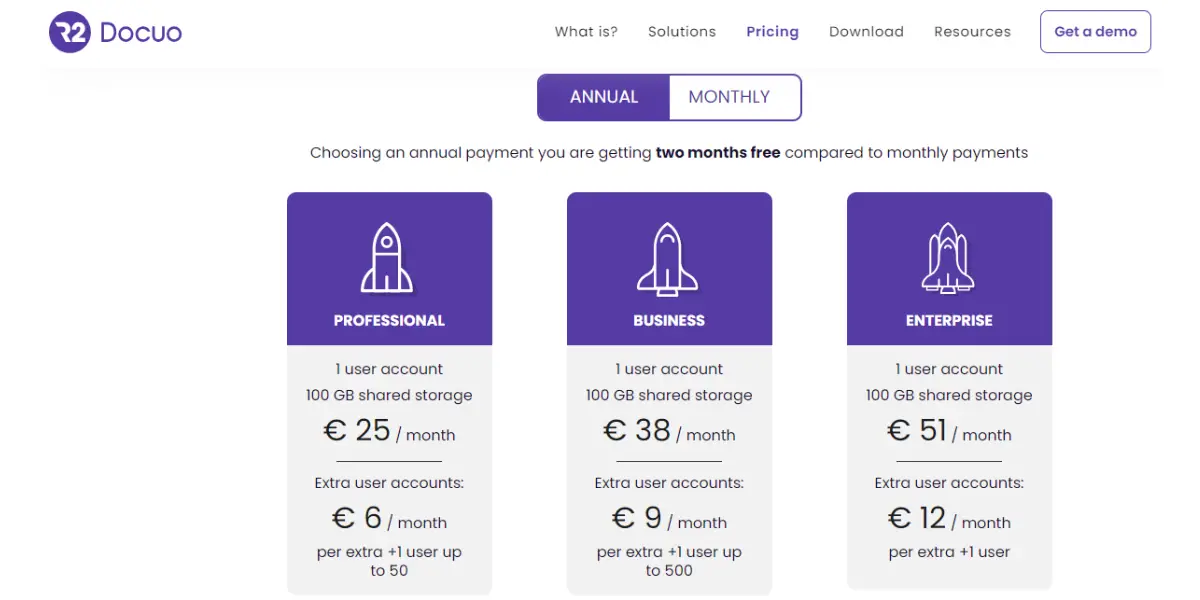
R2 Docuo has replaced the per-user Professional, Business and Enterprise tiers shown in the screenshots below with a different model entirely. It now sells per application, from 12 euros per month for a single app such as Contracts, Invoices or Proposals, or about 50 euros per month for the full suite, on top of the document management core.
Consumption is then metered in Docuo credits, which is the part worth modelling before you commit. At current rates one credit is 0.05 euros, an electronic signature for an external party costs 2 credits (0.10 euros per document), a qualified eIDAS signature costs 5 credits (0.25 euros per document), and AI assistant usage is sold in packs of 500 credits (25 euros). A contract workflow that signs a few hundred documents a month is therefore priced very differently from one that signs a few thousand.
The historical per-user table is retained below for readers comparing against an older quote.
| Plans | Billed Monthly | Billed Annually |
| Professional | 30 euros/month/user, 7.20 euros for an extra user | 25 euros/month/user, 6 euros for an extra user |
| Business | 45.60 euros/month/user, 10.80 euros for an extra user | 38 euros/month/user, 9 euros for an extra user |
| Enterprise | 61.20 euros/month/user, 14.40 euros for an extra user | 51 euros/month/user, 12 euros for an extra user |
Likes
- It easily manages all the docs
- It is easy to learn and navigate
- The security features are effective
- It is very easy to assign permissions to different users and collaborators
Dislikes
- Inability to save new documents straight onto the app.
- Inability to customize.
- It’s very difficult to learn without training.
Other details
| Deployment | Cloud, SaaS, Web-Based |
| Supported device | Windows, Mobile – Android, Mobile – iPhone, Mobile – iPad |
| Supported languages | English, Spanish |
| Support | Email/Help Desk, Knowledge Base, Chat |
| Training | Live Online, Documentation |
| Customer ratings | 4.5 out of 5 (47+reviews), Capterra: 4.6 out of 5 (14+reviews) |
User opinion
It is a document and workflow management software. The software will automatically organize the team’s documents and streamline their daily work, saving time and increasing productivity.
5. DocuWare
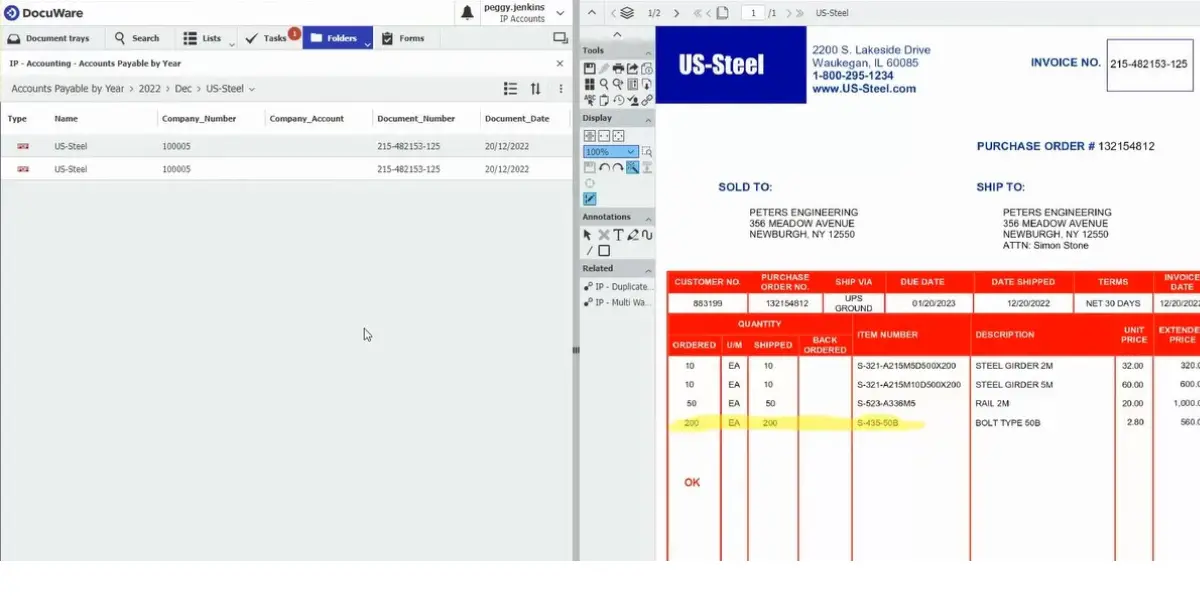
DocuWare is document management with an unusually sharp focus on invoice processing and accounts payable, and it is the entry on this list most often bought to fix one measurable process rather than to reorganise a whole business. It runs in the cloud or on-premises and is strong with distributed teams.
Ownership worth knowing: DocuWare has been part of Ricoh since 2 July 2019, when Ricoh acquired it from Morgan Stanley Capital Partners. It continues to operate as an independent subsidiary with its own partner network, so the buying experience is largely unchanged, but the parent is a print and document services group. That matters if you are also running a competing OEM’s fleet, or if you are comparing it against Xerox DocuShare at number 6, which is the same kind of company on the other side of the fence.
Key features
- Intelligent indexing
- Workflow manager
- Scan and classify
- Centralized archiving
Invoice of DocuWare
Pricing
Pricing is not mentioned on their official website.
Likes
- It allows users to obtain and examine document papers easily
- It is very easy to use
- Its user interface is simple
- This has the ability to scan documents and has it automatically
Dislikes
- It is expensive
- The technical support is ineffective
- It is challenging to create a complex workflow
- It is difficult to navigate
Supported industries
- Financial services
- Healthcare
- Higher Education
- Manufacturing
- State and local government
- Transportation and logistics
Other details
| Deployment | Cloud, SaaS, Web-Based |
| Supported device | Windows, On-Premise – Windows On-Premise – Linux, Mobile – Android, Mobile – iPhone, Mobile – iPad |
| Supported languages | English, Spanish |
| Support | Email/Help Desk, FAQs/Forum, Knowledge Base, Phone Support, Chat |
| Training | In-Person, Live Online, Webinars, Documentation, Videos |
| Customer ratings | G2: 4.4 out of 5 (220+reviews), Capterra: 4.6 out 5(73+reviews) |
User opinion
DocuWare can secure and streamline the business’s document management processes.
It offers a range of options to fit the needs of businesses in any industry. DocuWare can help optimize the processes and work with your documents more efficiently.
DocuWare is a secure and compliant document management and automated workflow that makes the information usable and accessible from any device, at any time, and from anywhere.
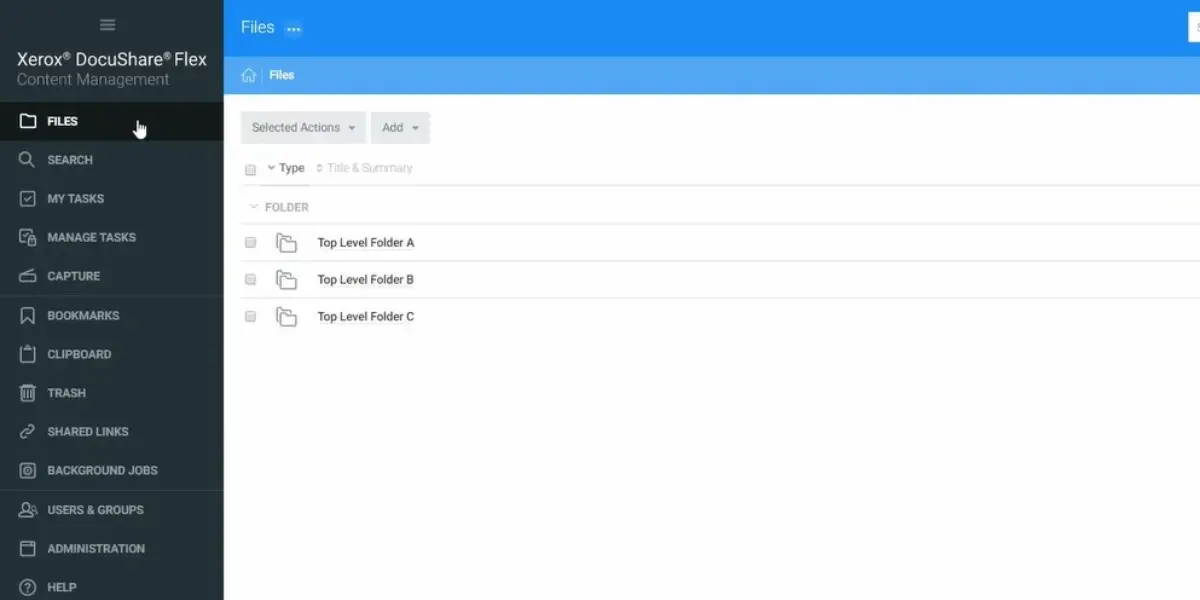
Xerox DocuShare gives access to documents, images, layouts and presentations from one place, with capture and workflow attached. Its natural home is a scan-heavy department, which is unsurprising given the parent: Xerox sells it alongside its multifunction devices, and the capture path from a Xerox device is the smoothest part of the product.
The line is active, not winding down. Xerox currently sells DocuShare and the lighter cloud edition DocuShare Go, and has been adding AI features including a DocuShare Content Assistant. One point of genuine confusion is worth clearing up: Xerox has issued end-of-life notices for a series of DocuShare add-on components, among them DocuShare Drive, the DocuShare Client, the WebDAV interface, the SharePoint Connector, Office Integration and the Archive Server. Those are peripheral integrations reaching end of support, not the platform. If you run any of them today, confirm the migration path before you renew.
Key features
- Enterprise content management
- Process automation
- Collaboration and sharing files
Pricing
DocuShare pricing details are not mentioned on their official website.
Likes
- It minimizes the difficulty in process management
- It is an absolute time saver
- It makes collaboration and document sharing easy
- It has an effective ability to scan documents
Dislikes
- Inability to customize the features
- This software interface is a bit difficult to use and navigate
- The process of converting docs takes more time
- It often crashes while running the program
Other details
| Deployment | Cloud, SaaS, Web-Based |
| Supported device | Mac, Desktop – Windows, Desktop – Linux, On-Premise – Windows, On-Premise – Linux, Mobile – Android, Mobile – iPhone, Mobile – iPad |
| Support | Email/Help Desk, Phone Support, Chat |
| Training | In-Person, Live Online, Webinars, Documentation |
| Customer ratings | G2: 4.0 out of 5 (128+reviews), Capterra: 4.3 out of 5 (42+reviews) |
User opinion
DocuShare is an easy way to manage all of the documents. Its users can easily access, share, and process information with just a few clicks.
It accepts a wide range of content, including paper documents, digital files, videos, images, and even email content, all in one secure, centralized repository.
7. M-Files
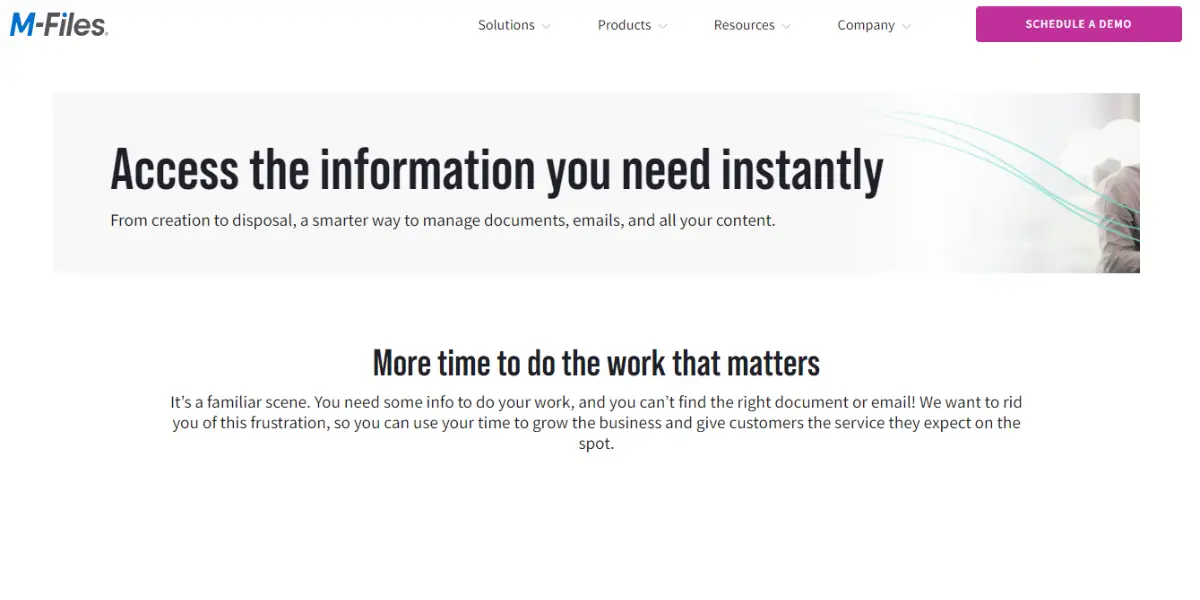
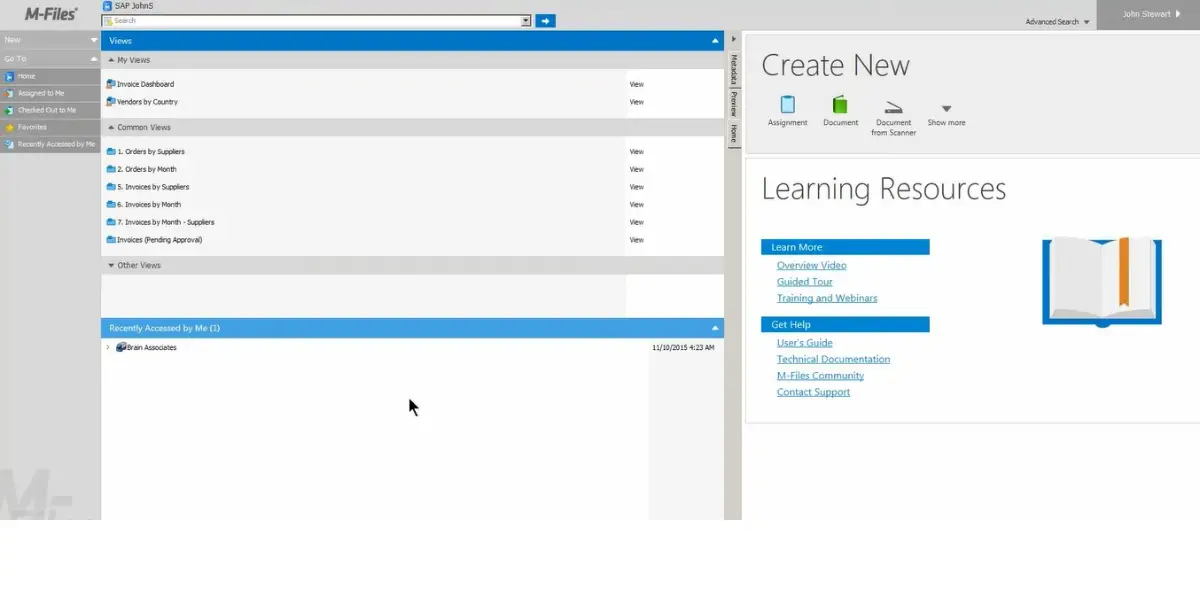
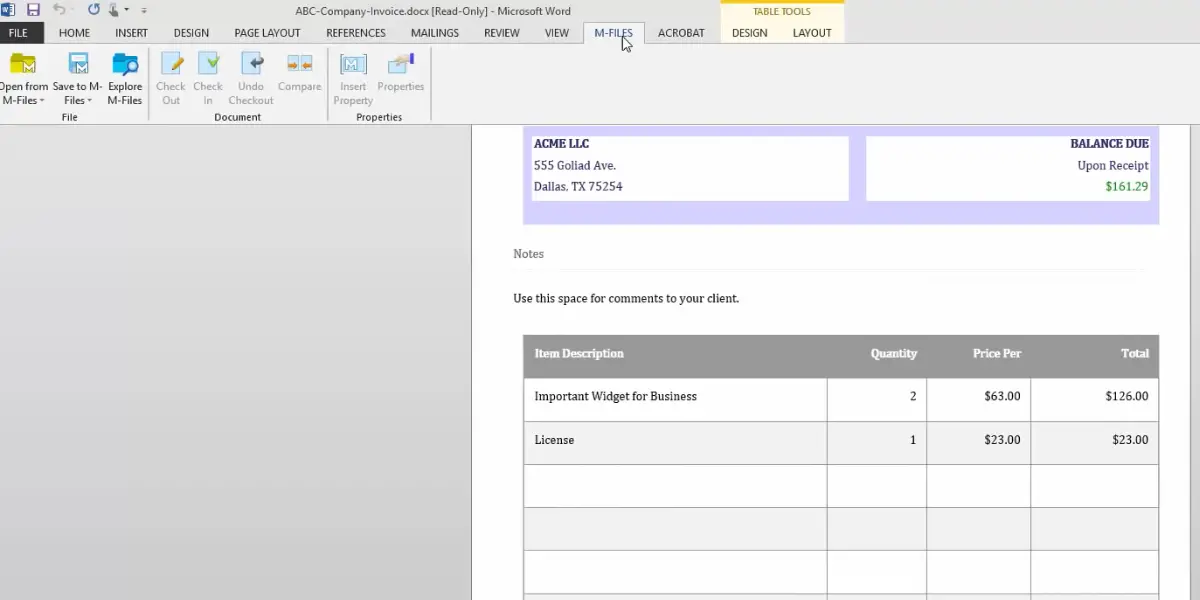
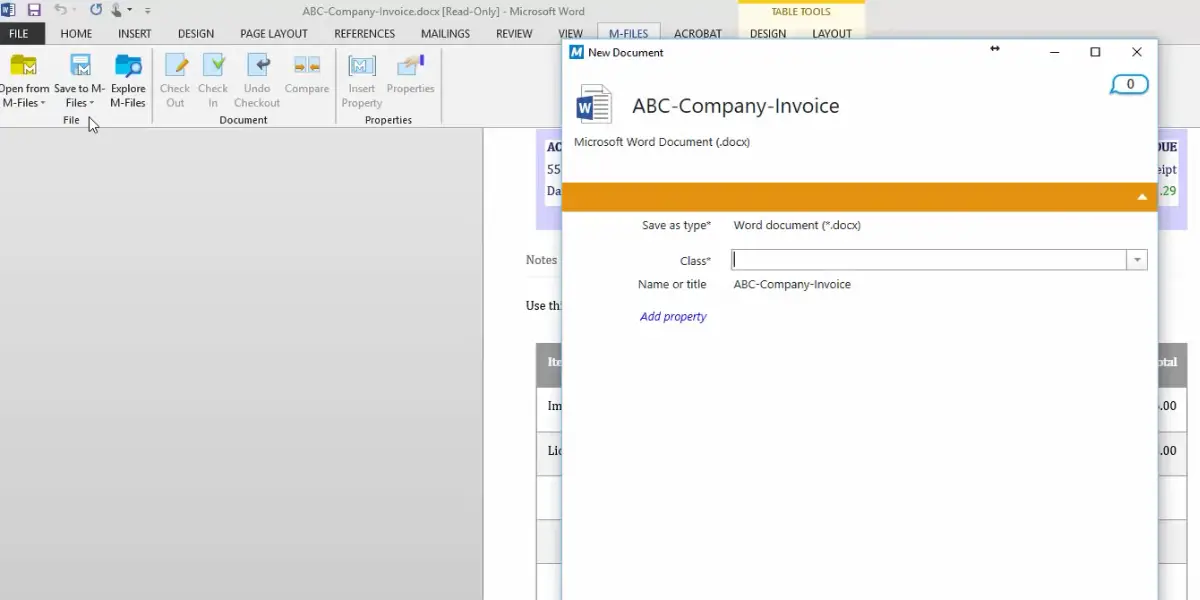
M-Files is the metadata-driven option on this list. Rather than asking where a document should be filed, it asks what the document is, then builds views from that. In practice it suits organisations whose problem is finding documents rather than routing them, and it is a common pick in professional services where the same client file has to appear in several contexts at once.
The Finnish company remains independent but is majority private-equity held: Bregal Milestone led an $80m growth round in 2021, and a majority recapitalisation led by Haveli Investments with Bregal Milestone was announced in August 2024. M-Files has also bought its way into adjacent capability, acquiring Hubshare for external client portals and Ment for no-code document automation.
Key features
- Data security
- Workflow management
Overview of M-Files
Invoice of M-Files
Company Invoice of M-Files
Pricing
M-Files does now publish an entry price, which it did not when this page was first written. Its editions page lists M-Files Essentials at 65 euros per seat per month, with M-Files Enterprise priced on application according to scale and compliance requirements. Note the currency: the figure is quoted in euros, not dollars.
Likes
- It has a user-friendly interface
- It has intelligent searching capabilities
- Customizable workflow
- It has enhanced security features
Dislikes
- It is expensive
- It is complex to use
- It has integration issues
- It offers limited customization
Supported industries
- Accounting, Tax & Audit
- Management Consulting
- Financial Services
- Legal
- Life Sciences
- Manufacturing
- Other Industries
Other details
| Deployment | Cloud, SaaS, Web-Based |
| Supported device | Desktop – Windows, On-Premise – Windows, Mobile – Android, Mobile – iPhone, Mobile – iPad |
| Supported languages | Arabic, Bulgarian, Czech, German, Greek, English, Finnish, French, Hebrew, Croatian, Hungarian, Italian, Japanese, Korean, Dutch, Norwegian, Polish, Portuguese, Romanian, Russian, Slovak, Slovenian, Spanish, Albanian, Serbian, Swedish, Turkish, Vietnamese, Chinese |
| Support | Email/Help Desk, FAQs/Forum, Knowledge Base, Phone Support |
| Training | In-Person, Live Online, Webinars, Documentation, Videos |
| Customer ratings | G2: 4.3 out of 5 (146+reviews), Capterra: 4.2 out 5 (148+reviews) |
User opinion
This document management system provides a smarter way to manage all your content, from creation to disposal.
With instant access to the information needed, it can focus on extending the business and providing top-notch customer service. It helps to increase productivity and efficiency of the workflow.
8. Rocket Content Services (Mobius)
Now formally branded Rocket Content Services – Mobius, this is the enterprise archive on the list rather than a general document management system. It is built for very high volumes of generated output such as statements, invoices and reports, held for long regulatory retention periods and served back on demand, typically in banking, insurance, utilities and healthcare. Its distinguishing pitch is reaching content in place across hybrid and mainframe infrastructure without a costly migration.
Lineage, because the name has changed twice: Mobius Management Systems was acquired by ASG Technologies in 2007, and ASG was in turn acquired by Rocket Software in 2021. Older documentation and skills in your organisation may still refer to it as ASG Mobius or simply Mobius. If you are comparing it against Laserfiche or M-Files you are probably comparing the wrong two things, because this product answers a retention and retrieval problem at archive scale rather than a day-to-day collaboration one.
Key features
- Data security
- Compliance and governance
- Large-volume content management
- Sensitive Data protection
- Reference Data Management
- Integrated workflow and process automation
Pricing
Pricing is not mentioned on their official website.
Likes
- It is easy to navigate
- Very good screen flow
- It can be customized
- Great customer service
Dislikes
- Lack of performance
- Inability to solve bugs
- This software is very expensive
Other details
| Deployment | Cloud, SaaS, Web-Based |
| Supported device | Mac, Desktop – Windows, Desktop – Linux, On-Premise – Windows, On-Premise – Linux, Mobile – Android, Mobile – iPhone, Mobile – iPad |
| Supported languages | German, English, French, Spanish |
| Support | Email/Help Desk, Phone Support, Chat |
| Training | In-Person, Live Online, Webinars, Documentation |
| Customer ratings | G2: 4.3 out of 5 (146+reviews), Capterra: 4.2 out 5 (148+reviews) |
User opinion
It enhances the ways of working while securing and governing sensitive information. It simplifies the modernization journey with solutions from teams that handle even the most complex issues.
On the other hand, it helps you quickly deploy and engage across every environment, minimizing disruption and improving responsiveness, empowering the business to reach the next level.
9. PrizmDoc (a developer component, not an ECM platform)
Read this before shortlisting it. PrizmDoc, from Accusoft, is not a system you deploy to manage your company’s records. It is a document viewing and processing toolkit that software developers embed inside an application they are building. If you are looking for a repository with retention and audit, the other nine entries are the comparison set and this one is not.
Judged for what it is, it is a strong product. PrizmDoc is an HTML5 viewer and REST API supporting more than 100 file formats, with conversion, annotation, redaction, server-side search across large documents and spreadsheet viewing, plus newer AI features for summarisation and PII detection and redaction. It is available cloud-hosted or self-hosted. Accusoft also sells PrizmDoc for Java, which was formerly branded VirtualViewer.
Where it genuinely belongs on an ECM project is as a component: independent software vendors and in-house teams use it to add viewing and redaction to a portal or line-of-business application without building a viewer, and it is sometimes bought alongside one of the platforms above rather than instead of one.
Key features
- Document viewing
- Document comparison
- Form creation
- Hybrid viewing
- Conversion
- Document editing
- Automation
- Spreadsheet viewing and editing
Pricing
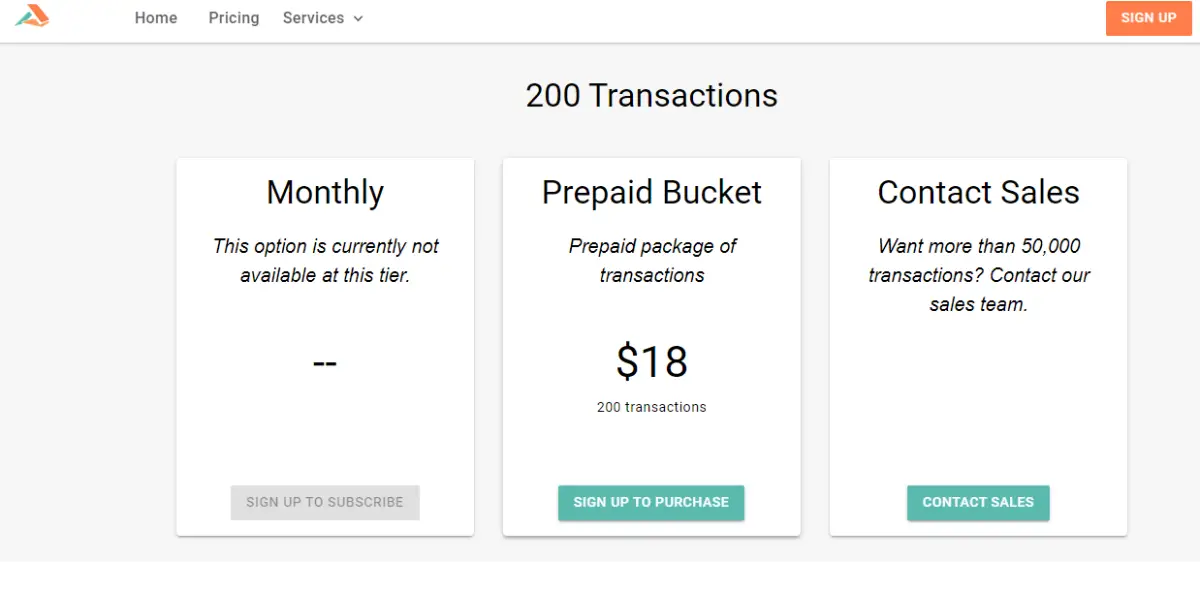
PrizmDoc is priced by transaction rather than by user, which is consistent with it being an embedded component. The options Accusoft has listed are below; note that a transaction-based model makes cost a function of document volume in the host application, not headcount.
- Monthly- This option is currently not available
- Prepaid bucket – It starts from $18 for 200 transactions
- Contact sales – If needed more pricing options, contact the vendor directly
Likes
- It has excellent document editing and viewing features
- It has a dynamic and easy-to-use user interface
- It allows examination documents with a variety of useful tools.
- The automatic field detection in forms works efficiently
Dislikes
- The installation and configuration are difficult and have multiple moving parts.
- Sometimes, you will face problems while saving information in its cloud system.
- The process of recovering files is the worst.
- It is too expensive.
Other details
| Deployment | Cloud, SaaS, Web-Based |
| Supported device | Desktop – Mac, Desktop – Windows, Mobile – Android, Mobile – iPhone Mobile – iPad |
| Supported languages | Bengali, Bulgarian, Czech, Danish, German, Greek, English, Finnish, French, Hindi, Croatian, Hungarian, Armenian, Italian, Japanese, Georgian, Korean, Latvian, Lithuanian, Dutch, Polish, Portuguese, Romanian, Russian, Slovak, Slovenian, Spanish, Serbian, Swedish, Thai, Turkish, Ukrainian, Chinese (Simplified), Chinese |
| Support | 24/7 (Live Rep) |
| Training | In-Person, Webinars, Documentation |
| Customer ratings | G2: 4.4 out of 5 (59+reviews), Capterra: 3.0 out of 5 (2+reviews) |
User opinion
It is a reliable solution to streamline document processing. It is a fully supported document, content, and imaging solution. It is available in both cloud-based SaaS versions and an optimized version for SharePoint integration.
PrizmDoc offers lightning-fast and flexible document processing, making it the perfect addition to any enterprise application.
10. Contentverse
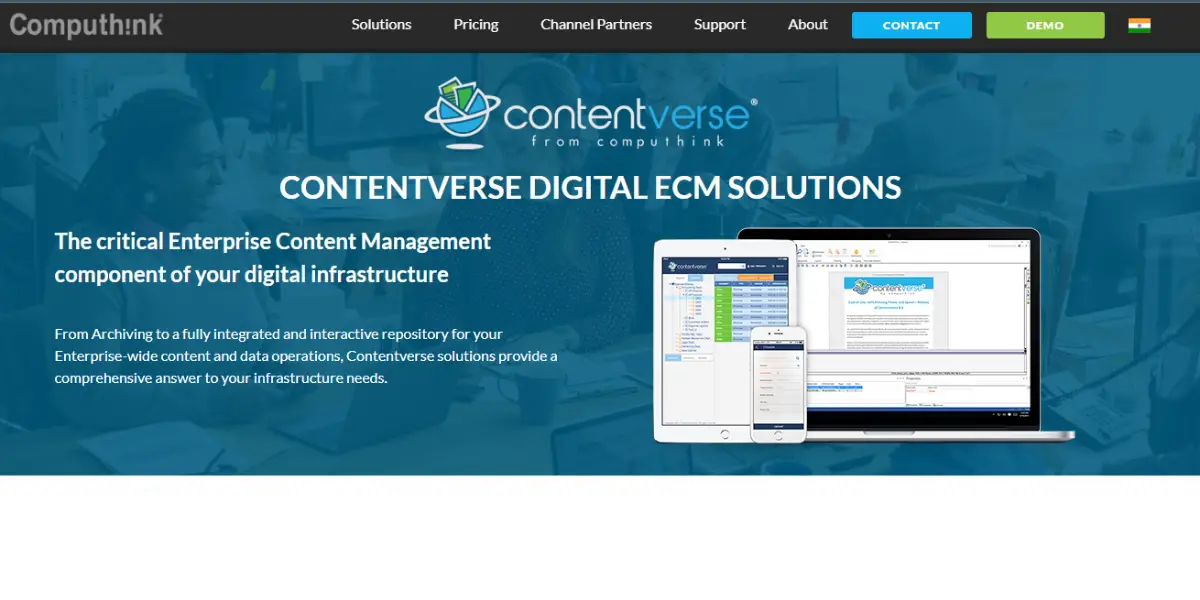
Contentverse is the flagship document management system from Computhink, a Lombard, Illinois company that has been in this category for over 25 years. It aims at small and mid-size organisations that need real document control, including workflow, an annotating viewer, digital signatures and collaborative editing, without the implementation weight of an enterprise platform. It runs in the cloud or on-premises and integrates with existing hardware and software.
It is designed to operate in multiple network environments and integrates with your existing applications.
Key features
- Document storage options
- Share files options
- Data security
- App integration
- Automated workflow
- Process automation
- Software onboarding
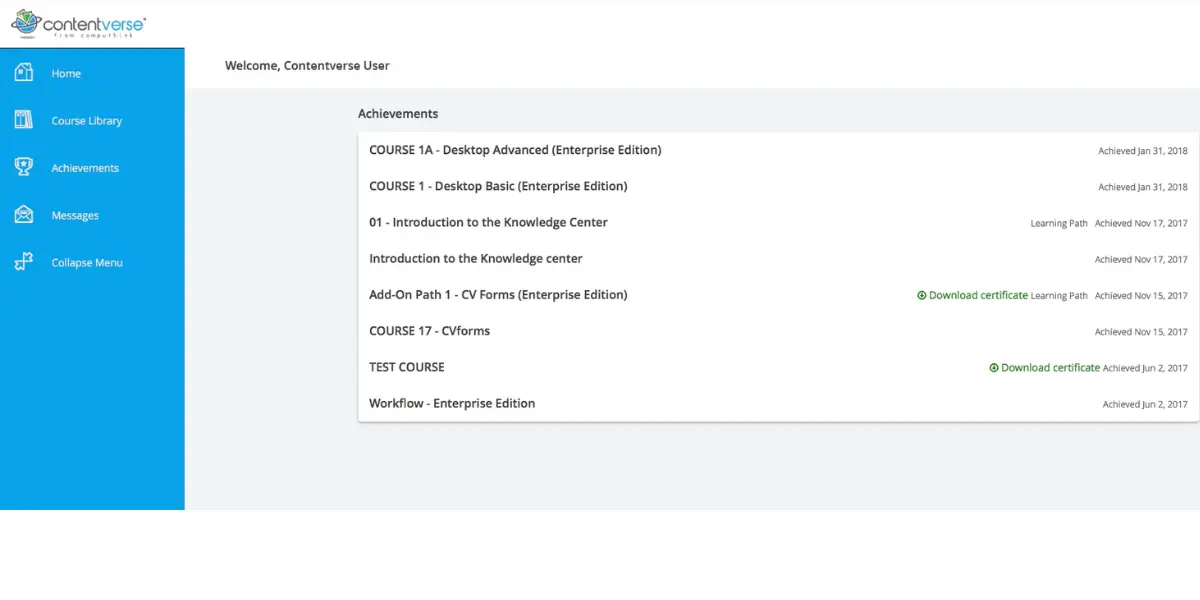
Overview of Contentverse
Pricing
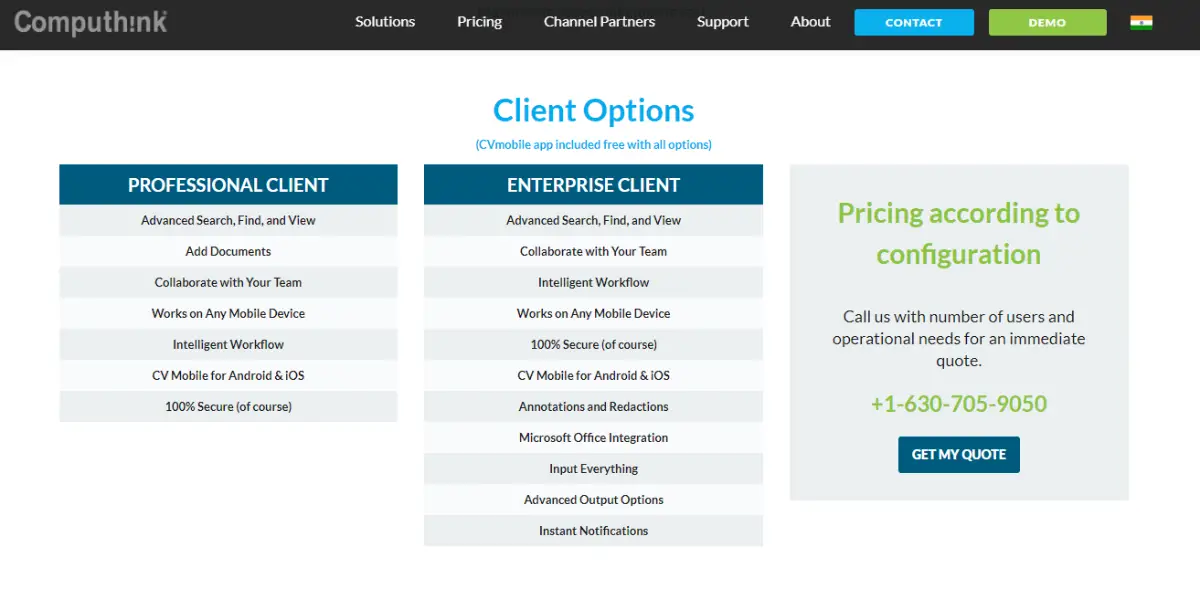
It offers two types of pricing, professional client and enterprise client. Request a quote to the contact number on their website to get pricing details.
Likes
- Ability to find documents quickly
- Ease to use for user and administrator
- Easy to teach the app to others
Dislikes
- Bugs may be found while running the program
- It is expensive
- Searching seems difficult when the full-text indexing stops working
- Naming the documents seems difficult
Other details
| Deployment | Cloud, SaaS, Web-Based |
| Supported device | Windows, On-Premise – Windows, On-Premise – Linux, Mobile – Android |
| Supported languages | Bengali, Bulgarian, Czech, Danish, German, Greek, English, Finnish, French, Hindi, Croatian, Hungarian, Armenian, Italian, Japanese, Georgian, Korean, Latvian, Lithuanian, Dutch, Polish, Portuguese, Romanian, Russian, Slovak, Slovenian, Spanish, Serbian, Swedish, Thai, Turkish, Ukrainian, Chinese (Simplified), Chinese |
| Support | 24/7 (Live Rep), Chat |
| Training | In-Person, Live Online, Webinars, Documentation |
| Customer ratings | Capterra: 4.1 out of 5 (19+reviews) G2: 3.9 out of 5 (15+reviews) |
User opinion
The Contentverse allows accessing files from anywhere and at any time, making it a suitable way to manage all of the important documents.
Workflow automation empowers employees by streamlining processes and eliminating manual tasks. Automating the workflow frees up employee time to focus on valuable tasks that can improve productivity and profitability.
FAQs
What is enterprise content management software?
An enterprise content management system controls a document across its whole life: capture and OCR on the way in, metadata and version control while it is in use, permissions and an audit trail around it, and a retention schedule that destroys it on time. That last part is what separates ECM from cloud file storage, which keeps a copy but cannot prove who did what to it.
What is the difference between ECM and a document management system?
In practice the terms are used interchangeably by most vendors on this list. The historical distinction is scope: document management covers storing, finding and versioning documents, while enterprise content management adds records retention, disposition, legal hold and governance across every content type in the business, including email and scanned images. Analysts now more often use the term content services platform for the same category.
How much does ECM software cost?
Where vendors publish a figure it is normally per named user per month with a minimum user count. Laserfiche lists $73 to $93 per user per month billed annually, with Business+ at $42 per user per month from 500 users, and M-Files lists 65 euros per seat per month for Essentials. Many vendors, including DocuWare, Xerox DocuShare, NewgenONE, Contentverse and Document Locator, publish nothing and quote on request. Budget separately for implementation, data migration and capture volume, which are almost never in the per-user price.
Which ECM features are usually not in the entry-level plan?
Records lifecycle management, legal hold, single sign-on, SCIM provisioning and advanced security monitoring are the usual upsells. Laserfiche is explicit about this: records lifecycle management, SSO and SCIM begin at its Business tier. If compliance is the reason you are buying, price the tier that contains the compliance features rather than the cheapest one.
Do I need DoD 5015.2 certified records management?
Only if a regulator or contract requires it, which typically means US defence, federal and many state and local government bodies, plus their contractors. It is a formal certification of records management capability rather than a general quality mark, so commercial buyers rarely need it. If you do need it, ask the vendor for the certificate and the version it was tested against instead of accepting a claim of compliance.
Conclusion
The useful way to narrow this list is by the problem you are solving, not by feature count. If retention schedules, legal hold and a defensible audit trail are the reason for the project, Laserfiche at the Business tier is the most direct fit here, and you should price it at $93 per user per month with a 25-user floor rather than at the entry rate. If people simply cannot find documents, M-Files and its metadata model addresses that specific failure better than a tidier folder tree will. If the target is one process, usually accounts payable, DocuWare is built for it. At archive scale and long retention, Rocket Content Services (Mobius) is a different category of product and competes with itself more than with the rest of this list.
Two cautions carried over from the sections above. Published per-user prices are the start of a quote and not the end of one, since implementation, migration and capture volume are charged separately and the governance features are usually a tier above the headline. And if your shortlist is for a large enterprise, add OpenText, Hyland, IBM FileNet, Microsoft and Box before you decide, because a ten-item list is a starting point rather than the market.
Reference
- Case studies of Laserfiche – Automating Blotter Submissions and Supporting Compliance
- eBook of M-Files – Decoding of document automation
- eBook of Rocket Mobius – Effective Automation & Governance