Dolibarr is a free, open-source ERP and CRM for small, medium and large companies, foundations and freelancers. It is written in PHP and released under the GNU GPL, version 3 or later. You can run it yourself, or pay a hosted provider such as DoliCloud, whose plans start at 14 euros per user per month.
Mobile apps for Android and iOS exist, but they are separate add-ons rather than part of the core package. The section on mobile apps below names all three.
Dolibarr suits a business that wants one modular system it configures itself. It fits poorly if you need payroll, which the project lists as not yet supported.
Click here for similar open-source ERP software
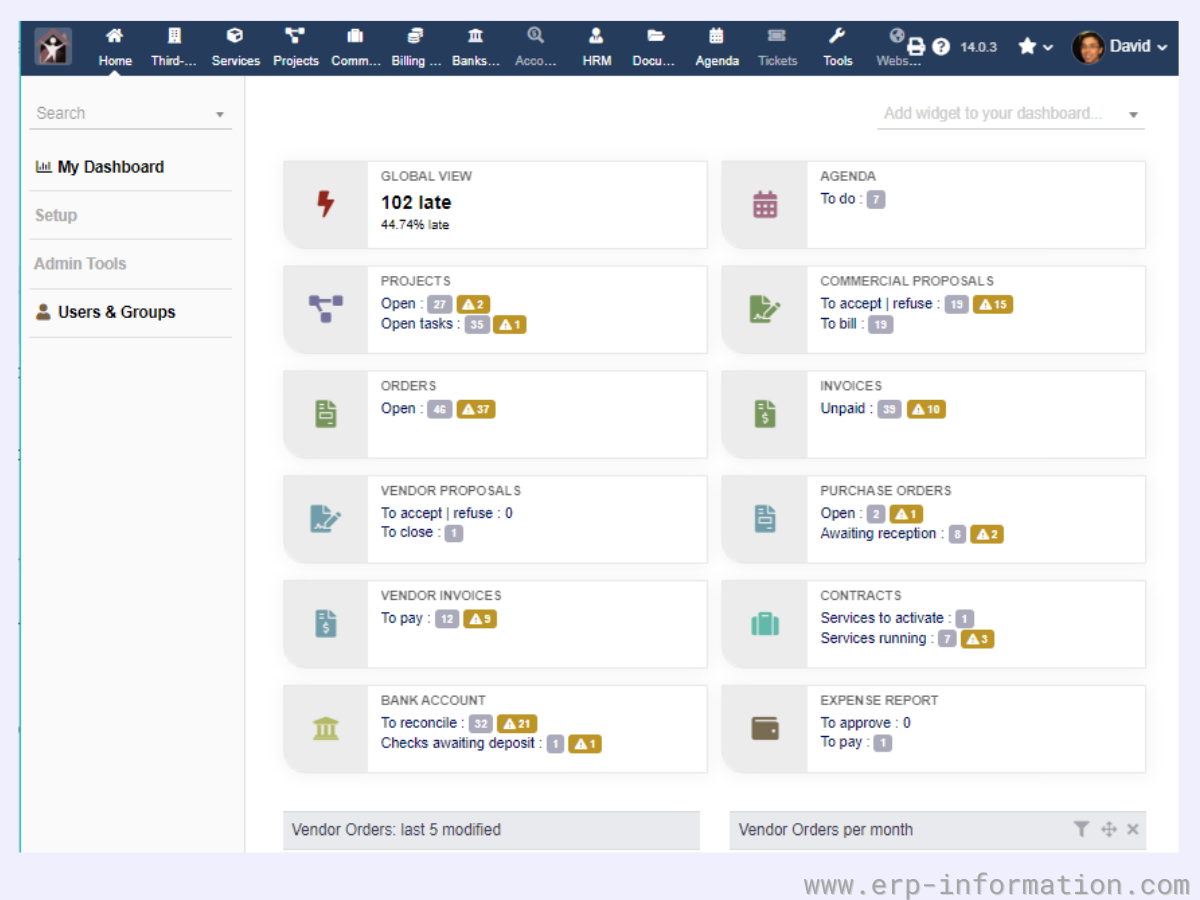
Latest version: Dolibarr 24.0.3 (listed on dolibarr.org on November 17, 2026)
Major version 24.0 was released on August 20, 2026.
What is Dolibarr ERP?
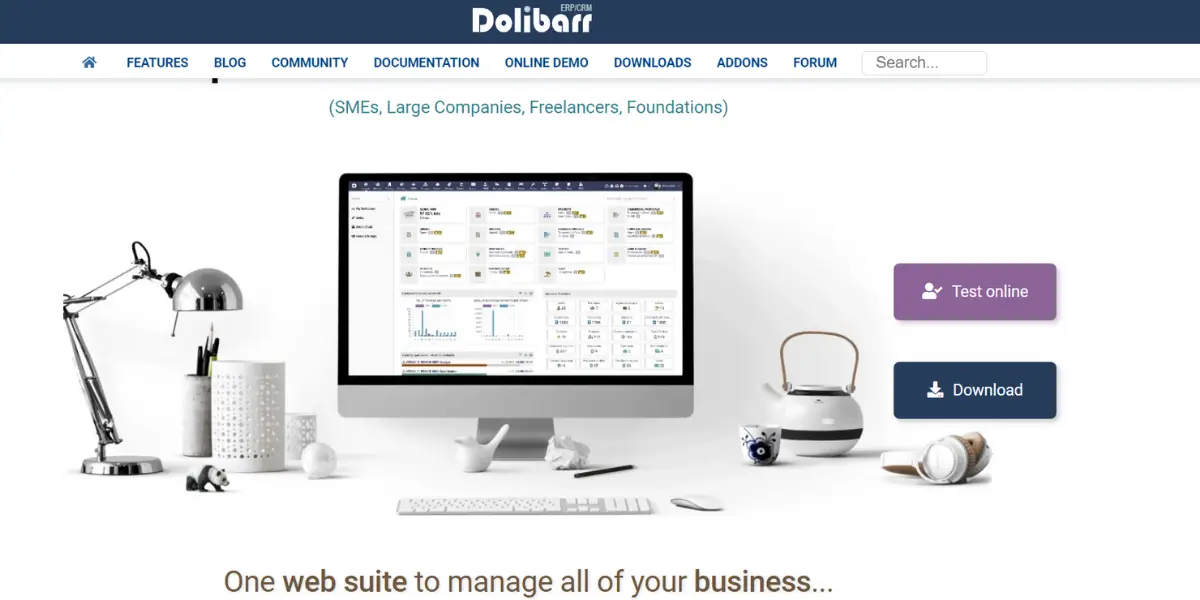
Dolibarr puts ERP and CRM in one web application. Every module is optional: the README counts around 100 modules available by default, and the Dolistore marketplace adds more than 1,000 add-ons.
The Dolibarr association cannot say exactly how many people use it, because it is distributed through many channels. Its own count, from voluntary pings made during manual installations (analysis conducted in 2024), is 1,350 new organizations a week, each with 1 to 100 users. The association calls this a tiny fraction of all installations.
According to the project, upgrades work at any time, from whichever version you run, without losing data.
Dolibarr Pricing
Dolibarr costs nothing to download and use. You pay for the server and whoever administers it, for any paid add-ons, or for a hosted plan.
Dolibarr is released under the GNU General Public License, version 3 or (at your option) any later version, and anyone may use, study, modify and distribute it.
Some Dolistore add-ons are paid. The DoliSmart mobile app, for example, is a free download but needs an annual subscription.
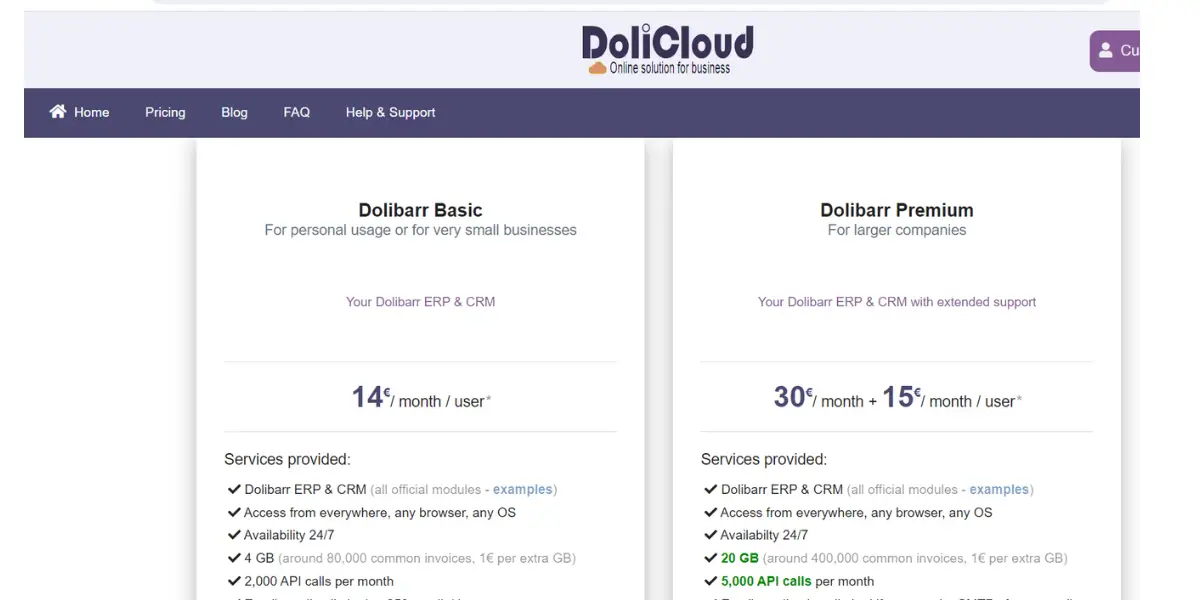
If you do not want to host it yourself, DoliCloud runs it for you. DoliCloud calls itself an official Dolibarr preferred partner. It has two plans.
| Plan | Price, EUR | Includes |
|---|---|---|
| Basic | 14 per user per month | 4 GB, 2,000 API calls a month, daily backup kept 30 days, 8 years of LTS |
| Premium | 30 per month plus 15 per user per month | 20 GB, 20,000 API calls a month, daily backup kept 30 days, 10 years of LTS |
Implementation
Implementation is done by a network of partners. dolibarr.org lists partners and providers by country: companies and freelancers that can provide support, specific development, hosting or training.
Companies can also get tutorial videos and presentation videos on YouTube.
Self Installation
If you have low technical skills, use a packaged installer. The README lists DoliWamp for Windows, DoliDeb for Debian and Ubuntu, DoliRpm for Red Hat, Fedora, openSUSE, Mandriva or Mageia, and a Docker image.
For a manual install, copy the htdocs folder into your web server root and create an empty conf.php that the server can write to. Then open the install page in a browser. You need a web server that runs PHP, such as Apache or Nginx, and a MariaDB, MySQL or PostgreSQL database.
Install guides on the Dolibarr wiki:
Other Important Information
- The interface is localized in most major languages, according to the README.
- It runs on Windows, macOS and Linux, in Docker, or in the cloud, as the download page puts it.
- The wiki documents three mobile apps, all external modules. DoliDroid is a free, open-source Android client that needs Android 6.0 or later and a hosted Dolibarr 8.0 or later.
- DoliApp is an iPhone and iPad app, and DoliSmart covers Android and iOS with an annual subscription.
- Running several companies in one installation needs an external module, according to the README.
- Documentation is in the Dolibarr wiki.
- You will get video tutorials and presentations on Dolibarr’s YouTube channel
Dolibarr Features
These are the module groups that dolibarr.org lists:
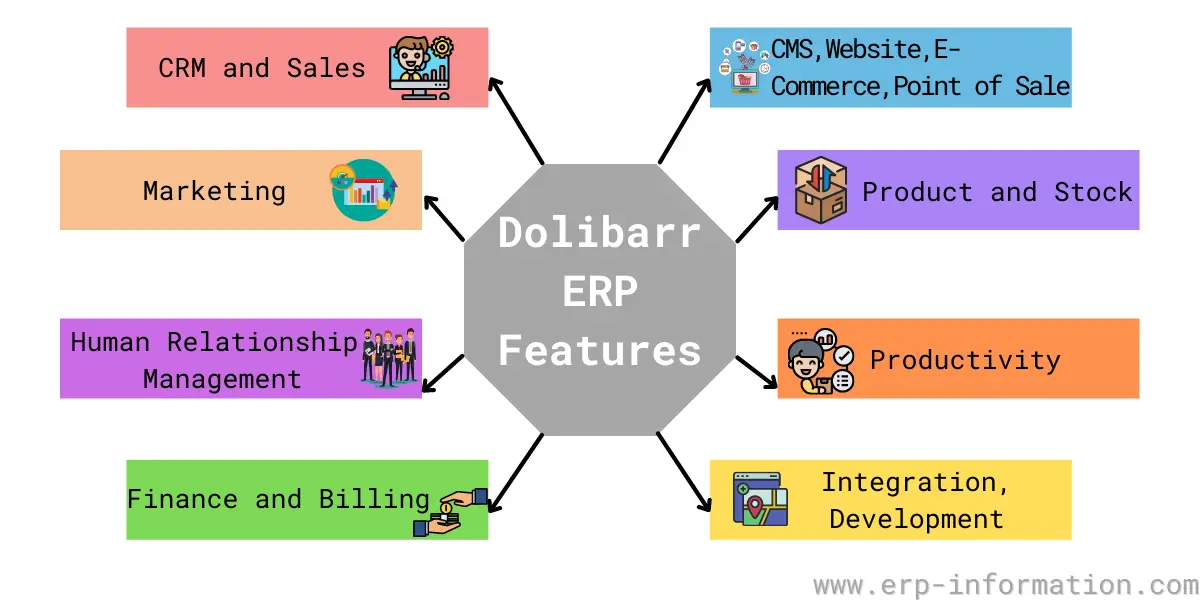
1. CRM and Sales
- Prospects/Customers
- Opportunities
- Proposals
- Sales Orders
- Contracts/Subscriptions
- Help desk/Tickets
2. Marketing
- Emailing
- Surveys
3. Human Relationship Management
- Employees
- Expense Reports
- Leave Requests
- Time Sheets
- Recruitment
- Membership
4. Finance and Billing
- Billing and Payments
- Double-entry Accounting
- Bank Reconciliation
5. CMS, Website, E-commerce, Point of Sale
- CMS/Website
- E-commerce
- Point of Sale
6. Product and Stock
- Products, Services
- Stocks
- Purchase orders and supplier requests
- Shipments
- Manufacturing: bills of materials, manufacturing orders and workstations
- Batches, lots and serial numbers
7. Productivity
- Projects, Tasks
- Interventions
- Agenda
8. Integration, Development
- REST and SOAP APIs
- Connectivity with external tools
- Import/Export
- Module Builder for developers
Some Screenshots of features
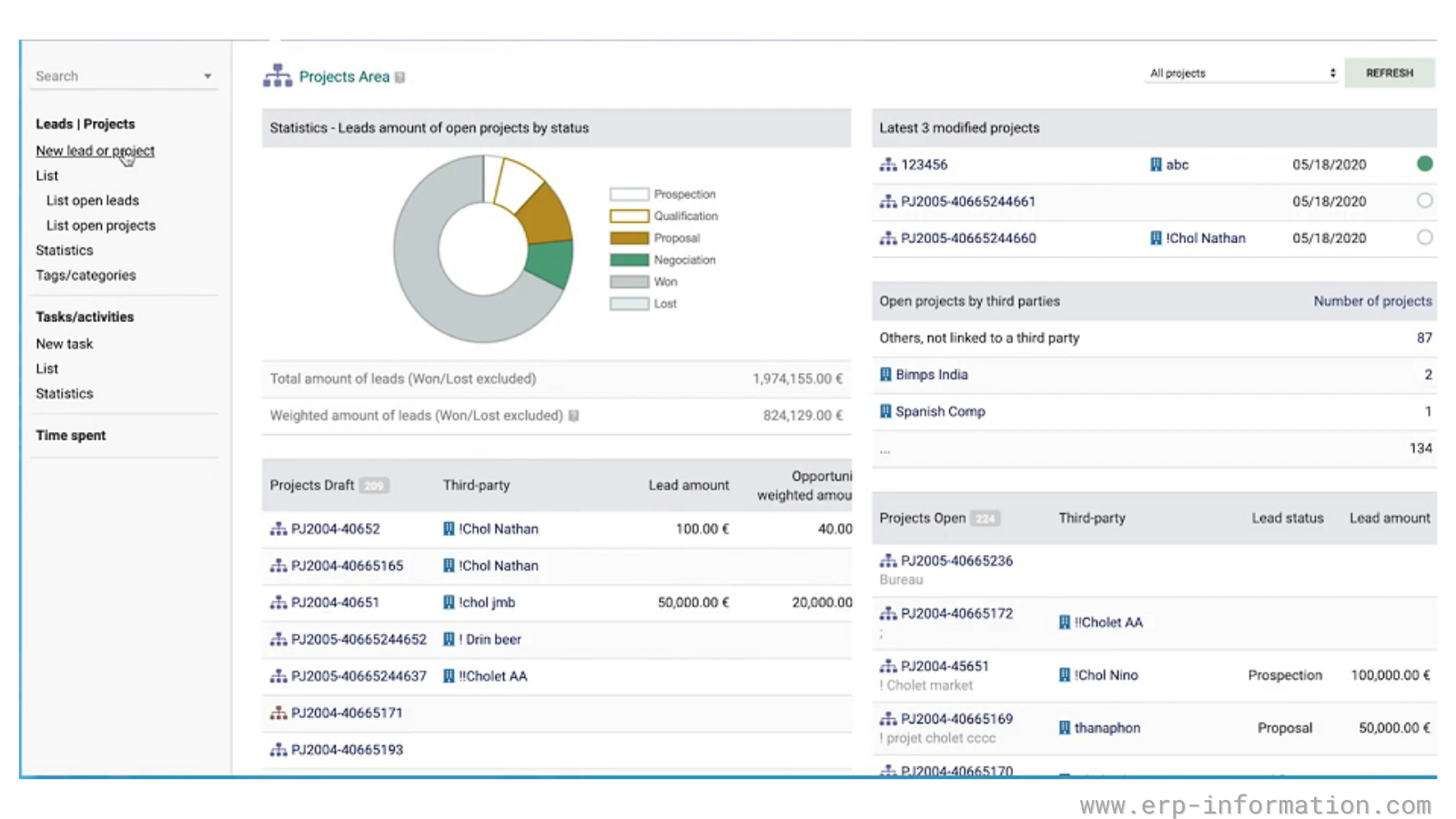
Leads Projects Area
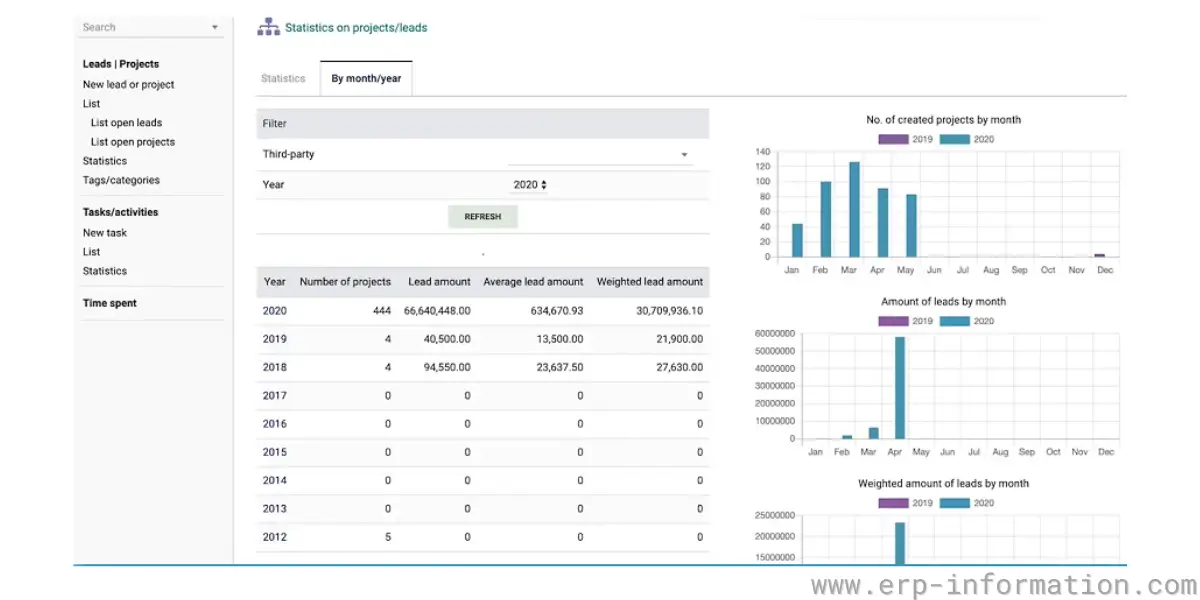
Statistics on Projects/leads
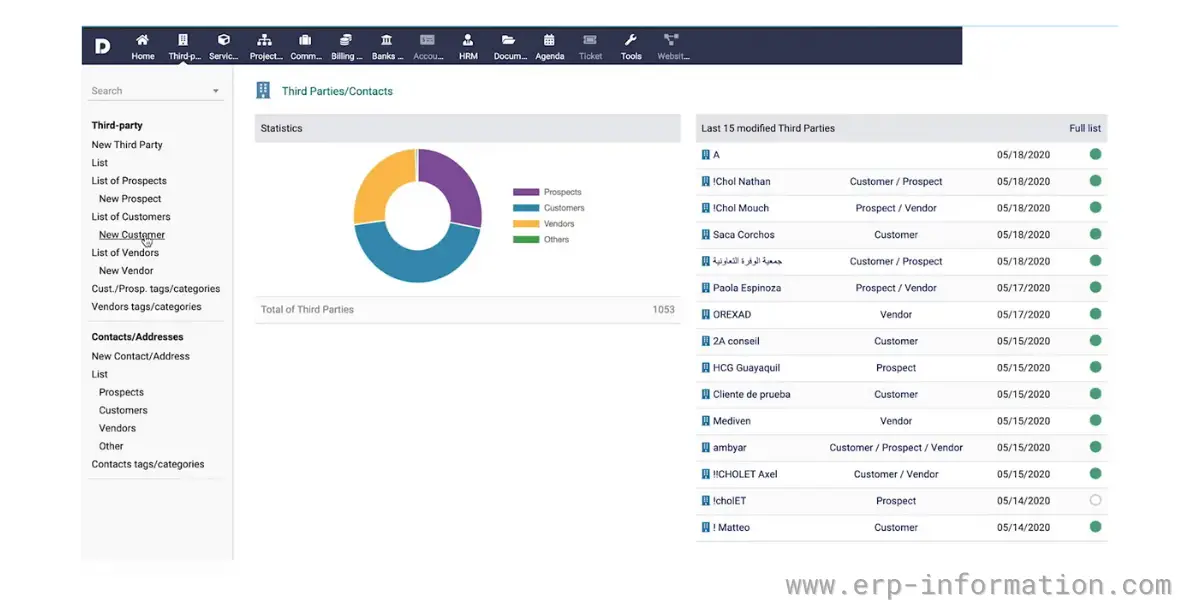
Third Parties/Contacts
Dolibarr Advantages and Disadvantages
Advantages
- Every module is optional, so you switch on only what you use.
- The modules are integrated out of the box, so data is entered once, the project says.
- It allows you to upgrade to the newer version easily, whether you are using any version, without losing your valuable data.
- The Dolistore marketplace lists more than 1,000 add-ons, on top of the roughly 100 modules in the core package.
- With the help of Module Builder assistance, you can extend and customize the features as per your needs.
- The project describes it as very user-friendly. The free online demo lets you judge that yourself.
- It runs as a standalone application or as a web application reachable from the internet or a local network.
- Multi-currency is built in.
- Invoices, proposals and orders can be generated as PDF or ODT documents.
Disadvantages
- Task dependencies in projects are not yet supported, according to the README.
- Add-ons are written by third-party developers, so check each one’s support and update status before you rely on it.
- None of the mobile apps is part of the core package, and one of them, DoliSmart, needs a paid annual subscription.
- There is no native embedded webmail, though you can send email to contacts from Dolibarr, for example offers and invoices.
- Running several companies in one installation needs an external module.
- On a self-hosted install, backups are yours to run: the wiki lists Dolibarr’s own backup tool, mysqldump and phpMyAdmin. DoliCloud includes a daily backup kept for 30 days.
- Additional features like payroll are not available in the HR module.
What Industries Does It Support?
It is designed for small, medium or large companies, foundations and freelancers, according to its README.
It does not require programming skills or knowledge of technical terms such as PHP, HTML, CSS, etc. though it is developed with those technologies.
These module groups from the README match what different kinds of business usually need:
- Manufacturers: bills of materials, manufacturing orders, workstations, batches, lots and serial numbers.
- Distributors: stock and warehouse management, shipping, delivery and reception, Incoterms.
- Retail: a point-of-sale module.
- Service businesses: interventions, timesheets, expense reports, contracts and subscriptions.
- Foundations: member and membership management, donations.
Alternatives
Who Uses Dolibarr
For adoption figures, see the association’s own count above. To talk to a company that runs Dolibarr in production, ask a provider from the partner list.
FAQs
Can Dolibarr ERP integrate with other solutions?
Dolibarr ERP makes it easy for users to get the tools they need. They can go to the Dolistore and find integrations and connectors. The ERP also lets you connect with other programs through an API.
Is Dolibarr Right for You?
Choose Dolibarr if you want a free, modular ERP and CRM that you can host yourself or rent, and you are comfortable switching on and configuring the modules you need.
Look elsewhere if you need payroll, an embedded webmail or task dependencies in projects, which the README lists as not yet supported. Try the online demo first, and compare it with open-source alternatives such as Odoo and ERPNext.
References:
Using Google Search? Add erp-information.com as a preferred source.