
Corporate Performance Management (CPM) software enables businesses to evaluate, monitor, and optimize their overall performance effectively. It offers an all-encompassing solution to help businesses to enhance performance across various operational and financial dimensions.
Many different CPM tools are available on the market, and it can be hard to know which one is right for you.
One thing to get straight before comparing them: the ten below are mostly mid-market and departmental tools, and several are FP&A or spreadsheet-reporting products rather than full CPM suites. That is a reasonable place for most companies to start, but if you are replacing an enterprise consolidation system the shortlist is different, and the section after the list covers those.
What is Corporate Performance Management Software?
Performance management is a term used in organizations to describe the systematic process of measuring, analyzing, and improving the organization’s performance.
Corporate performance management software is a type of software that helps businesses improve their performance. Corporate performance management software can help companies track and analyze their data and set and track goals.
As a result, companies can use CPM ERP software to improve everything from their financial results to their customer service.
There are many different types of corporate performance management software programs on the market, each with unique features and benefits. However, not all of these programs are created equal.
To help you find the best corporate performance management software for your organization, we’ve compiled a list of the ten best corporate performance management software list of 2025.
List of the Ten Corporate Performance Management Software Vendors.
1. Anaplan
Anaplan is one of the two genuine enterprise platforms on this list, built around a modelling engine that finance, sales and supply-chain teams can all plan in. Ownership is worth knowing before you buy: Thoma Bravo took Anaplan private in 2022 in a deal worth about $10.7 billion, so it is no longer a public company and no longer publishes quarterly results you can read.
Key features
Anaplan is a cloud-based corporate performance management software that helps businesses make better decisions by providing a single view of their performance data. Some key features of Anaplan include:
- Real-time visibility into business intelligence performance
- Rapid deployment and easy user adoption
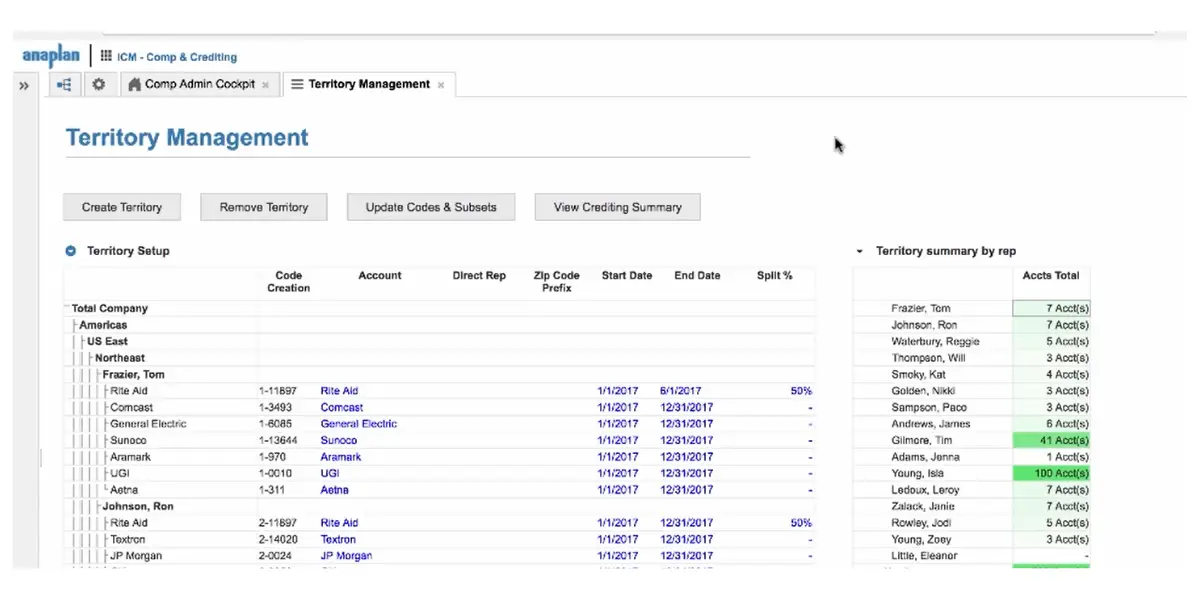
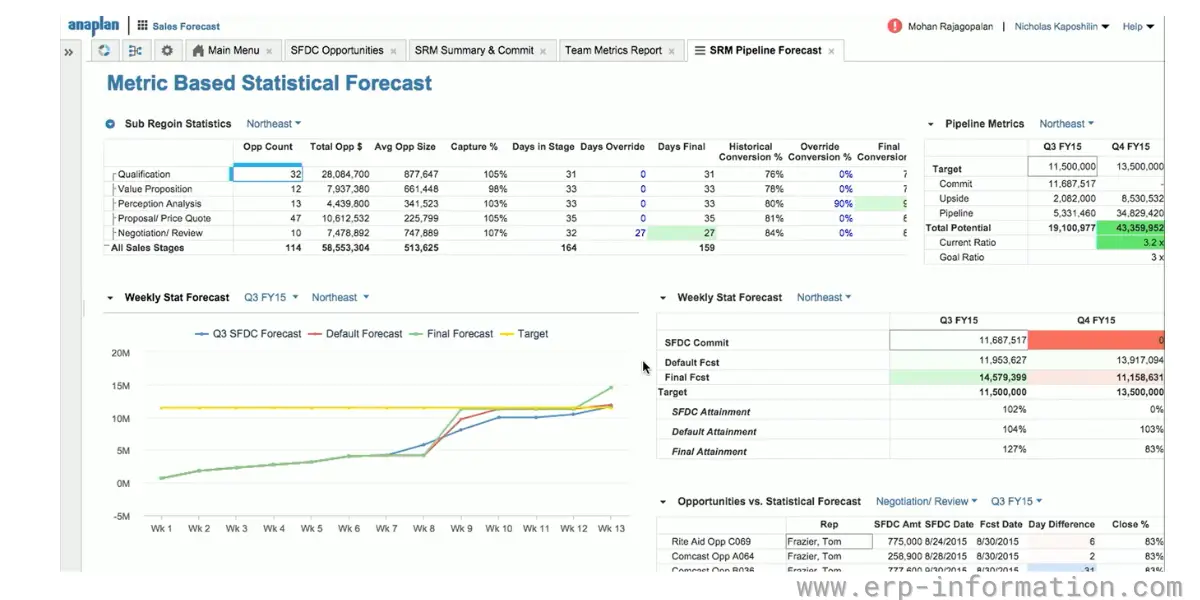
- A comprehensive suite of capabilities for financial planning, budgeting&forecasting, operational planning, sales planning, supply&demand planning
- A comprehensive suite of capabilities for sales insights, sales incentives
Screenshots of Anaplan
Pricing
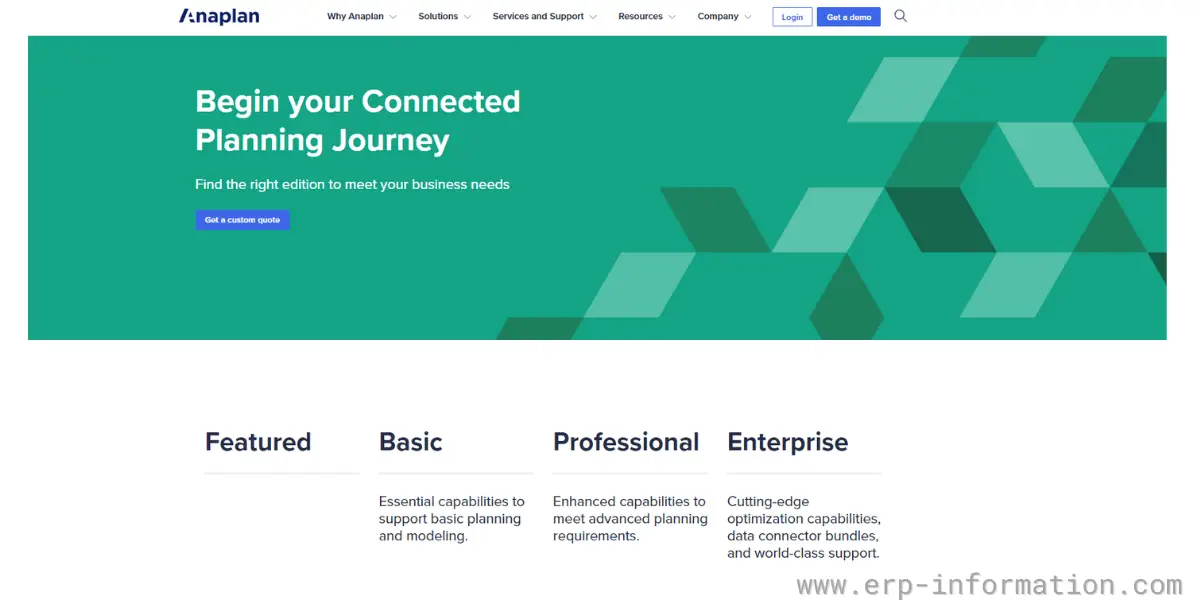
The software offers three types of editions.
- Basic
- Professional
- Enterprise
You need to get a custom quote by giving your details to get the details.
Likes
- It helps businesses to plan, budget, and forecast more accurately.
- It improves decision-making by providing timely and accurate insights into business performance management.
- It enables businesses to track and monitor KPIs in real-time.
- It allows for collaboration across different departments and teams.
- It is scalable and can be customized to fit the specific needs of a business.
- It is an easily customizable tool.
Dislikes
- Steep learning curve
- Lacks integration capabilities
- Limited reporting tools
- Limited extended capabilities like Cloudworks, PlanIQ, etc
- Lacks predictive insights
- Expensive consultancy
- Application lifecycle management is slack
- Advanced workflow features are not available
- UX challenges can hinder productivity and customization
- Bugs in optimizing performance
- Limited storage space
- Limited end-user options
- Sizing issues hinder the tool’s usability
- Insufficient workflow functionality
- Lack of support for the Polaris engine in the basic license
Supported industries
- Consumer goods
- Financial and business services
- Manufacturing
- Retail
- Technology media & telecommunications
Other details
| Deployment | Cloud, SaaS, Web-Based |
| Supported languages | English |
| Support | Email/Help Desk, FAQs/Forum, 24/7 (Live Rep), Chat |
| Training | In-Person, Live Online, Webinars, Documentation |
| Customer ratings | Capterra: 4.5 out of 5 (23+reviews), G2: 4.6 out of 5 (343+reviews) |
User opinion
The Anaplan software is an excellent option for those looking for a corporate performance management solution. It is an easy-to-use, responsive planning platform with many great features that can help businesses track and manage their performance.
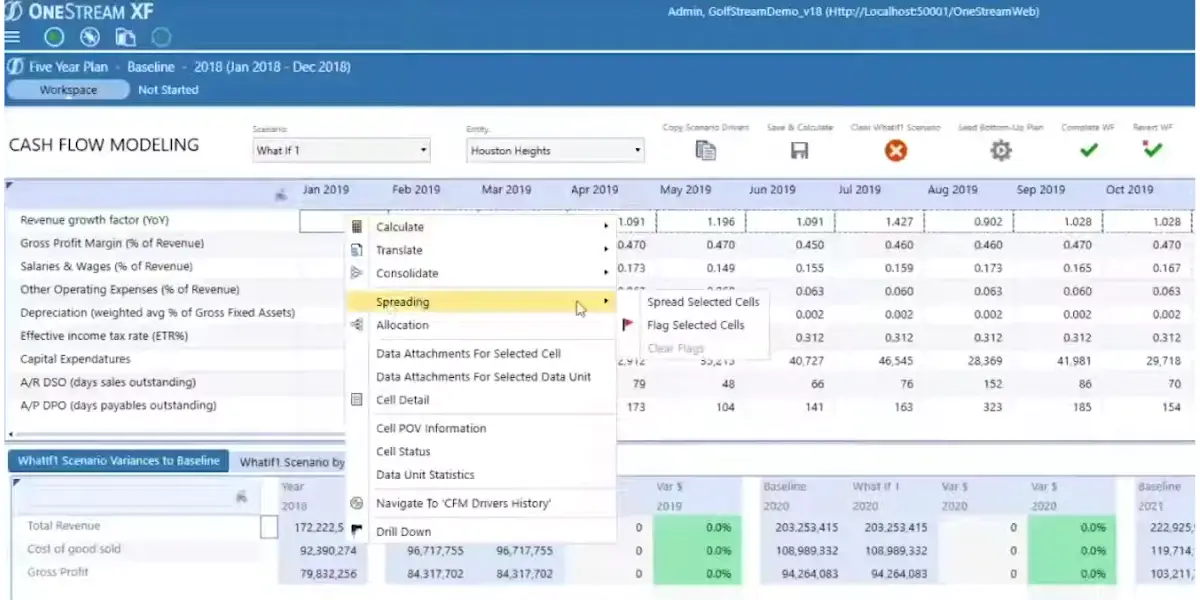
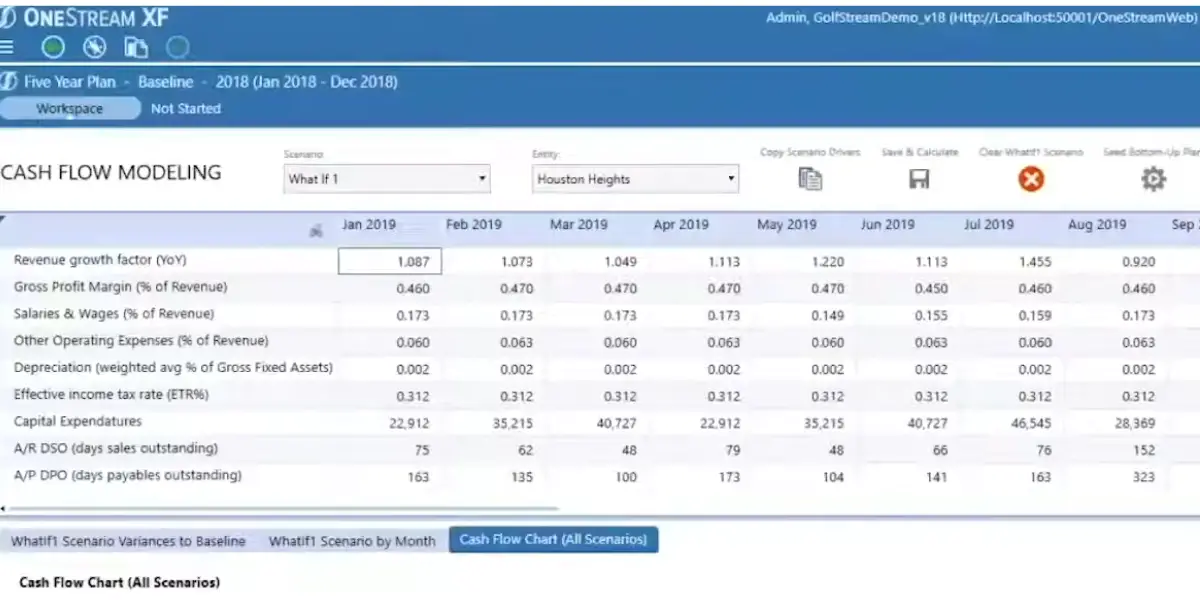
2. OneStream
OneStream is aimed squarely at the enterprise close and consolidation problem: one platform for consolidation, planning and reporting rather than a spreadsheet layer on top of them. Its ownership has changed twice in two years. OneStream listed on the Nasdaq in July 2024, then agreed to go private again, with Hg completing a roughly $6.4 billion take-private in April 2026. For buyers that matters mainly for what it signals about roadmap and pricing leverage over a long contract, so ask where the product investment is going before you sign.

Key features
- Real-time performance management and analysis
- Drill down into data to uncover insights
- Comprehensive reporting and visualization
- Planning, budgeting & forecasting
Screenshots of OneStream
Pricing
The vendor has not disclosed the pricing publicly. For details, contact OneStream directly.
Likes
- It provides a single platform for all financial data, including budgeting, forecasting, consolidations, reporting, and compliance.
- It provides real-time visibility into financial performance across the organization.
- Improves decision-making with access to accurate and timely information
- Reduces complexity and costs associated with managing multiple disparate systems.
Dislikes
- Using the dashboard is not so easy
- Automation needs to be improved
- Integration with Excel is not good
- Limited helpdesk support
- Slack Reporting
- Limited documentation
- Lacks integration capabilities with other apps
- Inflexible visualization
- Limited keyboard shortcuts hinder efficient data analysis and navigation
- Limited Tableau integration
- Pagination issues impede data analysis and workflow efficiency
Supported industries
- Manufacturing
- Financial service
- Healthcare
- Public sector
- Higher education
Other details
| Deployment | Cloud, SaaS, Web-Based |
| Supported device | Mac, Windows, On-Promise Linux, Android, iPhone, iPad |
| Support | Email/Help Desk, FAQs/Forum, Knowledge Base, Phone Support, 24/7 (Live Rep) |
| Training | In-person, Live Online, Webinars, Documentation, Videos |
| Customer ratings | Capterra: 4.8 out of 5 (71+reviews), G2: 4.4 out of 5 (49+reviews) |
User opinion
OneStream Software is an excellent choice for corporate performance management. It’s easy to use and can be customized to meet your organization’s specific needs.
It also has a robust reporting feature that makes it easy to track progress and identify areas for improvement.
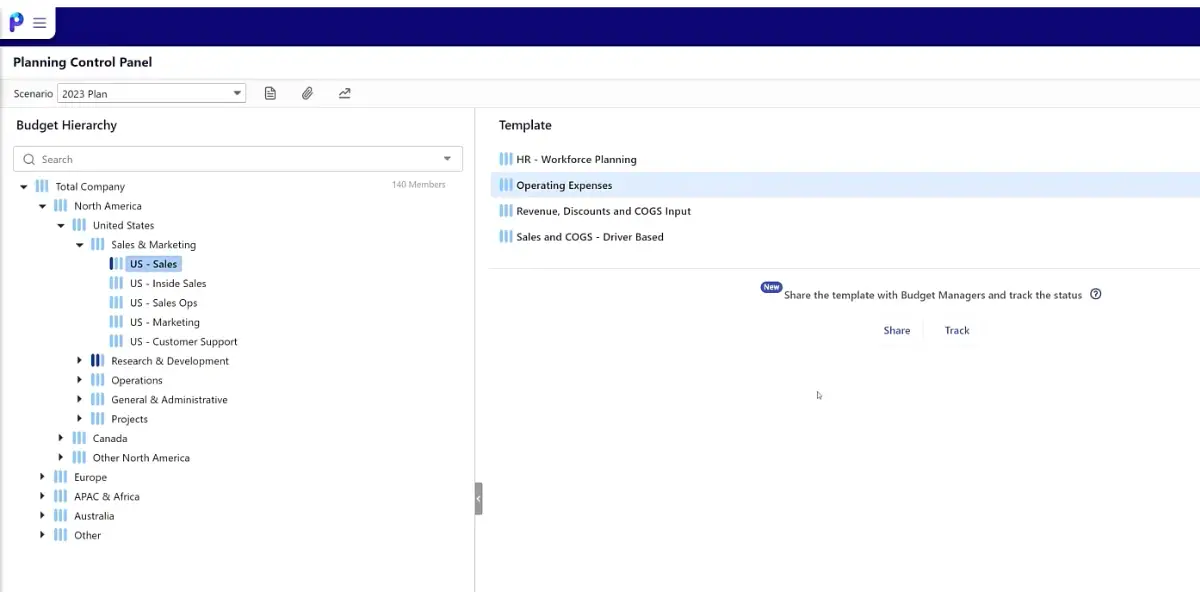
3. Planful
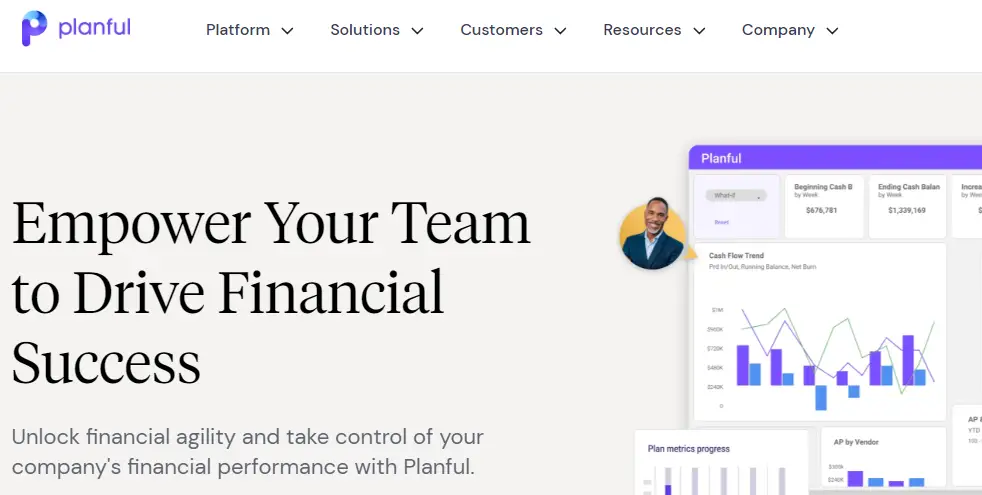
Planful is a cloud FP&A platform aimed at the mid-market, covering planning, consolidation and reporting. If you are researching it, search for its old name too: it was Host Analytics until a rebrand in 2020, following Vector Capital’s investment in the business. A lot of the substantive reviews and case studies still sit under Host Analytics, and they describe the same product line.
The software also provides users with insights and analytics to help them improve their performance. Planful is a great tool for businesses of all sizes.
Key features
- Create and track goals, tasks, and projects
- Planning, budgeting, and forecasting
- Provide insights and analytics to enhance performance
- Consolidates financial data from multiple sources into one central system
- Financial reporting helps to deliver financial insights across the organization
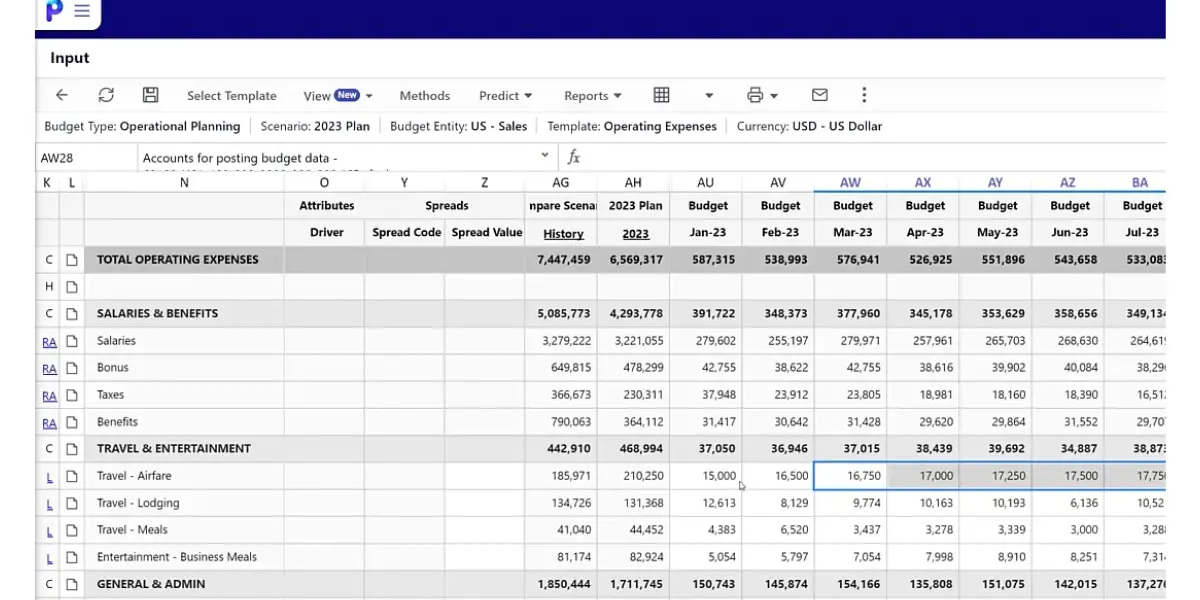
Screenshots of Planful
Pricing
The vendor has not provided the pricing details. You need to contact the vendor to get it.
Likes
- Comprehensive reporting and analysis capabilities: Planful software provides powerful reporting and analysis capabilities that help organizations track their performance against targets and goals.
- Ease of use: Planful software is easy to use, with a user-friendly interface that makes it simple to navigate and use the various features and functions.
- Flexibility: Planful software is highly flexible, allowing organizations to customize it to meet their specific needs and requirements.
Dislikes
- Planning will be complicated for small companies.
- Limitations in integrations ( Excel and others)
- Tedious implementation and learning process
- Slack data access and processing
- Slack reporting format
- App functioning is slow
- You can access the software only with a good internet connection
- Limited functionality of the report wizard make data analysis cumbersome
- Deficiencies in report formatting
- Excel integration hinder seamless data analysis
- Inadequate customer support
- Confusing user setup
- Intricate security attributes leads to initial difficulties
- Problematic password reset functionality
Other details
| Deployment | Cloud, SaaS, Web-Based |
| Supported device | Mac, Windows |
| Support | Email/Help Desk, FAQs/Forum, Knowledge Base, Phone Support, Chat |
| Customer ratings | Capterra: 4.3 out of 5 (44+reviews), G2: 4.3 out of 5 (362+reviews) |
User opinion
Planful software is one of the choices for businesses looking for corporate performance management solutions. The company’s software is easy to use and helps businesses track their performance against specific goals.
Planful software also offers excellent customer support, which is essential for any business looking to implement corporate performance management software.
4. Prophix
Prophix is a corporate performance management software that helps organizations improve their performance through better decision-making.
It does this by providing visibility and insight into financial and operational data. That allows businesses to see how they perform against their goals and make changes where necessary.
Key features
- Easily creates and manages the company’s budget.
- Get real-time insights into the company’s spending and performance.
- Make better decisions with actionable data visualizations.
- Access the account from anywhere, on any device.
- Monitors and improves the company’s performance with reports and analytics.
- Quickly and easily consolidate financial data from multiple entities.
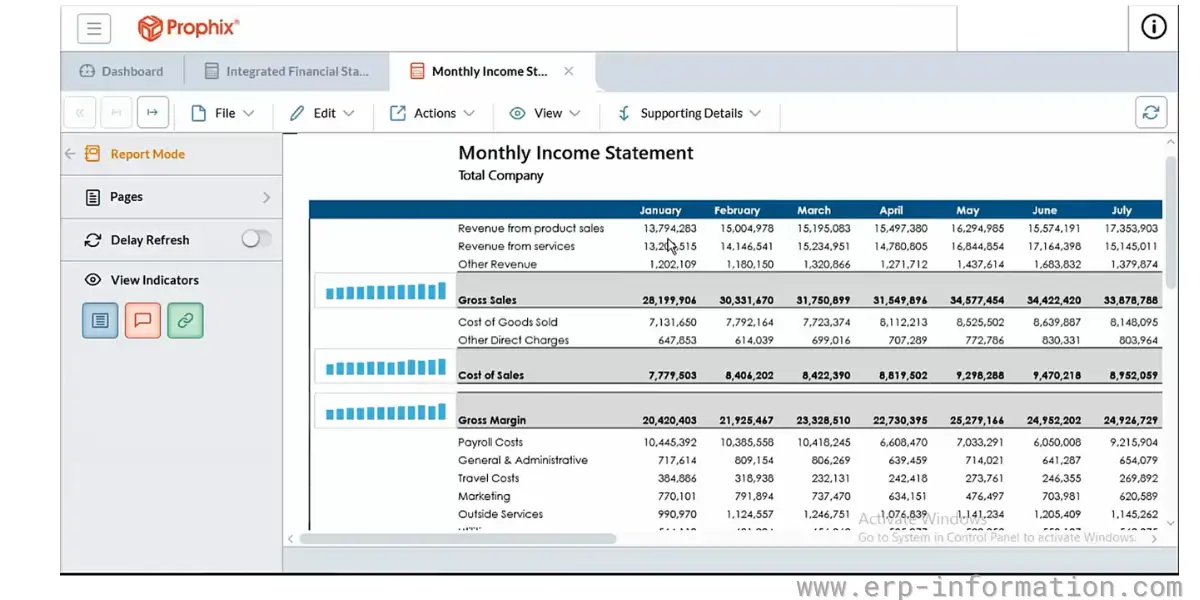
Screenshot of Prophix CPM
Pricing
It does not provide pricing details on its website. Contact the vendor for accurate information.
Likes
- It is effortless to use, making it perfect for organizations of all sizes
- The generation of data modules is easy and flexible
- Offers various features to track and enhance company performance, making it a good choice for organizations aiming to boost their efficiency
Dislikes
- Integration issues
- Some features that are missing, need to be exported
- Limited reporting features
- Average customer service
- The software works slowly when more people use it at a time
- Allocating from one account to multiple accounts is a cumbersome process
- Frustrating reporting format
- Limited editing options for charts
- Graphs on dashboards hinder data visualization customization
- Restrictions on data processing combinations
Supported industries
- Construction
- Higher education
- Senior living
- Manufacturing
- Real estate
- Healthcare
Other details
| Deployment | Cloud, SaaS, Web-Based |
| Supported device | Mac, Windows, On-Promise Linux, Android, iPhone, iPad |
| Supported languages | Danish, German, English, French, Polish, Portuguese, Russian |
| Support | Email/Help Desk, FAQs/Forum, Knowledge Base, Phone Support, 24/7 (Live Rep), Chat |
| Training | In-person, Live Online, Webinars, Documentation |
| Customer ratings | Capterra: 4.6 out of 5 (77+reviews), G2: 4.4 out of 5 (153+reviews) |
User opinion
Prophix software has a wide variety of features that can help companies track and analyze their performance and is very easy to use. This makes it a great choice for organizations of all sizes.
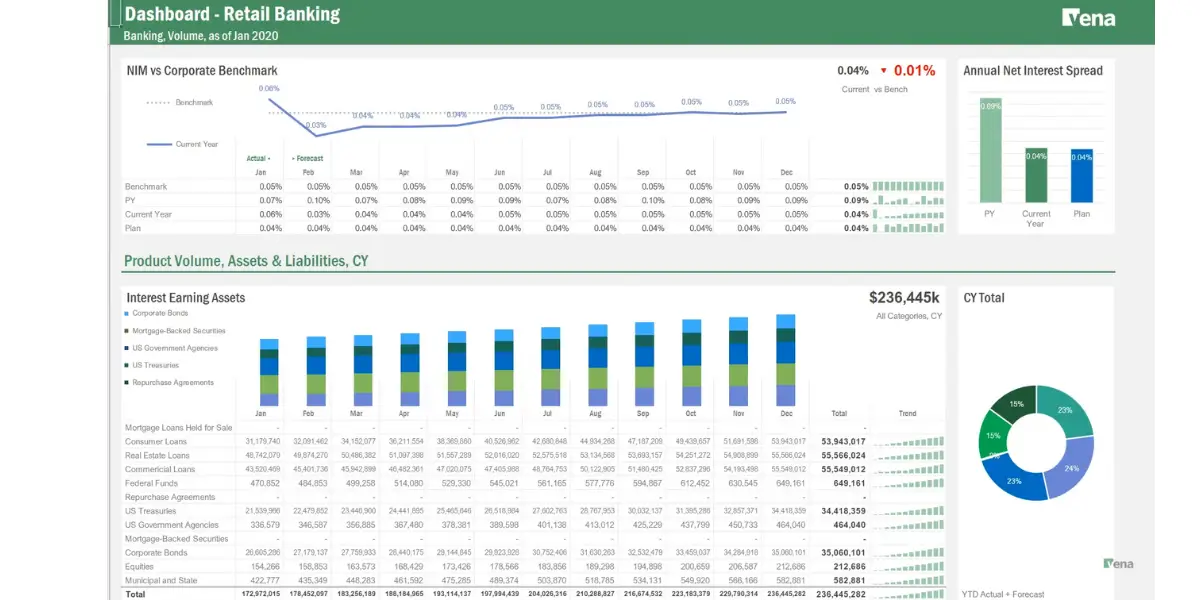
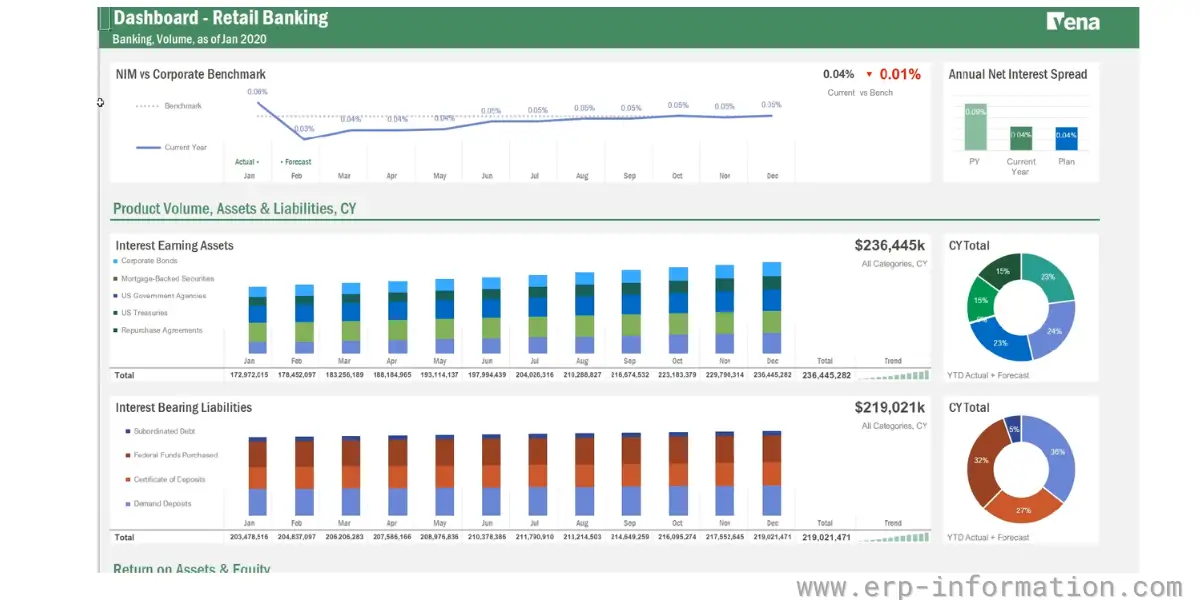
5. Vena
Vena software is an excellent choice for organizations that want to improve their performance.
It has a wide range of features that can help companies track and analyze their performance and is very easy to use. That makes it perfect for organizations of all sizes.
Key features
Vena software is the most comprehensive and user-friendly corporate performance management software on the market. It offers a wide range of features to help businesses track and analyze their performance, including:
- Financial reporting: Easily create accurate financial statements and reports based on your data.
- Financial planning and analysis: Model different scenarios and plan for the future with powerful financial analysis tools.
- Budgeting and forecasting: Create accurate budgets and forecasts to help make informed decisions.
- Financial close management: Streamline and automate the close financial process with ease.
- Agile planning and reporting: Quickly adapt to changes with Vena’s flexible planning and reporting capabilities.
Screenshots of Vena
Pricing
Pricing details are not available publicly. Contact Vena to get more details about pricing.
Likes
- Implementation of the software takes less time
- Easy user-interface
- Automated day-to-day processes like reporting, budgeting, and forecasting
Dislikes
- Setting it up is complicated and requires skill and patience
- Expensive offboarding
- Lengthy reports take a while to appear.
- Issues with customization
- Customer service is slack
- Creating reports is a hassle
- The system runs slowly
- Slow loading times for reports and templates hinder quick data retrieval and analysis
- The learning curve increases initial onboarding time
- Inability to reference Vena functions using macros limits automation capabilities
- Performance issues can impede productivity and workflow efficiency
- Complex and intricate mapping processes make data integration challenging
Supported industries
- Banking
- Healthcare
- SaaS
- Manufacturing
- Real estate
- Hotel lodging
Other details
| Deployment | Cloud, SaaS, Web-Based |
| Supported device | Mac, Windows, On-Promise Linux |
| Supported languages | German, English, French, Italian, Dutch, Portuguese, Russian, Spanish, Ukrainian |
| Support | Email/Help Desk, FAQs/Forum, Knowledge Base, Phone Support, 24/7 (Live Rep), Chat |
| Training | In-Person, Live Online, Webinars, Documentation, Videos |
| Customer ratings | Capterra: 4.1 out of 5 (21+reviews), G2: 4.5 out of 5 (175+reviews) |
User opinion
Vena software is easy to use and navigate, and the team at Vena is always available to help with any questions or concerns.
Additionally, their software is constantly updated with the latest features and functionality, so businesses can be confident that they are getting the most out of their investment.
6. Cascade
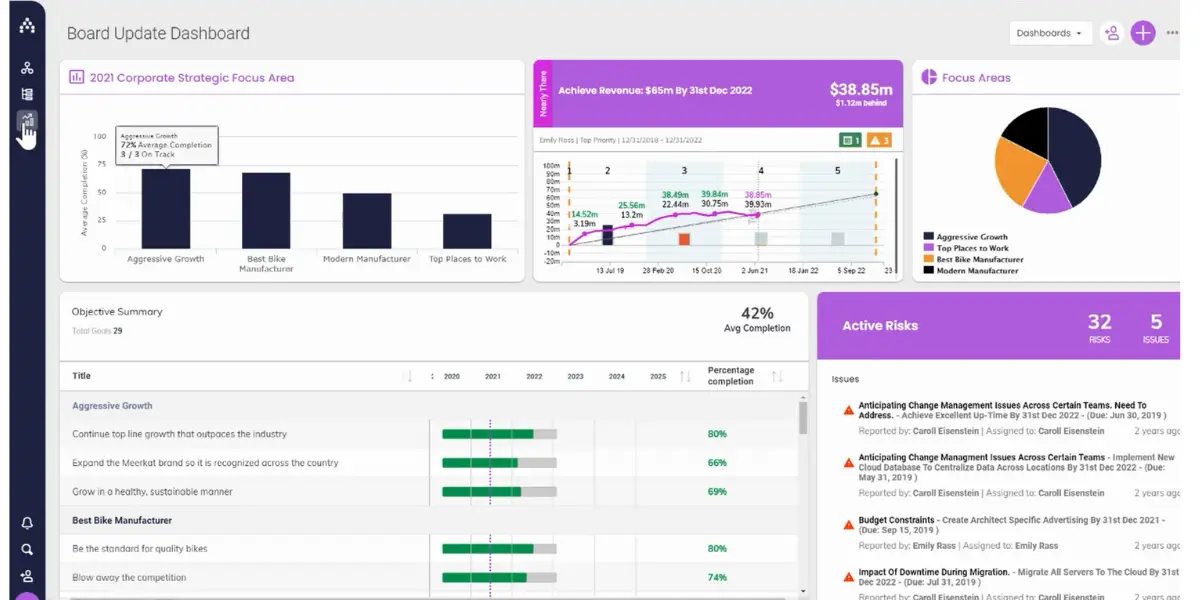
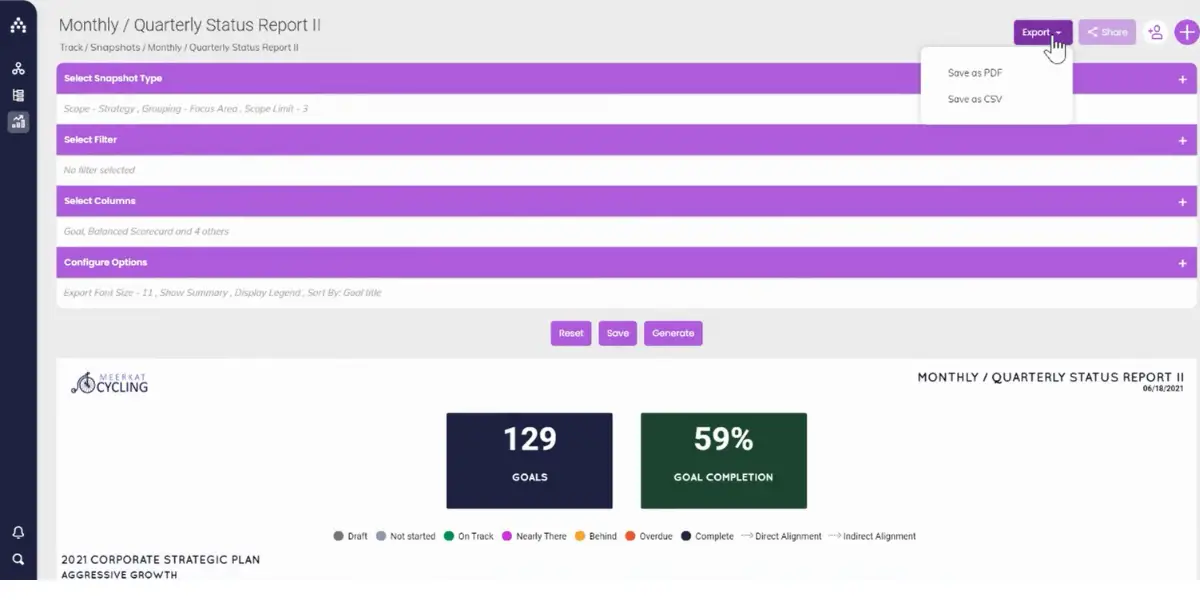
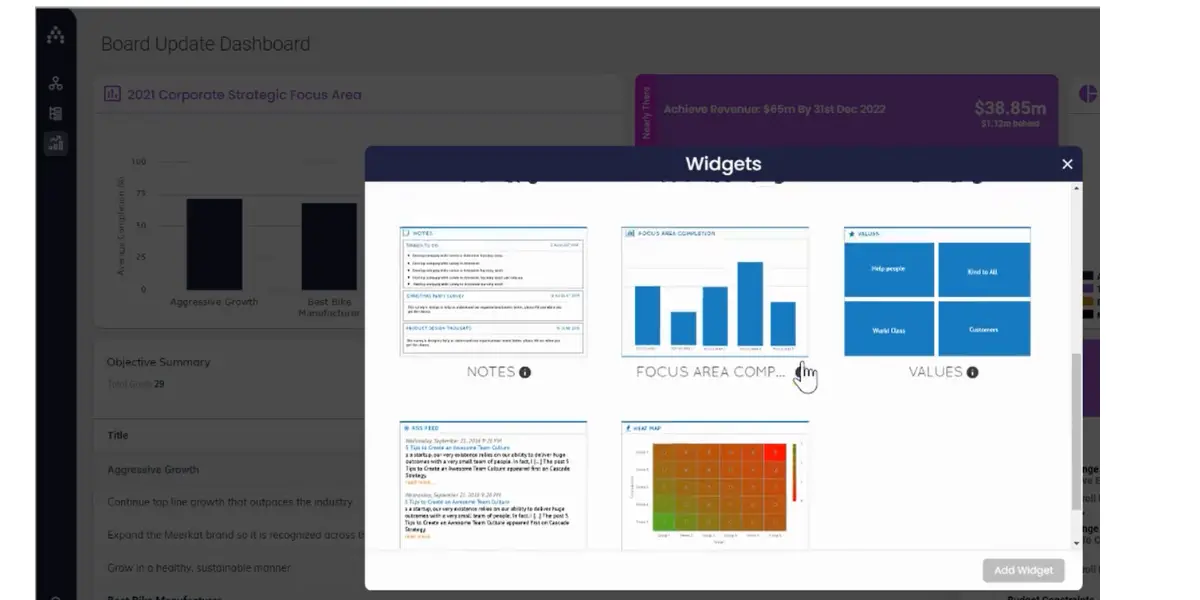
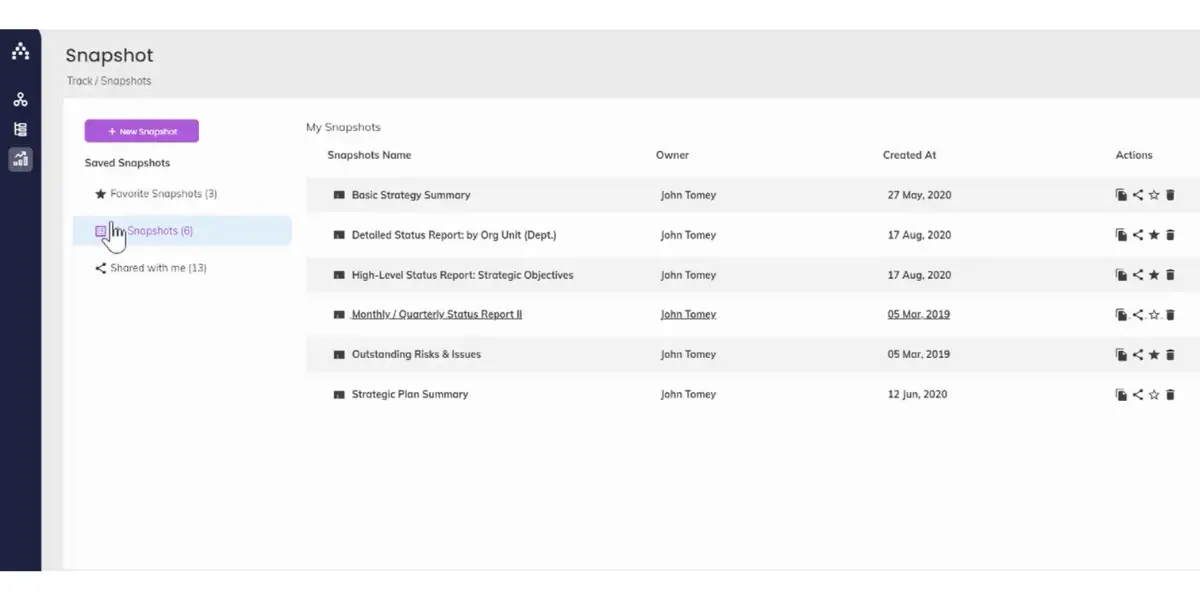
Cascade software is useful for strategic planning and execution to align and accelerate teams. It helps teams to view essential results from their strategy.
Key features
- Plans
- Project and Goals
- Dashboards and Reports
- KPIs and OKRs
- Cascade maps
Screenshots of Cascade
Pricing
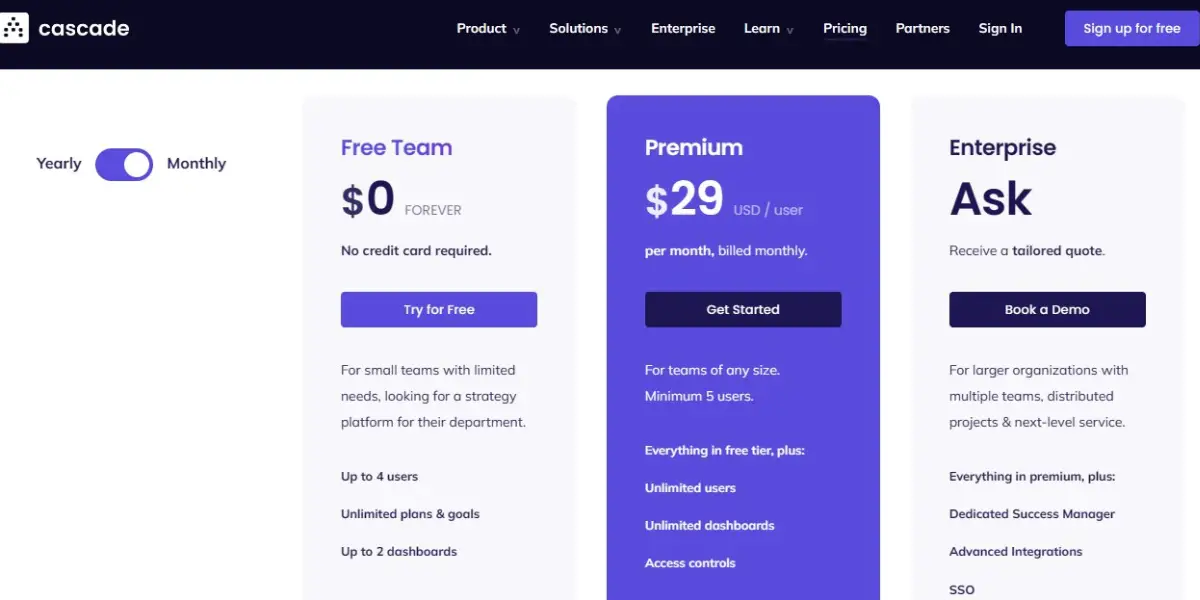
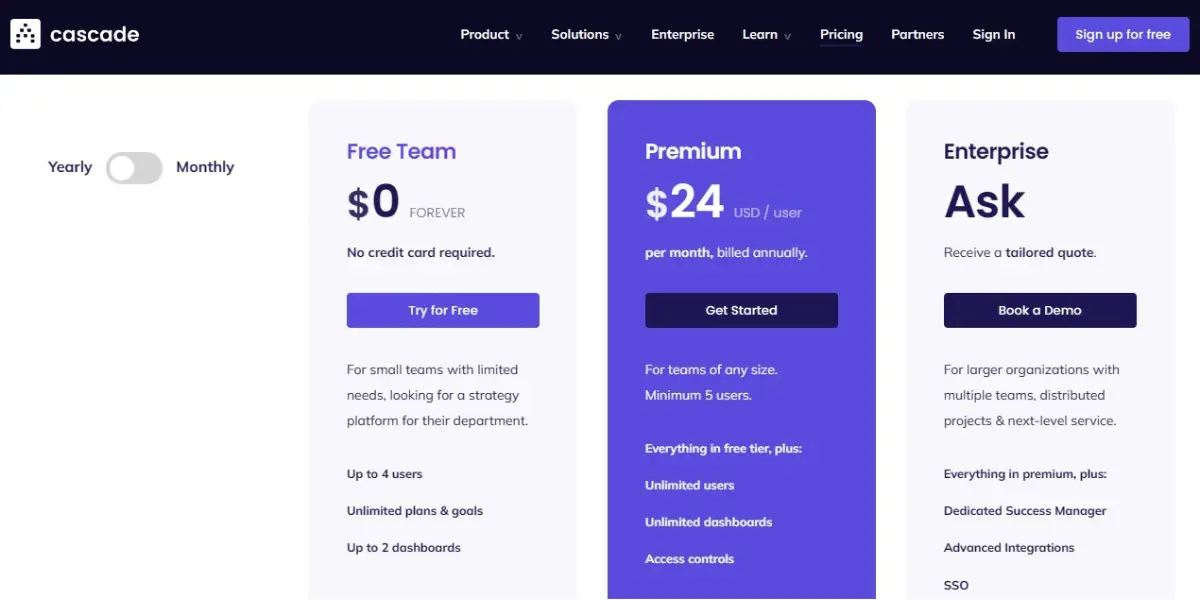
It offers three plans.
- Free: still free, but now capped at 2 users rather than the 4 it once allowed.
- Essentials: Cascade has withdrawn its published per-user price. The $24 to $29 per user it used to list is no longer shown, and the plan is now quoted. Treat older figures, including that one, as historical.
- Enterprise: To get its pricing details, you need to contact the vendor and ask for a quote.
Likes
- It helps to spot risk easily
- It helps in making proactive decisions
- It can easily demonstrate progress
- It is a shareable strategy that gives direction and holds people accountable
- It solves all difficulties in tracking our goals and objectives
Dislikes
- Lags found on snapshots reports and dashboards
- Issues with dropping and dragging goals
- It provides less support for ideation in order to meet objectives
- Usability of the platform in other languages is unavailable
- Slow processing while editing or changing views
- It can be a bit complicated for new users
- Expensive for smaller businesses or organizations with tight budgets
- Customer support may not always be very helpful or responsive
Other details
| Deployment | Cloud, SaaS, Web-Based |
| Supported device | Mobile – iPhone, Mobile – iPad |
| Support | Email/Help Desk, FAQs/Forum, Knowledge Base, Phone Support, 24/7 (Live Rep), Chat |
| Training | In-Person, Live Online, Webinars, Documentation, Videos |
| Supported languages | English |
| Customer reviews | Capterra: 4.9(out of 27+ reviews), g2: 4.8( out of 183+ reviews) |
User opinion
The software is popular for its strategic planning platform. It makes your life easier by connecting objectives, projects, KPIs, and OKRs. You can see Gantt’s view of your plan. Allows all employees, teams, and departments to work together under the same strategy.
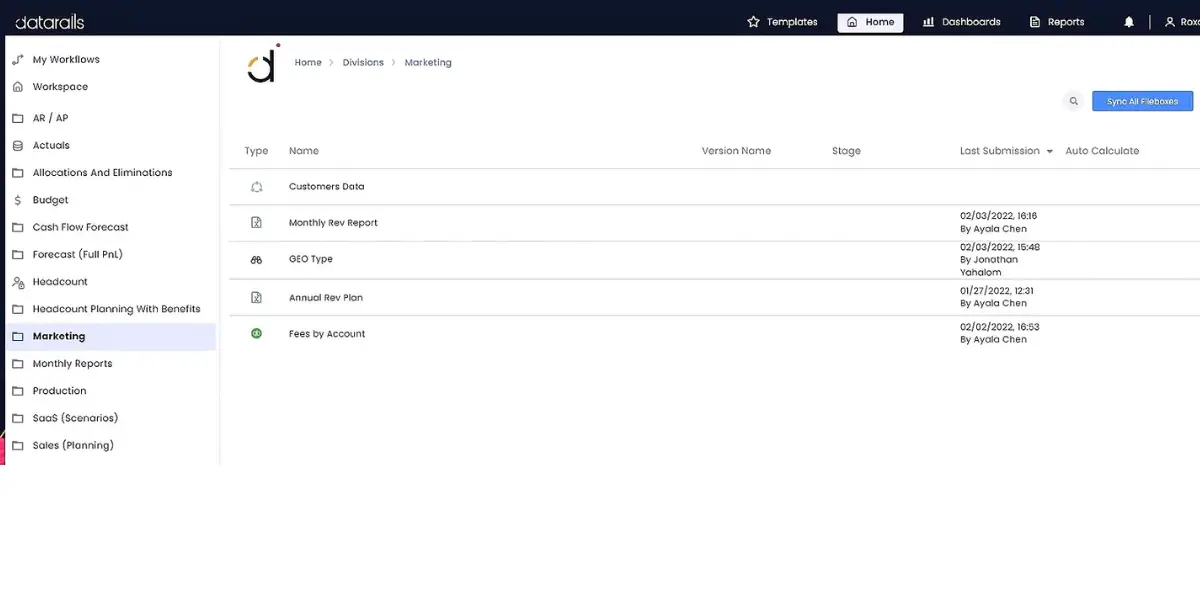
7. Datarails
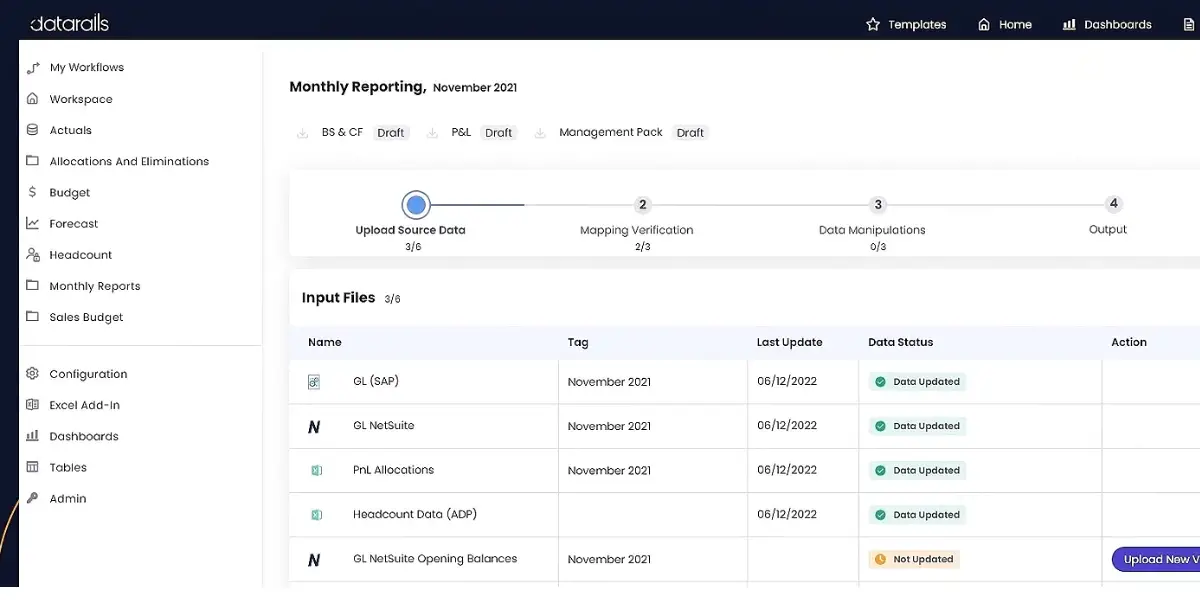
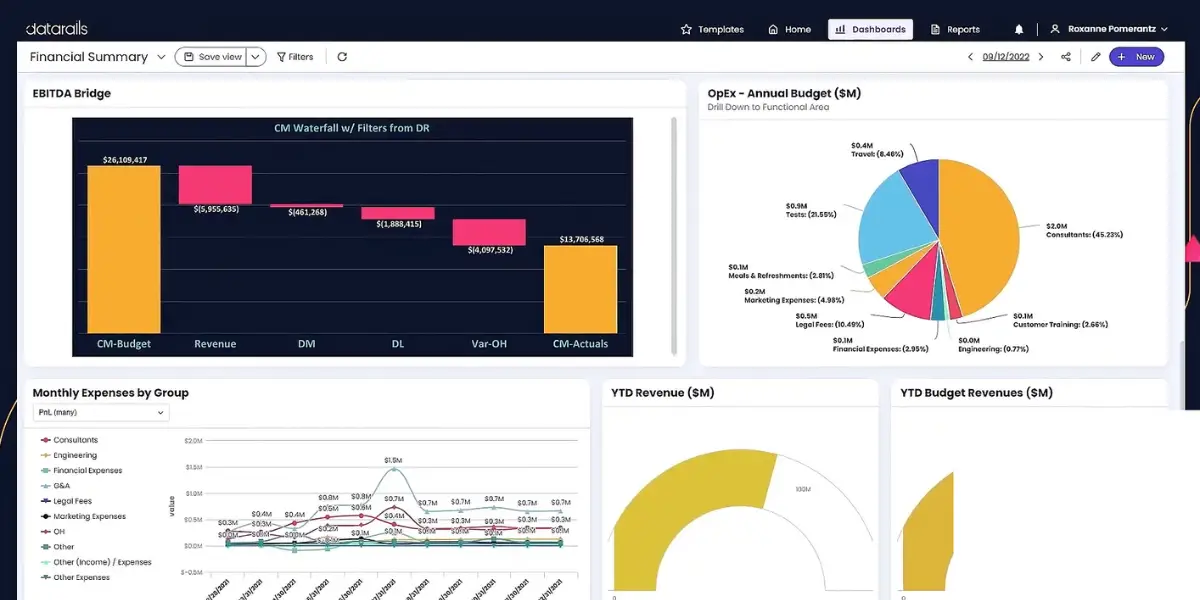
The software automates financial reporting and planning; it produces financial reports with real-time figures from your database numbers. This is a financial planning and analysis platform that reduces human error and manual work.
Key features
- Consolidation
- Data visualization
- Financial reporting and monthly close
- Planning, budgeting, and forecasting
Screenshots of Datarails
Pricing
Pricing details are not available. You need to contact the vendor directly.
Likes
- It provides flexibility in data visualization
- It is easy to communicate and understand its visual representation
- It supports the implementation
- Provides excellent assistance
- It helps in automating and assembling information
- It helps to track audits and automated consolidation of data
Dislikes
- Dependence on customer support is more
- Complex integration and lengthy implementation
- Licensing issues
- Working on the app can slow your system
- It provides fewer online learning materials
- Less use of drill-down functions
- The refreshing calculations are slow
- There are very few view options when graphs turn to charts
- Less chart flexibility
- The steep learning curve can hinder initial adoption and proficiency
- Sluggish integration with Macbooks necessitates additional support
- Clumsiness in the learning process and overall productivity
- Limited automatic calculation capabilities for large files
Other details
| Deployment | Cloud, SaaS, Web-Based |
| Supported device | Windows |
| Support | Email/Help Desk, Knowledge Base, Phone Support, Chat |
| Training | In-Person, Live Online, Webinars, Documentation, Videos |
| Supported languages | English |
| Customer reviews | Capterra: 4.8 out of 5 (38+ reviews), g2: 4.7 out of 5 (37+ reviews) |
User opinion
It is a powerful CPM platform that allows you to save time with automated consolidation and reporting. It provides an intuitive dashboard and visualization.
The software allows its customers to customize their pricing packages as per their requirements. There is no cost for reports and PowerPoint presentations.
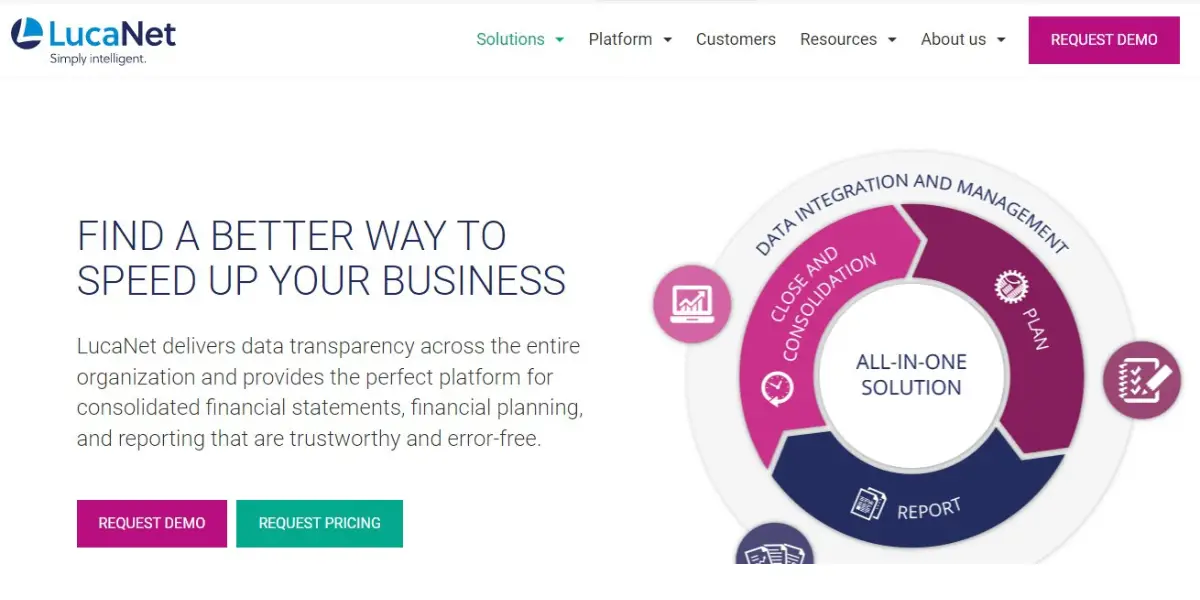
8. LucaNet
LucaNet is a trustworthy, error-free financial consolidation, planning, and reporting software provider. This software delivers data transparency across the entire organization.
It has been designed to match the exact requirements of finance groups. The software effectively provides accurate and consistent information with user-friendly interfaces and a fast implementation approach.
Key features
- Budgeting
- Forecasting
- Planning
- Custom reporting
- Group controlling
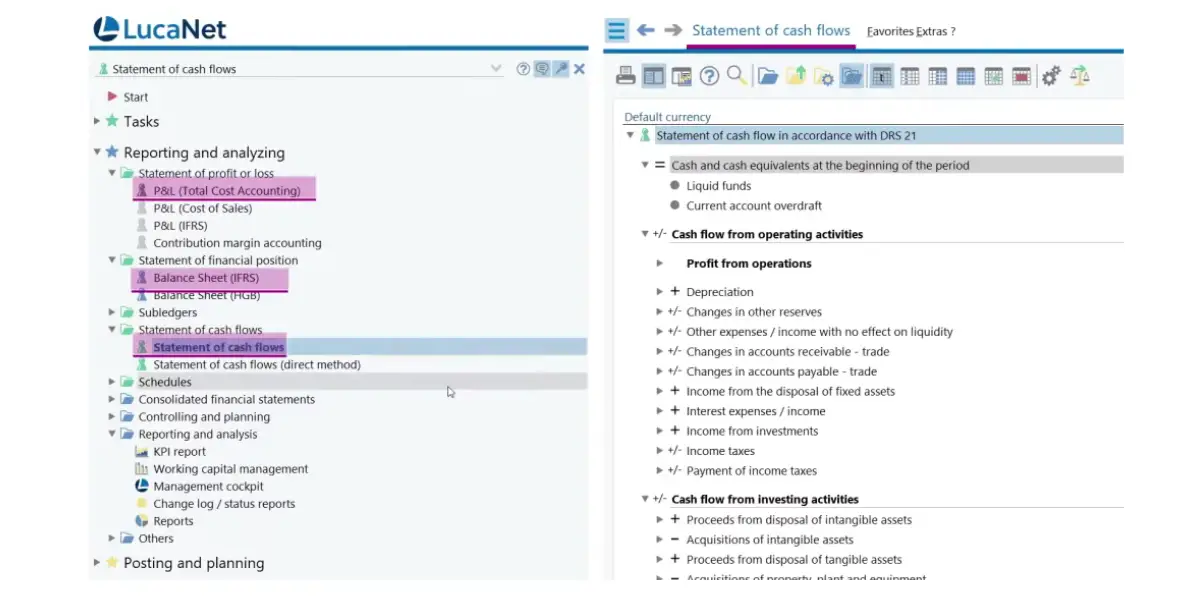
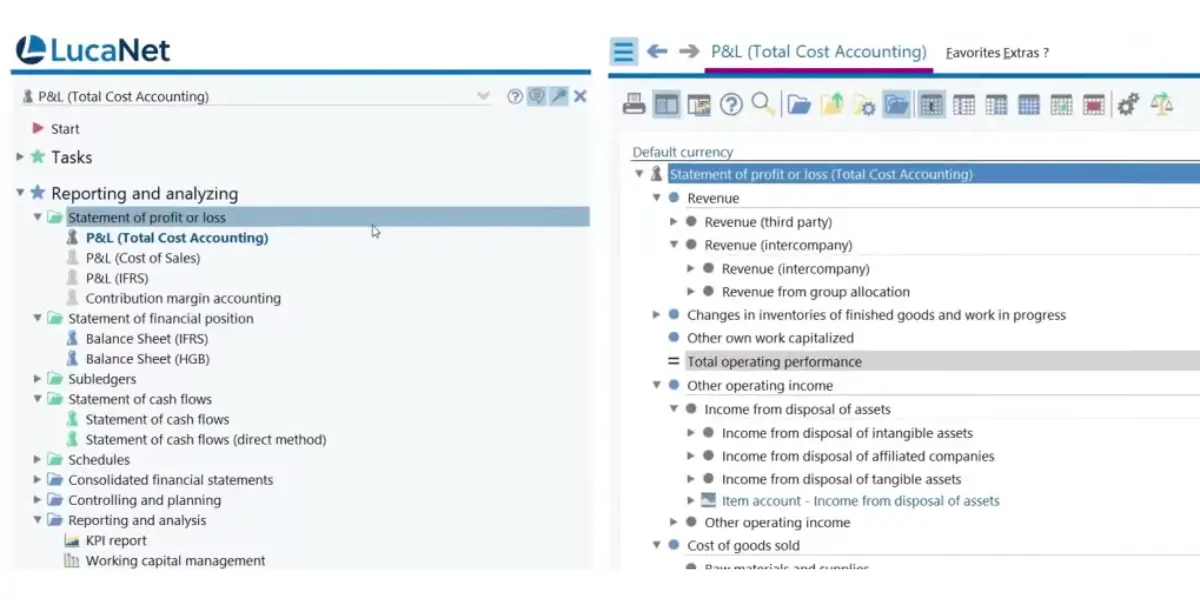
Screenshots of LucaNet
Pricing
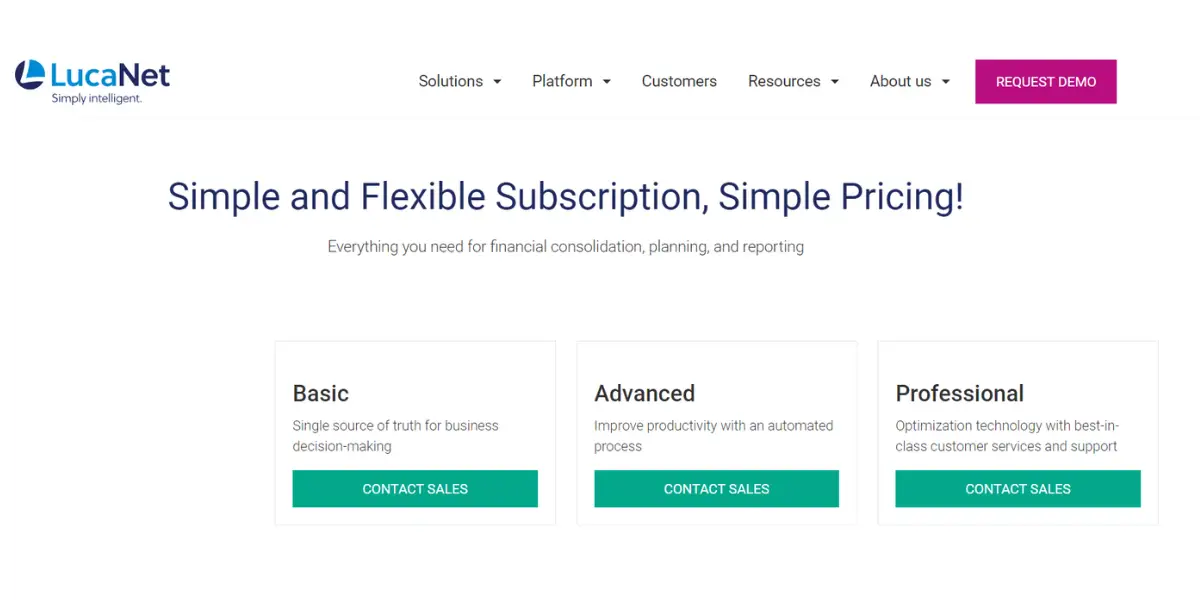
Three plans have been declared, basic, advanced, and professional.
They are not provided pricing; contact the vendor for pricing.
Likes
- It is an easy adapting tool for reporting and planning
- It helps in financial analysis and consolidating data
- It is very user-friendly and gives data security
- It is very easy to learn (it is a stable and smooth tool to use)
- It helps in the next level of the reporting process
Dislikes
- Reporting functions are not perfect, and it is less transparent
- Lack of workflow
- Slow-moving product development
- The complexity of deconsolidation is observed
- Limitations in reporting capabilities hinder comprehensive data analysis
- Lacks the sophistication of industry
- Lack of a web-based solution can hinder its adoption and competitiveness
- Poor reporting formats
Other details
| Deployment | Cloud, SaaS, Web-Based |
| Supported device | Desktop – Mac, Desktop – Windows, On-Premise – Windows, On-Premise – Linux |
| Support | Email/Help Desk, FAQs/Forum, Knowledge Base, Chat |
| Training | In-Person, Live Online, Webinars, Documentation, Videos |
| Supported languages | German, English, French, Dutch, Russian, Spanish, and Chinese |
| Customer reviews | Capterra: 4.6 out of 5 (75+ reviews), g2: 4.8 out of 5 (57+ reviews) |
User opinion
The software is an all-in-one solution allowing users to create valid financial data for audit-proof consolidated financial statements. However, some users claim that its reporting feature is not so perfect.
9. Clockwork
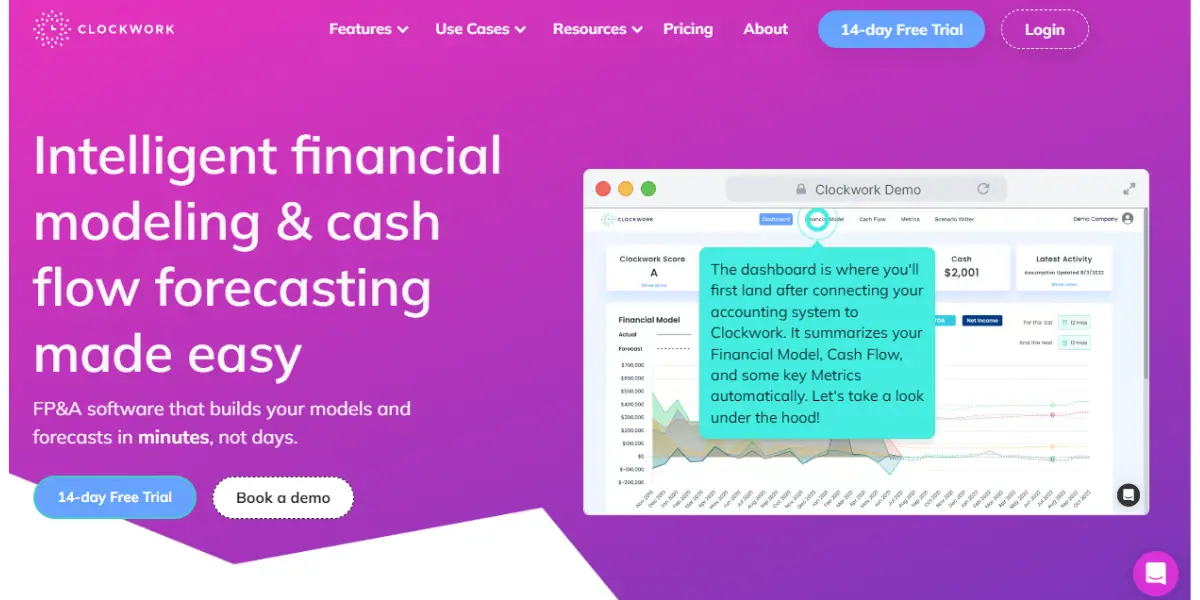
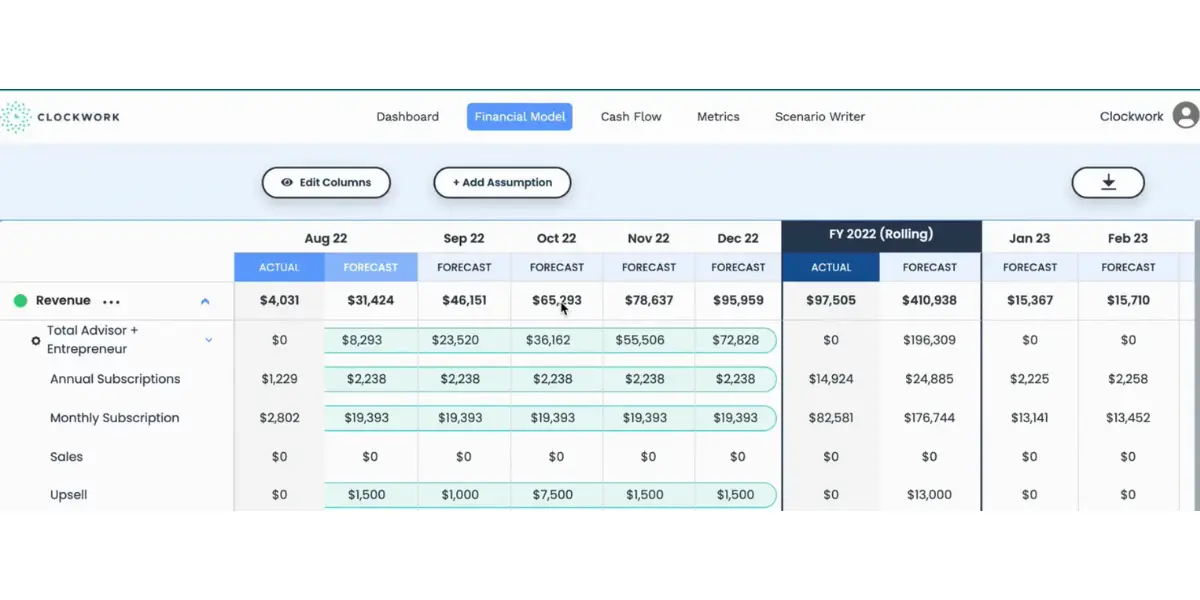
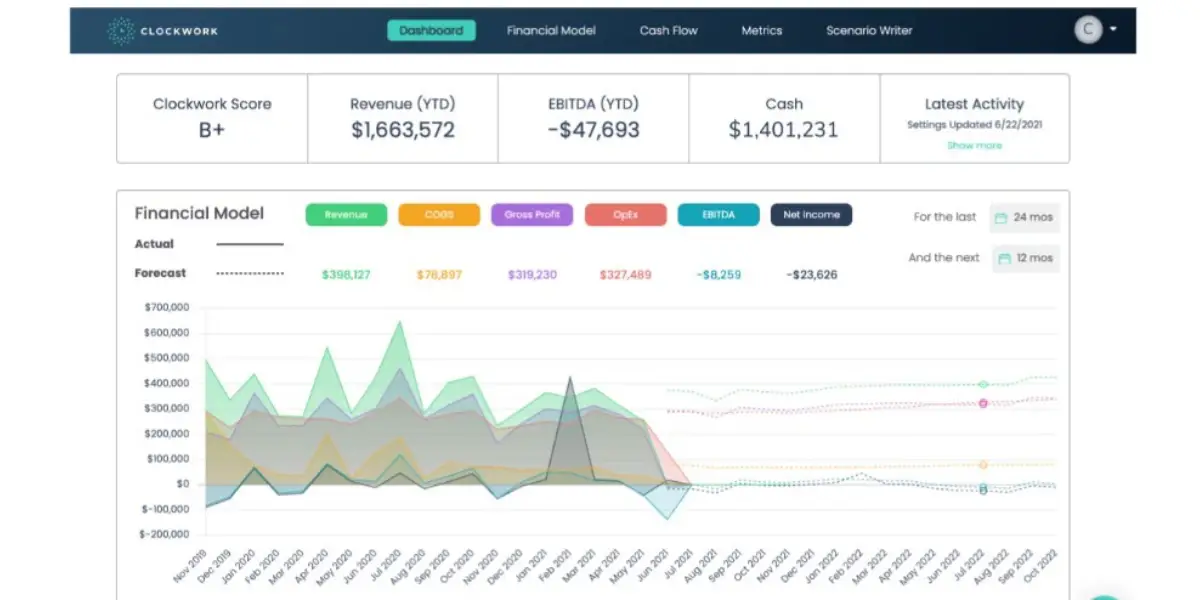
This software gives real-time CFO-level insights to save the difficulty in manual dealings with finances and cash flow.
It is uniquely positioned to win the market, balancing ease of use with a comprehensive view of a company’s financials.
Key features
- Create multiple scenarios
- Error-proof formulas
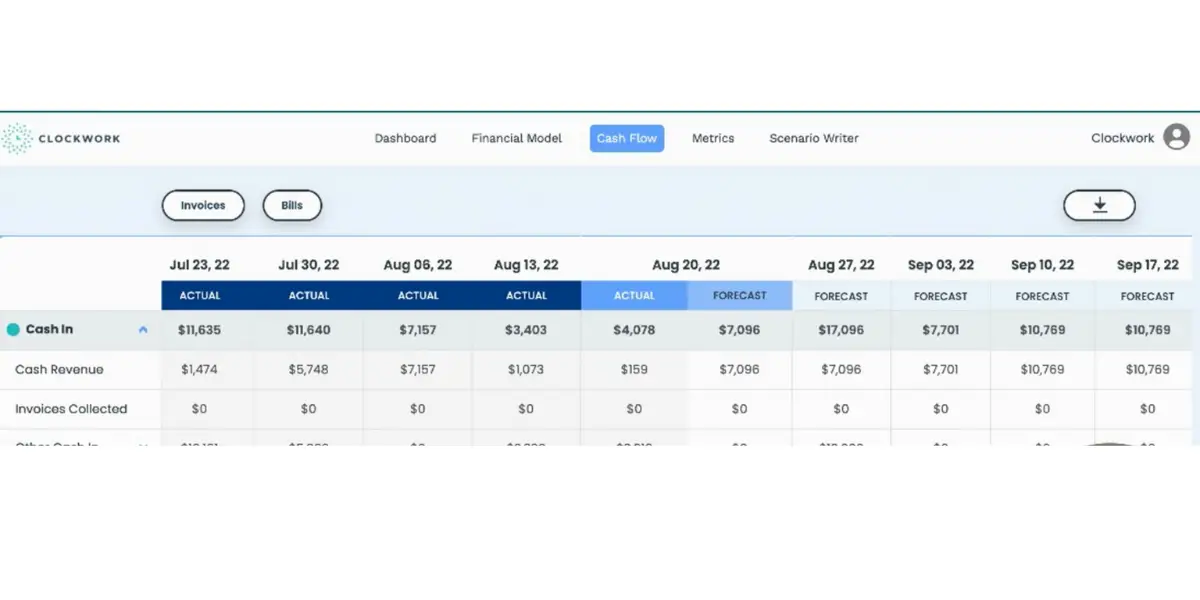
- Weekly cash flow forecast
- Forecast revenue and expenses
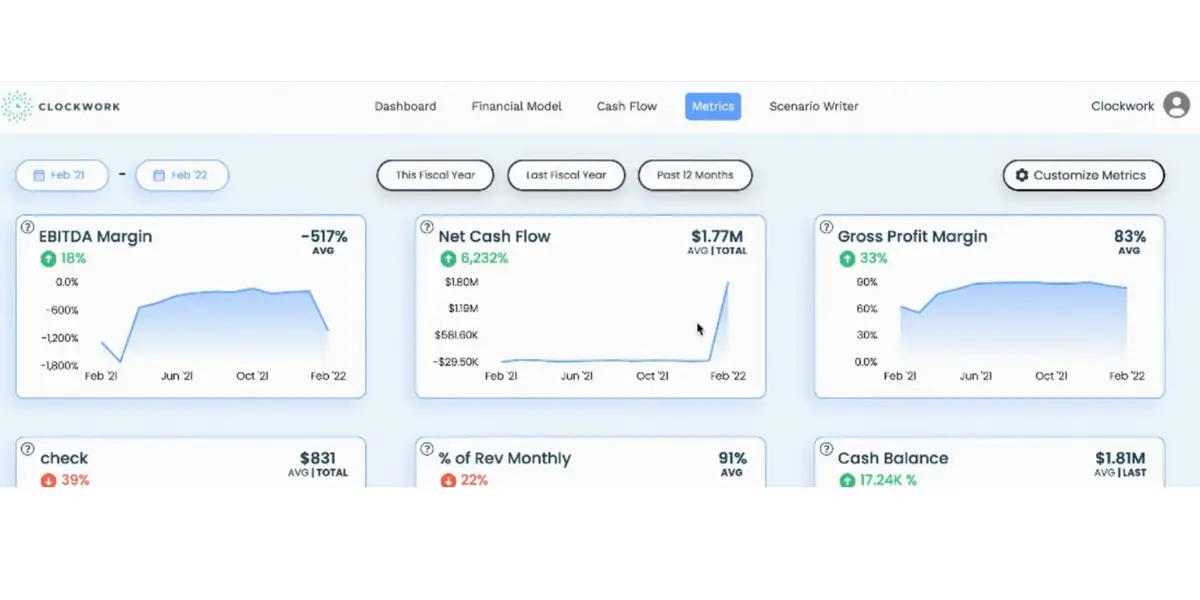
- Financial command center
Screenshots of Clockwork
Pricing
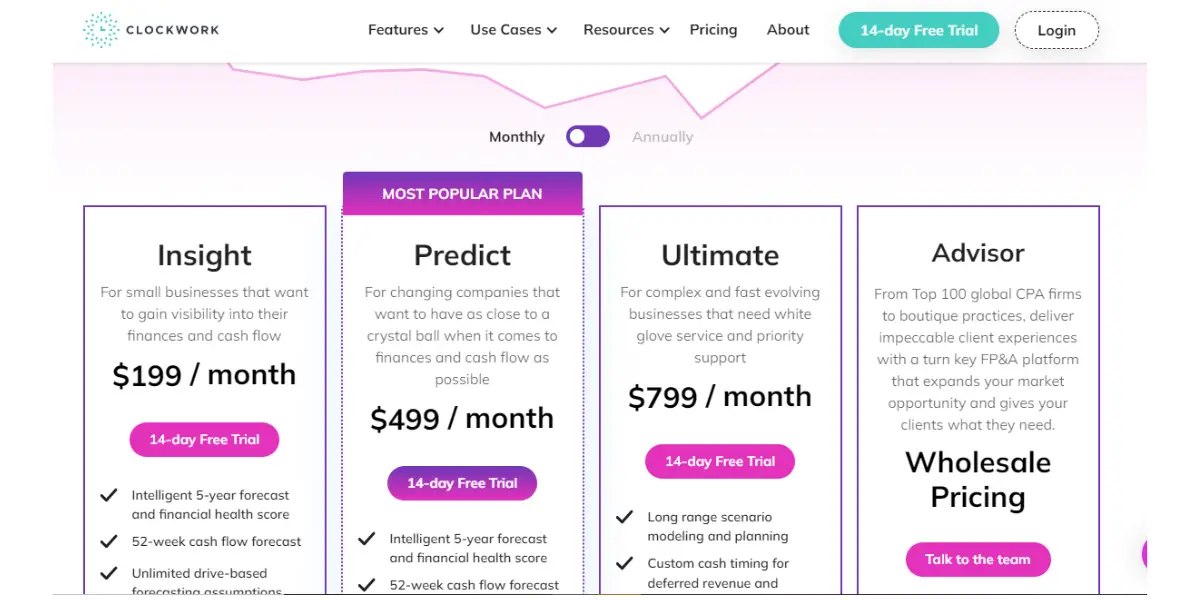
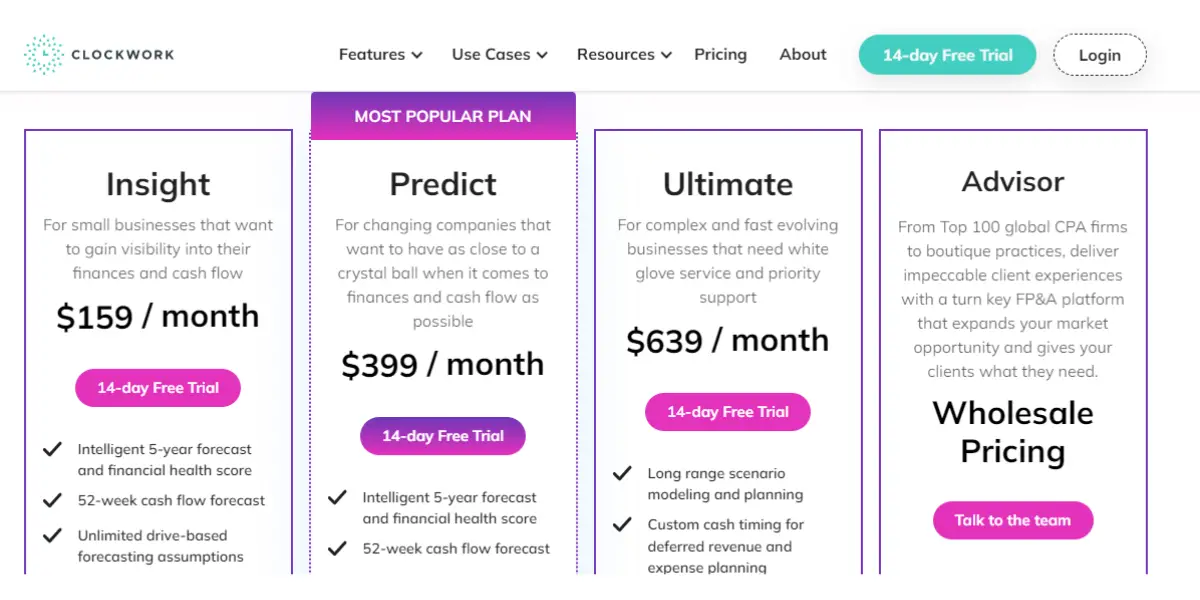
It offers three plans.
- Insight: $189 a month, or $149 a month billed annually.
- Predict: $629 a month, or $499 a month billed annually. Note this one moved the wrong way for buyers: the annual rate is now what the monthly rate used to be.
- Ultimate: $1,199 a month, or $999 billed annually.
- Ultimate Plus: quoted.
- Clockwork also runs a separate price list for accounting firms (Start, Scale, Growth and Enterprise, from around $699 a month billed annually), which is the one to ask for if you are a practice serving multiple clients rather than a single company.
- Startup: This plan ought to talk to the team and says 50% off for annual and monthly pricing plan, in yearly and monthly pricing.
Likes
- It enables a comprehensive financial management system
- User friendly
- It is a convenient, effective tool for FP&A forecasting
- Easy to understand the cash flow
- Supports new growing companies
- Best automated CFO software
- Helps to develop forecasts for next year
- Develops a cash forecast
Dislikes
- There is Less ability to forecast more statements
- Reporting issues
- Slow decision-making is observed
- Often glitches in the running software
- Less ability to make account assumptions
- Inability to make multiple accounts
- Inability to merge multi-company data without manual effort
Other details
| Deployment | Cloud, SaaS, Web-Based |
| Supported device | Desktop – Mac, Desktop – Windows, On-Premise – Windows, On-Premise – Linux |
| Support | Email/Help Desk, FAQs/Forum, Knowledge Base, Phone Support, 24/7 (Live Rep), Chat |
| Training | Live Online, Webinars, Documentation, Videos |
| Supported languages | English |
| Customer reviews | Capterra: 4.9 out of 5 (12+ reviews), g2: 4.8 out of 5 (19+ reviews) |
User opinion
The software offers AI-powered projections and cash flow forecasts. The dashboard provides real-time insights into business performance. Even if you don’t have experience in finance, you can model everything.
10. LiveFlow
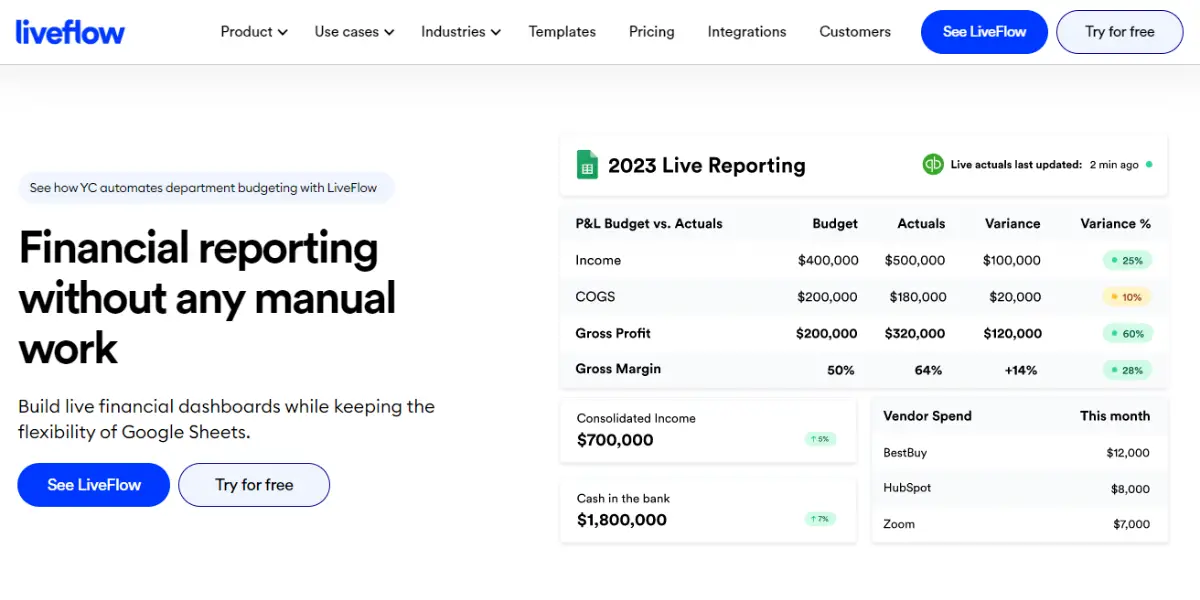
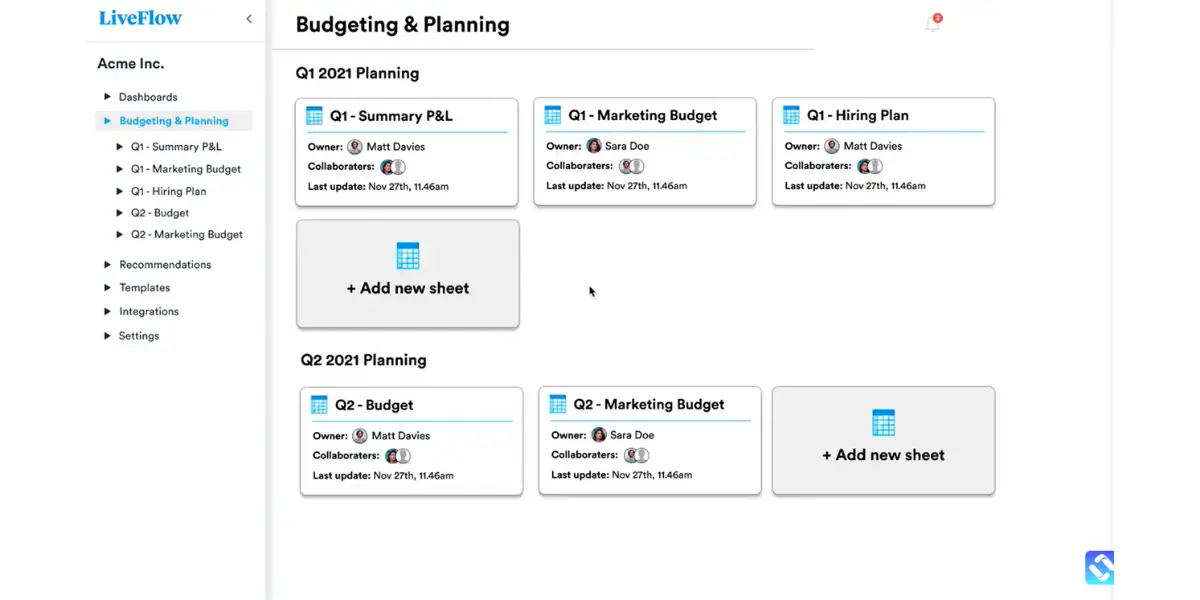
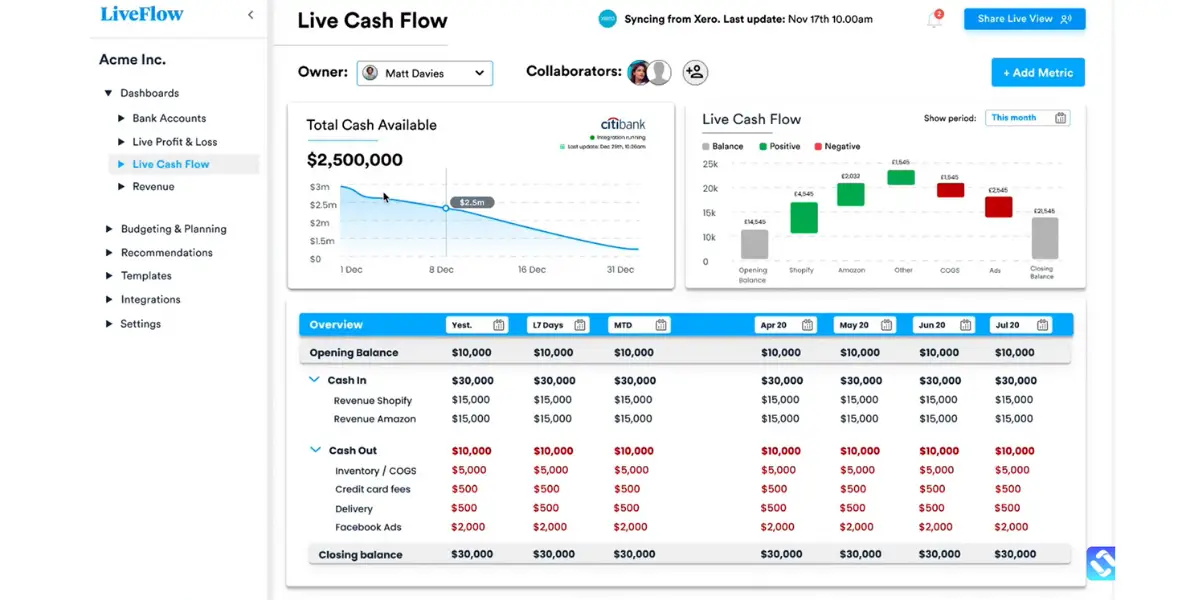
It is software that helps in financial reporting without any manual effort. This software builds live financial dashboards while keeping the flexibility of Google Sheets. Provides clean, correct, up-to-date, and perfectly organized data.
Key features
- Drill down
- Automatic refresh
- Live financial models
- Reports
- Consolidation
- Plug-and-play templates
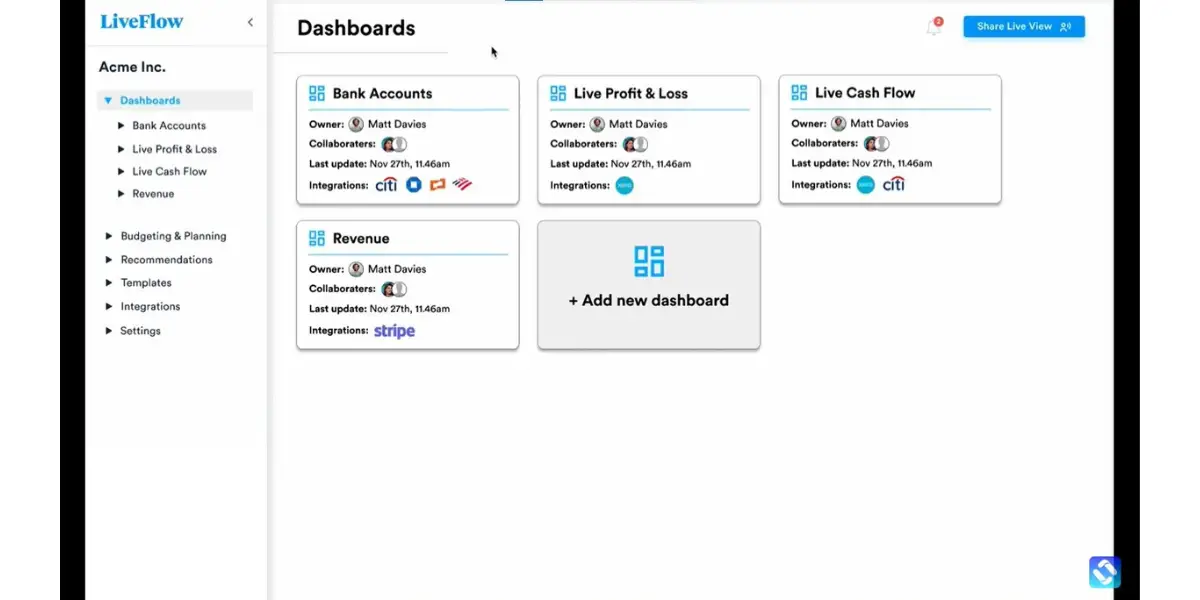
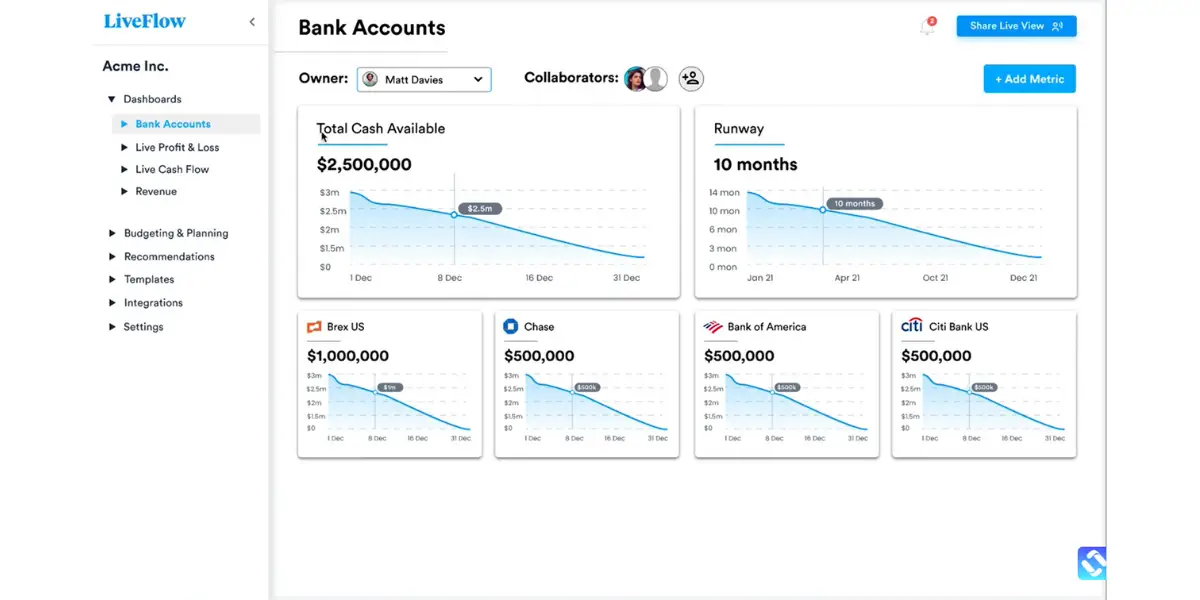
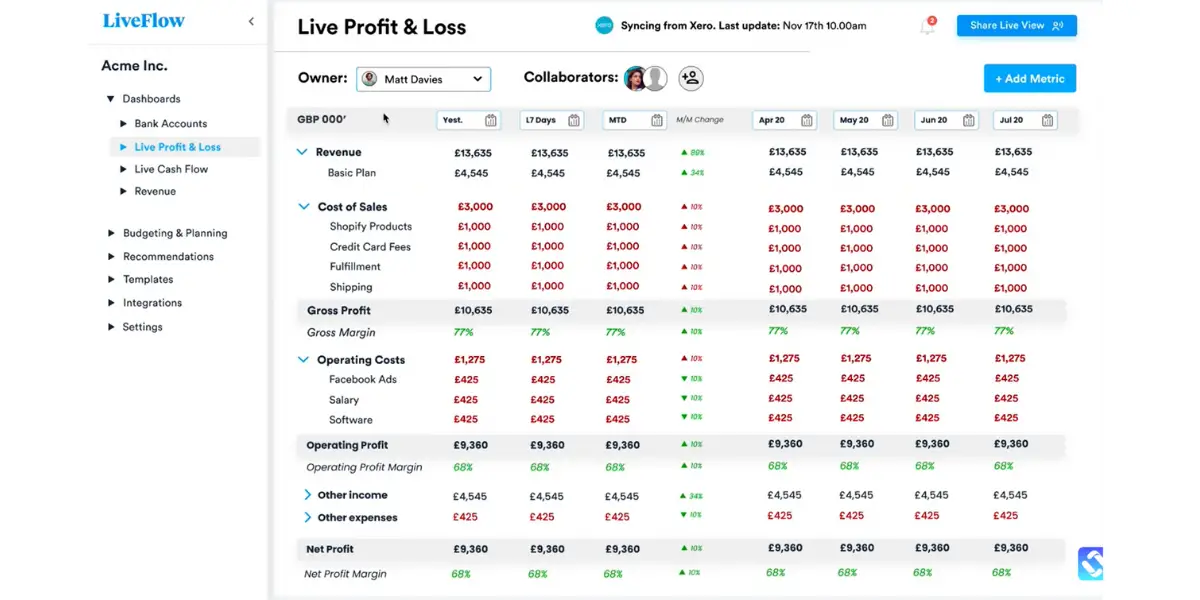
Screenshots of LiveFlow
Pricing
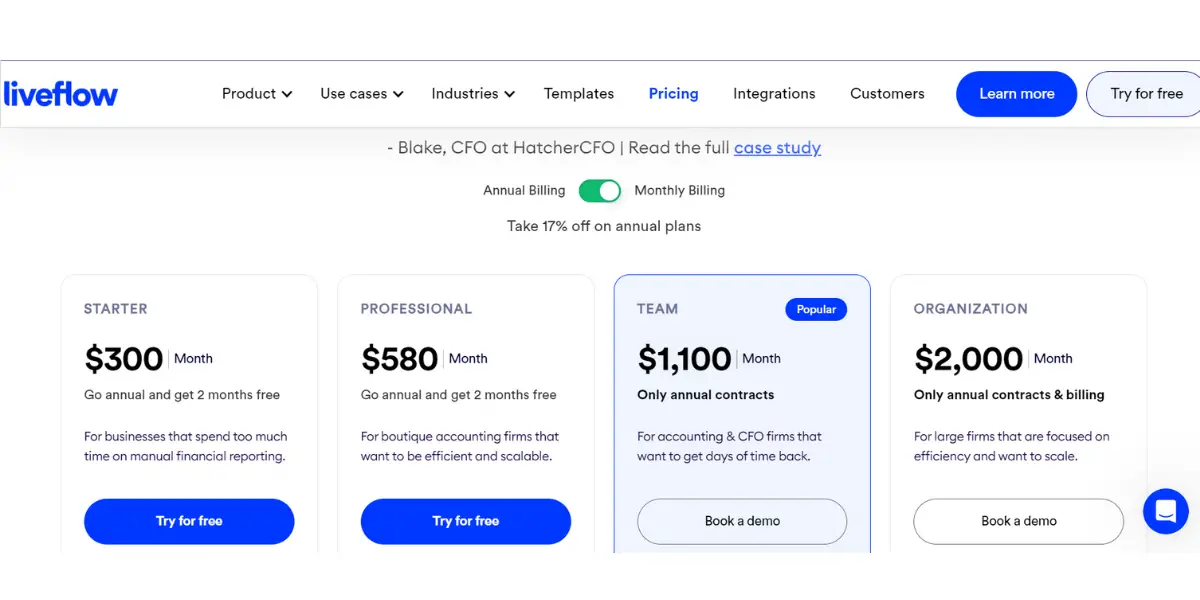
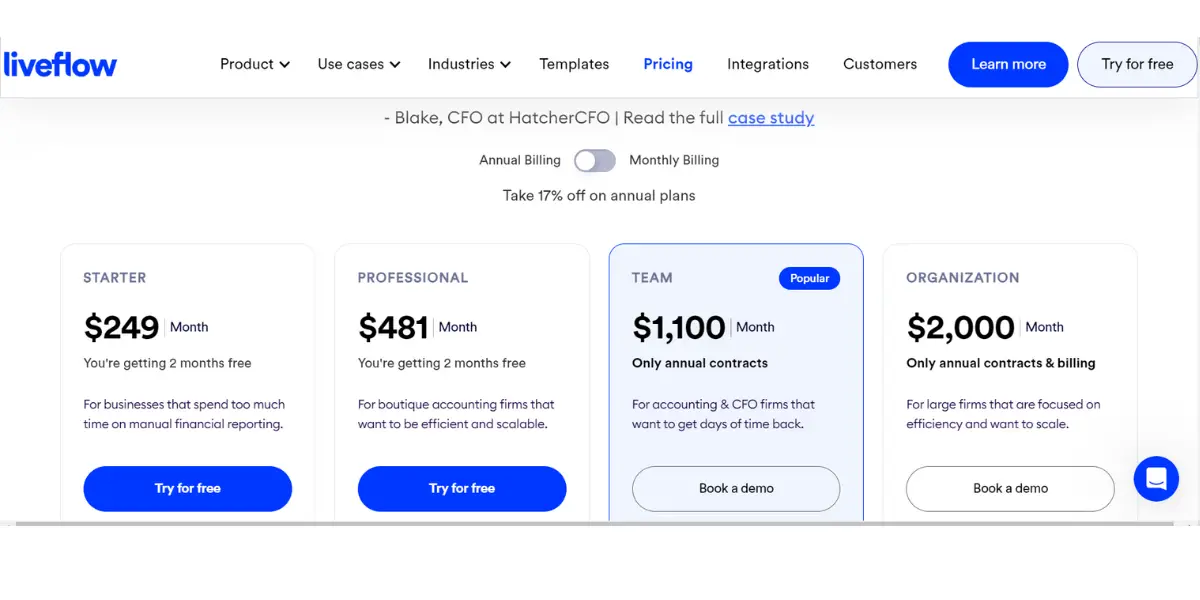
LiveFlow has stopped publishing prices. Its pricing page now says only that pricing is tailored to what you need, and carries no figures at all.
- The tiers it used to publish were Starter, Professional, Team and Organization, running from roughly $300 a month up to $2,000 a year on annual contracts. The screenshots below record that published pricing as it stood in 2023, and they are kept here as a historical reference rather than a current quote.
- Third-party estimates for what buyers actually pay now vary enormously, from around $50 a month for a single entity to well over $1,000 for multi-entity and enterprise use. That spread is wide enough to be useless as a budget, so ask LiveFlow directly and expect the number of legal entities you consolidate to be the main driver.
Likes
- It is the best tool for finance professionals
- It is an essential tool for CAS firms
- It is the best reporting tool
- It helps with QuickBooks reporting
- It is a time-saver
- It consumes less human effort
- It helps in updating data easily
Dislikes
- Initial learning curve
- Specific reports and layout options are not available
- You can do limited work in Google spreadsheet
- Proficiency needed in optimizing the use of software
- Lack of different templates
- Lack of integrations
- Does not provide accurate data
- Some users reported reporting issues
Supported industries
- Technology
- Franchises
- Construction
Other details
| Deployment | Cloud, SaaS, Web-Based |
| Support | Email/Help Desk, FAQs/Forum, Knowledge Base, Phone Support, 24/7 (Live Rep), Chat |
| Customer reviews | Capterra: 5.0 out of 5 (17+ reviews), G2: 4.9 out of 5 (49+ reviews) |
User opinion
Overall, the software is good for financial management and is known for its comprehensive financial reporting without manual entry.
The software provides live client dashboards, and it consolidates multiple entities automatically.
The enterprise CPM platforms this list leaves out
Worth being direct about the shape of the list above: it is weighted towards mid-market and departmental tools. Gartner’s most recent Magic Quadrant for Financial Planning Software, published in December 2025, placed eight vendors in the Leaders quadrant, and only two of them appear above (Anaplan and OneStream). If you are running a full corporate close and consolidation, or you already have a large ERP in place, these are the names that will come up:
- Oracle Fusion Cloud EPM – the incumbent in large finance functions, and the natural first call if you run Oracle ERP. Gartner placed it highest for ability to execute in that 2025 Magic Quadrant.
- SAP – the equivalent consideration on an SAP estate, where the argument is the link back to your existing financial data rather than the planning interface itself.
- Workday Adaptive Planning – formerly Adaptive Insights, which Workday acquired; older reviews are filed under that name. Strong fit where Workday already holds HR and financial data.
- Board – a long-standing planning and analytics platform, named a Leader for several consecutive years.
- Jedox – well established in modelling-heavy finance teams, particularly in Europe.
- Wolters Kluwer CCH Tagetik – strongest where statutory consolidation and regulatory reporting are the hard part rather than planning.
None of these publishes list pricing, and all of them are implementation projects rather than sign-ups. The honest way to choose between the two halves of this article is to ask what you are actually replacing. If it is a set of spreadsheets used by a finance team, the tools listed above will do it faster and for less. If it is a consolidation system that produces audited statutory accounts, they generally will not, and you should be talking to the vendors in this section instead.
FAQs
What are some things to look for in a CPM software solution?
When choosing a corporate performance management software solution, it is essential to consider your specific needs and business goals.
Additionally, it would help if you looked for a solution that is easy to use and provides the required features and functionality. Furthermore, ensuring that the vendor offers good customer support if you have any questions or problems is essential.
What are some benefits of using CPM software?
CPM software has many benefits, including improved decision-making, better visibility into business performance, more efficient and effective operations, increased profitability, and faster and more accurate financial reporting.
Conclusion
The corporate performance management software market is growing and changing rapidly. It can be challenging to keep up with the changes and know which product is the best for your company.
Two practical cautions. First, most CPM vendors quote rather than publish, and several on this list have withdrawn prices they used to show, so any figure you find elsewhere may be describing a plan that no longer exists. Second, this market is consolidating fast: Anaplan and OneStream are both now private-equity owned, and ownership changes tend to reach customers as pricing changes at renewal rather than as product announcements. Ask about the renewal, not just the first year.
Reference
- White paper of Anaplan
- ebook of OneStream
- White paper of Planful – 3 critical phases of finance transformation
- White paper of Prophix