
Like most business owners, you probably dread dealing with expenses. Receipts, invoices, and reimbursements can be a hassle to keep track of – not to mention expensive! That’s why investing in the best expense report software is essential.
This software can make tracking expenses a breeze, saving time and money.
This article will discuss the ten best software for reporting expenses. So whether you’re looking for an easy way to submit receipts or manage client payments, there’s a perfect tool for your business!
What is Expense Report Software?
Expenditure Report Software is a type of program that helps businesses keep track of their expenses. That can include everything from tracking receipts to submitting expenses and getting reimbursed quickly.
It can be a lifesaver for any business owner, saving time and money while keeping track of spending.
How Does Expense Report Software Help Your Business?
Expense report software helps businesses in several ways. For example, it can make it easy to submit receipts, track expenses, and get reimbursed quickly.
It can also help businesses manage client payments and employee reimbursements. By using an expense report solution, businesses can save time and money while keeping track of their expenses.
Here, we are listing the 10 Best Expense Report Software.
1. Certify, now Emburse Professional
Certify is expense management software for businesses of all sizes, covering both the employee and the finance side and automating the path from receipt to report so the finance team spends less time on data entry.
Two things have changed since this review was written, and both matter when you search for it. Certify is now sold as Emburse Professional: Emburse announced the renaming on 18 September 2024, with the trade press reporting it taking effect on 17 January 2025, and the same exercise turned Emburse Chrome River into Emburse Enterprise. More importantly for a shortlist, Certify and entry number four on this list, Emburse Abacus, are the same company. Emburse also owns Nexonia, Tallie and Captio. If you are comparing Certify against Abacus you are comparing two products from one vendor rather than two independent options, which is worth knowing before you use one as leverage against the other.

Features
- Manage expenses with mobile apps
- Physical and virtual credit cards
- Efficient mileage tracking
- Effortless reimbursement
- Integration into all systems
- Actionable dashboards
- Data integrity
- Submit and track pre-approved spending requests
- Manage non-employee expenses
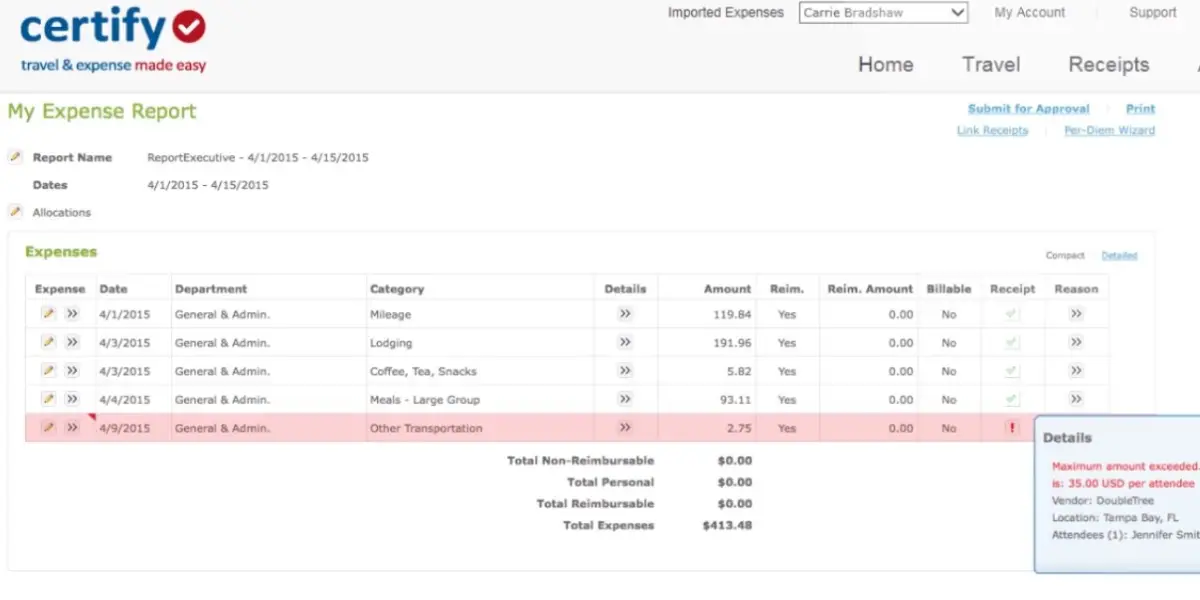
- Automated expense report creation screenshots of Certify
Screenshot of Certify
Pricing
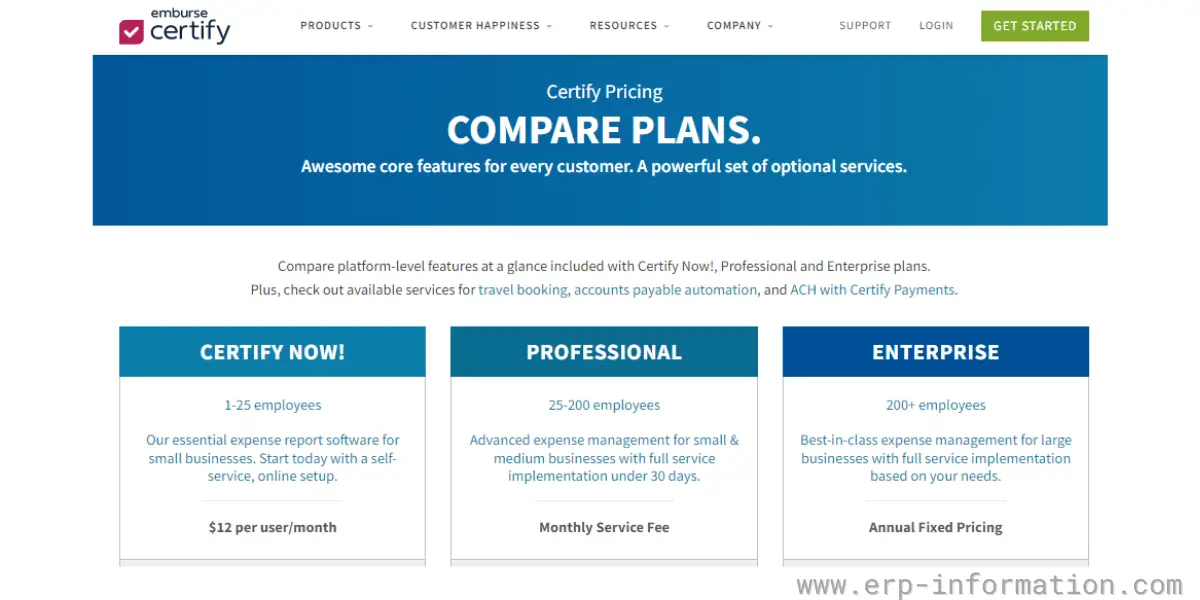
It offers three pricing plans.
- Certify now – It charges $12 per user per month, suitable for start-ups and small businesses with 1 to 25 employees. A free trial is available for this plan.
- Professional – It is suitable for small and mid-sized businesses with 25 to 200 employees. For pricing details, you need to contact the vendor.
- Enterprise – It is for large businesses with more than 200 employees. For pricing details, you need to contact the vendor.
Likes
- Implementation of the software is straightforward
- Software is intuitive and affordable for small businesses
- It provides mobile apps
- Efficient expense report
- Excellent phone app
- Highly customizable
- Extremely easy to use
- Able to export the data
- Easy to import into the accounting system
- Customer service is extremely helpful and quick to respond
- Supports multiple languages and currencies
Dislikes
- You need to pay separate charges for travel and reimbursement features.
- The direct link between Certify and our accounting system is not available
- Approval mapping is challenging
- Substandard navigation
- Poor After-sales support
- Not all credit card programs are supported
- Integration with other programs is complicated
- Never provides clear instructions for using the app
- Switching between currencies is complicated
- Slow on busy expense days
- Sometimes the autofill is incorrect
Other details
| Deployment | Cloud, SaaS, Web-based |
| Supported devices | Mobile – Android, Mobile – iPhone, Mobile – iPad |
| Support | FAQs/Forum, 24/7 (Live rep), Phone Support, Email/Help Desk, Chat, Knowledge Base |
| Training | Live Online, Documentation, Videos, In Person, Webinars |
| Customer reviews | Capterra: 4.7 out of 5 (1270+reviews), G2: 4.5 out of 5 (1709+reviews) |
User opinion
Certify is an expense management software with easy-to-use mobile apps. The software provides complete visibility into spend management and supports multiple currencies and languages. As a result, businesses can get reimbursements and create reports very quickly.
2. Expensify
Expensify is a cloud-based software for unlimited receipt tracking and expense management. It allows users to track their expenses and submit reports online.
Expensify offers corporate plans for businesses that need to manage expenses for multiple employees and also plans for individuals and self-employed.
Features
- Receipt scanning
- Credit card import
- Multi-level approval workflows
- Corporate card reconciliation
- Accounting, HR, and Travel integration
- Multi-level coding
- Advanced tax tracking
- Audit and compliance
- Deligated access
- Compliant security
Pricing
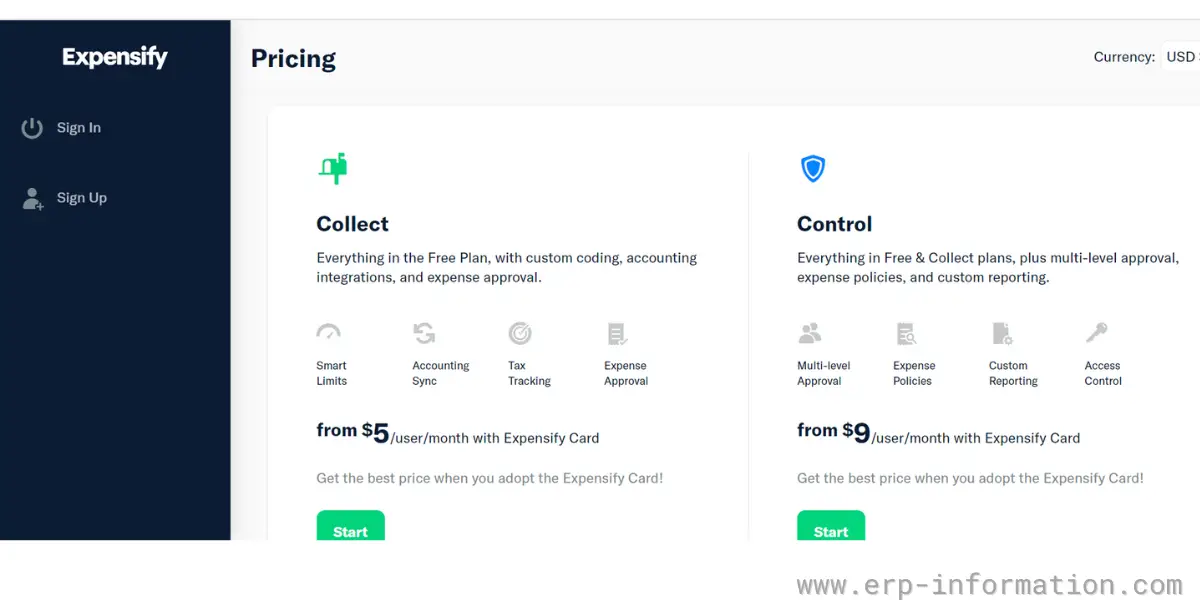
It offers three plans for businesses and 2 for individuals and self-employed.
Plans for businesses
Free – It is entirely free of charge
Collect – It starts from $5 per user per month with an Expensify card
Control – It starts from $9 per user per month with an Expensify card
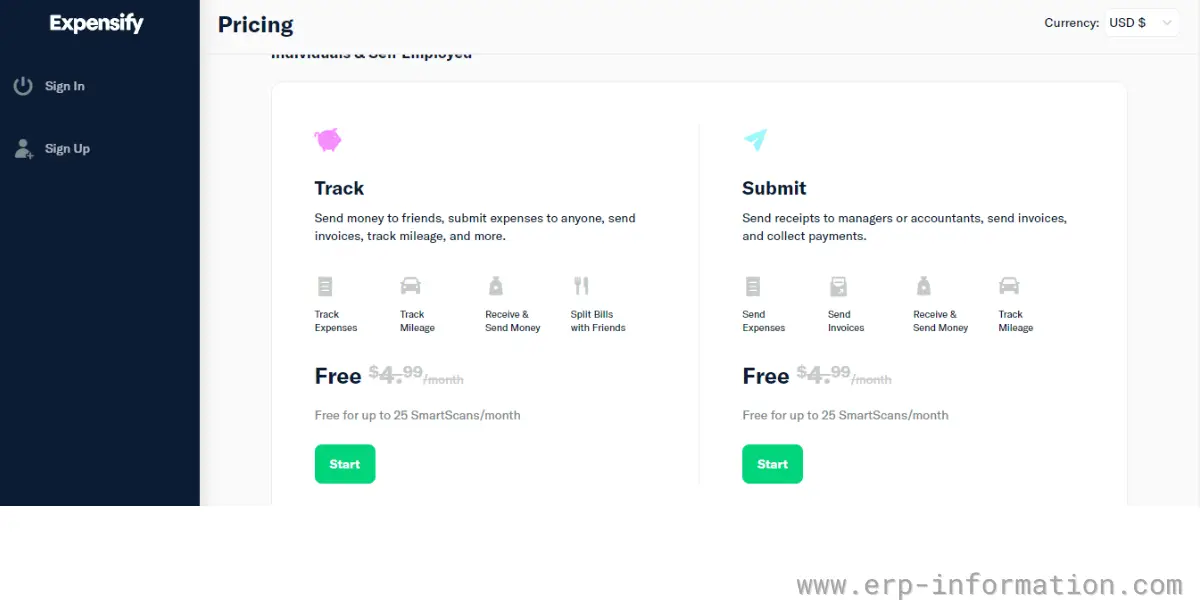
Plans for individuals and self-employed
Track and submit – For both, the charge was $4.99 per month before. Now, these are entirely free of charge.
Likes
- It captures the details in the expense automatically.
- It provides world-class security.
- Easy to reimburse employees timely
- Easy to split expenses between departments
- Easy to enter an expense
- Easy to choose the category
- Easy Upload receipts
- User friendly
- The software can be easily accessible from any device with an internet connection
Dislikes
- The software is not suitable for enterprises
- Pricing will be confusing
- Unavailability of email notification on submitting an expense report
- Poor expense summary report
- Poor customer service
- Substandard integration with endpoint mailer ecosystem
- Submitting reports is confusing
- The default expense payer is glitchy.
- Poor Report labeling
- The ability to add a picture to a report is somewhat clumsy
- Multiple-project or client billing is complicated
- Poor tracking of workflow
- The smart scan feature fails or freezes for a long period
Other details
| Deployment | Cloud, SaaS, Web-based |
| Supported devices | Mac, Windows, Chromebook Mobile – Android, Mobile – iPhone, Mobile – iPad |
| Support | Phone Support, Email/Help Desk, Chat, FAQs/Forum, Knowledge Base |
| Training | Live Online, Documentation, Videos, Webinars |
| Customer reviews | Capterra: 4.4 out of 5 (1039+reviews), G2: 4.5 out of 5 (4707+reviews) |
User opinion
The software integrates accounting, HR, and practice management. For example, it integrates with QuickBooks, Sage Intacct, Oracle NetSuite, FinancialForce, Workday, etc. In addition, its receipt management app helps you to review resubmitted expenses and manages corporate spending.
Overall, it is an excellent software for expense management with a free plan and multiple features.
3. Rydoo
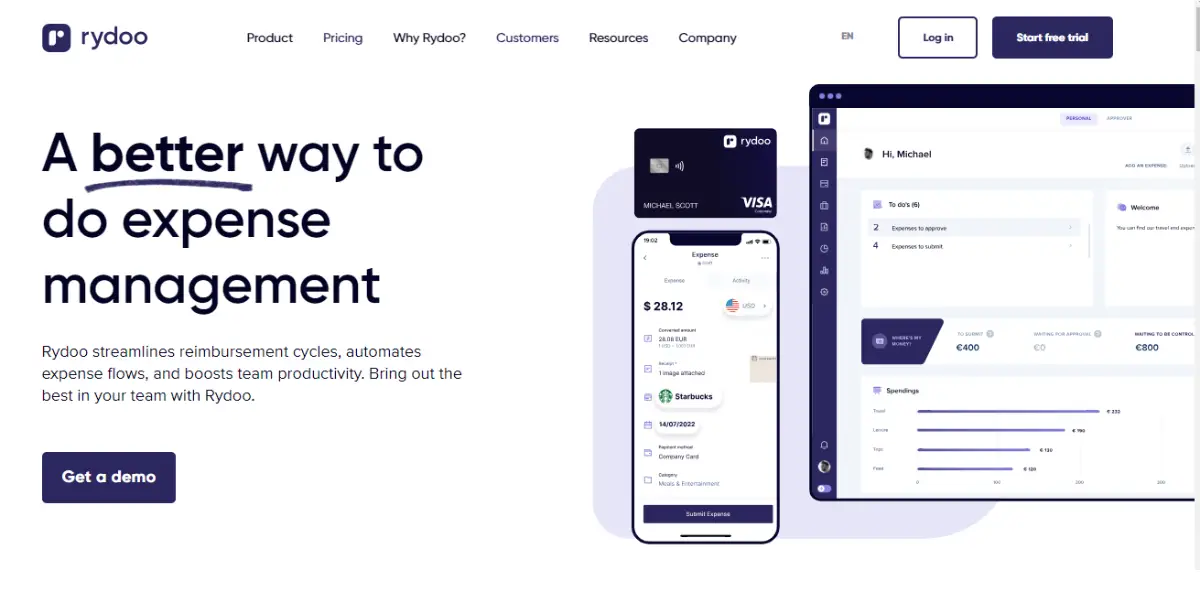
With Rydoo expense report software, you can easily automate the process of submitting claims to their reimbursement. This application saves time for both the employees and the finance team.
It provides plans for five users to 500 users. The Users can snap and manage expenses anywhere, making the expensing process fast and easy.
Features
- Automated expense approvals
- Pre-set dashboards per project per branch per employee
- Built-in local compliance
- Per Diem management
- Mileages
- Expenses in real-time
- Receipt scanner
- Expenditure report
- Integration with work tools like Uber, SAP, MasterCard, Oracle NetSuite
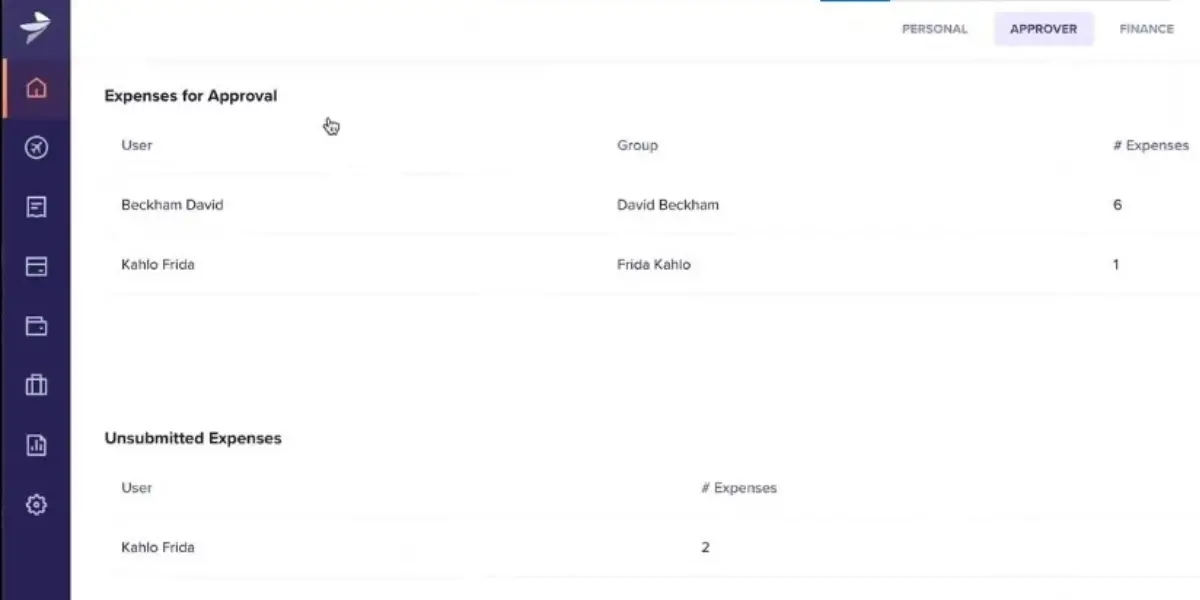
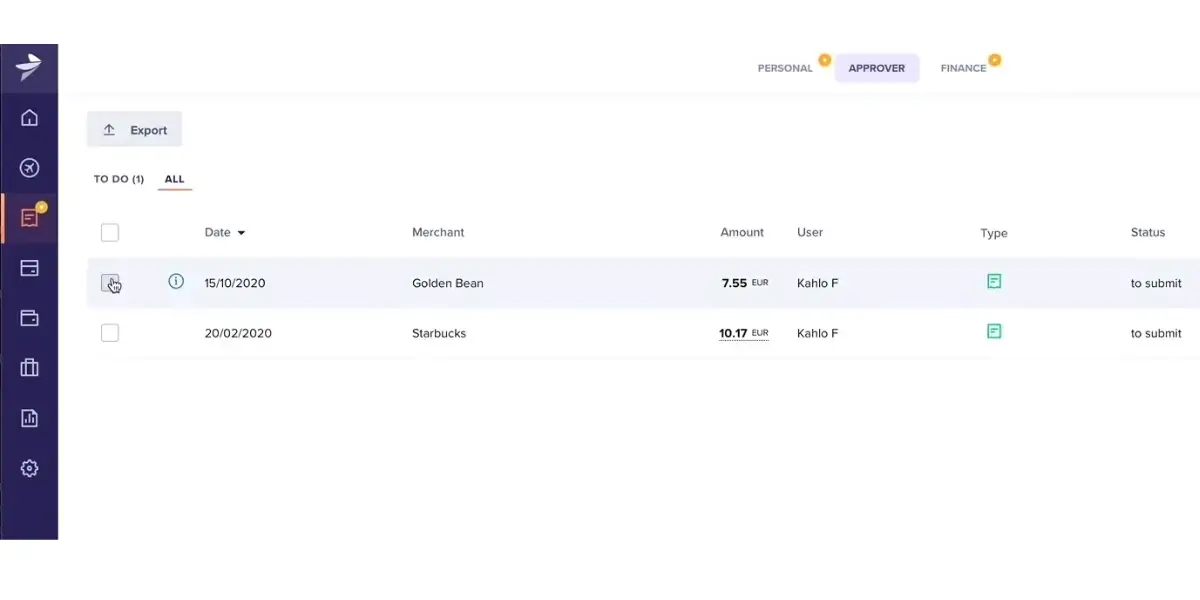
Some screenshots of Rydoo
Pricing
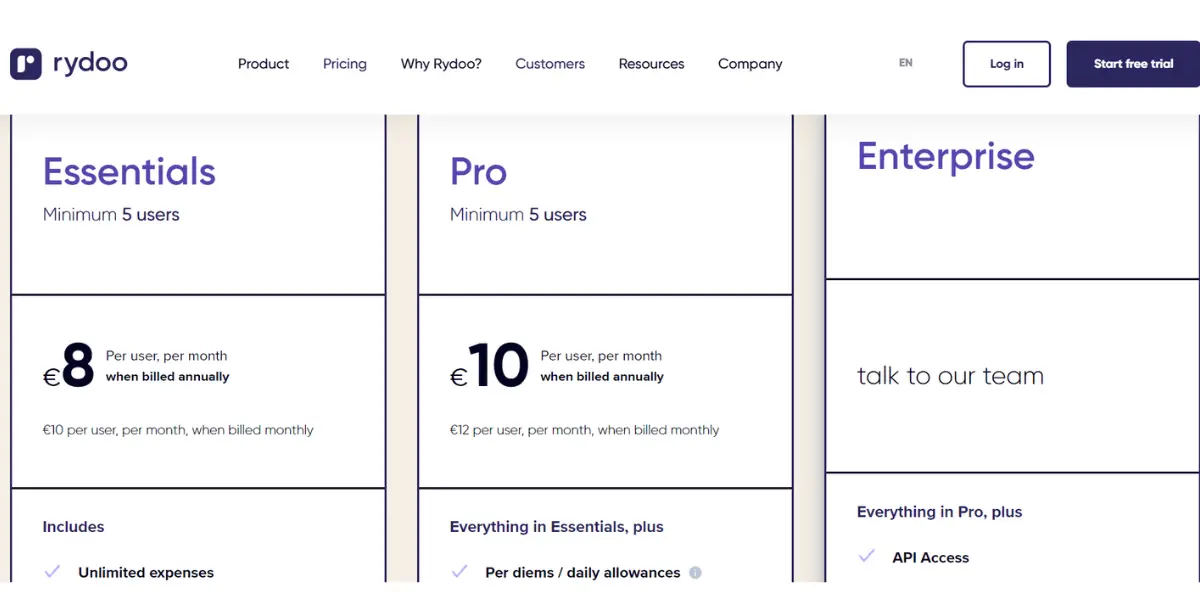
Rydoo sells four plans, not three, and each self-service tier carries a minimum user count that the headline rate does not show. Verified against Rydoo’s own pricing page on 14 August 2026; the per-user figures below were already correct on this page and are unchanged.
- Essentials – 8 Euros per user per month billed annually, or 10 Euros billed monthly. Also published as $9 and $12, and 8 and 10 Pounds. Minimum 5 users.
- Pro – 10 Euros per user per month billed annually, or 12 Euros billed monthly. Also published as $11 and $14, and 10 and 12 Pounds. Minimum 5 users.
- Business – quoted individually, minimum 30 active users.
- Enterprise – quoted individually, minimum 50 active users.
The five-user minimum means the real entry price for Essentials is 40 Euros a month, not 8, so a three-person finance team pays for five seats either way. Rydoo is also the one product here that publishes in euros, dollars and pounds side by side, which makes it easier to compare honestly if you are outside the United States.
Likes
- It supports multiple languages.
- It provides a clear and fresh user interface, easy-to-use receipt capture, and receipt submission.
- Easy to use
- Simple user interface
- Uploading expense reports is easy
- It automatically fetches data from the scanned bill
- Clean interface
- Different ways to create an expense
- Straightforward to use
Dislikes
- Telephone support and API access are available only for enterprise plans.
- Poor Support responsiveness
- Substandard flexibility in setting approval flows
- Export specific items from Rydoo to QBO is challenging
- Accounting is slow and cumbersome
- Issues with reading the App status as expenses are not categorized by status
- Sometimes the software runs slowly
- Takes a long time to upload reports
- Hard to see expenses once they’ve been reimbursed
- The approval process is not transparent for end-user
Other details
| Deployment | Cloud, SaaS, Web-based |
| Supported devices | Mac, Windows, Chromebook Mobile – Android, Mobile – iPhone, Mobile – iPad |
| Support | Phone Support, Email/Help Desk, Chat, FAQs/Forum, Knowledge Base |
| Training | Live Online, Documentation, Videos, Webinars |
| Customer reviews | Capterra: 4.4 out of 5 (1039+reviews), G2: 4.5 out of 5 (4707+reviews) |
User opinion
Rydoo is user-friendly software with a 14-day free trial. You can try it out before deciding which plan to choose. It provides wonderful scanning technology that helps you extract relevant information and retrieve it when needed.
It aims to simplify the expense management process. The platform offers real-time approval flows and smart reporting, making it convenient for employees and finance teams.
4. Emburse Abacus
With its intuitive user interface, the Emburse Abacus expense report software is an excellent option for businesses. It is easy to use and helps companies track their expenses to stay on budget.
Note that this is the same vendor as entry number one on this list. Emburse acquired Abacus in 2018 and Certify in 2019, and Certify now trades as Emburse Professional. Abacus keeps its own name with the Emburse prefix. The practical difference is positioning rather than ownership: Abacus is built around real-time expense capture and card spend, while Emburse Professional is the broader mid-market expense and travel suite.
It leverages data and behavior analysis to automate the creation and approval of expenses in real time. It optimizes expense workflows, allowing administrators to focus on anomalies and high-priority items.
Features
- Automatic generation of report
- Capturing accurate expense data
- Automation of expense policy and approval
- Instant visibility into spending and budgets
- Employee reimbursement
- Mileage tracking
Pricing
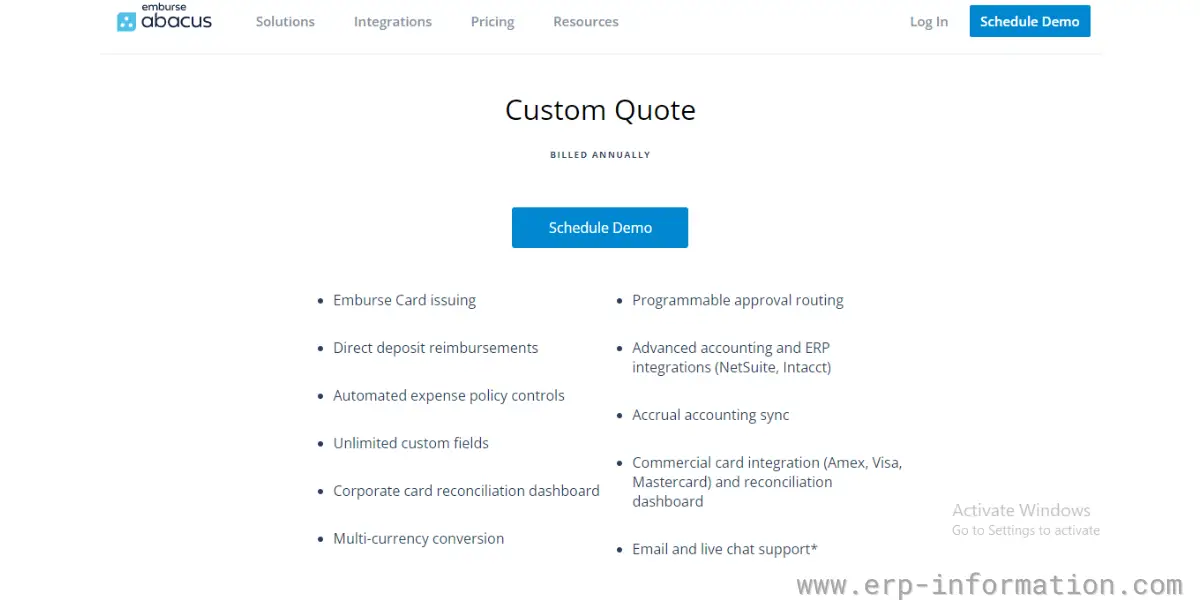
You need to get a custom quote.
Likes
- Easy-to-use interface
- You can have better control over each expense
- Easy and quick reimbursement
- Employees can easily submit the expenses from anywhere at any time
- It’s easy to use.
- Integration with Intacct is good
- Simple to use
- Training is easy
- Users can understand the software easily
Dislikes
- Sometimes mobile application tends to freeze
- The description of the receipts’ character limit is very short.
- Sometimes you will get delayed notifications
- Support is lacking
- Some issues with the mobile application
- Difficult to utilize practically.
- Installation and configuration require more effort
- Software is updated frequently with many unresolved issues
- Bugs in the Software after updates
- Not calculating customer account sales correctly
Other details
| Deployment | Cloud, SaaS, Web-based |
| Supported devices | Mac, Desktop – Windows, Android, iPhone, iPad |
| Support | Phone Support, FAQs/Forum, 24/7 (Live rep), Email/Help Desk, Chat, Knowledge Base |
| Training | Live Online, Documentation, Videos, In Person, Webinars |
| Customer reviews | Capterra: 4.4 out of 5 (57+reviews), G2: 4.5 out of 5 (1060+reviews) |
User opinion
Emburse Abacus is most suitable for mid-sized businesses. It provides unlimited custom fields and multi-currency conversion.
It provides comprehensive implementation packages and integrates with basic accounting tools like Quickbooks and Xero. It provides proactive recommendations, flagged expenses for review, and automatic management of recurring expenses within policy guidelines.
5. ExpensePoint
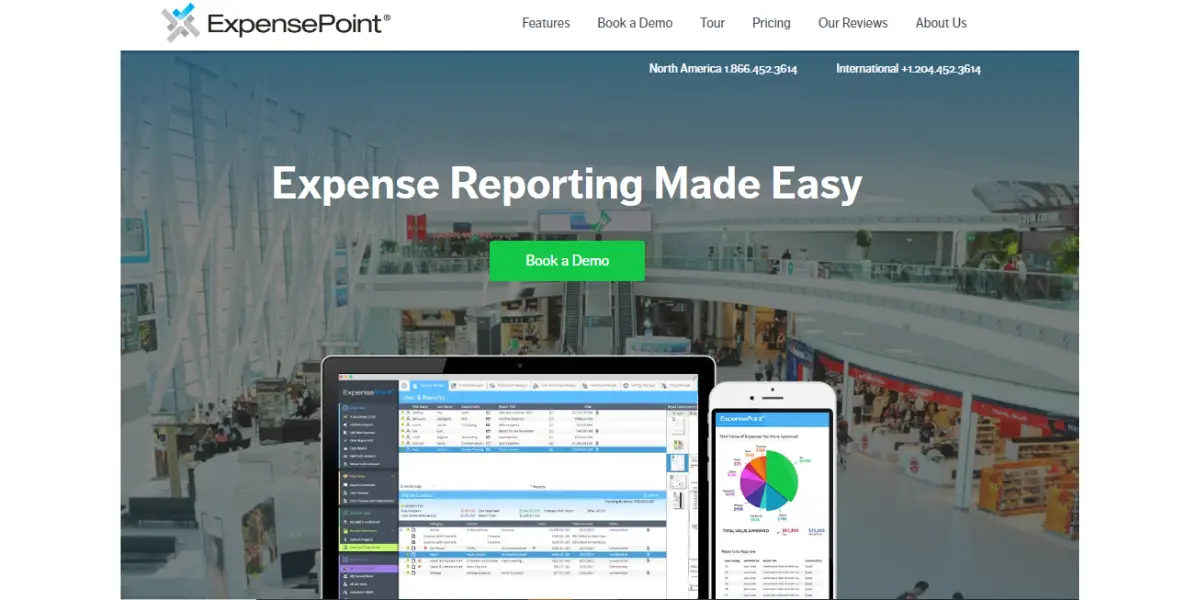
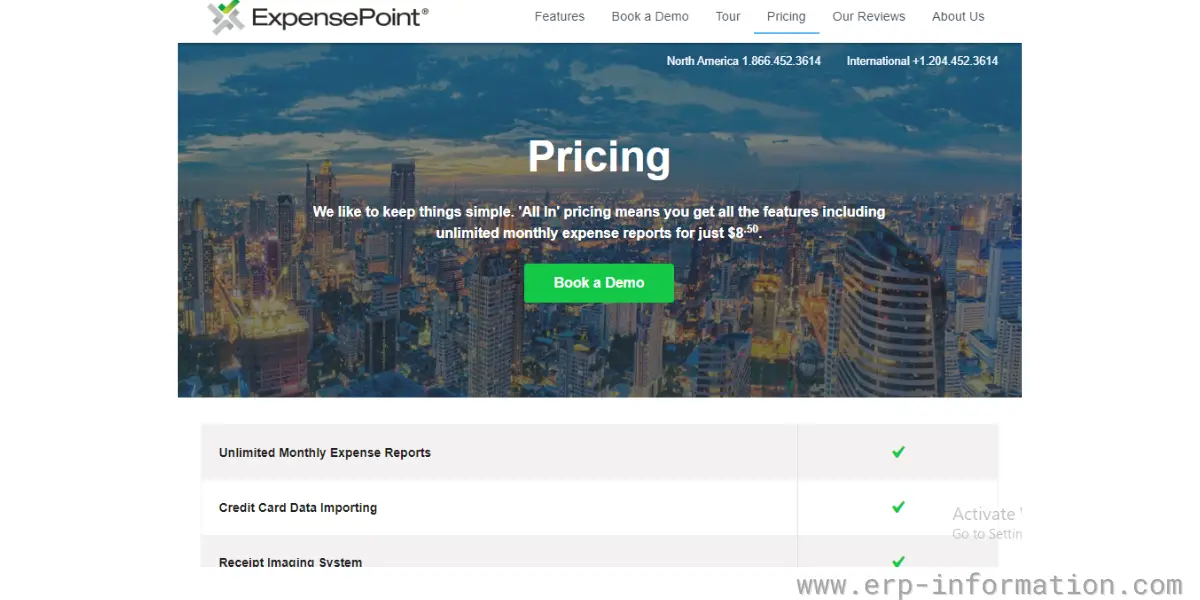
ExpensePoint is a cloud-based software that helps users manage their expenses. It offers a variety of features, such as automated expense reporting, receipt scanning, budgeting tools, credit card integration, approval routing, and auto GPS mileage tracking to simplify expense management.
It is suitable for businesses of all sizes. The platform empowers employees to easily create, submit, approve, and process expense reports from any location worldwide.
Features
- Mileage tracking
- Receipt imaging system
- Credit card integration
- Multi-currency system
- Data integration
- Analyze spending data
- Employee reimbursement
- Security and Compliance
Pricing
ExpensePoint has stopped publishing a per-user price. Its pricing page now says cost varies with team size and usage and asks you to request a quote, so the $8.50 per user per month figure this review carried is kept only as a record of what was published at the time. Treat it as dated and confirm with the vendor. Checked 14 August 2026.
The more useful number is the one it does publish: ExpensePoint is aimed at teams from about 25 users up to 2,000 and beyond, so it is not built for a five-person company however attractive the old per-user rate looks. Onboarding, training and live support are included rather than charged as an implementation fee, which is unusual in this category and worth weighing against a cheaper headline rate elsewhere.
Likes
- It provides a multi-currency reporting system
- It provides automatic currency conversion
- Easy to use
- Allows receipts to be entered via drag and drop
- An efficient way to submit expenses
- Efficient reporting skills
- Powerful training tool
- Helps with onboarding and live updates
- Very accurate, and the re-read function guarantees
Dislikes
- The process will be delayed for disapproved items
- It did not provide a travel management feature
- User permission configuration is confusing
- Unable to automatically live feed credit card into the program
- Unable to re-enter their credentials in order to utilize the feature
- The interface is confusing
- Difficulty in navigation
- Poor adaptability and flexibility
- Non-intuitive
- Doesn’t have a self-customization function
- Calculations are not always correct
Other details
| Deployment | Cloud, SaaS, Web-based |
| Supported devices | Mac, Linux, Chromebooks, Windows, Android, iPhone, iPad |
| Support | FAQs/Forum, Email/Help Desk, Phone Support, Knowledge Base, Chat |
| Training | Live Online, Documentation, Videos, Webinars |
| Customer reviews | Capterra: 4.9 out of 5 (307+reviews), G2: 4.8 out of 5 (50+reviews) |
User opinion
The software provides you with free setup, training, and free support forever. It allows you to create multiple expense reports. It also offers offline report creation. The software can streamline the employee expense report process.
Overall, it is a great software with all the necessary features to manage your expenses.
6. SAP Concur
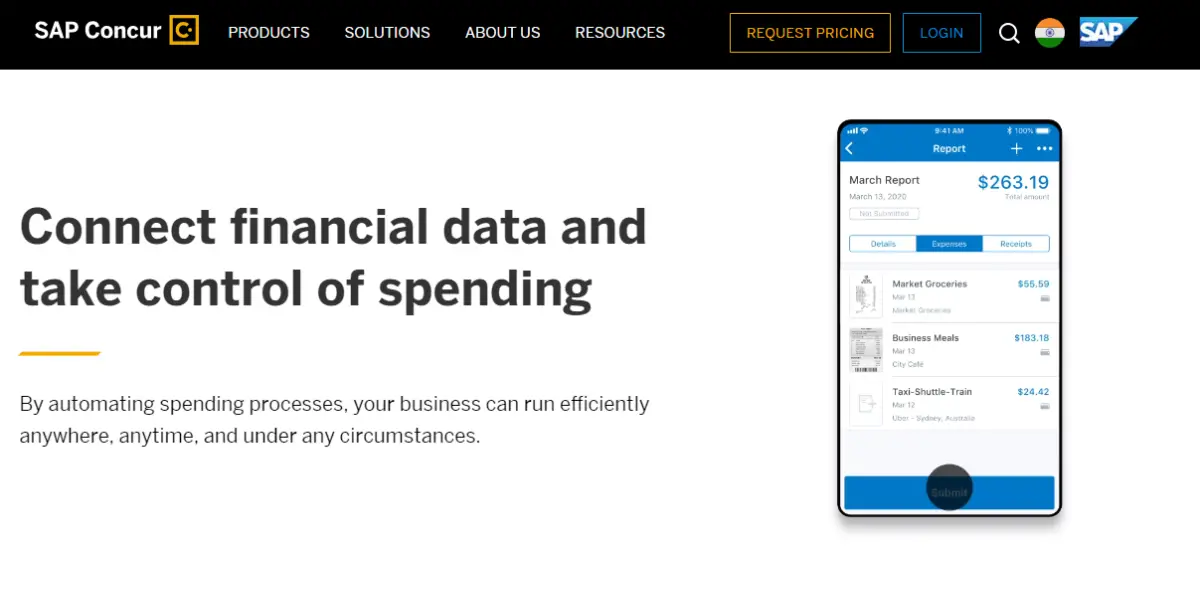
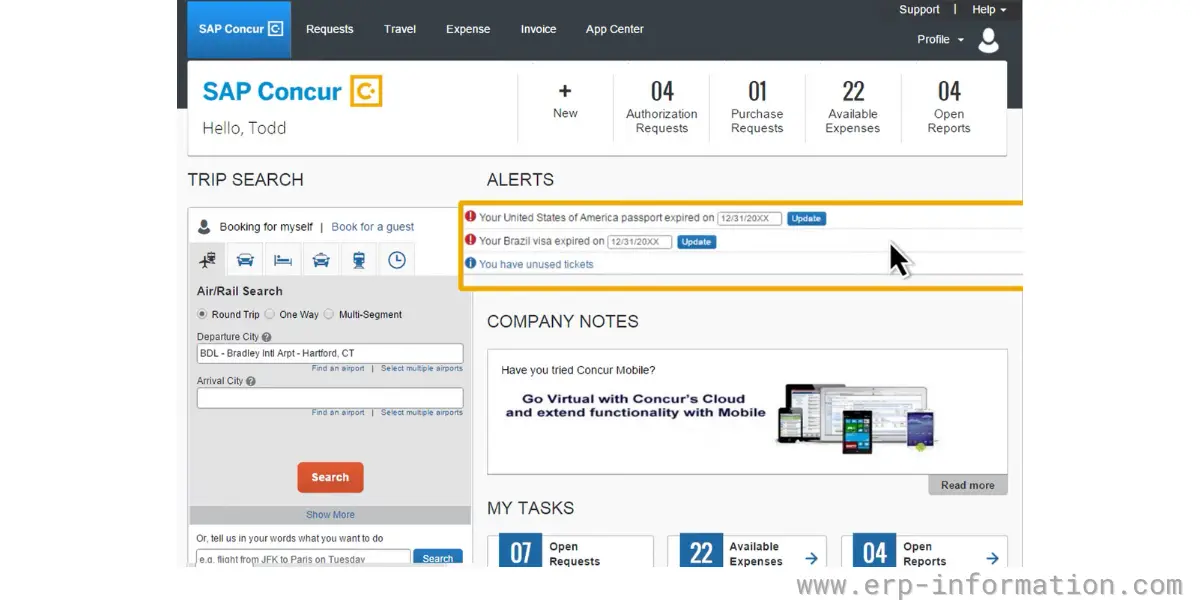
SAP Concur is a comprehensive reporting system. It provides travel, invoice, and expense management solutions. You can easily make decisions with the help of accurate data and reimburse employees very quickly.
Features
- All expense data in one place
- Automatic capture of receipts and process reports
- Credit card integration
- Employee reimbursement
- Mobile apps
Screenshot of SAP Concur
Pricing
Not provided on the official website of the vendor.
Likes
- It helps to reduce fraud and reporting errors
- It eliminates manual data entry
- Simple user experience
- Easy to create and manage expense reports
- Excellent Reimbursements and approvals
- Easy Integration with credit card companies
- Easy-to-use associate receipts
- Immediately scans receipts
Dislikes
- Sometimes the receipt scanning will not be accurate.
- Page error occurs while loading and accepting the information
- Difficulty in fixing the trouble in workflow
- The ticketing system is inefficient
- Complicated workflow
- It has mobile apps for Android and iOS devices
- Interface is messy
- Does not allow the attachment image for various expenses
- Slightly buggy and takes time to load
- Poor integrations
- Lack of functionalities
- Dissatisfied with the expense approval process
User opinion
SAP Concur is good software for expense management. It provides good insights into all expense categories. It helps you to improve your compliance and supports multiple languages.
It simplifies the booking process, tracks expenses, and enables an effortless population of charges into expense reports. The invoice management solution automates the approval process, eliminating the need for manual review and streamlining the payment process.
TripActions no longer exists under that name. The company rebranded to Navan on 7 February 2023, folding travel, corporate cards and expense into one platform, and the expense product is now sold as Navan Expense while the travel side became Navan Business Travel. Searching for TripActions will redirect you to Navan.
It automates the steps of the expense process and also covers travel and invoice management, and the combination is the reason to look at it: it is aimed at companies that want travel booking and expense in one system rather than two integrated ones. If your spend is mostly non-travel, that strength counts for less.
It is a comprehensive solution that combines travel, corporate card, and expense management functionalities.
It offers unparalleled visibility and control over expenses. It provides real-time data to ensure the safety of traveling employees, reduce costs, and enhance productivity.
Features
- Automatic receipt capture
- Custom approval flows
- Expense reimbursement
- Dashboard for all expenses
- Real-time reporting and spend visibility
- Automated report
Pricing
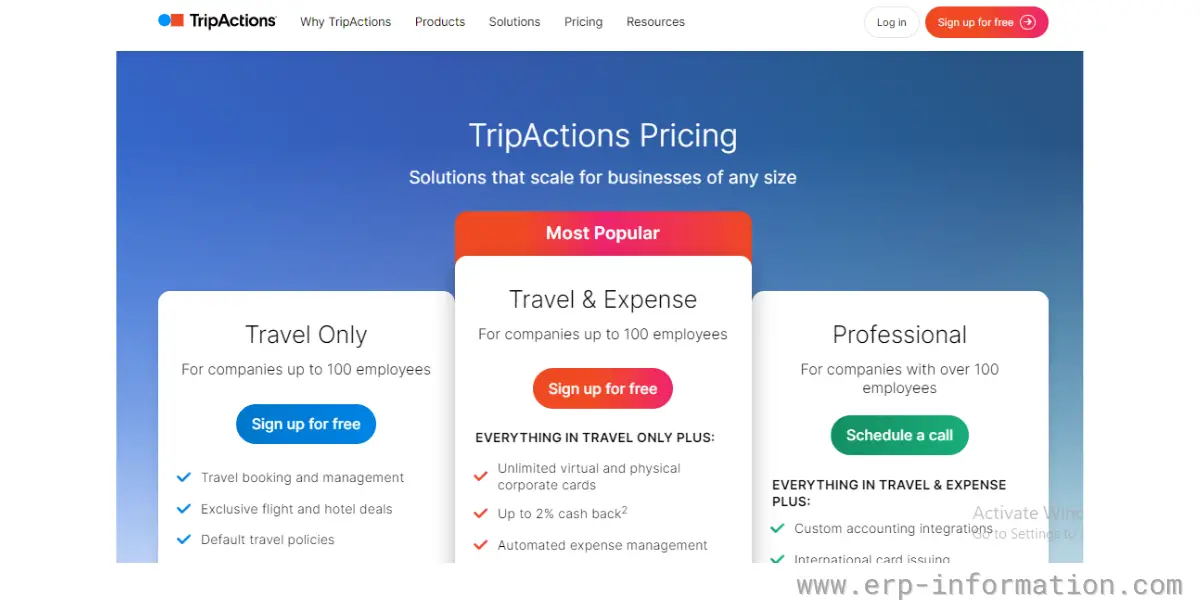
The software provides three plans
- Travel only
- Travel and Expense
- Professional
You can sign up free for travel only and Travel$Expense plans. For a professional plan, you need to contact the vendor.
Likes
- It is an easy-to-use and user-friendly software.
- It provides control and visibility into spending management
- User-friendly interface
- Good customer service
- Easy to manage
- Efficient auto-calendar feature
- Fast and easy to send expenses
- It provides good customer service
Dislikes
- Sometimes expenses submit after a few entries leaving some fields empty. This leads to inaccuracy.
- Slightly buggy and takes time to load
- Poor integrations
- Lack of functionalities
- Expense approval process much satisfactory
User opinion
TripActions provides extraordinary support to its customers. It provides 24/7 automatic support. The software is user-friendly with multi-language support.
It is an all-in-one solution that simplifies travel and allows one to focus on the destination rather than the logistics of getting there. It gives companies real-time visibility, cost savings, and control over travel expenses.
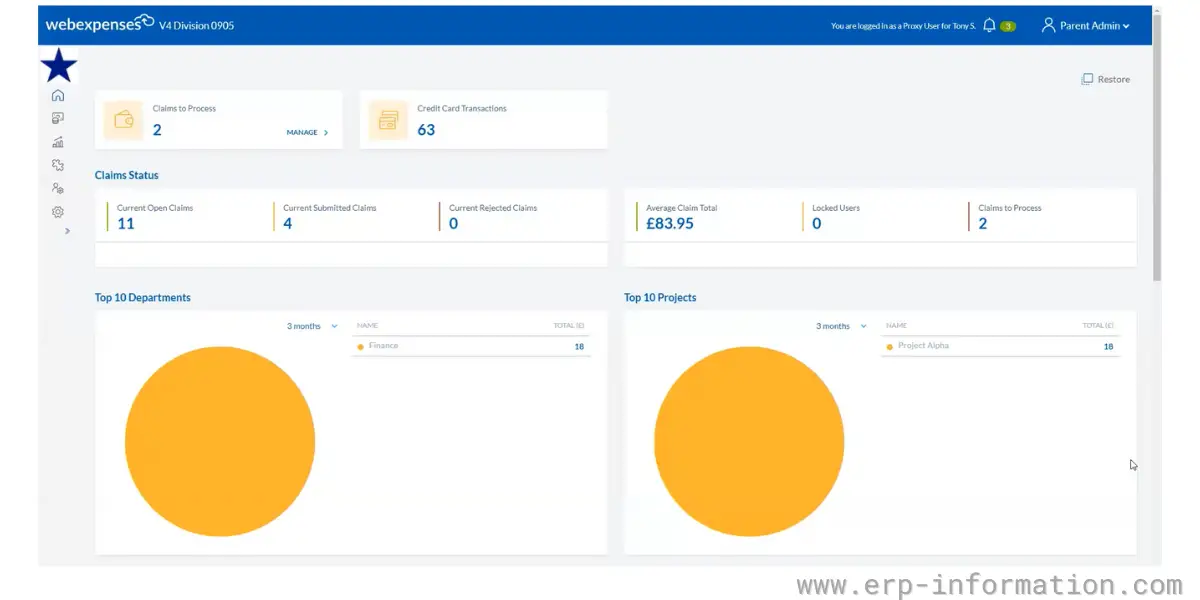
8. webexpenses
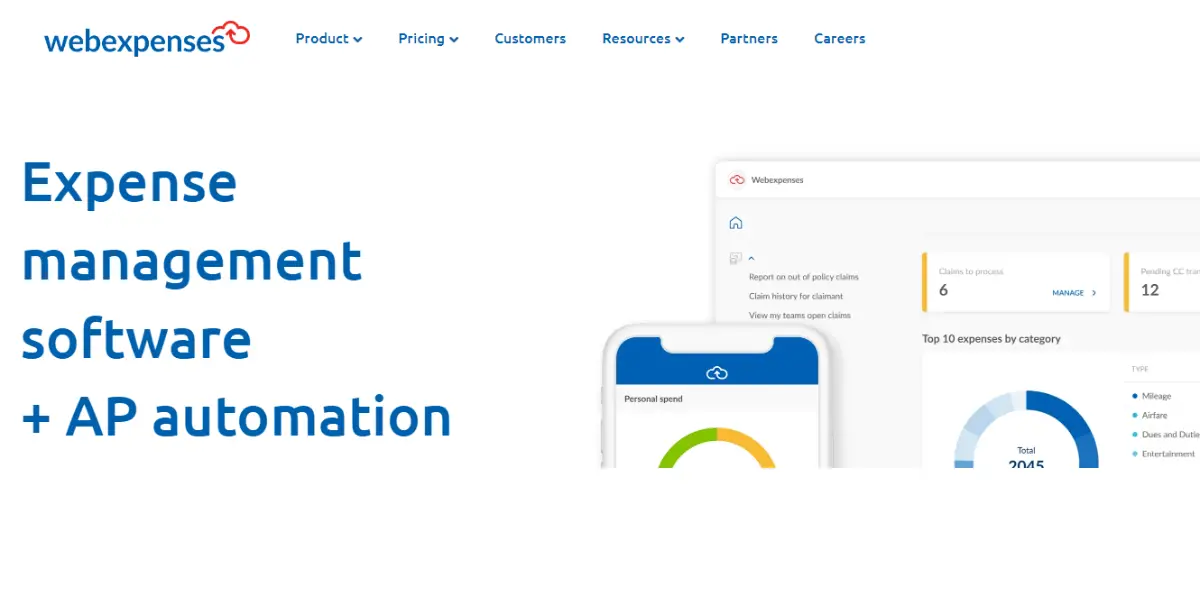
It is a cloud-based expense management software. It also provides solutions for travel and invoice processing. It provides expense reporting and enhances expense tracking.
It simplifies the receipt-to-reimbursement process by automating tasks. It enables firms to manage travel bookings, automate expense report submission, streamline approvals, accelerate reimbursements, and track expense claims in real-time.
Features
- Expense reports
- Receipt capture
- Employ reimbursement
- Integration with over 50 accounting systems
- Business expense app
- Mileage tracking
- Automated policy compliance
- Corporate card matching
- Petty cash management
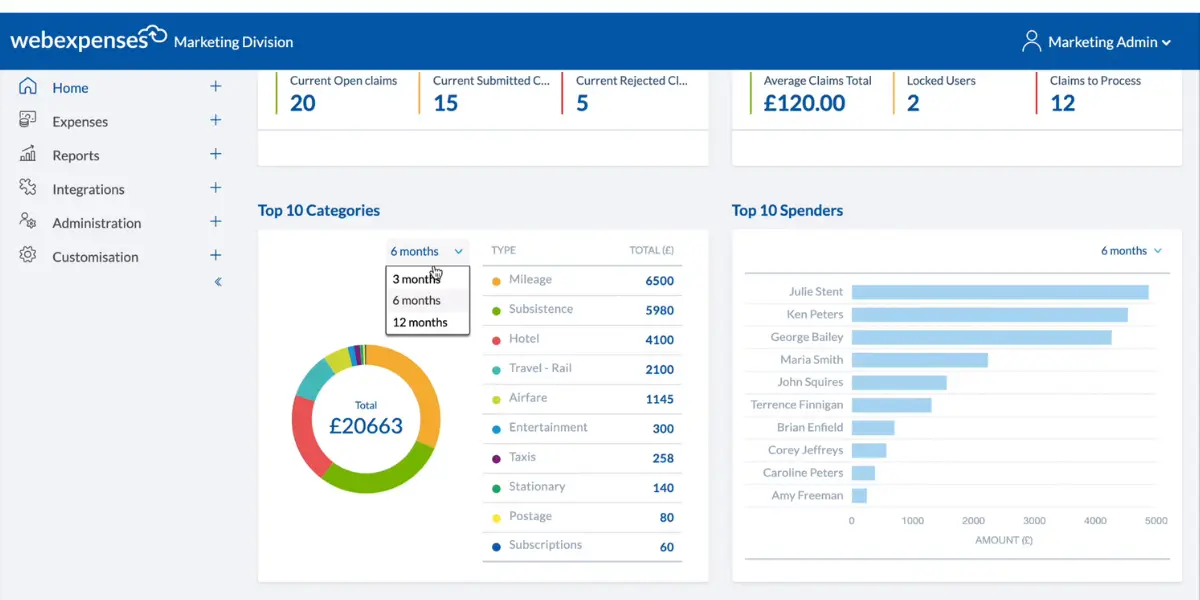
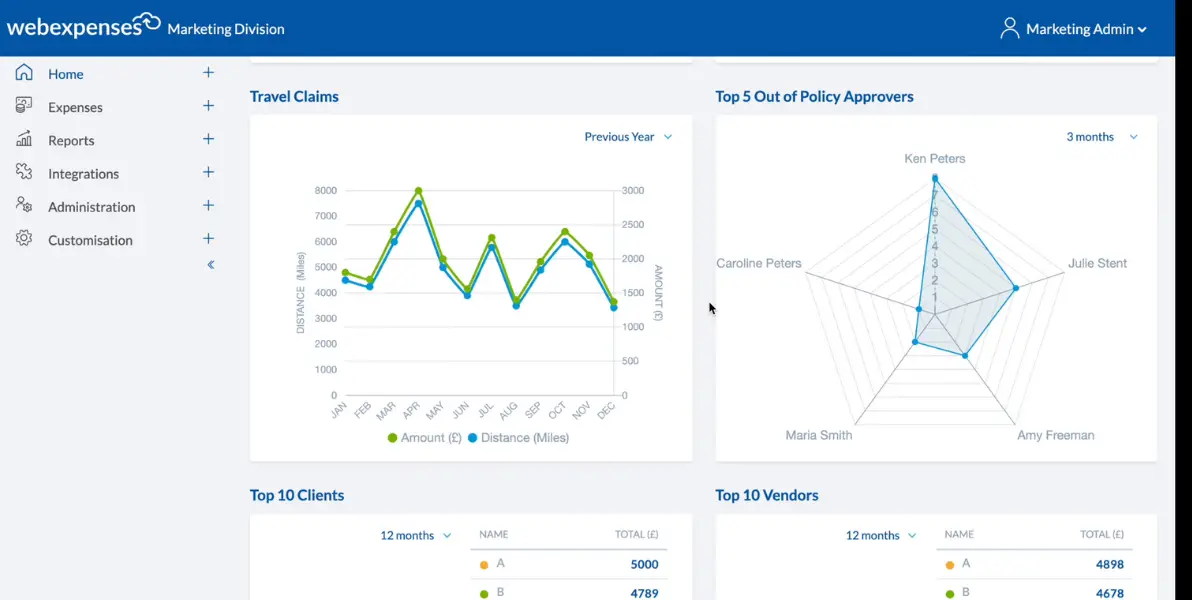
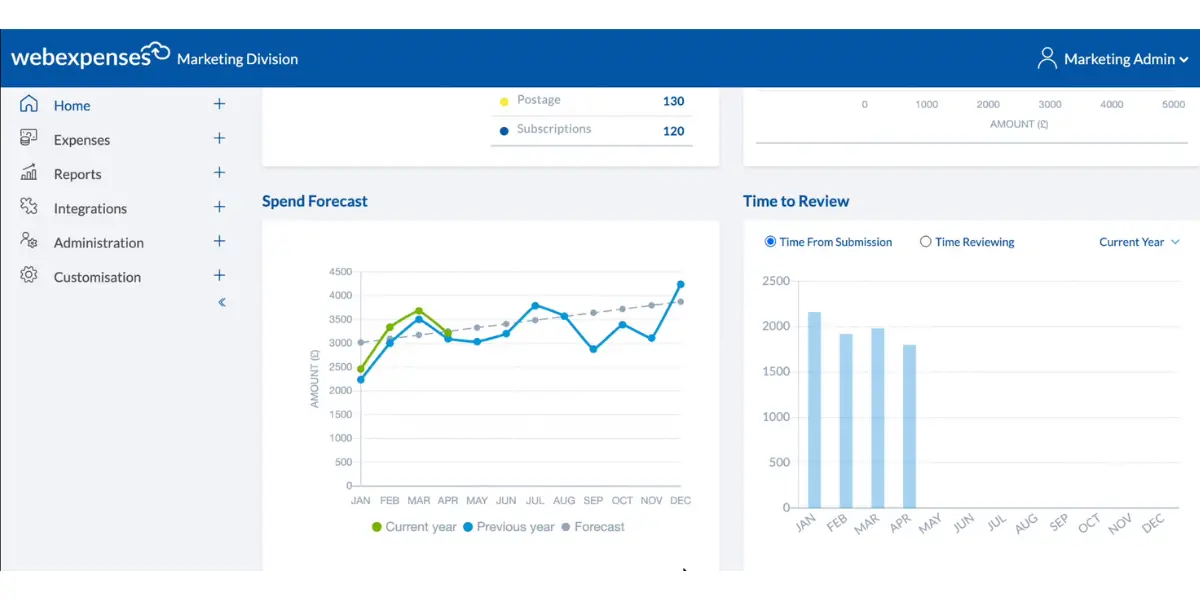
Some screenshots of webexpenses
Pricing
To get pricing details, you need to get custom quotes
Likes
- Enhances control and visibility
- Creates automated reports and reduces errors
- You can manage multiple claims
- Easy to submit and track the status of expense reports
- It is very user-friendly and easy to use
- It keeps track of mileage and automatically calculates the rate
- It is easy to upload receipts and invoices
- It is quick and easy to get up to final approval before each pay period
- Efficient payment tracking
Dislikes
- Occasionally software comes slow and freeze
- Lack of rotating and zoom facility
- Lack of accuracy in location tool
- Inability to scan the receipt to add in detail
- Confusing interface
- Unreliability of the software
- Difficult to use and navigate
- Clunky interface
User opinion
It is an online expense management solution that helps you submit, approve, and get reports on expenses. It provides enormous features to streamline and manage your expenses.
It allows teams to submit, sign off, approve, and process invoices online from anywhere, eliminating up to 90% of manual accounts payable processes. Users and finance teams can automate and access the entire lifecycle of supplier invoices, improving efficiency and reducing errors.
9. Divvy, now BILL Spend & Expense
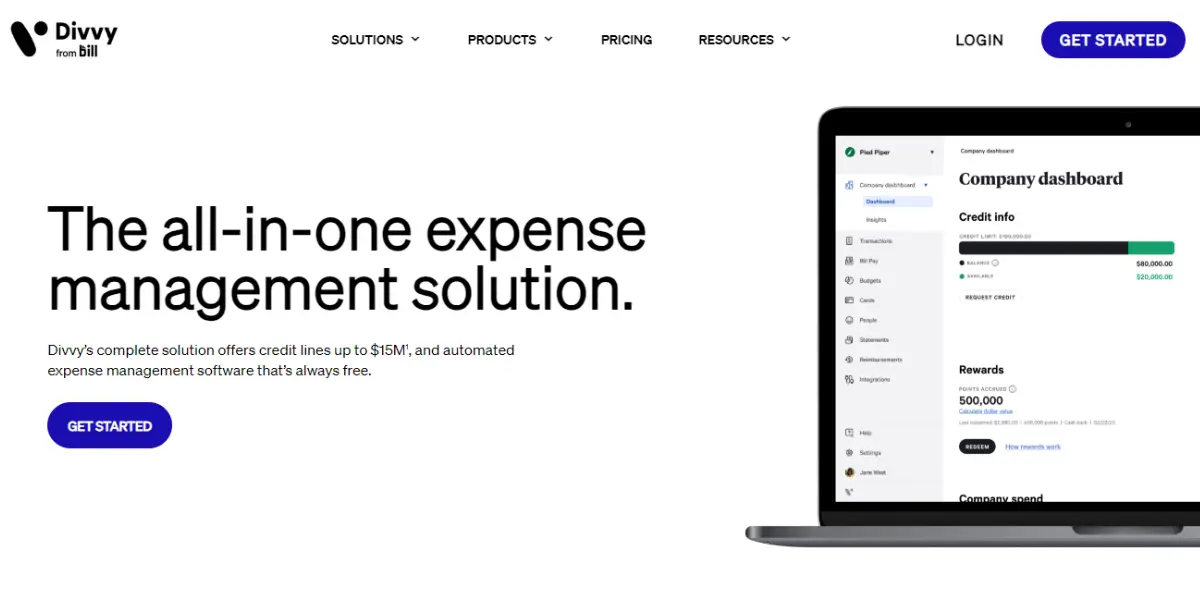
Divvy is now called BILL Spend & Expense. Bill.com completed its acquisition of Divvy on 1 June 2021 in a deal worth about $2.5 billion, and the product was renamed in September 2023. The Divvy name still appears in older reviews and in some sign-up links, but the product you buy today is BILL Spend & Expense.
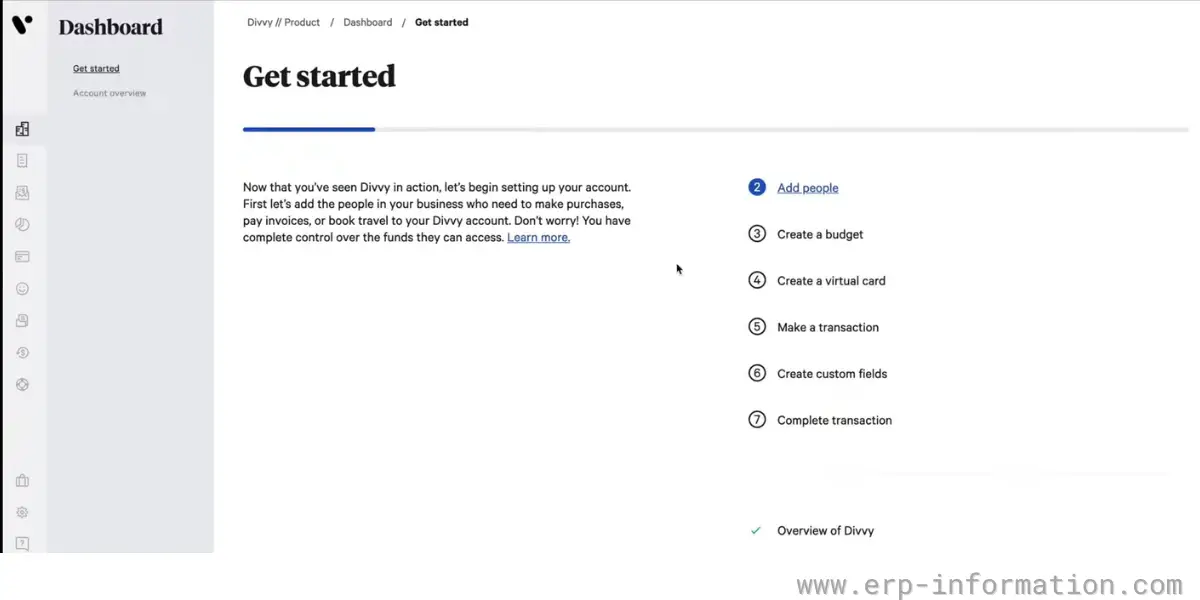
It produces expense reports with very few clicks and gives real-time visibility into spending, and it is worth a look if you already use BILL for accounts payable, since the two share an account.
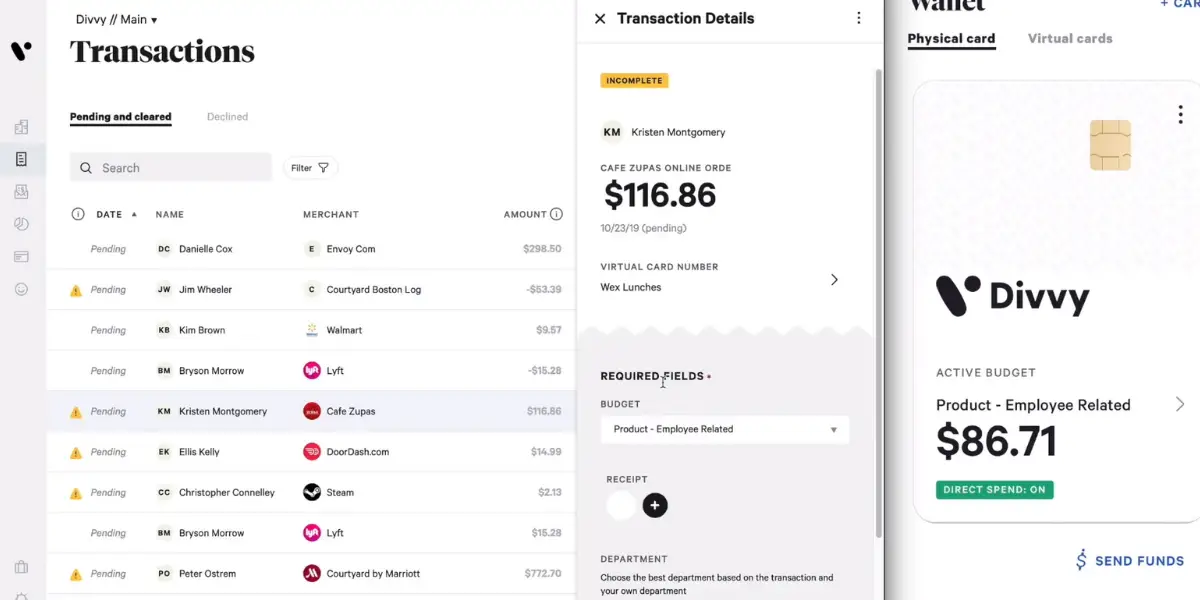
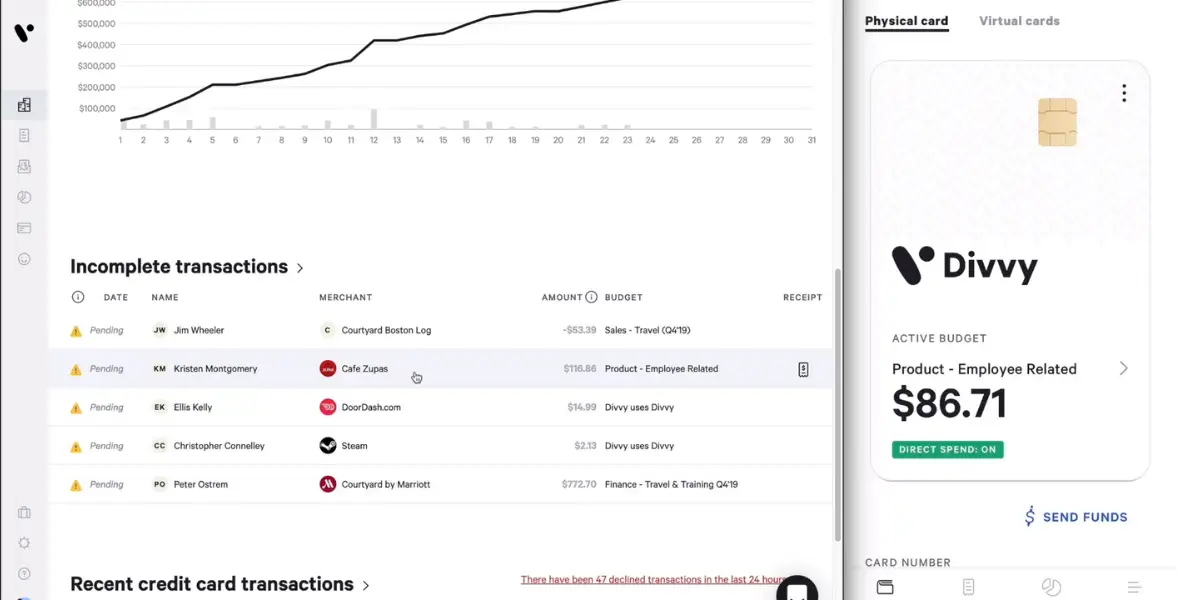
It offers a comprehensive solution for automating expense reports, improving employee spend management, managing payments and subscriptions, and tracking out-of-pocket expenses and reimbursement requests.
Features
- Virtual cards
- Reimbursement
- Rewards
- Credit builder
- Accounting integrations
- Mobile apps
- Reporting and insights
- Payments services
Some screenshots of Divvy
Pricing
The software itself is free, and that is genuine rather than a trial, but it is worth understanding why. BILL Spend & Expense is funded by the interchange revenue earned when your team spends on its corporate cards, so the model only works if you actually adopt the card. If you want expense management while keeping your existing cards or reimbursing employees from payroll, this is not a free product so much as one that does not fit. Credit approval applies, since the card carries a spending limit set against your business.
Likes
- It is free, and there are no hidden charges or contracts.
- You will get business credit cards freely for your employees
- It provides good customer support
- Easy to manage company perks
- Perform purchases very well
- Simple and clean User Interface
- Good customer service
- Simple and user-friendly
- Easily move funds around and manage budgets
Dislikes
- The initial setup will be dunting
- There is no option for splitting a transaction to come from more than one category.
- You will not get notifications or alerts when you submit a reimbursement.
- Substandard Accounting controls
- Poor integrations
- Poor onboarding process
- Statements are difficult to work with
- Getting set up and a credit line is a bit complicated
- Very limited features
User opinion
Divvy provides all the most features for expense management. It provides live transaction dashboards and integrates with many accounting systems such as QuickBooks, Sage Intact, and oracle netsuite. The software is entirely free of charge.
It simplifies processes, saves time, and provides better financial control and fraud protection for the business. It helps improve employee spending management by providing control over the business budgets.
10. Pleo
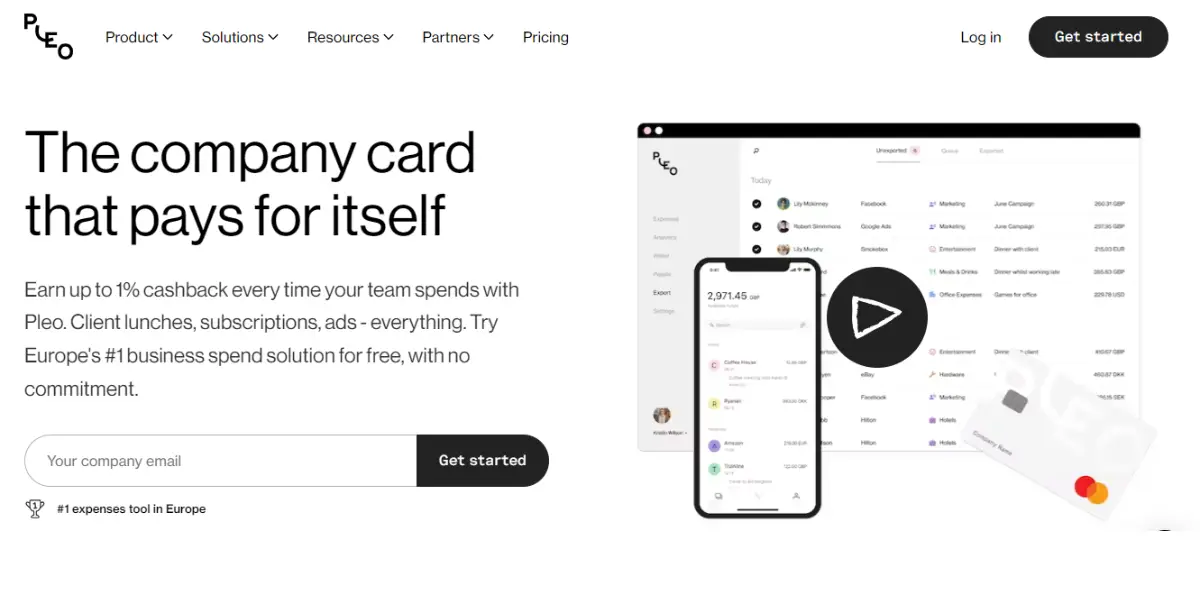
Pleo is a digital expense report software and the number one spending software in Europe. It helps businesses manage their spending. It makes it easy to track expenses, stay organized, and submit reports quickly and easily.
It provides smart company cards to employees, eliminating the need to track down lost receipts.
Features
- Automatic tracking of expenses
- Creation of report
- Receipt management
- Integration with accounting software, such as QuickBooks, Sage, and Xero
- Fast, compliant reimbursement of expenses
Pricing
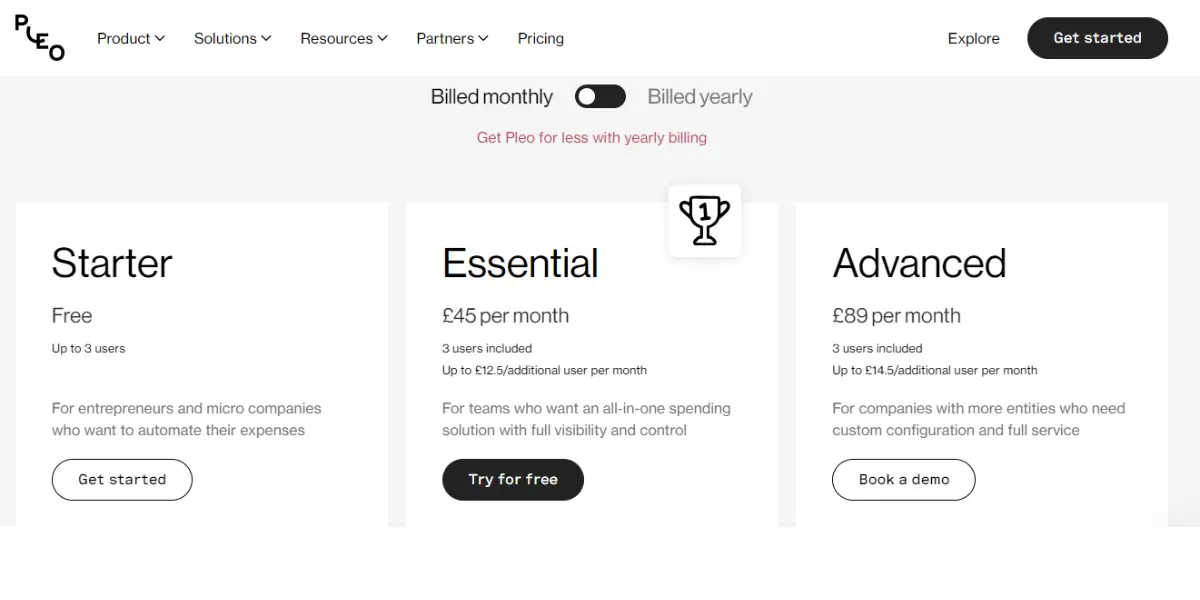
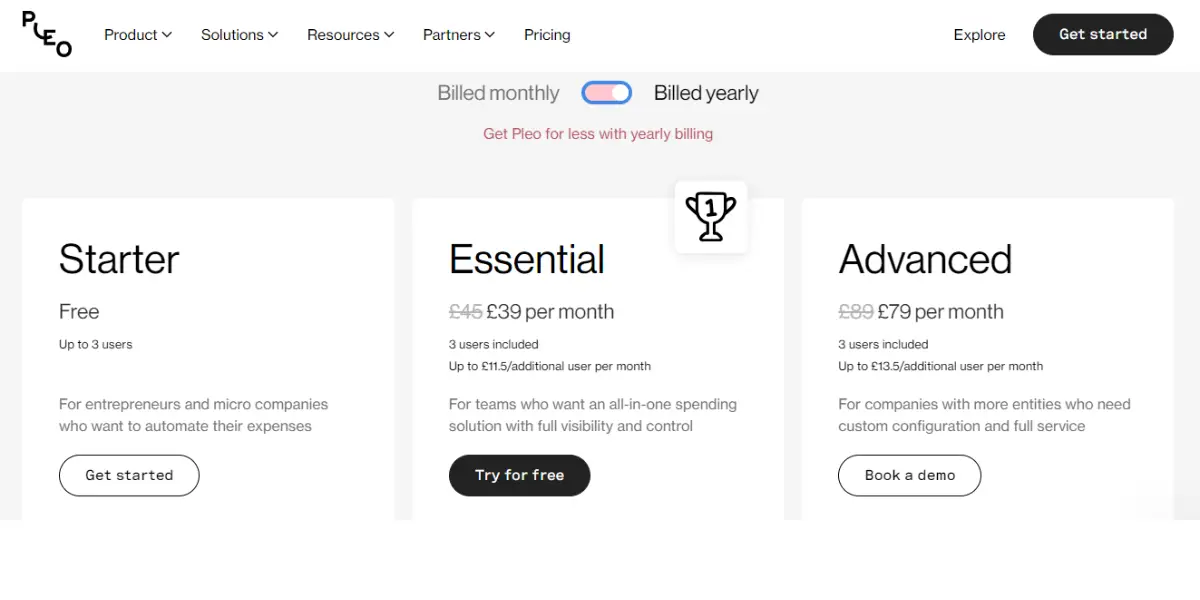
Pleo now sells four plans, and the figures previously published here were wrong in a way worth flagging: they showed the annual rate as higher than the monthly one, which had the discount backwards. Corrected against Pleo’s own pricing page on 14 August 2026.
- Starter – 9.50 Pounds per month for up to 3 users. This tier is no longer free.
- Essential – 39 Pounds per month billed annually, or 45 Pounds per month billed monthly. Includes 3 users, then 11 Pounds per additional user per month.
- Advanced – 99 Pounds per month billed annually, or 109 Pounds per month billed monthly. Includes 3 users, then 15 Pounds per additional user per month.
- Business – from 249 Pounds per month, quoted individually.
The per-user add-on is the number that decides the real bill. Every paid tier bundles only three users, so a ten-person team on Essential pays 39 Pounds plus seven extra users at 11 Pounds, which is 116 Pounds a month rather than the 39 in the headline. Price it for your actual headcount before comparing it with the per-user products on this list.
Likes
- It has an easy-to-use interface
- It provides good customer support
- User friendly
- Simple interface
- Good integrations
- Less time consuming
- Easy to learn and implement
Dislikes
- Lack of interaction with Gmail
- Sometimes, it is difficult to get receipts from Email
- Expensive
- Substandard Approval process hindrances
- Poor Real-time expense management
- Poor features
- Substandard dealings with financials
User opinion
If you’re looking for reliable and easy-to-use expense report software, Pleo is one of the options. It’s been used by more than 20,000 businesses around Europe, and it offers a free plan for up to 3 users.
It provides real-time expense visibility and complete control over your spending. An automated expense management system handles invoices and reimbursements, reducing your administrative workload.
What actually separates these products
Every product on this list captures receipts, routes approvals and reimburses employees, so those features decide very little. The questions below are the ones that change the answer, and most of them are easier to test in a trial than to judge from a feature grid.
How good is the receipt capture, really. All of these advertise OCR. The difference is what happens to a crumpled receipt photographed in a car park: whether the tool reads the merchant, date, total and tax without help, whether it matches the receipt to the right card transaction automatically, and whether it catches a duplicate when the same expense is submitted twice from the app and the email inbox. Duplicate detection is the feature finance teams miss most often when they switch.
Cards or reimbursement. This list contains two different business models. BILL Spend & Expense and Pleo are card-led, giving each employee a company card with limits set in advance so the spend is controlled before it happens and the software is cheap or free because the card earns interchange. Emburse Professional, Rydoo, webexpenses and ExpensePoint are reimbursement-led, built for employees who spend their own money and claim it back. Choosing the wrong model is a more expensive mistake than choosing the wrong vendor within a model.
Tax reclaim, if you are outside the United States. For a business in the UK or the EU, recoverable VAT on employee expenses is real money, and the same applies to GST elsewhere. Ask whether the system identifies the recoverable portion, stores an image that satisfies the tax authority, and produces a report your accountant can file from. Several US-first products handle this thinly, which is one reason a European buyer often lands on Rydoo or Pleo.
Foreign currency, and what it costs. If your team travels, check both the exchange rate used and any foreign transaction fee on the card, because a poor rate quietly costs more than the subscription. Confirm that expenses can be entered in the currency spent and reported in your reporting currency without someone re-keying them.
How the month ends. The point of this software is closing the books faster, so look at the export rather than the dashboard. Ask how deep the link to your accounting system or ERP goes, whether expenses map to the right general ledger codes, cost centres and projects automatically, and whether a correction made after posting flows through or has to be fixed twice. A shallow integration turns into someone re-keying journals every month.
Policy, audit and security. Enforcing policy at the point of spend prevents the argument; flagging it afterwards only records it. Check that the audit trail shows who approved what and when, in a form you can hand an auditor. And if you are buying for a regulated business, ask for the SOC 2 report and, in Europe, confirm where the data is held for GDPR purposes before the contract rather than after.
FAQs
How to choose the right Expense Report Software program for your business?
You’ll need to consider several factors, such as your business size, budget, and the features you’re looking for.
Additionally, it’s important to read reviews of expense management software programs before deciding.
What are the benefits of using Expense Report Software?
There are several benefits of using expense report software. First, it can save time and money for businesses while keeping track of expenses.
Additionally, the software can make it easy to submit receipts and get reimbursed quickly.
And also tool makes it easier for employees to track expenses and get reimbursed.
Conclusion
Expense report software is a great option if you’re looking for an easy way to keep track of your business expenses. Many options are available, each with its features.
By taking the time to research expense management solutions, you can be sure to choose the right one for your business.
No matter what your business size, there is suitable software that will fit your needs. All of the solutions on our list offer a variety of features and pricing options, so you’re sure to find one that meets your specific requirements. We recommend trying each solution to see which works best for you and your team.
References