Lightyear is accounts payable and purchasing automation software, and the thing that separates it from most of its competitors is how it charges. It does not price per user. Every plan includes unlimited users, and you pay for a monthly allowance of credits instead, where roughly one document equals one credit.
That changes how you compare it. If you have a large finance team touching a modest number of invoices, Lightyear is unusually cheap. If you have two people processing thousands of documents, it is not.
One other thing that most reviews still miss: Lightyear is no longer independent. The Access Group acquired it on 10 May 2024.
This review covers current pricing in USD and GBP, how the credit model actually consumes your allowance, what each plan includes, the integrations it really supports, and where it fits against the alternatives.
What Lightyear is, and who owns it now
Lightyear automates the front half of the purchase-to-pay cycle: it captures supplier invoices and receipts, extracts the data down to line-item level, routes documents for approval, reconciles supplier statements, handles purchase orders and goods received notes, and then exports the finished entries into your accounting system.
The company was founded in 2017 and is based in Belfast. On 10 May 2024 it joined The Access Group, a large UK business software group, which was buying it to extend its own ERP and finance automation range across APAC, EMEA and North America. Lightyear’s CEO Chris Gregg framed it as a way to “innovate faster.”
The product still sells and operates under the Lightyear name, and the corporate entity is still The Lightyear Corporation Ltd. Worth knowing anyway, for two reasons. Acquired products tend to get steered toward the parent’s stack over time, so if you are an Access ERP customer that is a point in its favour, and if you are not, it is a question to raise about roadmap priorities.
Lightyear pricing in 2026
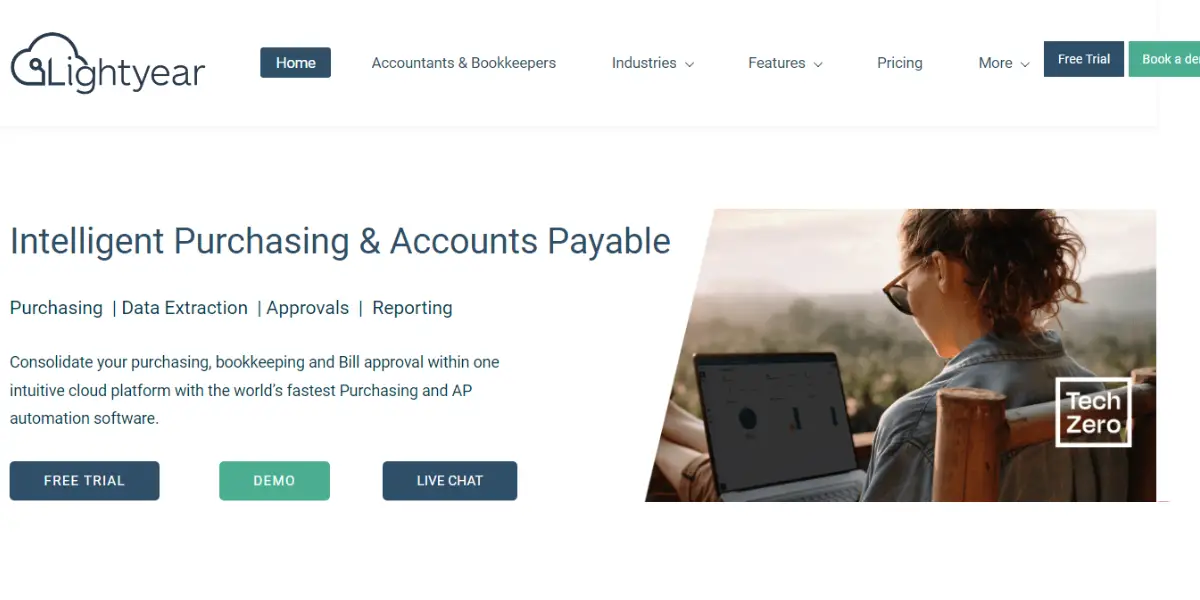
Lightyear publishes list prices, and prices regionally. There are three plans, all on a 30-day rolling contract with unlimited users and unlimited sub-entities.
| Plan | Credits | USA | UK | Adds |
|---|---|---|---|---|
| Essentials | 125 credits/month | $199/month | £130/month | Purchase orders, expense management, line-item data extraction, approval workflows, automatic statement reconciliation, phone/email/chat support |
| Standard | 250 credits/month | $319/month | £179/month | Everything in Essentials plus goods received notes, 3-way purchase order matching, inventory |
| Professional | 500+ credits/month | Custom | Custom | Everything in Standard plus white labelling, enterprise single sign-on (charged separately, plus setup), dedicated account manager |
Note that the UK and US tiers are not simple currency conversions of each other. The gap between Essentials and Standard is much wider in the US ($199 to $319) than in the UK (£130 to £179), so check your own region rather than converting.
How credits are actually consumed
This is the part that decides your real bill, and it is the part most comparison pages leave out. Credits are consumed per document, but not all documents cost the same, and they are consumed at different moments:
| Document type | Credits | Consumed when |
|---|---|---|
| Bill, invoice, credit note or receipt with line items | 1 | On export or archive |
| Supplier statement | 1 | On receipt of the document |
| Purchase order | 1 | On creation of the purchase order |
| Employee expense | 3 | On export of the expense report |
Three consequences worth planning around:
- Employee expenses cost triple. A business running expense claims through Lightyear will burn its allowance far faster than the headline “125 documents” suggests. If expenses are a big part of your volume, model them at 3x before choosing a plan.
- Purchase orders are charged on creation, not completion. A cancelled or duplicated PO has still cost you a credit, so sloppy PO discipline shows up on the invoice.
- Supplier statements are charged on receipt. If suppliers send statements you never reconcile, you are paying for them anyway.
Lightyear is reasonably flexible around the edges. If you sit between plans, say you need 300 credits, you take the lower plan and additional credits are topped up at your plan’s per-credit rate. An optional overage policy lets you exceed the allowance in a peak month and pay for the extra on the next cycle without changing plan. You can upgrade or downgrade at any time, either immediately or from the next billing cycle, and there is a six-month bulk billing credit plan available from the billing area.
The costs that are not in the plan price
- Integration fees. Depending on which accounting system you connect, an additional monthly fee may apply. Lightyear is open that this covers third-party API costs, but it is quoted separately, so ask for it by name.
- Setup and onboarding. Optional, and Lightyear says most customers take it. Support itself, by phone, email and chat, is included on every plan at no charge.
- Enterprise single sign-on is an extra charge plus setup, even on the Professional plan.
There is a free 30-day trial on a monthly rolling contract, and you can cancel at any time from the billing section, charged to the end of the current month.
What it does
Line-item data extraction
This is Lightyear’s strongest claim and the reason it wins deals in inventory-heavy sectors. Most AP tools read the header of an invoice, the supplier, date, total and tax. Lightyear extracts every line, which is what you need to match against a purchase order line by line, track product-level cost changes, or push stock quantities into an inventory system. It is included by default on every plan rather than sold as an upgrade.
Approvals
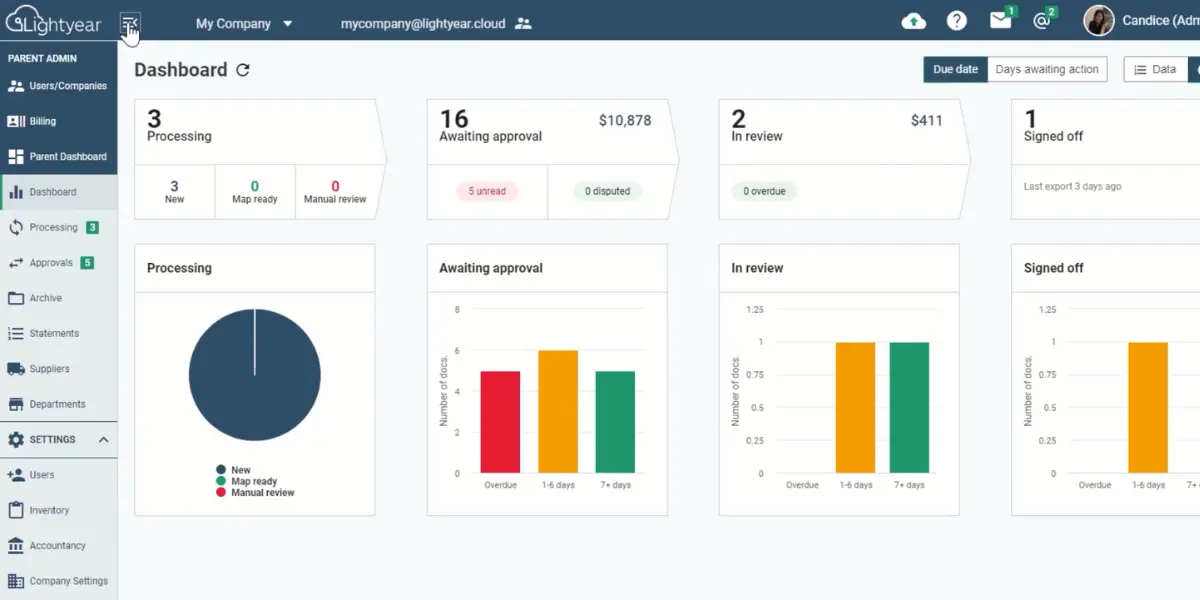
Rule-based approval workflows route documents to the right approver by supplier, value, department or account code. Because users are unlimited, you can put every budget holder in the system rather than funnelling approvals through a shared mailbox, which is usually where AP delay actually comes from.
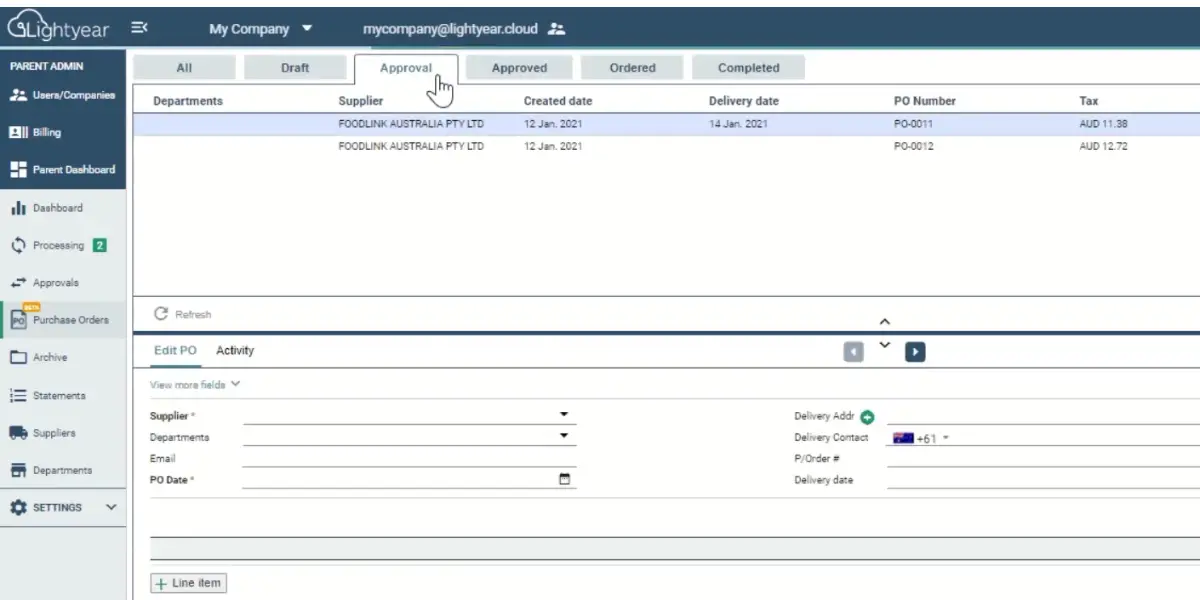
Purchase orders and 3-way matching
Create and approve purchase orders, then receive against them. Goods received notes and full 3-way matching of purchase order, goods received note and invoice sit on the Standard plan and above, not on Essentials. If three-way matching is a control requirement for you, Essentials is not the plan, regardless of your document volume.

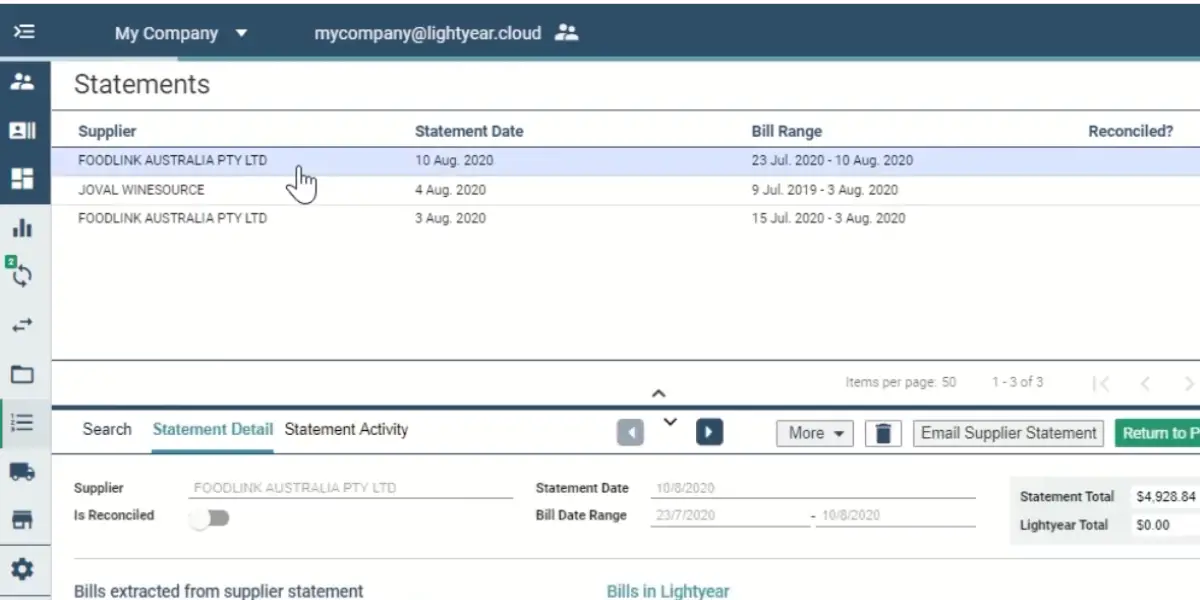
Automated supplier statement reconciliation
Lightyear reads supplier statements and matches them against what it holds, flagging missing or mismatched invoices. This is genuinely tedious manual work in most finance teams and it is included on every plan, which is not universal among competitors.
Expenses, inventory and reporting
Employee expense management is on every plan, though it costs 3 credits a report. Inventory arrives with Standard. Archiving and reporting cover the audit trail, and there are iOS and Android apps for capture and approval on the move.
Integrations
Lightyear exports into your accounting or ERP system rather than replacing it. From its own software partner list:
- Cloud accounting: Xero, QuickBooks Online, NetSuite, Microsoft Dynamics 365 Business Central, Sage, MYOB, AccountsIQ, iplicit, and Abcom (a franchise hospitality and retail systems supplier, not a general accounting package).
- Other accounting: Infor SunSystems, Adept (Sage 50 add-ons), Fuelsoft for fuel distribution, WCBS for independent and international education, and Inerva for Australian aged care.
- Inventory and point of sale: Bepoz, Fedelta, Idealpos and Impos, all hospitality and retail systems.
Read that list as a map of where Lightyear actually sells. The depth in hospitality, retail, franchise, education and aged care is not accidental, and it is a much better guide to fit than any feature comparison. Several of those connectors carry a two-way sync, so supplier records created in the accounting system appear in Lightyear and the reverse.
Where it is strong
- Unlimited users on every plan. The single biggest structural advantage. Competitors that charge per seat punish you for involving approvers, which is exactly the wrong incentive.
- Line-item extraction as standard. Not an upsell, and it is what makes purchase order matching and inventory work.
- Published, regional pricing. You can size the cost before talking to anyone, in your own currency.
- Thirty-day rolling contract. No annual lock-in, which is unusual at this end of the market and makes a pilot low risk.
- Statement reconciliation included. A real time saver that several competitors either charge for or do not do.
- Sector depth. The POS and vertical integrations mean it lands cleanly in hospitality, retail and franchise operations where generic AP tools struggle.
Where it is not
- Credit models punish high volume. The flip side of unlimited users. At 125 credits, Essentials suits a business processing a few documents a day. Heavy processors move up tiers quickly, and the per-credit economics deserve a spreadsheet before you commit.
- Expenses at 3 credits distort the maths. The pricing page presents credits as roughly one per document, and then expense reports cost triple. It is disclosed, but it is easy to miss and it is the most common way a plan turns out too small.
- Three-way matching is not on the entry plan. Goods received notes, 3-way matching and inventory all require Standard. A small business with strict purchasing controls but low volume is pushed up a tier for controls rather than for capacity.
- It is not a payments platform. Lightyear handles capture, approval, matching and export. Competitors like Tipalti and Bill build in the actual payment execution and supplier onboarding. If you want one tool to approve and pay, this is only half of it.
- Integration fees are quoted separately. The plan price is not the whole cost, and the fee varies by which system you connect.
- Ownership changed. Since May 2024 it is part of The Access Group. That brings resources, but roadmaps at acquired companies tend to bend toward the parent’s stack, and that is a fair question to put to a salesperson.
Alternatives
- Stampli, which centres on collaboration around each invoice and suits organisations where approval discussion is the bottleneck.
- BILL, if you want approval and payment execution in one place rather than exporting to your accounting system to pay.
- SAP Concur, stronger on travel and employee expense than on supplier invoice processing.
- Tipalti and AvidXchange for higher-volume and mid-market AP with payments and supplier onboarding built in.
- Our wider accounts payable automation software comparison covers the rest of the market.
Sage Intacct, NetSuite and Business Central are sometimes listed as Lightyear alternatives. They are not. They are accounting and ERP systems that Lightyear integrates with and feeds, and choosing between them is a different decision entirely.
Other details
| Owner | The Access Group, since 10 May 2024. Entity remains The Lightyear Corporation Ltd |
| Founded | 2017, Belfast |
| Deployment | Cloud, with iOS and Android apps |
| Contract | 30-day rolling, cancel any time, charged to end of current month |
| Users | Unlimited on every plan, including unlimited sub-entities |
| Trial | Free 30 days |
| Support | Phone, email and live chat included on all plans. Knowledge base and webinars |
| Regions priced | USA, UK, Australia, Canada, New Zealand, South Africa, rest of world |
| Scale | Lightyear cites 7,500+ businesses |
FAQs
How much does Lightyear cost?
Lightyear prices by monthly credit allowance rather than per user. In the USA, Essentials is $199 per month for 125 credits and Standard is $319 per month for 250 credits. In the UK the same plans are £130 and £179. Professional, for 500 or more credits per month, is custom priced. Every plan includes unlimited users and runs on a 30-day rolling contract. Integration fees and optional onboarding are charged separately.
How does the Lightyear credit system work?
One credit is consumed per document, but not evenly. A bill, invoice, credit note or receipt costs 1 credit on export or archive. A supplier statement costs 1 credit on receipt. A purchase order costs 1 credit on creation. An employee expense costs 3 credits on export of the expense report. If you fall between plans you take the lower one and extra credits are topped up at your plan rate, and an optional overage policy lets you exceed the allowance and pay on the next cycle.
Does Lightyear charge per user?
No. Every Lightyear plan includes unlimited users and unlimited sub-entities. You pay for document volume through the credit allowance instead. This makes it comparatively cheap for organisations with many approvers and comparatively expensive for small teams processing very high document volumes.
Who owns Lightyear?
The Access Group acquired Lightyear on 10 May 2024. Lightyear was founded in 2017 in Belfast and the corporate entity remains The Lightyear Corporation Ltd. The product continues to be sold and supported under the Lightyear name, and the acquisition was intended to extend Access Group’s ERP and finance automation range across APAC, EMEA and North America.
What does Lightyear integrate with?
Cloud accounting integrations include Xero, QuickBooks Online, NetSuite, Microsoft Dynamics 365 Business Central, Sage, MYOB, AccountsIQ, iplicit and Abcom. It also connects to Infor SunSystems, Adept for Sage 50, Fuelsoft, WCBS and Inerva, plus the Bepoz, Fedelta, Idealpos and Impos point of sale systems. Several integrations carry a two-way sync, and an additional monthly integration fee may apply depending on which system you connect.
Does Lightyear do three-way matching?
Yes, but not on the entry plan. Goods received notes, 3-way purchase order matching and inventory all require the Standard plan or above. Essentials covers purchase orders, expenses, line-item extraction, approval workflows and statement reconciliation, so a low-volume business that needs three-way matching for control reasons still has to move up a tier.
The short version
Lightyear is a strong fit if you have a lot of people who need to approve things and a manageable number of documents, particularly in hospitality, retail, franchise, education or aged care where its integrations run deep. Unlimited users, line-item extraction as standard, statement reconciliation included and a 30-day rolling contract are a genuinely good package at $199 or £130 a month.
Before signing, do two things. Count your monthly documents with expense reports weighted at three credits each, not one, because that is where plans turn out undersized. And confirm the integration fee for your specific accounting system, because it is quoted separately from the plan and it is not on the pricing page.