If you are looking for a web-based ERP system perfect for small businesses, you should check out weberp. It is a free download, and companies of all sizes can use it. It offers various features, including invoicing, inventory management, project management, etc.
In this webERP review, we will take a closer look at the features offered by this software and compare it to other popular ERP systems like FrontAccounting.
Latest release: 5.0.1
Released on 1/1/2026. Version 5.0 modernized the codebase and requires PHP 8.1 or later.
What is webERP?
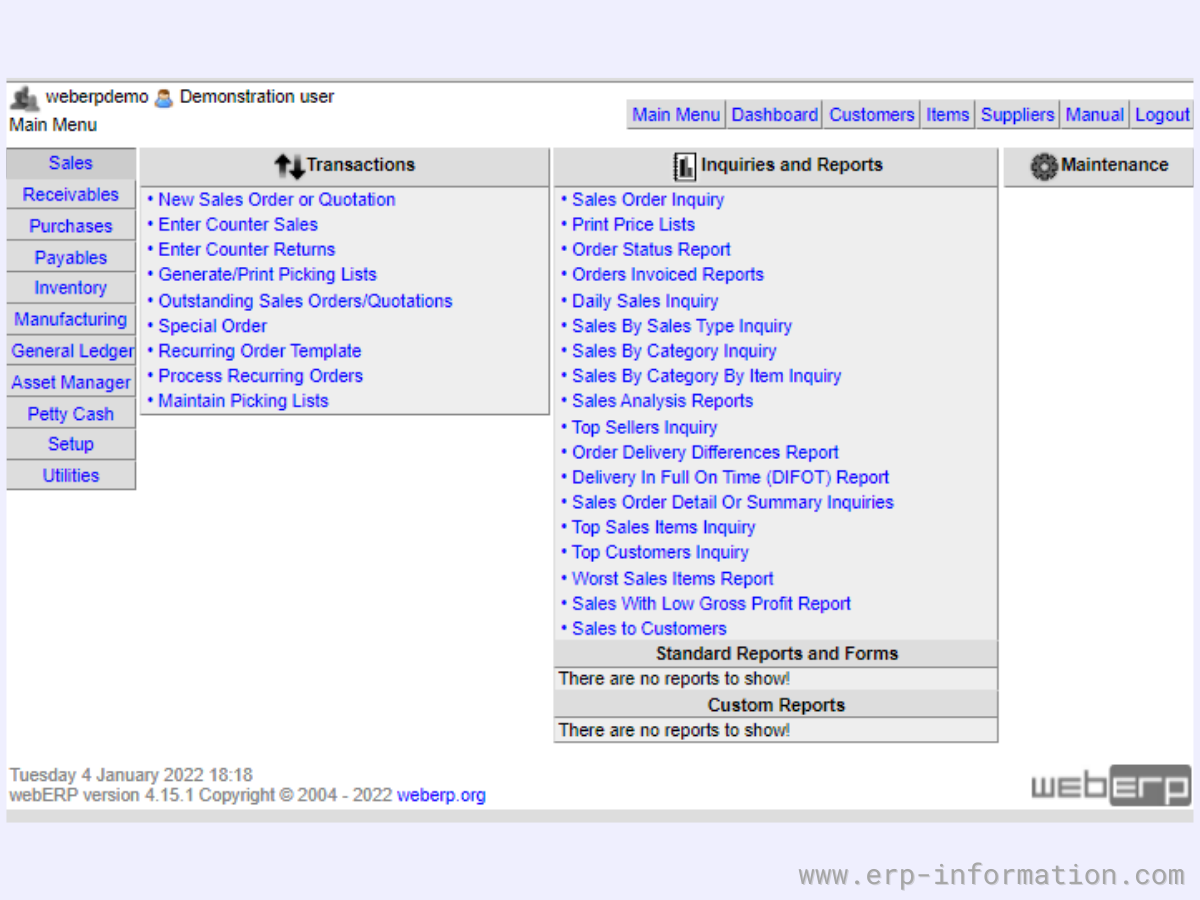
It is a fast, web-based open-source ERP. It is also known as an accounting and business management system.
Companies can process, schedule, and control thousands of individual tasks and connections simultaneously in real-time through an operating system-agnostic platform with its help. This style of software was designed from the ground up to be easy to install, manage and customize.
Pricing
It is very affordable and an excellent value for small businesses. It also offers a free download, so you can try it before buying. Pricing plans start at $0 per month for the free download.
(For more updates, refer to its official website.)
webERP features
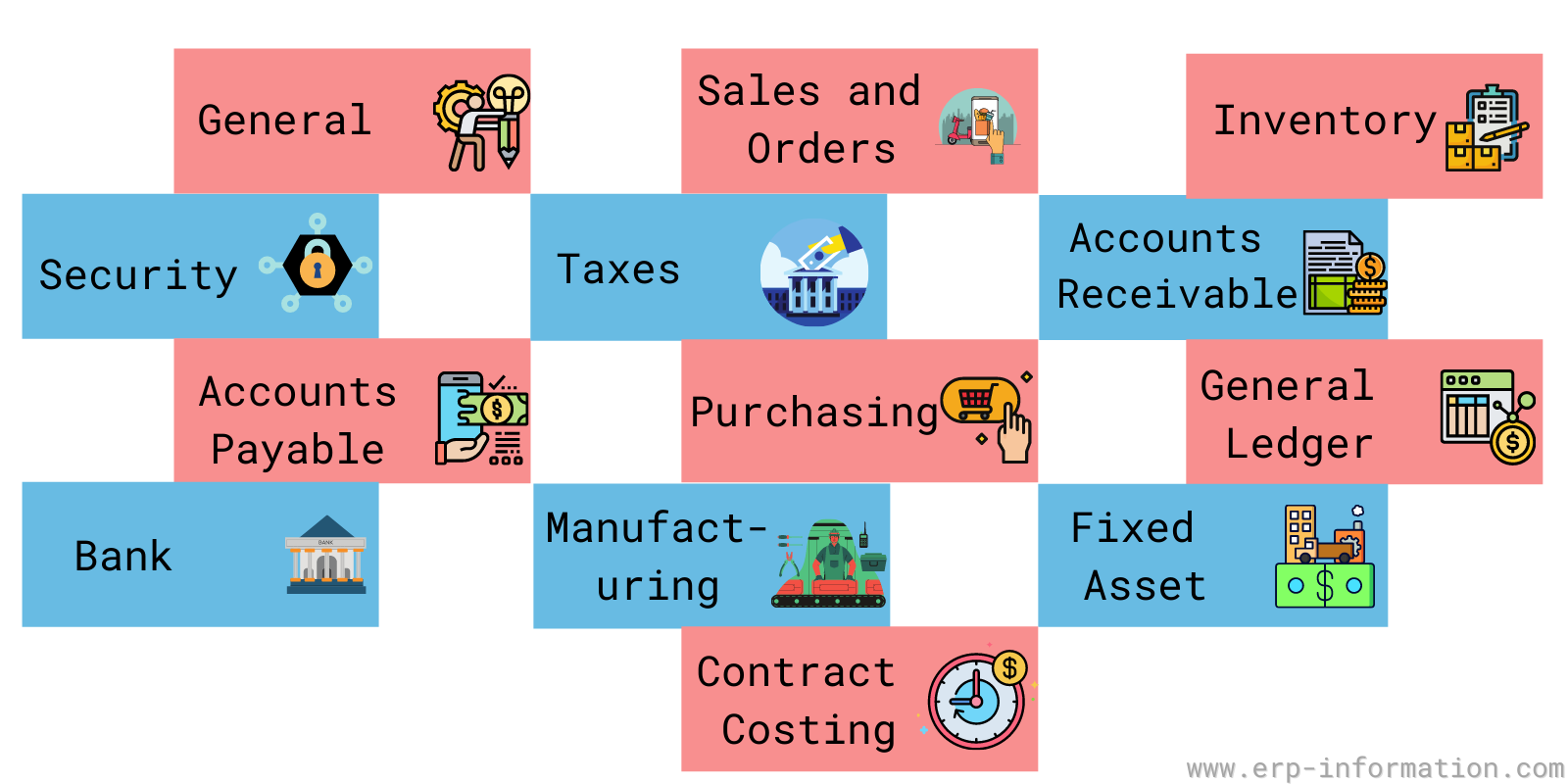
- General
- Security
- Sales and orders
- Taxes
- Accounts Receivable
- Inventory
- Purchasing
- Accounts Payable
- Bank
- General Ledger
- Manufacturing
- Contract costing
- Fixed Assets
Those modules cover the full accounting cycle on a double-entry general ledger, plus a few areas most free tools skip. The Manufacturing module handles bills of materials, work order entry and closing, and a material requirements planning (MRP) run that outputs shortage and action reports. A forecasting module was added to the project in March 2026, and webERP ships in 37 languages with multi-currency, multi-company support. It has been in active development for more than 20 years, so the feature set is mature rather than experimental.
webERP system requirements
webERP runs on a standard LAMP-style stack, so most shared or VPS hosting will handle it without special setup. Before you install, check that your server meets the current release requirements:
- PHP 8.1 or later. Version 5.0 dropped support for older PHP, so an up-to-date host matters.
- MySQL 5.7.5+ or MariaDB 5.5+, with InnoDB tables enabled. InnoDB is required because webERP relies on database transactions and foreign keys to keep the ledger consistent.
- A PHP-capable web server. It is tested on Apache, nginx, lighttpd and Hiawatha.
- One database per company. Each company gets its own database, which keeps the books cleanly separated if you run more than one entity.
Pros and cons of webERP
Pros
- It offers webERP at a fraction of the cost of other ERP software providers.
- It is designed with the user in mind, so it is simple to navigate.
- Comprehensive modules include all the features most small businesses need to manage their finances and operations.
- It requires only a web browser and a pdf reader to use it.
- An active open-source community backs it, with a public forum, mailing list and more than 20 years of continuous development behind the codebase.
- You can customize the software easily as per your business requirements.
- All features are well-integrated with each other. Hence it would help if you gave the input only one time, and changes are generated on their own everywhere.
- It takes significantly less time to load.
Cons
- It needs regular hosting fees for hardware. Sometimes those hosting fees can be more than investment charges on an on-premise system.
- You can not have complete control over your data.
- Limited customization options – if you need something that webERPdoesn’t offer out of the box, you’re out of luck; however, this is also true for most other ERP software providers.
- Customer support is not always timely or helpful – some users have complained about poor customer service.
- Need highspeed internet. Not useful for low network or no network area
- Some tasks are difficult to implement
- Require more security support for data
What industries does it support?
It supports industries like
- Manufacturing
- Retail
- Wholesale
webERP Alternatives
WebERP vs FrontAccounting
Both are the most popular ERP systems. They both have pros and cons, but which is right for you? Here’s a breakdown of the two systems.
| webERP | FrontAccounting | |
| License and cost | Free, open source | Free, open source |
| Hosting | Self-hosted (PHP/MySQL) | Self-hosted (PHP/MySQL) |
| Manufacturing and MRP | Full manufacturing module with work orders and MRP | Lighter, focused on accounting and inventory |
| Best for | SMBs that need accounting and manufacturing in one system | SMBs that mainly need accounting and inventory |
Both are free and self-hosted, so cost is not the deciding factor. Choose webERP if you need real manufacturing and MRP alongside your accounting. FrontAccounting is a cleaner fit when your priority is straightforward accounting and inventory without the extra manufacturing depth.
webERP FAQ
Is webERP free?
Yes. webERP is free, open-source software released under the GNU GPL, so there is no license fee. You download it and run it on your own hosting. Your only real costs are the server it runs on and any developer time you spend customizing it.
What are webERP’s system requirements?
The current release needs PHP 8.1 or later and either MySQL 5.7.5+ or MariaDB 5.5+ with InnoDB tables enabled. It runs on any PHP-capable web server, including Apache and nginx. End users only need a modern web browser and a PDF reader.
Is webERP still maintained?
Yes. The project has been in active development for over 20 years. Version 5.0.1 shipped on 1 January 2026 with a modernized PHP 8 codebase, and a new forecasting module was committed to the project in March 2026.
Who is webERP best for?
webERP suits small and mid-sized businesses in manufacturing, wholesale, distribution and retail that want accounting, inventory and manufacturing in one free system and have the technical resources to self-host and maintain it.
webERP vs FrontAccounting: which should I choose?
Both are free, self-hosted PHP accounting systems. Pick webERP if you need genuine manufacturing and MRP features. FrontAccounting is a simpler choice when you mainly need accounting and inventory.
Conclusion
WebERP is a comprehensive web-based ERP system that can help manage your business effectively and efficiently. It offers a wide range of features and functions to suit the needs of companies of all sizes.
This review looked at the key features and benefits of the software and how it can help you manage your business more effectively.
We highly recommend it if you’re looking for an easy-to-use ERP system to handle your business needs.
References
- Official website
- Official documentation
- GitHub link of WebERP code.
- More similar open-source ERPs here.