ERP (enterprise resource planning) is business software that runs a company’s core operations, finance, HR, manufacturing, supply chain, purchasing, and sales, from a single shared database. Instead of each department keeping its own disconnected system, ERP ties them together so everyone works from the same real-time information, and a transaction entered in one area updates the rest automatically.
That shared foundation is what makes ERP powerful. An order taken in sales immediately shows up in inventory, accounting, and production planning without anyone re-keying it. This guide covers what ERP is, how it works, its modules and benefits, how it differs from MRP, CRM, and SCM, the deployment options, and what it costs.
ERP Definition
Enterprise resource planning software is a single suite of applications that share one database across finance, operations, and administration. The shared database is the defining test: if two modules keep their own records and have to sync them to agree, that is integrated software, not an ERP system. The distinction matters when a vendor presents a bundle of separately acquired products as ERP.
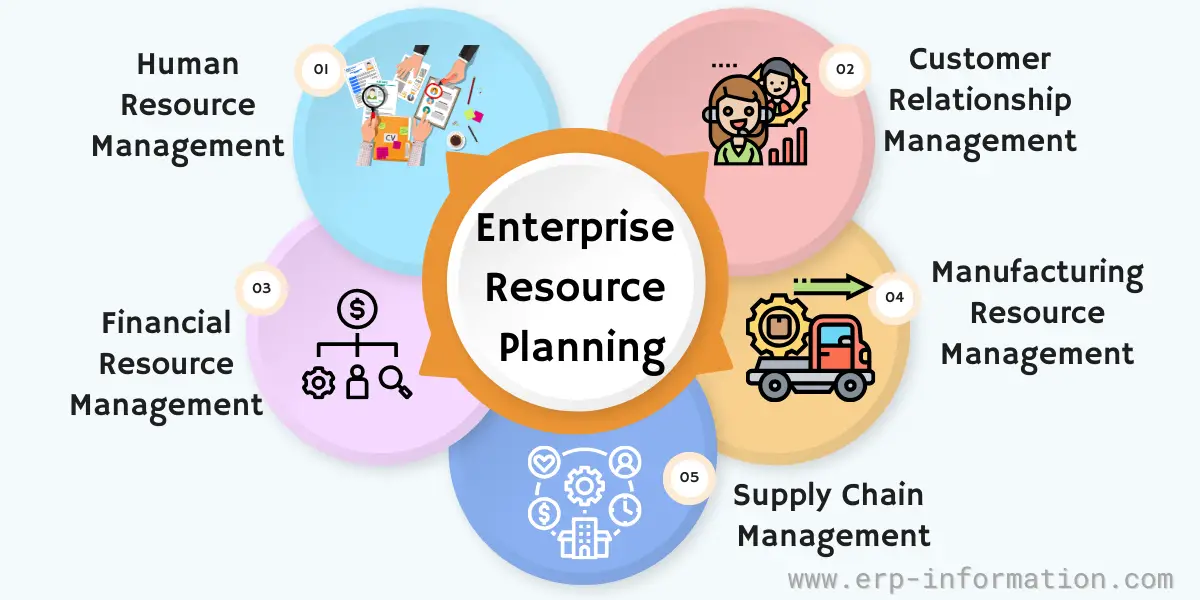
This can be a huge advantage for businesses that manage complex operations or multiple locations.
The best way to explain it in layman’s terms is to give you an example.
Imagine a customer places an order. In a business without ERP, that order gets re-keyed several times: sales writes it down, the warehouse checks stock in a separate system, accounting raises the invoice in another, and production planning hears about it last. Every handoff is a chance for the numbers to disagree.
An enterprise resource planning system puts all of those functions on one shared database. The order is entered once, and inventory, accounting, purchasing, and production all see it immediately and work from the same figures.
So ERP is the single system that connects the parts of a business that used to run on separate, disconnected tools, which is what gives everyone one accurate, real-time picture to act on.
ERP vs MRP, CRM, and SCM
ERP is often mixed up with the narrower systems it grew out of or works alongside. The clearest way to tell them apart is by scope: ERP is the umbrella that can contain the others.
| System | What it focuses on | Relationship to ERP |
|---|---|---|
| MRP (material requirements planning) | Plans the materials and production needed to build products | The 1970s ancestor of ERP; today usually an ERP manufacturing module |
| CRM (customer relationship management) | Manages sales, marketing, and customer-facing relationships | A front-office system, often a module inside ERP or integrated with it |
| SCM (supply chain management) | Manages the flow of goods, suppliers, and logistics | Frequently an ERP module, sometimes a specialist system linked to it |
Put simply, MRP plans what to make, CRM manages who you sell to, and SCM moves the goods, while ERP is the single system that connects all three to finance and HR on one database.
History Of ERP
Gartner initially used the term ERP in 1990. However, the business management software and applications used in the manufacturing sector have evolved in recent decades as industry demand varies.
ERP had its roots in the early 1960s when large American corporations began using specialized software to manage their complex businesses.
The first generation of enterprise resource planning software was designed for manufacturing companies and focused on streamlining manufacturing resource planning and improving inventory management.
The future of ERP
The pace of the digitization of businesses will accelerate. As a result, companies using digital technologies in all aspects of their business will fundamentally change their operation.
As a result, demand for capable ERP systems keeps rising. Core-market estimates put global ERP software at roughly $80 billion in 2026 and still growing at double-digit rates a year, driven largely by the shift to the cloud and AI-enabled analytics.
A Brief History of ERP: since 1960 and the future
Benefits of ERP Systems
Today ERP solutions provide rich features for a business. However, what each firm considers to be the best value of these systems varies according to the company’s requirements.
The following are many benefits to implementing it in a business:
Streamlined Business Processes
It integrates all core business processes into a single system, which eliminates data silos and allows companies to make connections across different departments. This streamlined workflow results in faster and more efficient operations.
Improved Decision Making
The Enterprise resource planning system provides real-time data analytics so that business owners and managers can make informed decisions based on accurate information.
Increased Efficiency And Productivity
It automates routine tasks, saving employees time and focusing on more challenging projects with more significant potential for growth.
Cost Savings
ERP systems are often more affordable than implementing and maintaining individual software applications for each department. In addition, it can help businesses reduce waste and optimize their inventory levels, which leads to increased profits.
Disadvantages of ERP Systems
ERP delivers real advantages, but the risks are just as real, and most of them are avoidable with the right planning and supplier choice. The challenges below are less about the software itself and more about how it is bought and rolled out.
The complexity of implementing enterprise resource planning systems, particularly in large companies with multifaceted departmental reliance, poses a significant challenge.
Hence, it is important to weigh the benefits and probable hurdles before determining if ERP aligns with your business needs.
Here are some common challenges:
Cost
The cost of ERP software varies depending on the solution you choose (cloud or on-premise) and how many modules you need. If any customization is required, it can be expensive.
Therefore, you should also consider factors in the implementation costs, which may include training employees or data migration services, etc., into your budget when deciding whether it suits your business.
Timeframe
The solution implementation process can often be lengthy, especially if you integrate it with existing systems or make significant changes to your business.
Therefore, it is essential to set realistic timeframes and goals for implementation and ensure everyone involved knows their expectations so that the process goes as smoothly as possible.
Complexity
ERP systems are complex and challenging, especially for employees unfamiliar with them. Therefore, you should provide adequate training and support to help employees make the most of its features and functionality and ensure they understand how it can benefit their role within the organization.
Otherwise, employees may struggle to use it, resulting in employees doing their work manually or using a separate system, etc., defeating the purpose.
Customization
It can be customized to meet your unique requirements, but that generally comes at an additional cost.
Therefore, one should think carefully about what software would need to do to benefit your business and whether or not the company can customize the software accordingly before deciding whether it is right for you.
Scalability
Scalability is a feature, yet it might not automatically suit your business if you anticipate rapid growth. It’s essential to evaluate its scalability and ensure it aligns with your future expansion goals before making a decision.
Why ERP projects fail
The costliest risk is not the license fee, it is a botched rollout. That said, the reputation ERP carries for routine disaster is worse than the current evidence supports. In Panorama Consulting Group’s 2026 ERP Report, a survey of 170 organizations with a median annual revenue of 200.5 million dollars, 50.6 percent of projects finished on budget and 19.4 percent came in under it, leaving 30 percent over. On timing, 58.8 percent finished on schedule and 22.3 percent ran late, and the median project took nine months. Most rollouts land close to plan. The minority that go wrong, though, go wrong publicly and expensively.
Hershey is the textbook case: a go-live rushed to hit the 1999 peak season left it unable to ship around 100 million dollars of Halloween orders on time. Nike’s 2000 supply-chain and ERP rollout was blamed for roughly 100 million dollars in lost sales. Revlon faced a shareholder lawsuit after a 2018 SAP go-live disrupted shipping, and in 2023 Birmingham City Council, the largest local authority in Europe, effectively declared itself bankrupt in part over an Oracle ERP project whose cost is reported to have climbed from about 20 million to 100 million pounds.
The pattern behind these is consistent, and it is rarely the software: going live before the data is clean and tested, under-investing in training and change management, over-customizing instead of adapting the process, and treating ERP as an IT project rather than a business one. That is why the challenges deserve at least as much planning attention as the benefits.
Features of ERP Systems
Some essential characteristics distinguish an ERP solution from any other software type. This includes,
- An ERP system gains an edge when it consolidates diverse data from various databases and integrates seamlessly with other applications. This unified, real-time data source eradicates the need for manual merging across separate data pools related to business operations.
- Additionally, a shared database offers a consistent, comprehensive view of companies, ensuring uniform user experiences and interfaces across different department roles.
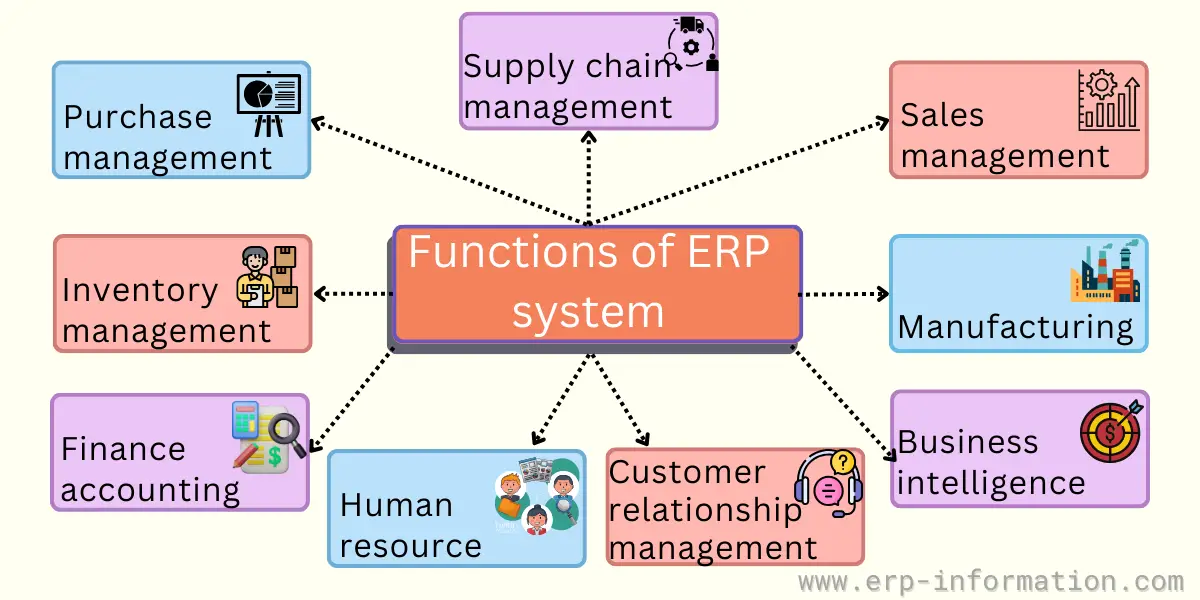
ERP Modules
Integrated ERP includes several different components based upon specific features adapted to the various aspects of the organization, including front-office tasks. This quick overview shows the most common modules.
- Accounting and Finance.
- Customer Relationship Management (CRM).
- Supply chain inventory management.
- Manufacturing.
- Human resources.
- Business intelligence.
- Purchase management
- Sales management
What is New with Enterprise Systems?
As computing power and data storage have grown steadily cheaper and faster over the decades, enterprise software has advanced along with them.
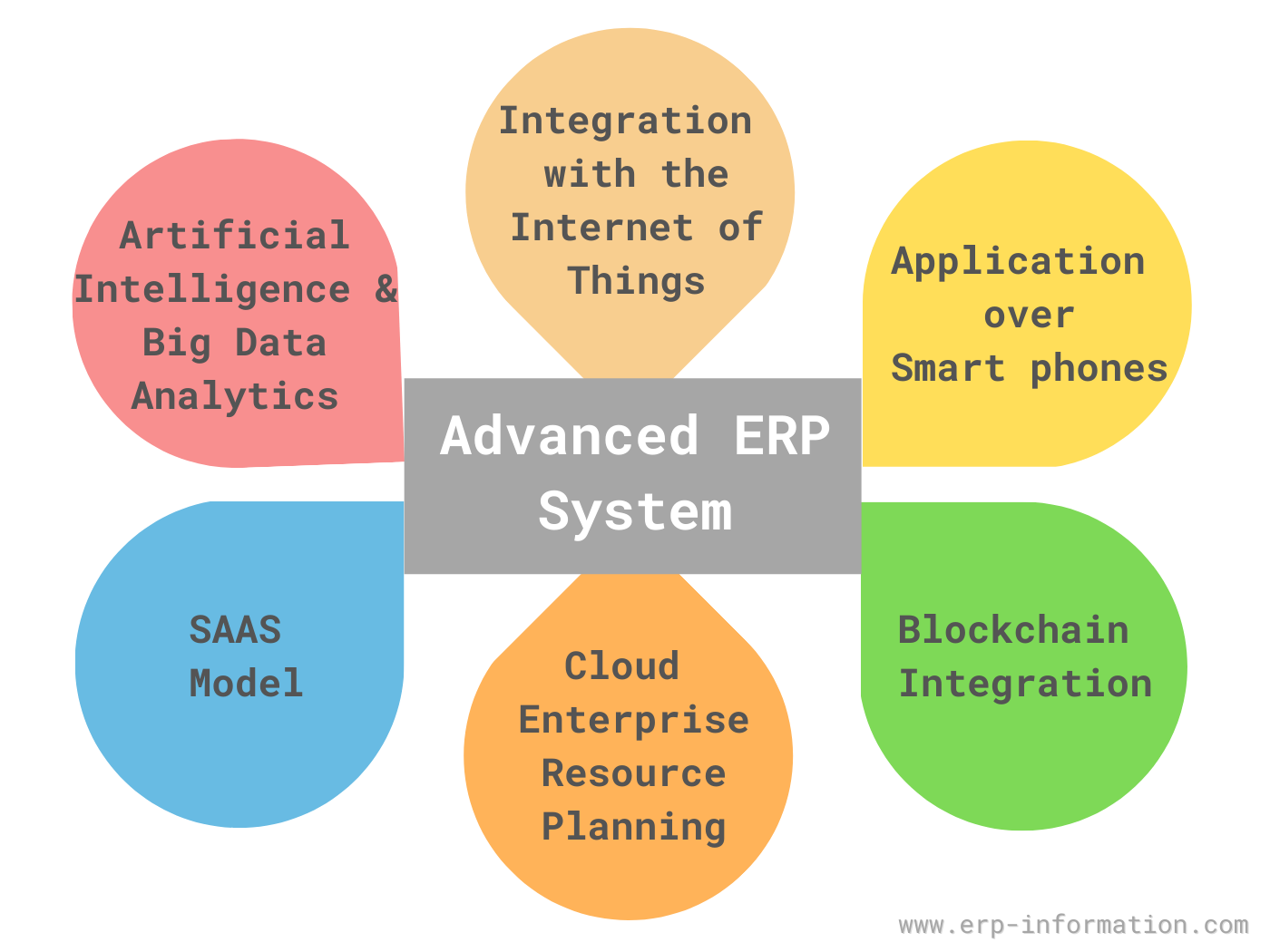
The following are a few high-impact innovations.
- Artificial intelligence and big data analytics
- Integration with the Internet of Things (IoT)
- Applications over smartphones
- Blockchain integration
- Cloud enterprise resource planning
- SAAS model
Find details of high-impact innovations below:
Artificial intelligence and big data analytics
Artificial intelligence (AI) with machine learning can help make better business choices. It enables businesses to optimize all their operations.
- Business operational processes.
- Software systems.
- Management structures.
- Hardware and technology infrastructure.
Enterprise software systems gather enterprise data from day-to-day business processes and generate big data.
Extensive data analysis can predict demand and help make future business decisions more efficiently.
Integration with the Internet of Things (IoT)
The Internet of Things (IoT) is a connected physical object accessible. Automated, machine-to-machine, meaningful communication is established with it.
The following are the advantages of integrating IoT with enterprise software systems,
- It has enhanced data accuracy and availability.
- Accurate and efficient communication.
- Greater business intelligence.
Applications over smartphones
Mobile applications help in accessing information on the go. They also help in collecting job site information accurately.
The most popular mobile operating systems on which client applications are built are,
- Android.
- iOS.
Blockchain integration
Enterprise systems are adopting blockchain technology. It helps businesses in achieving,
- Enhanced transparency.
- Greater security.
- Increased traceability.
- Improved efficiency.
It helps in achieving greater control over supply chain management.
Cloud ERP
Vendors host their software on the cloud computing system instead of customers’ data centers. It helps in faster upgrading and reduces maintenance efforts.
SAAS model
Software-as-a-service models allow small and medium-scale businesses to use software systems without substantial initial investments. This model does not demand higher installation costs or IT people. Instead, it is pay-as-you-go based on how much you use.
How to Select an ERP System?
ERP selection goes wrong in a predictable way. The requirements list gets written after the demos instead of before them, so each vendor is judged on the part of their product they chose to show, and the decision comes down to which presentation was most convincing.
The method that avoids this is short. Write down what the system has to do in the language of your own processes, before you speak to anyone. Mark every item Must have, Should have, Could have or Won’t have this time, and hold the Must Haves to no more than 60 percent of the effort, which is the ceiling the DSDM framework recommends. Then score each vendor against that same list, weighting every row by its priority instead of ticking a box, so a gap on something mandatory cannot be buried under a long tail of features you never asked for.
Budget against the whole cost rather than the licence: software, implementation services, hardware and software, upgrades, training and support. Technology nobody had planned to buy was the leading cause of overspend in Panorama’s 2026 study, at 54.9 percent, and it is usually the bill for something the requirements list never mentioned.
The document structure, a worked weighted scoring example and the functional checklist by module are set out in the ERP requirements template and checklist.
Enterprise Resource Planning Software Deployment Options
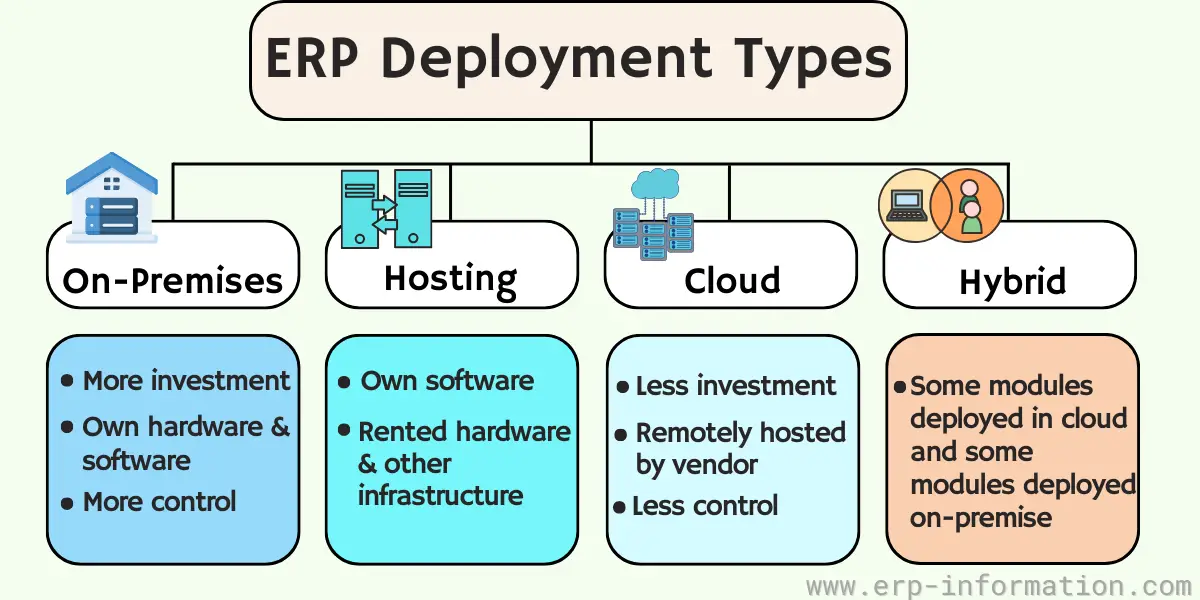
Enterprise Resource Plan systems vary in scope depending on the size and functions of a company.
Three main types of application deployment models are,
- On-Premises deployment: Traditional deployment on company premises refers to the installation of software and hardware at the customer’s site. In this setup, the company retains control over these resources, handling updates, security, and other maintenance tasks.
- Hosting – this model involves the provider hosting the application in their data center(s) and delivering it to users via a web browser. Customers have no hardware to procure or software to install but depend on their internet connection for access.
- Deploying in the cloud is a SaaS model where applications are installed at the vendor’s data center and delivered via a web browser or other thin client. Customers have minimal control over infrastructure, upgrades, and security issues; they use the software.
- Hybrid (some on the cloud, others offline): companies increasingly use a hybrid approach to deploying software. Some system modules may be deployed in the cloud while others remain on-premises.
Depending on the solution, the system may support different parts of a business, meet business needs, or have other deployment methods.
ERP Integration
The current ERP system provides many business functions. It needs connectivity and integration with other applications and data sources, including CRM/CRO and HCM software, e-commerce platforms, industry-specific products, and ERP software.
The modern ERP System provides openness and flexibility and can easily integrate with various product suites using connectors or custom adaptors like the application programming interface or API.
Which Size of ERP Fits Your Company
Most ERP shortlists go wrong at the first step, by comparing features across systems that were never built for the same size of company. Scale is the more useful filter. Panorama Consulting Group, an independent ERP consultancy, sorts the market into tiers by the size of organization each system is designed for, and its 2026 report puts the bands roughly here.
| Tier | Typical annual revenue | Systems named in that tier |
|---|---|---|
| Tier I | Above $750 million | SAP S/4HANA, Oracle Fusion Cloud, Infor CloudSuite |
| Upper Tier II | $250 million to $750 million | Microsoft Dynamics 365 Finance, IFS Cloud, Sage X3, Epicor Kinetic, DELMIAworks |
| Lower Tier II | $10 million to $250 million | NetSuite ERP, SYSPRO, Acumatica, Priority ERP |
| Tier III | Mostly smaller organizations | Hundreds of providers, including Aptean, ECI and ASC |
Treat the tier as a starting filter rather than a verdict, because complexity counts as much as revenue. A 200 million dollar manufacturer running several legal entities across different countries can genuinely need Tier I consolidation, while a larger single site business is often comfortable a tier below. Industry fit beats tier outright more often than vendors like to admit, which is why Tier III holds narrow point solutions that outperform a broad suite inside one industry.
The deployment question has largely settled itself. In the same survey, 73.5 percent of organizations chose cloud and 26.5 percent stayed on premise, and within the cloud group 70.4 percent took SaaS rather than hosted or managed services. Vendors are setting that direction as much as buyers are: Epicor has said new features for Kinetic, Prophet 21 and BisTrack will be developed exclusively for its cloud products, so anyone buying on premise should ask plainly what is left on the roadmap for the version they are signing for.
Once you know roughly which tier you sit in, the two questions that follow are what it will cost and who is actually selling in that band. Both are covered in more detail in Cost of ERP and List of ERP vendors, and ERP implementation covers what happens after you sign.
ERP Best Practices
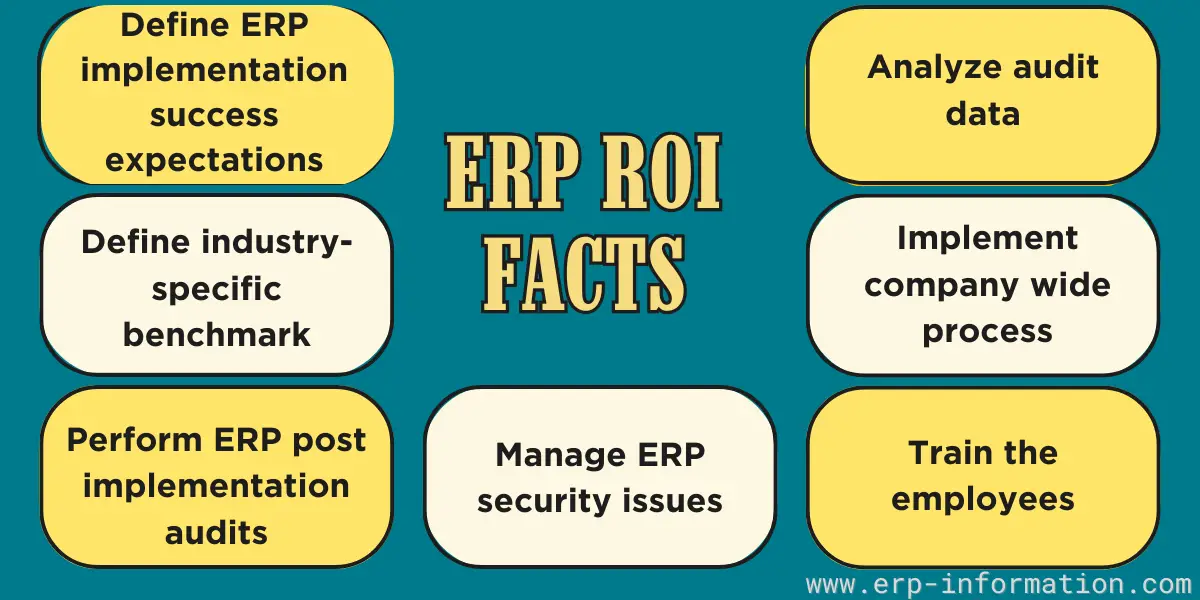
Most best practice lists for ERP are interchangeable. The measured evidence is more useful, and it points one way: what sinks projects is organizational, not technical. Among the projects that ran late in Panorama’s 2026 study, the leading causes were organizational issues such as governance and resistance to change (57.9 percent) and scope that expanded after signature (55.3 percent). The leading cause of an overspend was technology nobody had planned to buy (54.9 percent), which is what happens when a system gets chosen before the requirements are properly understood.
So the practices that actually matter are the unglamorous ones. Settle your requirements before you shortlist. Give one person real authority to decide. Keep the total cost of ownership honest, counting hardware, software, implementation, training and support rather than the licence alone. Budget for change management as its own workstream instead of treating it as training. And pick a partner with a track record in your industry, not the best deck.
ERP implementation covers the phases, the four rollout strategies and the full breakdown of why projects slip, and project management covers the governance side.
ERP Vendors
The best-known ERP vendors include SAP and Oracle at the large-enterprise end, Microsoft Dynamics 365 and Oracle NetSuite in the mid-market, and Infor, Epicor, Sage, and Acumatica across a range of industries and company sizes. The right choice depends far more on your industry and size than on brand name.
List of ERP: 31 Best ERP Vendors (Unbiased Ranking)
Cost of ERP
An ERP quote has more than one number in it. You pay for the software subscription or license, the implementation work that configures the system to your processes, migration of the data you hold today, integrations to whatever you are keeping, training, and then a recurring support and maintenance line once you are live. The software is usually the smaller half of a first year bill.
Published list prices are rare here. SAP, Oracle, NetSuite and Acumatica quote rather than publish, which is why straight price comparisons are so hard to find. Microsoft is the useful exception: Dynamics 365 Business Central lists at 80 dollars per user per month for Essentials and 110 dollars for Premium, plus an 8 dollar Team Members license for staff who only need to look things up and approve them, all paid yearly. Read that as the shape of mid market cloud pricing rather than as your budget.
The budget risk is real but narrower than ERP’s reputation suggests. Panorama found 30 percent of projects went over budget, and among those that did, the leading causes were technology nobody had planned to buy (54.9 percent) and scope that grew after signature (51.0 percent). Both are selection and governance failures rather than pricing failures. The most useful thing you can do with a quote, then, is make the vendor separate software from services and put in writing what is not included.
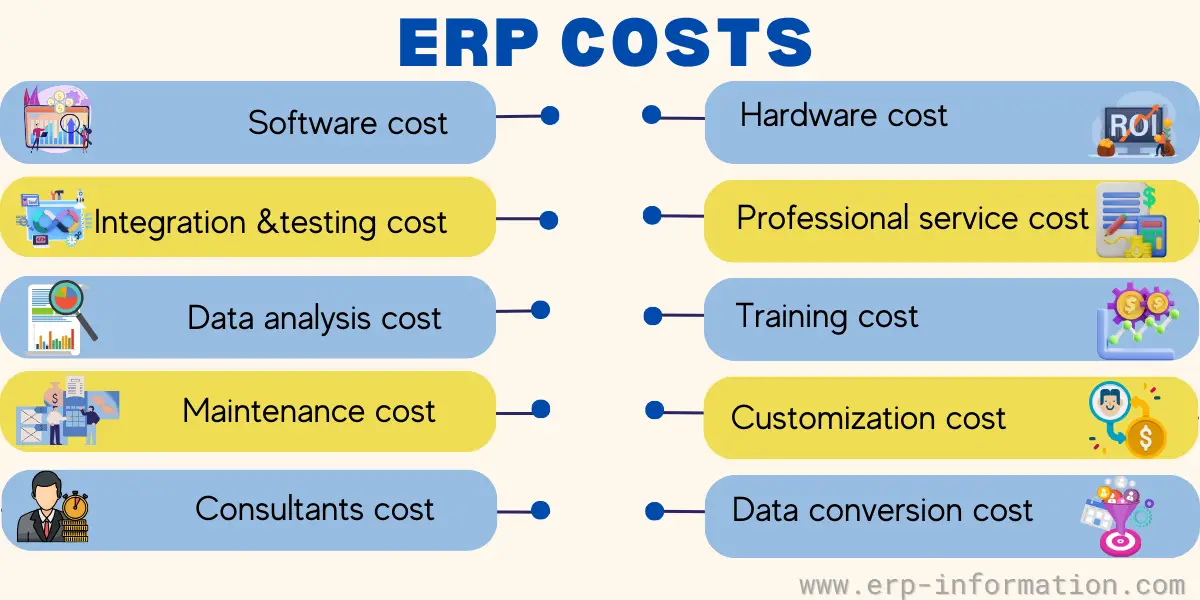
Cost of ERP (How Much Does it Cost and What Influence it)
Conclusion
Enterprise resource planning brings a company’s core functions, finance, inventory, human resources, manufacturing, and sales, into one connected system built on a single source of data. That is what makes ERP a foundational tool for organizations of every size: it replaces disconnected spreadsheets and siloed apps with one real-time view, which is what allows faster, better-informed decisions.
If you are evaluating ERP, the natural next steps are understanding the modules you actually need, the implementation process, and the total cost of ownership.
Frequently asked questions
What is ERP in simple terms?
ERP is one connected system that runs a company’s core functions, such as finance, inventory, HR, manufacturing, and sales, on a single shared database, so every team works from the same real-time information instead of separate spreadsheets and apps.
What are the main ERP modules?
The common modules are finance and accounting, inventory and supply chain, manufacturing, procurement, sales and CRM, human resources, and reporting or business intelligence. Most vendors let you switch on only the modules you need.
How much does an ERP system cost?
The range is wide. Small-business cloud ERP can start from a few hundred dollars a month, mid-market systems commonly run into the tens of thousands of dollars a year, and large on-premise projects reach six or seven figures once implementation and data migration are included.
What is the difference between ERP and CRM?
CRM manages customer-facing sales, marketing, and service. ERP is the broader system that runs finance, inventory, and operations across the business, and it often includes CRM as one of its modules.
Is cloud or on-premise ERP better?
Cloud ERP is hosted by the vendor, is faster to deploy, and is priced as a subscription, which suits most companies today. On-premise ERP is self-hosted and offers more control and customization, but it carries a higher upfront cost and needs in-house IT to run it.
How long does ERP implementation take?
A small cloud rollout can take a few months. Mid-market implementations usually run six to twelve months, and large multi-site enterprises often take one to two years once data migration, integration, and training are done properly.