Teamcenter is Siemens’ product lifecycle management (PLM) software: the system of record for product data, from the first requirement through design, manufacturing planning and service. It is used mainly by manufacturers whose products are complex enough that spreadsheets and shared drives have stopped working.
Teamcenter is modular. Almost nobody buys all of it. The practical question is which applications you switch on, in what order, and on which of the three deployment models, so this guide leads with the module list and the packaging rather than the marketing.
| Vendor | Siemens Digital Industries Software |
| Category | Product lifecycle management (PLM), part of the Siemens Xcelerator portfolio |
| Current release | Teamcenter 2606, released June 2026 |
| Release naming | Date coded YYMM, so 2606 means June 2026. The older Teamcenter 12, 13 and 14 numbering was retired. |
| Deployment | On premises, on your own cloud, or Teamcenter X (SaaS operated by Siemens) |
| Teamcenter X tiers | Essentials, Standard, Advanced, Premium |
| Pricing | Not published by Siemens. Quote based, with a 30 day trial of Teamcenter X. |
| Origin | Came to Siemens with the acquisition of UGS, completed May 2007 for US$3.5 billion |
What is Siemens Teamcenter?
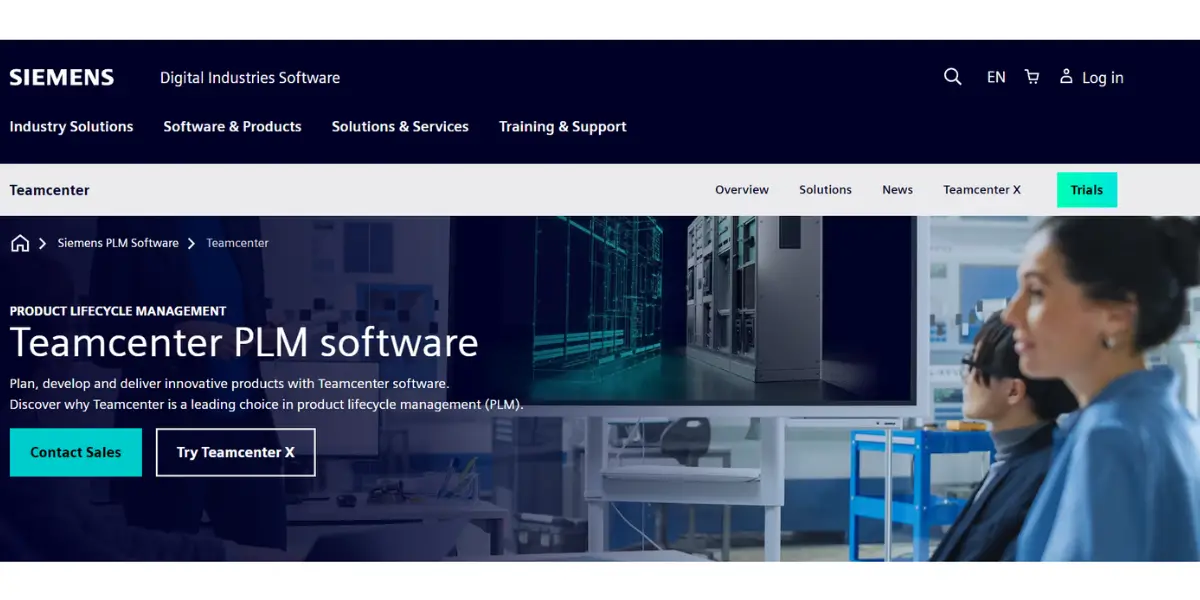
Siemens Teamcenter is a PLM software suite. Siemens offers this software to manage product data, processes, and projects.
It covers the whole lifecycle, from development through manufacturing and service, and it is delivered as a set of modules you license according to what you actually need.
Teamcenter is not a Siemens original. It arrived with the acquisition of UGS, which Siemens completed in May 2007 for US$3.5 billion, and it grew out of earlier product data management lines that were consolidated onto a single data model under the name Teamcenter Unified. That history explains the product’s shape today: a broad, deeply configurable platform rather than a narrow tool, and the reason its licensing has a reputation for complexity.
One point of confusion worth clearing up early, because it still turns up in search results. Siemens retired the old Teamcenter 12, 13 and 14 version numbers in favour of a date coded scheme. A release is named for the year and month it shipped, so Teamcenter 2606 is the June 2026 release and 2512 was December 2025. If a page tells you Teamcenter 14 is the current version, it is several years out of date.
In Teamcenter, you can get started with product data and processes by taking control of 3D designs, electronic documentation, and your BOM.
The document management and publishing tool allows users to create specifications, analysis reports, 2D/3D illustrations, spreadsheets, test results, and many more.
Modules of Siemens Teamcenter PLM
Siemens groups Teamcenter’s applications around three stages, plan, develop and deliver. The table below is the practical view: what each main module area does and the problem it is usually bought to solve. The sections that follow go through them in turn.
| Module area | What it does | Typically adopted when |
|---|---|---|
| PLM foundation and document management | Central vault for parts, CAD files, documents and revisions | First, almost always. Everything else builds on it. |
| BOM and configuration management | One product definition across engineering and manufacturing, including variants | Product variants multiply and BOMs drift between departments |
| Change management | Engineering change requests, notices and orders with impact analysis | Changes are being tracked by email and get missed |
| Requirements and systems engineering | Captures requirements and traces them to design and test | Regulated or contract work needing traceability |
| CAD and electrical design management | Manages mechanical, electronic and electrical design data together | Mechanical and electronic teams are working from different sources |
| Manufacturing process planning | Builds the manufacturing BOM and the process and assembly sequence | Engineering handover to production is manual |
| Product cost management | Costs products and tooling during design | Cost is discovered too late to change the design |
| Environmental compliance | Traces substances for regulations such as RoHS and REACH | Selling into regulated markets |
| Visualization and digital mockup | 2D and 3D review without the authoring CAD tool, using JT | Non engineers need to see the product |
| Simulation and software design management | Manages simulation data and embedded software alongside the hardware | Products contain significant software or need managed simulation |
Two things are worth knowing before you read a module list from any vendor, including this one. Module boundaries shift between releases and between commercial packages, so treat the grouping as a map rather than a price list. And Siemens exposes most of this through Active Workspace, the browser based client, so the modern interface looks very different from the older desktop screenshots still circulating online, including some further down this page.
Adaptable PLM foundation
With Teamcenter, you can keep up with the latest technology and give your company an edge in a competitive market.
Siemens Teamcenter PLM software applications are backed by a network of options that deliver fast time-to-value while protecting investments for all businesses. In addition, flexible deployment options covering cloud, on-premise and SaaS are available.
Also, an adaptable module is helpful for Siemens’s digital industries and software applications to make any changes or transformations from one business to another.
Management of BOM
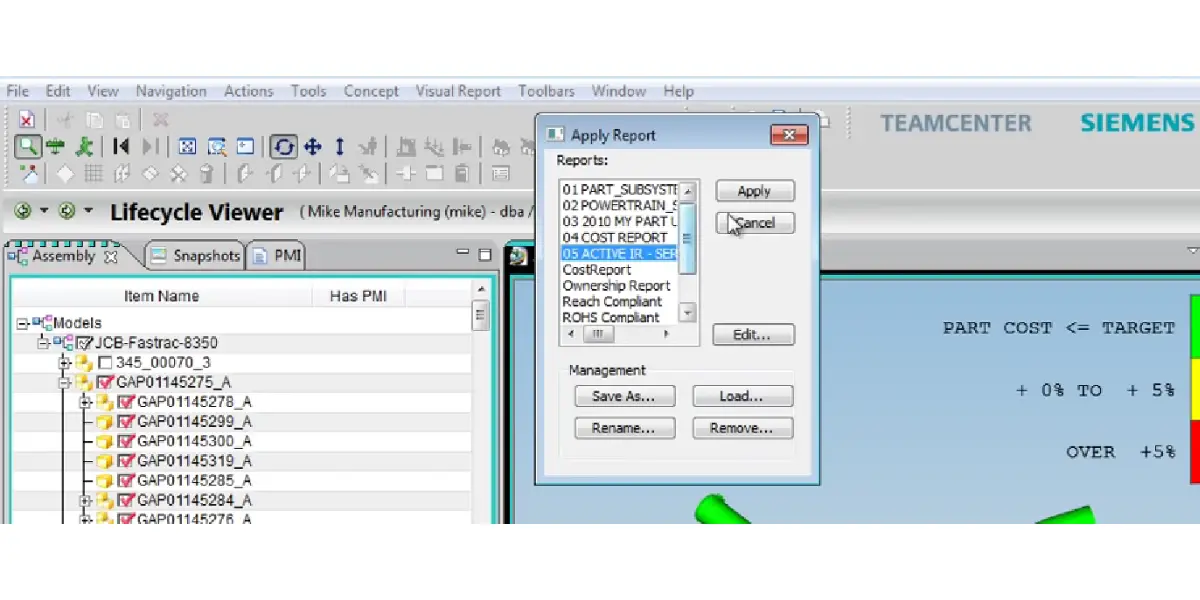
The Siemens Teamcenter offers a common source of BOM across the organization, whether you need basic or advanced BOM or any configuration with greater flexibility. This helps users plan material purchases and estimate production costs. It ensures that a business has all the necessary parts and components for production.
Management of documents and publishing
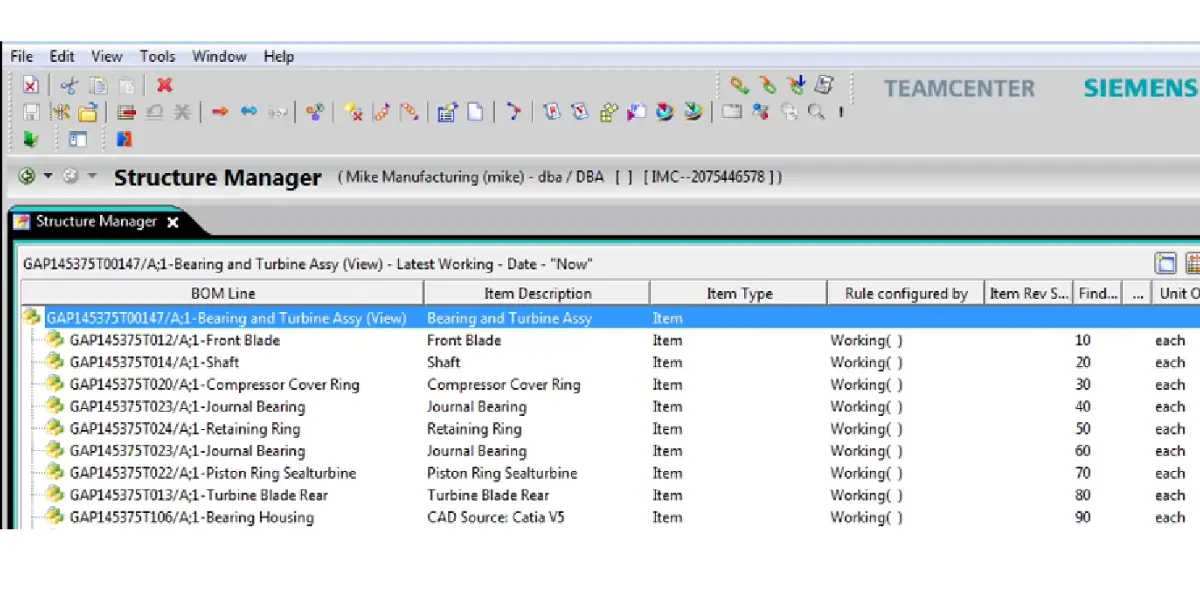
This is the solution for managing complex documents and effective publishing. This helps to meet your specifications with analytical reports, 2D/3D illustrations, spreadsheets, and many more.
The technical publication feature effectively improves documents and changes and reduces time and cost.
Managing the product change
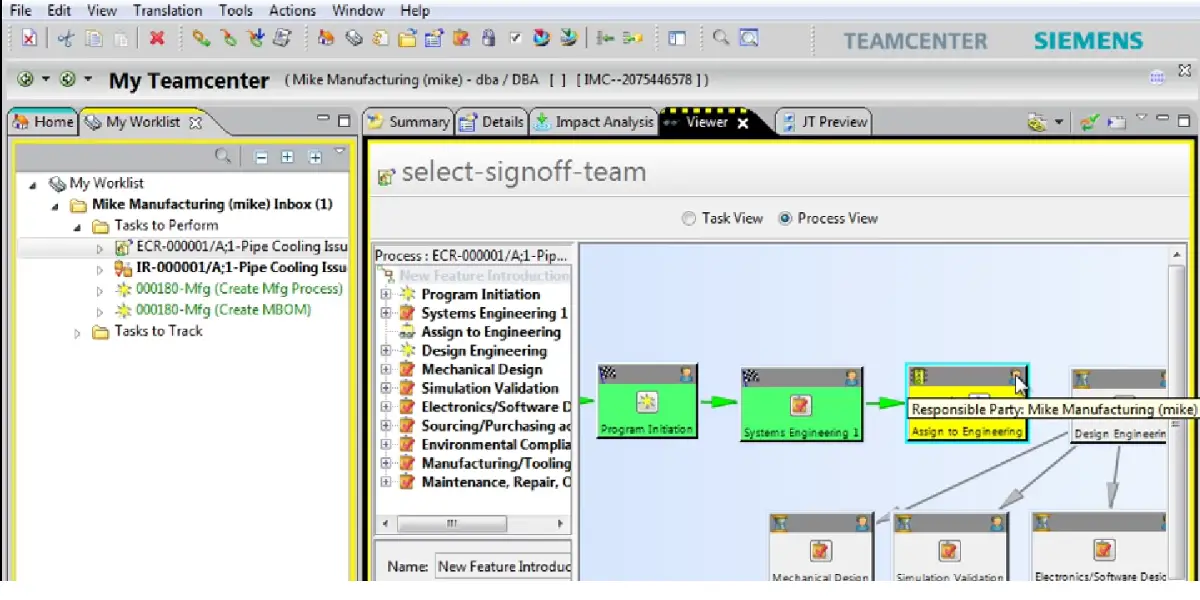
Siemens Teamcenter can help to manage product change in many ways. First, it provides a central repository for all product data, making tracking and managing changes easy.
Siemens Teamcenter includes a powerful set of tools for configuration management, allowing users to track and control changes at the individual component level.
Its change management functionality helps to ensure that changes are implemented consistently and accurately across the product development process.
Coordinating complex change across disciplines, executing simple design reviews, and directing a response to quality issues can be done more efficiently with Teamcenter.
Change management is one of the areas customers most often cite as the reason they bought Teamcenter rather than a lighter PDM tool.
Electrical CAD management
With Siemens Teamcenter, you can speed up the process of engineering changes, validation, and approvals to improve product quality.
You can work with design data, revisions, and product configurations with other people in other places. For example, if you have a digital mockup, you can see changes to the design as they happen.
Environmental compliance and sustainability
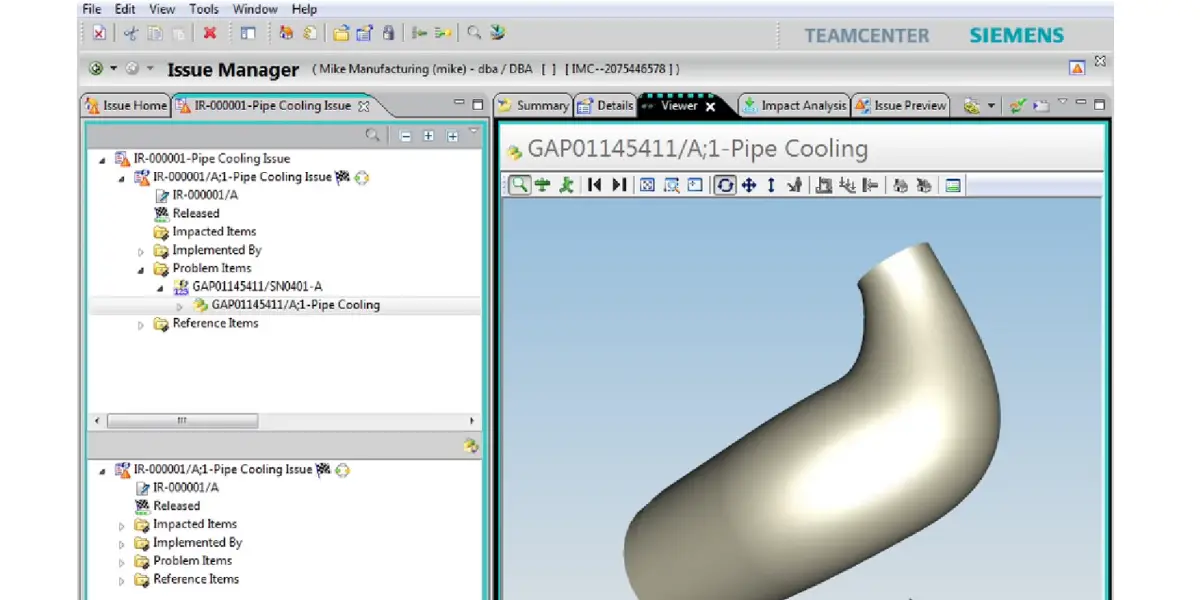
Teamcenter can help you control and trace the material makeup of your products down to the substance level.
With Teamcenter, you can limit the use of hazardous substances in your products and reduce the risk of non-compliance with regulatory directives. With the help of this, you can grow your business eco-friendly.
Manufacturing and material data management
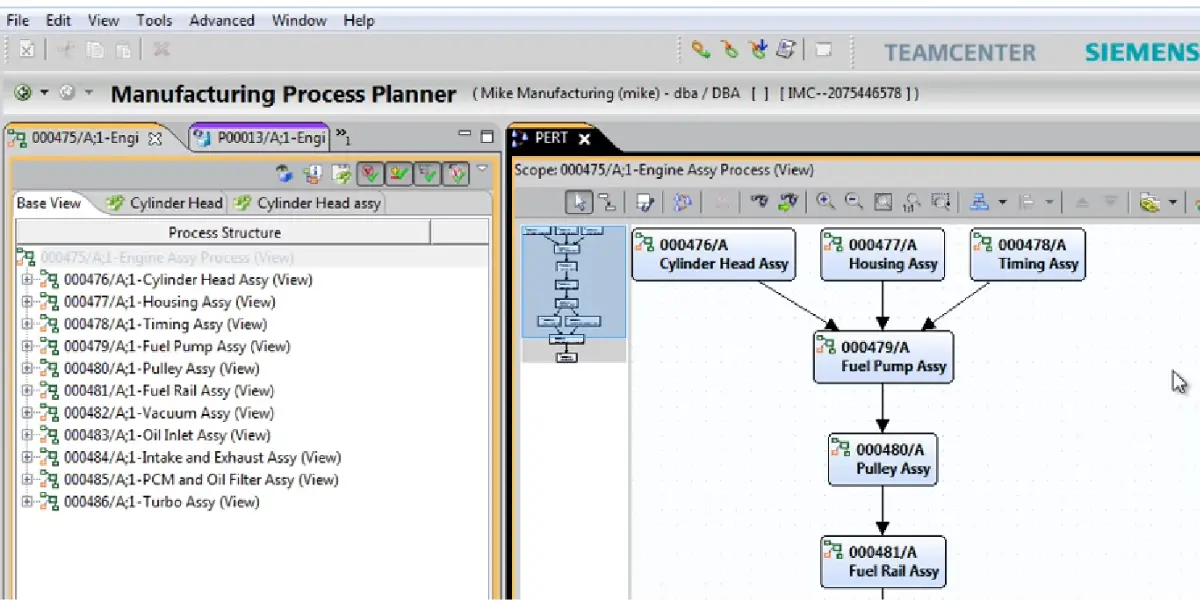
Able to plan the manufacturing process using a digital thread so that people, systems, and machines can connect. You can work together quickly and securely on the design of parts for production and assembly.
If you want your product to last a long time, you need to manage the information about the materials it is made from.
This is called materials data management. It often helps to have good materials data management for your product to be successful.
Product configuration and cost management
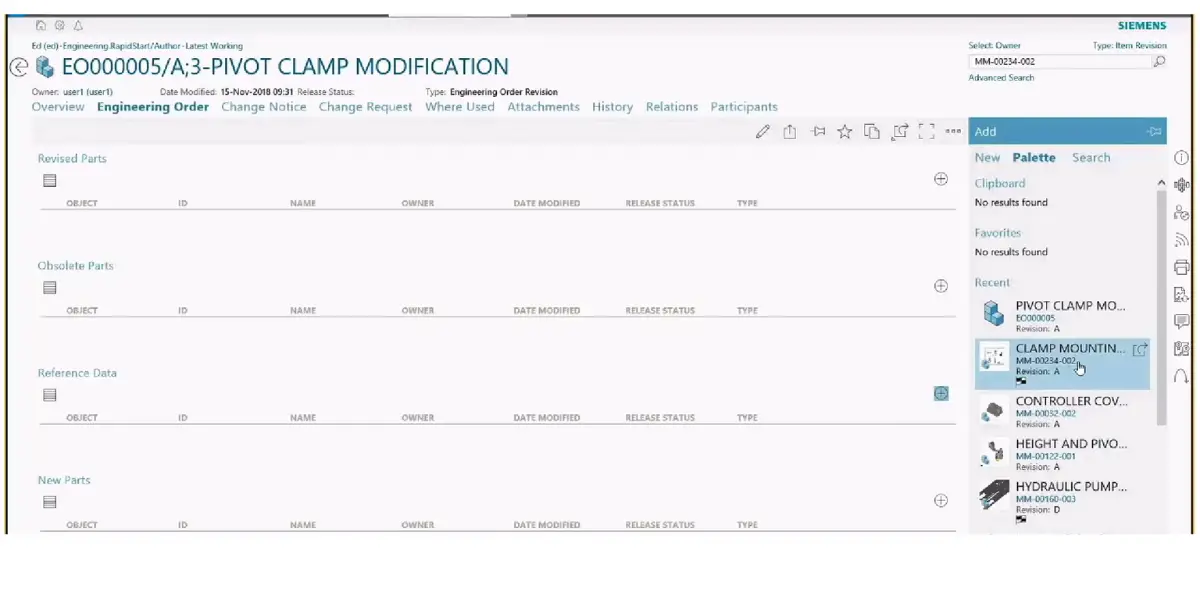
With product configuration inside PLM, you can provide more advanced and varied product offerings without driving up costs. Use the product configuration backbone in Teamcenter to create a common definition of variability across the lifecycle.
Teamcenter product cost management helps you save money on products by providing cost transparency for products and tools.
This way, you can make informed decisions about what products to create based on how much they will cost.
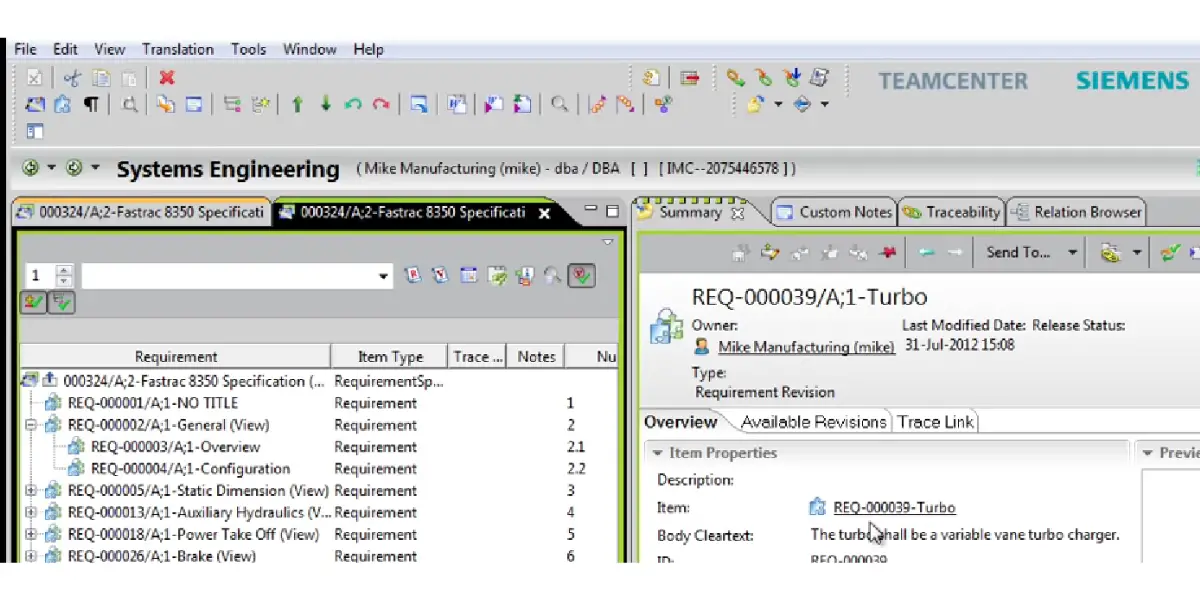
Software design management
Siemens Digital Industries software helps you manage software design data and processes. It integrates with other product lifecycle management tools to help you keep track of all your data and processes.
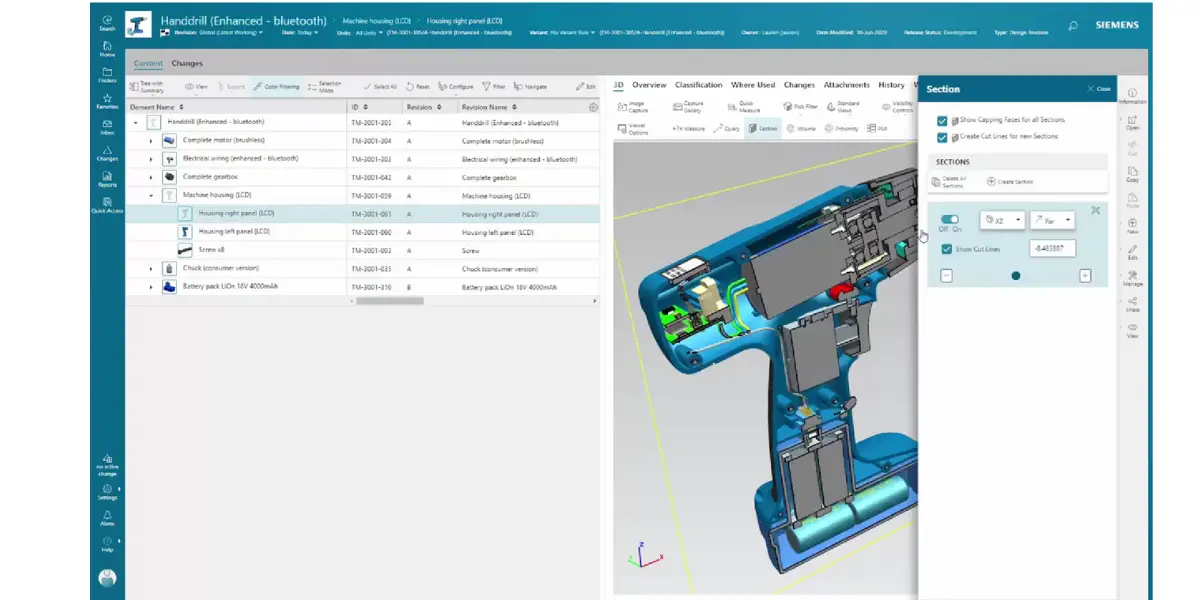
Digital mockup and high-performance visualization
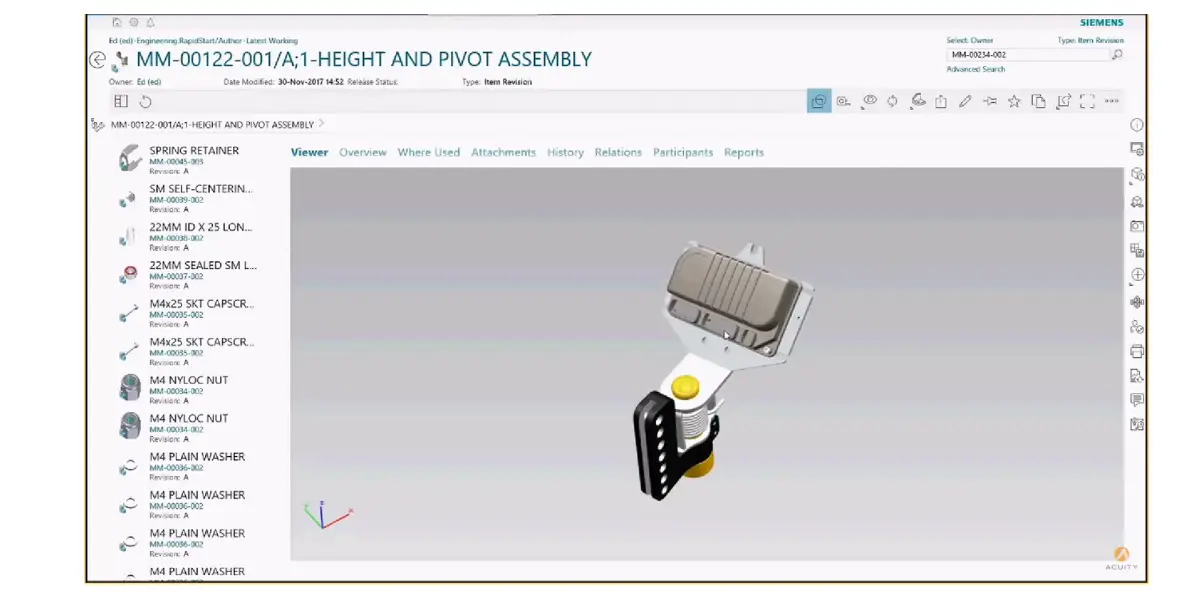
Teamcenter, from Siemens PLM Software, lets you see your product designs in 2D and 3D. This way, everyone in the product life cycle can collaborate and make informed decisions.
The PLM visualization tools are powered by JT technology. With JT2Go, free to download, you can easily collaborate with all your suppliers and partners on rich design data.
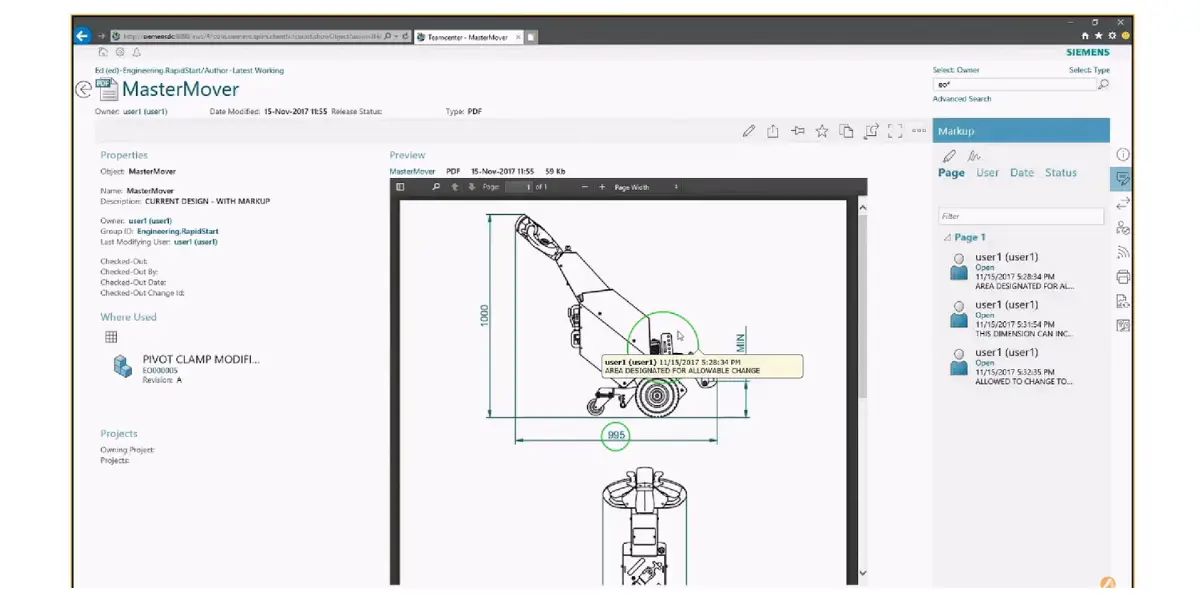
Deployment Options and Teamcenter X
Siemens offers Teamcenter three ways, and the choice matters more than most module decisions because it sets who carries the upgrade burden.
| Option | Who runs it | Suits |
|---|---|---|
| On premises | Your IT team, on your own servers | Strict data residency, heavy customization, existing infrastructure |
| On cloud | Your IT team, on a cloud provider you choose | Wanting cloud infrastructure while keeping control of the configuration |
| Teamcenter X (SaaS) | Siemens, including operation, maintenance and upgrades | Getting started quickly without running the platform yourself |
Teamcenter X is the SaaS edition, delivered and operated by Siemens, with updates included rather than run as projects. Siemens packages it in four tiers, Essentials, Standard, Advanced and Premium, broadly rising from collaboration and search, through CAD and change management, to cross domain mechanical, electronic and electrical work and the fuller portfolio.
The trade off is the familiar SaaS one, stated plainly: you stop owning the upgrade problem, and in exchange you accept Siemens’ release cadence and a narrower customization surface than an on premises deployment allows.
Siemens Teamcenter Pricing
Siemens does not publish Teamcenter prices. There is no public price list for either the on premises product or the Teamcenter X tiers; the route is a quote from Siemens or a reseller, and Teamcenter X offers a 30 day trial. Any specific per user figure you find on a third party page is an estimate, is usually undated, and should be treated as one.
What is worth knowing is what moves the number, because that is what you can actually negotiate:
- Which modules you switch on. The foundation plus BOM management prices very differently from a deployment that adds requirements, manufacturing planning and cost management.
- Licence mix. Full author seats cost considerably more than the lighter consumer or occasional seats most of a business actually needs, so the split matters as much as the headcount.
- Deployment model. Teamcenter X moves cost from a capital purchase plus internal administration to an operating subscription.
- Implementation, not licence. On enterprise PLM the services, data migration and CAD integration work routinely exceed the first year licence, and this is the line most often underestimated.
Benefits
- One product definition. Engineering, manufacturing and service work from the same BOM and the same revisions, which is the whole point and the thing spreadsheets cannot do at scale.
- Traceable change. Every change carries its impact analysis, approvals and history, which is what regulated and contract manufacturers are usually buying.
- CAD neutrality. It manages data from Siemens NX and from third party CAD tools, so a mixed design estate does not force a standardisation project first.
- Breadth. Requirements, cost, compliance, manufacturing planning and simulation can sit on the same backbone, so the platform grows with scope instead of being replaced.
- Scale. It is proven on very large, multi site product programmes, which is a genuine differentiator against lighter PLM tools.
Limitations
These are the criticisms that recur consistently in user reviews and practitioner accounts. They are worth reading as the cost of the breadth above, not as defects that a later release will simply remove.
- Licensing is genuinely complicated. The combination of module licences and seat types is hard to model in advance, which makes budgeting and true comparison difficult.
- Customization has a long tail. Teamcenter is highly configurable, and that is a strength, but heavy customization is what makes upgrades expensive later. The complaint is rarely that you cannot change it; it is what changing it costs you at the next release.
- Steep learning curve. The interface improved substantially with the Active Workspace browser client, but the product is large and new users need real training rather than a walkthrough.
- Implementation is a programme, not an install. Data migration, CAD integration and process definition take months on a typical enterprise rollout.
- Overweight for small teams. Below a certain product complexity the administration overhead outweighs the benefit, and a lighter PDM or PLM tool is the better answer.
Supported industries
- Aerospace and defense
- Automotive and transportation
- Industrial machinery and heavy equipment
- Electronics and semiconductors
- Medical devices and pharmaceuticals
- Marine and shipbuilding
- Energy and utilities
- Consumer products
Siemens also publishes preconfigured Teamcenter X starting points for particular sectors, including machine builders, medical devices and semiconductor lifecycle management.
Technical details
| Deployment | On premises, on your own cloud, or Teamcenter X (SaaS run by Siemens) |
| Main client | Active Workspace, a browser based client, alongside older rich desktop clients for specialist work |
| CAD data | Manages Siemens NX and third party CAD formats |
| Visualization format | JT, viewable in the free JT2Go viewer |
| Typical customers | Mid sized to large manufacturers; generally heavy for very small teams |
| Price | Quote based, not published; 30 day Teamcenter X trial available |
Alternatives
- OpenBOM
- Oracle Agile
- Solidworks PDM
- SAP PLM
- Arena PLM
- Autodesk Fusion 360 with Upchain
- Odoo
- Pro.File
- Prolim PLM
FAQs
What is Teamcenter used for?
Teamcenter is used as the single system of record for product data. Manufacturers use it to hold parts, CAD files, documents and revisions in one vault; to manage the bill of materials and its variants across engineering and manufacturing; to run engineering changes with impact analysis and approvals; to trace requirements through to design and test; and to plan how the product will actually be built. It is aimed at companies whose products have become too complex for shared drives and spreadsheets.
What are the modules in Teamcenter?
Teamcenter is modular and most customers license only part of it. The main module areas are the PLM foundation and document management, BOM and configuration management, change management, requirements and systems engineering, CAD and electrical design management, manufacturing process planning, product cost management, environmental compliance, visualization and digital mockup, and simulation and software design management. Siemens groups these around three stages: plan, develop and deliver. Module boundaries do shift between releases and commercial packages, so confirm the current split with Siemens or a reseller before budgeting.
What is the latest version of Teamcenter?
The current release is Teamcenter 2606, which shipped in June 2026. Siemens retired the old Teamcenter 12, 13 and 14 numbering in favour of a date coded scheme where the release is named for the year and month it shipped, so 2606 means June 2026 and the previous release, 2512, was December 2025. Pages stating that Teamcenter 14 is current are several years out of date.
How much does Siemens Teamcenter cost?
Siemens does not publish Teamcenter pricing. There is no public price list for the on premises product or for the Teamcenter X tiers, and the route to a figure is a quote from Siemens or a reseller; Teamcenter X also offers a 30 day trial. Cost is driven mainly by which modules you enable, the mix of full author seats against lighter consumer seats, the deployment model, and the implementation work, which on enterprise PLM routinely exceeds the first year licence. Treat any specific per user figure published on a third party site as an undated estimate.
What is the difference between Teamcenter and Teamcenter X?
They are the same product delivered differently. Teamcenter can be run on premises on your own servers, or on a cloud provider you choose and manage yourself. Teamcenter X is the software as a service edition, hosted and operated by Siemens, with operation, maintenance and upgrades included. Teamcenter X is sold in four tiers, Essentials, Standard, Advanced and Premium. The trade off is that you stop owning the upgrade problem but accept Siemens’ release cadence and a narrower customization surface.
Is Teamcenter an ERP system?
No. Teamcenter is PLM, not ERP, and the two answer different questions. PLM owns how the product is defined: requirements, designs, the engineering bill of materials, revisions and changes. ERP owns how the business runs: orders, inventory, purchasing, production scheduling and finance. They are normally integrated rather than substituted, with the engineering BOM from Teamcenter feeding the manufacturing BOM and item master in ERP. A company that has one still usually needs the other.
Who uses Teamcenter?
Teamcenter is used across aerospace and defense, automotive and transportation, industrial machinery and heavy equipment, electronics and semiconductors, medical devices and pharmaceuticals, marine and shipbuilding, energy and utilities, and consumer products. Inside those companies the users are design and manufacturing engineers, BOM and configuration managers, quality and compliance teams, cost engineers, and the programme managers who need visibility across the whole product record.
Conclusion
Teamcenter is a serious enterprise platform, and that cuts both ways. If your products carry real complexity, variants, regulatory traceability, mixed mechanical and electronic content, multiple sites, it does things lighter PLM tools cannot, and it will keep doing them as your scope grows. If your problem is mainly keeping CAD files organised for a small team, it is more platform than you need and the administration will outweigh the benefit.
If you are evaluating it, two questions separate a good decision from an expensive one. Which modules do you actually need in year one, given that the foundation plus BOM management is where nearly everyone starts and the rest can follow. And who is going to run it, because that is the real choice between an on premises deployment and Teamcenter X, and it drives more of the total cost than the licence line does. Ask for the quote against that shortlist rather than the full portfolio.
Reference