The purchasing module in an ERP system is a major asset for businesses, streamlining the procurement of raw materials and automating buying processes. From identifying suppliers to managing purchase orders and billing, this module seamlessly integrates with inventory management and production planning.
By offering real-time insights, enhancing data security, and reducing manual data entry, the ERP purchasing module ensures the availability of the right materials at the right time, fostering efficient and cost-effective operations.
What follows is the module’s feature set, the procure-to-pay sequence it runs and why that order matters, the controls it enforces, and where it sits against the wider procurement software market.
Introduction
The purchasing module streamlines the procurement of required raw materials. In addition, it automates the processes of buying.
Processes include identifying potential suppliers and negotiating the price. Awarding purchase orders to the supplier and billing processes are also included.
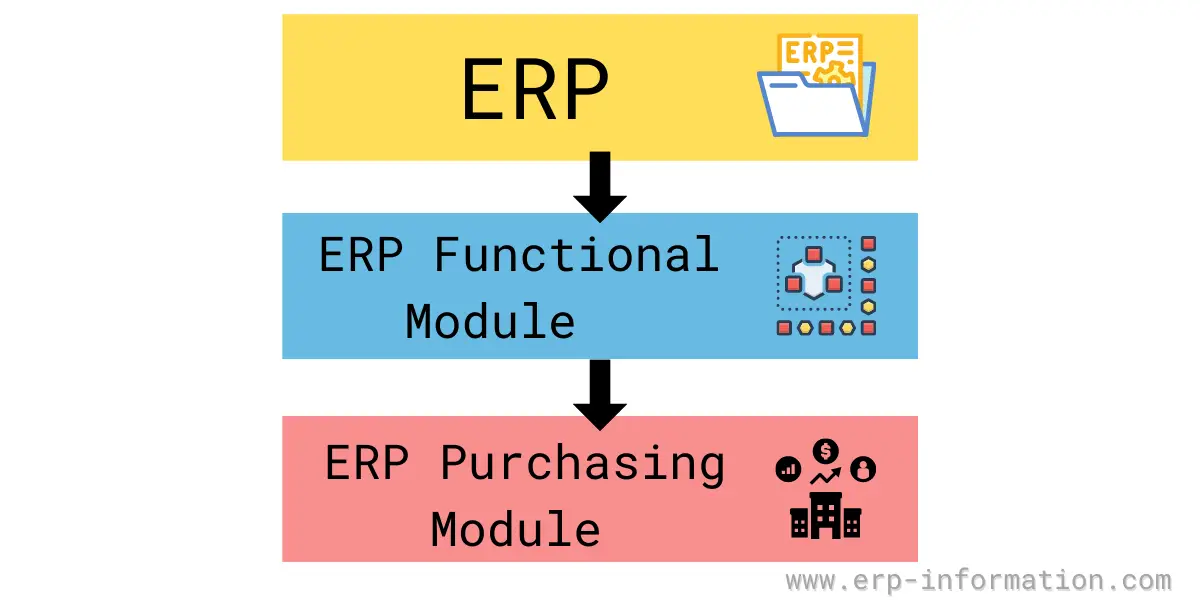
ERP procurement module is tightly integrated with the inventory control and production planning modules and is often combined with supply chain management software.
Features of Purchase Module in ERP
ERP purchasing module has the following features.
- Streamlines purchase and process cycles
- Detailed Supplier/Subcontractor/Service Provider database
- Capturing materials requirement
- The automatic firing of purchase requisitions based on MRS
- Quotations from various suppliers
- Recording Payment terms in PO
- Excise Consideration in Purchase and Process Orders
- PO authorization
- PO amendments with complete amendment history
- Order cancellation and order closing
- Multiple delivery schedules
- Quality inspection of goods
- Quotation validity
- MIS for vendor evaluation based on quality, price & delivery time
- Subcontracting, generation of process orders
- Multiple indents for multiple items in a single PO
- Purchase order processing
- Purchase order entry with item details and other details like taxes and discounts. Extra charges like freight, P&F, octroi.
- Flexibility to generate Purchase Order in domestic and foreign currency
- Advance adjustments
- Purchase bill with updating of GL and purchase book
- Service contracts, Service Bills, Service indents, and PO
- Value-based approval of indents
- Bill of entry
- Complete import functionality with the handling of custom details. Purchase bill for import, excise consideration in imports.
- Reports for order tracking for complete control over the procurement cycle
The procurement module in ERP aims at making available the required materials of the right quality, in the correct quantity, at the right time, and at the right price for the smooth functioning of the organization.
Purchase Procedure Steps
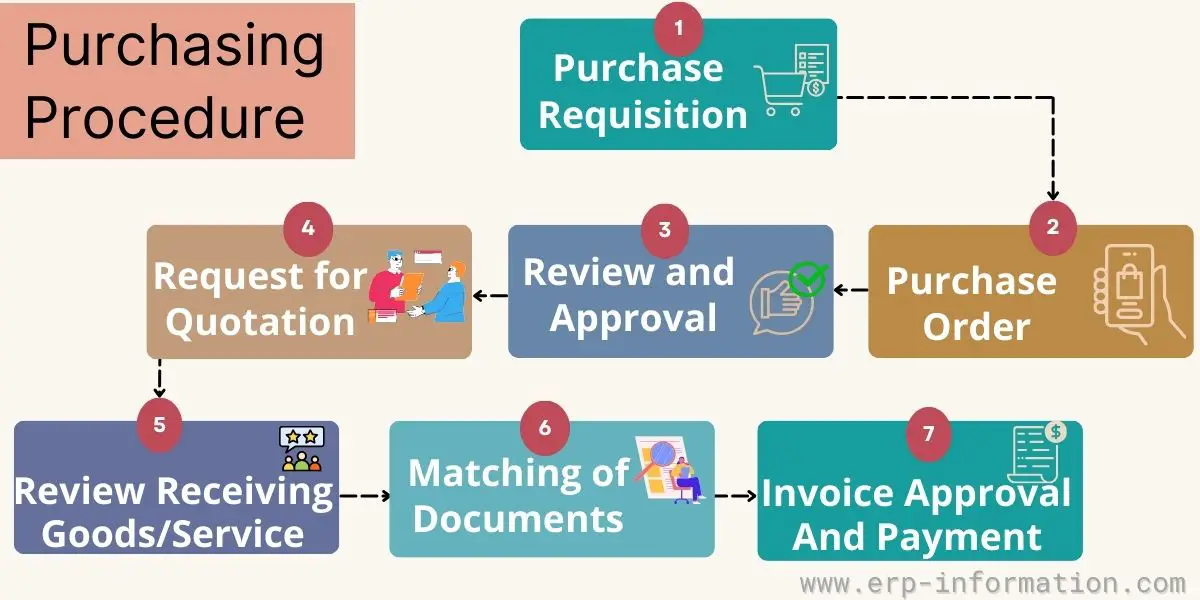
Following are the steps of the purchase procedure in the ERP purchasing system.
To know about the P2P Cycle in different platforms, check our articles
Purchase Requisition
Before sending the requisition, it is necessary to identify the goods or services to be purchased, and it is also vital to select the right supplier.
Once all these are done, purchase requisitions will be submitted. Purchase requisition contains full details of goods or services to be purchased.
Requests for Quotation
A request for quotation goes out before any order is placed. It is sent to several candidate suppliers with the specification, quantity and required delivery date, and asks each to quote a price and a lead time.
The responses are what let you choose the supplier and agree the price, so the RFQ has to precede the purchase order. Issuing a PO first and requesting quotations afterwards would mean you had already committed to a price you had not yet tested. For repeat items covered by an existing contract or blanket agreement this step is skipped, which is much of the point of holding those agreements.
Review and Approval
With a supplier and a price selected, the requisition goes for approval. The accounting department verifies that funds are available and the request is authorised at whatever level the value requires.
Approval belongs here, before the order is raised, because a purchase order is a commitment to the supplier. Approving after the PO has already gone out turns the control into a formality.
Purchase Order
The approved requisition becomes a purchase order and is issued to the selected supplier. The PO carries the item detail, quantity, agreed price, delivery schedule, and the terms and taxes that apply, and once the supplier accepts it, it is a contract.
You can calculate your purchase order finance using our Purchase Order Financing online calculator
Review of Receiving Goods/Services
Once goods or services delivered by the vendor are received, they will be reviewed carefully to ensure that received goods/services are ordered only.
Matching of Documents
This is the three-way match, and the three documents are the purchase order (what was agreed), the goods receipt (what actually arrived) and the supplier invoice (what is being charged for). Only if all three agree on item, quantity and price does the invoice pass for payment.
It is the main control against paying for goods that were never delivered, or paying a price nobody agreed to. Systems normally allow a tolerance so a trivial difference does not block a payment, and route anything outside it to a buyer to resolve.
Invoice Approval and Payment
Once the goods and the documents are verified, the invoice is approved and the buyer pays the supplier according to the terms recorded on the purchase order. Any of the three documents disagreeing puts the invoice on hold instead, which is the whole purpose of matching them.
Benefits of ERP Procurement Module
Reduces the procurement process time
With the help of the ERP procurement module, you can reduce the time required for procurement processes.
- It reduces the manual data entry
- It makes the approval process faster
- It saves and retrieves information
- It makes invoice processing easy
- It reduces the time required to track the commitments while doing the budget.
Provides good data quality
Data qualities of the purchase orders or invoices are reasonable compared to the same document generated using Word or Excel.
The purchasing module assigns purchase order numbers and dates automatically.
Provides good hold of the procure-to-pay process
It shares information such as invoice processing, billing, cost allocation, and purchase order-related files with the suppliers.
Controls budget in real-time
This system shows the complete picture of committed costs on a budget. When you have reasonable control, you will make better decisions and determine the possibilities of extra costs earliest.
Allows you to access historical data
Digital archives help you to find out the previous orders and order quantities.
Makes the internal approval process easy
Internal approval of purchase orders or invoices is the biggest challenge without a purchasing system.
When the approval is in the form of an e-mail, you need to follow up on it, and when it is in the form of a document, there is a chance of missing it. These are time-consuming also.
With the help of the purchasing module, you can overview which PO is approved and by whom. You can also trace this information whenever you want.
Enhances data security
The system provides more security to data. With this system, you will have the authority to decide who can see, change, and approve the data. Hence you can protect valuable information.
Need not depend on people
It automates the process; hence, you need not depend on IT professionals; all can find real-time information.
What is a Purchase Order?
A purchase order is an important document and can be generated with the help of the ERP purchasing system.
A purchase order is an official document issued by the buyer’s purchasing department that contains the details about the item to be purchased, the quantity, and the item’s price.
Read more: What is a Purchase Order (PO)? Types, Formats, Templates
Best Vendors for ERP Purchasing Module
Two different markets get mixed together here, and it is worth separating them before comparing anything.
The purchasing module inside an ERP suite is bought as part of the suite, and the practical shortlist is whichever ERP you are already running or evaluating: SAP, Oracle, Microsoft Dynamics 365, Infor, Epicor, NetSuite and the like. Its advantage is that the requisition, the goods receipt and the invoice all sit in the same ledger with no interface to maintain.
Dedicated procurement and source-to-pay platforms are the separate category, and the established names there are SAP Ariba, Coupa, Oracle Fusion Procurement, Jaggaer, GEP and Zycus. These are bought when sourcing, supplier management and spend analysis need more depth than an ERP module offers, and they then integrate back into the ERP.
The tools below sit mainly in a third group: lighter, cloud-based procurement products aimed at small and mid-sized buyers that want requisition-to-PO workflow and approvals without a full source-to-pay implementation.
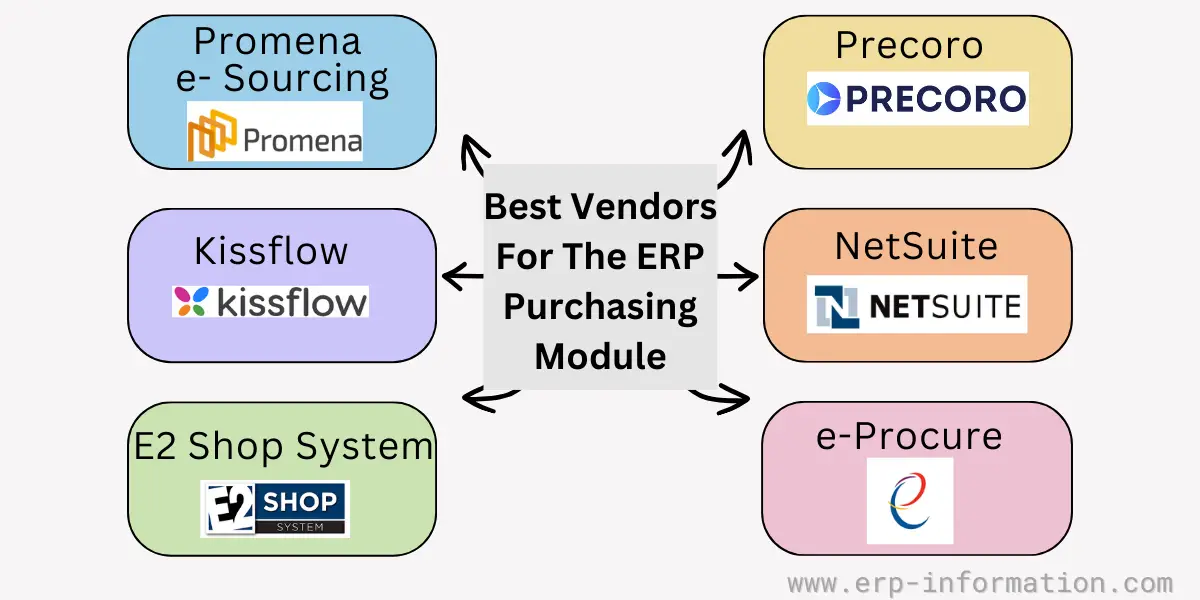
1. Promena e-Sourcing
It is a cloud-based software with strategic solutions such as a request for proposal, request for information, and demand for a quotation.
The client can purchase this software monthly or pay for its service per project. In addition, it also provides support, consultancy, and onboarding services to its clients.
2. Kissflow
Kissflow also provides cloud deployment. For example, with the help of the Kissflow procurement cloud, customers can handle their procurement process for goods and services with complete flexibility.
It automates the three-way matching and tracks real-time budgeting.
3. Precoro
It is a cloud-based software and much suitable for small and medium businesses. It also provides three-way matching and real-time budgeting.
One of its key features is visual analytics on the use-ups of all departments.
4. NetSuite
It is one of the popular cloud-based vendors. It provides many ERP modules such as purchasing, finance, CRM, sales, production, human resources, etc. Therefore, it is much more suitable for small and medium businesses.
5. e-Procure
It provides cloud deployment. It is suitable for all types of businesses, from small to large. It provides a smooth flow of purchase requests, workflow approval, and blockchain payments.
Other features include monitoring of KPIs, reporting, notifications, etc.
6. E2 Shop system
E2 Shop system is a cloud-based software. It suits job shops, contract businesses, and make-to-order industries. Along with the purchasing module, it also provides accounting, shipping, scheduling, and customer management.
FAQs
What is the purchase module in ERP?
The purchase module in an ERP system is like the digital command center for all procurement processes. Businesses manage the entire purchasing lifecycle, from creating purchase requests to issuing orders, tracking deliveries, and settling invoices.
This module streamlines the procurement process, enhances vendor management, and empowers data-driven decision-making, making it a cornerstone of efficient and cost-effective supply chain management within an organization.
What is the difference between purchasing and procurement?
Purchasing is like buying items from a store. It’s about getting things at the right price, quality, and quantity. It focuses on short-term requirements.
Procurement is more than buying; it’s the whole process of finding, buying, and managing goods and services. It’s like making sure you shop at the best stores, negotiate deals, and keep good relationships with sellers to benefit your business in the long run.
Conclusion
The purchasing module in the ERP system is a powerful tool for businesses to track and monitor their purchase orders. By being aware of this, you can better anticipate upcoming needs and ensure that your business has enough supplies on hand as it continues to grow.
We hope we have succeeded in our goal and provided helpful information for those looking forward to learning about the ERP purchasing module.
Find more about the other ERP modules here.