PDM, or Product Data Management, is all about how companies handle and organize their product information using methods and tools. It is a way organizations control and arrange details about their products, making sure everything is in order and well-organized. Read on to know more about it.
This guide covers what PDM is and how it differs from PLM and PIM, then compares 10 PDM tools side by side. Pricing was re-checked against each vendor’s own pricing page, or its official marketplace listing, on 9 October 2026, and where a vendor publishes no figure this guide says so rather than guessing.
Product Data Management Definition (PDM definition)
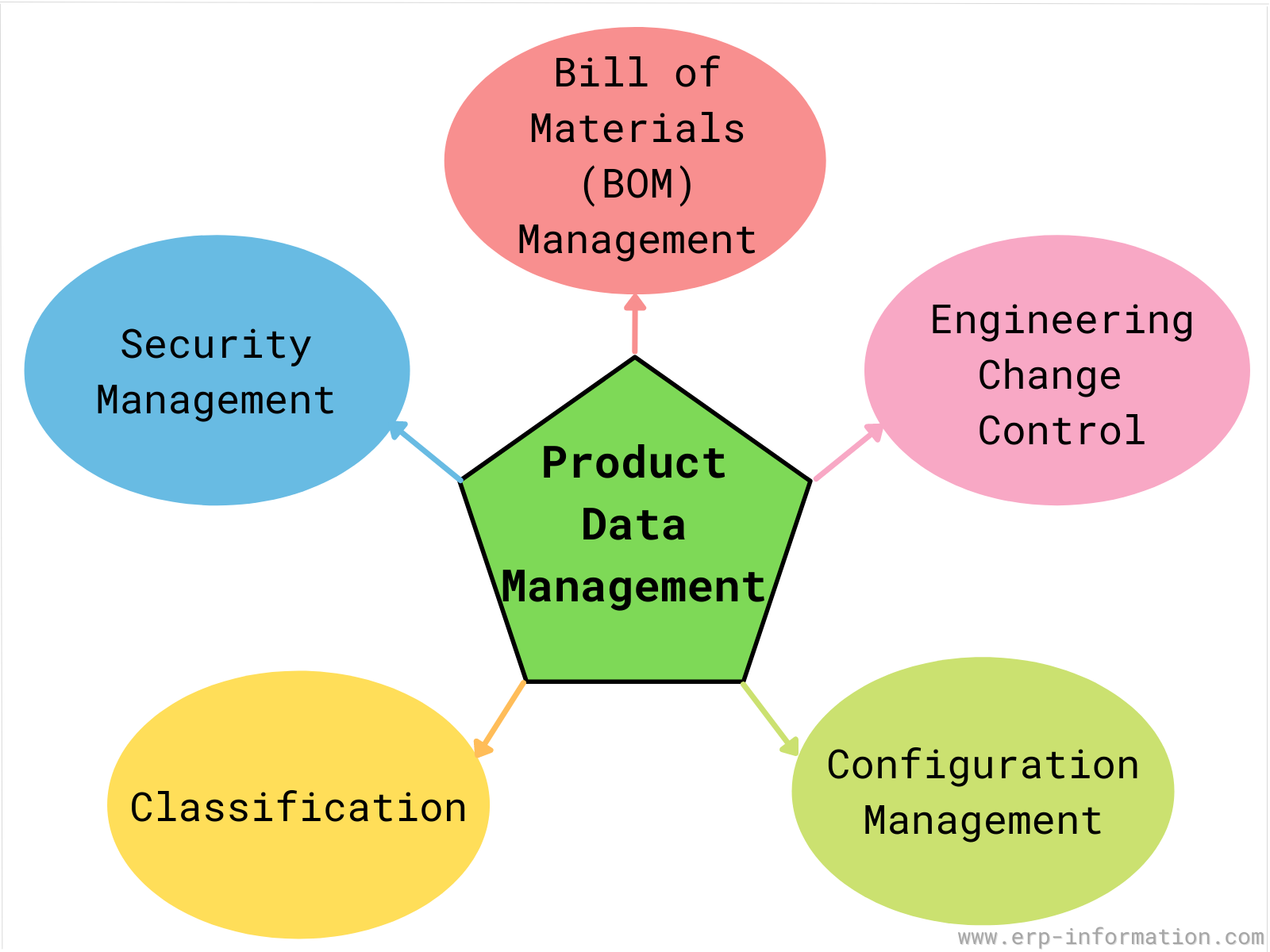
Product Data Management (PDM) is the collection of the organization’s product data and maintenance. This data can include anything from engineering drawings and BOMs to marketing materials and customer support information.
The below image represents product data management in detail.
Purpose
PDM’s purpose is to ensure that all this data is accessible to everyone who needs it, whether in engineering, manufacturing, or marketing.
As a result, companies can avoid duplication of work, ensure consistency across different product versions, and make it easier to bring new products to market quickly and efficiently.
Now let us look into PDM in detail.
Overview
PDM system is specifically designed to store and manage the complete information in a more robust and retrievable manner, including computer-aided design (CAD) data, models, parts information, manufacturing instructions, requirements, notes, documents, etc.
Product data includes any information related to the characteristics of a product and technical specifications such as its size, price, color, materials used, usage instructions, and more.
This data is essential for businesses as it provides valuable insight into customer demand and can help them create more effective marketing strategies.
Product data also helps businesses understand their competitors better, as they can compare their product offerings against those of their competitors to identify areas where they can gain a competitive advantage.
Additionally, product data allows companies to track inventory levels to ensure that they remain adequately stocked.
Regarding the engineering side, the specification includes manufacturing instructions and CAD models.
Following are the data managed by PDM.
- Brand name
- Part number
- Description of product
- Vendor information
- Vendor part number
- Unit of measurement
- Product specification
- Bill of materials
- Cost of the product
- CAD drawing
- Material and Part datasheets
An ideal Product Data Management system seamlessly meets all organizational requirements while providing accessibility to multiple applications across the enterprise.
Choosing the right PDM software can allow the company to survive in the excessively saturated market. It stores all the information about the products in an organized, less vulnerable, and retrievable manner.
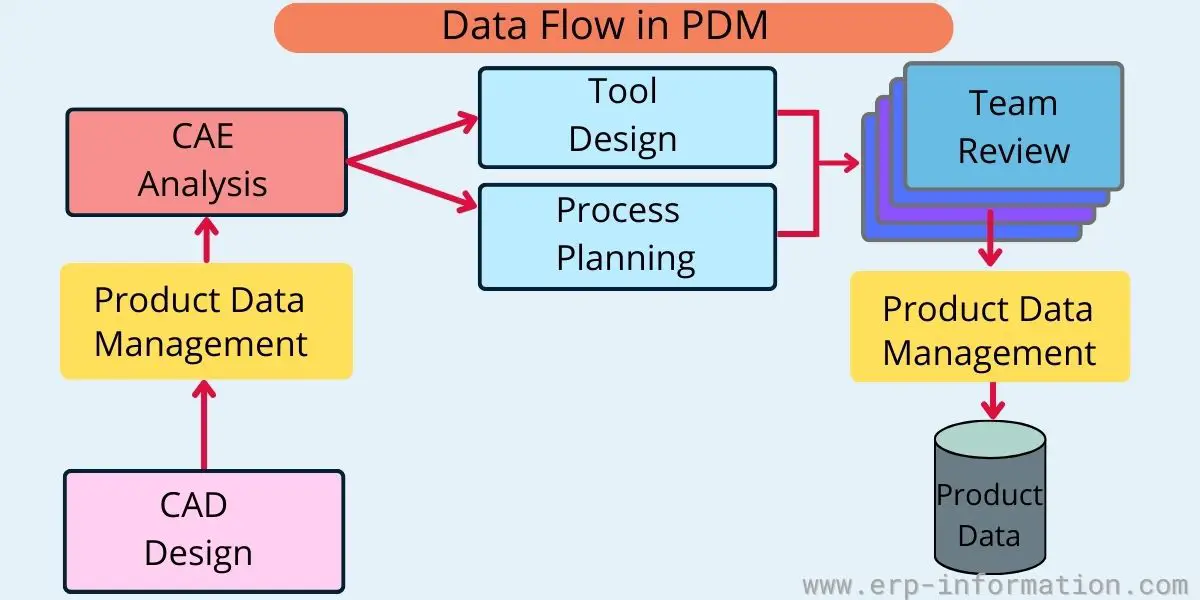
All the other systems can then leverage the information stored in the PDM system within the company that needs information about the specific product.
This information may include extensive information about the particular product ranging from the raw materials deployed in the manufacturing cycle to how it was manufactured.
The data feed by the PDM system behaves as a source for various business functions, from design to manufacturing.
How do PDM systems ensure the highest level of security?
PDM systems store and manage sensitive information about a specific product in a way more secure and manageable form and ensure that all users can appropriately leverage this information throughout the product development lifecycle.
PDM system ensures the highest level of administrative functionality and security features through the proper implementation of role management, project-based security, and access privileges.
How does a PDM system manage BOM data?
A PDM system keeps BOM data under control as a product moves through its lifecycle, which can involve several BOM views: the engineering BOM (as designed), the manufacturing BOM (as planned), the BOM as built, the BOM as shipped and the BOM as maintained.
Data Management Process in PDM
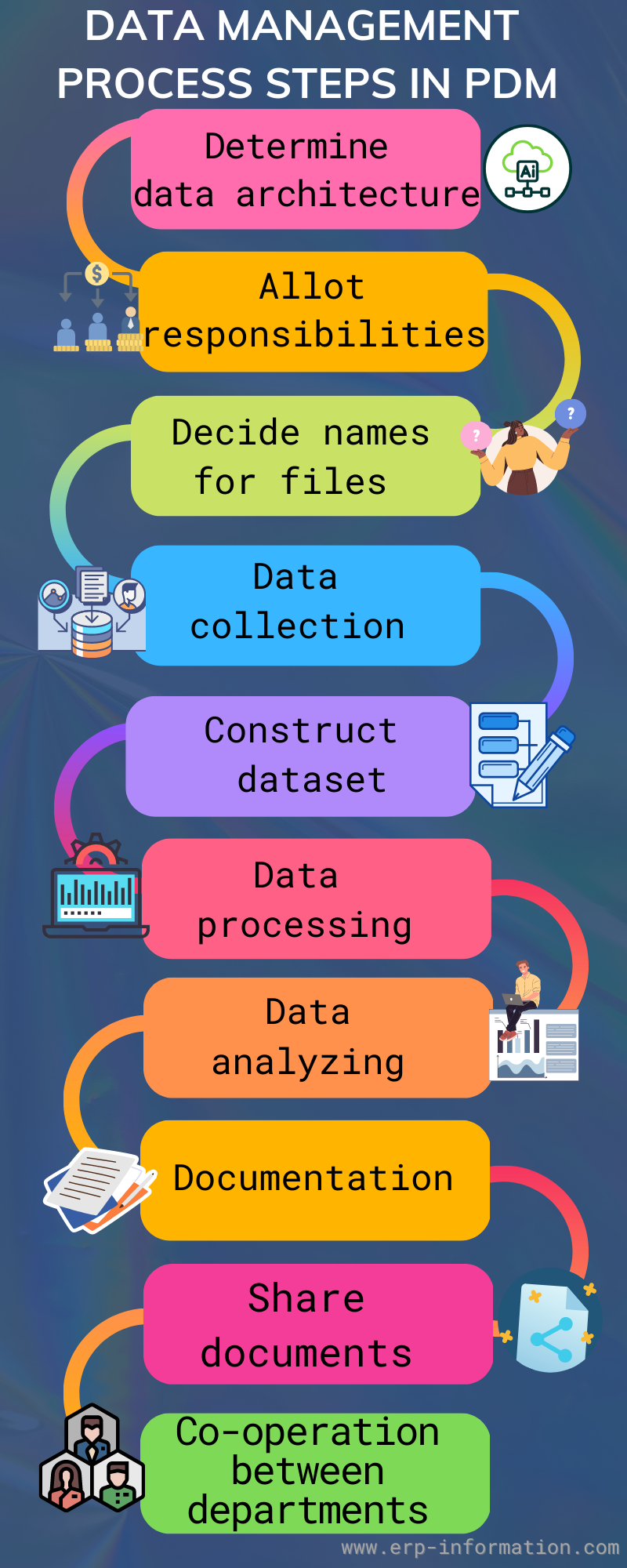
Data management is crucial for all businesses for their overall growth. So while implementing this process, you need to follow the below steps.
1. Decide data architecture
Every work needs a blueprint. The determination of data architecture serves as a blueprint that determines all the databases and software you require for your organization’s data management process.
So it is essential to decide where you want to store your data.
2. Allot responsibilities
While implementing the data management process, ensure who is responsible for which work. Then, assign the work to each person.
Opacity in the team leads to poor data quality. Hence, assign the responsibility to each person.
3. Decide the names of the files
Decide standard names for each file so that the user can easily search the file, and they will be able to find out which data is there in that file. Hence you can save time.
4. Data collection
This step will be the essential step in this implementation process. To make critical business decisions, you need valid, real-time data. So collect crucial and necessary data from different sources.
5. Construct a dataset
Once you have collected data, you need to validate the dataset by comparing it with another source and re-arranging it for the following process.
6. Data processing
After completing data validation, convert the data set into one single data so that software can easily understand it.
For example, if you have fields representing the final product like the assembled product, finished product, output product, etc. Just merge them into a single lot, the final product using data processing.
7. Data analyzing
With the help of software, analyze the data to get a better result because computer programming examines data accuracy better than a human.
8. Documentation
Record all the previous steps and results in documents and save them with the proper name.
9. Share documents
Share all documents of the data management process with your team members to understand all the implementation steps, standards, and responsibilities.
10. Cooperation between departments
Cooperation and proper communication between departments are crucial to avoid redundancy if your organization is large.
So communicate your process with other departments to avoid uncertainty about the data management process between departments.
Advantages of Product Data Management
These are the well-known benefits of the PDM system.
- Optimize the profitability of the business by reducing the cost incurred on production.
- Minimize the errors and save the expenditure incurred on offsetting casualties and mishaps.
- Enhance the overall productivity of the company and minimize the cycle times.
- Precisely address all the requirements of the business.
- Creates an opportunity for better business decision-making
- Facilitate teamwork by allowing the global team to communicate with each other easily.
- Instantly extract the most precise and accurate data.
- Immediately tracks and manages all changes related to product data.
10 Best Product Data Management Software
What is PDM software?
PDM software is a type of software that helps companies manage their product data. This can include the product’s design, the engineering specs, the manufacturing process, and the sales and marketing information.
It stores manages, and tracks this data to find and use when needed. It can also help automate some of these processes to be completed quickly and easily.
PDM Software vs PLM Software
| PDM Software | PLM Software |
| It focuses on managing data during the product development phase. It allows to collect, organize, and store all the data related to a product’s design and engineering. | It manages the entire lifecycle of a product from initial concept through design, manufacturing, and service, to disposal. It ensures that data is continuously updated and accessible throughout all phases of the product lifecycle. |
| Primarily integrates with design and CAD tools, enhancing collaboration within engineering teams. | Integrates with a broader range of systems, including ERP (Enterprise Resource Planning), CRM (Customer Relationship Management), and SCM (Supply Chain Management), promoting cross-functional collaboration. |
| It handles version control, design iterations, and technical documentation. | It manages a wider range of data, including inventory, sourcing, production schedules, and customer feedback. |
PDM System vs PIM System
| PDM Software | PIM Software |
| It handles design files, CAD drawings, engineering specifications, and other development-related documents. | It manages product descriptions, images, pricing, specifications, and other customer-facing information. |
| It is used during the design and development stages to optimize the creation of the product. | It is used once the product is ready for market to enhance sales, marketing, and customer engagement. |
| Primarily used by engineering and design teams to collaborate and manage technical data. | Used by sales, marketing, and customer service teams to ensure consistent and accurate product information across all customer touchpoints. |
| It integrates with CAD tools and other design software to streamline development workflows. | It integrates with e-commerce platforms, content management systems (CMS), and syndication platforms to distribute product information widely and efficiently. |
The ten tools below are not interchangeable, and the most common selection mistake is treating them as if they were. Three of them are not general-purpose engineering PDM at all: Delogue is apparel and fashion PLM, Altium 365 is electronics and PCB, and Onshape is a cloud CAD system with data management built in rather than a PDM layer you can put over an existing CAD tool. Start with the table, not the list.
| Tool | Best fit | Pricing |
|---|---|---|
| Upchain Autodesk | Cloud PDM and PLM for mixed-CAD teams (CAD: CAD agnostic) | $1,115 per user per year, sold as Fusion Manage |
| Autodesk Vault Autodesk | Engineering teams already standardised on Inventor or AutoCAD (CAD: Autodesk) | $870 per user per year (Professional) |
| SOLIDWORKS PDM Dassault Systemes | SOLIDWORKS shops wanting tightly integrated vaulting (CAD: SOLIDWORKS) | Quote only |
| Siemens Teamcenter Siemens | Enterprise PLM where PDM is one module of many (CAD: NX and multi-CAD) | Teamcenter X: $70,000 a year for 20 users (AWS Marketplace) |
| OpenBOM OpenBOM | Small teams needing BOM plus lightweight CAD data management (CAD: Multi-CAD add-ins) | From $30 per user per month |
| Delogue Delogue | Apparel and fashion product development, not engineering CAD (CAD: Adobe Illustrator) | From EUR 145 per user per month |
| Altium 365 Altium (Renesas) | Electronics and PCB design collaboration (CAD: Altium Designer) | In Altium’s online store, in local currency |
| Synergis Adept Synergis | Mixed CAD plus general document control, on premises or cloud (CAD: Multi-CAD) | From $12 per user per month |
| Onshape PTC | Cloud CAD with built-in data management, not a bolt-on PDM (CAD: Onshape only) | $1,500 to $2,500 per user per year |
| Windchill PDM PTC | Creo sites growing into full PLM (CAD: Creo and multi-CAD) | Quote only |
Read the pricing column first. Eight of the ten publish a figure somewhere, though not always where you would look: Autodesk prices Upchain only as part of Fusion Manage, and Siemens publishes a Teamcenter X price only on AWS Marketplace. SOLIDWORKS PDM and Windchill are the two quote-only products, which is normal for enterprise PDM but means you cannot budget them without a sales conversation.
⚠️ Review-site scores are deliberately not quoted in this guide. They move continuously, several of these products have fewer than five reviews on the major sites (which makes an average meaningless), and a rating is only useful next to the date it was captured. Check the current scores on G2 or Capterra yourself at the point you shortlist.
1. Upchain
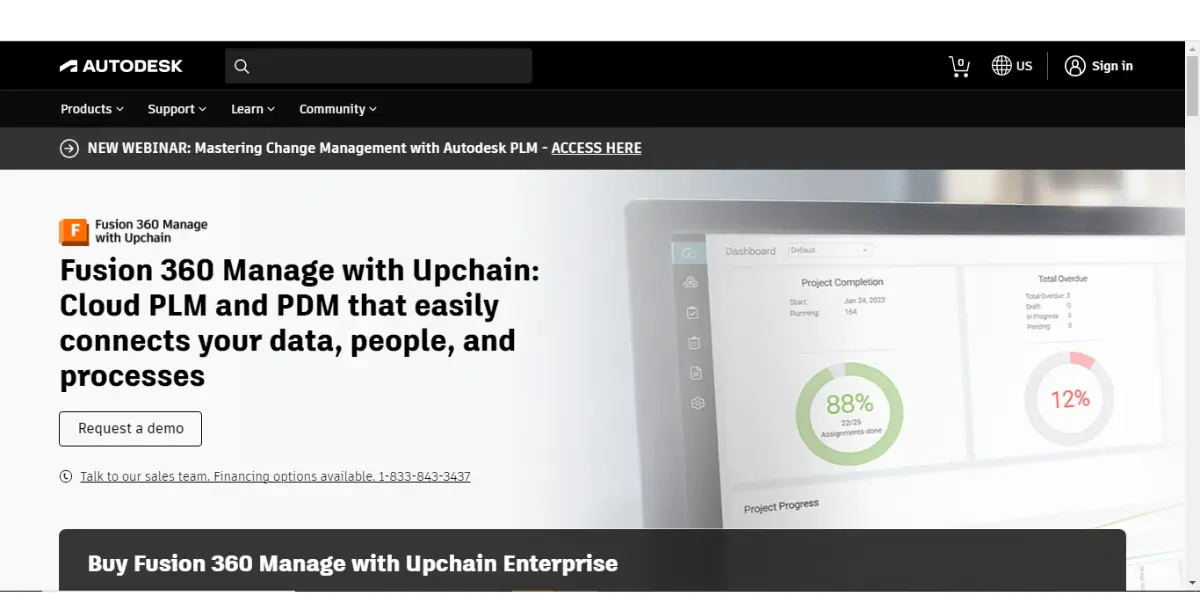
Upchain is a cloud PDM and PLM platform that Autodesk acquired in 2021. It is CAD agnostic by design, which is the reason to consider it: it holds data from several CAD systems at once, so it suits teams that have inherited a mix of SOLIDWORKS, Inventor and NX files rather than standardising on one.
⚠️ Autodesk now sells Upchain as part of Autodesk Fusion Manage: the product on Autodesk’s Fusion Manage store page is named “Fusion 360 Manage with Upchain Standard”. Look for Fusion Manage, not Upchain, when you check current pricing.
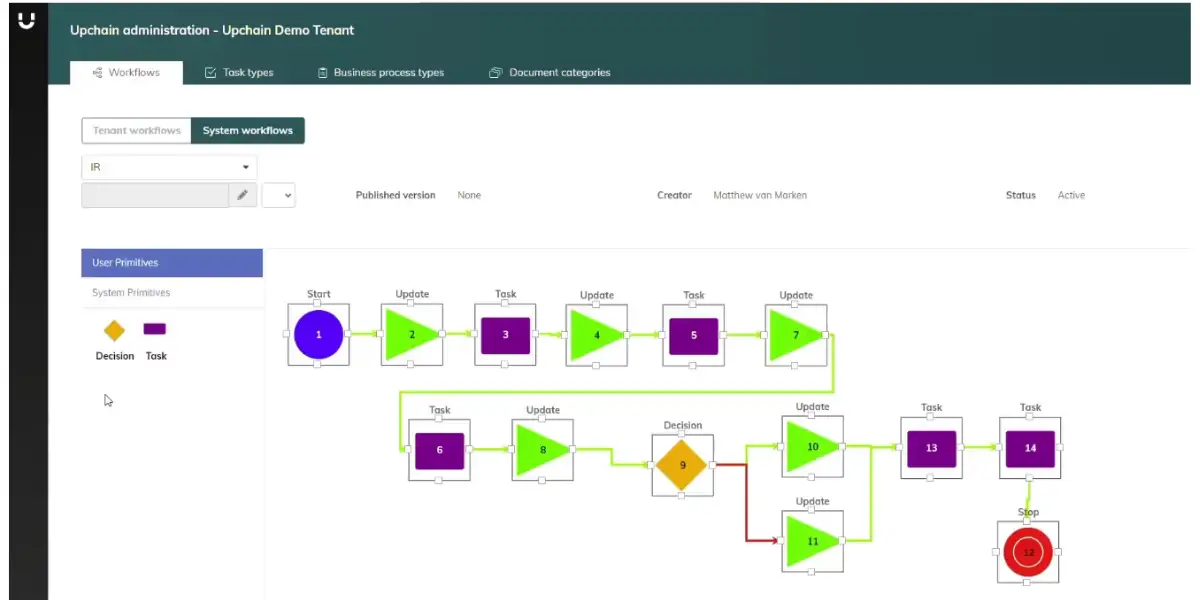
With Upchain, your team can effortlessly access and edit important product data, share it with the right teams, track assigned tasks, and identify product issues using intuitive dashboards and reports.
Key features
Upchain software offers an intuitive drag-and-drop interface for easy product management.
- Easily manage your product data with custom fields and filters.
- Get real-time updates on your products’ statuses and changes.
- Collaborate with your team in a secure environment.
- Easily integrates with CAD tools and other software
- Connects product development processes
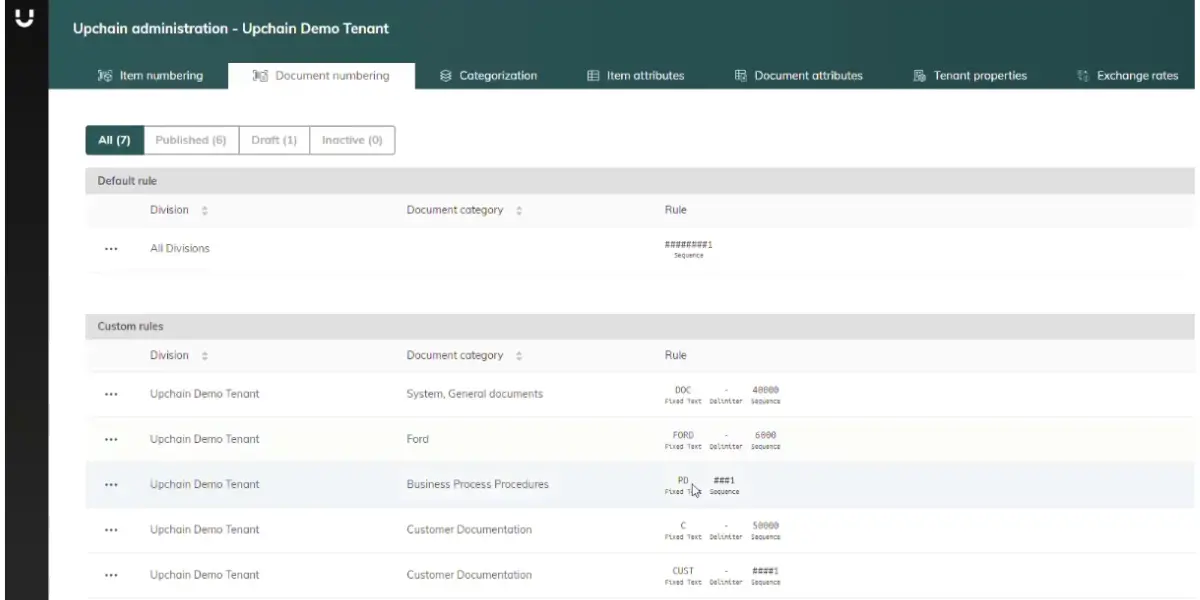
Screenshots of Upchain
Pricing
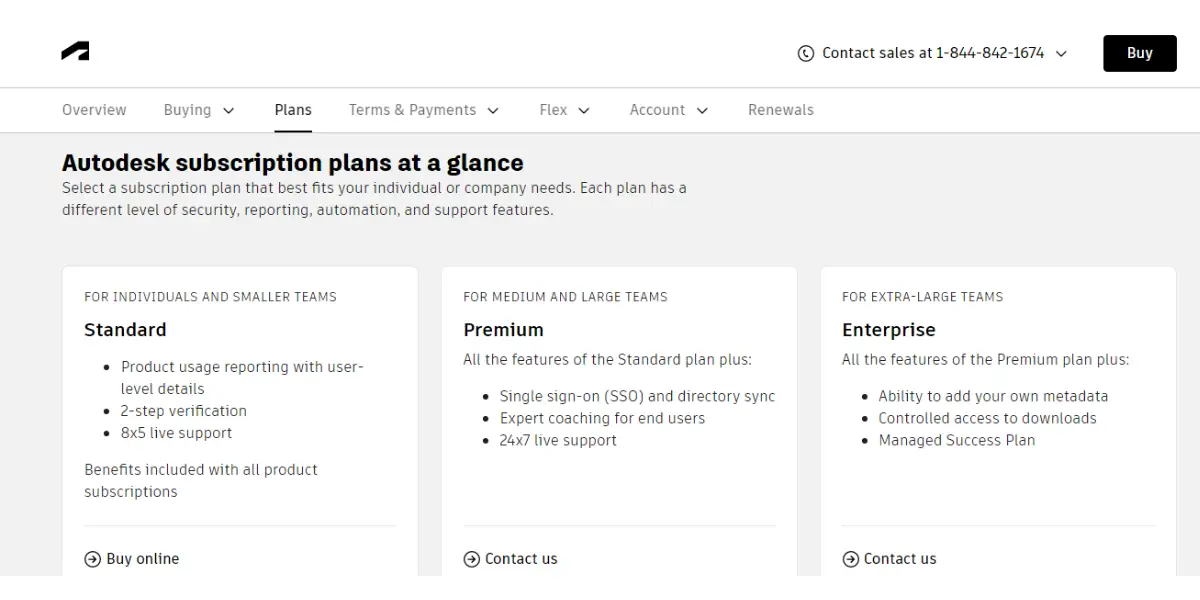
Autodesk sells Upchain inside Fusion Manage. On Autodesk’s US store, Fusion Manage costs $1,115 per user per year ($93 a month, paid annually), checked 9 October 2026. Vault PLM bundles Fusion Manage with Vault Professional.
 Likes
Likes
- It provides an excellent service for BOM and change management.
- You can easily customize the workflows.
 Dislikes
- The user interface is not so good.
- 3D modeling and assembling are complex to handle.
- It crashes sometimes.
- Advanced features are missing in 3D tool.
- Application stability and API interface need to be improved.
- Advanced surfacing options are missing.
Supported industries
- Building design
- Infrastructure
- Construction
Other details
| Deployment | Cloud, SaaS, Web-Based |
| Support | Email/Help Desk, FAQs/Forum, Phone Support, Chat |
| Training | In-person, Live Online, Webinars, Documentation |
| Supported languages | English |
User opinion
The drag-and-drop interface of the tool makes it easy to manage your product data, and you can easily customize the fields and filters to fit your needs. This platform excels in managing Bills of Materials (BOM) and change management. The ability to easily customize workflows is a standout feature that significantly enhances productivity.
However, there are a few areas that need improvement. The user interface could be more intuitive, and handling 3D modeling and assembly can be quite challenging. The application occasionally crashes, and some advanced features are missing in the 3D tools. Stability and the API interface also need to be improved.
2. Autodesk Vault
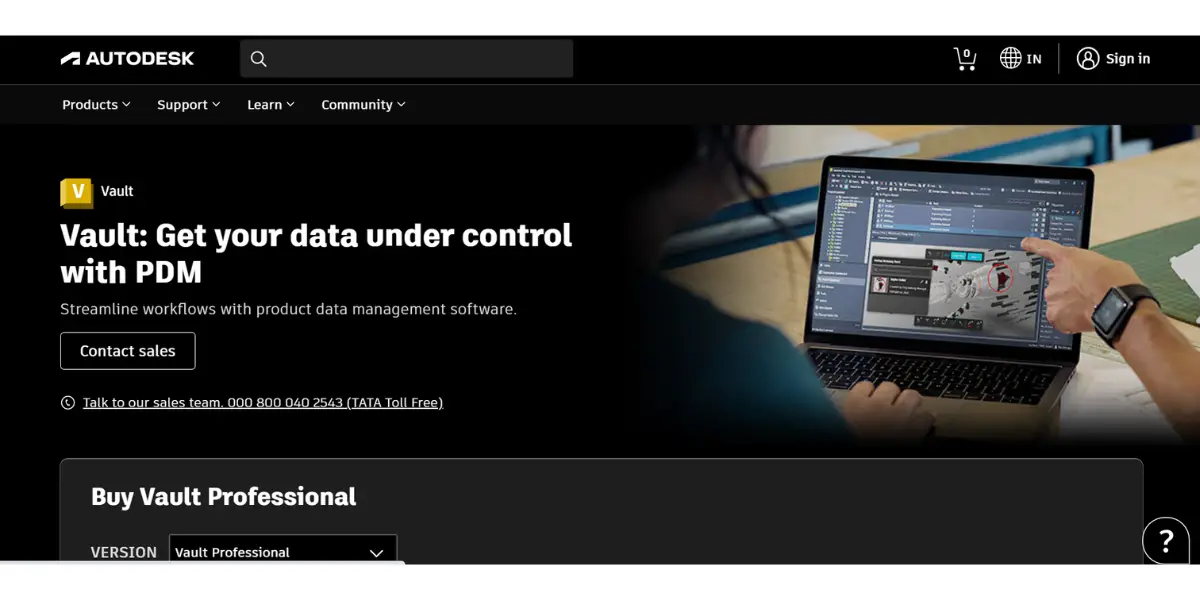
Autodesk Vault is a product data management software developed by Autodesk. It offers an intuitive drag-and-drop interface and connects product development processes for easy product management.
Key features
- Integration with CAD
- Automated design and data reuse
- Concurrent design and scalability
- Accurate and comprehensive BOM
- Integrates PDM with ERP and PLM
- Store and manage product data securely
- Access product data from any location
- Create and share product data with others
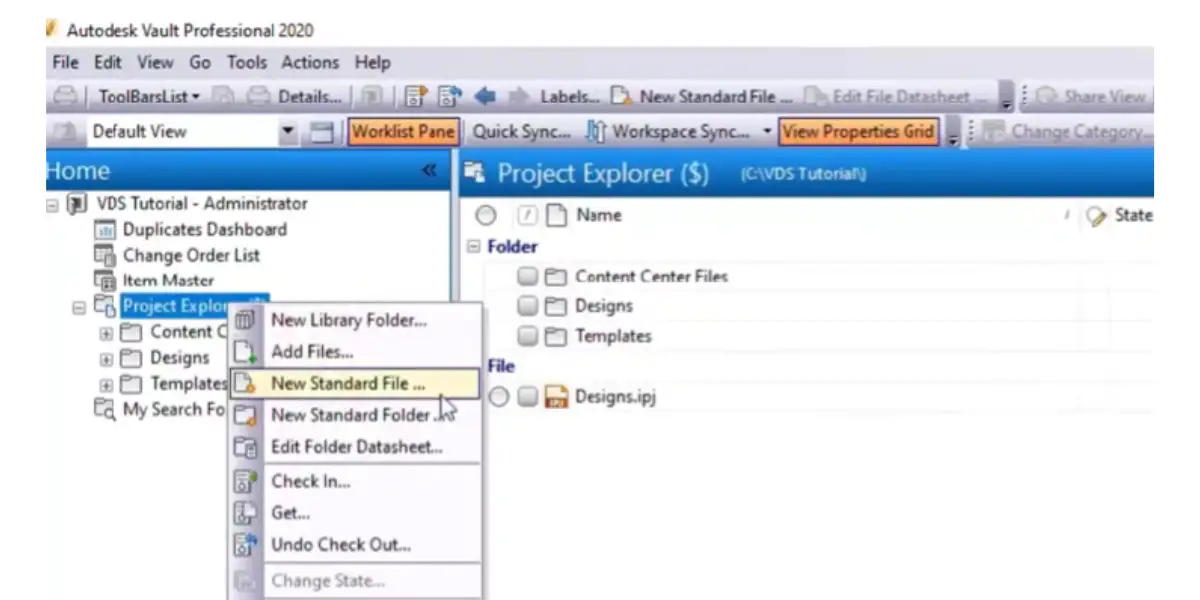
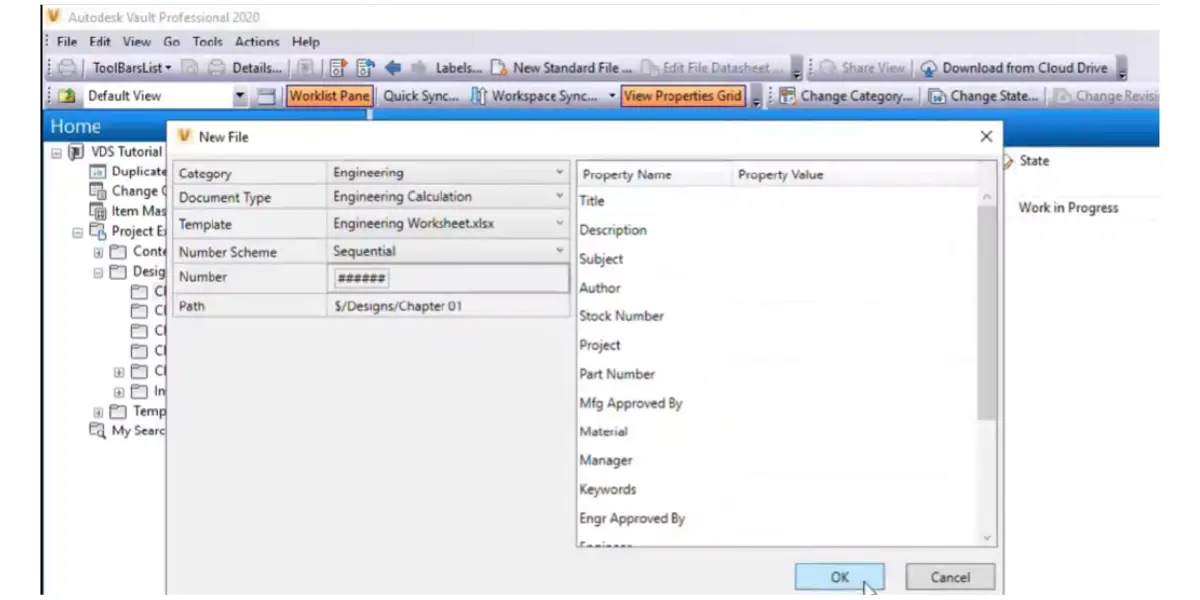
Screenshots of Autodesk Vault
Pricing
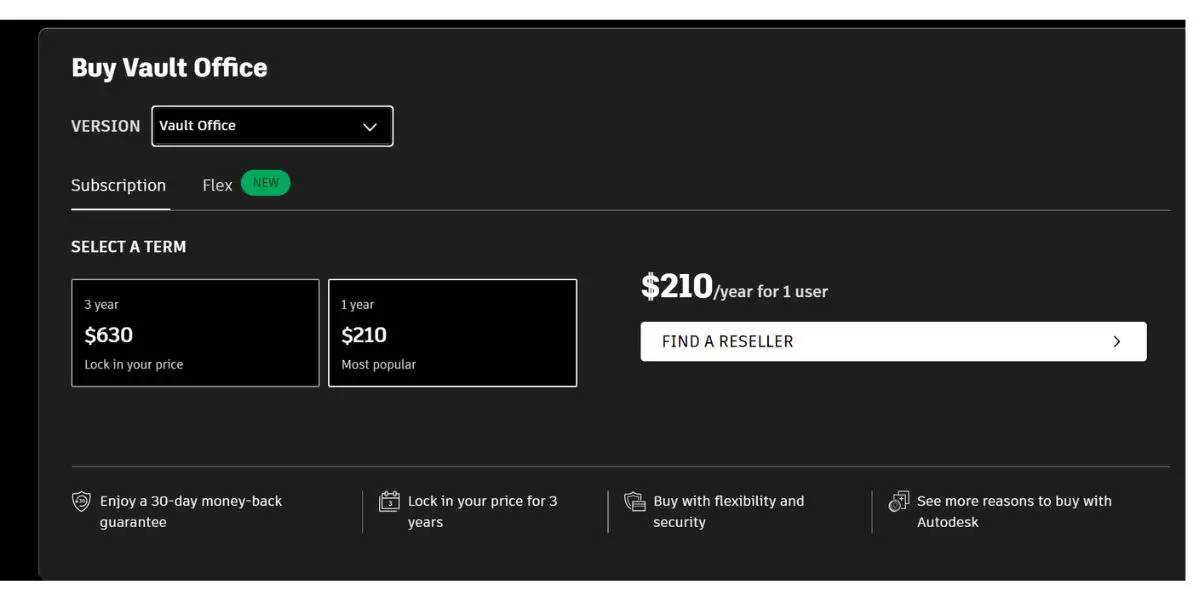
Autodesk is one of the few vendors here that publishes Vault list prices openly, on the Vault product page in your own currency. This guide deliberately does not restate the figures: Autodesk revises them, runs regional pricing, and the number you are quoted depends on term length and the plan you buy under. A price copied into an article is stale within a release cycle, and Vault pricing is exactly the kind of figure readers arrive here with a stale version of.
What to check when you look it up, because these are the choices that actually move the cost:
- Which edition. Autodesk now sells two Vault editions: Vault Professional, for engineering teams managing CAD data, and Vault Office, for non-CAD users who only manage documents. Vault Workgroup’s end of sale was 6 July 2022. Vault PLM is a bundle of Vault Professional and Fusion Manage.
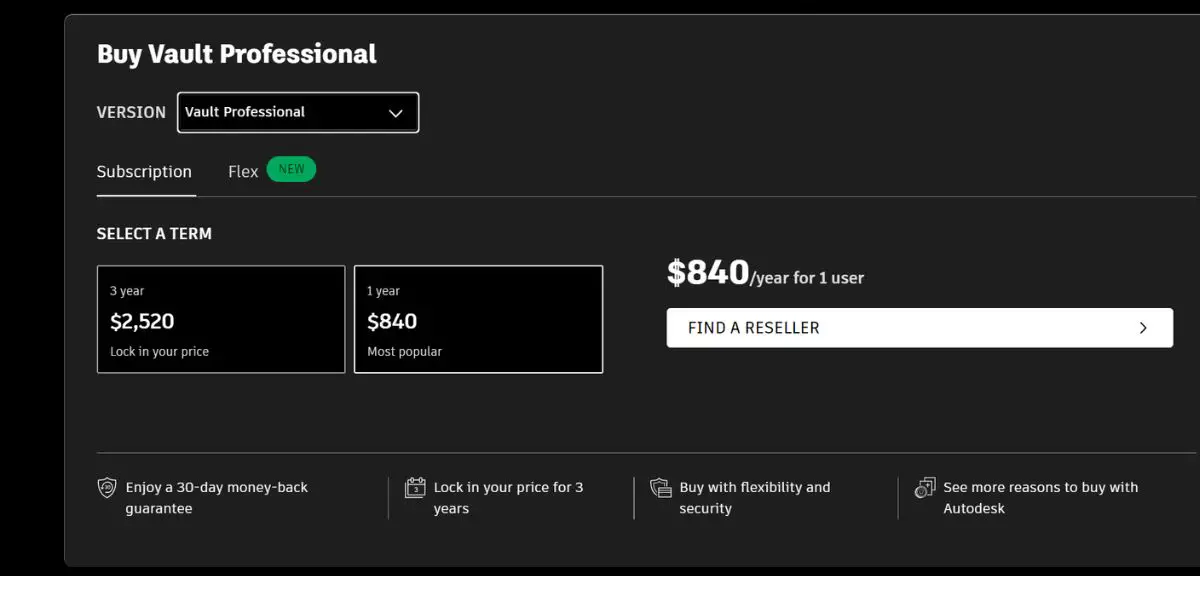
- Term length. The three-year term locks the price rather than discounting it. On Autodesk’s US store (9 October 2026) Vault Professional is $870 a year or $2,605 for three years (3 × $870 = $2,610), and Vault Office is $215 a year or $650 for three years (3 × $215 = $645).
- Subscription versus Flex. Flex is Autodesk’s pay-as-you-go token model, charged per day of actual use. It is worth modelling if you have occasional users such as reviewers or shop-floor viewers, because a named subscription for someone who opens Vault twice a month is poor value. Token consumption differs per product, so check the current daily rate for the edition you want.
- Who is a full user. The commonest budgeting error on any PDM project is licensing everyone as an author when most people only need to view and comment.
The two screenshots below are a dated snapshot kept for reference, not a current quote. Treat Autodesk’s own page as the authority.
Likes
- You can quickly search and reuse design data
- Reduces errors with automation and data accessibility
Dislikes
- Unable to accommodate more than one person at a time on a file
- Gets sluggish on high load
- Issues with storage and backup
- Difficulty in learning for beginners
- Constant uploading issue
- Difficulty in import or export bulk capabilities
- Integration with other PLM systems is restricted
Supported industries
- Building design
- Infrastructure
- Construction
Other details
| Supported device | Windows (Autodesk: “Vault runs on Microsoft Windows”) |
| Support | Email/Help Desk, FAQs/Forum, Knowledge Base, Phone Support, 24/7 (Live Rep) |
| Training | In-Person, Live Online, Webinars, Documentation, Videos |
User opinion
Autodesk Vault stands out for its ability to quickly search and reuse design data, significantly reducing errors through automation and data accessibility.
However, there are some drawbacks. The system struggles to accommodate multiple users working on a file simultaneously, and it can become sluggish under high load. There are also issues with storage and backup, along with difficulties for beginners learning the software.
3. Solidworks PDM
SOLIDWORKS PDM is the vault that ships with the SOLIDWORKS ecosystem, and its appeal is depth of integration rather than breadth. Because it understands SOLIDWORKS assemblies natively, it tracks parent and child references correctly when a part is renamed or moved, which is the operation that breaks naive file-based storage.
The trade-off is the flip side of that: it is built around SOLIDWORKS. If a meaningful share of your data lives in another CAD system, a CAD-agnostic option will fit better.
This robust system enhances team efficiency by streamlining workflows and ensuring that everyone is always working with the most up-to-date information. With this platform, you focus on innovation and productivity without the hassle of data disorganization.
Key features
- Centralizes product data in a secure, reliable system.
- Automate routine tasks and improve workflows.
- Easily share data with stakeholders across the organization.
- Manages data files and documentation.
- Allows to store design data securely and retrieve it easily.
- Collects data from multiple locations.
Screenshots of Solidworks PDM
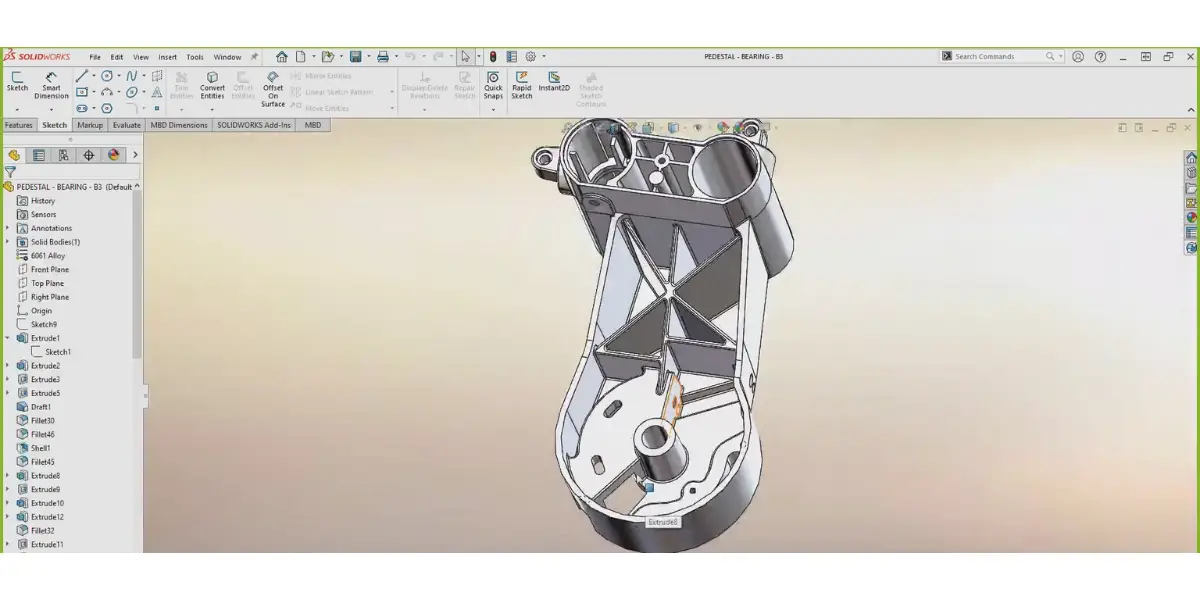
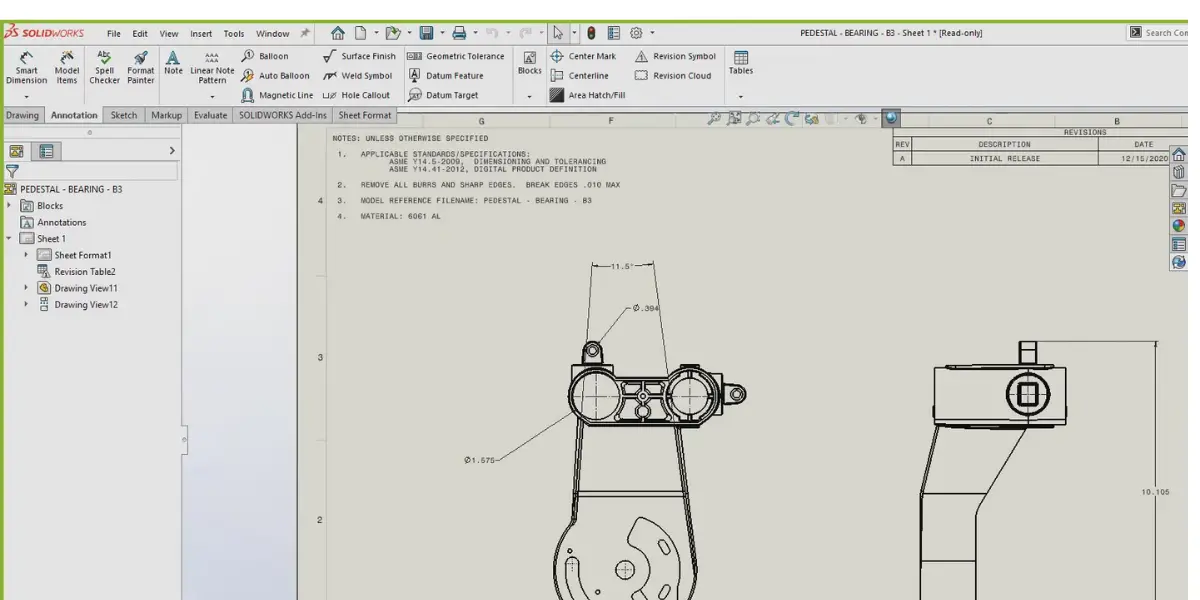
SOLIDWORKS PDM, sold as PDM Standard and PDM Professional, generally comes with the following features and functionalities.
- Bill of Materials Management
- Product Development Lifecycle Management
- Version Control
- Formula Management
- Document Management
- Product Analytics
- Testing Management
Pricing
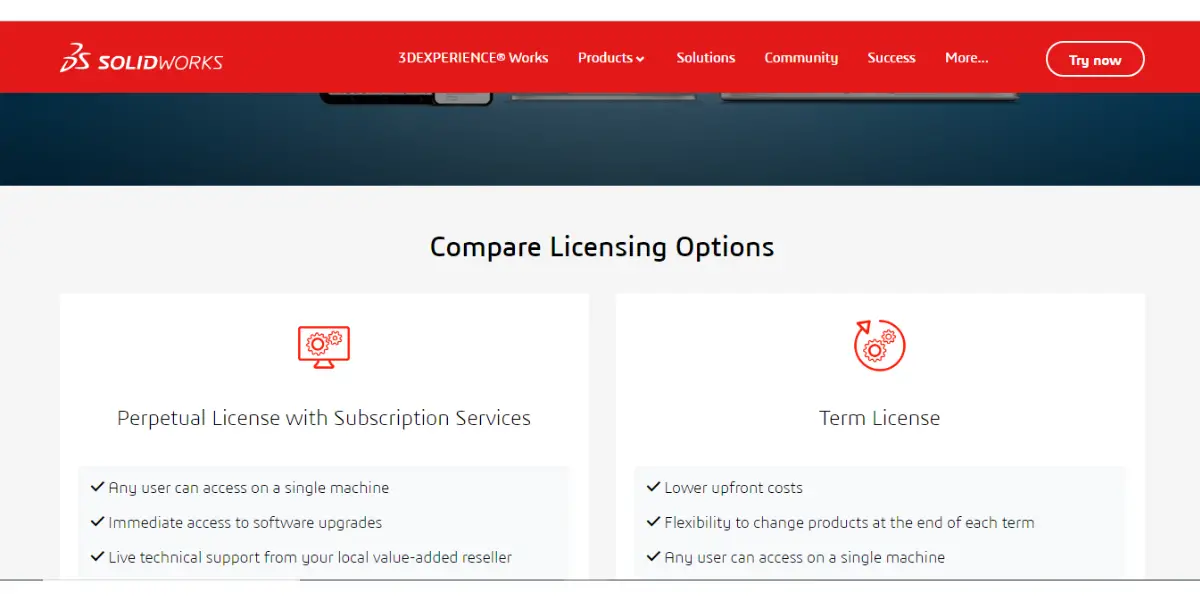
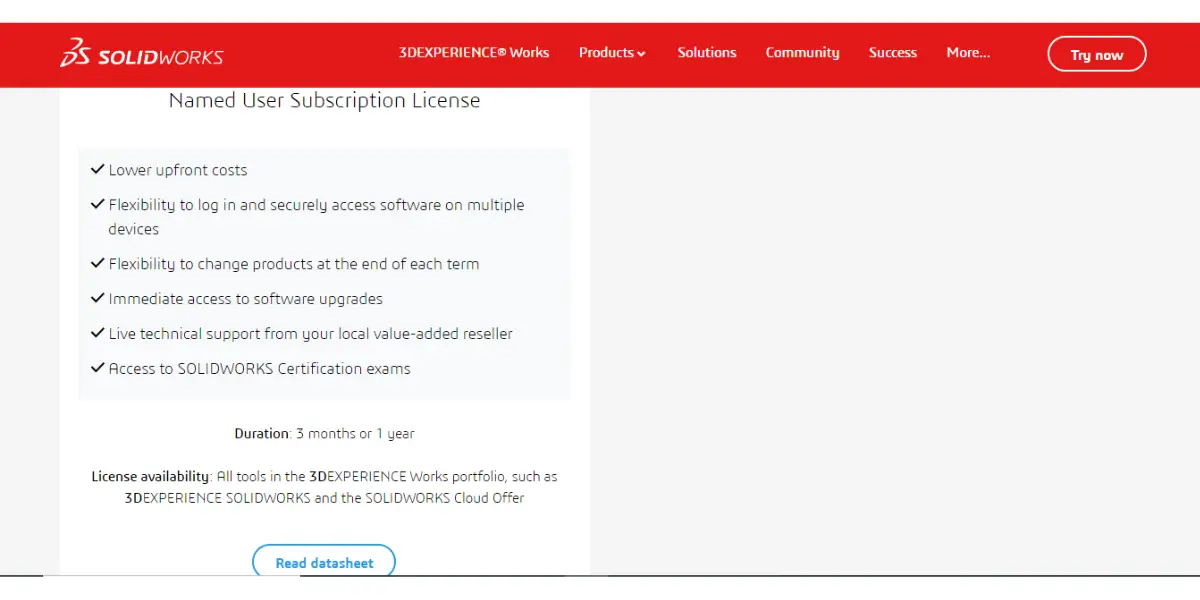
SOLIDWORKS sells PDM in two editions: PDM Standard, for smaller single-site companies with simple data management needs, and PDM Professional, for distributed teams. SOLIDWORKS publishes no price for either.
The licence options on SOLIDWORKS’ licensing page (Single User, Device, and Perpetual License with Subscription Services) apply to SOLIDWORKS Design, the CAD product, not to PDM.
Likes
- Aids in design and real-time simulations
- User-friendly Windows Explorer user-interface
- Speedy renderings
- It supports a variety of file types
Dislikes
- Software is expensive with high system requirements
- The mobile version is slack
- Integration issues with Sharepoint or one drive for data
- Improvements are needed for desktop power consumption and high assembly unit usage.
- Difficult to integrate with older versions of SQL software
- Saving large files is difficult, sometimes it will crash while saving
Supported industries
- Aerospace and defense
- Architecture and construction
- Infrastructure
- Governments
- Home & lifestyle
- Transport & mobility
Other details
| Deployment | On-premises: the vault sits on your own server (Windows Server 2019, 2022 or 2025) |
| Supported device | Windows |
| Support | Email/Help Desk, FAQs/Forum, Knowledge Base, Phone Support, Chat |
| Training | In-person, Live Online, Webinars, Documentation, Video |
User opinion
Solidworks PDM aids in design and real-time simulations, featuring a user-friendly Windows Explorer interface. It delivers speedy renderings and supports a wide variety of file types, making it incredibly versatile for different project needs.
Some downsides are it’s quite expensive and demands high system requirements. The mobile version can be sluggish, and there are integration issues with SharePoint and OneDrive. Improvements are needed for desktop power consumption and managing high assembly unit usage. Additionally, integrating with older versions of SQL software can be challenging, and saving large files sometimes causes the software to crash.
4. Siemens Teamcenter
Siemens Teamcenter is the outlier in this list, and it matters that you know why before you shortlist it. Teamcenter is a full PLM suite in which product data management is one capability among many, alongside BOM management, change and configuration management, requirements, manufacturing process planning and service. Buying it to solve a CAD-vaulting problem means buying a great deal you will not use at first.
That breadth is the reason to choose it: a site that expects to grow into configuration management and manufacturing planning does not have to migrate later. It is also the reason implementations run long, since scope tends to expand to fill the licence.
⚠️ One versioning detail catches people out. Siemens retired the old 12 / 13 / 14 numbering in favour of a date-coded scheme, so a release is identified by year and month rather than a major version. If a comparison you are reading still refers to “Teamcenter 14” as current, it predates that change. See our Siemens Teamcenter guide for the module breakdown and the deployment options.
In practice the reason large manufacturers choose Teamcenter is single-source-of-truth configuration control across sites and suppliers: one part number, one released revision, visible to engineering, manufacturing and service at the same time. That is worth a great deal at scale and is overkill for a ten-seat design team.
Key features
- BOM management
- Change management
- Document management
- Electrical design management
- Product cost management
Pricing
Siemens sells Teamcenter X, the SaaS edition, on AWS Marketplace with a published price: $70,000 for a 12-month contract covering a minimum of 20 users plus a one-time implementation, with larger user counts quoted (checked 9 October 2026). On-premises Teamcenter has no published price.
Likes
- Helps to deliver large products with enhanced productivity.
- Easily integrates with other CAD solutions.
- It offers industry-based solutions like Aerospace & Defense and Energy.
- It provides real-time data
- User-friendly software with easy implementation
- It provides strong 3D visualization
Dislikes
- If workflows are large, the interface will be slow in updating information
- It provides limited customization options for reports and workflows
- It is a complex software for those who are unfamiliar with the concept
- It is expensive for small businesses
- Manufacturing process planning is complex
- Customizing options are less
- Software upgradation is expensive
- No documentation and training manual support
Supported industries
- Aerospace and defense
- Automotive transportation
- Consumer product
- Electronics
- Energy and utilities
- Heavy equipment
- Insurance and Financial
- Media and telecommunication
User opinion
Siemens Teamcenter PDM software excels in providing real-time data, ensuring you always have the most up-to-date information at your fingertips. The user-friendly interface makes implementation straightforward.
However, when dealing with large workflows, the interface may experience slowdowns while updating information. Additionally, the customization options for reports and workflows are somewhat limited, which can be a disadvantage for businesses with specific requirements.
5. OpenBOM
OpenBOM is a comprehensive product data management software that helps businesses manage their product data more effectively.
OpenBOM provides users with a centralized repository for storing and managing product data. It also offers a variety of tools for managing parts, purchases, CAD files, and documents.
Key features
- BOM management
- Item management
- Change management
- CAD integration
Screenshots of OpenBOM
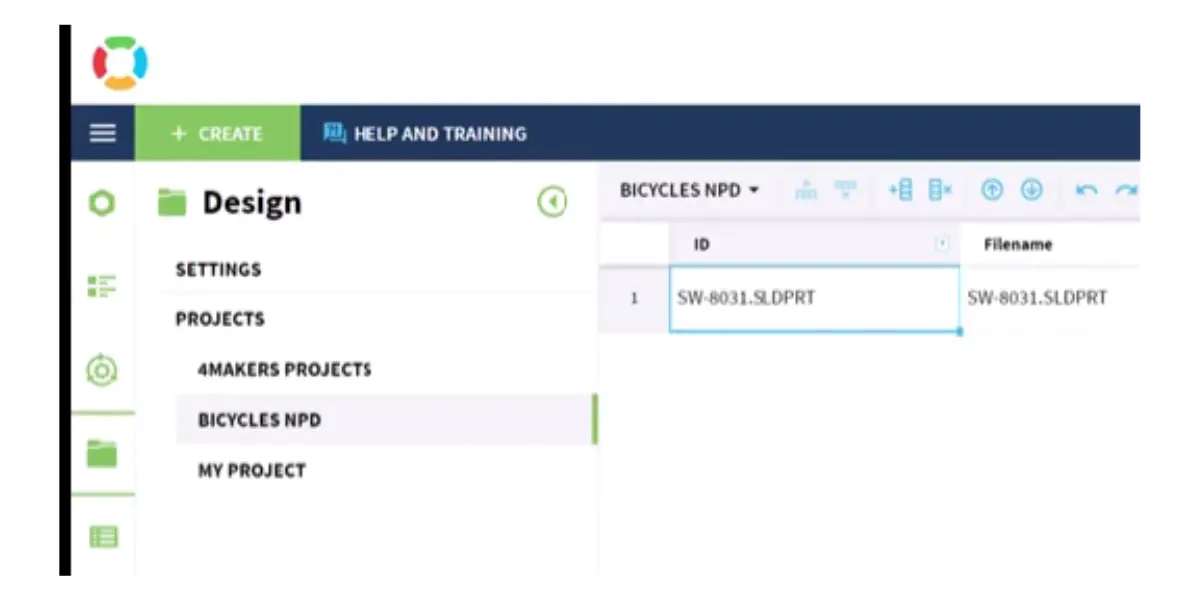
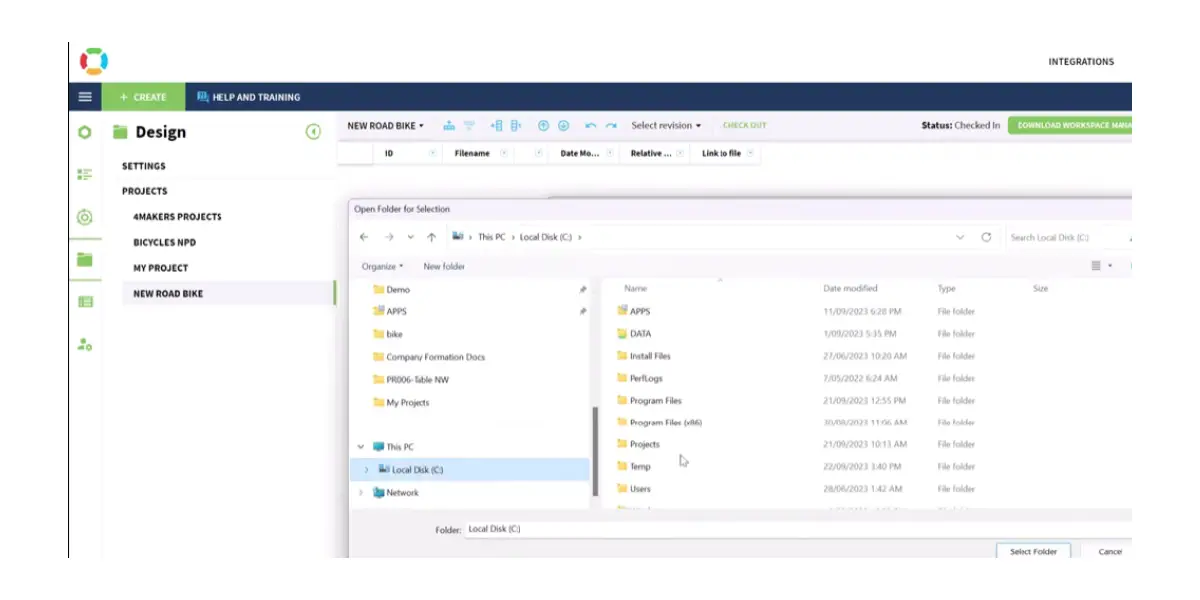
Pricing
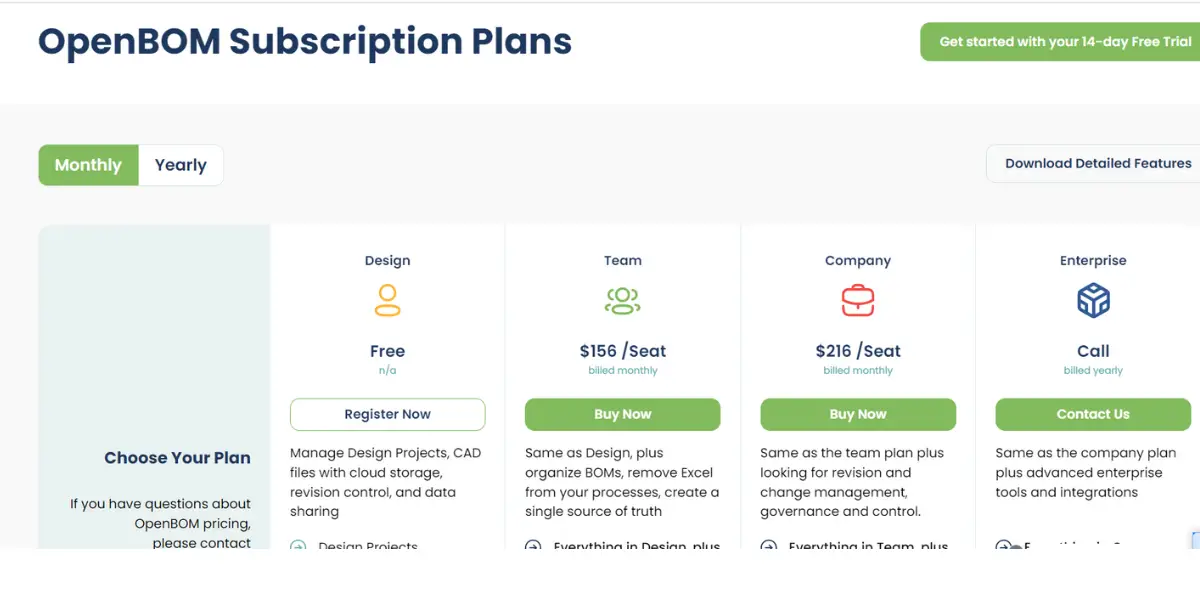
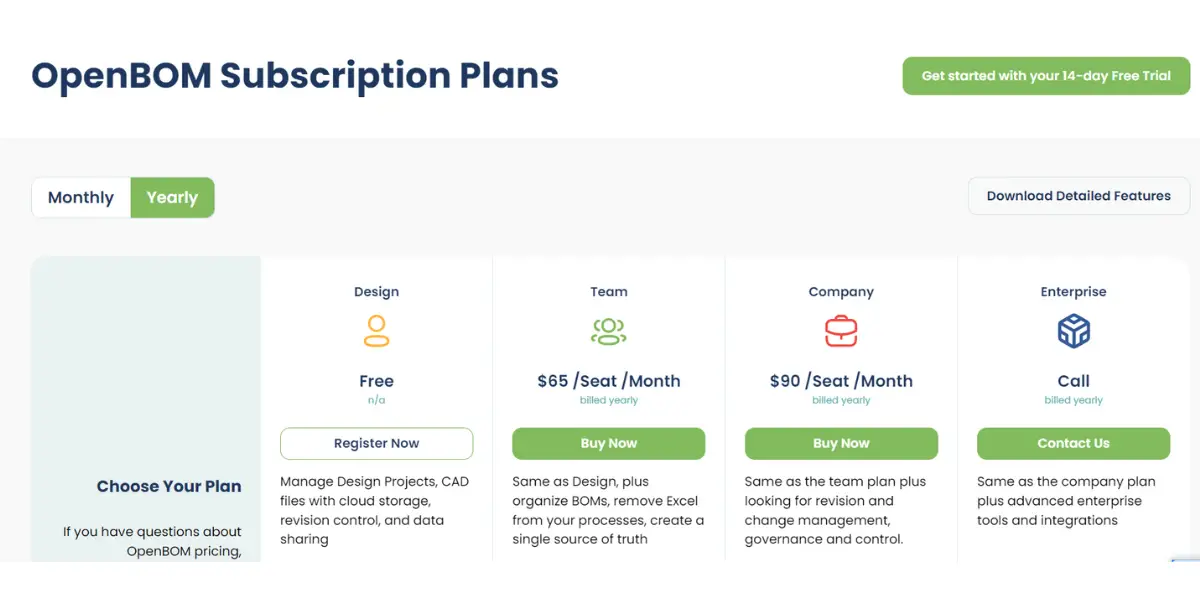
OpenBOM changed its pricing model in January 2026, so figures published before then are out of date. These are the plans listed on OpenBOM’s own pricing page, checked 9 October 2026:
| Plan | Billed monthly | Billed annually |
|---|---|---|
| Professional Team | $55 per seat per month | $30 per seat per month |
| Company | $165 per seat per month | $90 per seat per month |
| Enterprise | Contact the vendor | |
| CAD add-ins (per CAD system, needs Team or Company) | $45 per seat per month | $25 per seat per month |
Three things about this model are easy to miss and change the total materially:
- Annual billing is roughly 45% cheaper than monthly, a far larger gap than most SaaS vendors offer. Monthly billing is expensive here, not just slightly worse.
- The CAD integration is a separate line item. If you want the SOLIDWORKS, Inventor, Fusion or Onshape add-in, budget it per seat on top of the plan. For a Team seat billed annually that is $30 plus $25, which nearly doubles the cost of the thing most people are buying it for.
- There is also a data-records dimension. A free tier covers a limited number of records, and larger record counts are charged separately from seats. A small team with a very large parts catalogue can therefore cost more than the seat price suggests.
- Read-only users are unlimited and free on paid plans, which is genuinely unusual in this market and is the strongest argument for OpenBOM where you need many suppliers or reviewers to see data without editing it.
The screenshots below show the earlier pricing model and are kept for reference. The table above is the current one.
Likes
- Efficient sharing of BOM with other company
- 3D viewer for preview of images and parts
- Allows multiple simultaneous edits and data sharing
- Effortless integrations
Dislikes
- Engineering change requests feature needs to be improved
- Cannot handle large and complex BOMs
- Issues with speed and no offline access
- The user interface is not intuitive
- Occasionally users will get bugs
User opinion
OpenBOM makes it easy to share BOMs with other companies and includes a 3D viewer for detailed previews of images and parts. It allows multiple users to edit and share data simultaneously and integrates seamlessly with other systems.
On the downside, the engineering change request feature could be better, and the software has trouble handling large and complex BOMs. Additionally, the user interface isn’t very intuitive and there are occasional bugs.
6. Delogue
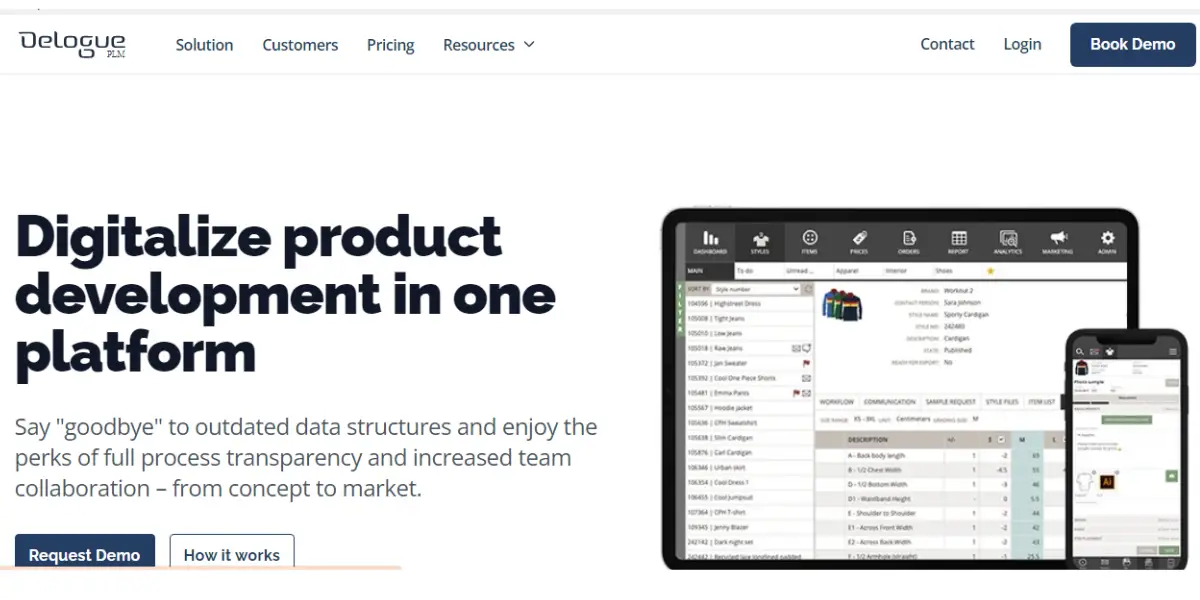
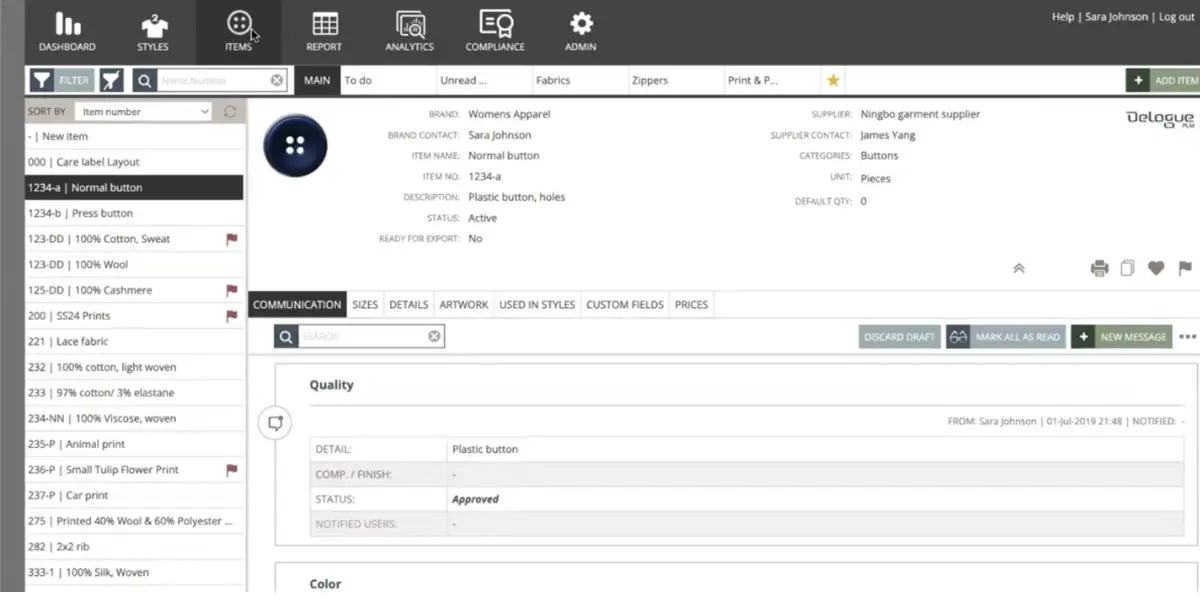
Delogue is a leading product lifecycle management software tailored for the apparel and lifestyle industry. It efficiently manages product data, projects, and team communications throughout the lifecycle workflow.
By centralizing sensitive information, Delogue enhances accuracy, efficiency, and knowledge accessibility, significantly boosting production team productivity. Additionally, it seamlessly integrates with existing ERP systems.
Key features
- Manage product data and specifications more efficiently
- Keep track of products, manage information, and collaborate with team members effectively.
- Streamline your workflow for faster product development
- Get real-time feedback from your team and customer
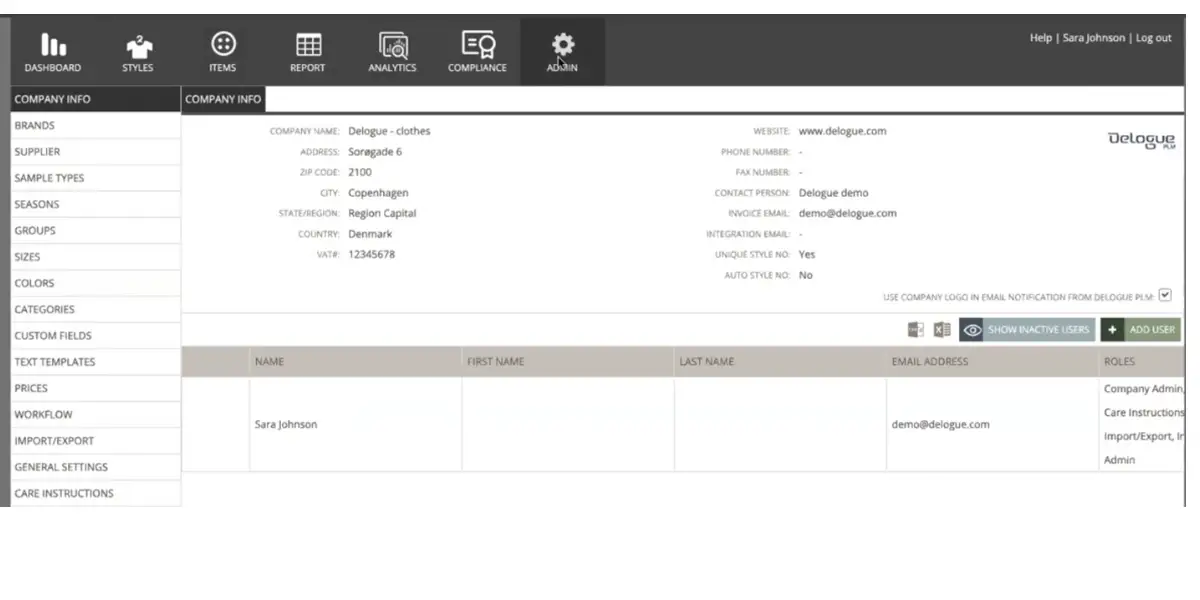
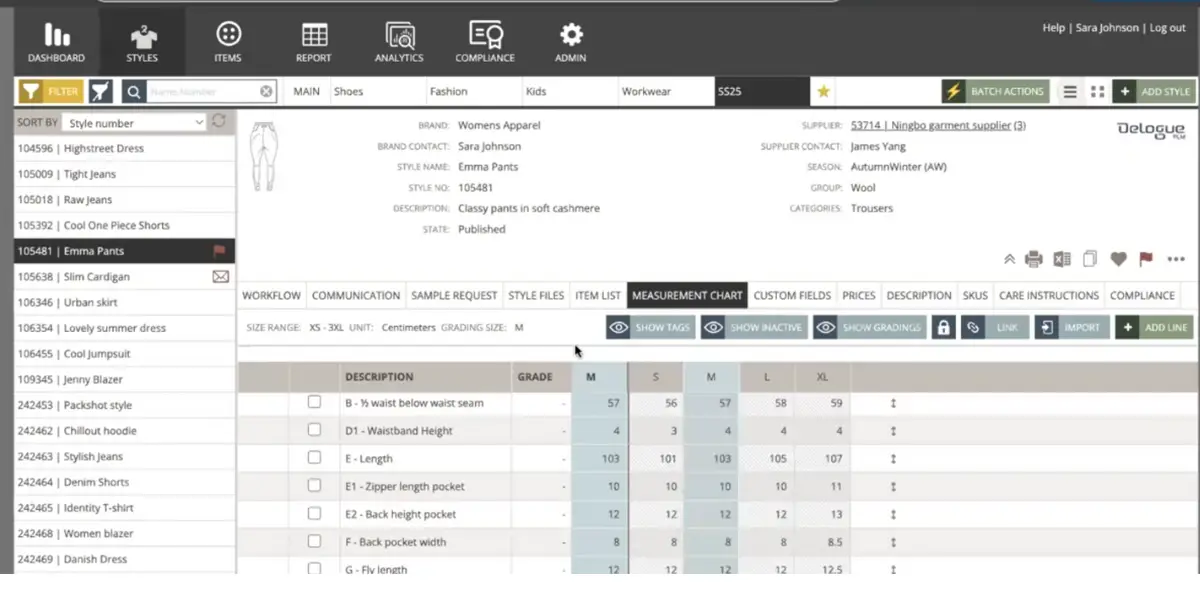
Some screenshots of Delogue
Pricing
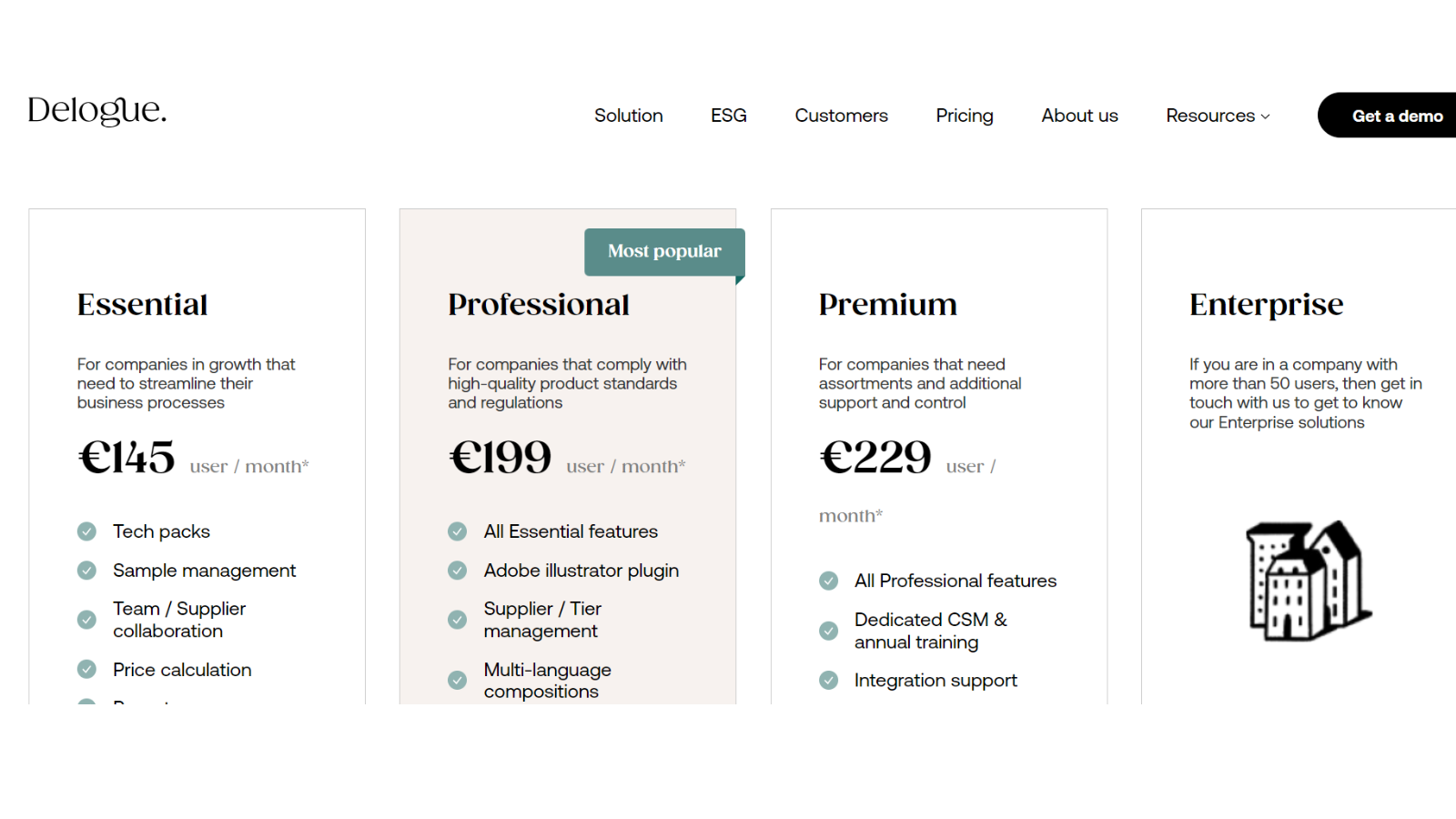
Delogue publishes four tiers, not three, and quotes each at two rates depending on whether you commit quarterly or annually. Figures from Delogue’s own pricing page, checked 9 October 2026:
| Plan | Per user per month | Positioned for |
|---|---|---|
| Essential | EUR 145 or EUR 169 | Growing companies streamlining core processes |
| Professional | EUR 199 or EUR 229 | Companies with product standards and compliance obligations |
| Premium | EUR 249 or EUR 279 | Teams of 15 or more needing added support and control |
| Enterprise | Quote | Brands with 40 or more users |
In each row the lower figure is the price billed annually and the higher one the price billed quarterly (Delogue labels the annual option “save up to €360”). Note also that supplier logins are unlimited and included on every tier, which matters in apparel where most of the collaboration is with external factories.
Likes
- Easy access to information
- Decent user interface
- Enables easy design changes to the final product
Dislikes
- Errors made while commenting cannot be deleted
- You can’t see whether your supplier opened the message or the email sent to them
- The platform is a little bit complex
Other details
| Deployment | Cloud, SaaS, Web-Based |
| Support | Email/Help Desk, FAQs/Forum, Knowledge Base, Phone Support, Chat |
| Training | In-person, Live Online, Webinars, Documentation, Videos |
User opinion
This software is praised for its easy access to information and a decent user interface, making navigation straightforward. It excels in enabling easy design changes to the final product.
However, some users find it frustrating that errors made while commenting cannot be deleted, and there is no way to see if suppliers have opened messages or emails. Additionally, the platform can be a bit complex.
7. Altium 365
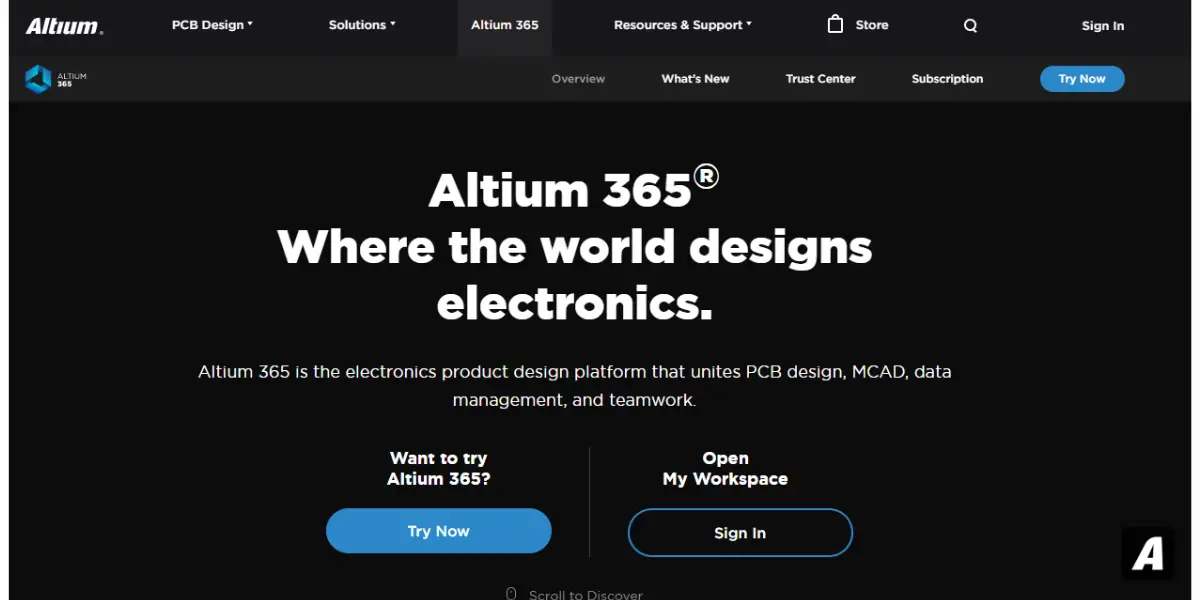
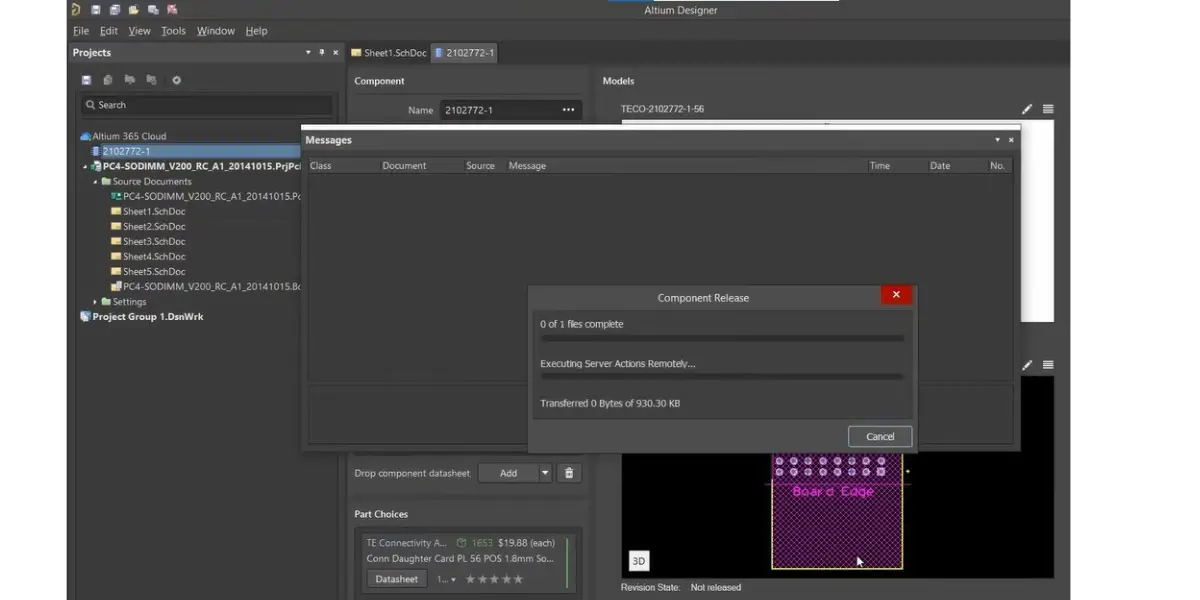
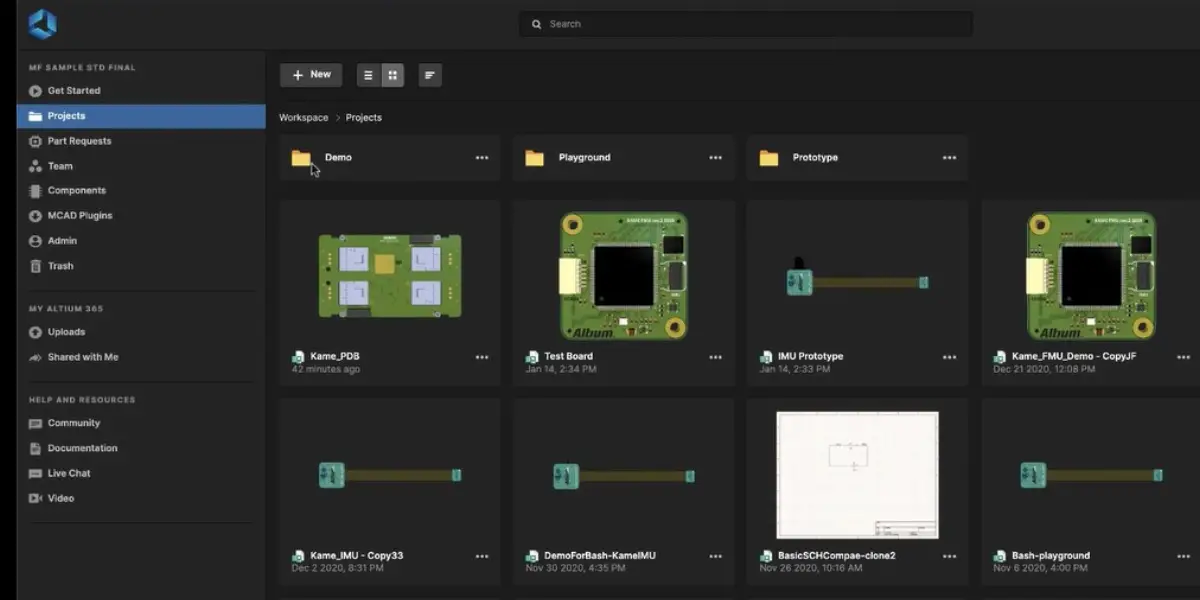
Altium 365 is the cloud platform behind Altium Designer, and it is an electronics tool first. It manages schematics, PCB layouts, component libraries and the mechanical interface between a board and its enclosure. If your product data is boards and components, that specialisation is the whole point; if it is machined and fabricated parts, this is the wrong shortlist entry.
Feature
- PCM design
- Mechanical and electronic collaboration
- Centralized cloud storage
- Life cycle management and libraries
- ECAD data management
- Requirements management
- BOM management
- Design review and mark up
- Manufacturing collaboration
Screenshots of Altium 365
Pricing
Altium publishes prices in its online store, store.altium.com, in your local currency, so check it from your own country. The current line-up is Altium Develop, Altium Agile Teams and Altium Agile Enterprise, alongside Altium Designer and Altium 365. Altium has been part of Renesas Electronics since August 2024.
Likes
- The tool is easy to use
- Easy to share designs with colleagues and other business persons
- Good customer support
- Share the PCB information with customers and suppliers
- Easy integration with mechanical CAD
- Collaboration and online libraries for team sharing
- Active BOM
- New and improved homepage
- Revision control of symbol, footprint, and unified component released to the server
Dislikes
- The software is expensive
- Newly released features have some bugs
- Poor design rule management
- The combination of web application and cloud repository is not flexible enough
- Its online browser tool is not good
Other details
| Deployment | Cloud, SaaS, Web-Based |
| Supported device | Windows |
| Support | Email/Help Desk, FAQs/Forum, Knowledge Base, Phone Support, Chat |
| Training | Live Online, Webinars, Documentation, Videos |
| Supported languages | English |
User opinion
Altium 365 offers a user-friendly experience with excellent collaboration tools and seamless integration with mechanical CAD systems.
Its strong customer support and active BOM feature make it a reliable choice for many users. However, the high cost and occasional bugs in new features are significant drawbacks. Additionally, the poor design rule management and the inflexibility of the web application and cloud repository can be frustrating.
8. Synergis Adept
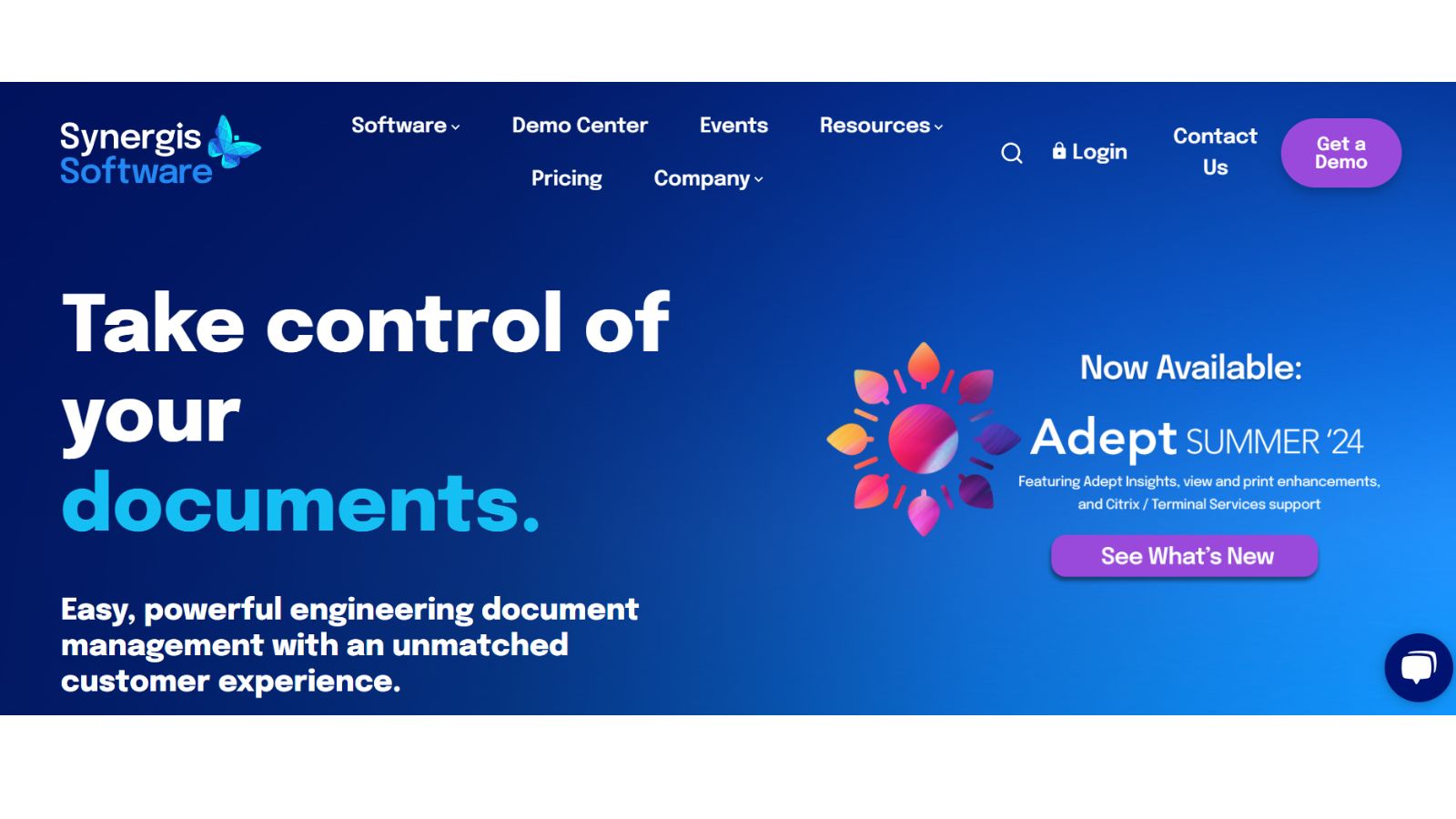
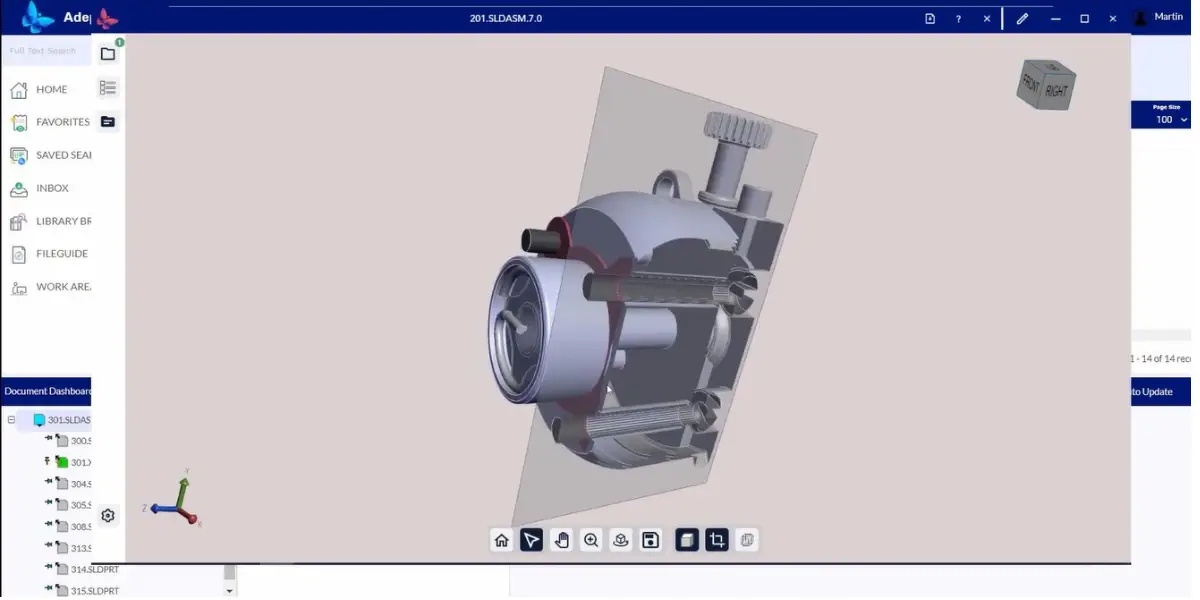
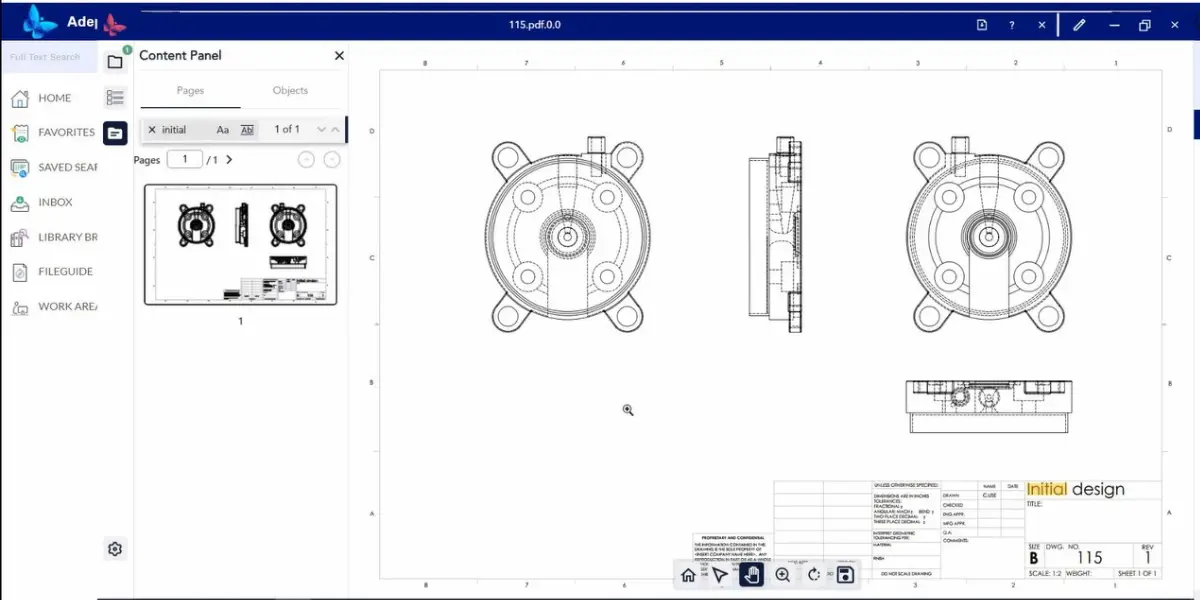
Synergis Adept is unified control of your engineering drawings and business documents in one secure place. You no longer need to search multiple locations for the information needed – access it through a shared collaboration platform.
Features
- Document management platform
- Workflow and collaboration
- CAD drawing and model management
- Visualization and markup
- Single source of truth
- Integrated with AutoCAD, Solidworks, Inventor, MicroStation
- Security and Control
- Easy to connect applications and eliminate information silos
Screenshots of Synergis Adept
Pricing
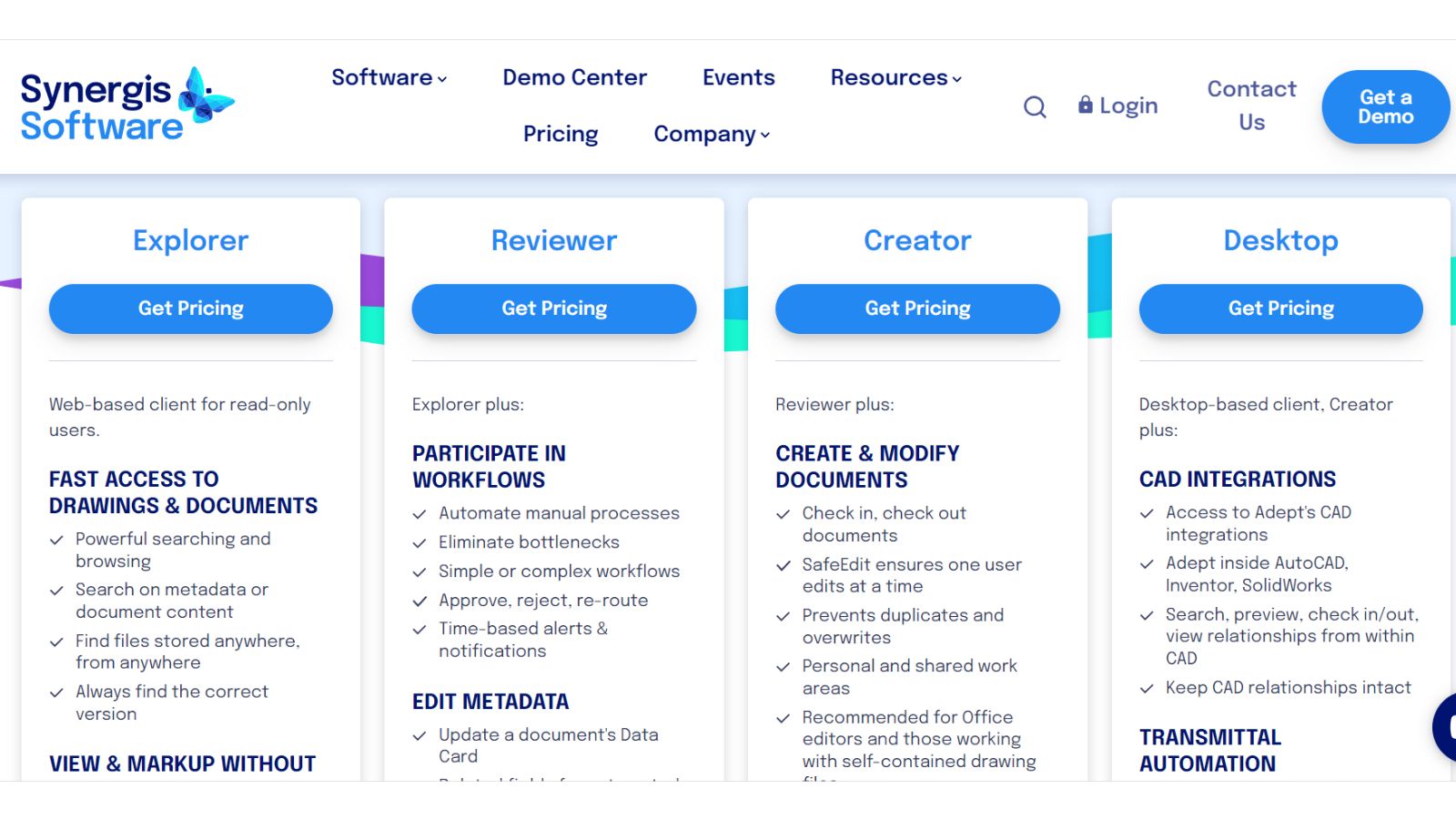
Adept is available with a combination of four license types.
- Explorer
- Reviewer
- Creator
- Desktop
Synergis publishes Adept prices for its on-premises platform, per user per month, for named or concurrent licences (checked 9 October 2026):
| Licence | Named user | Concurrent user |
|---|---|---|
| Explorer (read-only, web) | $12 | $104 |
| Reviewer | $25 | $131 |
| Creator | $68 | $164 |
| Desktop | $82 | $208 |
It also offers add-ons like
- Approval signature validation
- Assign workflow
- Multi-version handler
Some optional services like onboarding and ongoing services are also available.
Likes
- Simple platform
- Good user interface
- Easy to set and learn
- Helps find, manage, share, and integrate engineering and enterprise information
- Good customer support
- Storage of backup files and sharing
- Seamless workflow
Dislikes
- Poor document management
- The Monocrom option is not available
- Installation takes multiple attempts
- Direct print option is not available. Need to follow too many steps
- Limited options to retrieve KPI information for workflows
- The tool’s viewer performance is not good
Supported industries
- Chemical
- Energy and utilities
- Manufacturing
- Mining
- Oil and gas
- Facilities and building
Other details
| Deployment | Cloud, SaaS, Web-Based |
| Supported device | Windows, iPhone, iPad |
| Support | Email/Help Desk, FAQs/Forum, Phone Support, Chat |
| Training | In-person, Live Online, Webinars, Documentation |
| Supported languages | German, English, French, Italian, Portuguese, Spanish |
User opinion
Synergis Adept is user-friendly with a good interface and easy setup, making it great for managing and sharing engineering information. It offers seamless workflow integration and solid customer support.
However, it has some drawbacks, including poor document management, lack of a Monochrome option, complicated installation, no direct print feature, limited KPI retrieval, and subpar viewer performance. Despite these issues, it remains a valuable tool for many.
9. Onshape
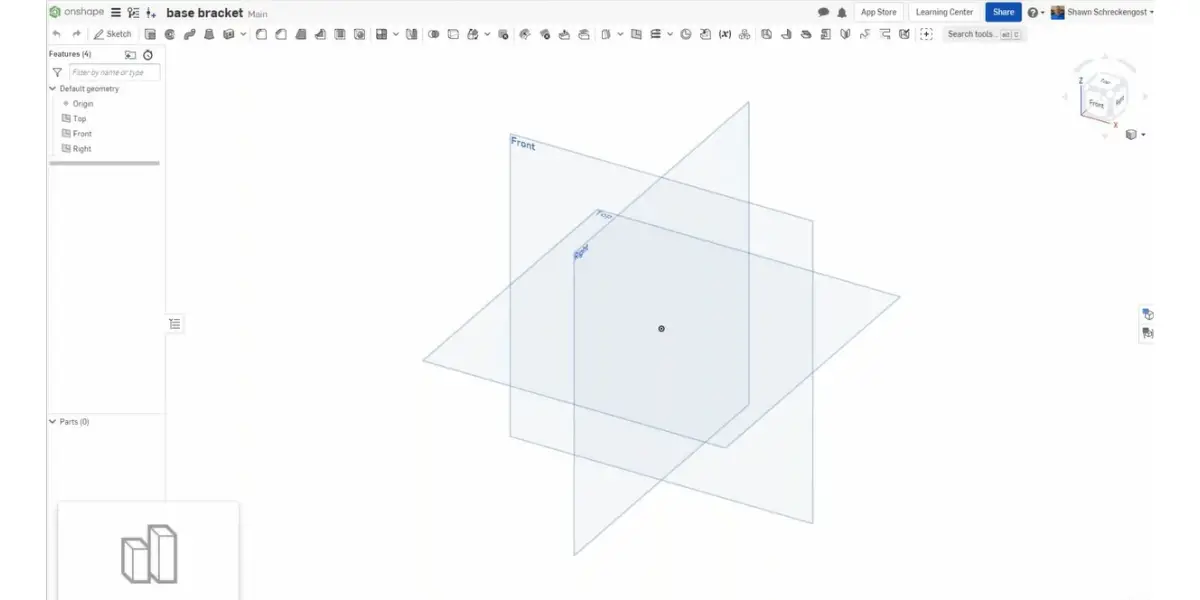
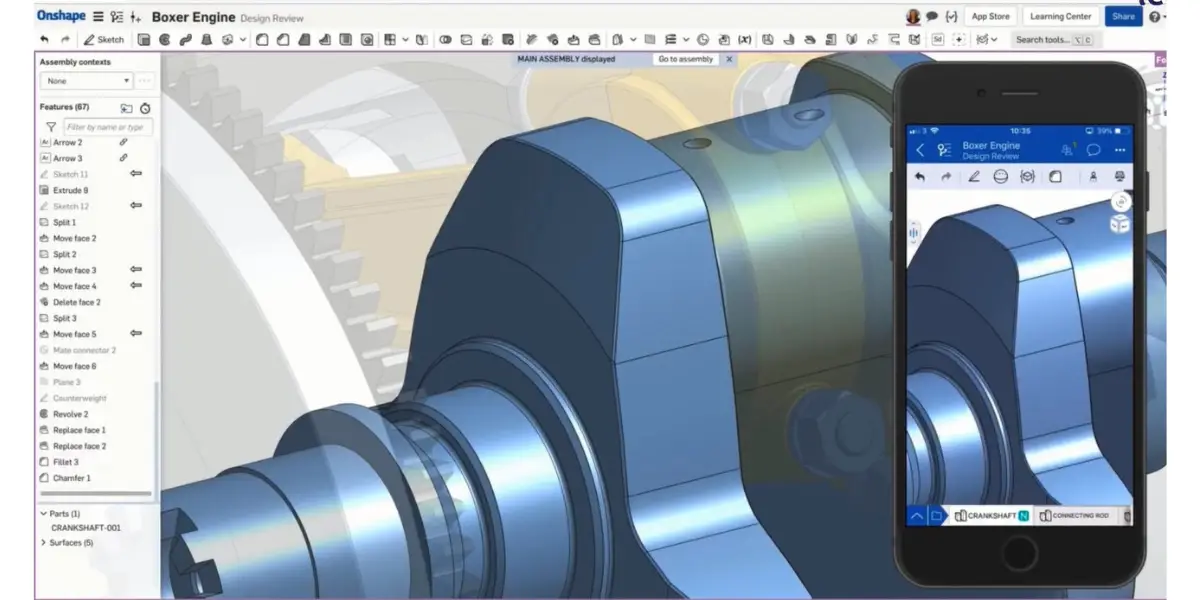
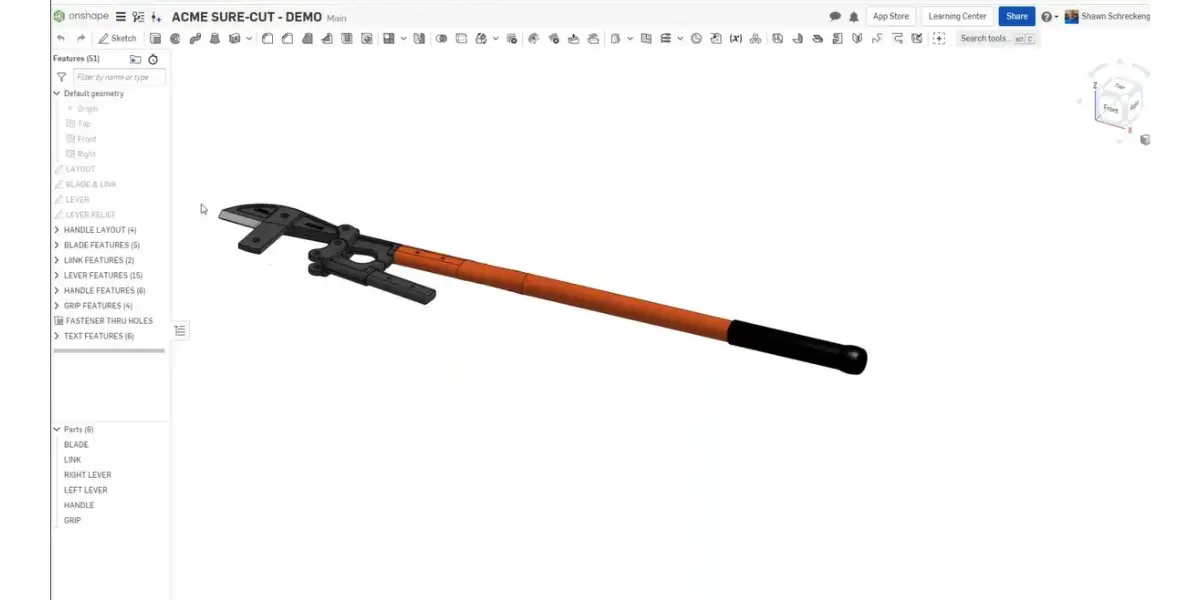
Onshape is a browser-based CAD system from PTC with data management built into the platform rather than layered on top. Because every edit lands in a single cloud database, there are no files to check in or out and no vault to administer, which removes a whole class of PDM problem instead of managing it.
The catch is the flip side: this is not a PDM layer you can put over your existing CAD. Adopting Onshape’s data management means adopting Onshape as your CAD tool. Include migration and retraining in any comparison against the vault products above, because the licence cost is the smaller number.
Feature
- Cloud-native Computer-Aided Design(CAD)
- Provides a multi-user environment
- Flexible pricing plans
- Built-in Product data management with 3D CAD
- Agile product development
- It offers powerful automation and customization tools.
Screenshots of Onshape
Pricing
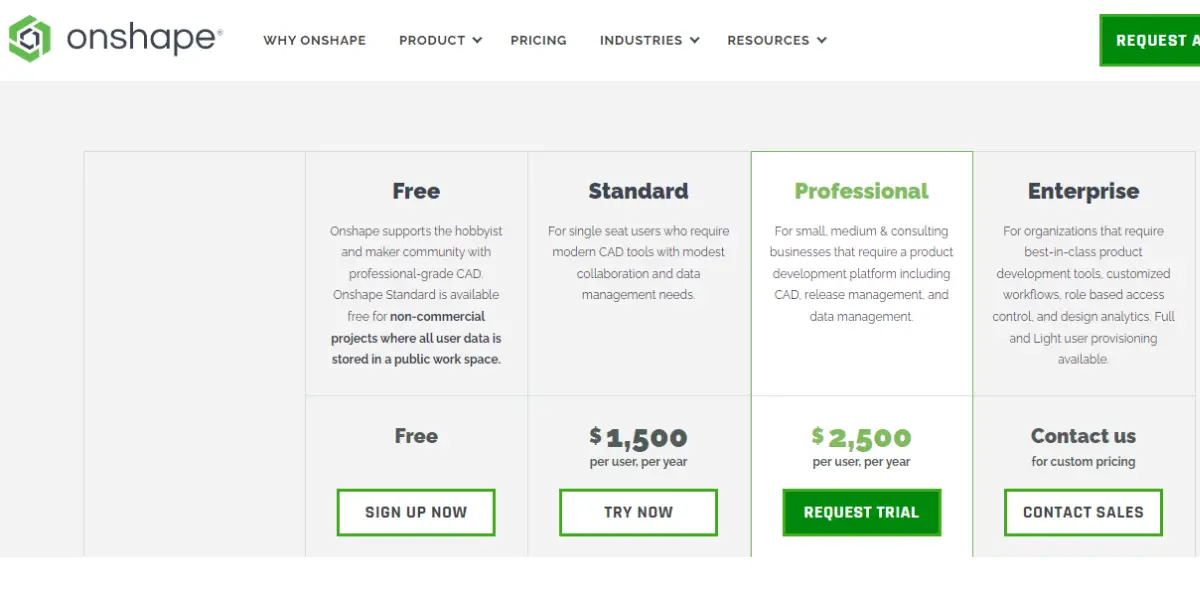
Onshape Cloud offers four plans
- Free: $0, for non-commercial use only; every document is public
- Standard: $1500 per user per year
- Professional: $2500 per user per year
- Enterprise: Contact them directly
Likes
- Good customer support
- Easy-to-use and user-friendly UI
- Easy learning management features
- You can easily share work with outside vendors
- Easy to adapt and implement
- Good version control
Dislikes
- Importing large assembly drawings takes time
- The software is slow compared to a local CAD system like Solidworks.
- The assembly mirror feature needs to be included
- Unavailability of error list and resolving tips
- Difficult to use large-scale architectural projects
- Some users faced occasional glitches and clashes in large-scale projects
- Need improvement in the sheet metal side of modeling and documentation
- Less functionality compare to more mature CAD software
- No axis for creating revolve shapes
Supported industries
- Automotive
- Consumer products
- Education
- Electronics
- Industrial equipment
- Medical
Other details
| Deployment | Cloud, SaaS, Web-Based |
| Supported device | Mac, Chromebook, Windows, iPhone, iPad, Android |
| Supported languages | German, English, French, Italian, Japanese, Korean, Spanish, Chinese (Simplified) |
| Support | Email/Help Desk, FAQs/Forum, Knowledge Base, Chat |
| Training | Live Online, Webinars, Documentation, Videos |
User opinion
Onshape is praised for its excellent customer support, user-friendly interface, and easy learning curve. It’s great for version control and sharing work with vendors.
However the software can be slow, especially when handling large assembly drawings, and it lacks some features found in more mature CAD systems. The absence of an assembly mirror feature and less functionality in sheet metal modeling are notable drawbacks.
10. Windchill PDM
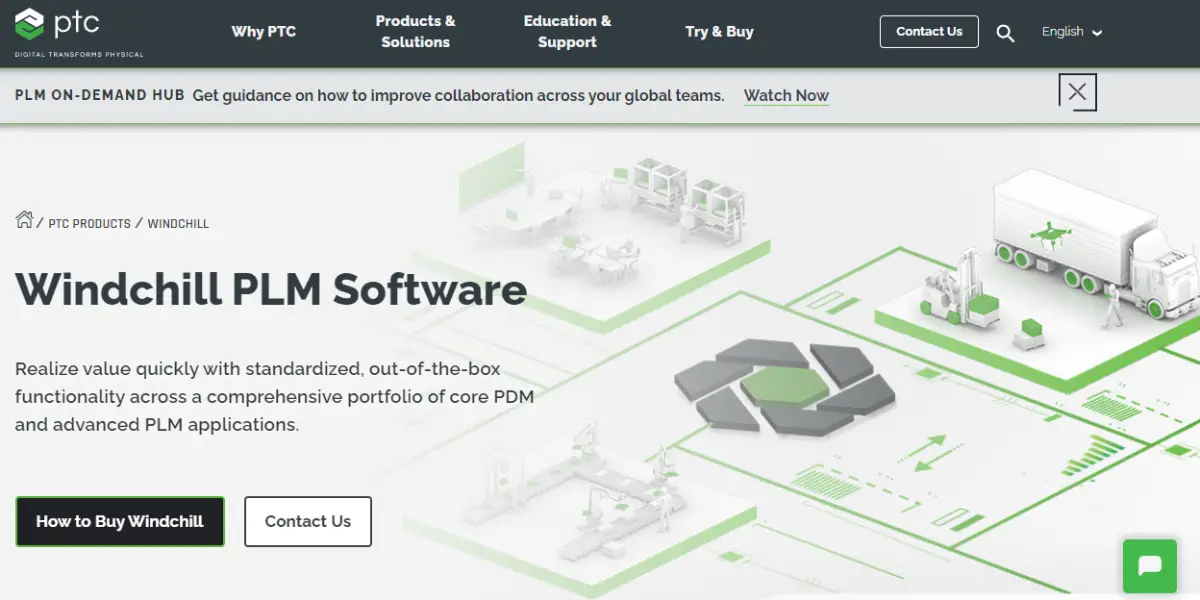
Windchill PLM software offers extraordinary value with its easy-to-implement PDM and PLM tools suite. No need to start from scratch; users can reap the rewards quickly, right out of the box.
Features
- Open architecture for PDM and PLM
- Easy integration with other systems
- Real-time information sharing
- Dynamic data visualization
- Easy, secure data access
- Quality focused process
- Geographically distributed teams
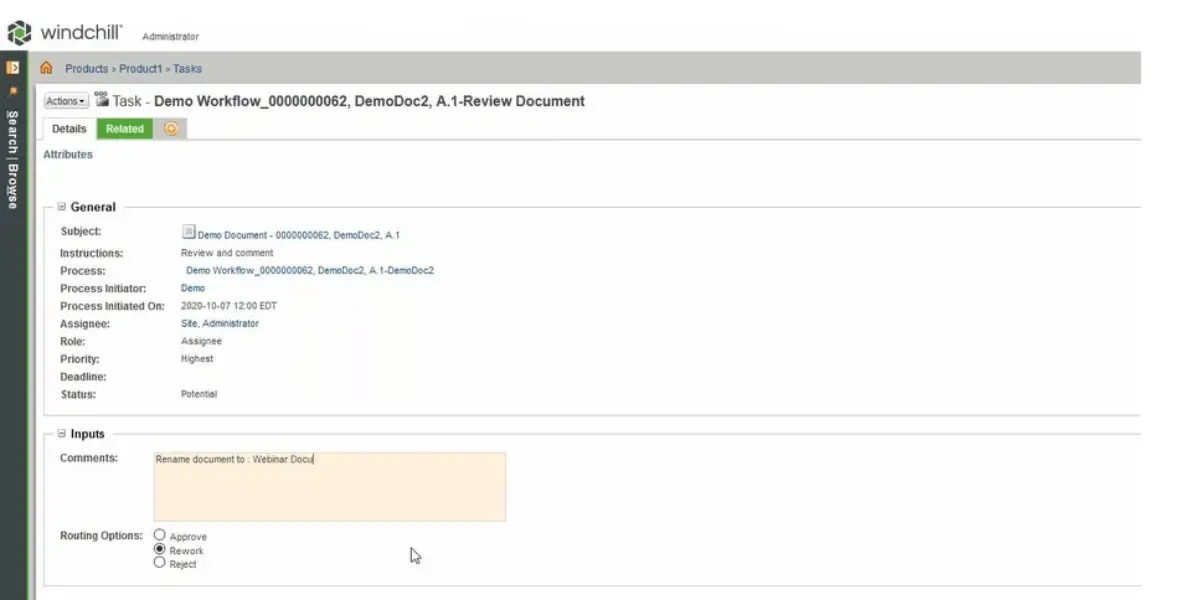
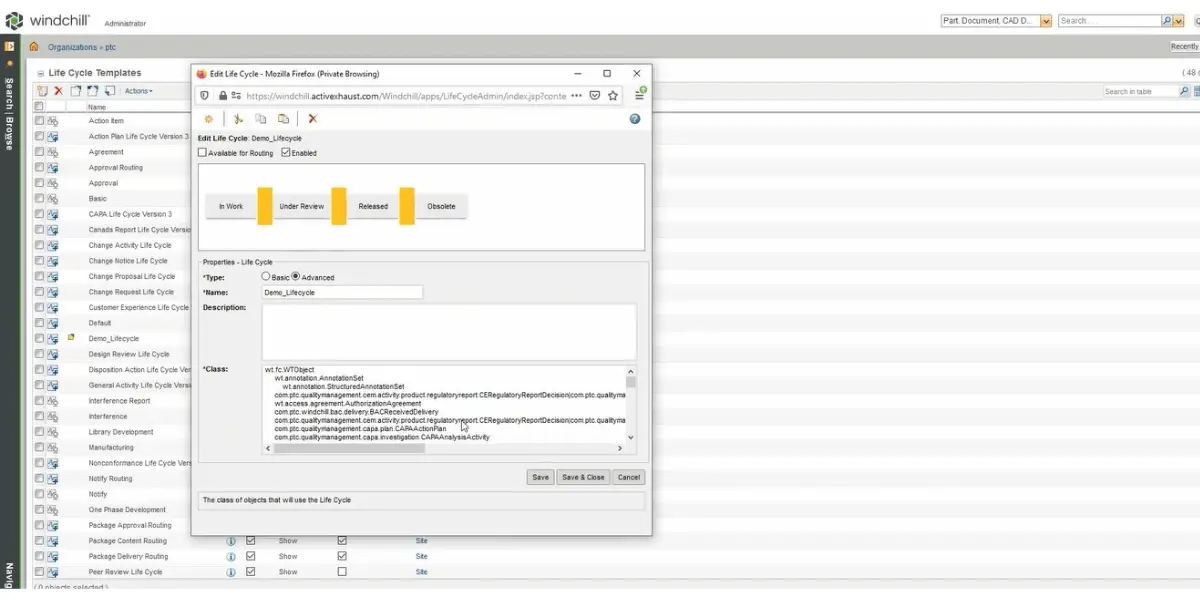
Screenshots of Windchill PDM
Pricing
PTC offers Windchill demos.
WindChill offers three packages.
- Base
- Advance
- Premium level
Add-ons are sold separately from the base packages, so confirm which capabilities are included in the tier you are quoted rather than assuming. PTC does not publish Windchill list pricing, so a quote is the only way to size it.
Likes
- The software is compatible with AutoCAD and easily available documents
- Rich application and intuitive product structure management software
- Version control and powerful configuration management
- Comprehensive security measures
- Action icons of files are easy to recognize
- Preview UI file is very useful
- Compatibility with multiple devices
- Easy to find any part and assembly with its drawing file
Dislikes
- Steep learning curve to fully utilize the platform
- Some reference errors are difficult to solve
- The software will become slow if your data is large
- Not designed for process manufacturers.
- Not suited for enterprises with less than 5 users
- The library module needs improvement with better standard parts
- Issues with handling backup files after a gap
Other details
| Deployment | Cloud, SaaS, Web-Based |
| Supported device | Windows |
User opinion
Windchill impresses with its compatibility with AutoCAD, intuitive product structure management, and robust version control. Its comprehensive security measures and easy-to-recognize action icons enhance user experience.
On the downside, Windchill has a steep learning curve, can slow down with large data, and is not ideal for process manufacturers or small enterprises.
Uses of PDM software

- Accesses the design files from CAD software. Generally, it is not easy to find these design files.
- Helps to reduce development costs and errors.
- Provides more visibility across teams and improves cooperation between team members.
- It helps the organization to get complete control over the product information.
- It helps to get efficient output from the design and engineering team.
- It allows the design team to speed up the designing process and helps release the product quickly in the market.
FAQs
Why is product data management critical?
Product data management is crucial because it ensures that all product-related data is accurately and consistently stored in a single system. This makes it easy to access and track product information, which can help make production, marketing, and sales decisions.
Additionally, good product data management can help improve communication among different departments within a company and between companies and their suppliers and customers.
Product data management can help businesses run more efficiently and make better decisions based on real-world data by providing accurate and up-to-date information about products.
What is the difference between PDM and PLM?
PDM is the process of organizing and managing product data. This includes the product description, specs, engineering drawings, photos, and other related documents.
PLM is a comprehensive system for managing all aspects of the product lifecycle. It covers everything from creativity to end-of-life disposal.
Conclusion
The centralized Product Data Management system serves as a crucial hub for efficient control of both product data and manufacturing processes.
The measurable return usually shows up in three places: engineers stop recreating drawings they cannot find, the released revision on the shop floor matches the one in engineering, and change history survives staff turnover.
If you take one thing from the comparison, take the pricing column. Two of these ten vendors publish no figure, so any shortlist that mixes published and quote-only products is comparing a known cost against an unknown one. Get quotes for the quote-only options early.
Then check three things before committing: whether the tool is genuinely CAD-agnostic or tied to one system, whether you can license viewers and reviewers cheaply rather than as full users, and whether the product is engineering PDM at all. Two of the best-known names on this list are specialists in apparel and electronics, and one is a CAD system rather than a PDM layer.
Reference
Using Google Search? Add erp-information.com as a preferred source.